Search optimization has changed. Traditional SEO still matters, but it’s no longer enough on its own. Today, your site also needs to perform well in generative search engines and AI-driven tools like ChatGPT, Perplexity and Google’s AI Overviews. That’s where GEO (Generative Engine Optimization) and AEO (Answer Engine Optimization) come in.
At Kanopi, we don’t treat SEO, GEO and AEO as separate strategies. They all depend on the same foundation: a fast and crawlable site with a clear and accessible structure for people and machines. When you build that foundation well, your content can perform in traditional search and AI tools. It can also adapt to what comes next.
Many of our clients already think this way. They want Drupal AI consulting and ongoing optimization, not one-time fixes.
Here’s how we approach this in practice, with real examples from our work.
Start with the Technical Foundation
Strong optimization always begins with the basics. If search engines or AI systems can’t reliably crawl and understand your site, everything else is harder.
At this stage, our work typically includes:
Auditing the site’s search foundation
Crawlability
Performance
Templates
Metadata
Internal linking
Accessibility
Finding and fixing issues that suppress search performance
Broken links
Orphaned pages
Duplicate content patterns
Redirect gaps
Low-value pages that dilute crawl budget
Reviewing CMS structure
Drupal templates
WordPress templates
Content models that support consistent indexing and interpretation
This work isn’t flashy, but it is essential. It creates the conditions for SEO, GEO and AEO to work together instead of competing with each other.
Make Content “Answer-Ready” for GEO and AEO
AI tools tend to reward content that answers questions clearly and quickly. However, that doesn’t mean dumbing content down. It means structuring it so the core message is easy to extract, which starts with strong brand and entity signals that reinforce credibility. Key pages need to stay fresh and consistent and the format has to work for both crawlers and AI systems.
To support this, we focus on practical changes that make content easier to understand and easier to trust. This includes:
Restructuring key pages so they answer the primary question early; we use clear headings and short sections that readers can scan
Strengthening entity clarity and relationships (for example: between people, departments, research areas, programs and initiatives)
Reducing ambiguity so AI systems can connect concepts accurately and return answers with proper context and attribution
This helps content perform better in AI-generated answers, featured snippets and zero-click results while still encouraging users to visit the site for deeper information.
Add Machine-Readable Signals Without Overdoing It
Search engines and AI systems rely on structured signals to understand what your content represents. We add these carefully and intentionally.
This usually includes:
Implementing or refining structured data where it provides real value, such as:
Organization
Person
Article or news
Events
Standardizing key on-page signals:
Titles
Descriptions
Canonical patterns
Open Graph metadata
Reducing conflicting signals so platforms interpret your content consistently
The goal is clarity, not complexity. More markup isn’t always better.
Manage Bot Traffic So Performance Stays Stable
AI crawlers and aggressive bots can put real strain on sites, especially on search results and listing pages. We treat bot management as part of optimization, not just security.
Here’s how we manage bot traffic:
Blocking malicious bots as early as possible, ideally at the CDN or WAF layer before requests reach your Drupal, WordPress or the database
Applying rate limiting and bot controls to reduce resource strain from aggressive crawlers
Maintaining a robots.txt strategy that supports SEO while limiting unnecessary crawling
When appropriate, implementing an llms.txt (proposal-level, community-led) approach to guide some AI crawlers towards key pages to also reduce unnecessary crawling
We also review bot patterns regularly and adjust controls as new crawlers emerge.
Measure, Iterate, and Improve Over Time
SEO, GEO and AEO aren’t one-time projects. They improve through iteration.
Ongoing work often includes:
Using analytics and search data to identify high-value queries, zero-result patterns and content gaps
Maintaining an optimization backlog and delivering improvements incrementally
Folding this work into ongoing support, alongside performance, accessibility and analytics improvements
This avoids disruptive overhauls and keeps progress steady.
Real Examples from Our Work
Kanopi Studios We’ve applied this same approach to our own site. We clarified service language, improved content structure and added machine-readable signals for AI discovery.
Today, roughly one-third of our new inbound leads originate from ChatGPT and similar tools. GEO and AEO are definitely driving real business outcomes.
COIT For COIT, we focused on structuring service pages and how-to content to answer common user questions directly. This increased visibility in AI-generated answers and featured snippets, while still guiding users back to the site. We also supported franchise-related content so it was easy to discover and accurate across both traditional search and AI platforms.
San Francisco International Airport For SFO, we supported SEO and emerging AEO strategies on a large, high-traffic site. Our work focused on performance, content clarity and structured data so users could quickly find authoritative answers about services and operations.
Centre for Digital Media For the Centre for Digital Media, we improved the sitemap and clarified user pathways, strengthening information architecture and internal linking. This improved discoverability and reinforced SEO fundamentals that also support AI interpretation.
Ongoing Support Clients Technical SEO is a recurring part of many support engagements. It often works alongside performance tuning and continuous improvement.
This is where SEO, GEO and AEO work tends to live and mature over time.
How clients are using AI on their websites today
AI tools are still emerging for many organizations, but early adopters are already seeing practical benefits.
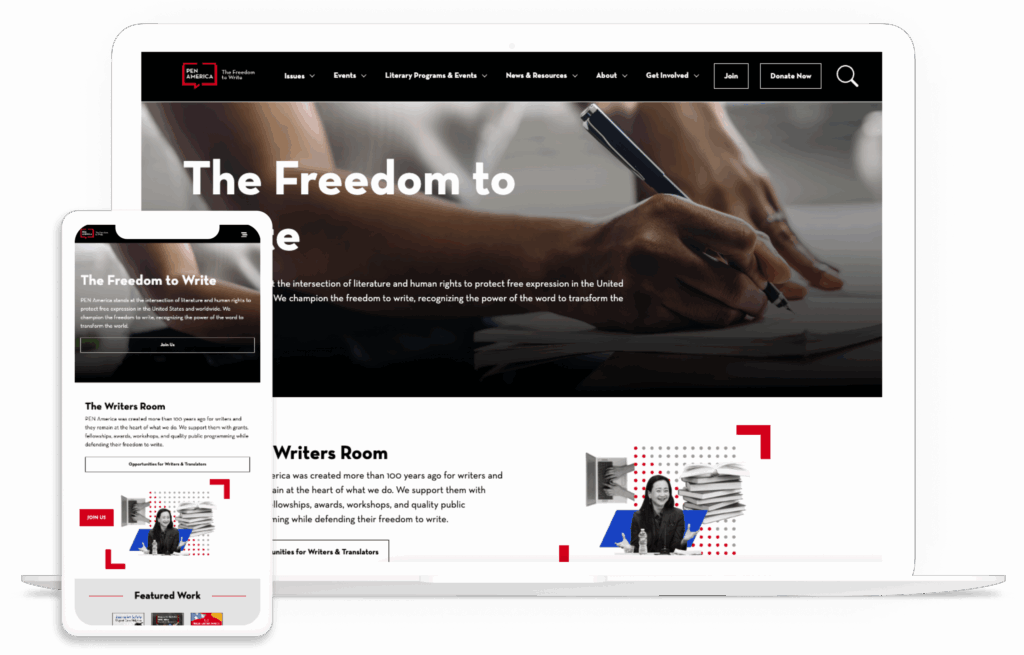
PEN America PEN America publishes a high volume of image-based content. Manual alt text creation was slow and inconsistent. We implemented AI-powered alt text generation directly into the editorial workflow. Editors can review and refine suggestions, reducing manual effort while improving accessibility compliance. It also speeds up publishing.
Settle In US Settle In US serves people navigating complex immigration information. Long, text-heavy pages were difficult for some users. We implemented text-to-speech using Eleven Labs, improving accessibility and making critical content easier to consume.
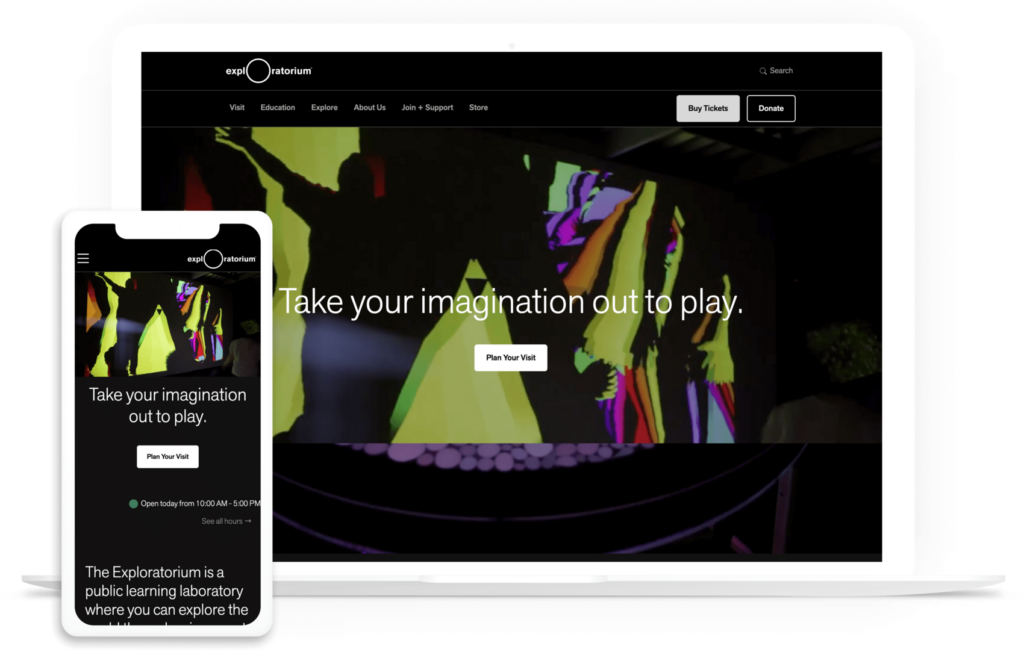
Exploratorium Exploratorium manages a large and diverse content library. The keyword search made discovery difficult. We implemented Algolia with AI-based semantic search, allowing users to find relevant content even when their terms didn’t match exact keywords. This improved discovery and engagement across the site.
A solid foundation helps your content be found.
SEO, GEO and AEO aren’t separate checklists. They’re different expressions of the same goal: making your site easy to understand, easy to access and genuinely helpful.
With a solid foundation, you can expand your content strategy so it performs across search engines, AI tools and future platforms without constant reinvention. Visibility also comes from getting your best content cited and discussed beyond your site. That can include digital PR, partnerships, guest contributions and community-first participation where your audiences already ask questions. Generative tools often draw from both trusted publishers and community platforms, such as YouTube or Reddit. A strong off-site strategy can build your credibility and increase how often your content gets referenced.
If you’re moving in that direction, ongoing optimization and AI-aware strategy can help you gain more value.
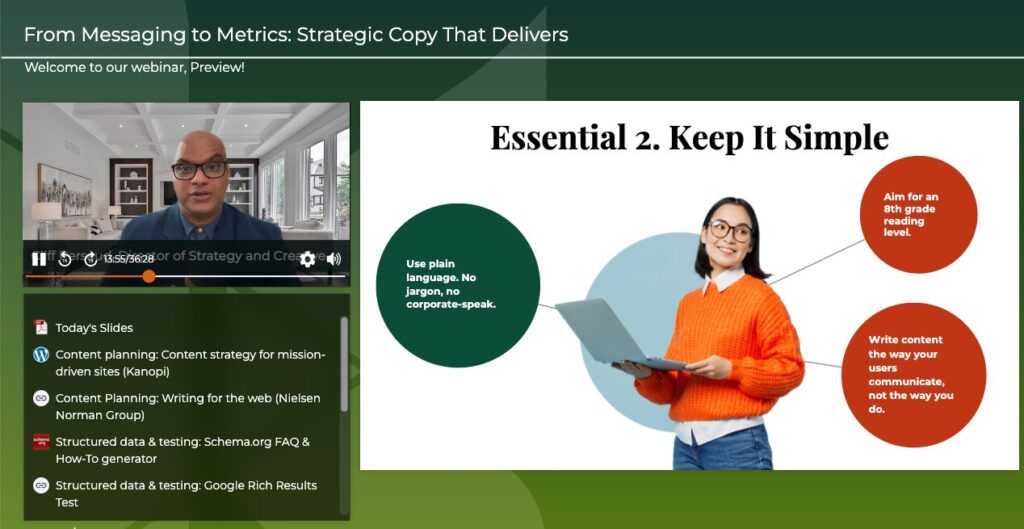
Want more? We held a webinar that’s related to this.
Strategic growth is the best kind of growth. And as we roll into 2026, Kanopi is growing in an exciting way. Kanopi has acquired Chapter Three, a San Francisco-based Drupal agency with a 20-year history of innovation and leadership in the Drupal community.
Why This Matters: Strengthening Our Drupal Effectiveness
The acquisition expands our digital experience services, including Drupal services, and strengthens our presence in the Bay Area. It also supports continued growth with municipal and corporate clients while building on our existing work in nonprofit, education and healthcare.
Expanding Our Full-Service Digital Capabilities
The addition of the Chapter Three team brings elite expertise in:
Decoupled & headless Drupal: Extending our technical stack for faster, more flexible web implementations. Speaking of headless …
Next.js expertise: With the first stable release of Next-Drupal 2.0 — a modern headless Drupal architecture — we can deliver performance improvements, expanded API capabilities, and a smoother developer experience powered by Drupal’s robust back-end.
Community leadership: Integrating 20 years of Drupal contributions to stay at the forefront of the platform’s evolution.
For Kanopi’s CEO, Anne Stefanyk, this is a serendipitous change: Anne’s first job in the Drupal community was with Chapter Three.
“We’re thrilled to welcome the Chapter Three team and expand Kanopi’s ability to take on more complex and impactful work. It’s gratifying to bring even more robust website services to our clients. For me personally, it’s meaningful to reconnect with the roots of my career.” — CEO Anne Stefanyk
What This Means for Existing Clients
Chapter Three clients will continue working with their existing teams and will have access to Kanopi’s additional services and support during the transition.
We look forward to serving our clients with even greater talent and expertise as our teams unite around shared values and a long-standing history in the Drupal community.
The next major Drupal version is now available, laying the foundation for the platform’s future and providing greater flexibility and functionality for developers and marketers alike.
Unlike previous major versions, which needed to accommodate the end of life of underlying technologies like Symfony, Drupal 11 was released at the right time to solidify new features. This timing frees developers from deprecated code, allowing them to continue improving website functionality and performance.
According to data from BuiltWith, over 30,000 websites are currently using Drupal 11. If you’re considering joining the ranks, you’ve come to the right place. I’ve put together this guide to explain everything you need to know about Drupal 11:
As a leader of the Kanopi Studios Drupal development team, I’ve helped dozens of organizations successfully migrate their websites to newer Drupal versions. I’m particularly excited about the latest developments available in Drupal 11 and what they mean for the future of Drupal and your Drupal website. Let’s get started by clarifying a few common questions about Drupal 11.
What are the primary differences between Drupal 10 and 11?
The initial Drupal 11 release has the same functionality as Drupal 10.3, to which most Drupal sites should have been upgraded in spring 2024—although Drupal 11 does have a few key differences. For example:
Instead of having deprecated code and modules identified, they are now removed.
Dependencies and dependency requirements were upgraded. The minimum PHP version for Drupal 11 is 8.3, which provides impressive performance and an enhanced developer experience. jQuery, Symfony, and PHPUnit were also upgraded to facilitate code modernization and testing, as well as improve performance.
As Drupal works to become more performant and valuable as a framework, overly specialized or underutilized modules are continually being removed from core. This includes the Actions UI, Book, Tracker, Forum, Statistics, and Tour modules.
However, these modules haven’t disappeared entirely! Instead, they have been relocated to the Drupal contributed space. If your website depends on any of these modules, you can easily switch versions with a simple command. The good news is that with new maintainers in the contrib community, developers will continue to enhance these modules.
For example, the Tour module, which I discussed at DrupalCon Europe, has already seen several improvements and bug fixes. It has combined my Tour Enhancements module and the Tour UI module in its 2.x release.
What new features are available in Drupal 11?
Drupal 10.3 and 11 include several significant new features and improvements, including:
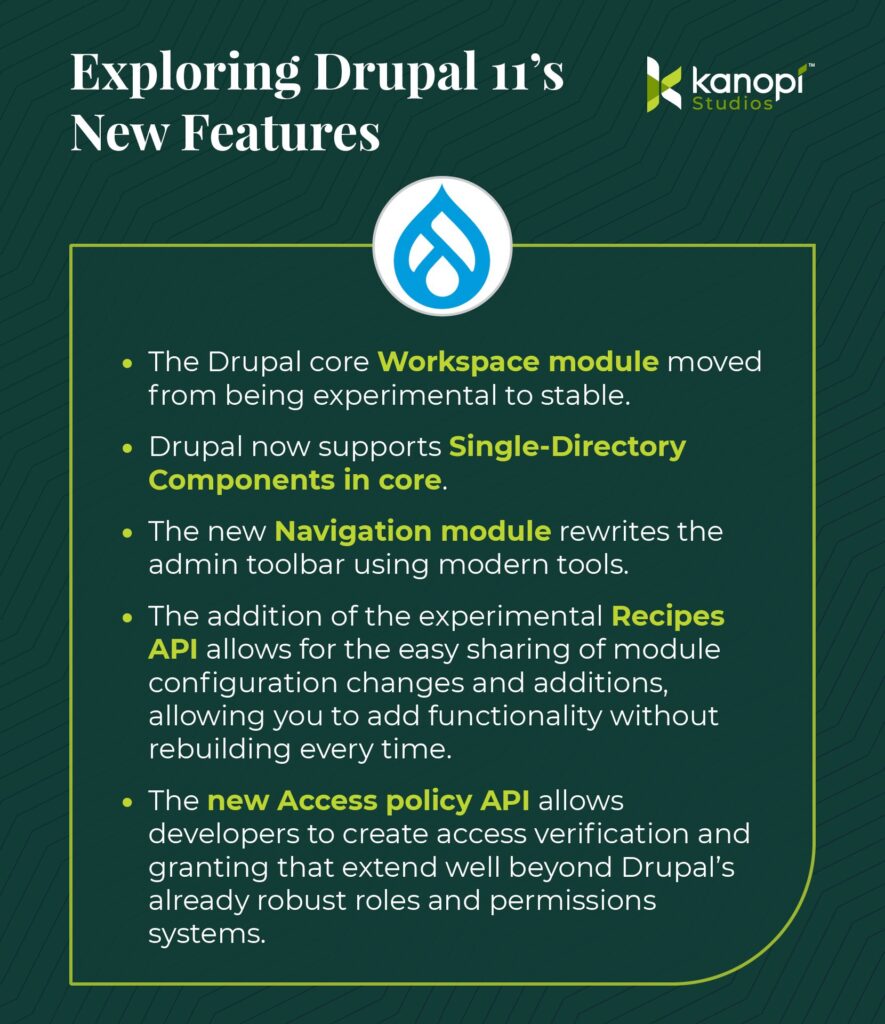
The Drupal core Workspace module has been moved from experimental to stable status. You can now create multiple workspaces for development, testing, and staging. Each workspace can have its own set of configurations and content, allowing you to test changes without affecting the live site. Developers have had multidev environments for a while. This is now the content editor’s version!
Drupal now supports Single-Directory Components in core. SDCs provide a simplified front-end development workflow based on components, where all the files required for a component are stored in the same directory. This increases developer productivity and makes components more shareable.
The new Navigation module rewrites the admin toolbar using modern tools. This Navigation toolbar adds a collapsible, left-aligned sidebar that organizes the administration menu and allows customization by including other blocks or menus.
One of the most significant additions is the experimental Recipes API, for which I am a core subsystem maintainer. Recipes enable the easy sharing of module configuration changes and additions, allowing you to add functionality without rebuilding it each time. An example recipe would add an Event system that encompasses everything you need, including a content type, taxonomies, a calendar view, meta tags, and more. Recipes are the backbone of the Drupal Starshot initiative, which created Drupal CMS, a preconfigured install of Drupal with over a dozen recipes to help jumpstart development.
The new Access policy API allows developers to create access verification and granting that extend well beyond Drupal’s already robust roles and permissions systems. Imagine you want to limit the number of pages a person can create or restrict access to a site to only certain hours. You can now build custom policies to suit an ever-increasing number of options.
How does Drupal 11 improve the user experience for content creators and marketers?
Thanks to the new Recipes API, Drupal 11 helps content managers and marketers speed up feature implementation. Plus, content teams benefit from streamlined Workspaces that allow marketers to work more efficiently and independently.
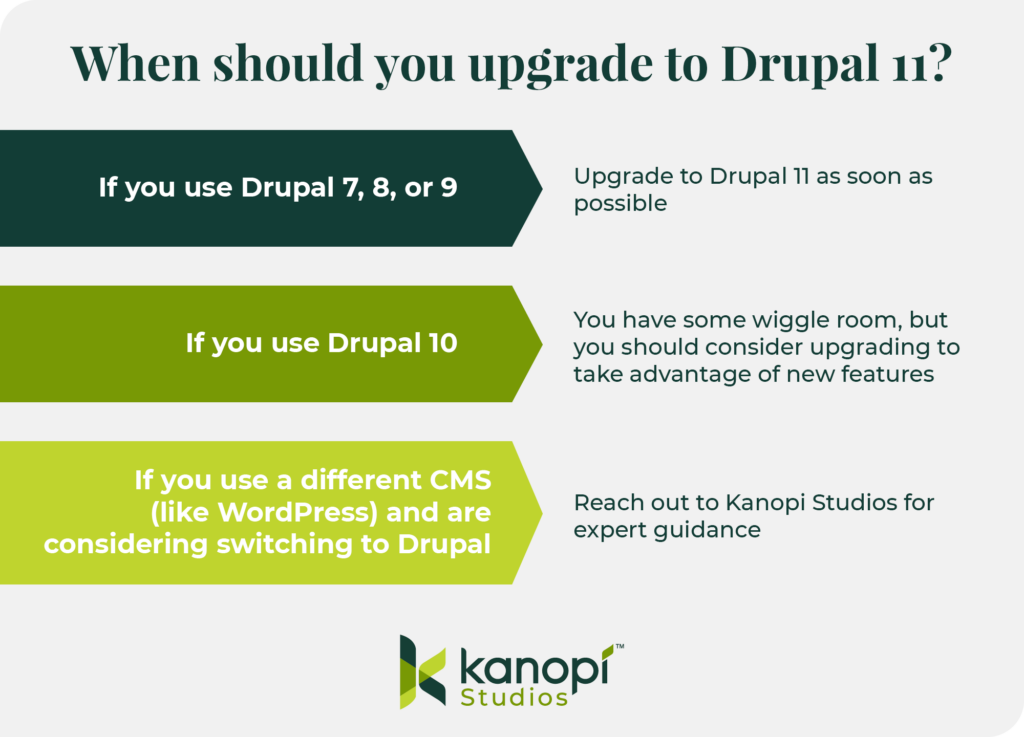
When should you upgrade to Drupal 11?
If you use Drupal 7, 8, or 9, you should upgrade to Drupal 11 as soon as possible. These three older models are no longer supported, meaning that no new features or security fixes will be introduced to the platform.
If you use Drupal 10, you have some wiggle room, as it will be supported until mid- to late 2026. This gives you plenty of time to prepare your site if you have custom code or contributed modules that need to be upgraded to PHP 8.3.
However, if your site can run on Drupal 10.3 and PHP 8.3, upgrading to 11 should be part of your short-term development plan to stay current and take advantage of the additional performance enhancements and new tools available.
If you use a different CMS (like WordPress) and are considering switching to Drupal, you should read our dedicated article exploring the key features and benefits of WordPress and Drupal. Reach out to the Kanopi Studios team directly with any questions—we’re here to help you make informed decisions tailored to your specific needs.
How to Upgrade to Drupal 11
If you’re starting a new project today, there isn’t much holding you back from starting on Drupal 11. You may need to patch a couple of contrib modules’ core_version_requirements, but more and more updates are happening daily.
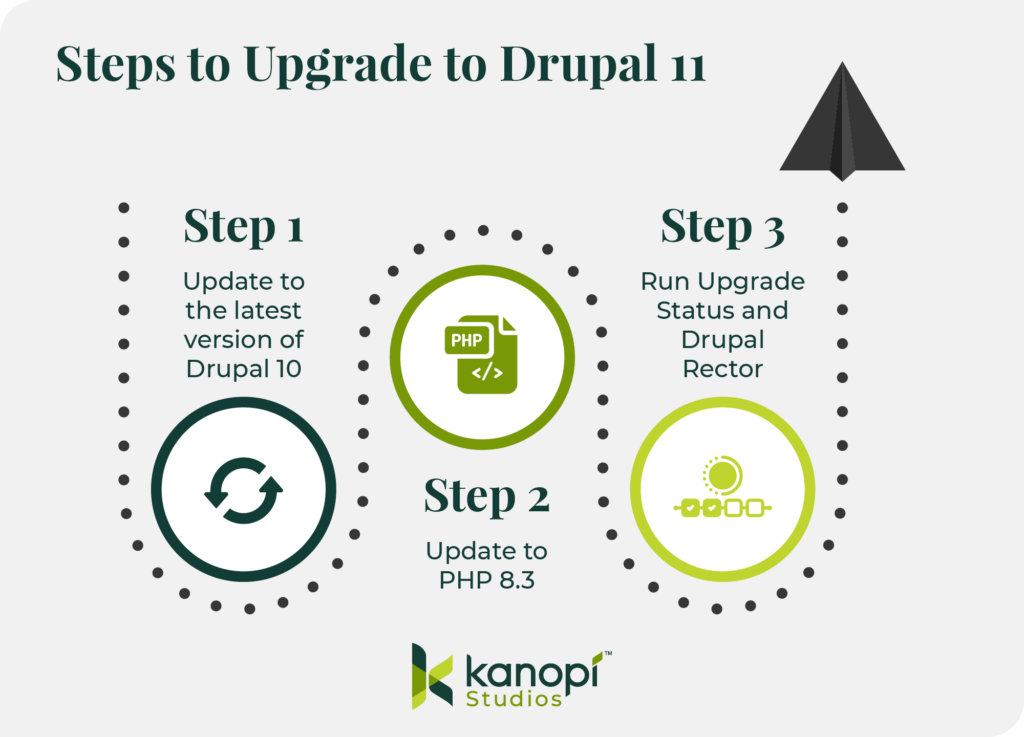
Follow this simple process to get started:
Update to the latest version of Drupal 10. All sites upgrading from version 10 to 11 must be on the latest version; therefore, be sure to update to the newest version of Drupal 10 first.
Update to PHP 8.3. Verify that your host, local development environment, and custom code all work with PHP 8.3, which is required for Drupal 11.
Run Upgrade Status and Drupal Rector. This will identify and update any modules that require updates and remove deprecated code.
If you’re a Kanopi client, we run Drupal Rector on every pull request to ensure we catch and fix deprecations early, as most deprecations for Drupal 11 were documented in Drupal 10.2. To learn more about our continuous website improvement services, please don’t hesitate to contact us.
Start Your Drupal 11 Project with Kanopi Studios
If you’re looking for an experienced, dedicated partner to lead you through a successful Drupal 11 update or migration, look no further than the expert team at Kanopi.
Each of our Drupal team members has an average of 11 years of experience in Drupal development, and most are certified in Acquia and Pantheon WebOps. Additionally, we are a Platinum Drupal Certified Partner, a founding sponsor of Discover Drupal, and a regular contributor to the Drupal Project.
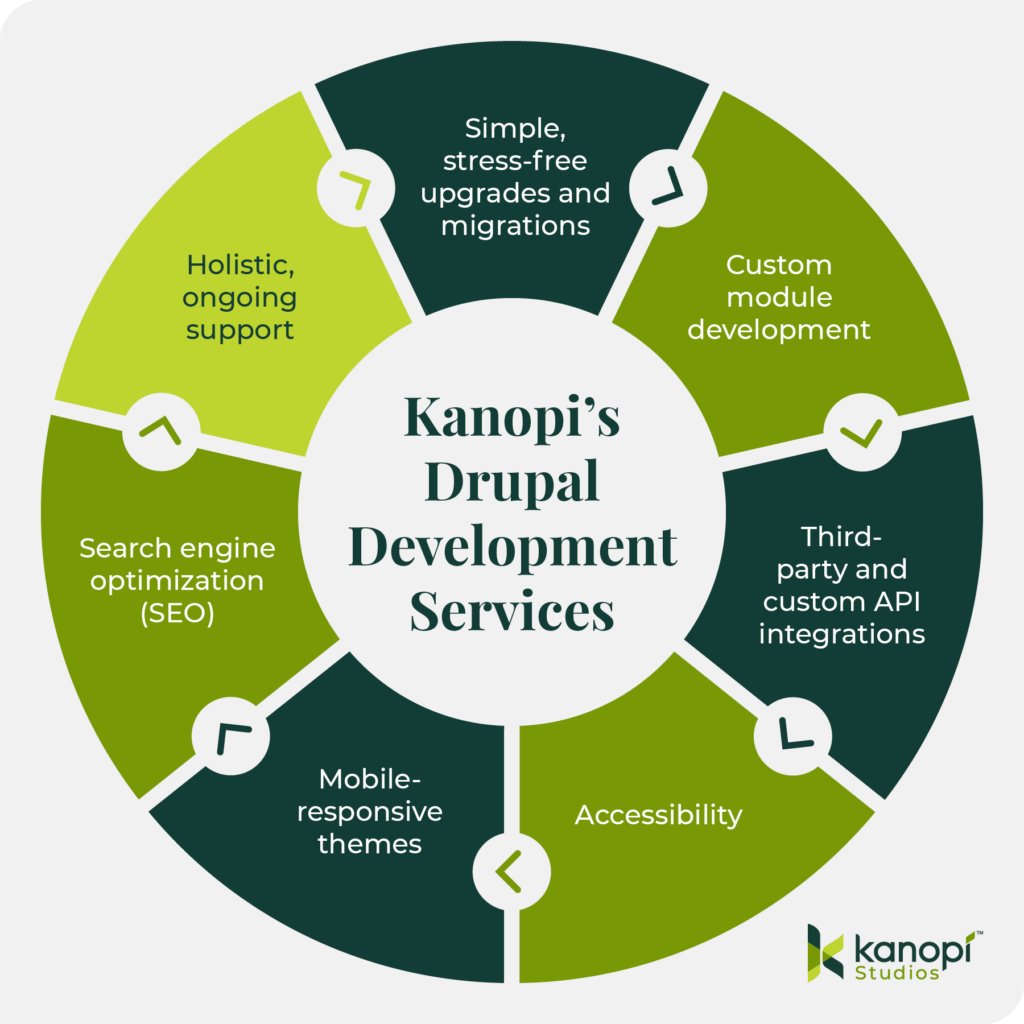
We leverage our expertise to understand your organization’s needs on a deeper level and implement a Drupal migration process that supports your current and long-term goals. Our Drupal development services include:
Simple, stress-free upgrades and migrations: We ensure your website and content are maintained throughout updates and migrations, making it seamless and painless.
Custom module development: We create customized modules that add innovative features and functionality to your Drupal site, ensuring your audience can receive maximum value from your online resources.
Third-party and custom API integrations: Whether your site needs a payment gateway, social media widget, or mapping services, we can integrate custom solutions to make it happen.
Accessibility: We create Drupal websites that are accessible to everyone, using the WCAG 2.0 as a guiding framework.
Mobile-responsive themes: All of our themes are mobile-responsive by default, ensuring your website looks great on every device.
Search engine optimization (SEO): We leverage keyword optimization, structured data, and other SEO best practices to increase your site’s visibility across search engines.
Holistic, ongoing support: Once your site launches, you won’t be left to fend for yourself. Our team offers long-term support through module upgrades, security fixes, and content optimizations.
If you are looking for a partner to support your Drupal project, contact us today to discuss your goals.
Best Nonprofit Website Platforms: How to Choose Wisely
Allison Manley
Mission-driven organizations like yours must create websites that act as a digital hub to fuel fundraising, supporter engagement, and mission-related resources. The right nonprofit website platform will help your organization do just that.
Also known as website builders or content management systems (CMS), these tools are essential for establishing a robust online presence that resonates with your audience. They help nonprofit marketing professionals design their sites, incorporate robust fundraising functionality, and ensure charitable missions are accessible to everyone.
Today’s platforms offer nonprofits a range of options, from all-in-one website builders to flexible tools like WordPress and Drupal. The challenge is knowing which solution fits your organization’s size, budget, and long-term goals.
This guide will help you cut through the noise, compare leading platforms, and make a choice that supports your current needs and future growth. We’ll cover:
Integrate with CRMs, fundraising software, marketing tools, and other nonprofit software solutions
With that in mind, your organization needs a website builder that can handle these specific needs and support your mission now and in the future.
How to Choose the Right Nonprofit Website Platform
Choosing the right nonprofit website platform is vital to long-term success. It enables you to maximize integrations, support growth, and prevent expensive migrations or security issues.
If you opt for a tool that addresses only your short-term needs and not your long-term goals, you may encounter significant challenges down the road. That’s why it’s crucial to consider your nonprofit’s present and future needs, goals, budget, and capacity before choosing a platform.
Follow these steps to help make the right choice:
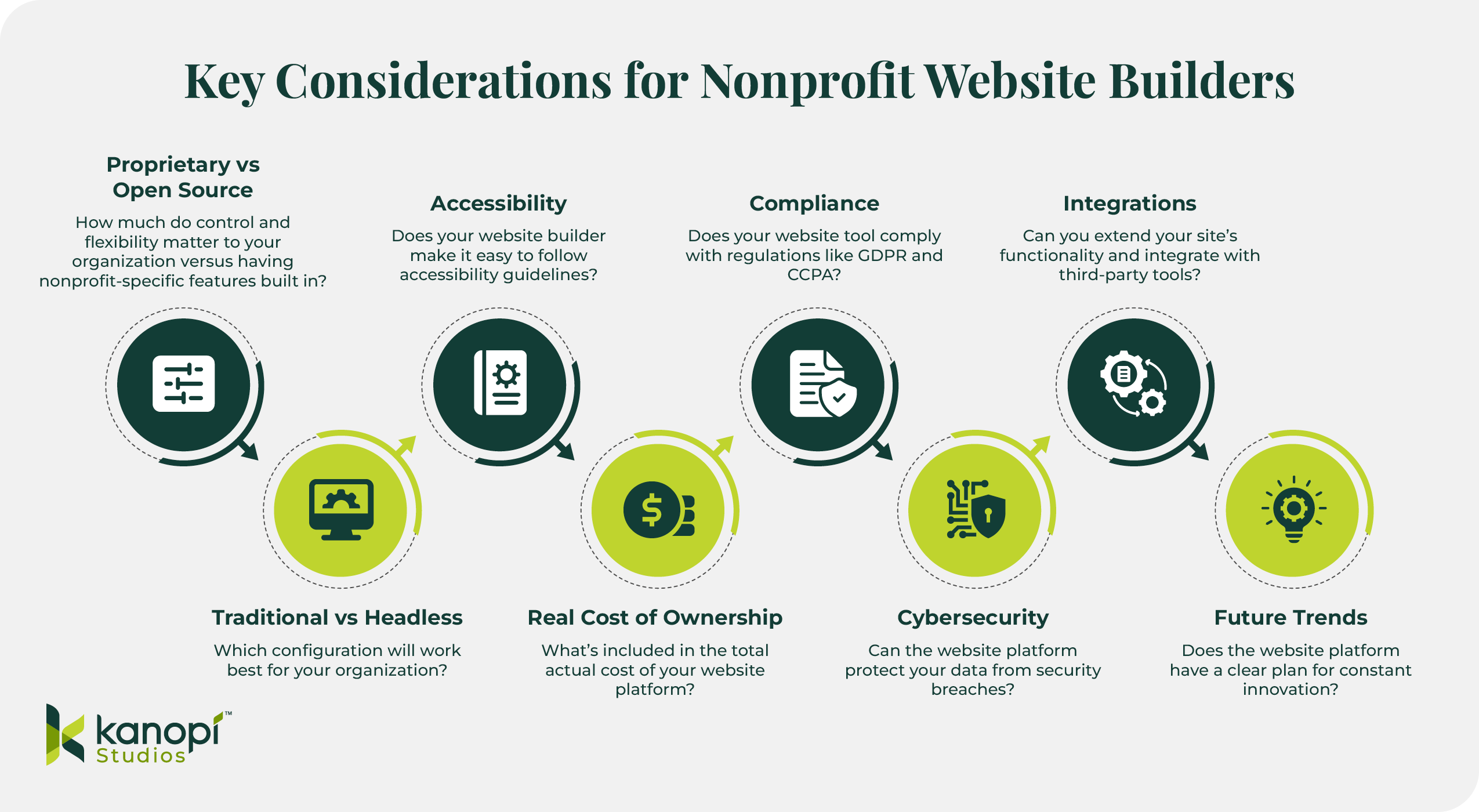
Infographic titled “Key Considerations for Nonprofit Website Builders.” It presents eight considerations:
1) Proprietary vs Open Source – flexibility versus nonprofit-specific features.
2) Accessibility – ease of following accessibility guidelines.
3) Compliance – meeting GDPR/CCPA regulations.
4) Integrations – connecting with third-party tools.
5) Traditional vs Headless – best configuration for the organization.
6) Real Cost of Ownership – total cost of platform.
7) Cybersecurity – data protection.
8) Future Trends – ongoing innovation.
Bottom-left shows the Kanopi Studios logo.
1. Assess Key Considerations Beyond Features
Many website builders make it easy to incorporate the crucial nonprofit-specific features listed above, but your search should go beyond just features to ensure you’re reviewing top options holistically. Keep these additional considerations in mind to find the best tool for your nonprofit:
Proprietary vs Open Source
Content management systems are not monolithic; they come in various forms and types. One key consideration is whether your nonprofit would benefit from a proprietary or open-source CMS.
Proprietary CMS platforms, or closed CMS tools, are software solutions controlled and managed by a single company. Users cannot manipulate the source code, making these solutions less flexible and customizable. However, some organizations choose proprietary systems because they offer nonprofit-specific features they’re looking for or are already using other software solutions the vendor offers.
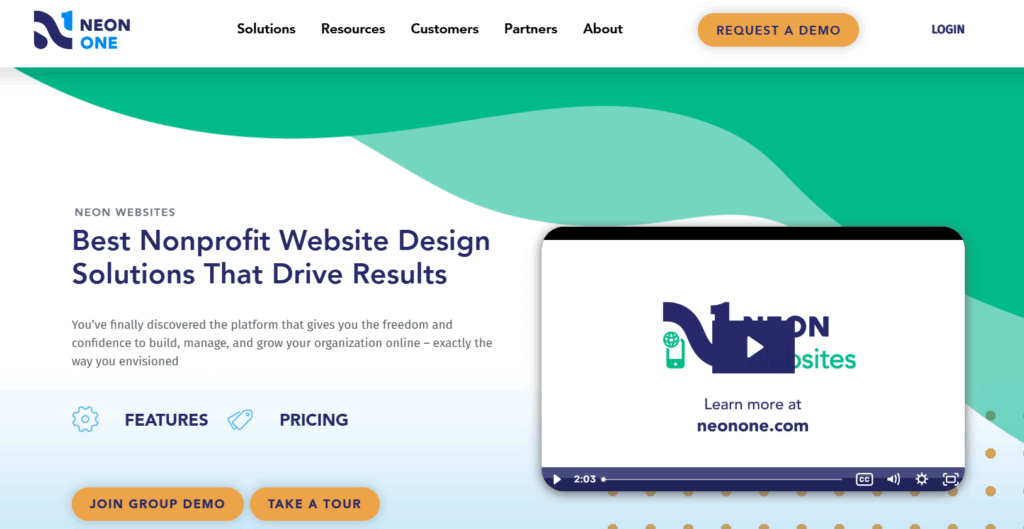
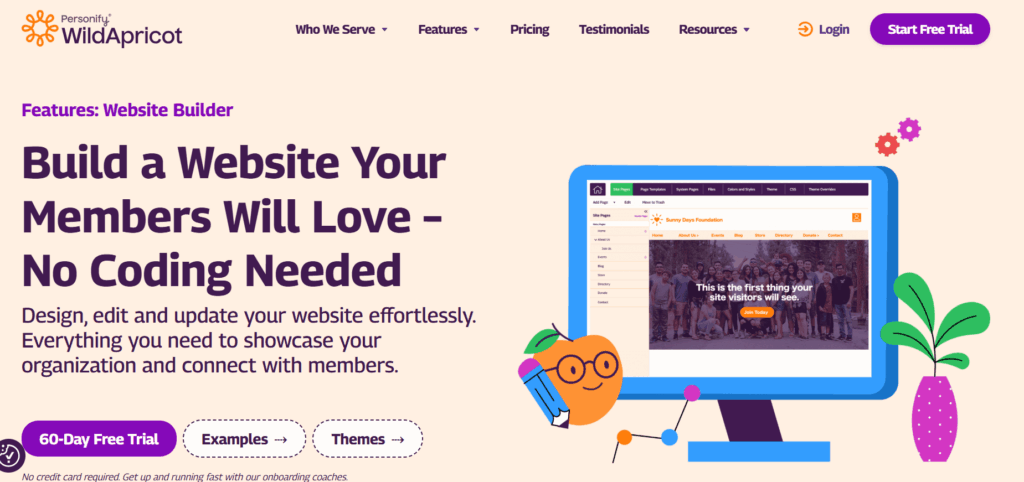
Examples of proprietary nonprofit website platforms include MorwebandWildApricot.
On the other hand, open-source CMS tools allow anyone to access and change the source code, making them more flexible and scalable for growing and large organizations. These solutions are free to use and offer stronger security because anyone can scan the software for vulnerabilities and apply fixes. Nonprofits often turn to these solutions for greater control and full website ownership.
DrupalandWordPressare examples of open-source solutions.We recommend keeping these solutions at the top of your list — and here’s why.
Traditional vs Headless
Another key consideration to discuss with your marketing team when looking for a nonprofit website platform is whether you want a traditional or headless configuration.
Headless CMS configurations decouple or separate the backend content storage and management process from the front-end user interface. This setup gives marketers greater flexibility to deliver content across multiple digital platforms, including websites, mobile devices, smartwatches, and digital kiosks. Organizations that want to create interactive, high-performing websites typically choose headless configurations.
Traditional CMS configurations tend to be best for organizations that don’t have complex websites or a high level of interactivity, as they enable greater access to plugins and modules and simple theme updates. They are also less complex setups, so you don’t necessarily need to work with a developer whenever you want to update your site’s infrastructure.
Accessibility
Nonprofit websites must comply with the ADA to make their services accessible to everyone. Finding a website platform that prioritizes accessibility is key to maintaining compliance and serving your community effectively.
Your website builder should allow you to follow key recommendations outlined in the WCAG, such as adding alternative text to images and using colors that pass contrast tests.
However, very few nonprofits actually budget for ongoing accessibility audits and remediation. To ensure full compliance, we recommend setting accessibility as a top priority from the beginning of your CMS search and factoring the costs of accessibility maintenance into your website expenses.
Real Cost of Ownership
Accessibility isn’t the only additional cost to factor into your CMS search. Fees for hosting, staff training, and developer support can add up. As you explore website builder options, read reviews from real users and ask vendors to provide a realistic estimate of the total cost for building and maintaining your website.
Compliance
If your organization has an international reach, you must be mindful of regulations such as the General Data Protection Regulation (GDPR). This regulation governs the use and protects the privacy of personal data for individuals within the European Economic Area (EEA).
The GDPR prevents websites from gathering consumer data without their consent. It also requires websites to offer a clear and accessible privacy policy so visitors understand how your organization collects, stores, and leverages user data.
Likewise, the California Consumer Privacy Act (CCPA) provides California residents with enhanced control over their personal data by allowing them to request information about its usage and opt out of sharing their personal information.
Your nonprofit should consider these regulations and find a website platform that makes it easy to notify users about their data rights and your organization’s privacy practices.
Cybersecurity
Nonprofits are frequent targets of phishing attacks, fraud, and other forms of cybercrime. In the past two years, 60% of nonprofits have experienced cyberattacks.
Your website must defend itself against security breaches, and that starts with your website builder. Your CMS should offer features like two-factor authentication, user access controls, data encryption, and automated backups and maintenance.
Integrations
Integrations extend your site’s functionality, allowing you to seamlessly connect your site with tools that will better help you reach your audience. Most CMS platforms offer integrations, but they’re not all the same.
Many website platforms offer various built-in integrations with tools such as your nonprofit’s CRM, email marketing platform, and fundraising software. Some platforms leverage a third-party tool like Zapier to enable integrations.
Future trends
Your nonprofit should choose a website builder that meets its current and future needs. AI chatbots, highly tailored personalization, and sustainable web hosting are emerging priorities for forward-thinking nonprofits.
As you demo CMS tools, ask each vendor how they take customer feedback into account when building new features that will help nonprofits stay competitive in an increasingly complex digital fundraising landscape.
2. Evaluate Organizational Maturity
The size, age, and complexity of your nonprofit also play a role in determining which type of nonprofit website builder to invest in:
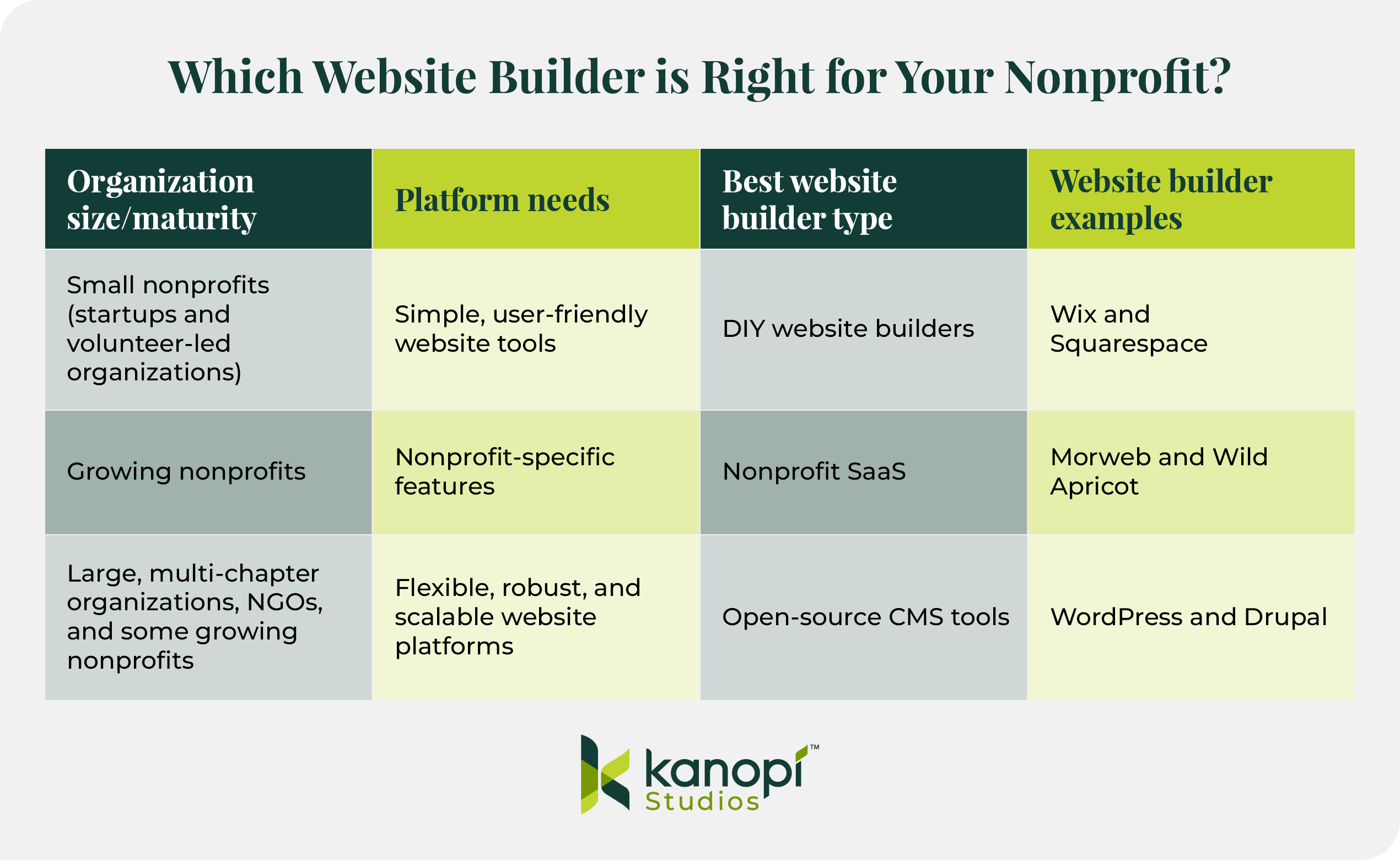
Table titled “Which Website Builder is Right for Your Nonprofit?”
– Small nonprofits: need simple tools; best type DIY website builders; examples: Wix, Squarespace.
– Growing nonprofits: need nonprofit-specific features; best type Nonprofit SaaS; examples: Morweb, Wild Apricot.
– Large/multi-chapter orgs and NGOs: need scalable platforms; best type open-source CMS; examples: WordPress, Drupal.
Kanopi Studios logo at the bottom.
Startups and volunteer-led nonprofits often feel most comfortable with simple, user-friendly, DIY website builders like Wix or Squarespace. These platforms are easy to start with, but have more limited features and scalability than tools for growing or large organizations.
Growing nonprofits require tailored features to help scale up their organizations. Typically, these organizations gravitate toward proprietary software as a service (SaaS) solutions built for nonprofit needs, such as Morweb or WildApricot. However, these tools come with the risk of vendor lock-in—when your organization becomes dependent on the software provider for your entire website functionality. This can reduce your ability to customize your website with third-party integrations or custom code.
Large, multi-chapter organizations and international NGOs require robust website platforms that can handle their complex needs. These solutions sometimes have a steeper learning curve, but offer the flexibility that large and growing organizations need. Examples include WordPress and Drupal—both open-source, scalable CMS platforms with enterprise-grade features and security.
Take our quiz to determine which CMS builder type will work best for your organization:
Large, enterprise-sized nonprofits with robust data management and security needs
Topping our list of best nonprofit website platforms are the two top options for nonprofits looking to scale up their operations with flexible, secure websites: WordPress and Drupal.
We may be a little biased; at Kanopi, we specialize in helping nonprofits build stunning websites on WordPress and Drupal. But don’t just take our word for it — check out these industry stats that illustrate just how impactful these platforms are:
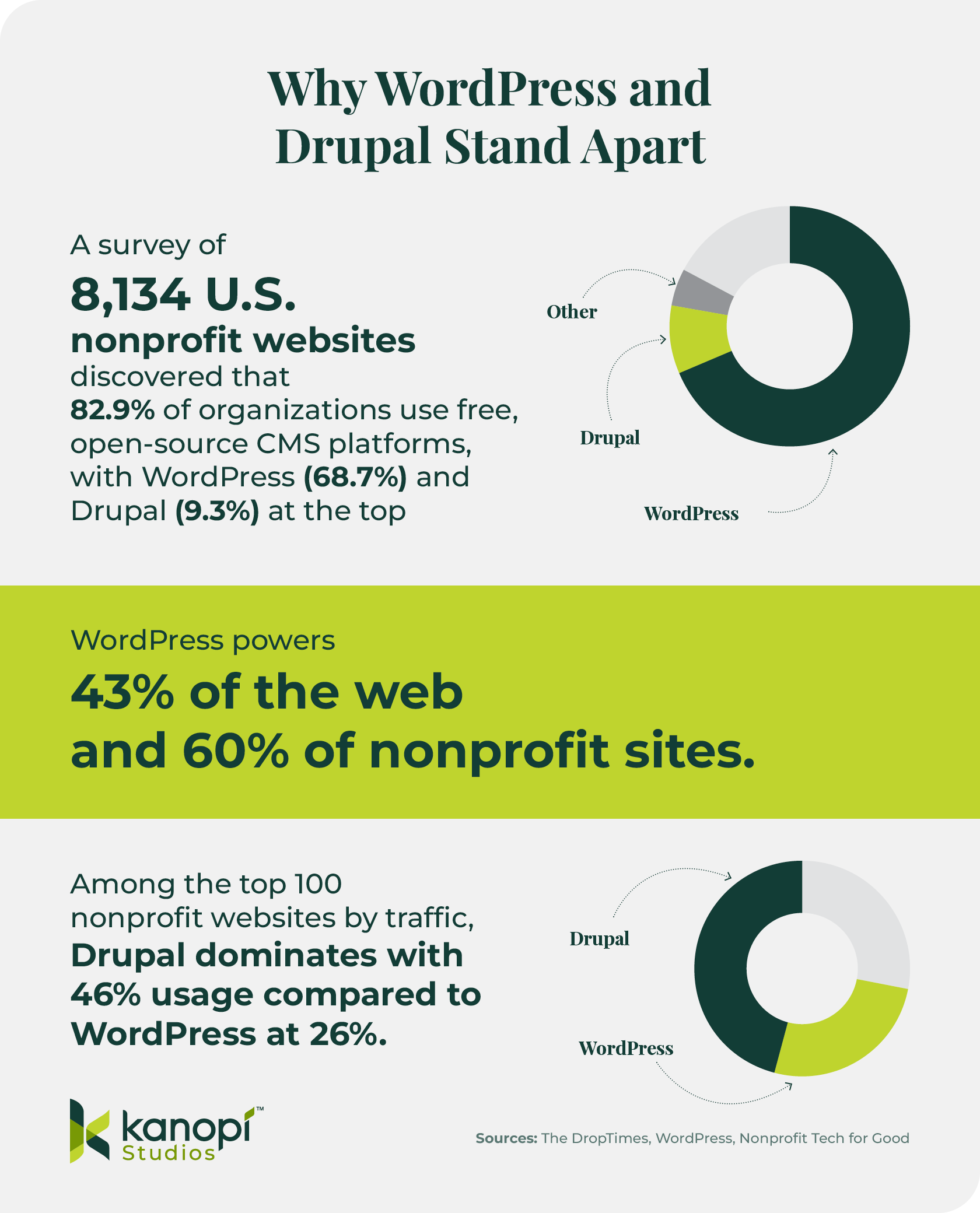
Infographic titled “Why WordPress and Drupal Stand Apart.”
– Survey of 8,134 U.S. nonprofit websites: 82.9% use open-source CMS; WordPress 68.7%, Drupal 9.3%.
– WordPress powers 43% of the web and 60% of nonprofit sites.
– Among top 100 nonprofit websites by traffic: Drupal 46%, WordPress 26%.
Includes donut charts and Kanopi Studios logo. Sources: The DropTimes, WordPress, Nonprofit Tech for Good.
A survey of 8,134 U.S. nonprofit websites discovered that 82.9% of organizations use free, open-source CMS platforms, with WordPress (68.7%) and Drupal (9.3%) at the top.
Among the top 100 nonprofit websites by traffic, Drupal dominates with 46% usage compared to WordPress at 26% — demonstrating how high-profile nonprofits often choose Drupal for scalability and governance.
Both WordPress and Drupal are open-source website platforms. Open-source solutions often have a steeper learning curve but offer ultimate scalability, making them the best choice for most growing and large organizations.
Plus, the right web developer can significantly reduce the complexity of these platforms, making them easy for all content and marketing team members to use.
Bottom line: If you plan to scale, WordPress and Drupal are the platforms that won’t box you in.
Of course, WordPress and Drupal aren’t the only nonprofit website platforms available, and we’d be remiss to not provide an overview of a few additional solutions you may consider. However, keep in mind that because these other platforms aren’t open-source, they’ll come with more limitations and less flexibility.
The following DIY website builders are easy to use and implement, but may present limitations as your nonprofit grows and your data needs become more complex. Keep that in mind as you weigh the pros and cons of these options.
Proprietary SaaS solutions built specifically for nonprofits offer ingrained fundraising and donor management functionality. However, you risk having less control over your data and being locked into working with one vendor.
Platform strategy: We can help you choose the right CMS for your unique digital needs. Our recommendations are based on criteria like your organization’s size and maturity, budget, and current website state.
Custom design and development in WordPress and Drupal: Our developers have decades of experience in both of these popular platforms. Whether you’re building a website from scratch or updating your current site, our team can jump in anytime to strengthen and support your online presence.
Accessibility audits and compliance support: Accessibility is baked into our website design and development services from the very beginning. We help nonprofits ensure compliance with the ADA.
Content strategy and governance planning: Our expert content strategists can help your organization identify the tone and messaging that will resonate most with your online audience. We’ll support your content strategy throughout its lifecycle, establishing workflows for uploading and updating content and setting up secure user roles and permissions.
Long-term support. Launching your new website is just the beginning. We ensure our clients’ sites stay flexible and secure long-term through regular security fixes, performance enhancements, and conversion optimization.
94% of our clients return year after yearbecause they trust us to support their websites over the long term, giving them the care and attention they need to further your mission.
Seeing how other nonprofits like yours have approached website builder selection and implementation can guide your organization toward the right path forward. Explore the following WordPress and Drupal examples to see how other organizations have achieved success.
WordPress Success Stories
PEN America
PEN America came to Kanopi with a challenge: after receiving support from our developers, it became clear that their original website build was no longer meeting their needs. Recurring issues snowballed into larger problems, and the organization was having trouble integrating three other websites connected to its mission.
The Kanopi team conducted deep research and discovery work to address three core challenges:
Consolidating their sites on WordPress
Enhancing the content management process for admins
Improving content connectivity through simplified navigation
As a result, the PEN America website now tells the organization’s story succinctly and effectively, with a sustainable and scalable website configuration that will serve the nonprofit for years to come.
Alameda County Community Food Bank (ACCFB)
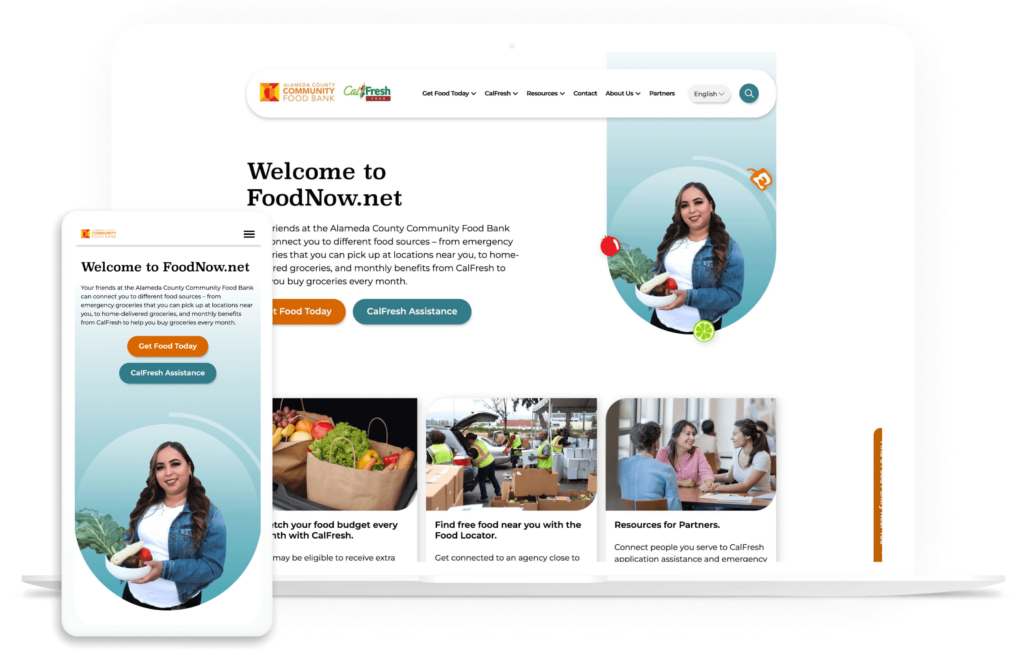
The ACCFB needed a modern, fresh website look to better reflect the diversity of its audience and serve community needs. They partnered with Kanopi to enhance the user experience through streamlined navigation and simplified information gathering.
After this process, the ACCFB site increased its accessibility performance and now sees 37% more pages viewed per browsing session.
Drupal Success Stories
Exploratorium
The Exploratorium website is groundbreaking because it was one of the first 600 websites launched online. However, over time, it became overly complicated, the result of too many cooks in the kitchen and unnecessary customization. That’s when the Kanopi team stepped in.
Our team overhauled and updated the site, migrating thousands of media items in two years and creating a customized theme to tie everything together. We also developed a streamlined back-end editing environment and implemented multilingual capabilities to help the website reach a wider audience.
The new website now has a high score of 98/100 on Lighthouse, a tool that grades sites on their level of accessibility. This score means the site excels in offering accessible elements and a great user experience.
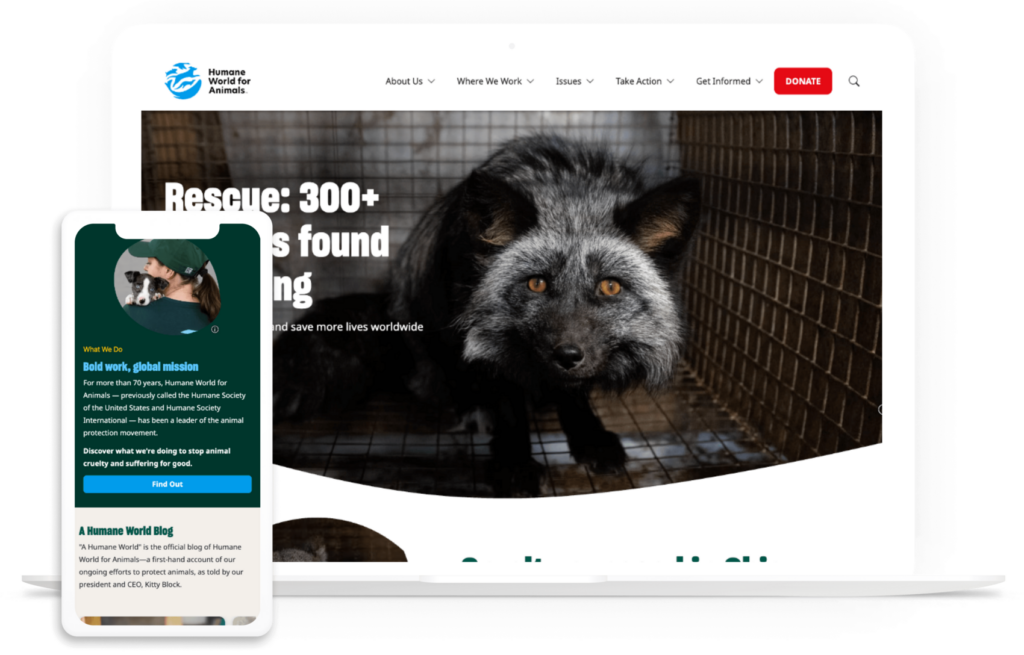
Humane World for Animals
Humane World for Animals refreshed its brand recently, combining two separate entities — Humane Society of the USA and Humane Society International — into one organization. The problem was that these organizations already had existing websites, one built on WordPress and the other on Drupal.
This led to many issues, including a lack of cohesive content editing, a confusing message, and user experience challenges such as a poor mobile experience and uninspiring design.
The organization turned to Kanopi to consolidate its websites, update the design, and streamline navigation. The Humane World site now offers a unified digital experience, with simple user pathways and a compelling central message.
Wrapping Up
There is no universal “best” nonprofit website platform. But hopefully, this guide steered you closer to finding the right solution for your organization based on your mission, resources, and growth path.
If you’re looking for more support along your website builder journey, start with these nonprofit-specific resources:
The Ultimate Website Maintenance for Nonprofits Checklist. Ensure your website receives the long-term support it requires to succeed in the future. Follow this comprehensive website maintenance checklist to avoid overlooking any details.
Your content team has more to publish, more channels to manage, and the same responsibility to get every detail right. AI can help with the work that slows editors down, from shaping a first draft to reviewing a large content library. The payoff is more time for the decisions that need your team’s judgment.
Kanopi starts with your goals and the people you serve. That helps us identify where AI will make work easier, where it needs careful oversight, and where a simpler approach will serve you better.
Publish faster in the CMS you already use
Editors working in Drupal or WordPress can get writing help where they already create content. AI can suggest a first draft, summarize a long report, adapt copy for another channel, or help prepare a translation. Your team can spend less time starting from a blank page and more time refining the message.
The editor still approves the final version. That review matters most when content makes factual claims or covers sensitive subjects.
Make content easier for everyone to use
Accessibility work is easier to manage when it is part of the editing process. AI can suggest image descriptions, help prepare transcripts, and flag copy that may be hard to understand. Editors and accessibility specialists then check those suggestions against the content and the standards your site must meet.
The same approach helps you write for your audience. An editor can ask for a clearer explanation or a different reading level, then confirm that the revision keeps the meaning intact. Readers get content they can understand and use.
Keep your brand voice and quality standards
A fast draft saves little time if it sounds generic or needs a complete rewrite. AI can help editors compare copy with your voice and tone guidance, spot inconsistent phrasing, and revise content for a specific audience. Your team makes the final call on what sounds like your organization.
A clear review process also catches invented facts, unsupported claims, and bland AI copy before publication. For health, legal, financial, or other sensitive content, the appropriate subject-matter expert reviews the work. Your site should reflect what your organization knows, not what an AI tool confidently guessed.
See what your content needs next
AI can help sort user research, review pages across a large site, and surface content gaps. That gives your marketing team a fuller view of what is outdated, difficult to find, or missing altogether.
Your team can use those findings to decide which pages to improve first, where a campaign needs better supporting content, and which audience questions still need answers. Research and strategy guide the priorities; AI helps make the evidence easier to review.
Help more people find and understand your organization
People increasingly ask AI search tools for answers and recommendations. Your marketing team needs to know whether those tools can find your organization, describe it accurately, and point people to useful content.
Kanopi’s Trusted AI Visibility Assessment gives you a starting point and a prioritized plan. Improvements may include clearer answers on your site, stronger content on key topics, and better evidence of your expertise. Lauren Chervinski’s guide to brand visibility in AI search explains the work in more detail.
Give your team a practical way to use AI
Useful tools need clear rules. Your staff should know which tasks AI can help with, what information they can share, who reviews the output, and when to bring in an expert. Role-specific training and shared editorial standards make those decisions easier during a busy publishing week.
Kanopi helps organizations set those priorities, put guidance into daily work, and measure whether AI is making a difference. Start with a task your team can review and measure. Then expand what works while keeping people accountable for what reaches your audience. Starting Small: What Makes a Good First AI Project?
Drupal powers just 1.1% of websites with known content management systems (CMS). But among that population are a number of heavy-hitter organizations with complex digital needs: GE, Whole Foods, Tesla, and Charles Schwab, to name a few. Why do these enterprise-level organizations turn to Drupal for their website needs?
Drupal is well-equipped to handle complex business needs and process large volumes of data while maintaining robust security. This guide explores the benefits of Drupal for Enterprise and offers guidance on how to implement this CMS. We’ll cover:
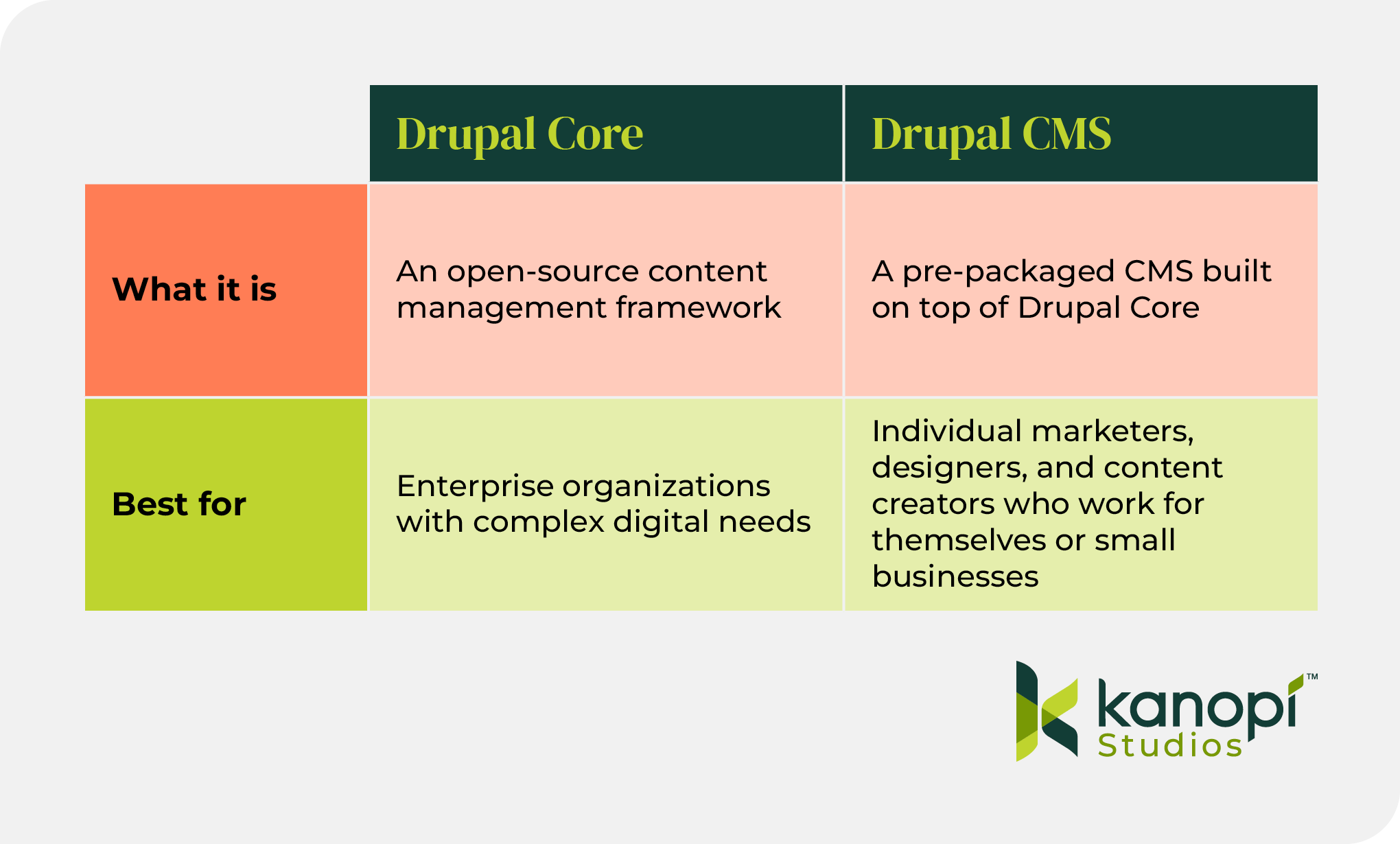
Drupal for Enterprise is the use of the Drupal content management platform by enterprise-level businesses to design, develop, and manage their digital presence. Drupal offers two options for content management:
Drupal Core is an open-source content management framework tailored to large organizations with complex data needs that want to create robust digital experiences. Enterprise organizations choose Drupal Core for its flexibility and scalability, allowing them to effectively serve their audiences and keep their data organized and safe.
Drupal CMS is a pre-packaged CMS built on top of Drupal Core. This tool makes it easy to create a basic website quickly and doesn’t require advanced technical skills or custom coding. As a result, Drupal CMS is better suited for individual marketers, designers, and content creators who work for themselves or small businesses.
Drupal Core is constantly updated with fixes and new features. The current version of the platform is Drupal 11, and it offers multiple useful features for web developers. These tools include workspaces for testing content, enhanced navigation, and simplified front-end development.
11 Key Benefits of Drupal for Enterprise
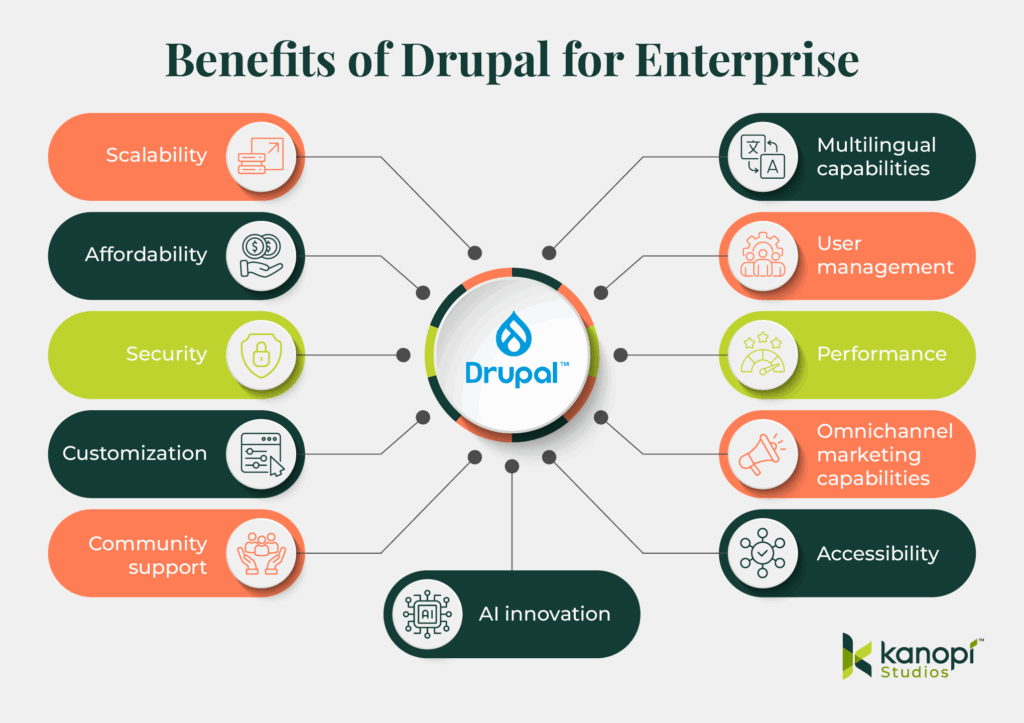
What sets Drupal apart as a top CMS solution for enterprises? These are the top benefits that drive users to this platform:
Scalability. This CMS prioritizes high performance and fast load speeds, and offers various resources and tools to help enhance performance. Because of this, it’s easy to scale up your website to serve thousands or millions of users. In addition, Drupal’s modular infrastructure enables simple scalability without impacting page performance or user experience.
Affordability. Drupal is an open-source solution, meaning anyone can freely access and change the source code based on their needs. You’ll still have to factor in additional costs such as hosting and web development, but you won’t need to worry about platform fees.
Security. Drupal has a strong reputation for being highly secure. Because it is an open-source platform, anyone can review the code and propose security fixes, ensuring greater oversight of the solution. As an open-source CMS, Drupal is not incentivized to hide any real or potential security vulnerabilities.
AI innovation. Drupal recently launched an official AI initiative that builds on the free and open source community to integrate and innovate site building with AI. Drupal already had a strong AI foundation thanks to community members who’ve built AI modules. With this initiative, Drupal seeks to incorporate AI directly into its CMS with responsible innovation.
Customization. Drupal is considered highly customizable because of its modular architecture. That means developers can enable or disable certain features to update a website without affecting the entire site infrastructure. Additionally, Drupal has extensive theming capabilities, allowing developers to customize a website based on unique branding needs.
Community support. Drupal’s open-source nature means it offers a broad developer community to which you can turn for advice, support, and expertise. You can also explore multiple developer options to find the right service provider.
Multilingual capabilities. This CMS offers translations in over 100 different languages. As a result, many enterprises turn to this solution to deliver localized content for an international audience.
User management. Drupal makes it easy to control which team members can access different parts of your website through user permissions and roles. Permissions determine the actions that users can perform based on their access level. Instead of assigning individual permissions to each user, they are organized into roles, making it easier to manage access for all team members.
Performance.Studies have shown that the optimal page load speed for a website is under three seconds, and the longer a page takes to load, the higher the likelihood that a visitor will leave the page. Drupal uses advanced caching mechanisms during follow-up visits to enhance the site’s loading speed. It also offers tools for lazy loading, database optimization, and responsive images.
Omnichannel experiences powered by headless capabilities. Drupal can be configured as a headless CMS, meaning the back end (where content is created and managed) is separated from the front end (what users see on screen). This decoupled structure allows content to be delivered via APIs to any digital platform, whether it’s a website, mobile app, digital kiosk, signage, or mobile push notification. Instead of recreating content for each channel, teams can publish once and distribute it anywhere, ensuring consistency and saving time.
Accessibility. More than 44 million people in the U.S. and 1.3 billion people worldwide live with disabilities. Drupal aims to improve web accessibility for these individuals so that anyone can access the content they’re looking for. The platform conducts thorough automated accessibility testing, supports assistive technologies for content access, and has a dedicated accessibility team that identifies and fixes accessibility issues.
Drupal is not a perfect platform; no CMS is. But its commitment to continuous improvement, community-led problem-solving, and transparency makes it a top choice for many enterprise organizations worldwide.
Drupal offers tailored solutions to meet any enterprise needs. Here are a few of the common types of enterprise websites on Drupal and how the platform supports them:
Retail
How Drupal supports retail sites: Scalability, integration with other enterprise systems like a customer relationship management solution (CRM), omnichannel content delivery, global asset library, pricing structures, and shopping cart modules.
Example website:Lush (skincare and beauty products)
Services
How Drupal supports service sites: Microsite accommodation, intuitive forms, simple content editing, and SEO optimization.
Example website:COIT (cleaning and restoration services)
Comparing Enterprise Drupal Solutions to Other CMS Platforms
While searching for the best CMS for your enterprise needs, you’ve likely come across a wide range of options, each with a unique feature set and benefits. So, how does Drupal stack up against other solutions? Let’s explore some of the major pros and cons of Drupal and other popular enterprise platforms.
Drupal vs. WordPress
WordPress is another popular, open-source CMS solution for enterprise businesses. It’s by far the most commonly used CMS worldwide, powering over 60% of websites with a known CMS.
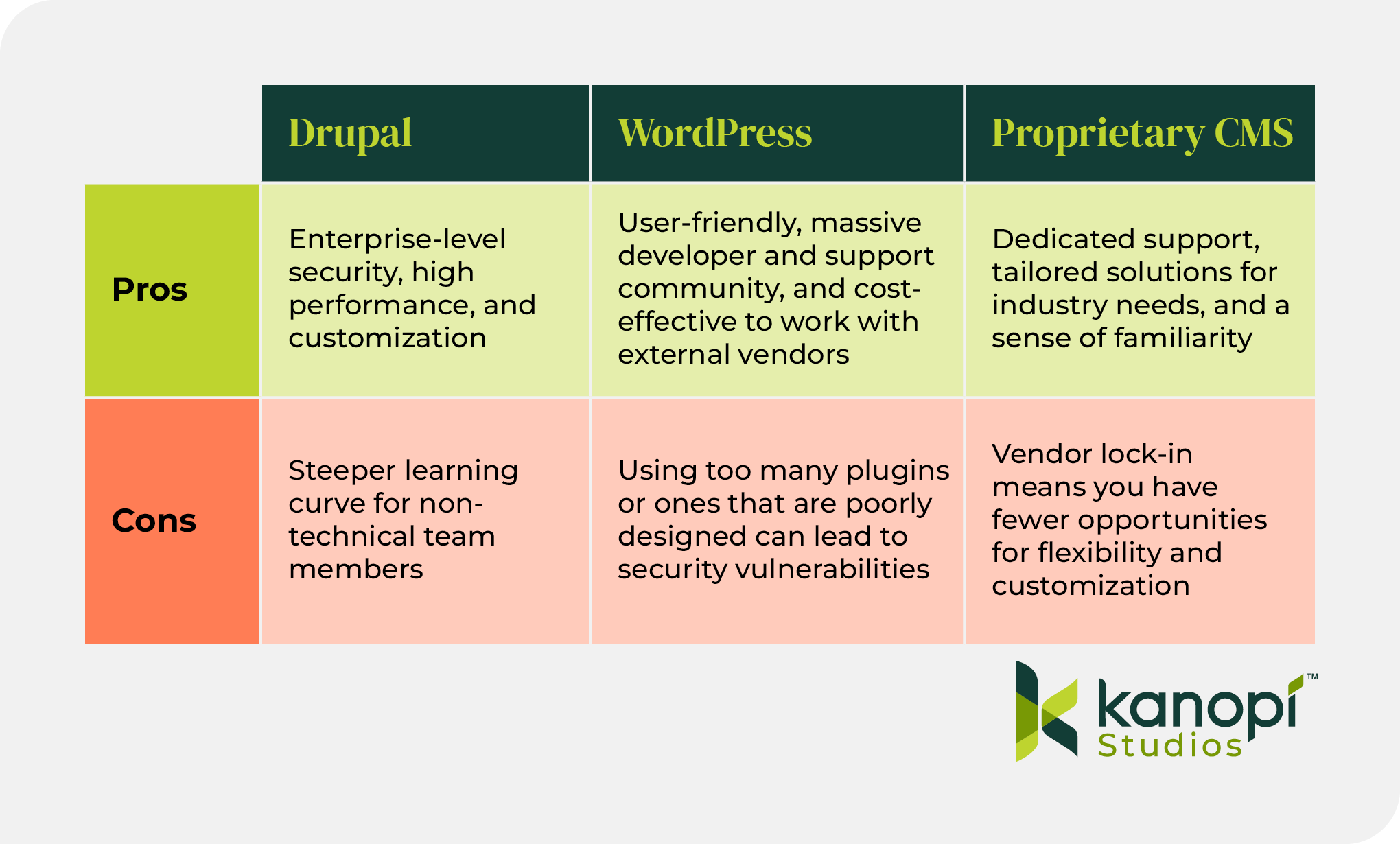
When comparing Drupal to WordPress, remember that both platforms can offer the robust capabilities you need to build a complex, performant website. However, here are a few key areas where each solution shines:
Where WordPress Wins: User-friendly, massive developer and support community, and cost-effective to work with external vendors. Drupal can have a steeper learning curve for non-technical users.
Where Drupal Wins: Enterprise-level security, high performance, and customization. WordPress can struggle with performance issues when sites have too many plugins or poorly designed ones.
You can work with an experienced web developer (like the experts at Kanopi Studios) to help determine which of these CMS solutions will work best for your enterprise.
Drupal vs. Proprietary Solutions
As mentioned, Drupal and WordPress are open-source platforms that allow anyone to view and modify the source code according to their needs. In contrast, some CMS platforms are closed or proprietary, meaning the source code is managed and controlled by a single entity (the software provider). Examples of proprietary CMS software include Adobe Experience Manager and Sitecore.
Here are the key differences between proprietary and open-source software like Drupal:
Where Proprietary CMSs Win: Dedicated support, tailored solutions for industry needs, and familiarity if you’re already using other tools from the provider (like your CRM or marketing platform).
Where Drupal Wins: Affordability, flexibility, ownership of the code for complete customization and portability, broad community support, and continuous improvement. Drupal takes the cake when it comes to customization opportunities and site scalability.
Choosing between proprietary and open-source software is up to your organization, and there is no right or wrong answer. Work with Kanopi to fully understand your options and choose the best path for your business.
Considerations for Implementing Drupal for Enterprise
After selecting Drupal as your enterprise CMS, you must work through the essential considerations of the Drupal planning and development process. Determining how you will approach each of these development steps will help set your site up for long-term success:
Migration. If you’re already using Drupal, you may have to upgrade your site to a new version, such as migrating from Drupal 7 to Drupal 11. If you use another CMS like WordPress and want to move to Drupal, you must undergo a more complex migration to maintain data integrity. Partner with a web development specialist to make the process painless.
Hosting. A website host is the technology that provides the infrastructure to store your website’s files and make it accessible to anyone using the Internet. To figure out the right website host for your needs, partner with a web development agency with deep industry connections, like Kanopi. We have strong partnerships with hosts like Pantheon, Platform.sh, and Acquia, which allow us to recommend the right hosting platform for your unique requirements.
Integrations. Determine whether you must integrate your CMS with other tech solutions, such as your CRM, enterprise resource planning (ERP) system, or marketing automation platform. Drupal offers plenty of modules for integrating your site with thousands of other tech solutions.
Support. Deciding how to maintain your Drupal website is another essential planning element and an additional cost. The Drupal website maintenance process involves backing up your site, updating Drupal Core, optimizing page performance, enhancing security, and other ongoing updates.
Partnering with a dedicated technology consultant like Kanopi makes addressing these considerations convenient and straightforward. Your consultant can provide the advice, technical solutions, and support you need to quickly get your site up and running, manage costs, and maintain your web presence over time.
How Kanopi Can Support Your Enterprise Drupal Journey
Enterprise websites have complex needs; no web development agency understands that better than Kanopi Studios. Our Drupal services are tailored to enterprises’ unique web requirements, and we develop custom development roadmaps and solutions for every organization we work with.
Our Drupal Development Process
Migrations: We’ll help you transfer your site to Drupal from another CMS, switch hosting providers, or upgrade to a newer version of Drupal.
Custom development: Our developers create custom Drupal modules to broaden your site’s functionality and exceed your audience’s expectations.
Third-party integrations: We augment and expand on Drupal’s base platform by setting up seamless integrations.
Mobile-first design: Our Drupal themes are mobile-responsive by default, ensuring a positive user experience on every device.
Commitment to accessibility: Accessibility is baked into every aspect of our web design and development process, and our websites comply with at least level AA of the Website Content Accessibility Guidelines (WCAG) 2.1 (the second-highest level of accessibility compliance).
SEO expertise: We make it easy for visitors to find your enterprise website through keyword optimization, structured data, and local SEO best practices.
Holistic support: Our support services include security patches, module upgrades, ongoing performance enhancements, and content refreshes.
Watch this video to learn more about Kanopi’s unmatched website support services:
What Sets Kanopi Apart
Experience: Our Drupal team members have an average of 11 years of experience with the platform, and most are Acquia and Pantheon certified (Acquia and Pantheon are industry-leading hosting platforms built for Drupal).
Innovation: Kanopi is a Platinum Drupal Certified Partner, a founding sponsor of Discover Drupal, and regularly contributes to the Drupal Project (the collaborative effort to update and maintain Drupal through updates to modules, themes, security fixes, and documentation).
Industry partnerships: As mentioned above, our powerful, long-standing partnerships with hosts like Acquia, Platform.sh, and Pantheon allow us to tailor our recommendations to your needs. Plus, Kanopi sponsors over half a dozen Drupal conferences annually.
Dedicated to giving back: Kanopi supports over 50 free and open source projects on Drupal.org.
Additionally, one of our staff members, Jim Birch, is heavily involved in Drupal initiatives, including:
Drupal core subsystem maintainer (Recipes and Default Content)
Drupal core initiative coordinator (Recipes)
Drupal CMS SEO track lead, committer, and advisory board member
Drupal AI Initiative SEO track lead
Whether you need a complete website build, refresh, or ongoing support, Kanopi’s experienced team is ready to help at any stage of the web development process.
Wrapping Up
The larger the organization, the more significant its website requirements. With Drupal for Enterprise, your organization’s website will have the strong foundation it needs to grow alongside your operations and help you reach a broader audience. Kanopi’s support offers the expert guidance you need to achieve your goals faster.
Looking for more Drupal information? Start here with other resources written by our expert team members:
For today’s enterprise businesses, it’s sink or swim. Your company’s success depends on your ability to make strategic decisions, act urgently to seize new opportunities, and maximize new technologies to streamline your business processes.
However, many organizations get bogged down by menial tasks that threaten to slow progress and innovation. A Slack study found that desk workers spend 41% of their time on activities that are “low value, repetitive, or lack meaningful contribution to their core job functions.”
This highlights a clear opportunity for businesses to make better use of technology, including CMS platforms. These tools automate or streamline low-value, repetitive website tasks, allowing your marketing team to focus on the bigger picture.
This guide covers everything you need to know about choosing the right enterprise CMS for your business’s needs, including:
With these essential considerations and tips, you’ll be able to find a solution that not only meets your needs today but also propels your success into the future.
Key Considerations Before You Start
Before we discuss the benefits and features of an enterprise CMS, you should understand a few key differences between the types of tools you may encounter in your search.
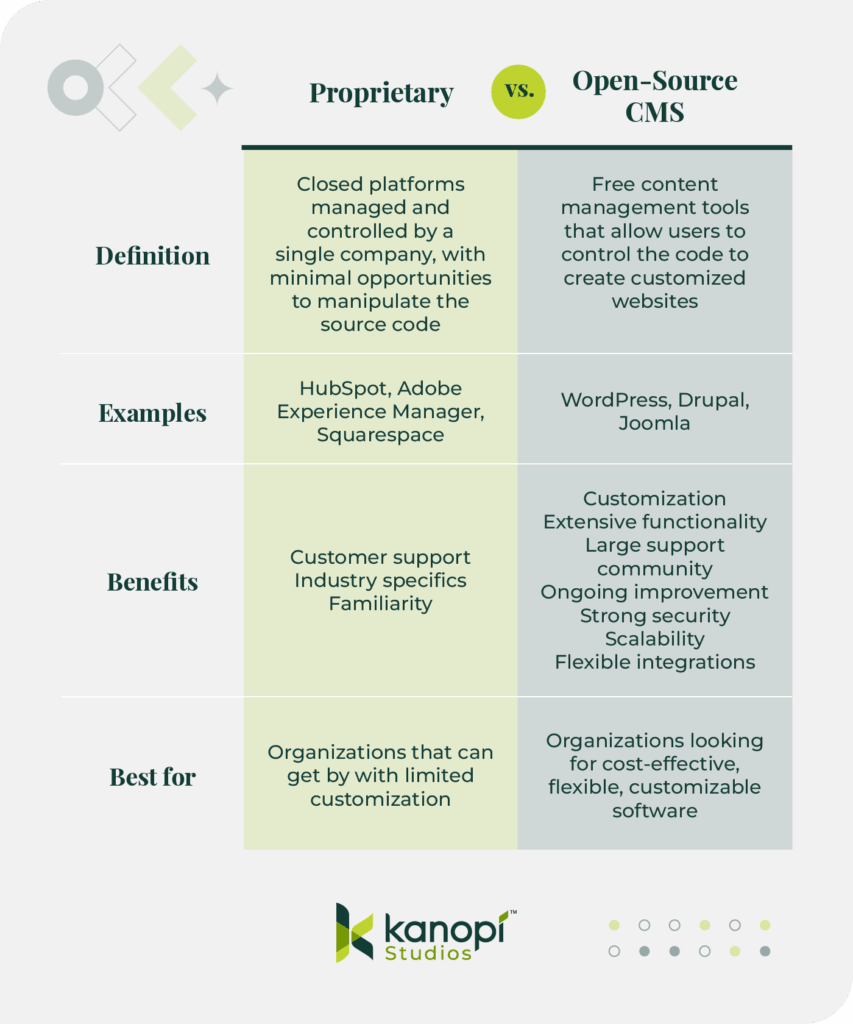
A proprietary CMS is a platform built and maintained by a single company. Examples include Adobe Experience Manager, HubSpot, and Optimizely. These solutions are “closed,” meaning users can’t view or change the source code.
Proprietary CMS platforms offer advantages such as dedicated support from the software provider. If your organization already uses other tools from the provider, then they also provide familiarity and instant integrations. However, these solutions are less customizable than open-source software.
In contrast, open-source CMSsoftware allows anyone to review and manipulate the source code to create a fully customized website based on their unique needs. Examples of these platforms include Drupal and WordPress.
Open-source solutions are free to use and give users more control over their data and website development. Although they often require more technical expertise to get a website up and running, they offer a high degree of flexibility and community support to simplify the process.
Both open-source and proprietary software offer benefits for enterprise organizations. To make the right call between these options, meet with your marketing team, assess your current technology solutions and capabilities, and see how your CMS will fit into your tech stack. You can also review our roundup of popular enterprise CMS software below to explore specific examples of these tools.
Headless vs. Traditional CMS
Another consideration for the CMS selection process is whether your team is interested in a headless or traditional CMS.
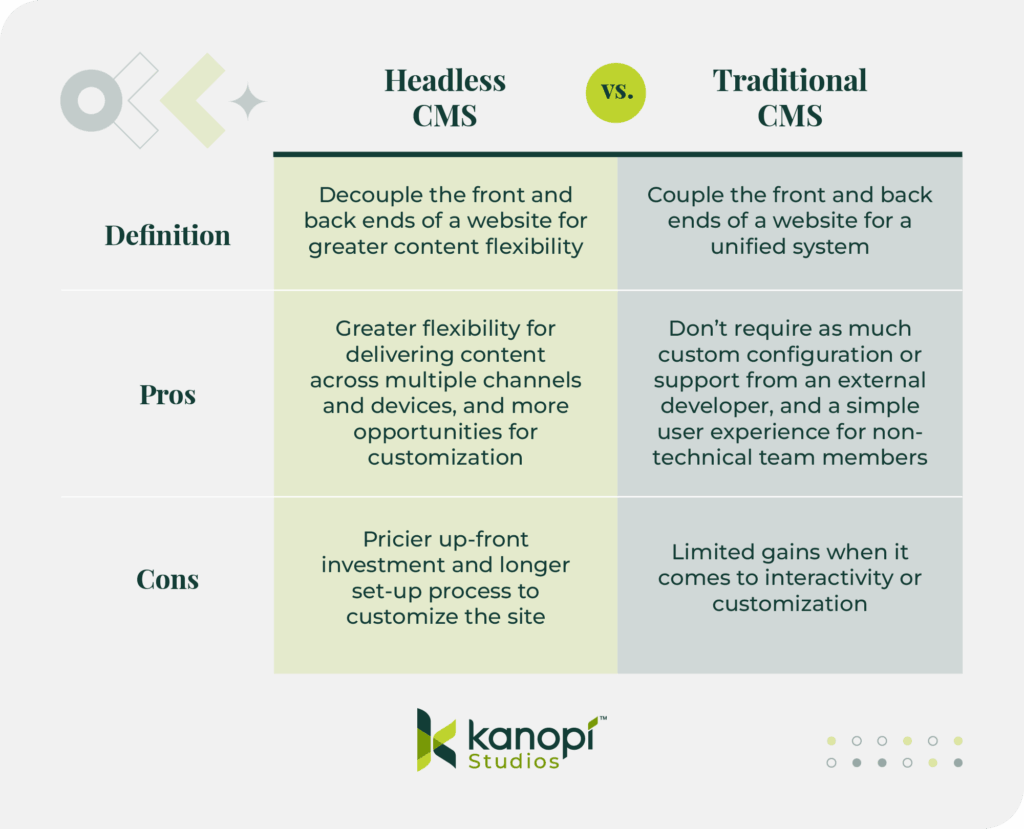
A headless CMS separates the content creation and management processes from the front-end delivery layer, which is the version of your website that visitors see when they click through.
This offers greater flexibility for delivering content across multiple channels and devices. Plus, these solutions enable advanced customization, allowing you to create a website directly tailored to your business needs. However, headless configurations usually require a greater investment of time and resources up front as you work with a developer to design a custom solution.
Traditional CMSs, on the other hand, couple the front and back end, providing a unified system that is often easier for non-technical teams to use and manage. These CMS platforms usually don’t require as much custom configuration or support from an external developer. However, they offer limited gains when it comes to interactivity or customization.
The Kanopi team typically recommends that enterprise organizations use open-source, headless CMS platforms to manage their complex, multichannel needs. These solutions empower businesses with the maximum flexibility and customization they need to stand out from the competition.
Core Features Your Enterprise CMS Must Have
As you explore enterprise CMS options, you’ll notice that all platforms offer a variety of bells and whistles to distinguish themselves from other options. It’s essential to look past the flashy offerings and ensure every CMS you consider has the core necessities your organization needs to build a reliable, flexible website.
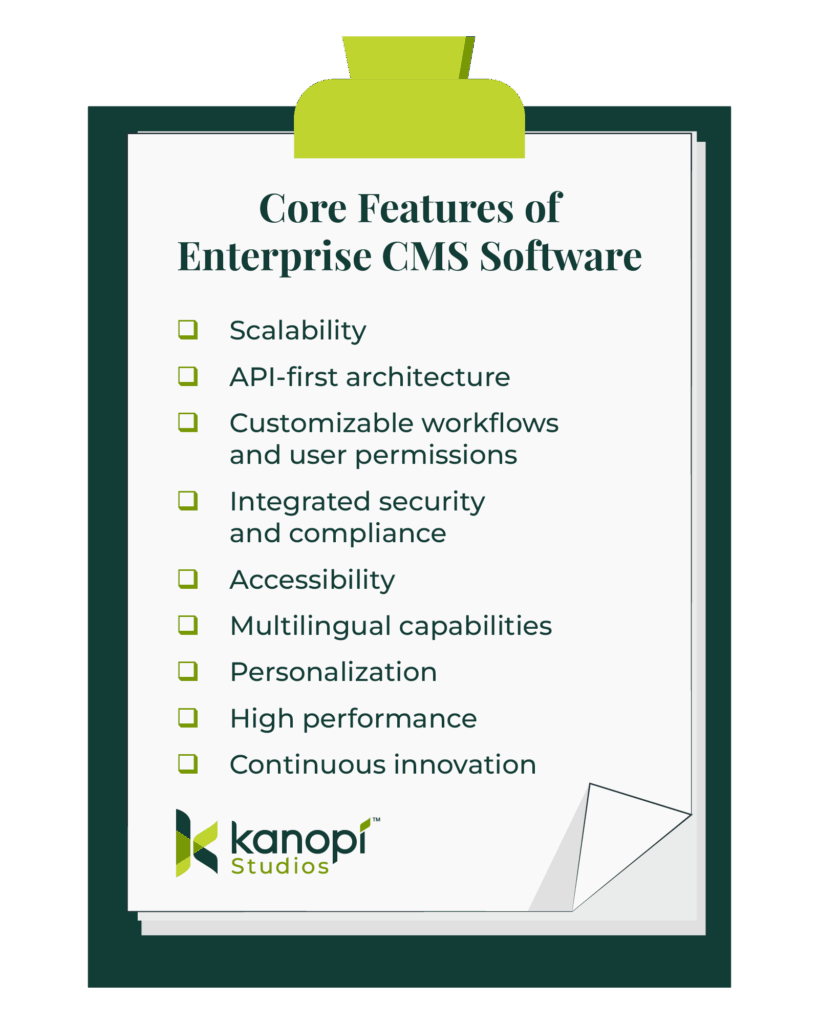
Specifically, ensure every CMS on your shortlist has the following vital features:
Scalability for multi-site management and global teams. Your business may have multiple offshoot sites in addition to your core website, or localized resources for international teams. Your CMS should allow you to incorporate these sites into an organized, multisite architecture.
API-first architecture: An API (Application Programming Interface) is a set of rules and conventions that enable software applications to communicate and exchange data with other applications. When your CMS takes an API-first approach, it’s easier to integrate your site with other applications, such as your eCommerce store, payment gateway, or social media. This unity creates a seamless customer experience.
Customizable workflows and user permissions. Your business has unique digital needs that your CMS must account for. You should be able to set up customized workflows for content creation, management, editing, and publishing. You can set different user permissions to enhance site security and minimize content errors.
Accessibility compliance. The Americans with Disabilities Act (ADA) requires that organizations with publicly available websites make their sites accessible to people with disabilities. Your CMS should enable you to build a fully accessible website with features like alternative text for images, clear site hierarchy, simple navigation, and keyboard accessibility.
Multilingual capabilities. If your business caters to an international audience, communicating in multiple languages is essential. Choose a CMS that supports multilingual capabilities. This can be achieved by creating separate websites for different audiences or by enabling translation of your main website into various languages.
Innovative personalization. A customer service study found that 81% of customers prefer engaging with companies that offer a personalized experience. Your website should exceed customer expectations by facilitating a personalized user journey. This journey could include personalized calls to action based on past browsing habits, product recommendations, or customer loyalty programs.
High performance. Your customers have multiple other organizations vying for their attention, meaning they won’t want to wait around if your website is not quick to load. Studies have shown that 47% of users won’t wait longer than two seconds for a website to load. Therefore, your CMS must facilitate fast load speeds via features like browser caching, image optimization, and minification.
Continuous innovation to support future-proofing your digital presence. Before you choose a CMS, check the product log to ensure the system you select undergoes continuous feature and security updates. Continuous improvement allows your organization to take advantage of the latest and greatest content management features.
As you browse through software options, use this checklist to verify that your top choices offer all this functionality. Take additional notes on any extra features each platform offers and decide whether your organization would make the most of these features, or if they’d be an unnecessary add-on or additional expense.
Questions to Ask Before Choosing an Enterprise CMS
Beyond just understanding the right features to look for in an enterprise CMS, ensure your team is aligned on the purpose of your search. By answering the following questions, you can understand which type of solution to prioritize in your research:
What are our organizational goals?
Examples: Grow our online customer base by 50%, retain 60% of customers year over year.
What type of CMS platform will help us reach our goals?
Example: A headless, open-source CMS will help us execute a multichannel digital strategy with the flexibility and customization we need to stand apart from competitors.
What specific content challenges are we trying to solve?
Examples: Outdated asset management process, maintaining content quality across multiple subsites, lack of design flexibility
What pain points have we experienced from legacy systems?
Examples: Slow loading speeds, lack of support, complex user interfaces
What is our budget?
Remember, CMS costs don’t stop at platform fees. Assess your solution’s total cost of ownership (TCO) over time, considering expenses such as developer, maintenance, and hosting fees.
Which internal teams will use the CMS, and what are their technical capabilities?
Example: The content marketing, branding, and SEO teams will use the CMS, along with a handful of freelance content writers. None of these teams has a high level of technical expertise, so we need a user-friendly back-end content management environment.
Meet with team members who will interact with your CMS regularly to ensure their voices are heard throughout the selection process.
What integrations with our current tech stack are essential?
Examples: Integration with social media, digital asset management, email marketing, eCommerce platform, and CRM.
Should we conduct web development internally or partner with an external expert?
Example: Our organization doesn’t have a web developer on staff, so we’ll work with an external partner to help build a functional CMS instance.
What’s our expected growth trajectory over the next 3-5 years?
Example: Our business wants to expand into international markets and add new product lines, so we want to choose a CMS that enables us to scale up our website without sacrificing performance or a streamlined user experience.
How will we evaluate success for the CMS selection process?
Set goals and track progress regarding the speed of implementation and the quality of the user experience for backend editing.
Comparing Popular Enterprise CMS Platforms in 2025
To refine your search, we’ve compiled the top enterprise CMS tools your organization should consider. All of these solutions support both headless and traditional configurations, except Storyblok, Contentful, and Strapi, which are solely headless solutions.
Headless or traditional: According to the Optimizely site, Optimizely PaaS (Platform as a Service) CMS is typically used as a traditional CMS or a hybrid of conventional and headless, while Optimizely SaaS (Software as a Service) CMS is headless.
Key features: Built-in A/B testing, What You See is What You Get (WYSIWYG) editor, personalized audience interactions, multi-site/multi-channel management
Pros: Excellent experimentation tools, powerful integrations with CRM, translation, and SEO software
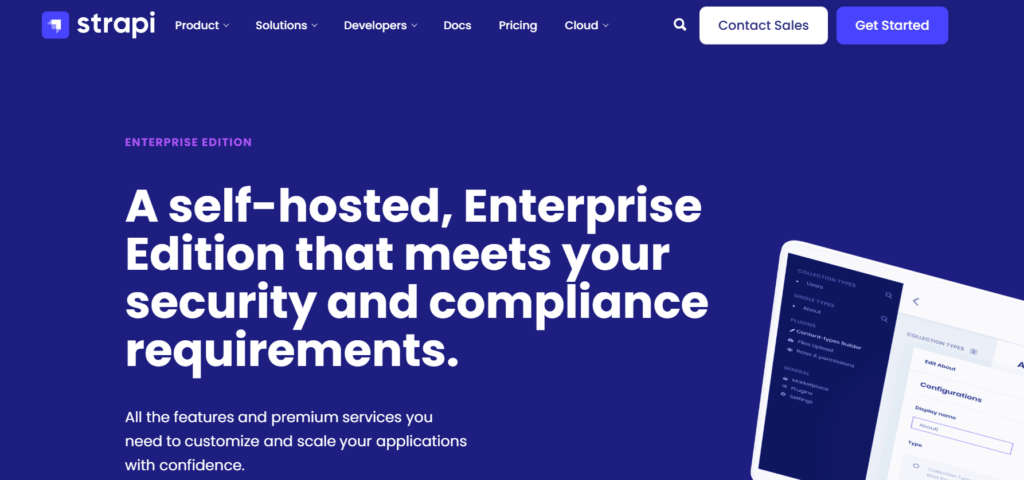
Open source or proprietary: Strapi itself is an open source solution, but Strapi Enterprise Edition is a packaged offering built on Strapi.
Headless or traditional: Headless
Key features: Single sign-on authentication, simplified content history, dedicated support
Pros: API-first approach and robust customizability
Cons: Less comprehensive features when compared to more established CMS platforms
How Kanopi Can Help You Choose the Best Enterprise CMS
For over 15 years, Kanopi has partnered with ambitious enterprise organizations to develop and design effective websites that maximize strategic growth. Our corporate website design and development services are tailored to align the technical aspects of a website project with your business’s long-term goals.
We offer the following research and strategy services to find the right enterprise CMS solution for your organization’s needs:
Stakeholder workshops
Competitor analysis
Content audit
Technical audit
Sitemapping
Plus, after you choose a CMS, the Kanopi team can support site migration, web design, and ongoing maintenance. Watch this video for insights into how our team approaches support through a continuous development mindset:
Wrapping Up
Whether you work with a web consultant or approach CMS research independently, your chosen solution should support your business’s unique purpose, goals, and audience. With a scalable and flexible platform, you can achieve your current goals and set even more ambitious digital objectives in the future.
Explore these additional resources to learn more about popular CMS platforms:
Drupal vs. WordPress: Which One is Right For You? Drupal and WordPress are two of the most popular CMS choices for enterprise organizations. Use this guide to compare the solutions and understand their strengths.
12 Business Benefits of Using WordPress for Enterprise. WordPress is a flexible, customizable option for businesses seeking a user-friendly CMS. Learn more about the business benefits of WordPress for enterprise-level companies.
How to Choose the Right Healthcare Content Management System. If your enterprise organization is in the healthcare space, there are a few unique considerations to work through as you choose the right CMS for your needs. Explore those key points in this guide.
Smart internal linking so bots understand your expertise.
Brand mentions on Reddit, LinkedIn, and niche forums that prove real-world authority.
AI Has Rewritten the SEO Playbook
What changed?
Conversational results: Large Language Models (LLMs, which is software that predicts the next best word, like ChatGPT or Gemini) answer questions in a chat box instead of a list of pages.
Zero-click reality:65% of searches already end without a website visit, and projections hit 70% by mid to late 2025.
Visibility > traffic: If an AI cites you, you win impressions and brand recall, even when no one taps a link.
Why it matters to marketers
Traditional SEO measures success by ranking and clicks. In an AI-first world, the real KPI is how often the robots say your name. Authority signals, like links, mentions, structured content, feed those answers.
How LLM’s Surface Data For a Query
Fan-out queries are the extra searches that an AI (like ChatGPT, Gemini, or Google’s AI Overviews) launches behind the scenes to build a rich, well-rounded answer. Think of them as the follow-up questions a savvy researcher would type into Google after hearing your main question.
How Fan-Out Queries Work in 3 Steps
1. Intent Mapping
The AI model reads the user’s original prompt and breaks it into the underlying “jobs to be done.”
Example: A user asks, “What’s the healthiest plant-based protein for muscle gain?” The AI decides on sub-topics like: “protein quality,” “amino-acid profile,” “digestibility,” “protein cost.”
2. Query Generation (the “fan-out”)
For each sub-topic, the AI spins up more specific searches, often 5–20 at a time.
“best complete plant protein source”
“digestibility score of pea protein vs soy”
“price per gram plant protein 2025”
“clinical studies plant protein muscle hypertrophy”
3. Aggregation & Synthesis
The engine scrapes results, scores credibility, and stitches the findings into a single conversational answer. Only the polished summary appears to the user; the fan-out queries stay under the hood.
Quick Optimization Tips
Cover related sub-topics in one hub post (you can then write more in-depth articles separately, and link to those from your hub post – continue to read for more details on this)
Use descriptive sub-headings (H2/H3)
Include data points (especially our own data), definitions, and mini-FAQs
Refresh supporting stats annually
Fan-out queries are the AI’s way of triple-checking its work. By anticipating these spin-off questions and addressing them clearly on your website, you position your content to be the source the bots (and your future customers!) keep coming back to.
Do Backlinks Matter in 2025?
Yep, backlinks still move the needle, but only the right ones. Think quality over quantity, context over random link swaps. Long gone are the days when any old link could bump you up the rankings.
In 2025, Google’s AI Overviews and chat-based engines like ChatGPT weigh backlinks more like reputation votes. They look at who is linking to you, why they’re doing it, and whether the surrounding content makes sense for your topic.
If a respected publication, niche podcast site, or university blog points to your guide, that’s gold. Ten spammy directory links? Dead weight.
What still works
Links aren’t dead; they’re pickier. AI assesses:
Source authority (Is the site trustworthy?)
Topical relevance (Does the surrounding content match your niche?)
Anchor context (Natural language > exact-match keyword stuffing).
How to build “AI-ready” links
Create genuinely linkable assets: original research, interactive tools, or deep guides others want to reference.
Upgrade anchor text: Mix branded mentions with partial-match phrases so it reads like real prose. (i.e. “Check out Kanopi Studio’s AI-SEO checklist” instead of “Click here.”)
Partner up: Cooperate with trade groups, podcasts, or complementary SaaS platforms for joint studies and co-branded webinars.
Think digital PR, not link exchange: Pitch journalists with newsworthy data; the story earns you natural links and brand buzz.
Anchor text is the clickable words in a hyperlink. It tells both readers and search engines what they’ll get on the other side.
Internal Linking: Your Secret Weapon for AI Understanding
Internal links are the signposts that tell AI, “Here’s how all our content connects.” As Google’s AI Overviews roll out, internal links help “AI algorithms better recognize the relevance and authority of your site,” increasing the chance your page is chosen for the summary box.
Google calls solid link architecture “crucial” for getting a site fully indexed because it signals which topics are broad pillars and which are supporting details.
Let’s pretend we’re working on a boat repair brand.
1. Pillar-cluster model (quick refresher)
Pillar page: A broad, authoritative hub (i.e. “Your Ultimate Guide to Boat Maintenance”).
Cluster pages: Deeper articles that cover subtopics (i.e., “Winterizing Your Engine,” “Cleaning Fiberglass Hulls”).
Links both ways: Every cluster links back to the pillar and to each related cluster.
2. Semantic anchor text strategy
Instead of repeating the exact same anchor text “boat maintenance guide” 10+ times, vary with natural phrases: “seasonal service tips,” “engine tune-up checklist.” This diversity feels more “human” and also helps AI map related ideas.
3. Implementation checklist
Audit: Use tools like Screaming Frog or Ahrefs to spot orphan pages (a webpage with no internal links pointing to it, making it hard for users and bots to find) or pages with low internal links.
Map clusters: Use a Google Sheet to group URLs and note missing links.
Add context links: Place them inside sentences, not sidebars. Contextual placement carries more weight with AI and readers alike.
Brand Mentions Are the New Links
Google and OpenAI both license Reddit data – so having a presence on forums (Reddit and Quora) is definitely recommended!
LinkedIn pulses also tend to show up in business queries.All of these unlinked brand shout-outs train AI on who you are and whether you’re trusted.
Why mentions matter
AI tries to mimic real-world consensus (which is why they love crawling forums like Reddit, or review sites). When your brand name pops up across different credible conversations, it acts like digital word-of-mouth. That familiarity makes an AI citation more likely
How to spark the right chatter
Use social listening tools (Brandwatch, Mention) to track new discussions, then jump in to clarify facts or offer resources. Every helpful reply is a brand mention in the making!
Three Tactical Wins You Can Deploy Today
See what AI already says about you
Open ChatGPT or Gemini and ask, “What is [Brand]?” Note missing or incorrect points, then update your About page and top-traffic posts to make these facts easy for AI to pull.
Mine AI for unanswered questions This is a fun trick I love to use. Run a Deep Research prompt (if you have a paid ChatGPT subscription, which I highly recommend!) on your main keyword. The model spits out common sub-queries (see below). Turn each gap into a quick FAQ or blog update, or include them on your service or product pages!
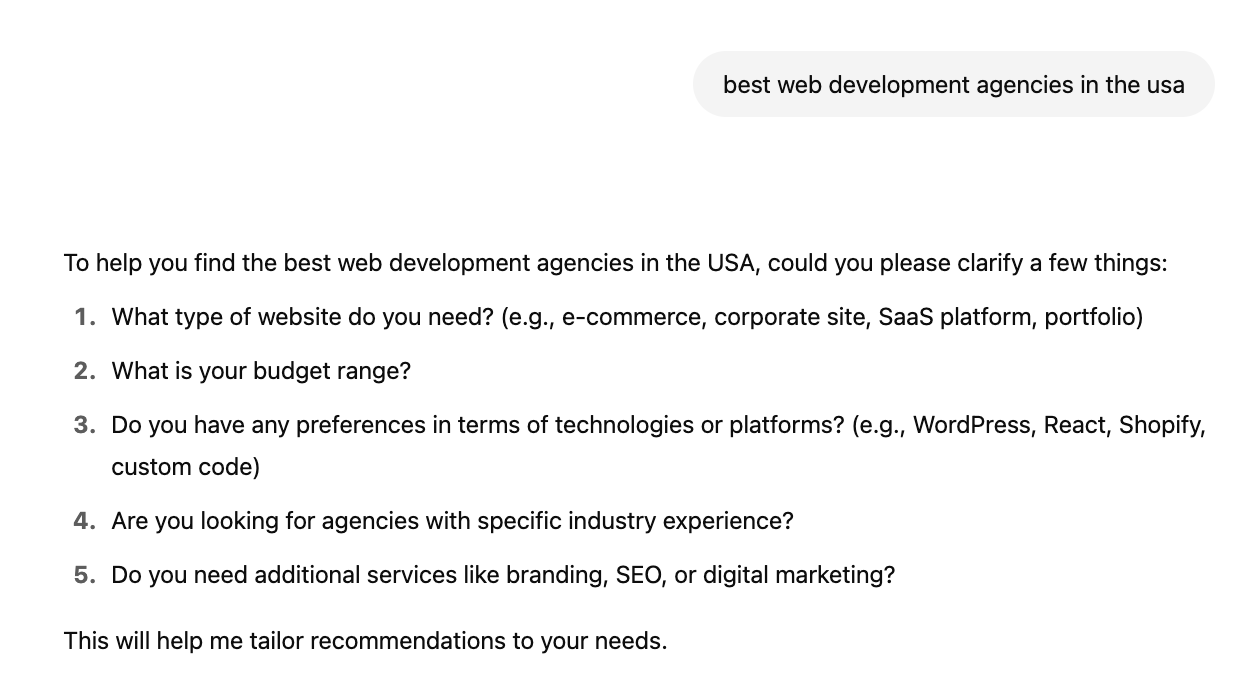
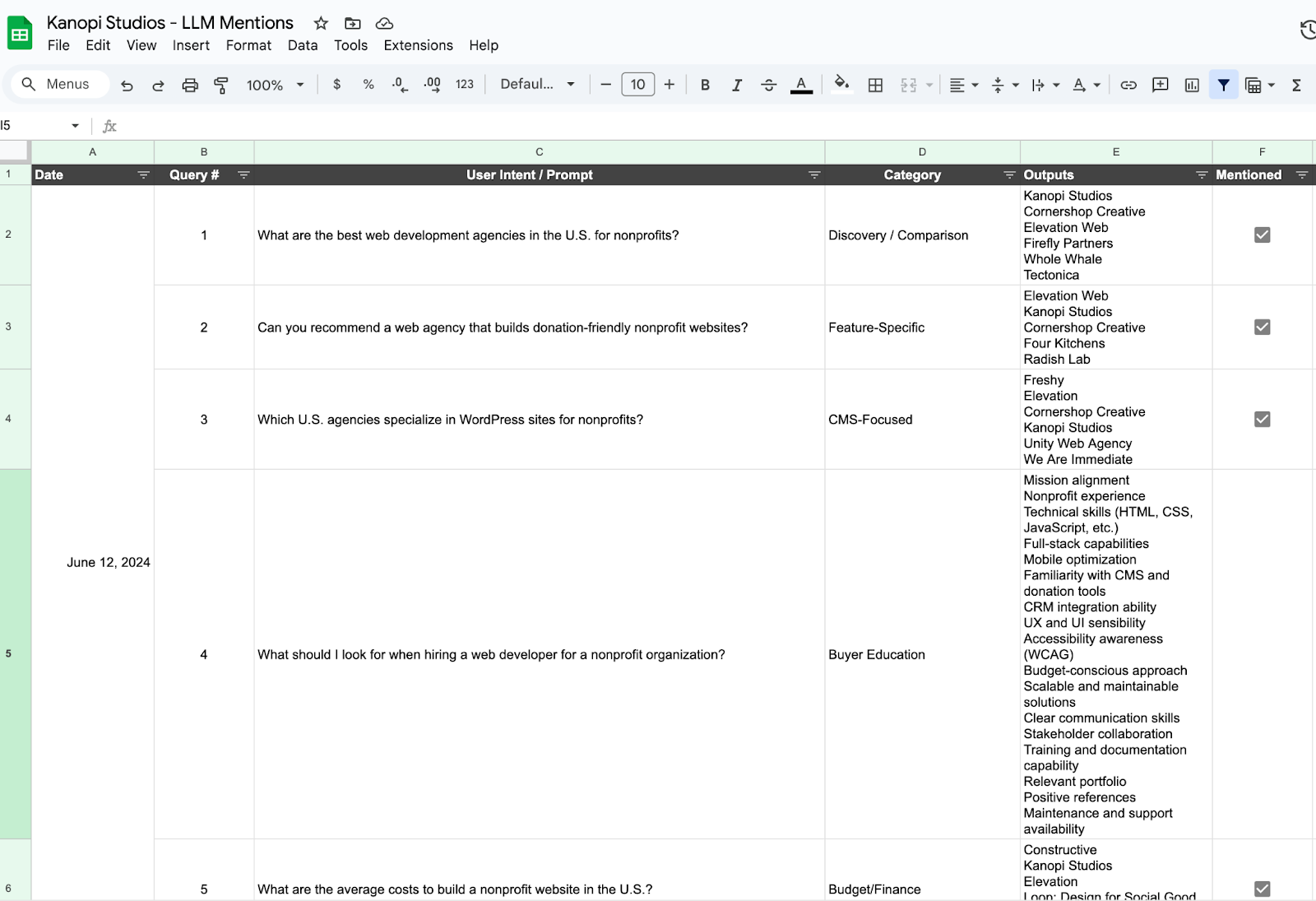
Track citations over time Pick 5 to 10 queries that are relevant to your brand (ex. “best virtual golf simulators,” or “best web development agency”) and record which brands AI lists every 2-4 weeks. Find an LLM Mention template and example for this here. There are also tools like XFunnel.AI that help to automate this task but typically cost a subscription fee.
So that’s the game plan! Ditch the “collect-all-the-links” mindset, double-down on quality signals that AIs actually trust, and give those fan-out queries everything they need to pick your brand first.
If we tighten up our internal links, spark real chatter out in the wild, and watch our citation share like a hawk, we won’t just survive the AI shake-up, we’ll ride it. Let’s get out there and make sure the next time someone asks a smart bot a question, your name pops up in the answer.
Quick Glossary
LLM (Large Language Model): A type of AI that predicts words to generate human-like text.
AI Overview: Google’s summary box powered by generative AI, they appear above organic links.
Anchor text: The words you click in a hyperlink.
Internal link: A link that points to another page on the same website.
Orphan page: A page with no internal links linking to it, making it hard to find.
How to Choose the Right Healthcare Content Management System
Allison Manley
Selecting the right healthcare content management system (CMS) is crucial to building a website that enhances patient engagement, ensures compliance, and streamlines operations. But with hundreds of options available, how can your healthcare organization select the right one?
Understanding key features to look for and evaluating top providers is a great starting point. This guide will cover everything you should know about CMS technology for healthcare and how to select the best system for your needs, including:
Whether your organization is a hospital, private medical practice, mental health clinic, or other healthcare provider, our tips will give you a clear roadmap to choosing and implementing a healthcare content management platform that exceeds your expectations.
What is the Role of a Healthcare Content Management System?
To answer this question, let’s start by defining a content management system (CMS). CMS platforms provide the digital infrastructure organizations need to build viable websites. These tools enable centralized control over content creation, publishing, and data governance.
Therefore, healthcare content management systems are tailored platforms that healthcare providers can use to:
Ensure the timely delivery of accurate health information.
Support compliance with regulations like HIPAA and ADA.
Integrate seamlessly with other digital tools like EHRs and CRMs, allowing your organization to keep all patient and stakeholder data organized and prevent data siloes.
A well-implemented CMS empowers healthcare marketers, administrators, office staff, and clinicians to collaborate effectively and deliver optimized digital experiences for patients.
Key Features of a CMS for Healthcare
Leveraging a CMS to build your healthcare website (rather than custom-building a website through HTML) offers plenty of benefits.
For starters, most healthcare organizations’ marketing and communications teams lack the technical expertise required to build and maintain a custom-coded website. CMS platforms greatly simplify the content management process, allowing your organization to maintain all relevant content (images, text, videos, PDFs, etc.) in one easily accessible location. Plus, these solutions offer user-friendly content editing tools to make creating and publishing web content simple.
Here are a few additional features of using a CMS for healthcare website management:
HIPAA Compliance
A secure CMS ensures patient data is protected according to HIPAA standards, enhancing audience trust and avoiding legal issues. If your healthcare organization deals with protected health information (PHI) electronically, you must comply with the relevant HIPAA regulations.
A healthcare CMS can provide the following necessary services to comply with HIPAA and maintain the privacy and security of PHI:
Role-Based Access Controls (RBAC): A secure CMS allows administrators to set user permissions, ensuring only authorized staff members can see or update private patient information.
Data encryption: A HIPAA-compliant content management system (CMS) ensures that data is encrypted both in storage and during transmission, which helps minimize the chances of unauthorized access.
Secure hosting: Using a HIPAA-compliant hosting provider ensures physical and network safeguards are in place.
Backup and disaster recovery: A compliant CMS includes secure backup systems and recovery protocols, which are essential under HIPAA’s administrative safeguard requirements.
Business Associate Agreements (BAAs): Reputable CMS vendors and hosting providers offer BAAs, confirming their responsibility for safeguarding PHI as required by HIPAA.
Scalability
The right CMS will support your organization’s growth and evolving content needs.
Your content publishing platform should make it easier to create, upload, and push new content live in a timely manner, ensuring you can keep your audience updated on the latest developments in the healthcare space and pertinent information about your organization’s services.
Content creators should also be able to create their own departments, divisions, and other parts of the site’s data architecture as their organizations expand.
Accessibility
Healthcare websites must comply with ADA guidelines to serve users of all abilities.
A CMS helps make your website accessible to users with disabilities, such as individuals using screen readers, needing keyboard navigation, or requiring high-contrast visuals. You can easily add accessibility elements like alternative text for images, logical headings, and intuitive navigation.
This ensures inclusivity, expands audience reach, and reduces legal risk.
Additional Features to Look For in a Healthcare CMS
User-friendly editing interface: Allows content managers and healthcare staff to update content easily without coding knowledge.
Integration capabilities: Connects seamlessly with EHRs, CRMs, scheduling systems, marketing platforms, and other third-party tools to streamline operations and patient care.
Unified data platform: Enables centralization of all web and content data, eliminating fragmentation across multiple branches, departments, or regional chapters.
Multilingual capabilities: Ensures users can translate web content into their preferred language. This is especially essential for healthcare organizations that serve multilingual communities.
These features will enable your organization to set up your new website to support your current priorities and grow with you over time.
Choosing the Right CMS for Your Healthcare Organization
In addition to seeking out the right features, there are several other factors your organization should discuss to help you choose a system suited to your unique needs. Keep these considerations in mind during your selection process:
Open Source vs. Proprietary
As you search for the right content management platform for your organization, you’ll likely encounter two terms over and over again: open source and proprietary. But which one is best for your needs? Let’s explore the basics and benefits of each platform type.
What is a proprietary CMS?
Definition: A proprietary CMS is a closed platform that is managed and controlled by a single company. These systems are considered “closed” because they offer minimal opportunities to manipulate the source code to customize your site.
Customer support: Proprietary platforms often offer hands-on, responsive customer support.
Industry specifics: These solutions can be tailored to specific industries for greater personalization to your needs.
Familiarity: If you already use other software solutions from a certain provider, you can also leverage their proprietary CMS for simplicity and familiarity.
Best for: Organizations that can get by with limited customization or that want to remain in the same ecosystem as their other software solutions
What is an open-source CMS?
Definition: An open-source CMS is a free content management tool that allows users to control the code to create customized websites with greater flexibility and ease.
Examples: WordPress, Drupal, Joomla
Benefits:
Customization: Users have access to full customization and portability of the code, without being restricted by vendor lock-ins.
Extensive functionality: Modules, plugins, integrations, and themes allow you to access robust customization options and extend your website’s functionality.
Large support community: These platforms have large, active developer communities, ensuring your organization can benefit from the insights of experienced professionals in the space.
Ongoing improvement: Because these platforms are continuously evolving and improving, you can access dynamic new features and enhancements quickly and easily incorporate them into your website.
Strong security: Since open-source software allows anyone to view and manipulate the code, developers can identify security issues and deploy fixes faster.
Scalability: The flexibility of open-source solutions allows organizations to scale up their websites easily as they grow and acquire new audiences.
Flexibility with integrations: Open source tools facilitate thousands of integrations, whereas proprietary systems often restrict integrations.
Best for: Organizations looking for cost-effective, flexible, customizable software that can easily scale as your organization grows
Which type of CMS is best?
Ultimately, the choice lies with your organization. However, if you choose to go with an open-source platform, the development team at Kanopi is standing by to help you create an optimized website for your organization’s needs.
Organizational Size and Needs
Match your CMS capabilities with your organization’s scale and complexity. Large, complex organizations with multiple branches, locations, or chapters benefit from robust platforms like Drupal or Adobe Experience Manager. Smaller organizations with more straightforward digital needs may find that a user-friendly platform like WordPress offers the support and structure needed to get a site up and running quickly.
Budget Constraints
As you review the costs of different CMS platforms, consider potential expenses holistically. This ensures you’re getting the full picture of the website’s true costs.
Evaluate the total cost of ownership, including:
Licensing
Design and development
Ongoing maintenance
Before making a final decision, consider each platform’s potential return on investment (ROI). Use this formula to calculate potential ROI: ROI % = (Estimated Revenue from CMS / Cost of CMS) x 100.
For example, let’s say your hospital gets a proposal from a web developer. Under this proposal, you would spend $96,000 on web services annually. This cost would include ongoing design enhancements, annual hosting fees, and maintenance and support.
With an enhanced website, perhaps your hospital could earn revenue via digital appointment bookings and greater patient retention due to a more professional, user-friendly web presence. You already know that your average revenue per patient is $750, and you estimate that a better website could attract 300 more patients per year. As a result, the additional revenue you bring in would be $225,000 per year.
Here’s what the ROI calculation would look like:
ROI % = ($225,000 / $96,000) × 100 = 234.375%
In other words, for every dollar your hospital spends on website fees, you’d earn about $2.34 in revenue.
As you perform this calculation, keep in mind that increasing your ROI isn’t just about keeping costs low—it’s about making smart investments that will set your organization up for long-term success. These investments include a robust, helpful CMS.
Consider the diverse health equity needs of the community you serve when choosing the right CMS for your organization.
Ensure your CMS provides:
Multilingual capabilities for the most common languages spoken in your community
Inclusive formsthat offer flexibility for questions about honorifics, names, pronouns, gender, etc.
Culturally inclusive content, such as inclusive and diverse imagery and culturally-sensitive messaging
Accessibility features that promote equitable access to healthcare resources for all communities
Top Healthcare Content Management Platforms in 2025
Now that you know what to consider when searching for a healthcare CMS, let’s examine the specifics of some of the top solutions available. Carefully review this list to get an idea of what each platform can offer your organization regarding features, HIPAA compliance, developer support, and affordability.
Drupal is a free, open-source content management solution well-known for its flexibility, security, and broad developer community. Drupal is highly customizable and extensible, enabling users to create websites that grow sustainably over time.
Fast Facts about Drupal
Open source or proprietary? Open source.
Top Features: Highly customizable, modular content structures, strong multilingual support, scalability for enterprise-level organizations, and comprehensive security.
Best For: Large healthcare systems and organizations needing extensive custom development, website flexibility, and powerful security.
HIPAA Considerations: Offers robust security features; HIPAA compliance depends on hosting and securely storing and transmitting data to site users and services like developer workflows.
Pricing: Free (open-source), but you’ll need to factor in development and maintenance costs.
How Kanopi helps healthcare organizations create incredible Drupal sites
Kanopi’s web development team has extensive Drupal experience. Each of our team members has, on average, over 10 years of experience with Drupal design and development. We also have strong partnerships with Pantheon and Acquia, our preferred hosting partners for Drupal. That means we can make more accurate recommendations for your website hosting needs.
Check out our Drupal case studies for a look at how we support healthcare websites built on Drupal:
Full build case study: Kanopi worked with Eye Recommend, a network of optometrists, to enhance their site and provide a stronger foundation for simplified member access and analytics tracking. We migrated their site to a newer version of Drupal, audited and strengthened the user experience, and simplified the internal directory structure. These changes resulted in 10% more mobile users.
Support case study: The Colorado Health Foundation needed a more streamlined website to better serve its mission of improving statewide health. We supported the organization with simplified navigation tailored to users’ needs, a content audit to streamline priorities, and enhanced accessibility. These improvements led to greater performance across the site.
WordPress is the world’s most-used content management system, powering over 40% of all websites. It’s a free, open-source tool known for a simple user experience, powerful customization through themes and plugins, and versatility.
Fast Facts about WordPress
Open source or proprietary? Open source.
Top Features: User-friendly interface, vast plugin ecosystem, customizable templates.
Best For: Any healthcare providers and clinics with limited internal dev resources.
HIPAA Considerations: Can be HIPAA-compliant with proper plugins, third-party hosting, and configurations.
Pricing: Free core platform; plugin and hosting costs vary.
How Kanopi helps healthcare organizations create incredible WordPress sites
Kanopi’s WordPress developers can step in at any stage of website development to build a flexible, customized, secure WordPress website. Our developers are thought leaders, regularly speaking at WordPress conferences and events. Plus, our strong partnerships with hosting partners Pantheon and WP Engine enable us to make tailored, strategic recommendations for the best website hosting option for your organization.
Review our WordPress client studies to see our development and support in action:
Full build case study: The Cohen Veterans Network had a (good) problem: their services were expanding to new clinics across the U.S., but their website couldn’t scale up alongside these positive developments. Kanopi built a new web presence with the organization’s existing branding, modernized design, and enhanced navigation. The new site is well-positioned to connect with the organization’s core user groups.
Support case study: The Linked Immunization Action Network needed a better way to serve their audience of healthcare providers in middle-income countries, which frequently have unreliable internet access. They worked with Kanopi to enhance website performance and improve navigation and the user experience. Our efforts resulted in major improvements in desktop and mobile page load speeds.
Adobe Experience Manager is a cloud-based CMS that is part of the Adobe Experience Cloud suite of tools. It offers a CMS, a digital asset manager, enrollment and forms functionality, a signage solution, and a tool for creating product documentation.
Fast Facts about Adobe Experience Manager
Open source or proprietary? Proprietary.
Top Features: Plug-and-play functionality, what you see is what you get (WYSIWYG) editor, and scalability and security through the cloud.
Best For: Marketing teams that already leverage other Adobe tools, like Analytics or Campaign.
HIPAA Considerations: AEM can be configured to meet HIPAA compliance when deployed in Adobe’s Managed Services environment with proper safeguards (BAA, secure hosting, etc.).
Pricing: Custom quote based on needs and website scale.
4. WebMD Ignite
WebMD Ignite offers proprietary CMS functionality as part of its Digital Experience Engine. This tool allows healthcare organizations to build robust websites, boost engagement and conversions through targeted marketing content, and easily maintain HIPAA compliance.
Fast Facts about WebMD Ignite
Open source or proprietary? Proprietary.
Top Features: No-code visual page builder, content personalization based on UTM codes, and data centralization.
Best For: Healthcare organizations and systems that want to prioritize creating a unified online brand experience.
HIPAA Considerations: Leverages a proprietary analytics platform powered by Freshpaint to ensure all multichannel campaigns, microsites, landing pages, and clinical content products remain HIPAA compliant.
Pricing: Contact the sales team for a demo and pricing information.
Tips for Implementing Your Healthcare CMS Successfully
Your work is not done after you choose a CMS for your healthcare organization. You’ll have to create a strategy for maximizing your new platform to ensure it drives a high ROI and supports your goals.
Take these steps to implement your new tool effectively:
Stakeholder engagement: Involve key stakeholders in the selection and planning process for your new CMS. Offer demos or free trials so they can get a good sense of how the software works.
Content audit: Review existing content for relevance and compliance with regulations like HIPAA and the ADA. Consider whether combining or eliminating certain content will make your site easier to use.
Workflow and user audit and analysis: Define the roles that each team member will take within the content management process. Consider restricting roles based on team members’ specific responsibilities to ensure greater security and fewer opportunities for breaches.
Training: Provide comprehensive training for site administrators and clear instructions for your users (patients, patient families, or healthcare providers). Make sure site admins know how to update and add new content without causing disruptions. You should also ensure your site includes clear calls to action and instructions for using features like your patient portal or telehealth services.
Testing: Conduct thorough testing to ensure full functionality and compliance. Gather input from internal stakeholders and improve the site as needed before deployment.
Launch and monitor: Deploy the CMS and continuously monitor performance and user feedback. Track analytics such as page visits, bounce rate, and time spent on page.
How Kanopi Can Help You Choose the Right Healthcare CMS
Your website’s CMS should align with your organization’s other digital marketing efforts and offer a smooth user experience for visitors and healthcare marketing staff. Finding this balance can be challenging—that’s where working with a web development team comes in handy.
Kanopi Studios works with healthcare organizations of all sizes to help them find the right CMS for their unique needs and audiences. We keep your organization’s values and core priorities in mind during our collaborative process. Here are the steps we take to set healthcare organizations like yours up for CMS success:
Evaluate your website needs, including functionality, scalability, and accessibility.
Based on the considerations above, determine which CMS would work best for your organization and help justify the choice to stakeholders.
Manage your website migration, design, development, and more to ensure long-term success.
Curious about what it’s like to work with Kanopi? Check out our case study and webinar on our work with the University of California San Francisco (UCSF) Department of Surgery. We helped this organization move its website onto Drupal, where we created a welcoming site with an approachable front-end look and a simplified back-end editing experience.
Wrapping Up
Choosing the right healthcare CMS is a strategic decision that impacts patient engagement, operational efficiency, and compliance. By understanding your organization’s unique needs and evaluating top CMS options, you can implement a solution that supports your goals and enhances your digital presence.
For more information, explore these additional resources: