
Hands on a keyboard

AI for Higher Ed: Scaling Your Digital & Web Strategy

Over the past several years, higher education institutions have had no choice but to reckon with the monumental changes posed by artificial intelligence (AI) tools. But even though these tools present challenges, they also open the door to a wide range of new opportunities, especially when it comes to getting your university’s website the attention it deserves. 

According to the 2025 AI Search in Higher Education Research Study, half of prospective students use AI-powered search tools at least weekly. Plus, 79% read Google’s AI-generated overviews, and 56% are more likely to trust institutions cited in them. These statistics offer an opportunity to fully embrace AI’s potential to drive online engagement with your university. 

We want to help prepare you for the next iteration of AI in higher education and website design, ensuring your university can continue to engage current and future students, disseminate essential information, and raise funds for your educational needs. This guide explores the benefits and opportunities of AI in higher education and outlines the essential steps to get started. 

Benefits of AI for Higher Education

Higher education marketing and administrative teams are finding that AI doesn’t replace human effort. Instead, it expands their capacity and creates audience interactions that feel more responsive and more personal.

AI for higher education offers specific benefits such as: 
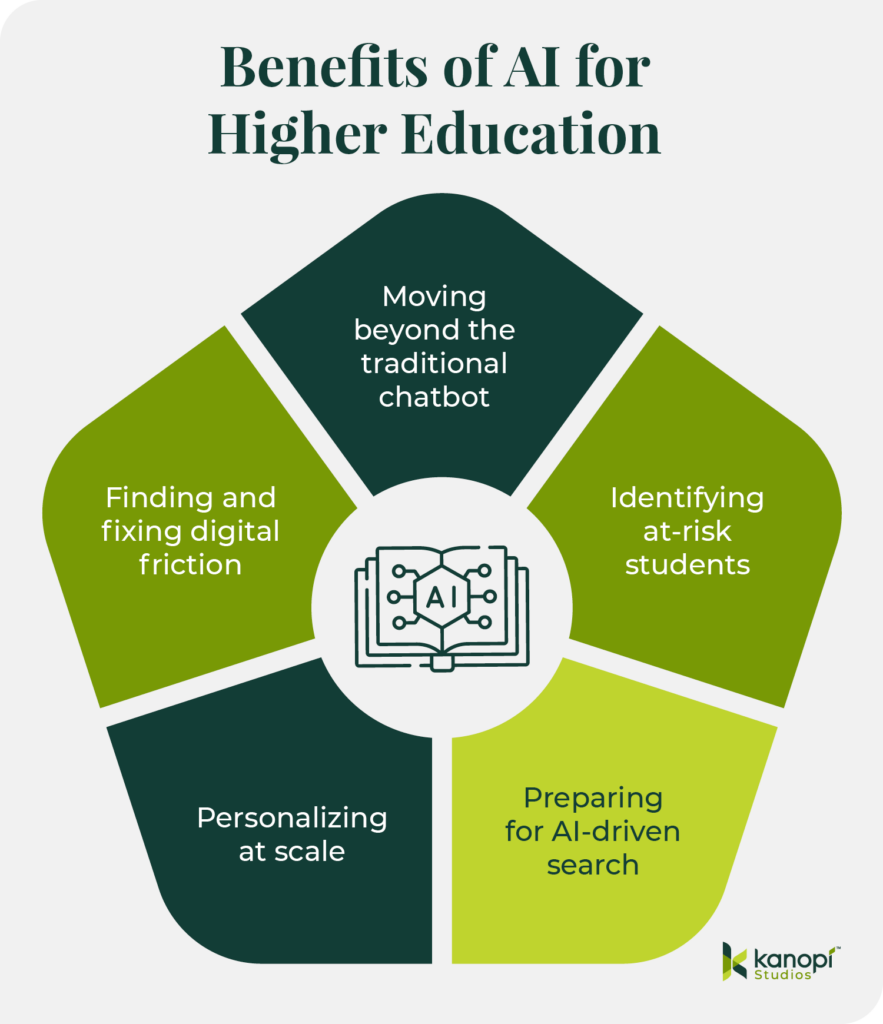
Benefits of AI for higher education (listed below) 
  • Moving beyond the traditional chatbot: Instead of waiting for students to search for information, AI can guide them through the moments that often determine whether they apply or stay engaged. Georgia State’s Pounce system is a strong example. It sends text reminders at the right time and answers questions through intelligent messaging. This steady support lowered “Summer Melt” and helped more students arrive prepared for the fall.
  • Identifying at-risk students: Data shows that 26% of colleges use predictive analytics to identify students at risk of dropping out. Course Signals was among the first to demonstrate this idea. It combined analytics with behavioral and demographic indicators and drew on engagement patterns on the Blackboard platform. The system identified students who might be at risk so instructors could step in sooner and offer support. Institutions that used it saw improved outcomes and stronger retention, confirming the value of early insight.
  • Increasing search visibility: As conversational search becomes normalized, students expect tools that understand intent and provide immediate information. To appear accurately in platforms like ChatGPT, institutions need public information that AI can interpret without confusion. Program pages that follow a clear structure, admissions details that are easy to understand, and language that remains consistent across departments all help AI represent your institution accurately and with nuance.
  • Personalizing at scale: Personalization is becoming a baseline expectation. AI makes this far more feasible for teams that can’t expand their staff. Institutions can align content with a student’s goals and connect them with resources that match their interests. Tools like UCF’s Knightbot reveal how AI can reduce friction by responding to real interaction data rather than guesswork. 
  • Finding and fixing digital friction: AI also exposes friction within the digital journey. Click patterns and content engagement show where prospective students pause or continue exploring your website. This visibility makes it easier to strengthen the moments that influence decisions. 

When UX, content strategy, and discovery data function together, institutions can create more effective experiences without adding staff. The digital space becomes a partner in recruitment and retention, freeing human teams to focus on meaningful work.

Practical Applications of AI in Higher Ed Web Design

The top college websites deploy AI strategically while avoiding overreliance on automated tools. Consider these AI use cases and how your institution can leverage them to drive greater audience engagement and trust. 
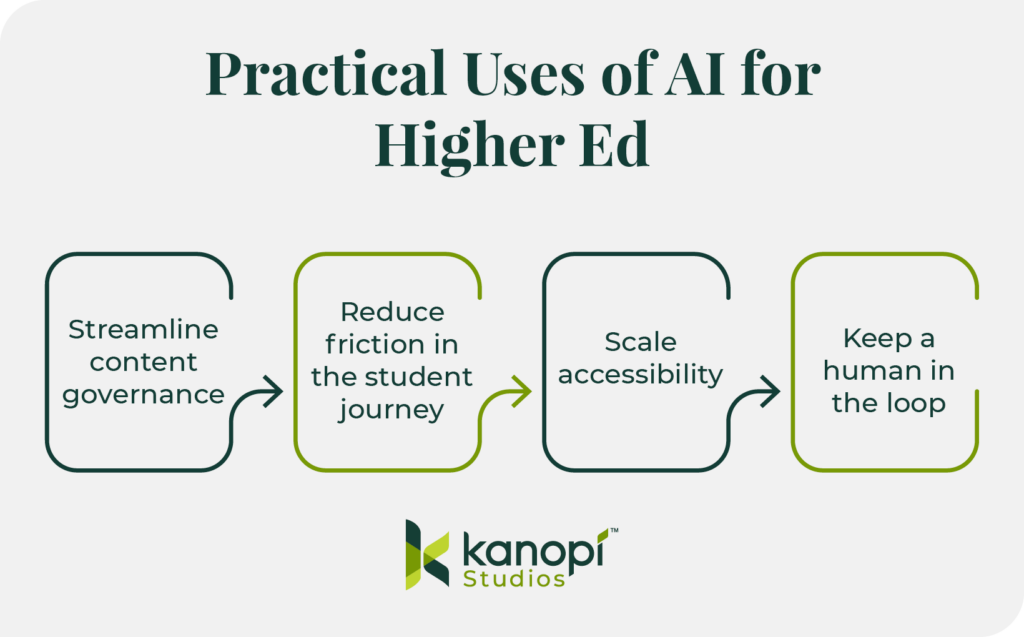
Practical uses of AI for higher ed (listed below) 

Streamline content governance

Use AI for automated taxonomy and tagging. 

Many university websites host 10,000+ pages of dated legacy content. This backlog, known as content debt, can confuse users and feed outdated data into AI models. With AI tools, you can organize the mess quickly so your team can focus on strategy.

Automated taxonomy and tagging replace the error-prone process of manually sorting legacy content by using AI models to “read” every page on a university site and automatically assign categories from a pre-approved list. Instead of an editor manually tagging thousands of articles over several months, a developer can implement a Drupal module or script that crawls the content, identifies core themes (such as “undergraduate research” or “FAFSA deadlines”), and applies the correct metadata in bulk. 

This transforms your fragmented site into a structured data powerhouse, ensuring that your site search provides direct answers and “Related Content” blocks are actually relevant. Plus, you can boost SEO through consistent, high-quality tagging across your entire digital footprint.

Follow the 80/20 Rule.

Let AI generate the first draft of meta descriptions or alt text. Then, let a human editor do the final 20% of “brand voice” polish. This can help you scale up your content optimization efforts without losing the human touch that ensures brand consistency. 

Reduce friction in the student journey

Move from keyword search to conversational search. 

Today’s students expect a much more conversational search experience than in years past. Instead of Googling generic terms like “nursing programs near me,” they’re getting much more detailed with their queries, asking, “What are the top ten nursing school programs in the southeast?”

To ensure your university appears in these highly targeted searches, provide specific information on your website that highlights your unique credentials and offerings. You’ll start to see more qualified visitors who are genuinely interested in applying to your school. 

For example, if a prospect asks an AI agent, “Which nursing schools in Georgia offer clinical rotations at Level 1 trauma centers?” the AI will crawl university sites for those specific keywords. To answer this search query, your program page should replace generic ‘Clinical Experience’ paragraphs with a structured data table or a dedicated ‘Quick Facts’ section listing your hospital partnerships by name and trauma level. 

By providing this granular data, you transition from being a ‘maybe’ in a broad search to the definitive ‘top result’ for a highly motivated applicant.

Integrate AI search directly into your website. 

Traditional site search fails when a student types “How do I pay my room and board bill?” into your site’s internal search bar and gets 400 PDF results. AI-powered search tools like Algolia or Elasticsearch, on the other hand, provide direct answers. These platforms enable AI-powered internal search functionality directly within your website. 

To audit your site’s search process, start by identifying your top five most-searched “How-To” phrases. Test if your current site search provides a direct answer or a list of links. If you can’t get a direct answer, consider implementing a new AI search tool.

Scale accessibility 

Conduct AI-driven accessibility audits. 

Run a site-wide scan with an accessibility tool like Lighthouse or Siteimprove to identify where AI automation can fill gaps. For example, you can use AI to scan thousands of images for missing alt text or to check color contrast in real-time as editors build pages.

Avoid AI accessibility overlays. 

AI overlays are presented as a quick fix, but they’re often incompatible with screen readers. Instead, use AI in the authoring environment to prompt editors to fix issues before they go live. For example, you could implement Drupal’s AI accessibility module in your CMS to scan your content during the creation process and receive automatic suggestions to enhance its inclusiveness. 

Keep a human in the loop

Privacy

Higher education institutions have a duty and responsibility to protect students’ privacy under FERPA regulations. When integrating AI into your web strategy, especially via chatbots or personalized portals, you must ensure student data isn’t being used to “train” public models. Your AI tools should be carefully vetted and monitored by your team to maintain student privacy and uphold your university’s reputation. 

Most free or off-the-shelf AI tools retain data to improve their models, presenting a direct FERPA risk. Only use Enterprise-grade AI APIs with Zero Data Retention (ZDR) policies. Always vet third-party AI vendors for SOC2 compliance and explicit data-processing agreements that keep student PII (Personally Identifiable Information) siloed.

Data bias in admissions algorithms

AI models are trained on historical data. If your institution’s past data reflects systemic biases (e.g., favoring specific ZIP codes or demographics), an unchecked AI will amplify those biases in the name of “efficiency.” For example, in 2020, UT Austin discontinued an AI-driven PhD screening tool because it threatened to limit the diversity of the candidate pool.

As a best practice, you should never use AI as the sole decision-maker for high-stakes outcomes like admissions or scholarship eligibility. Use AI to flag potential candidates, but require a human admissions officer to conduct the final review using a blind evaluation process.

Vetting AI-generated code

AI tools have greatly democratized web development, enabling inexperienced developers to generate complex scripts with “vibe-coding.” However, this coding method can lead to hallucinated code that looks correct, but creates security vulnerabilities or breaks accessibility. 

AI code often lacks determinism, meaning that the same prompt might yield different results, making it difficult to debug or document for future university staff.

Therefore, you should treat AI-generated code as a junior developer’s first draft. Every line must go through a human peer review process. AI can suggest the syntax, but a human must validate the security, performance, and accessibility compliance before it hits your production server.

3 Steps to Get Started with AI for Higher Ed Web Design

Three steps to get started with AI for higher education (listed below)
  1. Start small. Instead of overhauling your entire digital ecosystem at once, take a holistic, adaptive approach by breaking the initiative into manageable pieces. Start with a small pilot, such as a specific department or a single content type like “News,” which allows your team to make incremental, steady progress and pivot quickly as organizational priorities change.
  2. Run a security check. Heightened security for sensitive student data is a non-negotiable best practice. Ensure every AI tool you use meets FERPA requirements to build trust and establish your institution as a credible and knowledgeable source for your community. 
  3. Assign the “Human-in-the-Loop.” Because design matters and supports real humans on both sides of the screen, you must assign a “Digital Shepherd” to vet AI outputs for accuracy and accountability. This person could be a content team manager or senior-level team member. This human connection ensures your AI-enhanced content remains purposeful, engaging, and easy to comprehend for your unique audience.

How Kanopi Brings AI Solutions to Higher Ed Clients

Here at Kanopi Studios, we’ve been deploying AI solutions creatively to help our clients see meaningful website improvements. We help higher ed clients see beyond the hype to identify practical ways they can use AI to deepen student engagement. 

We prioritize ethics, trust, and human oversight. We believe in always keeping humans in the loop, avoiding the use of AI with sensitive data, and ensuring accessibility at all times. 

We can support your higher education institution by implementing AI use cases such as:

  • Multilingual translation and summarization for tuition pages or course content
  • Lecture transcription to enhance accessibility and content searchability
  • Auto-generating image alt text to scale up accessibility

The Kanopi team is ready to help prepare your university’s website for the age of AI-driven search. Here’s an overview of our process:

  1. Strengthen your technical foundation with a comprehensive audit, strategic enhancements, including fixing broken links and redirect gaps, and ensuring that your site’s templates and content modules support consistent indexing and interpretation. 
  2. Make your content “answer-ready” for AI search by leveraging clear headings and scannable structures and reducing ambiguity between concepts. 
  3. Strategically add “machine-readable” signals such as structured data and standardized on-page elements like titles and meta descriptions. 
  4. Manage bot traffic and stabilize performance by applying bot controls and maintaining a robots.txt strategy that supports SEO and limits unnecessary crawling.
  5. Measure and improve over time through strategic analysis and incremental improvements. 

We can help your team take the first steps with AI web design and development, giving you the strong foundation you need to build an ethical and effective AI strategy.

Wrapping Up

When used with care, AI can strengthen relationships, remove hidden barriers, and support students from their first inquiry through graduation in ways that align with your institution’s mission. Keep these tips in mind and reach out to Kanopi for support—we’re here to help you navigate this new normal. 

Kanopi's Jen Hill, Tim Tufts, and Joe Tuen giving high fives and thumbs up.

12 Website Design & Development Trends for 2026

Key Takeaways

  • Agentic Journeys: AI agents (like Gemini and GPT) are now bypassing traditional website funnels to complete transactions directly.
  • Semantic HTML as “SEO 2.0”: Clean, machine-readable code is no longer optional; it’s how AI discovers and recommends your site.
  • Calmer UX: Design is shifting toward minimalist, “distraction-free” interfaces that prioritize speed and accessibility.
  • Trust UX: Privacy and consent are now core architectural requirements, not just legal checkboxes.
  • Component-Driven Development: Using unified design systems to scale content rapidly without technical debt.

It’s that time of year again when we look ahead to what’s coming. We admittedly don’t love the word “trends” because it implies something fleeting, while our entire philosophy here at Kanopi is about building sustainably and intelligently, so websites will last. The word “trends” works great for a short headline, but this article is more about outlining what we see coming in all aspects of website design and development, so you can be prepared to decide what could work for your business. 

We’ll warn you: artificial intelligence is covered a lot in this article. Love it or hate it, it’s here. While we are all learning to find ways to allow AI into our workflows in order to create efficiencies, it’s critical to use it in a way that keeps humanity strong! (If you’re curious, here’s how Kanopi uses AI for clients).

1. Let the bots organize large datasets

One thing that AI is very skilled with is helping aggregate large, disparate datasets. Think competitor research, user behavior data, or analytics reports.

Our content and UX strategy teams use a combination of ChatGPT and Claude to analyze large datasets, identify patterns, and turn complex information into clear, human-readable insights. AI can be used here to reduce the manual lift required for time-intensive activities; work that once took weeks can now be completed in just a few days, freeing our strategists to focus on the high-impact thinking that drives meaningful results for our clients. 

As always, human guidance is key. A human needs to review the outputs as they come. It helps maintain accuracy, minimize bias, and ensure that AI outputs stay closely aligned with the project’s goals and broader strategic direction. 

2. Agentic journeys & funnel flattening

AI agents (ChatGPT, Gemini, custom enterprise agents, etc.) will increasingly handle research, booking, donations, and transactions end-to-end, collapsing multi-step funnels into single-intent, conversational flows. Early adoption in 2026 will raise new questions about attribution, fraud, consent, and regulation. 

What about website design, UX and content?

3. Make your content speak AI

AI isn’t just reading your content anymore. It’s deciding whether to recommend you at all. If your site isn’t structured in a way that ChatGPT, Gemini, and other AI agents can understand, you’re basically invisible to a growing chunk of how people discover things online. We’re talking semantic HTML, well-structured and agent-friendly APIs, stable URLs, and clean information hierarchies, and structured data … all the stuff that makes your content machine-readable. This is no longer optional. Think of it as SEO 2.0, except now you’re optimizing for robots that are way smarter than the old-school web crawlers. Otherwise, expect degraded representation in AI-driven search and assistants.
What Kanopi is doing: We start with AI-led content audits that reveal exactly where your content stands. What’s discoverable, what’s buried, what’s redundant, and what’s completely invisible to AI systems. These audits don’t just identify problems, they inform strategy, helping you prioritize what to fix first based on actual impact.

4. Scale your content without sacrificing your voice

One of the biggest challenges teams face is keeping content fresh and consistent across dozens (or hundreds) of pages. You’ve got style guides gathering dust, content editors struggling to match tone, and updates that take forever because every piece needs multiple rounds of review. AI changes that equation completely. But only if it’s trained on your voice, not generic internet speak.

What Kanopi is doing: We’re building custom AI workflows that learn your brand’s style guide, tone, and content patterns, then generate copy variations that actually sound like you. But we’re not just handing you a robot and wishing you luck. We’re creating prompt libraries and content templates tailored to your team’s specific needs. Need 10 variations of a CTA? Done. Want to update product descriptions across your catalog while maintaining consistency? Easy. We’re giving your content editors AI tools that work with them, not against them, so they can keep sites current without burning out. It’s like having a writing assistant who’s read every piece of content you’ve ever published and knows exactly how you like things done.

5. Design for speed and intuition

Nobody wants to click through five pages to do something an AI can handle in one conversation. We’re witnessing a significant shift toward interfaces that anticipate users’ needs and deliver them faster. Think calmer designs, less clutter, smarter personalization that doesn’t feel intrusive. Multi-step funnels are collapsing into simple, conversational flows because that’s what AI agents are built for and what users now expect. The best interfaces in 2026 will feel less like navigating a website and more like having a helpful assistant who intuitively understands your needs.

What Kanopi is doing: We’re using AI-powered tools to streamline our design workflows that create meaningful efficiencies for our downstream development teams. Our Figma to Claude process enables rapid component prototyping. This means we can create more, iterate faster and refine work, without putting timelines or budgets at risk. 

6. Unifying theme and atomic/component-driven design

A major trend shaping 2026 web design is the continued move toward unified, component-based systems. Instead of designing every page from scratch, we create a consistent library of reusable interface elements, buttons, cards, forms, navigation patterns, that work together seamlessly across your entire site. This ensures visual cohesion, faster development, and a smoother user experience.

What Kanopi is doing: We take this further by pairing modern design tools with cutting-edge AI development workflows. Using Figma’s Model Context Protocol (MCP), our design files connect directly to advanced AI coding tools like OpenAI Codex and Anthropic’s Claude. This means our designs are translated into high-quality, production-ready code with exceptional accuracy.

Once components are built, we use Google Chrome DevTools MCP to let AI validate how each piece actually renders in a real browser, catching visual issues early and ensuring the final experience matches the design vision.

From there, our developers ensure each component can be easily managed in your CMS. Finally, we build end-to-end functional tests that automatically watch for regressions, ensuring that as your site evolves, nothing breaks along the way.

The result is a unified design system powered by intelligent workflows that keeps your site visually consistent, easy to maintain, and ready to scale.

Other things we see coming

  • AI can serve as a valuable design research partner, helping designers quickly surface trends, industry-specific design patterns and assessing the accessibility of design components as they are being designed. 
  • Aesthetically speaking, we’re noticing a shift to calmer user experiences; minimalist interfaces, fewer distractions, more clarity, and clearer information hierarchies. 
  • Lastly, compliance for WCAG and “Consent UX” or “Trust UX” — the design of user interfaces and flows that ethically obtain user permission for data collection and use — is becoming mandatory. See the “Trust, Privacy, Consent & compliance in the next section for more information on this.  

There’s even more happening in website development (whether it’s Drupal, WordPress, or custom code)

Just like in strategy, content, and design, development is also undergoing a meaningful shift. These aren’t fads. They’re structural changes in how teams build, maintain, and future-proof websites. Here’s what we see shaping 2026:

7. Server-side rendering & resilient delivery

We’re watching teams swing back toward server-side rendering (SSR), static site generation (SSG), and progressive enhancement. This isn’t nostalgia, instead it’s a response to what users (and AI systems) now expect: fast initial loads, predictability, resilience, and content that’s easily discoverable by both humans and machines.

Modern frameworks absolutely still have a place, especially when rich interactivity is required, but we’re seeing a clearer separation between where complexity adds value and where it gets in the way.

8. Rethinking architecture: agents vs. complex frontends

As AI agents begin handling more of the “consumption layer” — surfacing answers, facilitating transactions, navigating information — the value of extremely complex, client-heavy architectures is being reconsidered.

 For informational sites and straightforward user journeys, well-structured, semantic content often wins over front-end flexibility. Complex frontends will continue to power robust applications, but many marketing and discovery-focused sites are trending back toward hybrid or server-first models.

Agents are already consuming AI-friendly APIs, and with evolving authentication, they’ll get even better at interpreting content over time. With the current pace of innovation, we predict this will be a delicate dance throughout 2026.

9. AI-accelerated technical debt

AI coding tools are incredible accelerators, but they’re accelerators in both directions. Yes, they speed up delivery. They also multiply code volume, inconsistency, and architectural drift if teams don’t stay vigilant.

This is where strong standards, clean patterns, and senior oversight matter more than ever. Without them, organizations end up with AI-generated technical debt and fragmented prompt/model sprawl — problems that cost significantly more to untangle later. Kanopi builds governance into our workflows so speed never comes at the expense of long-term stability.

As AI becomes embedded in websites and applications, the way we communicate trust changes too. Users need clarity around how their data is used, how permissions work, and what AI agents are doing on their behalf.

“Trust UX” is becoming its own discipline. Transparent consent flows, auditable agent actions, and understandable data policies are now core engineering requirements, not afterthoughts. And with legal scrutiny around consent management on the rise, we expect this to intensify in the coming year.

11. Predictive personalization & AI-driven adaptation

Users increasingly expect experiences that adapt to them, including personalized recommendations, context-aware content, and layouts that respond to user intent. Achieving this requires real AI infrastructure: data pipelines, model governance, and ethical frameworks.

Basic rules-based personalization won’t cut it anymore. Organizations that want to deliver anticipatory digital experiences will need to invest in more holistic, AI-driven systems.

12. Accessibility & inclusion as architectural foundations

Accessibility is no longer something you “add on” during QA. It’s becoming a structural requirement. Semantic HTML, non-JavaScript critical paths, and robust WCAG compliance are essential for AI discoverability and multimodal search (and are just good practice regardless).

As agents rely more on clean, machine-readable content, inaccessible markup and JS-gated experiences will carry increasing penalties. Building inclusively from the start is now both an ethical responsibility and a competitive advantage.

Curious about what Kanopi’s doing specifically? Here are a few exciting projects keeping us engaged:

Drupal CMS, Drupal Canvas, and Site Templates!

We’re hard at work in the Drupal community, helping Drupal CMS development continue. Drupal CMS 2.0 was released in January 2026, complete with a working Site template example building on top of Drupal Canvas, the new editor coming to Drupal.
There are AI integrations, theming in the browser, and instant component creation. This all will minimize development cycles and empower content creators to prototype and publish as they see fit.
We will be working to release a Site Template in the initial launch of the Drupal.org marketplace, so check back with us in the spring at DrupalCon Chicago.

AI Tooling to increase content editor and developer efficiency

We’re working to build AI workflows and tools into our tech stack and into Drupal and WordPress sites to help all of us be more productive in our day to day tasks. We’re connecting Figma to coding agents, as well as connecting automated audits to ticketing systems, content, image, and audio generation in content management systems. Basically, we are working in a way that we can do more with less.

Things are moving quickly, but the basics are still critical.

It’s a lot to absorb when technology moves ever faster, but it’s important to remember that the basics still hold true: your website needs to work for the humans that use it. Your visitors need the information they came looking for, and your editors on the back end need to be able to make updates that keep the website performant, accessible, and fresh. 

There’s always going to be more we can do to make websites better, so it’s easy to get overwhelmed with everything that’s coming. But remember this: you don’t need to know everything, you only need to know the things that will make your website meet the goals you’ve defined for it. 

We hope this post helps inspires you with ideas on how to make your website stronger in 2026!

Kanopi’s Drupal development services focus on creating functional, sustainable Drupal websites.

SEO, GEO, and AEO: How Modern Optimization Actually Works

Search optimization has changed. Traditional SEO still matters, but it is no longer enough on its own. Today, your site also needs to perform well in generative search engines and AI-driven tools like ChatGPT, Perplexity, and Google’s AI Overviews. That is where GEO (Generative Engine Optimization) and AEO (Answer Engine Optimization) come in.

At Kanopi, we do not treat SEO, GEO, and AEO as separate strategies. They rely on the same foundation: a site that is fast, crawlable, accessible, and clearly structured for both humans and machines. When that foundation is strong, your content can perform across traditional search, AI tools, and whatever comes next.

This approach also aligns well with how many of our clients are thinking about Drupal AI consulting and ongoing optimization, rather than one-time fixes.

Below is how we approach it in practice, with real examples from our work.

Start with the Technical Foundation

Strong optimization always begins with the basics. If search engines or AI systems cannot reliably crawl and understand your site, everything else is harder.

At this stage, our work typically includes:

  • Auditing crawlability, performance, templates, metadata, internal linking, and accessibility
  • Identifying and fixing issues that suppress search performance, such as broken links, orphaned pages, duplicate content patterns, redirect gaps, and low-value pages that dilute crawl budget
  • Ensuring Drupal, WordPress or site templates and content models support consistent indexing and interpretation

This work is not flashy, but it is essential. It creates the conditions for SEO, GEO, and AEO to work together instead of competing with each other.

Make Content “Answer-Ready” for GEO and AEO

AI tools tend to reward content that answers questions clearly and quickly. That does not mean dumbing content down. It means structuring it so the core message is easy to extract, while also reinforcing credibility (strong brand and entity signals), keeping key pages fresh and consistent, and ensuring the format is accessible to both crawlers and AI systems.

We focus on:

  • Restructuring key pages so the primary question is answered early, using clear headings, short summaries, and scannable sections
  • Strengthening entity clarity and relationships (for example: between people, departments, research areas, programs, and initiatives)
  • Reducing ambiguity so AI systems can connect concepts accurately and return answers with proper context and attribution

This helps content perform better in AI-generated answers, featured snippets, and zero-click experiences, while still encouraging users to visit the site for deeper information.

Add Machine-Readable Signals Without Overdoing It

Search engines and AI systems rely on structured signals to understand what your content represents. We add these carefully and intentionally.

This usually includes:

  • Implementing or refining structured data where it provides real value, such as organization, person, article or news, and events
  • Standardizing key on-page signals like titles, descriptions, canonical patterns, and Open Graph metadata
  • Reducing conflicting signals so platforms interpret your content consistently

The goal is clarity, not complexity. More markup is not always better.

Manage Bot Traffic So Performance Stays Stable

AI crawlers and aggressive bots can put real strain on sites, especially on search results and listing pages. We treat bot management as part of optimization, not just security.

Here’s how we manage bot traffic:

  • Blocking malicious bots as early as possible, ideally at the CDN or WAF layer before requests reach your Drupal, WordPress, or the database
  • Applying rate limiting and bot controls to reduce resource strain from aggressive crawlers
  • Maintaining a robots.txt strategy that supports SEO while limiting unnecessary crawling
  • When appropriate, implementing an llms.txt (proposal-level, community-led) approach to guide some AI crawlers towards key pages to also reduce unnecessary crawling

We also review bot patterns regularly and adjust controls as new crawlers emerge.

Measure, Iterate, and Improve Over Time

SEO, GEO, and AEO are not one-time projects. They improve through iteration.

Ongoing work often includes:

  • Using analytics and search data to identify high-value queries, zero-result patterns, and content gaps
  • Maintaining an optimization backlog and delivering improvements incrementally
  • Folding this work into ongoing support, alongside performance, accessibility, and analytics improvements

This avoids disruptive overhauls and keeps progress steady.

Real Examples from Our Work

Kanopi Studios
We applied this same approach to our own site. We clarified service language, improved content structure, and added machine-readable signals for AI discovery. Today, roughly one-third of our new inbound leads originate from ChatGPT and similar tools. That is GEO and AEO driving real business outcomes.

COIT
For COIT, we focused on structuring service pages and how-to content to answer common user questions directly. This increased visibility in AI-generated answers and featured snippets, while still guiding users back to the site. We also supported franchise-related content so it was easy to discover and accurate across both traditional search and AI platforms.

San Francisco International Airport
For SFO, we supported SEO and emerging AEO strategies on a large, high-traffic site. Our work focused on performance, content clarity, and structured data so users could quickly find authoritative answers about services and operations.

Centre for Digital Media
For the Centre for Digital Media, we improved the sitemap and clarified user pathways, strengthening information architecture and internal linking. This improved discoverability and reinforced SEO fundamentals that also support AI interpretation.

Ongoing Support Clients
Technical SEO is a recurring part of many of our support engagements, alongside performance tuning, analytics, and continuous improvement. This is where SEO, GEO, and AEO work tends to live and mature over time.

How clients are using AI on their websites today

AI tools are still emerging for many organizations, but early adopters are already seeing practical benefits.

PEN America
PEN America publishes a high volume of image-based content. Manual alt text creation was slow and inconsistent. We implemented AI-powered alt text generation directly into the editorial workflow. Editors can review and refine suggestions, reducing manual effort, improving accessibility compliance, and speeding up publishing.

Settle In US
Settle In US serves people navigating complex immigration information. Long, text-heavy pages were difficult for some users. We implemented text-to-speech using Eleven Labs, improving accessibility and making critical content easier to consume.

Exploratorium
Exploratorium manages a large and diverse content library. The keyword search made discovery difficult. We implemented Algolia with AI-based semantic search, allowing users to find relevant content even when their terms did not match exact keywords. This improved discovery and engagement across the site.

A solid foundation helps your content be found.

SEO, GEO, and AEO are not separate checklists. They are different expressions of the same goal: making your site easy to understand, easy to access, and genuinely helpful.

When the foundation is solid, this is where you can expand your content strategy so your content can perform across search engines, AI tools, and future platforms without constant reinvention. Visibility also comes from getting your best content cited and discussed beyond your site. That can include digital PR, partnerships, guest contributions, and community-first participation where your audiences already ask questions. In many generative experiences, sources often include a mix of authoritative publishers and community platforms like YouTube and Reddit, so the right off-site strategy can reinforce your credibility and improve how often your content is referenced.

If that is the direction you are already heading, or want to head next, this is where ongoing optimization and AI-aware strategy really start to pay off.

Kanopi and Chapter3 logos in white on top of a background image of the Golden Gate bridge

Kanopi Acquires Chapter Three to Expand Drupal Services

Strategic growth is the best kind of growth. And as we roll into 2026, Kanopi is growing in an exciting way. Kanopi has acquired Chapter Three, a San Francisco-based Drupal agency with a 20-year history of innovation and leadership in the Drupal community. 

Why This Matters: Strengthening Our Drupal Effectiveness

The acquisition expands our digital experience services, including Drupal services, and strengthens our presence in the Bay Area. It also supports continued growth with municipal and corporate clients while building on our existing work in nonprofit, education and healthcare

Expanding Our Full-Service Digital Capabilities

The addition of the Chapter Three team brings elite expertise in:

  • Decoupled & headless Drupal: Extending our technical stack for faster, more flexible web implementations. Speaking of headless …
  • Next.js expertise: With the first stable release of Next-Drupal 2.0 — a modern headless Drupal architecture — we can deliver performance improvements, expanded API capabilities, and a smoother developer experience powered by Drupal’s robust back-end. 
  • Community leadership: Integrating 20 years of Drupal contributions to stay at the forefront of the platform’s evolution.

For Kanopi’s CEO, Anne Stefanyk, this is a serendipitous change: Anne’s first job in the Drupal community was with Chapter Three.  

“We’re thrilled to welcome the Chapter Three team and expand Kanopi’s ability to take on more complex and impactful work. It’s gratifying to bring even more robust website services to our clients. For me personally, it’s meaningful to reconnect with the roots of my career.” — CEO Anne Stefanyk

What This Means for Existing Clients

Chapter Three clients will continue working with their existing teams and will have access to Kanopi’s additional services and support during the transition.

We look forward to serving our clients with even greater talent and expertise as our teams unite around shared values and a long-standing history in the Drupal community.

Questions? Contact the Kanopi team at any time.

Drupal Logo

What Developers and Marketers Should Know About Drupal 11

The next major Drupal version is now available, laying the foundation for the platform’s future and providing greater flexibility and functionality for developers and marketers alike.

Unlike previous major versions, which needed to accommodate the end of life of underlying technologies like Symfony, Drupal 11 was released at the right time to solidify new features. This timing frees developers from deprecated code, allowing them to continue improving website functionality and performance.

According to data from BuiltWith, over 30,000 websites are currently using Drupal 11. If you’re considering joining the ranks, you’ve come to the right place. I’ve put together this guide to explain everything you need to know about Drupal 11: 

As a leader of the Kanopi Studios Drupal development team, I’ve helped dozens of organizations successfully migrate their websites to newer Drupal versions. I’m particularly excited about the latest developments available in Drupal 11 and what they mean for the future of Drupal and your Drupal website. Let’s get started by clarifying a few common questions about Drupal 11. 

Drupal 11: FAQs

When was Drupal 11 released?

Drupal 11 was released on August 2, 2024

What are the primary differences between Drupal 10 and 11?

The initial Drupal 11 release has the same functionality as Drupal 10.3, to which most Drupal sites should have been upgraded in spring 2024—although Drupal 11 does have a few key differences. For example: 

  1. Instead of having deprecated code and modules identified, they are now removed. 
  2. Dependencies and dependency requirements were upgraded. The minimum PHP version for Drupal 11 is 8.3, which provides impressive performance and an enhanced developer experience. jQuery, Symfony, and PHPUnit were also upgraded to facilitate code modernization and testing, as well as improve performance.

As Drupal works to become more performant and valuable as a framework, overly specialized or underutilized modules are continually being removed from core. This includes the Actions UI, Book, Tracker, Forum, Statistics, and Tour modules. 

However, these modules haven’t disappeared entirely! Instead, they have been relocated to the Drupal contributed space. If your website depends on any of these modules, you can easily switch versions with a simple command. The good news is that with new maintainers in the contrib community, developers will continue to enhance these modules.

For example, the Tour module, which I discussed at DrupalCon Europe, has already seen several improvements and bug fixes. It has combined my Tour Enhancements module and the Tour UI module in its 2.x release.

What new features are available in Drupal 11?

Drupal 10.3 and 11 include several significant new features and improvements, including:

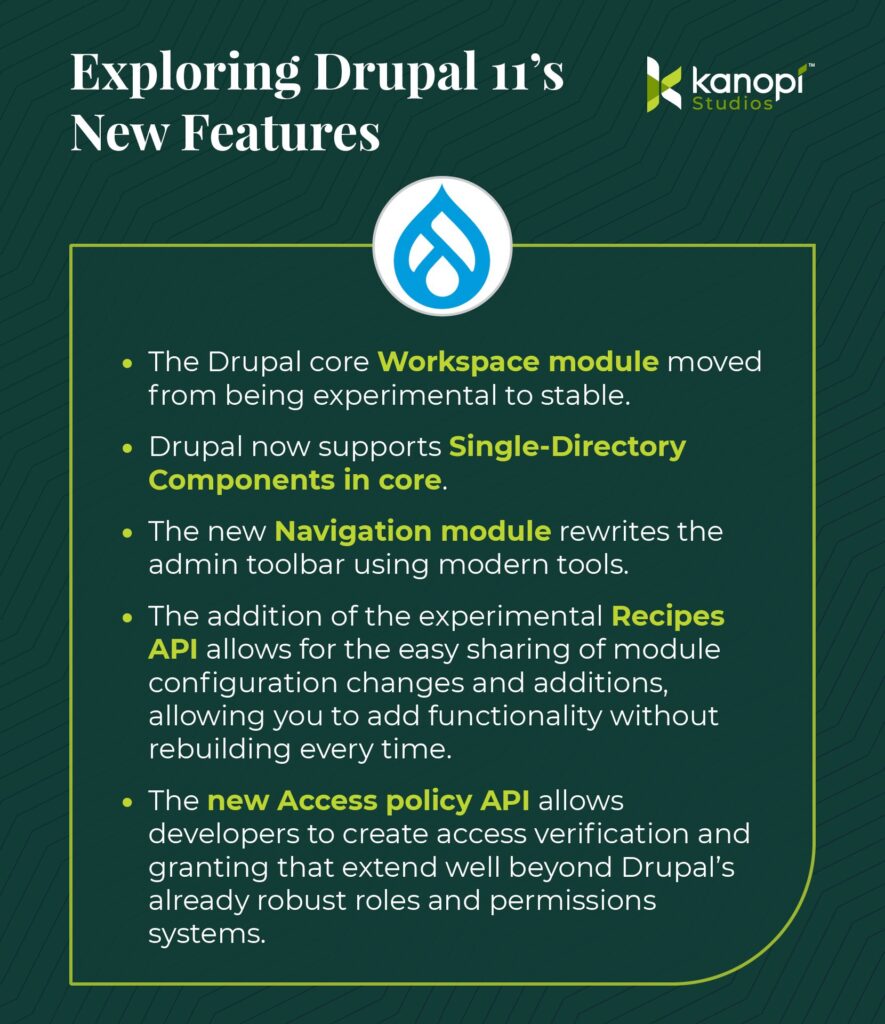
An informational graphic with a dark green background titled, "Exploring Drupal 11's New Features." The graphic features the Drupal drop logo and lists the following five updates in a yellow-green box:

- The Drupal core Workspace module moved from being experimental to stable.
- Drupal now supports Single-Directory Components in core.
- The new Navigation module rewrites the admin toolbar using modern tools.
- The addition of the experimental Recipes API allows for the easy sharing of module configuration changes and additions, allowing you to add functionality without rebuilding every time.
- The new Access policy API allows developers to create access verification and granting that extend well beyond Drupal's already robust roles and permissions systems.

The image also includes the Kanopi Studios logo in the top-right corner.
  • The Drupal core Workspace module has been moved from experimental to stable status. You can now create multiple workspaces for development, testing, and staging. Each workspace can have its own set of configurations and content, allowing you to test changes without affecting the live site. Developers have had multidev environments for a while. This is now the content editor’s version!
  • Drupal now supports Single-Directory Components in core. SDCs provide a simplified front-end development workflow based on components, where all the files required for a component are stored in the same directory. This increases developer productivity and makes components more shareable.
  • The new Navigation module rewrites the admin toolbar using modern tools. This Navigation toolbar adds a collapsible, left-aligned sidebar that organizes the administration menu and allows customization by including other blocks or menus.
  • One of the most significant additions is the experimental Recipes API, for which I am a core subsystem maintainer. Recipes enable the easy sharing of module configuration changes and additions, allowing you to add functionality without rebuilding it each time. An example recipe would add an Event system that encompasses everything you need, including a content type, taxonomies, a calendar view, meta tags, and more. Recipes are the backbone of the Drupal Starshot initiative, which created Drupal CMS, a preconfigured install of Drupal with over a dozen recipes to help jumpstart development.

    For an in-depth look at Recipes and how we’re using them, check out our on-demand webinar: Recipes, Starshot, and the Future of Drupal.
  • The new Access policy API allows developers to create access verification and granting that extend well beyond Drupal’s already robust roles and permissions systems. Imagine you want to limit the number of pages a person can create or restrict access to a site to only certain hours. You can now build custom policies to suit an ever-increasing number of options.

How does Drupal 11 improve the user experience for content creators and marketers?

Thanks to the new Recipes API, Drupal 11 helps content managers and marketers speed up feature implementation. Plus, content teams benefit from streamlined Workspaces that allow marketers to work more efficiently and independently. 

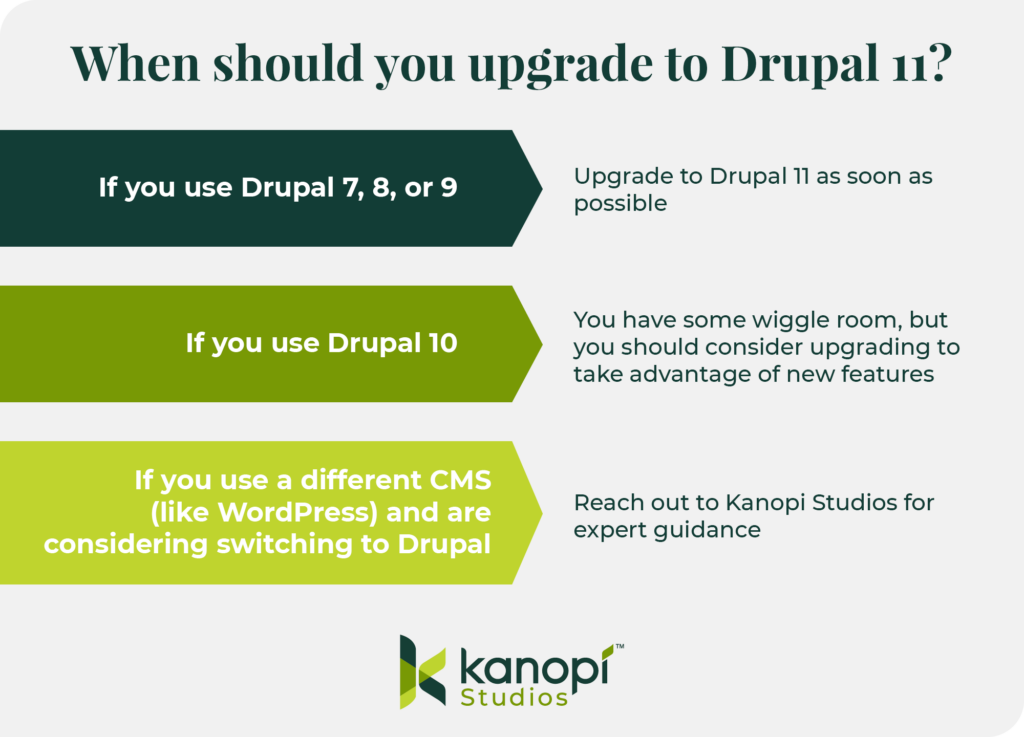
When should you upgrade to Drupal 11?

An informational graphic with a light gray background, titled "When should you upgrade to Drupal 11?" It presents three scenarios with corresponding recommendations:

1.  **Scenario:** If you use Drupal 7, 8, or 9
    **Recommendation:** Upgrade to Drupal 11 as soon as possible

2.  **Scenario:** If you use Drupal 10
    **Recommendation:** You have some wiggle room, but you should consider upgrading to take advantage of new features

3.  **Scenario:** If you use a different CMS (like WordPress) and are considering switching to Drupal
    **Recommendation:** Reach out to Kanopi Studios for expert guidance

The graphic also includes the Kanopi Studios logo at the bottom.

If you use Drupal 7, 8, or 9, you should upgrade to Drupal 11 as soon as possible. These three older models are no longer supported, meaning that no new features or security fixes will be introduced to the platform. 

If you use Drupal 10, you have some wiggle room, as it will be supported until mid- to late 2026. This gives you plenty of time to prepare your site if you have custom code or contributed modules that need to be upgraded to PHP 8.3.

However, if your site can run on Drupal 10.3 and PHP 8.3, upgrading to 11 should be part of your short-term development plan to stay current and take advantage of the additional performance enhancements and new tools available.

If you use a different CMS (like WordPress) and are considering switching to Drupal, you should read our dedicated article exploring the key features and benefits of WordPress and Drupal. Reach out to the Kanopi Studios team directly with any questions—we’re here to help you make informed decisions tailored to your specific needs. 

How to Upgrade to Drupal 11

If you’re starting a new project today, there isn’t much holding you back from starting on Drupal 11. You may need to patch a couple of contrib modules’ core_version_requirements, but more and more updates are happening daily.

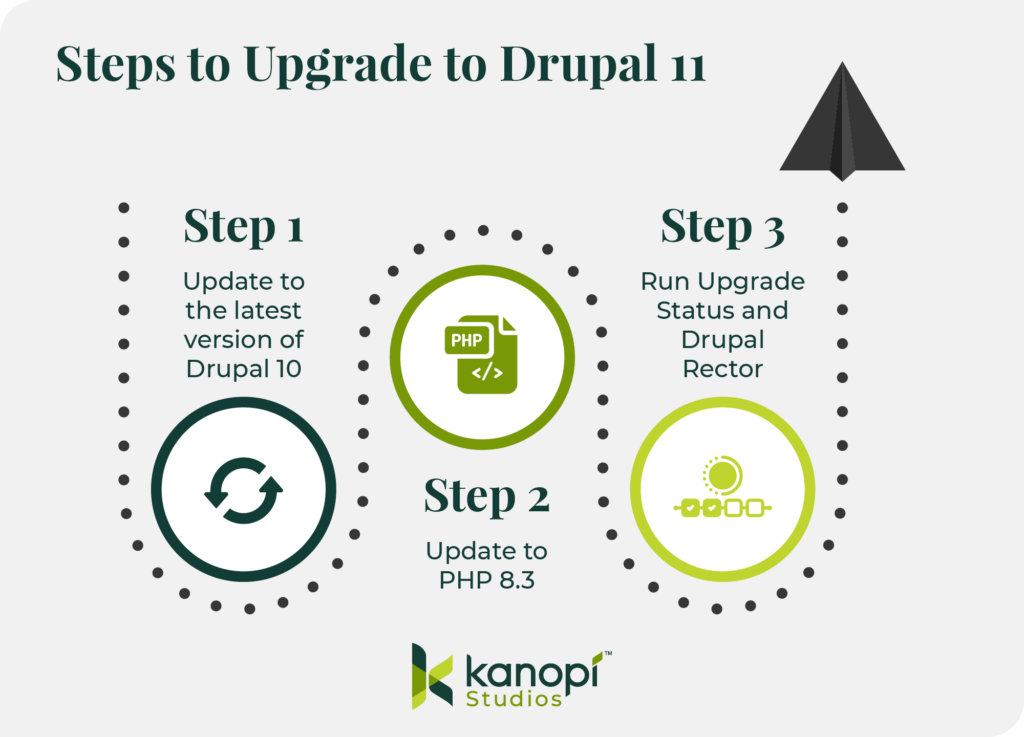
Follow this simple process to get started: 

An infographic with a light gray background, titled "Steps to Upgrade to Drupal 11." The graphic illustrates three sequential steps, each with a corresponding icon:

* **Step 1:** Update to the latest version of Drupal 10. This step is accompanied by a dark green circle containing a refresh/reload arrow icon.

* **Step 2:** Update to PHP 8.3. This step is accompanied by a bright green circle containing an icon of a document with "PHP" and code brackets "< />".

* **Step 3:** Run Upgrade Status and Drupal Rector. This step is accompanied by a light green circle containing an icon depicting a sun-like graphic with small linked circles, representing a status or process.

A dark gray paper airplane icon is positioned above Step 3, pointing towards the right. The Kanopi Studios logo is located at the bottom of the graphic.
  1. Update to the latest version of Drupal 10. All sites upgrading from version 10 to 11 must be on the latest version; therefore, be sure to update to the newest version of Drupal 10 first.
  2. Update to PHP 8.3. Verify that your host, local development environment, and custom code all work with PHP 8.3, which is required for Drupal 11.
  3. Run Upgrade Status and Drupal Rector. This will identify and update any modules that require updates and remove deprecated code. 

If you’re a Kanopi client, we run Drupal Rector on every pull request to ensure we catch and fix deprecations early, as most deprecations for Drupal 11 were documented in Drupal 10.2. To learn more about our continuous website improvement services, please don’t hesitate to contact us.

Start Your Drupal 11 Project with Kanopi Studios

If you’re looking for an experienced, dedicated partner to lead you through a successful Drupal 11 update or migration, look no further than the expert team at Kanopi. 

Each of our Drupal team members has an average of 11 years of experience in Drupal development, and most are certified in Acquia and Pantheon WebOps. Additionally, we are a Platinum Drupal Certified Partner, a founding sponsor of Discover Drupal, and a regular contributor to the Drupal Project.

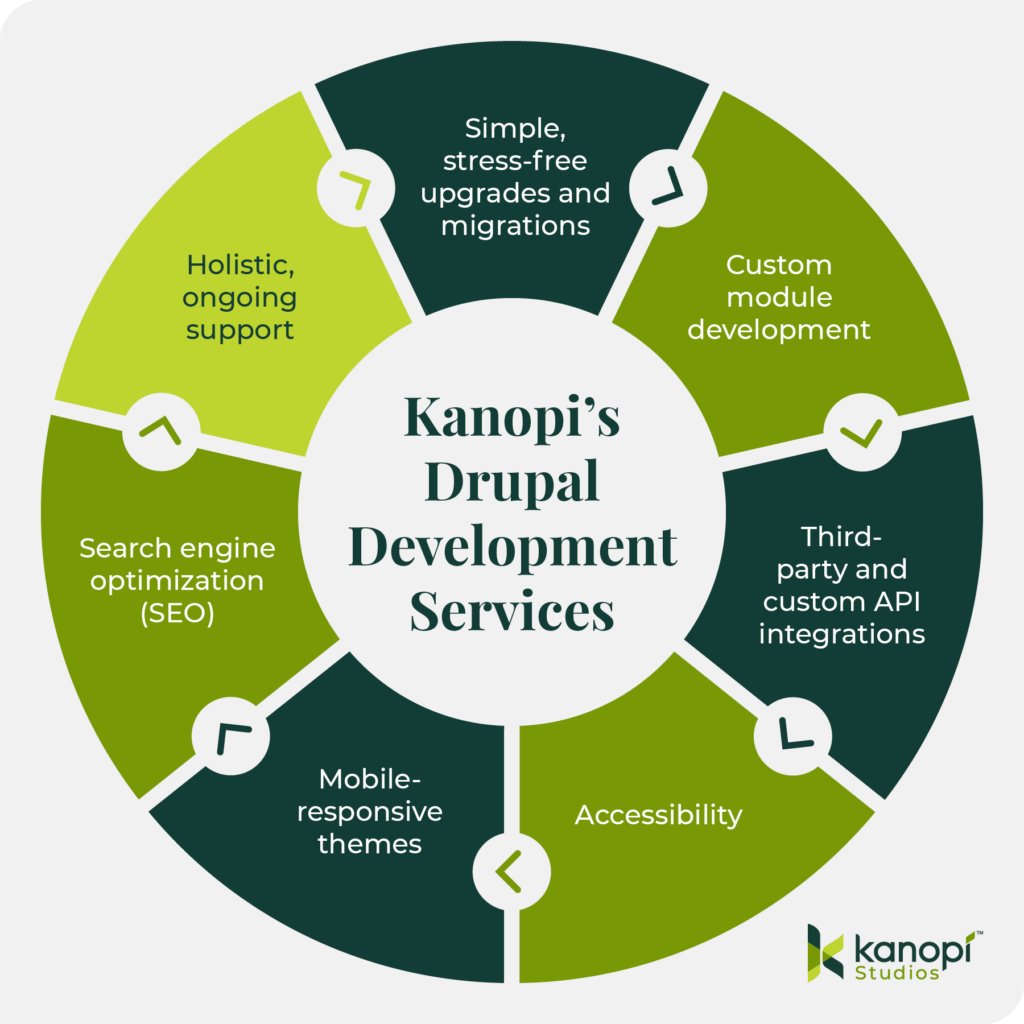
We leverage our expertise to understand your organization’s needs on a deeper level and implement a Drupal migration process that supports your current and long-term goals. Our Drupal development services include:

Kanopi’s Drupal development services: Simple, stress-free upgrades and migrations, custom module development, third-party and custom API integrations, accessibility, mobile-responsive themes, search engine optimization (SEO), holistic, ongoing support
  • Simple, stress-free upgrades and migrations: We ensure your website and content are maintained throughout updates and migrations, making it seamless and painless.
  • Custom module development: We create customized modules that add innovative features and functionality to your Drupal site, ensuring your audience can receive maximum value from your online resources. 
  • Third-party and custom API integrations: Whether your site needs a payment gateway, social media widget, or mapping services, we can integrate custom solutions to make it happen. 
  • Accessibility: We create Drupal websites that are accessible to everyone, using the WCAG 2.0 as a guiding framework. 
  • Mobile-responsive themes: All of our themes are mobile-responsive by default, ensuring your website looks great on every device. 
  • Search engine optimization (SEO): We leverage keyword optimization, structured data, and other SEO best practices to increase your site’s visibility across search engines. 
  • Holistic, ongoing support: Once your site launches, you won’t be left to fend for yourself. Our team offers long-term support through module upgrades, security fixes, and content optimizations. 

If you are looking for a partner to support your Drupal project, contact us today to discuss your goals. 

Screengrab of the on-demand webinar from Jim Birch about Drupal Recipes and Starshot

Interested in Drupal CMS? Check out this webinar by Kanopi’s Jim Birch called “Recipes. Starshot, and the Future of Drupal.” (47 minutes)

Two young women look at a desktop computer screen in an office

Best Nonprofit Website Platforms: How to Choose Wisely

Mission-driven organizations like yours must create websites that act as a digital hub to fuel fundraising, supporter engagement, and mission-related resources. The right nonprofit website platform will help your organization do just that. a

Also known as website builders or content management systems (CMS), these tools are essential for establishing a robust online presence that resonates with your audience. They help nonprofit marketing professionals design their sites, incorporate robust fundraising functionality, and ensure charitable missions are accessible to everyone. 

Today’s platforms offer nonprofits a range of options, from all-in-one website builders to flexible tools like WordPress and Drupal. The challenge is knowing which solution fits your organization’s size, budget, and long-term goals. 

This guide will help you cut through the noise, compare leading platforms, and make a choice that supports your current needs and future growth. We’ll cover: 

What Nonprofits Really Need from a Website Platform

A nonprofit website must do more than simply look good. It needs to:

With that in mind, your organization needs a website builder that can handle these specific needs and support your mission now and in the future. 

How to Choose the Right Nonprofit Website Platform

Choosing the right nonprofit website platform is vital to long-term success. It enables you to maximize integrations, support growth, and prevent expensive migrations or security issues. 

If you opt for a tool that addresses only your short-term needs and not your long-term goals, you may encounter significant challenges down the road. That’s why it’s crucial to consider your nonprofit’s present and future needs, goals, budget, and capacity before choosing a platform. 

Follow these steps to help make the right choice: 

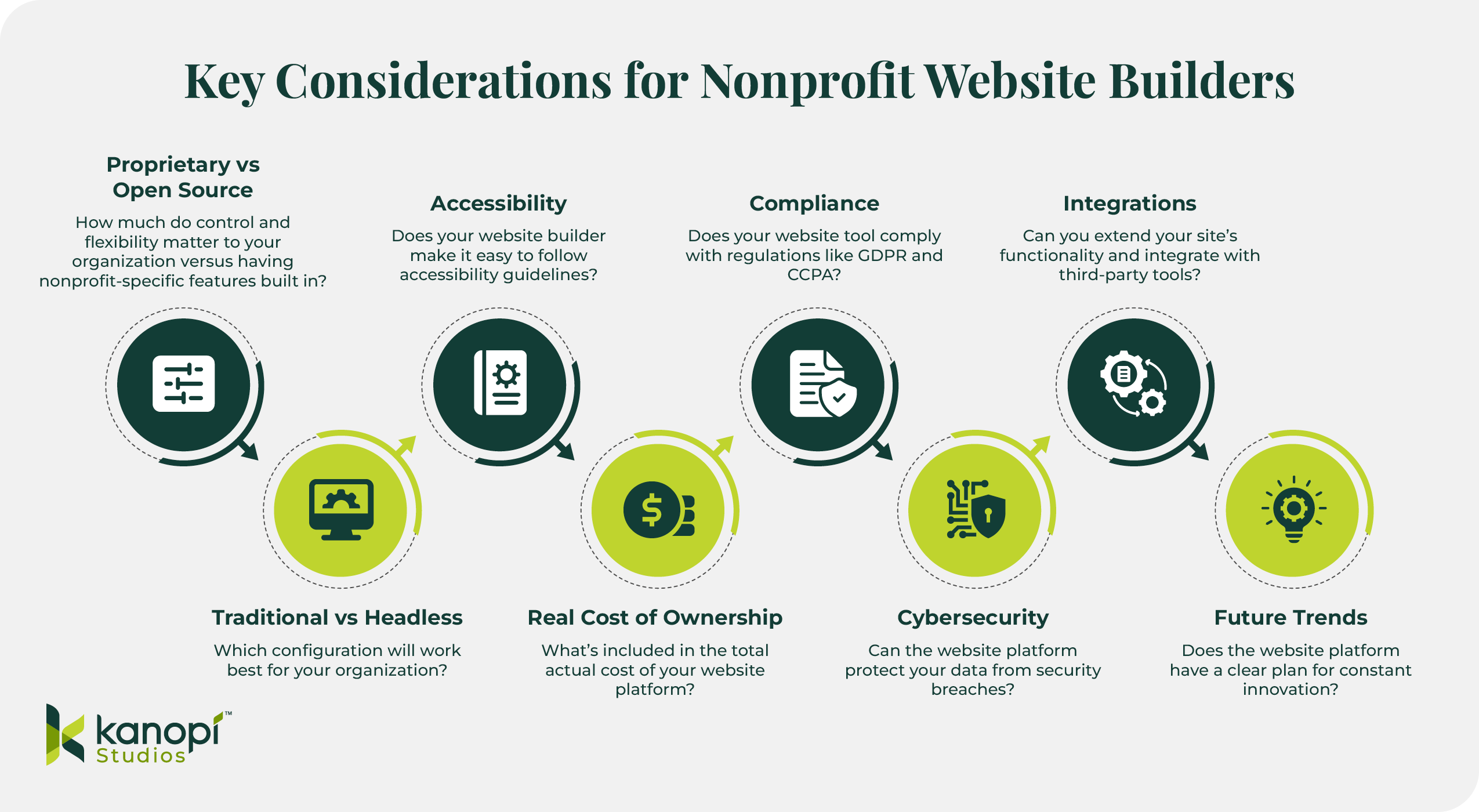
Infographic: Key Considerations for Nonprofit Website Builders

Infographic titled “Key Considerations for Nonprofit Website Builders.” It presents eight considerations:
1) Proprietary vs Open Source – flexibility versus nonprofit-specific features.
2) Accessibility – ease of following accessibility guidelines.
3) Compliance – meeting GDPR/CCPA regulations.
4) Integrations – connecting with third-party tools.
5) Traditional vs Headless – best configuration for the organization.
6) Real Cost of Ownership – total cost of platform.
7) Cybersecurity – data protection.
8) Future Trends – ongoing innovation.
Bottom-left shows the Kanopi Studios logo.

1. Assess Key Considerations Beyond Features

Many website builders make it easy to incorporate the crucial nonprofit-specific features listed above, but your search should go beyond just features to ensure you’re reviewing top options holistically. Keep these additional considerations in mind to find the best tool for your nonprofit: 

Proprietary vs Open Source

Content management systems are not monolithic; they come in various forms and types. One key consideration is whether your nonprofit would benefit from a proprietary or open-source CMS.

Proprietary CMS platforms, or closed CMS tools, are software solutions controlled and managed by a single company. Users cannot manipulate the source code, making these solutions less flexible and customizable. However, some organizations choose proprietary systems because they offer nonprofit-specific features they’re looking for or are already using other software solutions the vendor offers.

Examples of proprietary nonprofit website platforms include Morweb and WildApricot

On the other hand, open-source CMS tools allow anyone to access and change the source code, making them more flexible and scalable for growing and large organizations. These solutions are free to use and offer stronger security because anyone can scan the software for vulnerabilities and apply fixes. Nonprofits often turn to these solutions for greater control and full website ownership. 

Drupal and WordPress are examples of open-source solutions. We recommend keeping these solutions at the top of your list — and here’s why

Traditional vs Headless

Another key consideration to discuss with your marketing team when looking for a nonprofit website platform is whether you want a traditional or headless configuration

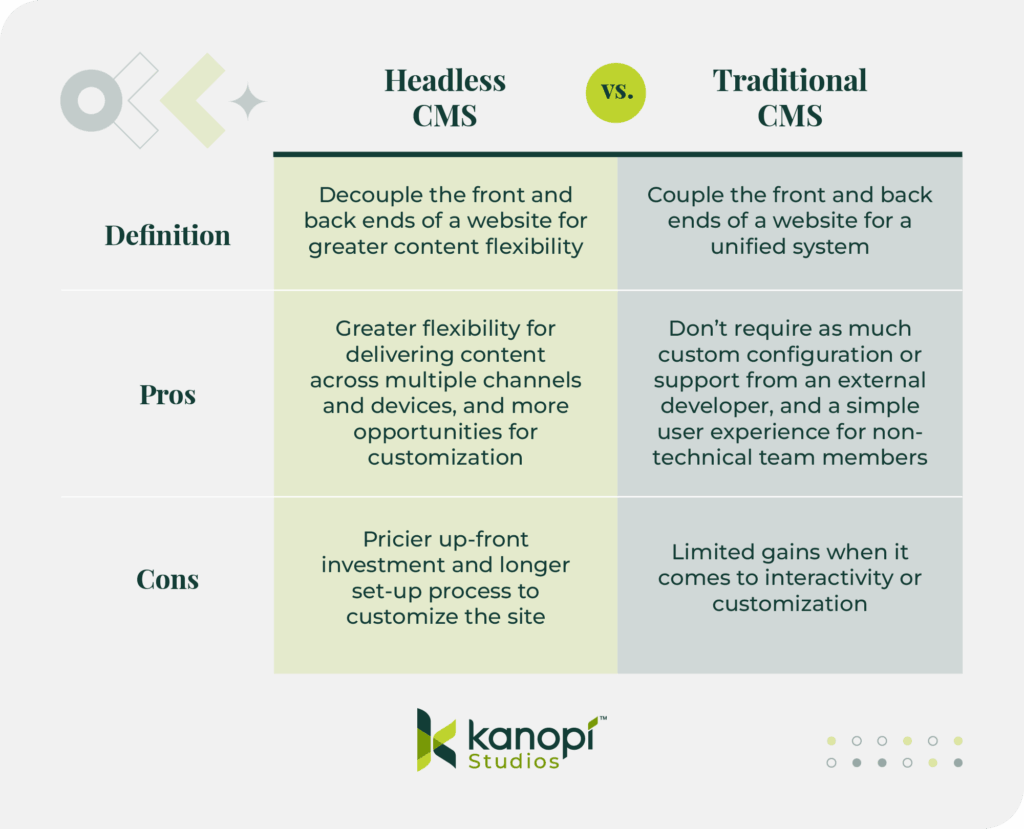
Headless CMS configurations decouple or separate the backend content storage and management process from the front-end user interface. This setup gives marketers greater flexibility to deliver content across multiple digital platforms, including websites, mobile devices, smartwatches, and digital kiosks. Organizations that want to create interactive, high-performing websites typically choose headless configurations. 

Traditional CMS configurations tend to be best for organizations that don’t have complex websites or a high level of interactivity, as they enable greater access to plugins and modules and simple theme updates. They are also less complex setups, so you don’t necessarily need to work with a developer whenever you want to update your site’s infrastructure. 

Accessibility 

Nonprofit websites must comply with the ADA to make their services accessible to everyone. Finding a website platform that prioritizes accessibility is key to maintaining compliance and serving your community effectively. 

Your website builder should allow you to follow key recommendations outlined in the WCAG, such as adding alternative text to images and using colors that pass contrast tests

However, very few nonprofits actually budget for ongoing accessibility audits and remediation. To ensure full compliance, we recommend setting accessibility as a top priority from the beginning of your CMS search and factoring the costs of accessibility maintenance into your website expenses. 

Real Cost of Ownership

Accessibility isn’t the only additional cost to factor into your CMS search. Fees for hosting, staff training, and developer support can add up. As you explore website builder options, read reviews from real users and ask vendors to provide a realistic estimate of the total cost for building and maintaining your website. 

Compliance

If your organization has an international reach, you must be mindful of regulations such as the General Data Protection Regulation (GDPR). This regulation governs the use and protects the privacy of personal data for individuals within the European Economic Area (EEA). 

The GDPR prevents websites from gathering consumer data without their consent. It also requires websites to offer a clear and accessible privacy policy so visitors understand how your organization collects, stores, and leverages user data. 

Likewise, the California Consumer Privacy Act (CCPA) provides California residents with enhanced control over their personal data by allowing them to request information about its usage and opt out of sharing their personal information.

Your nonprofit should consider these regulations and find a website platform that makes it easy to notify users about their data rights and your organization’s privacy practices. 

Cybersecurity

Nonprofits are frequent targets of phishing attacks, fraud, and other forms of cybercrime. In the past two years, 60% of nonprofits have experienced cyberattacks. 

Your website must defend itself against security breaches, and that starts with your website builder. Your CMS should offer features like two-factor authentication, user access controls, data encryption, and automated backups and maintenance

Integrations

Integrations extend your site’s functionality, allowing you to seamlessly connect your site with tools that will better help you reach your audience. Most CMS platforms offer integrations, but they’re not all the same.

Many website platforms offer various built-in integrations with tools such as your nonprofit’s CRM, email marketing platform, and fundraising software. Some platforms leverage a third-party tool like Zapier to enable integrations. 

Your nonprofit should choose a website builder that meets its current and future needs. AI chatbots, highly tailored personalization, and sustainable web hosting are emerging priorities for forward-thinking nonprofits.

As you demo CMS tools, ask each vendor how they take customer feedback into account when building new features that will help nonprofits stay competitive in an increasingly complex digital fundraising landscape. 

2. Evaluate Organizational Maturity

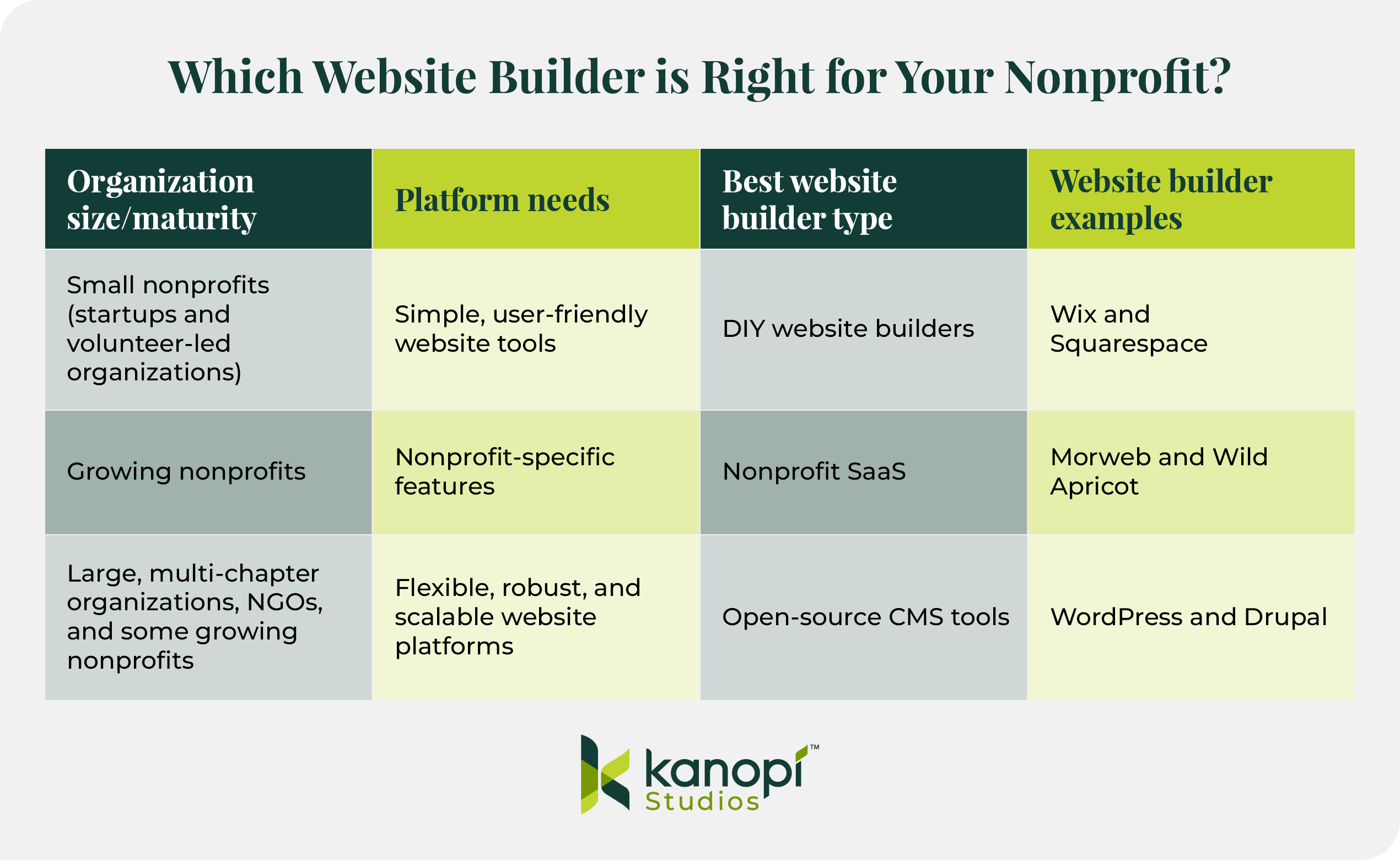
The size, age, and complexity of your nonprofit also play a role in determining which type of nonprofit website builder to invest in: 

Infographic: Table comparing website builders for different nonprofit sizes

Table titled “Which Website Builder is Right for Your Nonprofit?”
– Small nonprofits: need simple tools; best type DIY website builders; examples: Wix, Squarespace.
– Growing nonprofits: need nonprofit-specific features; best type Nonprofit SaaS; examples: Morweb, Wild Apricot.
– Large/multi-chapter orgs and NGOs: need scalable platforms; best type open-source CMS; examples: WordPress, Drupal.
Kanopi Studios logo at the bottom.
  • Startups and volunteer-led nonprofits often feel most comfortable with simple, user-friendly, DIY website builders like Wix or Squarespace. These platforms are easy to start with, but have more limited features and scalability than tools for growing or large organizations. 
  • Growing nonprofits require tailored features to help scale up their organizations. Typically, these organizations gravitate toward proprietary software as a service (SaaS) solutions built for nonprofit needs, such as Morweb or WildApricot. However, these tools come with the risk of vendor lock-in—when your organization becomes dependent on the software provider for your entire website functionality. This can reduce your ability to customize your website with third-party integrations or custom code. 
  • Large, multi-chapter organizations and international NGOs require robust website platforms that can handle their complex needs. These solutions sometimes have a steeper learning curve, but offer the flexibility that large and growing organizations need. Examples include WordPress and Drupal—both open-source, scalable CMS platforms with enterprise-grade features and security. 

Why WordPress and Drupal Stand Apart

PlatformTypePricingBest for
WordPressOpen-sourceFree; development and hosting costs varyNonprofits looking to use a scalable, dominant CMS
DrupalOpen-sourceFree; development and hosting costs varyLarge, enterprise-sized nonprofits with robust data management and security needs

Topping our list of best nonprofit website platforms are the two top options for nonprofits looking to scale up their operations with flexible, secure websites: WordPress and Drupal. 

We may be a little biased; at Kanopi, we specialize in helping nonprofits build stunning websites on WordPress and Drupal. But don’t just take our word for it — check out these industry stats that illustrate just how impactful these platforms are: 

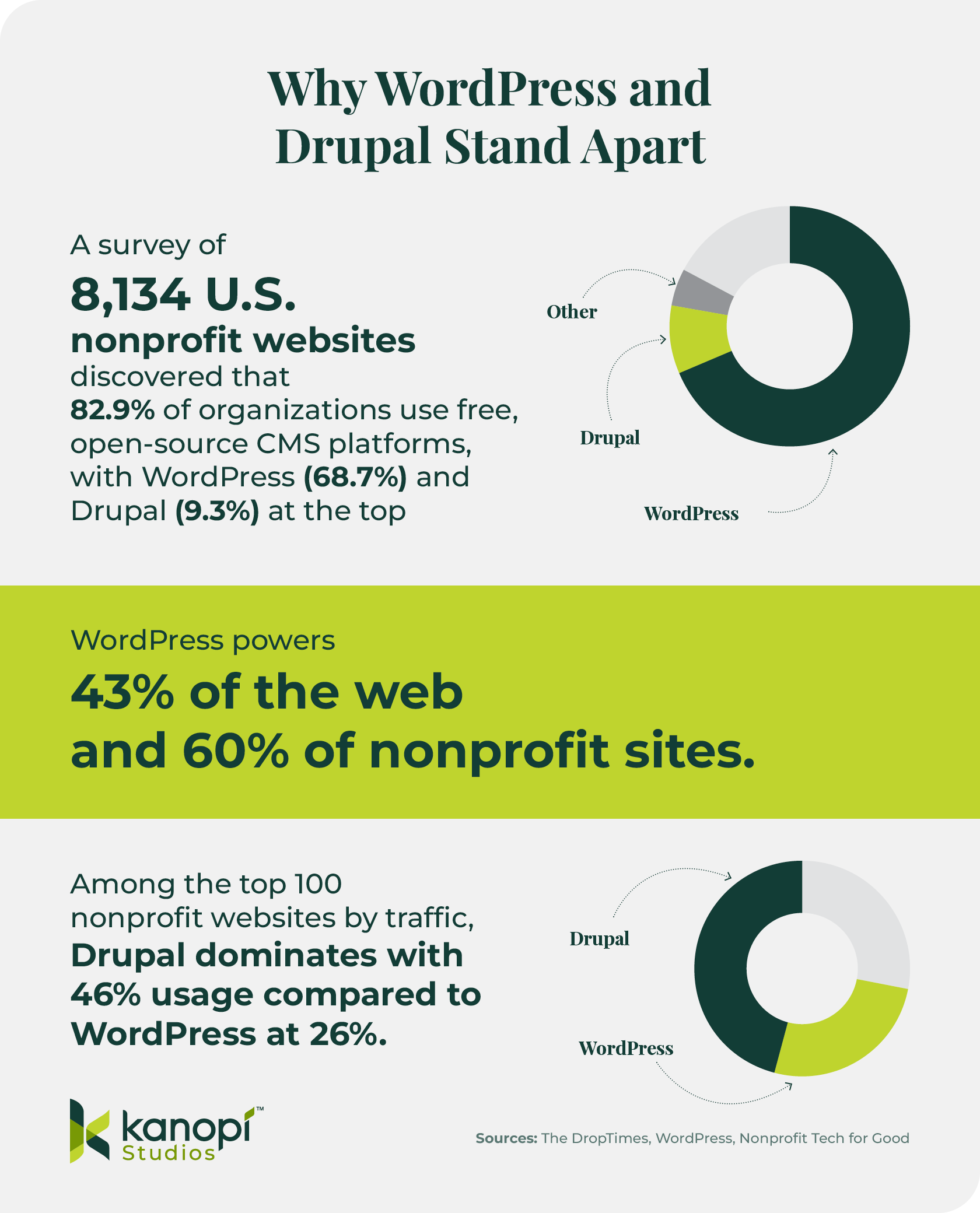
Infographic comparing WordPress and Drupal usage among nonprofits

Infographic titled “Why WordPress and Drupal Stand Apart.”
– Survey of 8,134 U.S. nonprofit websites: 82.9% use open-source CMS; WordPress 68.7%, Drupal 9.3%.
– WordPress powers 43% of the web and 60% of nonprofit sites.
– Among top 100 nonprofit websites by traffic: Drupal 46%, WordPress 26%.
Includes donut charts and Kanopi Studios logo. Sources: The DropTimes, WordPress, Nonprofit Tech for Good.
  • A survey of 8,134 U.S. nonprofit websites discovered that 82.9% of organizations use free, open-source CMS platforms, with WordPress (68.7%) and Drupal (9.3%) at the top.
  • WordPress powers 43% of the web and 60% of nonprofit sites. It is flexible, affordable, and widely supported.
  • Among the top 100 nonprofit websites by traffic, Drupal dominates with 46% usage compared to WordPress at 26% — demonstrating how high-profile nonprofits often choose Drupal for scalability and governance.

Both WordPress and Drupal are open-source website platforms. Open-source solutions often have a steeper learning curve but offer ultimate scalability, making them the best choice for most growing and large organizations. 

Plus, the right web developer can significantly reduce the complexity of these platforms, making them easy for all content and marketing team members to use. 

Bottom line: If you plan to scale, WordPress and Drupal are the platforms that won’t box you in. Read on to learn more about the key components of each of these stellar website solutions.

Open-Source CMS Platforms

WordPress

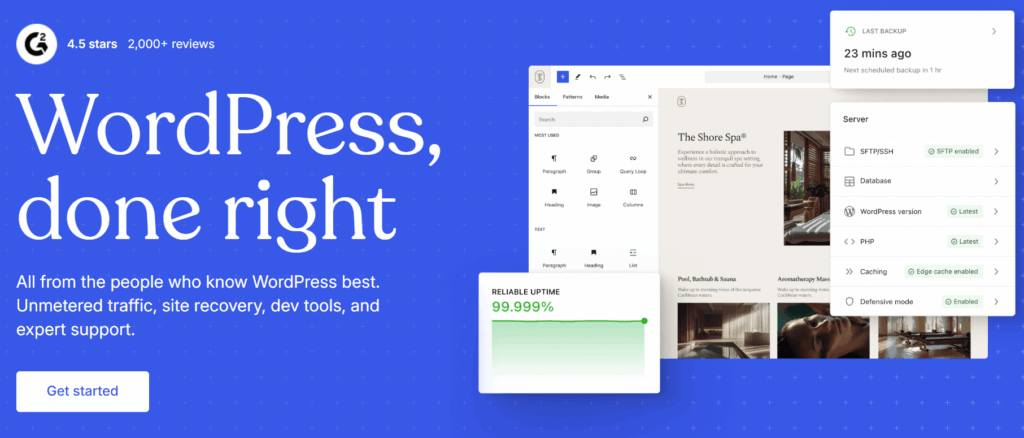
The WordPress homepage

Nonprofit website platform type: Open-source

Key features:

  • Vast plugin ecosystem with fundraising functionality
  • Intuitive editing experience
  • Broad support community
  • Out-of-the-box SEO optimization
  • Streamlined integrations

Pros:

  • Broad developer and designer community
  • Flexible and scalable
  • Hosting discounts for nonprofits

Cons:

  • Some poorly designed plugins present security vulnerabilities
  • Having too many plugins or poorly-designed themes can cause performance issues

Pricing: Free; development and hosting costs vary; nonprofit discounts often available

Best for: Nonprofits looking for a robust, scalable, dominant CMS platform that will grow with their organization over time

Drupal

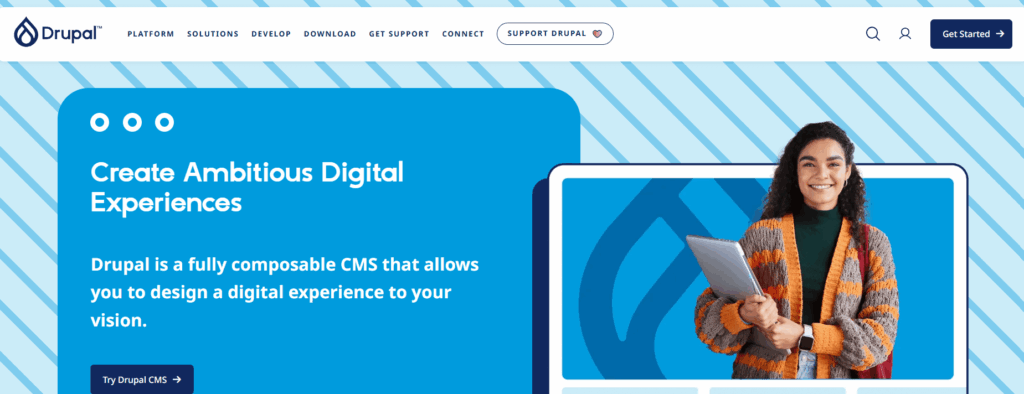
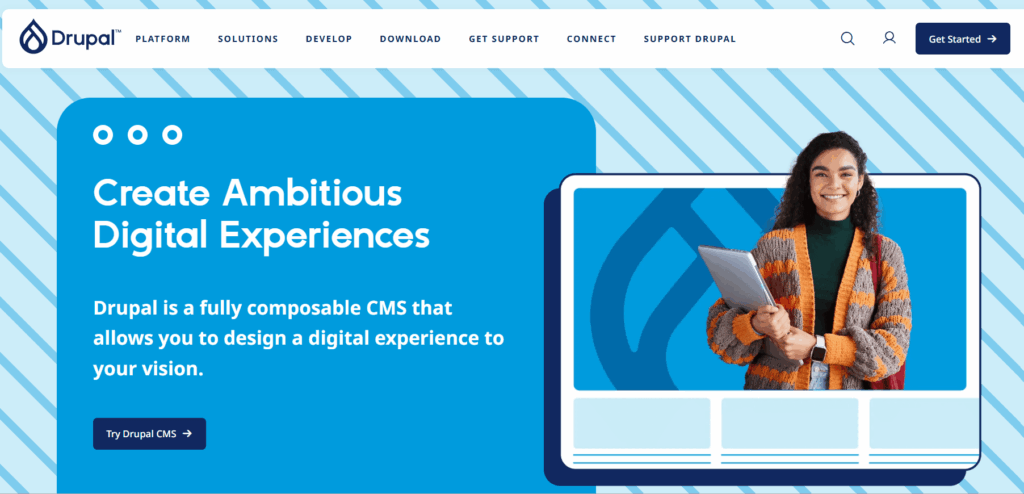
Drupal homepage

Nonprofit website platform type: Open-source

Key features:

  • Modules that add features and functionality to nonprofit sites
  • Custom workflows
  • Multilingual functionality
  • Accessible back-end editing experience
  • Free SEO modules

Pros:

  • Strong data governance
  • High level of security
  • Robust accessibility features
  • High performance and out-of-the-box caching

Cons:

  • Steeper learning curve
  • Longer implementation timeline

Pricing: Free; development and hosting costs vary

Best for: Large, enterprise-sized nonprofits with robust data management and security needs

Other Top Nonprofit Website Builders, Compared

Of course, WordPress and Drupal aren’t the only nonprofit website platforms available, and we’d be remiss to not provide an overview of a few additional solutions you may consider. However, keep in mind that because these other platforms aren’t open-source, they’ll come with more limitations and less flexibility. 

PlatformTypePricingBest for
WixDIY SaaS builder$17-$159 monthlyNonprofits looking for convenience
SquarespaceDIY SaaS builder$16-$99 monthlyNonprofits that sell merchandise
SpringlyNonprofit SaaSFree option; paid plans are $45-$119 monthlyNonprofits that want to build a website quickly and easily
MorwebNonprofit SaaSStarts at $149 monthlyNonprofits looking for a website platform specifically built for their needs
NeonOneNonprofit SaaSStarts at $69 monthlyNonprofits that use NeonCRM
WildApricotMembership SaaSStart at $53.55 monthlyNonprofit membership organizations

DIY Website Builders

The following DIY website builders are easy to use and implement, but may present limitations as your nonprofit grows and your data needs become more complex. Keep that in mind as you weigh the pros and cons of these options. 

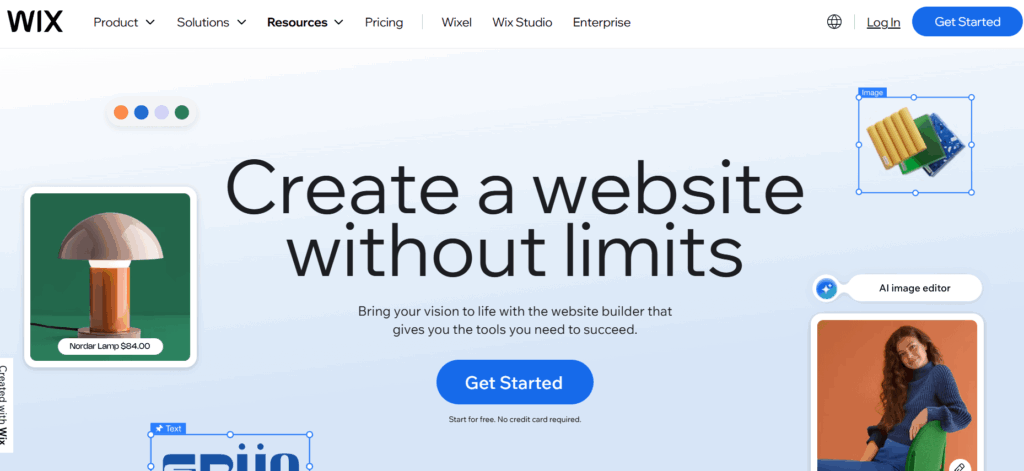
Wix

Wix homepage

Nonprofit website platform type: DIY SaaS builder

Key features:

  • Drag-and-drop builder
  • Templates
  • Basic donation integrations

Pros:

  • No coding required
  • Affordable for smaller organizations

Cons:

  • Limited scalability and flexibility
  • Risk of template lock-in, which makes it more challenging to change your site’s look over time
  • Not as accessible as other platforms
  • Limited SEO functionality when compared to more robust platforms like Drupal and WordPress

Pricing: $17-$159 monthly

Best for: Nonprofits looking for convenience 

Squarespace

Squarespace homepage

Nonprofit website platform type: DIY SaaS builder

Key features:

  • eCommerce functionality
  • Intelligent design
  • Automatic mobile optimization

Pros:

  • Streamlined design
  • Simple set-up

Cons:

Pricing: $16-$99 monthly

Best for: Nonprofits that want a stylish website with strong visual appeal

Nonprofit SaaS Solutions

Proprietary SaaS solutions built specifically for nonprofits offer ingrained fundraising and donor management functionality. However, you risk having less control over your data and being locked into working with one vendor. 

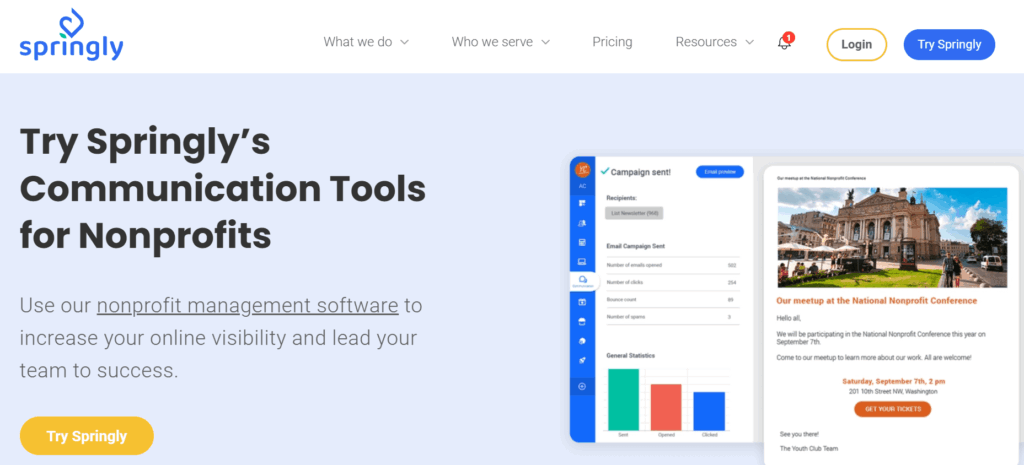
Springly

Springly homepage

Nonprofit website platform type: Nonprofit SaaS

Key features:

  • Online store
  • Photo galleries
  • Built-in analytics

Pros:

  • All-in-one nonprofit management software
  • Simple role-based user permissions

Cons:

  • Potential for vendor lock-in, which can limit your customization options if you’re looking for extended functionality
  • Users say the platform is outdated and non-intuitive
  • Limited control over data storage and compliance 
  • Some users report a lack of customer support

Pricing: Free plan available; paid plans start at $45 monthly

Best for: Small nonprofits looking for one platform to manage all activities. 

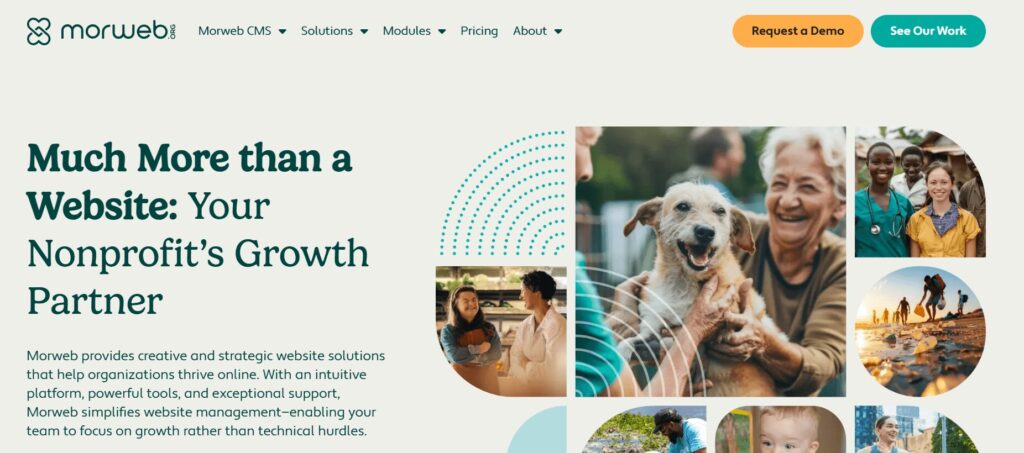
Morweb

Morweb homepage

Nonprofit website platform type: Nonprofit SaaS

Key features:

  • An intuitive live editor
  • Instant mobile responsiveness
  • Automated image optimization

Pros:

  • Specifically built for nonprofits
  • Easy editing experience

Cons:

  • Smaller ecosystem of tools and fewer extensibility opportunities
  • API integration and robust accessibility are only available at higher price points, meaning you’ll have to pay more for these basic needs
  • Less control over your site’s look and feel

Pricing: Starts at $149 monthly. 

Best for: Nonprofits that are looking for a system tailored to their specific needs, and don’t need as much website flexibility

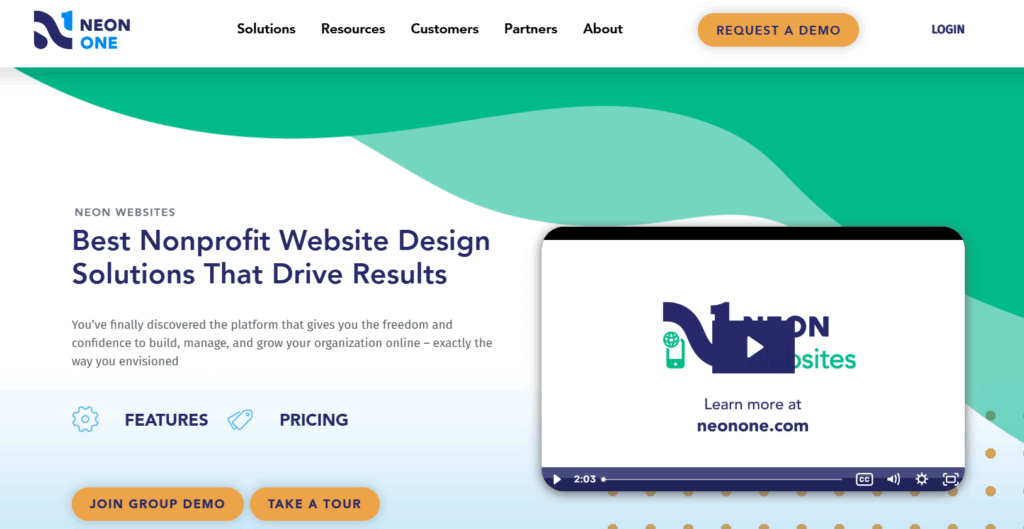
NeonOne

NeonOne’s website information page

Nonprofit website platform type: Nonprofit SaaS

Key features:

  • Drag and drop visual editor
  • Dynamic nonprofit templates
  • Turnkey fast setup

Pros:

  • Built-in compatibility with Neon CRM
  • No coding needed to add functionality

Cons:

  • Users have described the reporting process as glitchy/clunky
  • Risk of vendor lock-in
  • Not really worth the investment unless your nonprofit already uses Neon CRM to manage donor data

Pricing: Starts at $69 monthly

Best for: Nonprofits that already use Neon CRM

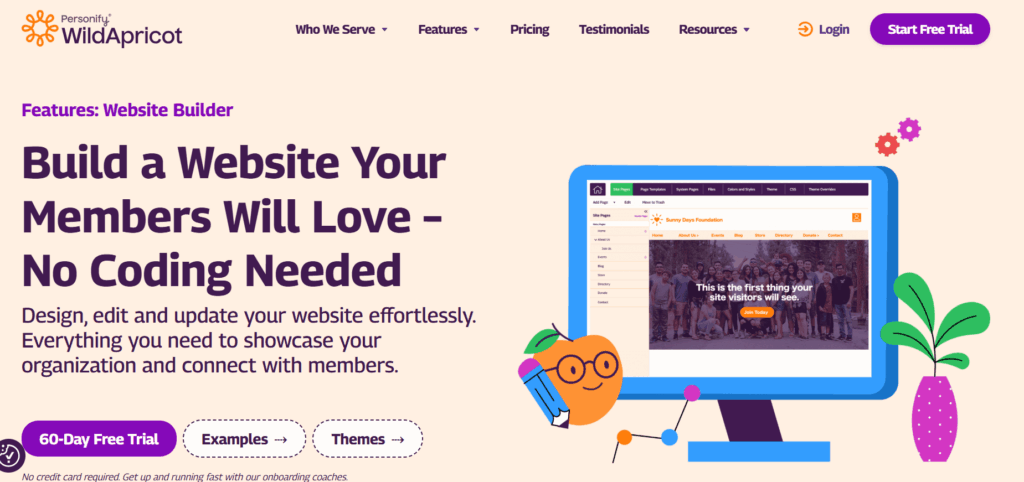
WildApricot

WildApricot Website Builder information page

Nonprofit website platform type: Membership SaaS

Key features:

  • Intuitive, beginner-friendly editing experience
  • Members-only pages and content
  • Online store and donation functionality

Pros:

  • Great for associations or nonprofit membership programs
  • Accessible to nonprofit teams without a high level of technical expertise

Cons:

  • Limited flexibility
  • Some users note issues with website speed
  • Unresponsive customer support

Pricing: Starts at $53.55 monthly

Best for: Nonprofits that want to better manage their membership programs. 

How Kanopi Helps Nonprofits Build Smarter Websites

At Kanopi, we specialize in helping nonprofits build flexible, sleek websites that grow with their mission. Our services include:

  • Platform strategy: We can help you choose the right CMS for your unique digital needs. Our recommendations are based on criteria like your organization’s size and maturity, budget, and current website state. 
  • Custom design and development in WordPress and Drupal: Our developers have decades of experience in both of these popular platforms. Whether you’re building a website from scratch or updating your current site, our team can jump in anytime to strengthen and support your online presence. 
  • Accessibility audits and compliance support: Accessibility is baked into our website design and development services from the very beginning. We help nonprofits ensure compliance with the ADA. 
  • Content strategy and governance planning: Our expert content strategists can help your organization identify the tone and messaging that will resonate most with your online audience. We’ll support your content strategy throughout its lifecycle, establishing workflows for uploading and updating content and setting up secure user roles and permissions. 
  • Long-term support. Launching your new website is just the beginning. We ensure our clients’ sites stay flexible and secure long-term through regular security fixes, performance enhancements, and conversion optimization.

94% of our clients return year after year because they trust us to support their websites over the long term, giving them the care and attention they need to further your mission. 

Ready to build a website that scales with your mission? Contact the Kanopi team today to get started.

Inspirational Nonprofit Website Case Studies

Seeing how other nonprofits like yours have approached website builder selection and implementation can guide your organization toward the right path forward. Explore the following WordPress and Drupal examples to see how other organizations have achieved success. 

WordPress Success Stories

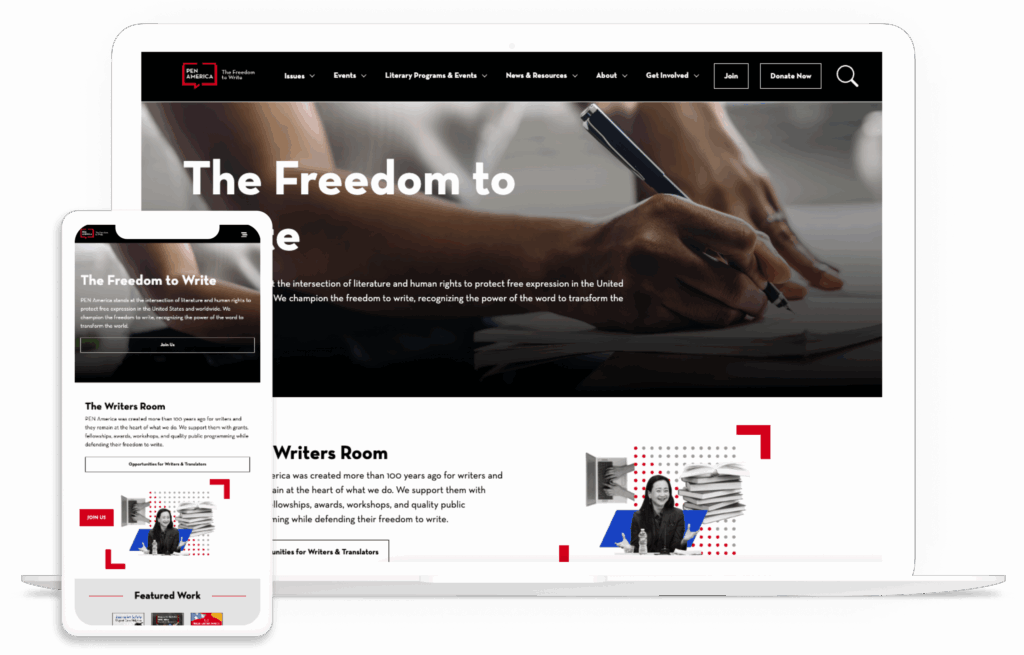
PEN America

The PEN America homepage on a desktop and mobile device

PEN America came to Kanopi with a challenge: after receiving support from our developers, it became clear that their original website build was no longer meeting their needs. Recurring issues snowballed into larger problems, and the organization was having trouble integrating three other websites connected to its mission. 

The Kanopi team conducted deep research and discovery work to address three core challenges:

  • Consolidating their sites on WordPress
  • Enhancing the content management process for admins
  • Improving content connectivity through simplified navigation

As a result, the PEN America website now tells the organization’s story succinctly and effectively, with a sustainable and scalable website configuration that will serve the nonprofit for years to come. 

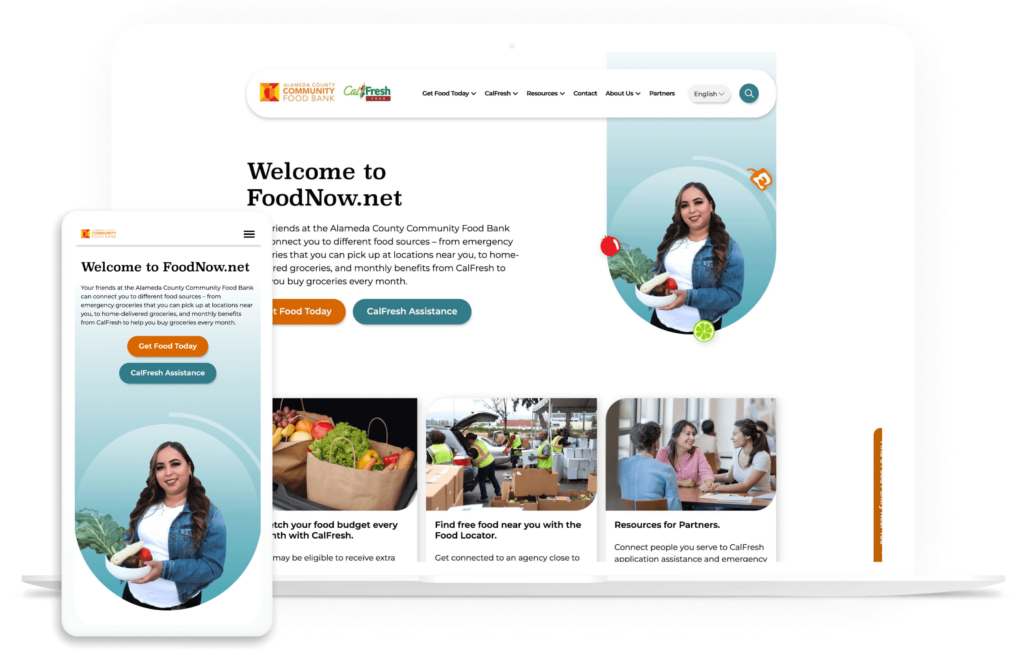
Alameda County Community Food Bank (ACCFB)

ACCFB home page on multiple devices

The ACCFB needed a modern, fresh website look to better reflect the diversity of its audience and serve community needs. They partnered with Kanopi to enhance the user experience through streamlined navigation and simplified information gathering. 

After this process, the ACCFB site increased its accessibility performance and now sees 37% more pages viewed per browsing session.  

Drupal Success Stories

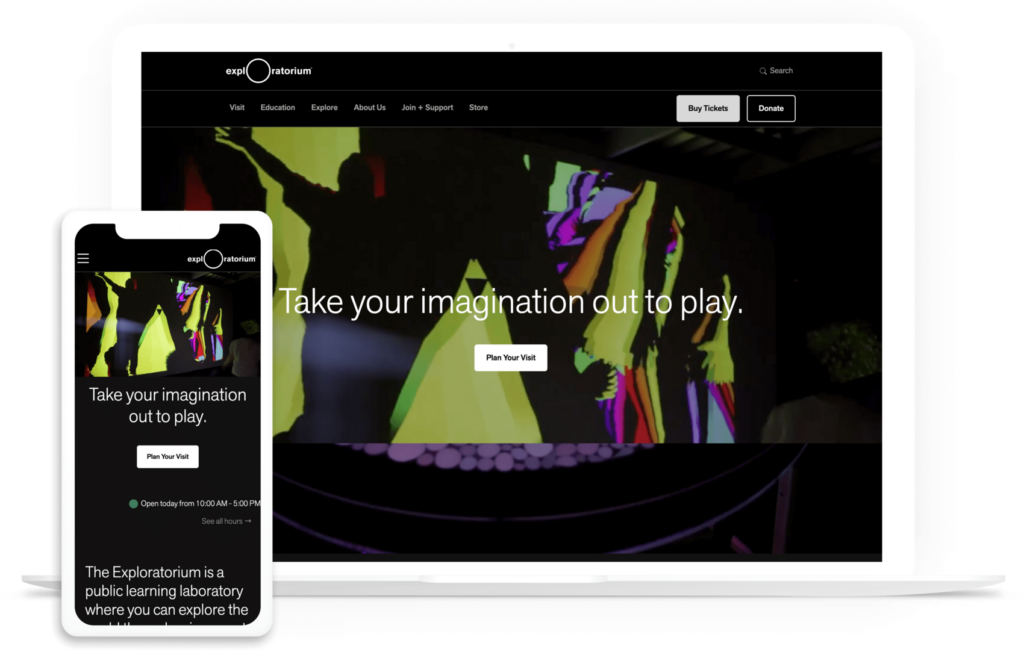
Exploratorium

The Exploratorium homepage on a desktop and mobile device

The Exploratorium website is groundbreaking because it was one of the first 600 websites launched online. However, over time, it became overly complicated, the result of too many cooks in the kitchen and unnecessary customization. That’s when the Kanopi team stepped in.

Our team overhauled and updated the site, migrating thousands of media items in two years and creating a customized theme to tie everything together. We also developed a streamlined back-end editing environment and implemented multilingual capabilities to help the website reach a wider audience. 

The new website now has a high score of 98/100 on Lighthouse, a tool that grades sites on their level of accessibility. This score means the site excels in offering accessible elements and a great user experience.

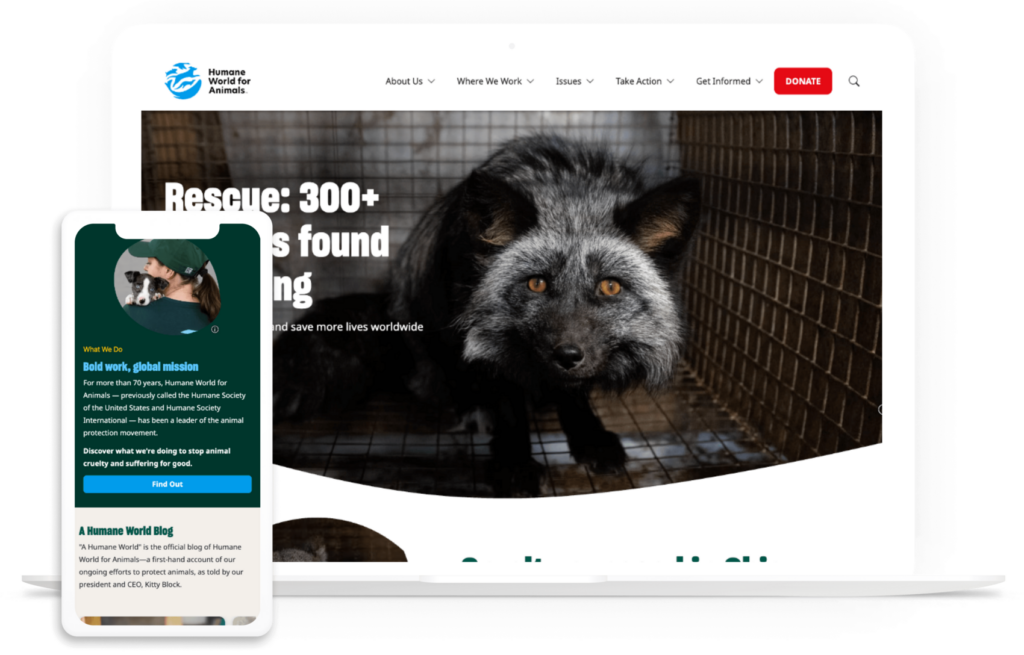
Humane World for Animals

The Humane World for Animals website on a desktop and mobile device

Humane World for Animals refreshed its brand recently, combining two separate entities — Humane Society of the USA and Humane Society International — into one organization. The problem was that these organizations already had existing websites, one built on WordPress and the other on Drupal.

This led to many issues, including a lack of cohesive content editing, a confusing message, and user experience challenges such as a poor mobile experience and uninspiring design.

The organization turned to Kanopi to consolidate its websites, update the design, and streamline navigation. The Humane World site now offers a unified digital experience, with simple user pathways and a compelling central message. 

Wrapping Up

There is no universal “best” nonprofit website platform. But hopefully, this guide steered you closer to finding the right solution for your organization based on your mission, resources, and growth path. 

If you’re looking for more support along your website builder journey, start with these nonprofit-specific resources: 

A team works around a table on laptop computers

Small Bites, Big Wins: How Kanopi Brings AI Solutions to our Clients

At Kanopi Studios, we’re not just experimenting with Artificial Intelligence (AI) tools, we’re putting it to work in meaningful, client-centric ways. While artificial intelligence might feel like a buzzword, we see it as a practical toolkit to deepen collaboration, speed up delivery, and amplify impact.

Here’s how we’re using AI today, and how we’re building toward what’s next.

But first, a quick note ….

Our AI Approach: Ethics, Trust, and Human Oversight

AI should never replace human judgment, empathy, or creativity. We build with clear principles:

  • Always keep a human in the loop
  • Be transparent about AI’s limitations, and work to identify hallucinations and bias
  • Avoid using AI for sensitive content, especially medical, legal, or financial, without expert human review
  • Make accessibility and inclusivity non-negotiable

Our teams of engineers, designers, writers, and strategists collaborate to ensure ethical implementation and responsible innovation.

What about the environmental impacts of AI?

We struggle with this as well and are a bit stuck in the middle. On the one hand, we recognize that we need to learn how to use AI effectively to stay current and continue bringing the best solutions to our clients, as well as to compete in the marketplace. But we also acknowledge that its use has an environmental impact. AI consumes both electricity and water in massive amounts. And to handle its increasing use, new data centers are being built all the time, disrupting neighborhoods. We are paying attention to how we can use AI more sustainably and encourage responsible development of generative AI that supports environmental objectives (here’s a great resource we’re following.) We also empower our staff to donate to organizations combating climate change.

What We Mean by “AI Solutions”

AI isn’t a monolith. It’s a spectrum of technologies and techniques that help us solve problems more efficiently and creatively. When we say “AI solutions,” we’re referring to specific features and enhancements we can embed into client websites or workflows. They are small, practical tools that create outsized impact.

From streamlining content workflows to powering multilingual chatbots, our AI solutions aren’t experiments. They’re real, usable features we’re already delivering.

What We Can Already Do With AI

Within Web Development

Across Drupal and WordPress, we’ve implemented AI to:

  • Auto-generate and translate content
  • Summarize articles and reports
  • Finesse content for tone, clarity, or audience
  • Create accessible image alt text
  • Produce AI-generated imagery and audio
  • Transcribe media and moderate user-generated content
  • Recommend content based on user behavior
  • Smartly crop images and tag content

These features are already helping our clients work faster, with better quality and accessibility.

Within Strategy and UX

We view AI as a way to enhance, not replace, human creativity and strategic thinking. By streamlining repetitive and data-heavy tasks, our Creative, UX, and Strategy teams gain the efficiencies that let us focus on insights that drive meaningful impact for clients.

AI supports our work in three key ways:

  • User testing analysis: Quickly parsing large sets of data to reveal patterns and opportunities.
  • Content audits: Reviewing content at scale for brand consistency, clarity, and tone.
  • SEO insights: Highlighting keyword gaps and optimization opportunities to strengthen performance.

With AI taking care of the heavy lifting, our strategists and creatives can spend more time on what matters most: crafting meaningful, human-centered experiences that are grounded in research, aligned with brand values, and designed for long-term success.

AI for Every Sector: Real Ideas for Real Clients

Different sectors face different challenges, and AI can be tailored to meet those needs. Here are just a few ways we’re imagining (and building) value:

Nonprofits

  • Mission-driven chatbots can guide visitors to donate, volunteer, or find services
  • AI form helpers can pre-fill grants or surveys, suggest resources
  • Smart content repurposing can transform reports into digestible executive summaries and social media posts

Higher Education

  • Multilingual translation and summarization for tuition pages or course content
  • Lecture transcription can enhance accessibility and content searchability
  • AI lecture recaps can help students stay informed

Healthcare

  • Dynamic campaign landing pages personalized by location or health condition
  • Natural-language search improves discoverability across large, complex websites

Airports & Municipal Clients

  • AI policy lookup assistants use internal docs to answer partner questions
  • Civic AI chatbots handle FAQs like “How do I pay a parking ticket?” or “Where’s the dog park?”
  • Real-time passenger chat supports multilingual travelers 24/7 with embedded Drupal or WP widgets

Arts & Culture

What Powers These AI Features?

AI services generally fall into several type of operators:

  • Text-based tools: Chatbots, summarization, translation
  • Visual tools: Text-to-image generation, image tagging, smart cropping
  • Audio tools: Text-to-speech, speech-to-text, and even audio-to-audio processing
  • Search tools: Embeddings, Retrieval-Augmented Generation (RAG), and smart contextual lookup
  • Moderation tools: Screening for unsafe or harmful content
  • AI-based Scaffolding: Code and configuration generation 

Technologies like Model Context Protocol (MCP) and llms.txt help us safely and efficiently integrate AI into your existing CMS and infrastructure and guide AI to the content we want it to parse.

Starting Small: What Makes a Good First AI Project?

We recommend beginning with:

  • A task that’s repetitive but easy to validate
  • A solution that speeds up an existing workflow
  • A use case that works with public or low-sensitivity data
  • A scope that’s clear, limited, and measurable

Our goal is to help clients win with small steps that build confidence and long-term value.

Our Suite of AI Recipes for Drupal

When we create AI tools, we first work to define the base requirements that will work on any site.  This allows us to standardize on solutions, and then customize for client needs.  In Drupal, we do this by creating recipes.

Our suite of recipes is called Saplings. In nature, saplings are young trees, older than a seedling, that with care, can grow into a full grown tree.  Our Saplings recipes give us a jump start on building our tools for your website, and can be combined together to grow a forest of functionality.

Saplings AI Agents

Adds an AI powered chatbot for Drupal site building, and imports AI Agents.

Saplings AI MCP

Creates and configures a general-purpose Model Context Protocol (MCP) server configuration to enable MCP clients to connect and interact with your Drupal site.

Saplings AI CKEditor Experience

Creates and configures AI tools for content creators in CKEditor. Creators can generate, translate, summarize, and rewrite content with a dozen different included tones that can be easily expanded for more.

Saplings AI Agent Modeler

Configures a Modeler in the Drupal User Interface (UI) to allow for creation or editing of AI agents.

And we’re always working on creating more!

Let’s Explore AI Together

Whether you’re a nonprofit leader, a university strategist, or a digital director at a hospital or airport, AI has something to offer you. Kanopi can help you unlock it.

Have an idea for your website or want to explore what’s possible? We’re ready to brainstorm, build, and bring it to life, responsibly.

Thanks to Will Jackson who helped me put together this blog post, and along with Kerry Murphy, manage lot of the Drupal AI tooling mentioned in this article.

A magnifying glass hovers over a page title from the Drupal website that says “Why Drupal?”

11 Reasons Why Businesses Choose Drupal for Enterprise

Drupal powers just 1.1% of websites with known content management systems (CMS). But among that population are a number of heavy-hitter organizations with complex digital needs: GE, Whole Foods, Tesla, and Charles Schwab, to name a few. Why do these enterprise-level organizations turn to Drupal for their website needs?

Drupal is well-equipped to handle complex business needs and process large volumes of data while maintaining robust security. This guide explores the benefits of Drupal for Enterprise and offers guidance on how to implement this CMS. We’ll cover: 

What is Drupal for Enterprise?

Drupal for Enterprise is the use of the Drupal content management platform by enterprise-level businesses to design, develop, and manage their digital presence. Drupal offers two options for content management:

Comparison table of Drupal Core and Drupal CMS. 
The table has two columns: Drupal Core and Drupal CMS. 
Row 1 (What it is): 
Drupal Core is described as 'An open-source content management framework'. 
Drupal CMS is 'A pre-packaged CMS built on top of Drupal Core'. 
Row 2 (Best for): 
Drupal Core is best for 'Enterprise organizations with complex digital needs'. 
Drupal CMS is best for 'Individual marketers, designers, and content creators who work for themselves or small businesses'. 
At the bottom right is the logo for Kanopi Studios.
  • Drupal Core is an open-source content management framework tailored to large organizations with complex data needs that want to create robust digital experiences. Enterprise organizations choose Drupal Core for its flexibility and scalability, allowing them to effectively serve their audiences and keep their data organized and safe.
  • Drupal CMS is a pre-packaged CMS built on top of Drupal Core. This tool makes it easy to create a basic website quickly and doesn’t require advanced technical skills or custom coding. As a result, Drupal CMS is better suited for individual marketers, designers, and content creators who work for themselves or small businesses.  

Drupal Core is constantly updated with fixes and new features. The current version of the platform is Drupal 11, and it offers multiple useful features for web developers. These tools include workspaces for testing content, enhanced navigation, and simplified front-end development.   

11 Key Benefits of Drupal for Enterprise

What sets Drupal apart as a top CMS solution for enterprises? These are the top benefits that drive users to this platform: 

11 key benefits of Drupal for Enterprise (explained in the list below)
  1. Scalability. This CMS prioritizes high performance and fast load speeds, and offers various resources and tools to help enhance performance. Because of this, it’s easy to scale up your website to serve thousands or millions of users. In addition, Drupal’s modular infrastructure enables simple scalability without impacting page performance or user experience. 
  2. Affordability. Drupal is an open-source solution, meaning anyone can freely access and change the source code based on their needs. You’ll still have to factor in additional costs such as hosting and web development, but you won’t need to worry about platform fees. 
  3. Security. Drupal has a strong reputation for being highly secure. Because it is an open-source platform, anyone can review the code and propose security fixes, ensuring greater oversight of the solution. As an open-source CMS, Drupal is not incentivized to hide any real or potential security vulnerabilities. 
  4. AI innovation. Drupal recently launched an official AI initiative that builds on the free and open source community to integrate and innovate site building with AI. Drupal already had a strong AI foundation thanks to community members who’ve built AI modules. With this initiative, Drupal seeks to incorporate AI directly into its CMS with responsible innovation.
  5. Customization. Drupal is considered highly customizable because of its modular architecture. That means developers can enable or disable certain features to update a website without affecting the entire site infrastructure. Additionally, Drupal has extensive theming capabilities, allowing developers to customize a website based on unique branding needs.
  6. Community support. Drupal’s open-source nature means it offers a broad developer community to which you can turn for advice, support, and expertise. You can also explore multiple developer options to find the right service provider. 
  7. Multilingual capabilities. This CMS offers translations in over 100 different languages. As a result, many enterprises turn to this solution to deliver localized content for an international audience. 
  8. User management. Drupal makes it easy to control which team members can access different parts of your website through user permissions and roles. Permissions determine the actions that users can perform based on their access level. Instead of assigning individual permissions to each user, they are organized into roles, making it easier to manage access for all team members.
  9. Performance. Studies have shown that the optimal page load speed for a website is under three seconds, and the longer a page takes to load, the higher the likelihood that a visitor will leave the page. Drupal uses advanced caching mechanisms during follow-up visits to enhance the site’s loading speed. It also offers tools for lazy loading, database optimization, and responsive images. 
  10. Omnichannel experiences powered by headless capabilities. Drupal can be configured as a headless CMS, meaning the back end (where content is created and managed) is separated from the front end (what users see on screen). This decoupled structure allows content to be delivered via APIs to any digital platform, whether it’s a website, mobile app, digital kiosk, signage, or mobile push notification. Instead of recreating content for each channel, teams can publish once and distribute it anywhere, ensuring consistency and saving time.
  11. Accessibility. More than 44 million people in the U.S. and 1.3 billion people worldwide live with disabilities. Drupal aims to improve web accessibility for these individuals so that anyone can access the content they’re looking for. The platform conducts thorough automated accessibility testing, supports assistive technologies for content access, and has a dedicated accessibility team that identifies and fixes accessibility issues. 

Drupal is not a perfect platform; no CMS is. But its commitment to continuous improvement, community-led problem-solving, and transparency makes it a top choice for many enterprise organizations worldwide.  

Drupal’s Enterprise-Focused Features

Drupal offers tailored solutions to meet any enterprise needs. Here are a few of the common types of enterprise websites on Drupal and how the platform supports them: 

Retail

How Drupal supports retail sites: Scalability, integration with other enterprise systems like a customer relationship management solution (CRM), omnichannel content delivery, global asset library, pricing structures, and shopping cart modules.

Example website: Lush (skincare and beauty products) 

Services

How Drupal supports service sites: Microsite accommodation, intuitive forms, simple content editing, and SEO optimization.

Example website: COIT (cleaning and restoration services) 

eCommerce

How Drupal supports eCommerce sites: Simplified checkouts, robust search interfaces, rich product pages, and high security standards. 

Example website: PayPal (online payment processing) 

Travel

How Drupal supports travel sites: Scalability, mobile-responsiveness, and multilingual capabilities. 

Example website: Princess Cruises (cruise liner)

High tech

How Drupal supports high-tech sites: Scalability, flexibility, and multilingual capabilities. 

Example website: Verizon (wireless, internet, and phone service provider)  

Fintech

How Drupal supports fintech sites: Strong security, robust integrations, and risk management. 

Example website: TCA Venture Group (angel investors)

Comparing Enterprise Drupal Solutions to Other CMS Platforms

While searching for the best CMS for your enterprise needs, you’ve likely come across a wide range of options, each with a unique feature set and benefits. So, how does Drupal stack up against other solutions? Let’s explore some of the major pros and cons of Drupal and other popular enterprise platforms. 

Comparison table of CMS platforms: Drupal, WordPress, and Proprietary CMS. 
Row 1 (Pros):
- Drupal: Enterprise-level security, high performance, and customization.
- WordPress: User-friendly, massive developer and support community, and cost-effective to work with external vendors.
- Proprietary CMS: Dedicated support, tailored solutions for industry needs, and a sense of familiarity.
Row 2 (Cons):
- Drupal: Steeper learning curve for non-technical team members.
- WordPress: Using too many plugins or ones that are poorly designed can lead to security vulnerabilities.
- Proprietary CMS: Vendor lock-in means you have fewer opportunities for flexibility and customization.
At the bottom right is the logo for Kanopi Studios.

Drupal vs. WordPress

WordPress is another popular, open-source CMS solution for enterprise businesses. It’s by far the most commonly used CMS worldwide, powering over 60% of websites with a known CMS. 

When comparing Drupal to WordPress, remember that both platforms can offer the robust capabilities you need to build a complex, performant website. However, here are a few key areas where each solution shines: 

  • Where WordPress Wins: User-friendly, massive developer and support community, and cost-effective to work with external vendors. Drupal can have a steeper learning curve for non-technical users.
  • Where Drupal Wins: Enterprise-level security, high performance, and customization. WordPress can struggle with performance issues when sites have too many plugins or poorly designed ones. 

You can work with an experienced web developer (like the experts at Kanopi Studios) to help determine which of these CMS solutions will work best for your enterprise. 

Drupal vs. Proprietary Solutions

As mentioned, Drupal and WordPress are open-source platforms that allow anyone to view and modify the source code according to their needs. In contrast, some CMS platforms are closed or proprietary, meaning the source code is managed and controlled by a single entity (the software provider). Examples of proprietary CMS software include Adobe Experience Manager and Sitecore

Here are the key differences between proprietary and open-source software like Drupal: 

  • Where Proprietary CMSs Win: Dedicated support, tailored solutions for industry needs, and familiarity if you’re already using other tools from the provider (like your CRM or marketing platform). 
  • Where Drupal Wins: Affordability, flexibility, ownership of the code for complete customization and portability, broad community support, and continuous improvement. Drupal takes the cake when it comes to customization opportunities and site scalability. 

Choosing between proprietary and open-source software is up to your organization, and there is no right or wrong answer. Work with Kanopi to fully understand your options and choose the best path for your business.

Considerations for Implementing Drupal for Enterprise

After selecting Drupal as your enterprise CMS, you must work through the essential considerations of the Drupal planning and development process. Determining how you will approach each of these development steps will help set your site up for long-term success: 

  • Migration. If you’re already using Drupal, you may have to upgrade your site to a new version, such as migrating from Drupal 7 to Drupal 11. If you use another CMS like WordPress and want to move to Drupal, you must undergo a more complex migration to maintain data integrity. Partner with a web development specialist to make the process painless. 
  • Hosting. A website host is the technology that provides the infrastructure to store your website’s files and make it accessible to anyone using the Internet. To figure out the right website host for your needs, partner with a web development agency with deep industry connections, like Kanopi. We have strong partnerships with hosts like Pantheon, Platform.sh, and Acquia, which allow us to recommend the right hosting platform for your unique requirements.
  • Integrations. Determine whether you must integrate your CMS with other tech solutions, such as your CRM, enterprise resource planning (ERP) system, or marketing automation platform. Drupal offers plenty of modules for integrating your site with thousands of other tech solutions. 
  • Support. Deciding how to maintain your Drupal website is another essential planning element and an additional cost. The Drupal website maintenance process involves backing up your site, updating Drupal Core, optimizing page performance, enhancing security, and other ongoing updates. 

Partnering with a dedicated technology consultant like Kanopi makes addressing these considerations convenient and straightforward. Your consultant can provide the advice, technical solutions, and support you need to quickly get your site up and running, manage costs, and maintain your web presence over time. 

How Kanopi Can Support Your Enterprise Drupal Journey

Enterprise websites have complex needs; no web development agency understands that better than Kanopi Studios. Our Drupal services are tailored to enterprises’ unique web requirements, and we develop custom development roadmaps and solutions for every organization we work with. 

Our Drupal Development Process

  • Migrations: We’ll help you transfer your site to Drupal from another CMS, switch hosting providers, or upgrade to a newer version of Drupal. 
  • Custom development: Our developers create custom Drupal modules to broaden your site’s functionality and exceed your audience’s expectations. 
  • Third-party integrations: We augment and expand on Drupal’s base platform by setting up seamless integrations.
  • Mobile-first design: Our Drupal themes are mobile-responsive by default, ensuring a positive user experience on every device. 
  • Commitment to accessibility: Accessibility is baked into every aspect of our web design and development process, and our websites comply with at least level AA of the Website Content Accessibility Guidelines (WCAG) 2.1 (the second-highest level of accessibility compliance).
  • SEO expertise: We make it easy for visitors to find your enterprise website through keyword optimization, structured data, and local SEO best practices. 
  • Holistic support: Our support services include security patches, module upgrades, ongoing performance enhancements, and content refreshes. 

Watch this video to learn more about Kanopi’s unmatched website support services:

What Sets Kanopi Apart

  • Experience: Our Drupal team members have an average of 11 years of experience with the platform, and most are Acquia and Pantheon certified (Acquia and Pantheon are industry-leading hosting platforms built for Drupal). 
  • Innovation: Kanopi is a Platinum Drupal Certified Partner, a founding sponsor of Discover Drupal, and regularly contributes to the Drupal Project (the collaborative effort to update and maintain Drupal through updates to modules, themes, security fixes, and documentation). 
  • Industry partnerships: As mentioned above, our powerful, long-standing partnerships with hosts like Acquia, Platform.sh, and Pantheon allow us to tailor our recommendations to your needs. Plus, Kanopi sponsors over half a dozen Drupal conferences annually.
  • Dedicated to giving back: Kanopi supports over 50 free and open source projects on Drupal.org.  

Additionally, one of our staff members, Jim Birch, is heavily involved in Drupal initiatives, including: 

  • Drupal core subsystem maintainer (Recipes and Default Content)
  • Drupal core initiative coordinator (Recipes)
  • Drupal CMS SEO track lead, committer, and advisory board member
  • Drupal AI Initiative SEO track lead

Whether you need a complete website build, refresh, or ongoing support, Kanopi’s experienced team is ready to help at any stage of the web development process. 

Wrapping Up

The larger the organization, the more significant its website requirements. With Drupal for Enterprise, your organization’s website will have the strong foundation it needs to grow alongside your operations and help you reach a broader audience. Kanopi’s support offers the expert guidance you need to achieve your goals faster.

Looking for more Drupal information? Start here with other resources written by our expert team members: 

Employees look at graphs and charts on a laptop

Choosing an Enterprise CMS: A Savvy Marketer’s Guide

For today’s enterprise businesses, it’s sink or swim. Your company’s success depends on your ability to make strategic decisions, act urgently to seize new opportunities, and maximize new technologies to streamline your business processes. 

However, many organizations get bogged down by menial tasks that threaten to slow progress and innovation. A Slack study found that desk workers spend 41% of their time on activities that are “low value, repetitive, or lack meaningful contribution to their core job functions.” 

This highlights a clear opportunity for businesses to make better use of technology, including CMS platforms. These tools automate or streamline low-value, repetitive website tasks, allowing your marketing team to focus on the bigger picture. 

This guide covers everything you need to know about choosing the right enterprise CMS for your business’s needs, including: 

With these essential considerations and tips, you’ll be able to find a solution that not only meets your needs today but also propels your success into the future. 

Key Considerations Before You Start

Before we discuss the benefits and features of an enterprise CMS, you should understand a few key differences between the types of tools you may encounter in your search. 

Proprietary vs. Open-Source CMS

CMS platforms are available in various formats to serve different organizational needs. One of the most important distinctions is the difference between proprietary and open-source platforms

A proprietary CMS is a platform built and maintained by a single company. Examples include Adobe Experience Manager, HubSpot, and Optimizely. These solutions are “closed,” meaning users can’t view or change the source code. 

Proprietary CMS platforms offer advantages such as dedicated support from the software provider. If your organization already uses other tools from the provider, then they also provide familiarity and instant integrations. However, these solutions are less customizable than open-source software.

In contrast, open-source CMS software allows anyone to review and manipulate the source code to create a fully customized website based on their unique needs. Examples of these platforms include Drupal and WordPress.

Open-source solutions are free to use and give users more control over their data and website development. Although they often require more technical expertise to get a website up and running, they offer a high degree of flexibility and community support to simplify the process.

A comparison chart showing the differences between proprietary and open-source CMS software, including definitions, examples, benefits, and organizations for which the software is best. 

Both open-source and proprietary software offer benefits for enterprise organizations. To make the right call between these options, meet with your marketing team, assess your current technology solutions and capabilities, and see how your CMS will fit into your tech stack. You can also review our roundup of popular enterprise CMS software below to explore specific examples of these tools. 

Headless vs. Traditional CMS

Another consideration for the CMS selection process is whether your team is interested in a headless or traditional CMS

A headless CMS separates the content creation and management processes from the front-end delivery layer, which is the version of your website that visitors see when they click through.

This offers greater flexibility for delivering content across multiple channels and devices. Plus, these solutions enable advanced customization, allowing you to create a website directly tailored to your business needs. However, headless configurations usually require a greater investment of time and resources up front as you work with a developer to design a custom solution. 

Traditional CMSs, on the other hand, couple the front and back end, providing a unified system that is often easier for non-technical teams to use and manage. These CMS platforms usually don’t require as much custom configuration or support from an external developer. However, they offer limited gains when it comes to interactivity or customization. 

A comparison between headless and traditional CMS solutions, with the benefits, pros, and cons listed above

The Kanopi team typically recommends that enterprise organizations use open-source, headless CMS platforms to manage their complex, multichannel needs. These solutions empower businesses with the maximum flexibility and customization they need to stand out from the competition. 

Core Features Your Enterprise CMS Must Have

As you explore enterprise CMS options, you’ll notice that all platforms offer a variety of bells and whistles to distinguish themselves from other options. It’s essential to look past the flashy offerings and ensure every CMS you consider has the core necessities your organization needs to build a reliable, flexible website.

Specifically, ensure every CMS on your shortlist has the following vital features: 

Checklist of features to look for in an enterprise CMS (listed below)
  • Scalability for multi-site management and global teams. Your business may have multiple offshoot sites in addition to your core website, or localized resources for international teams. Your CMS should allow you to incorporate these sites into an organized, multisite architecture. 
  • API-first architecture: An API (Application Programming Interface) is a set of rules and conventions that enable software applications to communicate and exchange data with other applications. When your CMS takes an API-first approach, it’s easier to integrate your site with other applications, such as your eCommerce store, payment gateway, or social media. This unity creates a seamless customer experience. 
  • Customizable workflows and user permissions. Your business has unique digital needs that your CMS must account for. You should be able to set up customized workflows for content creation, management, editing, and publishing. You can set different user permissions to enhance site security and minimize content errors.
  • Integrated security and compliance. Keeping up with data security threats is the number one challenge reported by businesses. Your CMS platform should maintain data security by offering encryption protocols such as SSL and HTTPS and PCI-compliant payment processing
  • Accessibility compliance. The Americans with Disabilities Act (ADA) requires that organizations with publicly available websites make their sites accessible to people with disabilities. Your CMS should enable you to build a fully accessible website with features like alternative text for images, clear site hierarchy, simple navigation, and keyboard accessibility. 
  • Multilingual capabilities. If your business caters to an international audience, communicating in multiple languages is essential. Choose a CMS that supports multilingual capabilities. This can be achieved by creating separate websites for different audiences or by enabling translation of your main website into various languages.
  • Innovative personalization. A customer service study found that 81% of customers prefer engaging with companies that offer a personalized experience. Your website should exceed customer expectations by facilitating a personalized user journey. This journey could include personalized calls to action based on past browsing habits, product recommendations, or customer loyalty programs. 
  • High performance. Your customers have multiple other organizations vying for their attention, meaning they won’t want to wait around if your website is not quick to load. Studies have shown that 47% of users won’t wait longer than two seconds for a website to load. Therefore, your CMS must facilitate fast load speeds via features like browser caching, image optimization, and minification.
  • Continuous innovation to support future-proofing your digital presence. Before you choose a CMS, check the product log to ensure the system you select undergoes continuous feature and security updates. Continuous improvement allows your organization to take advantage of the latest and greatest content management features. 

As you browse through software options, use this checklist to verify that your top choices offer all this functionality. Take additional notes on any extra features each platform offers and decide whether your organization would make the most of these features, or if they’d be an unnecessary add-on or additional expense. 

Questions to Ask Before Choosing an Enterprise CMS

Beyond just understanding the right features to look for in an enterprise CMS, ensure your team is aligned on the purpose of your search. By answering the following questions, you can understand which type of solution to prioritize in your research:

  • What are our organizational goals?
    • Examples: Grow our online customer base by 50%, retain 60% of customers year over year. 
  • What type of CMS platform will help us reach our goals?
    • Example: A headless, open-source CMS will help us execute a multichannel digital strategy with the flexibility and customization we need to stand apart from competitors. 
  • What specific content challenges are we trying to solve?
    • Examples: Outdated asset management process, maintaining content quality across multiple subsites, lack of design flexibility 
  • What pain points have we experienced from legacy systems?
    • Examples: Slow loading speeds, lack of support, complex user interfaces
  • What is our budget?
    • Remember, CMS costs don’t stop at platform fees. Assess your solution’s total cost of ownership (TCO) over time, considering expenses such as developer, maintenance, and hosting fees. 
  • Which internal teams will use the CMS, and what are their technical capabilities?
    • Example: The content marketing, branding, and SEO teams will use the CMS, along with a handful of freelance content writers. None of these teams has a high level of technical expertise, so we need a user-friendly back-end content management environment. 
    • Meet with team members who will interact with your CMS regularly to ensure their voices are heard throughout the selection process. 
  • What integrations with our current tech stack are essential?
    • Examples: Integration with social media, digital asset management, email marketing, eCommerce platform, and CRM. 
  • Should we conduct web development internally or partner with an external expert?
    • Example: Our organization doesn’t have a web developer on staff, so we’ll work with an external partner to help build a functional CMS instance. 
  • What’s our expected growth trajectory over the next 3-5 years?
    • Example: Our business wants to expand into international markets and add new product lines, so we want to choose a CMS that enables us to scale up our website without sacrificing performance or a streamlined user experience. 
  • How will we evaluate success for the CMS selection process?
    • Set goals and track progress regarding the speed of implementation and the quality of the user experience for backend editing. 

Comparing Popular Enterprise CMS Platforms in 2025

To refine your search, we’ve compiled the top enterprise CMS tools your organization should consider. All of these solutions support both headless and traditional configurations, except Storyblok, Contentful, and Strapi, which are solely headless solutions.

1. Drupal

Drupal homepage
  • Open source or proprietary: Open source
  • Headless or traditional: Can be either
  • Key features: Taxonomy system, user role customization, custom workflows, multilingual functionality, robust media management
  • Pros: Powerful for complex content structures, highly customizable, enterprise-level security
  • Cons: Steep learning curve for non-technical team members, higher development costs

2. WordPress

WordPress homepage
  • Open source or proprietary: Open source
  • Headless or traditional: Can be either
  • Key features: Vast plugin ecosystem, SEO-friendly, intuitive editor, broad community support, user access controls, simple media management library
  • Pros: Straightforward backend editing process, flexible and intuitive for non-technical users, cost-effective, scalable, secure
  • Cons: Overuse of plugins can lead to slow load speed, and poorly designed plugins can lead to security issues

3. Contentful

Contentful homepage
  • Open source or proprietary: Proprietary
  • Headless or traditional: Headless
  • Key features: Content model flexibility, GraphQL and REST APIs, SDKs for multiple languages
  • Pros: Developer-centric, scalable, highly flexible
  • Cons: Less intuitive for marketers, relies heavily on custom development

4. Craft CMS

  • Open source or proprietary: Proprietary 
  • Headless or traditional: Can be either
  • Key features: Live preview capabilities to show content edits in real-time, detailed user groups and permissions, robust plugin ecosystem
  • Pros: Intuitive authoring experience, effective scalability, comprehensive localization capabilities for international audiences
  • Cons: Users must pay for a license to use the platform, and developer support is required to build a robust enterprise website

5. Optimizely

Optimizely homepage
  • Open source or proprietary: Proprietary
  • Headless or traditional: According to the Optimizely site, Optimizely PaaS (Platform as a Service) CMS is typically used as a traditional CMS or a hybrid of conventional and headless, while Optimizely SaaS (Software as a Service) CMS is headless.
  • Key features: Built-in A/B testing, What You See is What You Get (WYSIWYG) editor, personalized audience interactions, multi-site/multi-channel management
  • Pros: Excellent experimentation tools, powerful integrations with CRM, translation, and SEO software
  • Cons: Steep learning curve, higher price point

6. Storyblok

Storyblok homepage
  • Open source or proprietary: Proprietary
  • Headless or traditional: Headless
  • Key features: Performance tools, multiple integrations for eCommerce, SEO, CRM, etc., ideation room to support brainstorming
  • Pros: The headless approach provides more content management freedom and flexibility
  • Cons: Cumbersome editing process, challenging setup with a steep learning curve

7. Adobe Experience Manager

Adobe Experience Manager homepage
  • Open source or proprietary: Proprietary
  • Headless or traditional: Can be either
  • Key features: Omnichannel content delivery, audience personalization, seamless eCommerce integration, automated workflows
  • Pros: Simple content customization, seamless integration with other Adobe apps
  • Cons: Costly, resource-intensive setup, complex user interface

8. Sitecore

Sitecore homepage
  • Open source or proprietary: Proprietary
  • Headless or traditional: Can be either
  • Key features: Personalization, A/B testing, multisite functionality
  • Pros: Versatility and scalability
  • Cons: High complexity and costs

9. Strapi Enterprise Edition

Strapi Enterprise Edition information page
  • Open source or proprietary: Strapi itself is an open source solution, but Strapi Enterprise Edition is a packaged offering built on Strapi. 
  • Headless or traditional: Headless
  • Key features: Single sign-on authentication, simplified content history, dedicated support
  • Pros: API-first approach and robust customizability
  • Cons: Less comprehensive features when compared to more established CMS platforms

How Kanopi Can Help You Choose the Best Enterprise CMS 

For over 15 years, Kanopi has partnered with ambitious enterprise organizations to develop and design effective websites that maximize strategic growth. Our corporate website design and development services are tailored to align the technical aspects of a website project with your business’s long-term goals. 

We offer the following research and strategy services to find the right enterprise CMS solution for your organization’s needs: 

  • Stakeholder workshops
  • Competitor analysis
  • Content audit
  • Technical audit
  • Sitemapping

Plus, after you choose a CMS, the Kanopi team can support site migration, web design, and ongoing maintenance. Watch this video for insights into how our team approaches support through a continuous development mindset:

Wrapping Up

Whether you work with a web consultant or approach CMS research independently, your chosen solution should support your business’s unique purpose, goals, and audience. With a scalable and flexible platform, you can achieve your current goals and set even more ambitious digital objectives in the future.

Explore these additional resources to learn more about popular CMS platforms: