
12 Business Benefits of Using WordPress for Enterprise

WordPress is the most popular content management system (CMS) by far, powering 43% of all websites. WordPress hosts sites for a wide variety of organizations, including media groups, nonprofits, higher education institutions, and corporations. But is WordPress for enterprise the right platform for your business’s complex needs

Enterprise-level companies require reliable and scalable websites to grow and compete with other large organizations in the digital era. Often, enterprise leaders turn to expensive and complicated customized web solutions to host their sites. 

WordPress has evolved into a powerful and flexible solution to handle complex enterprise needs. Now, well-known brands like Facebook, Microsoft, and Spotify run their websites using WordPress. 

In this guide, we’ll walk through the following sections to give you a better sense of how WordPress for Enterprise can benefit your organization:

Let’s start by answering some of the most frequently asked questions about WordPress for Enterprise. 

WordPress for Enterprise: FAQs

What does WordPress for Enterprise mean?

WordPress for Enterprise is the application of the WordPress platform to meet the needs of large businesses. These organizations are usually multinational corporations with multiple domains and thousands of users accessing their sites at once.

According to WordPress, their enterprise solutions are used “wherever there’s a requirement for flexible, cost-effective, and secure creation and distribution of content.” Media and publishing organizations, E-commerce sites, and other large-scale businesses use this solution for their online marketing, communication, and commerce needs. 

What features do enterprise websites need?

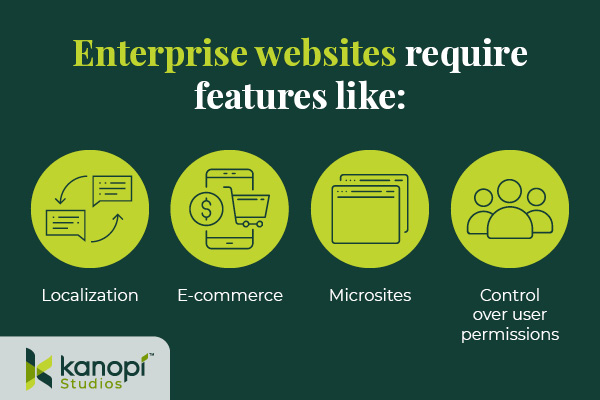
Enterprise websites require the ability to handle significant traffic and user engagement. Often, these sites will need to support features like:

Enterprise WordPress websites require features like localization, e-commerce, microsites, and control over user permissions.
  • Localization. Localization requires adjusting site content to the cultural and linguistic norms and context of different target audiences. Localization involves translating text and adjusting images and text to ensure all website elements are culturally appropriate and relevant. This is especially important for organizations that offer services for an international audience, such as airports or global health organizations.
  • E-commerce. Some enterprise websites require e-commerce functionality that allows visitors to browse products or services and complete secure transactions. This involves an online storefront and a secure payment processor with multiple payment options. 

  • Microsites. A microsite is an individual web page or site made to function as a separate entity while still being a part of your existing website. Some corporations use microsites to promote sub-brands or special events. 
  • Control over user permissions. Enterprise websites need to only allow specific users permission to access certain features. This promotes greater security across the organization. 

Enterprise websites must connect with a diverse, often global audience. These features make it easier for marketing professionals to promote their businesses while maintaining reliable security and other core features.

What’s better for an enterprise — WordPress or Drupal?

As you search for a new CMS, you might also come across Drupal as a top option. Drupal is another open-source CMS that organizations with complex needs, like enterprises and government institutions, use to create robust and secure websites. 

Drupal also offers multilingual functionality, security, and control over user permissions. In addition, Drupal has strong accessibility for both back- and front-end users. The release of Drupal 10 in 2022 unveiled the platform’s most modern, accessible editing experience yet, along with a host of additional advanced features. When choosing between Drupal and WordPress, consider your corporation’s unique needs and what CMS features you will prioritize. Explore our guide to Drupal vs. WordPress to learn more about the primary differences between these platforms and help determine which CMS is right for your enterprise. 

Common WordPress for Enterprise Misconceptions

Due to the early days when it was primarily a blogging platform, several misconceptions about WordPress’s capabilities have prevailed over time. Here are a few common misunderstandings: 

WordPress is only for blogs and is not a true CMS.

As mentioned, WordPress powers 43% of all websites (including websites for some of the biggest brands today), meaning it can do much more than just blogging.

WordPress is not great for security.

Third-party plugins may create a little bit of risk, but WordPress’s core system is incredibly safe.WordPress has also invested in fast security releases, with a team of 50 experts managing them. Even whitehouse.gov is on WordPress, showing how far the platform has come in regard to security. 

Open source is not reliable at the enterprise level. 

Enterprise-level organizations can safely use an open-source CMS. Massive sites like Facebook and Google use open-source systems to power their tech. 

WordPress doesn’t offer a lot of support.

WordPress’ extensive open-source community facilitates access to tons of contributors and developers that create new plugins, themes, and features every day. As a well-known and popularly-used CMS, WordPress has plenty of support from millions of users and experienced developers. 

12 Benefits of WordPress for Enterprise

What’s the true story about what WordPress can do for your enterprise website? Let’s take a look at the top benefits of WordPress for enterprise: 

1. High ROI

WordPress’s return on investment is very high compared to proprietary systems, especially in terms of the total cost of ownership (WordPress is free!) and implementation speed. Building and testing new features can be completed in just a few weeks because of easy access to themes and plugins. 

2. Strong security

As mentioned, WordPress offers consistent updates and security releases to protect users from common hacks. You can also look to additional security plugins to further protect your site.

3. SEO friendly

Search engine optimization (SEO) is crucial to help boost the visibility of your enterprise website across search engine results pages. WordPress offers built-in SEO-friendly features, such as optimized URL structures and category and tag options that help search engines better understand your website’s structure. Plus, using an SEO plugin like Yoast, All in One SEO, or SEOPress can make the optimization process even simpler. 

4. Access to integrations

Because WordPress is so popular, there is already a vast number of third-party tools that are ready to integrate with your system. This means your enterprise business can quickly add features and make site updates without needing to invest in expensive custom solutions. Besides the many free tools, enterprise businesses can also invest in premium paid plugins with added support!

5. Easy to use

Once your site is up and running, the WordPress platform is perfect for non-technical users. The Block Editor (also known as the Gutenberg editor) offers an intuitive backend experience that arranges content into a series of blocks for text, images, videos, and other page elements. This ensures that any of your enterprise businesses’ team members can jump in and make necessary changes.

If you need help along the way with managing your content, there are plenty of resources available—start with Kanopi’s webinar on the subject!

6. Open-source community

One of the most valuable features of WordPress is the open-source community supporting its development. These contributors create new plugins, themes, security patches, and features to help WordPress users customize their sites to their needs. This community is always growing and evolving. 

7. Accessible

WordPress is devoted to creating accessible front- and back-end user interfaces. Their Accessibility Team runs ongoing audits and tests on themes and functionality using assistive technologies. Also, any code built into the WordPress core system must meet the Web Content Accessibility Guidelines version 2.1 level AA

8. Scalable

WordPress has made great strides when it comes to improving website performance. You can ensure your website is prepared to handle a large amount of traffic by making use of these WordPress elements: 

  • Keep your code clean and only invest in high-quality, lightweight plugins and themes. 
  • Use a page caching tool to help improve page load speed. 
  • Select an enterprise WordPress host that emphasizes scalability. 

Scalability is necessary to ensure that your enterprise website can manage a large volume of traffic efficiently.

9. Streamlined media management

Enterprise businesses use many online media types such as documents, visual media like photos and videos, and audio files. With WordPress, you can upload and manage just about any media type in a streamlined and intuitive manner. Easily manage media on the backend and edit it visually on the front end.

10. User management and multisite domains

Your enterprise website may need to run a network of subdomains or microsites and give access to only a select number of team members. WordPress supports multisite usage with Super Admins, a user role that can set up networks and control user permissions.

11. International capabilities

Your enterprise website must be scalable on an international level. WordPress is available in over 100 languages, ensuring you can effectively reach your global audience.

12. Flexible and agile

This is the true differentiator between a proprietary and open-source system. Your enterprise business’ next goal is always going to be starting a new project, making processes more efficient, or releasing updates, all without compromising quality.

That’s why you need a system with high agility, like WordPress. With easy collaboration between content editors and developers, the WordPress system allows your team to build and expand website features quickly without breaking the bank.

Enterprise WordPress Development Services

Do you have a large-scale project in mind? Or do you already have a built-out enterprise-grade website and just need support

Consider working with a WordPress development expert like Kanopi. Our professionals work closely with your enterprise business to understand your unique needs and strategize how your WordPress website can best support them.

Plus, Kanopi takes a continuous improvement approach to ensure that your site is always improving over time — perfect for a quickly-growing enterprise business.

Our WordPress development services include:

  • Plugin and theme upgrades
  • Security patches
  • Performance enhancements
  • Content strategy
  • E-commerce updates

Plus, we have a dedicated enterprise support tier customized to your business needs, ensuring that your website stays updated and viable over the long term. 


WordPress is a flexible, scalable, reliable CMS that can take your enterprise website to the next level. If you’re looking to upgrade your CMS or switch to WordPress, the recent release of WordPress 6.1 and the improvements that come with it mean that it’s a great time to get on board. 

Looking for more information about what WordPress can do for your business? Start here:

At Kanopi, we’re always trying to stay on top of best practices, and also always looking forward to what’s coming so we can offer our clients the most up-to-date solutions and recommendations. With that in mind, our creative team has pulled together our thoughts on what we’ll be seeing more of in web design in 2023. 

AI-generated assets

In 2022 artificial intelligence (AI) tools came to the forefront with Midjourney, Jasper, and Dall-E breaking out into the public consciousness as tools for generating (in some cases jaw-dropping) textual, illustrative and photographic assets. (note: Jasper also creates content if you need help writing blogs or social media posts).

The viability of these tools will be tested in 2023 as creative teams look for ways to incorporate them into their project pipelines. AI could potentially be a way to generate creative assets that, in the past, were cost prohibitive, especially for clients in the non-profit space. It will also allow content teams to move faster if they’ve had to rely on others for artwork to accompany their content. 

Where we will see challenges arise is in the variability of AI-generated assets. You never quite know what you’re going to get, so art directing an AI bot may prove frustrating or time-consuming. AI-generated art also raises some questions about copyright, infringement, and ownership, as well as questions about ethics and if it is actually art at all. We feel these issues will need to be further clarified before AI can be fully embraced as a production tool in agencies. It will also be interesting to watch how stock photography sites respond as users create their own AI-generated content rather than searching through stock libraries.

While there are tangible issues with using AI, the speed and flexibility at which teams can create assets using platforms like Jasper and Midjourney cannot be ignored. We see 2023 as the year in which many organizations will start to assess the benefits and integrate AI-generated copy and art into their creative workflow. All hail our robot overlords!

Very realistic image of a shark generated by artificial intelligence.
AI-generated shark created by Michael Howeely

The end of Corporate Memphis

We’ve seen the flat minimalist illustration aesthetic known (often disparagingly) as Corporate Memphis become ubiquitous over the past few years as a way for agencies to add custom illustrations to their creative product. Generators such as https://stubborn.fun/ have further reduced the time and cost associated with custom illustration and has allowed for the proliferation of this style across the web.

**Warning: strong opinions ahead**

Here at Kanopi, this is one trend we’re happy to see is coming to an end. The Corporate Memphis style was one that was intended to communicate a streamlined, minimalist aesthetic while allowing for custom messaging in a medium that has traditionally been time-consuming and costly. In practice, however, we found the opportunities presented by this minimal aesthetic were squandered in favor of presenting stiff characters in generic environments with little to no context or meaningful connection to the content they are intended to support. In essence, this style became a substitute for stock photography, but in illustrative form. 

In 2023, we’re looking forward to a move towards meaningful, contextualized custom illustration. We also see a move towards incorporating geometric patterns and organic textures into illustrations as a positive move away from the rote flat designs which was a key signifier for Corporate Memphis.

Illustration of a business woman and business man shaking hands.

This leads us to….

Greater emphasis on custom illustration

We see a move to customized illustration as a trend that will continue to blossom in the coming 12 months. The shift towards greater use of texture and naturalistic illustration styles is something we find refreshing when compared to the more mechanical illustrative styles used in recent years. 

Illustration has traditionally been seen as a cost and time-intensive endeavor for website owners. The emergence of tools like Procreate and Adobe Fresco has effectively lowered these barriers. Designers now have access to simple yet powerful hardware and software tools that reduce the time and cost that are usually associated with custom illustrations.

Website owners would further benefit from customized illustrations as it helps provide specific context and meaning that can be lost if using only photographic elements. The ability to incorporate micro-interactions and animations to explain products and services presents a powerful way to captivate users and draw them further into your website experience. A great example of these concepts is the Todoist website which is a masterclass in the effective use of illustration to support content.

Lastly, who doesn’t like something that is truly unique? Customized illustration allows website owners to differentiate themselves by showcasing an experience that is wholly theirs. We think this combined with the increasing creative avenues designers have to generate custom illustration will see this trend continue throughout 2023.

The return of expressive typography

Over the past decade, typography has shifted towards placing a more practical and utilitarian (often minimalist) focus on its usage for web projects. We think 2023 will see the return of expressive typography. 

We predict a greater focus on “maximalism” and adopting some of the humanist letterforms seen in vintage typography. Additionally, with the emergence of inexpensive tools like Glyphs, custom typography may also have a minor renaissance.

A return to placing greater emphasis on art-directing type will allow designers to expand the creative applications of typography in their projects. But watch out for potential pitfalls: the factors that will ultimately determine whether this is a lasting trend is how we balance user needs in the areas of accessibility and legibility with the creative treatment of typographic elements. It’s great to get creative and expressive with typography, but it’s not ok if it’s at the expense of users.

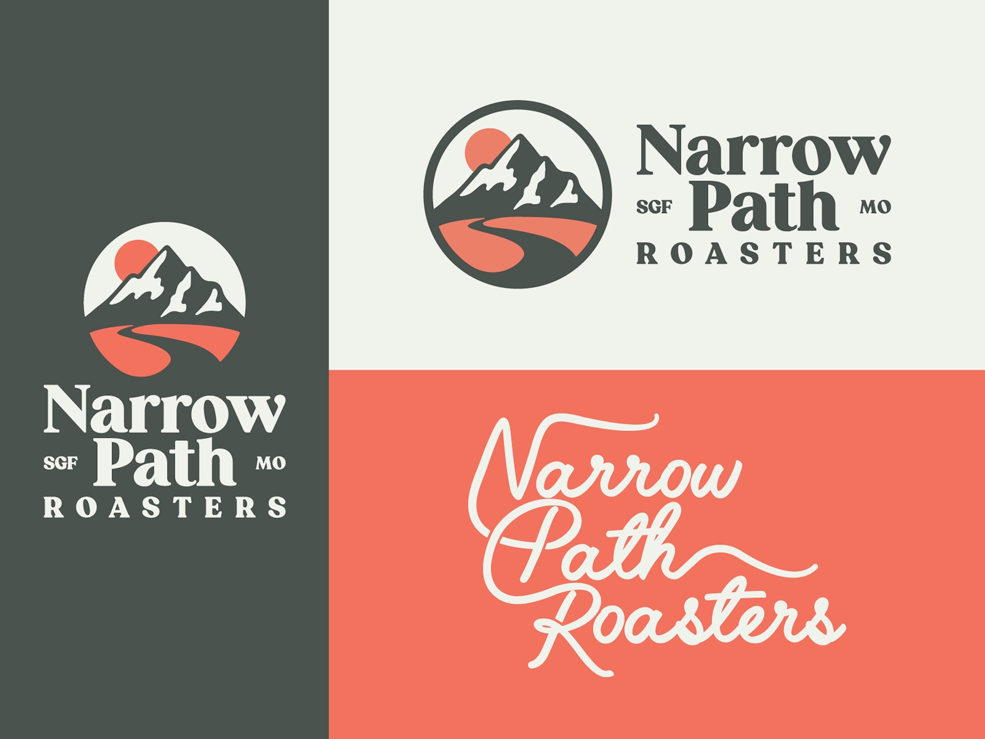
Examples of different typography treatments for a company called Narrow Path Roasters
Typography by Ben Howes

Visual storytelling grows up

At its core, design is about telling stories, so visual storytelling has always been a crucial part of effective digital experiences. The best visual narratives help distill complex or abstract concepts into easily digestible ideas for our clients

While the pandemic ushered in a return to minimalism, now designers are starting to prioritize rich visual storytelling that goes beyond copy and videos. We see a greater emphasis being placed on incorporating 3D elements, inclusive visuals, animation, and the creative use of whitespace utilized as a way to tell engaging stories. An excellent example of this is the Population Healthier microsite.

We’d caution against going too far with this, however. You want to balance the desire to add these elements with accessibility and usability best practices. Sometimes less really is more!

And if your team is ready to take your website’s design to a new level in 2023, contact us. Kanopi always creates with the future of web design in mind.

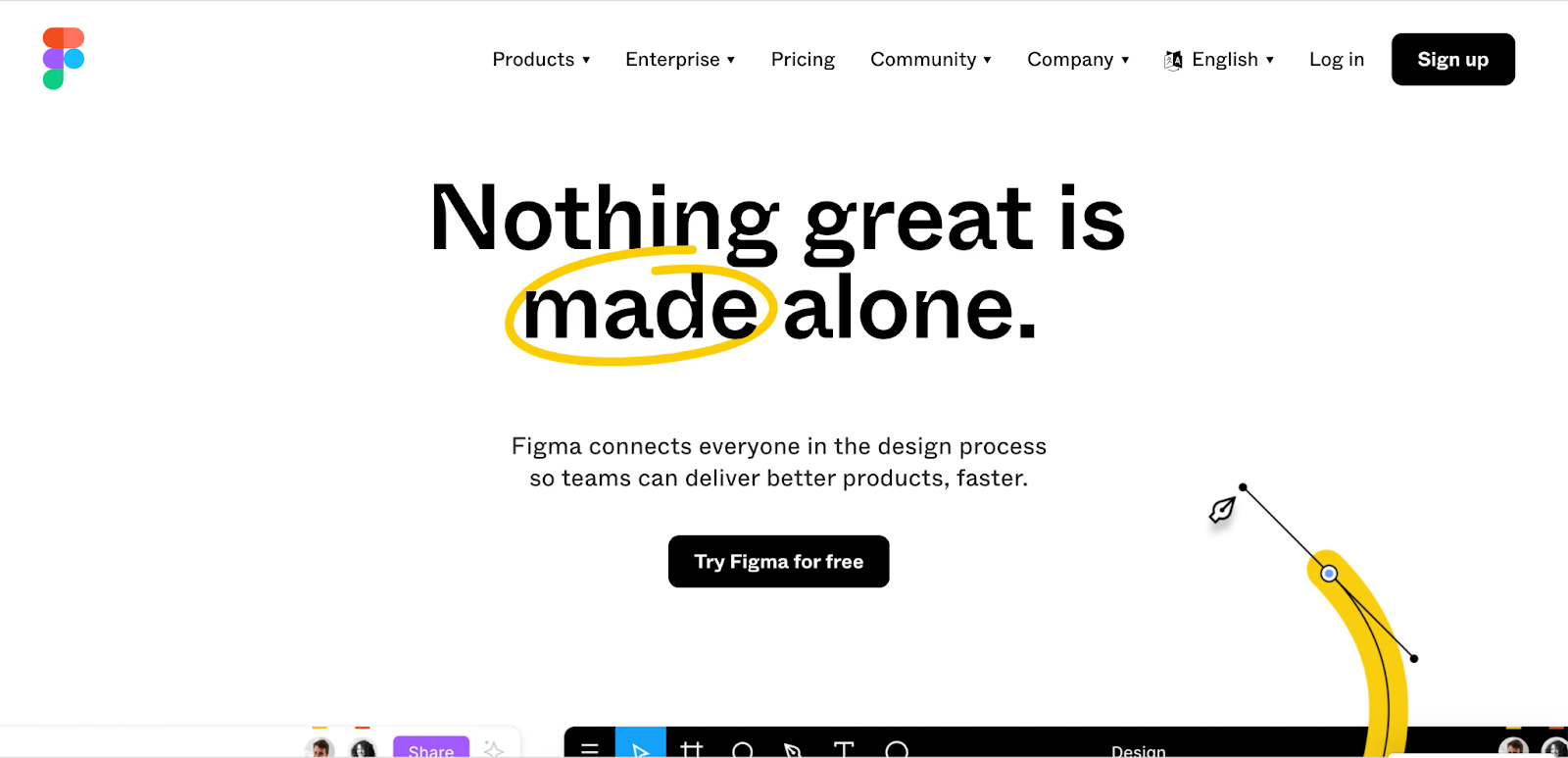
screengrabs of Figma, Sketch, and Adobe websites

Our Top 5 Web Design Tools

The pros and cons of our favorite design tools for web and app design.

A lot has changed in the design world the past several years, especially with the tools designers use to create work for clients. Ten years ago, most designers would probably say that the primary tool they used to create designs was Photoshop; it was simply a sign of the times. There weren’t many options to choose from during those days; Sketch was only two years old and still pretty new on the scene. While Photoshop and the rest of the Adobe Suite are of course fantastic for design and imagery, they come with high learning curves and don’t always translate easily into web design. 

Flash forward to the present day and you’ll notice there are many tools to choose from. Perhaps too many. That’s a great problem to have. That means designers have options they can choose from to meet their own personal design needs, whether those needs relate to fun, work, or both. With all these options, it can be hard to figure out what tools are best for both the designer and the job.

We at Kanopi figured we would help designers who might have that problem by presenting them with the top 5 design tools that designers like to use.

Sketch

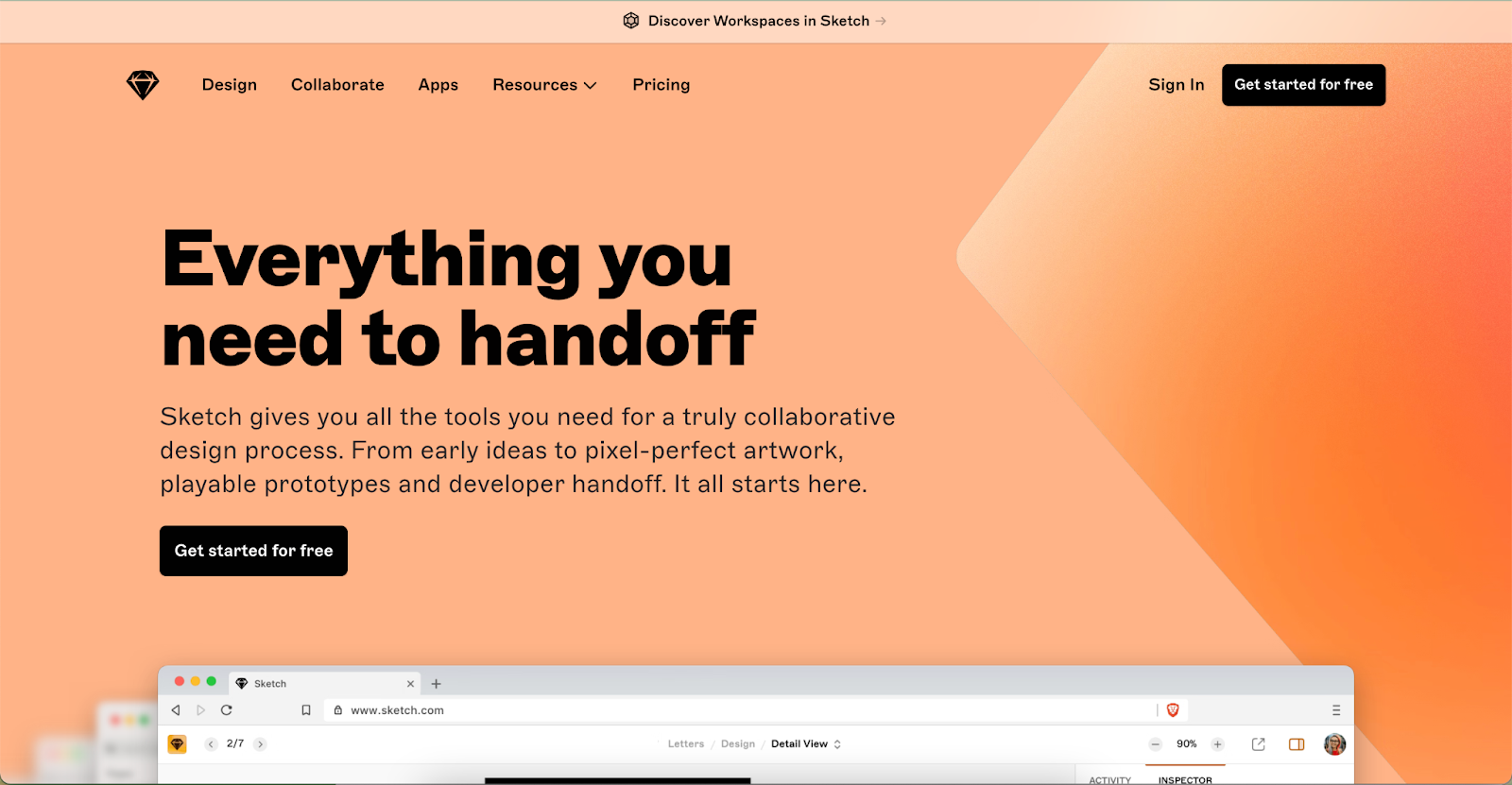
Screengrab of the Sketch website

Released in 2010, sketch quickly became an industry standard for designers seeking alternatives to Photoshop and Illustrator. Since its release, Sketch has become a robust design platform for UI/UX design and won Apple’s Design Award in 2012.

OS: Mac OS

Pricing: $9.00/Mo or Yearly Plan of $99.00

Pros:

  • Prototyping and design system functionality
  • Robust illustration tools
  • Online community of resources
  • Low learning curve
  • Intuitive UI
  • Has many plugins
  • Vector based
  • Local app does not need to rely on internet connection/syncing
  • Exporting assets is easy
  • Offers versioning
  • Can easily create and manage elements/components easy with symbols and color variables
  • Imports PDFs and SVGs easily

Cons:

  • Desktop application only for Mac
  • Web application is not robust
  • Collaboration is not seamless. Project files must be uploaded to web application
  • No free version
  • Local files are difficult to share compared to browser based applications
  • Prototyping lacks easy sharing. Must use 3rd party applications like Proto.io
  • Manual saving
  • Need applications like Zeplin for developers to export css and design assets.

Figma

Screengrab of the Figma website

Coming on to the design scene in 2016, Figma was created with collaboration in mind. Its platform is an all-in-one source for designing, prototyping, sharing, and most importantly: collaborating between clients and members of your team. According to the UX Tools 2021 Design Survey, Figma was the most popular application for UI in 2021,and was the application that designers were most excited to try for 2022. Since its inception, Figma has garnered a large and prolific user base, with companies like Coinbase, Twitter, and Github using its platform to solve their digital problems.

OS: Mac OS / Windows / Linux

Pricing: Free – $45.00/mo

Pros:

  • Web based application focused on real-time collaboration
  • Can easily manage projects, files, and assets
  • Offers prototyping that can be easily previewed and shared in the browser
  • Prototyping and design system functionality
  • Inspect functionality provides css for developers, removing the need for 3rd party applications like Zeplin
  • Online community and resources
  • Low learning curve, and provides tutorial files that help users learn the application
  • Intuitive UI
  • Has many plugins
  • Vector based
  • Exporting assets is easy
  • Offers versioning
  • Can create and manage elements/components easy with symbols and color variables
  • Autosaving
  • Auto layout

Cons:

  • Internet connection can affect experience
  • Needs at least 4gb of RAM
  • Lack of global colors

Adobe XD

Screengrab of the Adobe website

Rising from the ashes from Adobe Fireworks, Adobe XD came on to the scene with its first beta release in 2016. Since then, Adobe XD has become a robust design tool and a common alternative to applications like Figma and Sketch.

OS: Mac OS / Windows / Linux

Pricing: Free – 9.99/mo

Pros:

  • Works on both Mac and Windows
  • Robust prototyping that has good transitions 
  • Video/Audio recording
  • Can manage projects, files, asset easily
  • Vector Based
  • Intuitive UI
  • Works with Photoshop, Illustrator, and Indesign
  • Online resources for learning
  • Repeat Grid feature is a plus
  • Developer share feature allows designers to mark assets for export. Developers can download with a simple link
  • Voice triggering in prototyping
  • Auto Animate function makes animating in prototypes easy
  • Prototyping is more robust than other platforms 
  • Usable locally without internet connection

Cons:

  • Plugin library is not as expansive as Figma and Sketch
  • Collaboration is not seamless. Project files must be uploaded to the cloud
  • Updating application from CC 
  • Mobile prototypes can only be viewed on Mac OS

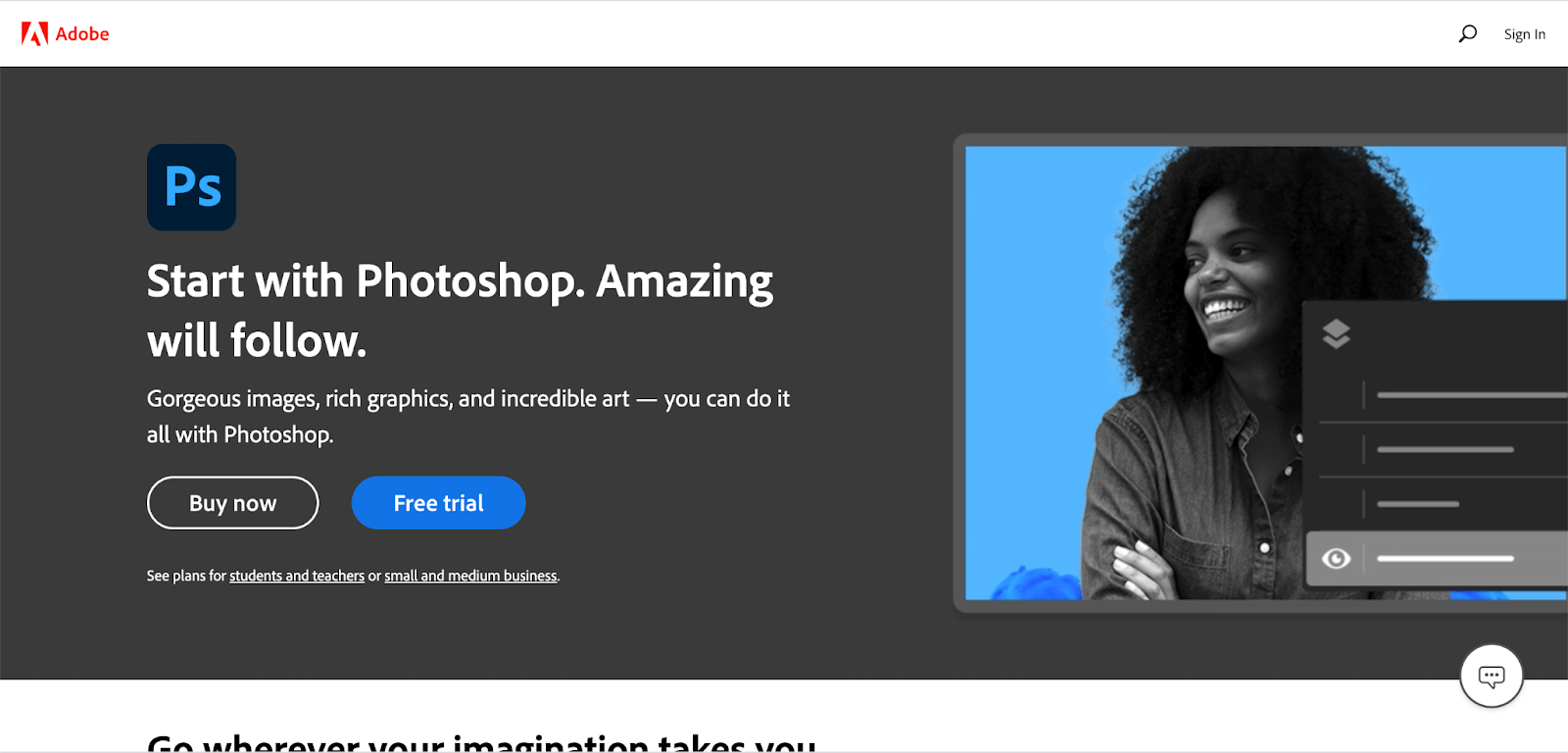
Photoshop

Screengrab of the Photoshop website

Released in 1990, Photoshop has served as an industry standard for photo editing, digital art, and even (up until a few years ago) web design. Despite the emergence of popular design applications like Adobe XD, Sketch, and Figma, Photoshop continues to be used for design work. According to UX Tools 2021 Design Survey, Photoshop is still used as a popular primary tool for UI design, right after Figma, Sketch, and Adobe XD.

OS: Mac OS / Windows / Linux

Pricing: 9.99/mo – 19.99/mo depending on plan

Pros:

  • Works on both Mac OS and Windows
  • Robust image editing capabilities
  • Has sophisticated export capabilities for images
  • 3D graphic rendering
  • Many export options for image assets
  • Texture and digital art capabilities
  • Usable locally without internet connection

Cons:

  • Raster based
  • Larger file sizes
  • No prototyping or design system capabilities
  • Not engineered for UI design
  • Saving out assets for dev is difficult
  • No option to inspect elements for CSS
  • No collaboration
  • Sharing is difficult
  • Grid system not as robust for UI design

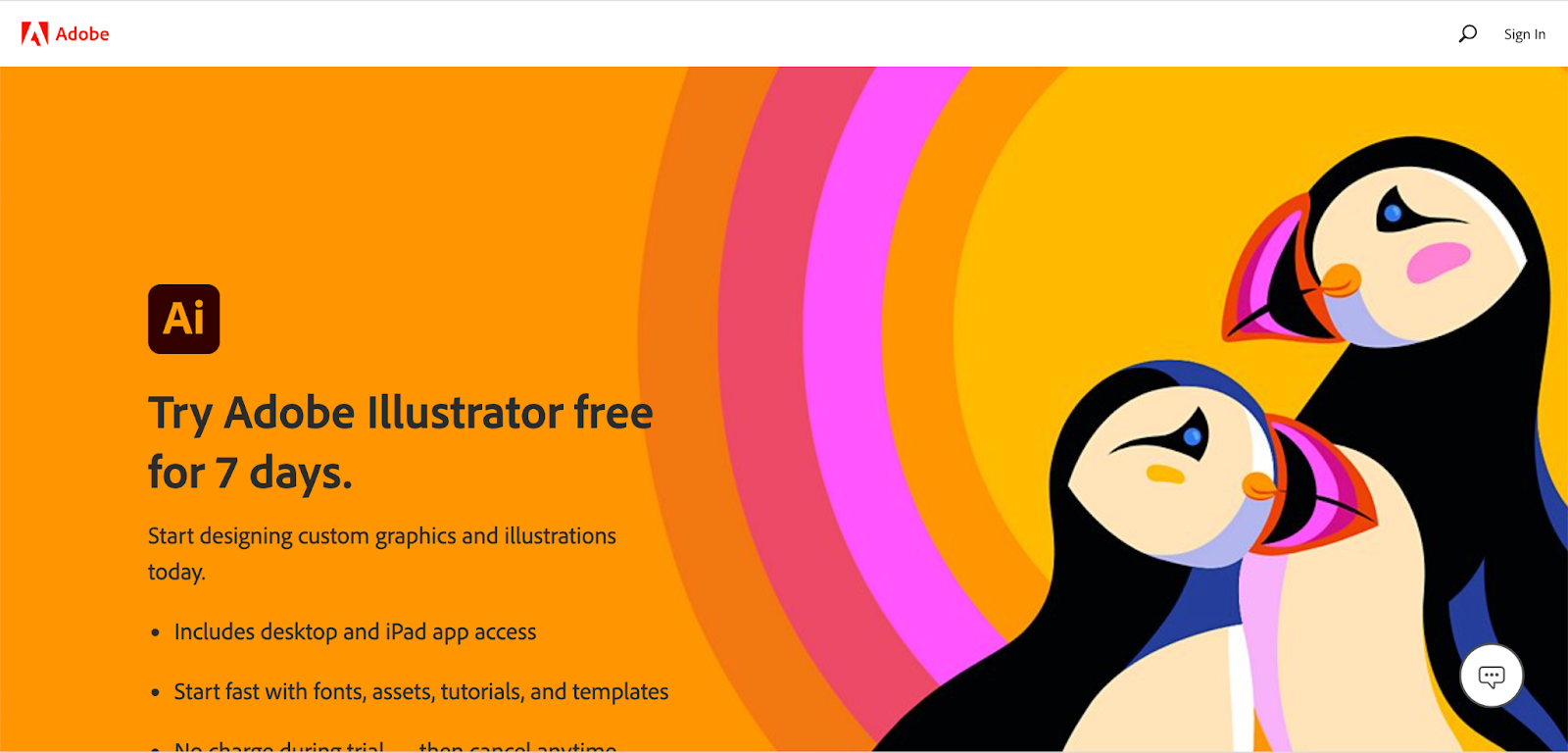
Illustrator

Screengrab of the Adobe Illustrator website

Released in 1987 as, Illustrator has served as the go-to application for creating stunning vector graphics for many different types of design projects, even for web and UI. According to UX Tools 2021 Design Survey, after Photoshop, Illustrator is surprisingly used as a popular primary tool for UI design.

OS: Mac OS / Windows / Linux

Pricing: 20.99/mo

Pros:

  • Mac OS and Windows
  • Robust vector editing capabilities
  • File size is small
  • Usable locally without internet connection

Cons:

  • No prototyping or design system capabilities
  • Not engineered for UI design
  • Saving out assets for dev is difficult
  • No option to inspect elements for CSS
  • No collaboration
  • Sharing is difficult
  • Grid system not as robust for UI design

Start creating!

We hope that this list was helpful in showing the best tools other designers use, as well as give you an idea on what tool works best for you.

If you need help with your designs, contact us. Our team can create designs for you that look great and get results. 

THIS BLOG POST IS NOT AUTHORIZED, ENDORSED OR SPONSORED BY ADOBE, PUBLISHER OF ILLUSTRATOR PHOTOSHOP, and ADOBE XD.

Kanopi Team

4 reasons for choosing an all-in-one design and development agency

When designing and developing your website, partnering with one agency that handles both offers advantages that are hard to ignore.

Whether for your higher education institution, nonprofit, or your software as a service (SaaS) firm, a website build is often thought of as a two-phase process during its construction. 

Firstly, you need a platform design and strategy. You’ll want to study your typical website visitors, organize and audit your pages and content, and create an information architecture while thoughtfully choosing fonts and colors for your user interface. The UX design process is a crucial part of every platform build, ensuring your site will be a pleasure to navigate while meeting website visitors’ needs.

Website development naturally follows once you have your design. Engineers code, test, debug, and retest every component of your site to ensure it’s functional, accessible, and secure before it’s ready to go live. 

It’s not uncommon for companies to think of each of these vital phases — design and development — as two distinct and separate entities. Because of this, folks often consider partnering with one agency to design their platform and another to develop it. 

We don’t deny this strategy can produce fantastic websites. In some instances, choosing a specialized agency to focus on a single phase of your site build makes sense. However, we’d like to highlight how design and development are not as independent as some think, and there are advantages to having the two phases connected. 

Working with one agency that’s mastered both design and development can save you time and money while ensuring your site is a joy to use and will be for many years to come. We’ve pulled together our top four reasons firms should consider choosing one agency for designing and developing their website.

Four reasons for choosing an all-in-one design and development agency: 

1) You’ll launch faster.

When gaining both design and development from the same agency, your project life cycle is more efficient, meaning your website is able to go live faster. This valuable time-saving is the result of consistent alignment between designers and engineers.

Whenever Kanopi inherits a platform designed elsewhere, we ensure the strategic thinking isn’t lost in the transition as this is one of the most common blockages when your platform moves from the design agency to a development agency. Accessibility issues, missed content requirements, and an unworkable CMS can also crop up when working with separate design and development firms.

One agency can ensure your site is accessible.

Design agencies that don’t offer website development in-house can sometimes create design specs that don’t meet accessibility and usability guidelines. When it comes time to build your site, engineers may need to do extra work or modify your agreed-upon design to meet the needs of everyone who uses your website. 

With design and development working together, accessibility isn’t an afterthought and can be included in the strategy and design of your website from the very beginning. 

Understanding your content requirements is more seamless.

Another challenge that can extend project timelines are missed content requirements, as design agencies can occasionally overlook your company’s content requirements due to focusing on aesthetics. Unfortunately, we’ve seen designs break when it comes time to migrate a company’s actual content over to the platform design. Without a technical review of the actual content that needs migrating, designers might miss any number of needs, including not taking image size requirements into consideration, ensuring that content isn’t being broken up into multiple components, or creating space for headlines that are too short to accommodate actual headline length. 

Conversely, what if the designers create visuals around content that doesn’t yet exist? It can look great having all the bells and whistles in the design, but if the content doesn’t exist, someone has to make it, or the design may look flat.  Make sure things like images, videos, and content fields exist or can be created before signing off on that design.

With development and design working hand-in-hand, engineers are able to provide expertise on content needs while designers are beginning to craft a beautiful website that’s functional. 

You’ll get a CMS that’s easier to use. 

Lastly, disjointed design and development can sometimes leave behind the unique needs of content managers. Busy content teams need a content management system (CMS) that’s a breeze to use. With a focus on front-end design, design-only firms sometimes provide designs that do not lend well to editing specific assets in the CMS (for example, image sizes that require Photoshop or another outside tool to crop to proper sizes). Development can lean into the design process to help integrate a CMS that’s user-friendly, no matter the skill level of your content team members. 

Additionally, having a pattern library within your CMS is crucial to keep your site’s design consistent over time. Design firms tend to design each of your web pages, but rarely design full pattern libraries that work across an entire site that help maintain a smooth workflow between design and code when it’s time for development. Creating every web page in isolation leads to multiple ways to display content, slowing down your project.

When Kanopi develops websites, we look for patterns we can apply site-wide to eliminate gaps that commonly appear through separate page design. Without pattern libraries, numerous patterns may be created for similar content, which can lead to increased complexity, longer development time, and the need for additional project management support with a heftier price tag.

2) Feature development is easier.

When you decide to partner with an agency providing both design and development, designers and engineers work in tandem and are able to understand the nuances of the features necessary to make your website the best it can be. 

When the Golden Gate National Parks Conservancy and Institute of Golden Gate partnered with Kanopi, we were able to take a strategic approach to their visual design, factoring in their complex infrastructure and functionality requirements. 

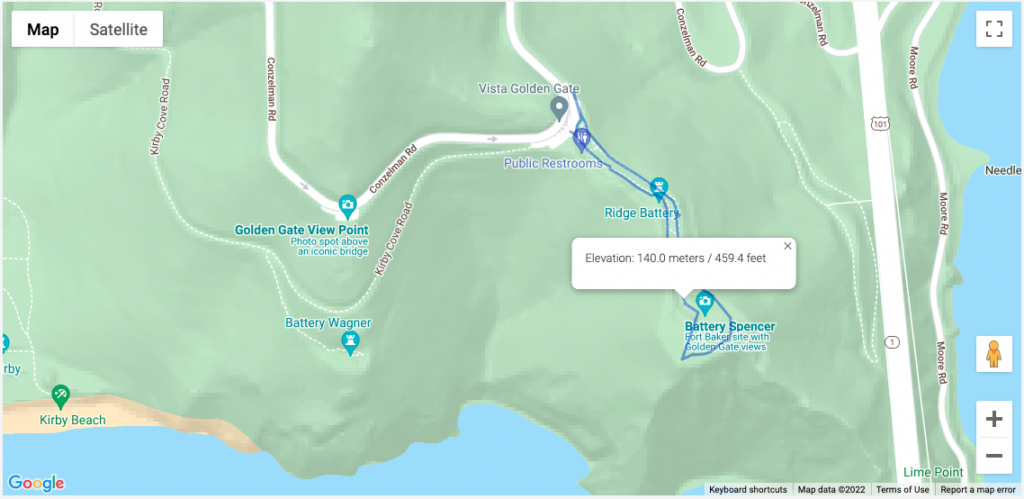
Mapping, in particular, is a complex feature for the park and one that needs to look great while providing an intuitive user experience and a CMS behind the scenes that’s fit for purpose. Kanopi created a content administration experience, allowing for polygon drawing and mapping files to direct intricate paths for hiking in the park: 

An example of one of the many available maps of the trails managed by Parks Conservancy. This one overlooks the Golden Gate Bridge.

3) Project management is more cohesive.

When you partner with an all-in-one agency, you ensure the smoothest transition possible as your platform passes from the designers to the engineers.

Designers within an all-in-one agency understand the skillsets, workflow, and limitations of the engineers with whom they work. They’re familiar with what design practices are going to make the job of the developers as smooth as possible, and which ones might come up against issues in the build phase. Those built-in efficiencies make a huge impact on time and budget.

Working with separate design and development agencies can lead to numerous layers of project management with a costly transfer (in terms of both time and money) between them all. 

Working with an all-in-one agency can also help your internal project management go more smoothly. You can avoid misaligned team expectations with the help of the agency, which will work to meet with senior-level stakeholders regularly and keep them up to date on your web strategy. Learn more about this process in our guide to avoiding the “Swoop and Poop.”

4) Your designs will have more longevity. 

The final reason for choosing the same agency for both design and development comes down to the sustainability of your site. Websites designed and developed by the same team prove the test of time because designers, engineers, and project managers can collectively gain a deep understanding of your company’s mission and long-term goals. They are able to strategize a plan for your website post-launch, so it continues to support your business goals and remain a great site to interact with next year and the year after next.   

With design files at the ready, simple navigation enhancements and tweaks to key elements can be made quickly and easily, keeping your website looking sharp and delightful to navigate.

Weeks can stretch into months for design updates that need to go back to an original contractor that crafted your initial platform design. An all-in-one agency becomes an expert in your business, armed with a thorough understanding of your history and unique growth plans.

Build a better, more sustainable platform with Kanopi.

Kanopi is a close-knit team of designers, engineers, and project managers, who are all working towards the same mission of pairing creative solutions with solid and sustainable architecture while keeping our client’s entire ecosystem in mind.

We’re incredibly proud of the award-winning websites we’ve designed and built for our clients. In addition to design and development, we provide robust support after your website goes live, going above and beyond basic bug fixes and security updates. 

‘When I describe Kanopi to others, I talk about customer service, great services, a sustainable site, and a relationship that gets better over time. Every project we have done with Kanopi has improved our site and made it work harder and better for us.’

Laura H, Digital Marketing Manager, Stratford Schools

Are you interested in partnering with us? Reach out if you want a better, more sustainable site. 

baby and mother smiling at each other

Reflecting reality: finding diverse and inclusive stock images for your designs

It can be tough to find images that embrace the variety within your audience. These stock sites help bridge the gap.

Diversity is a broad term. When used in relation to image sourcing and representation of content on a web design, blog post, press release, or other live content viewed by an audience, it’s important to address the full scope of diversity within the audience. This scope may vary based on the topic of the content. But to be inclusive we need to take into account the demographic of an audience from multiculturalism, age, identity, sexuality, and physical or mental impairments.  

Images are the first step to capturing your audience’s attention. Content represented with images has been shown to have a much higher engagement than content without images. So while sourcing an image, it is critical that it not only properly represents the topic, but takes advantage of the opportunity to appeal to multiple demographics within your audience. 

The demographic of an audience varies depending on the product, service, or information being shared with the viewer. While addressing inclusivity we should take into account what images will best help tell the story of our brand and best align with our target audience. Consider the following:

  • Do they have disabilities or impairments of any type?
  • Is the clientele of a certain age?
  • Is the clientele of a certain gender?
  • What are the gender roles we wish to portray or speak to (e.g. who is pictured doing the dishes or mowing the lawn)?
  • Are we assuming romance is heterosexual? 

Currently there’s a lack of inclusion in media

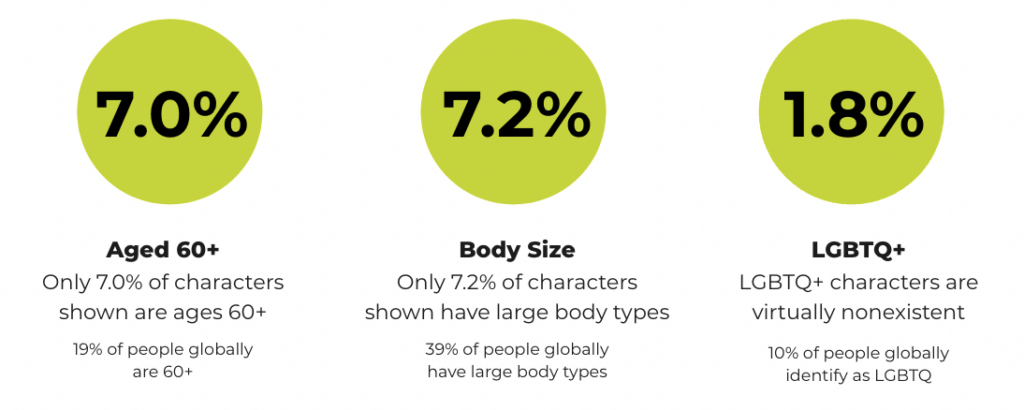
Research from the Geena Davis Institute has suggested that while 19% of people globally are 60+, only 7.0% of characters in images in the media today are ages 60 and older. Similarly, 7.2% of characters are shown with large body types (though 39% of people globally have large body types), and only 1.8% of characters represent the LGBTQ+ community (while 10% of people globally identify as LGBTQ). That is just a small window into the lack of inclusion, making it even more important to be mindful when addressing the varying demographics within an audience. 

Chart showing the lack of representation in media for those who are 60+ years old, have larger body sizes, and identify as LGBTQ+.
Source: the Geena Davis Institute

In order to make the search for more inclusivity easier, you’ll need to make a conscious effort to narrow down not only what would best speak to a target audience, but also best represent your brand. Knowing the who and what sets the foundation for how to search for what we’re looking for.

Keywords control our results

When conducting an image search on any platform, keywords help narrow the search by allowing the algorithm to better understand our visual needs. There are a few different algorithms running that control how our search results. The primary algorithm is based on keywords, popularity, and engagement — essentially, how many times a photo has been downloaded. 

This also means that based on historical bias, the highest popularity and most engagement on images results in highlighting that historical bias e.g., a range of potential white people with a few token people of color included. This means we might not get offered the images that best represent our target audience or brand right away.

In order to help counteract the impact historical bias has had on image search results, stock photography platforms such as Getty and Shutterstock have created a secondary algorithm. This secondary algorithm looks at the region where the search is being made and tries to match that region’s racial demographic when providing the results.

This is one action the platforms have taken to help us in our search for more inclusive images, but what else can we do? Add detailed keywords. 

When we don’t have the ability to add filters detailing ethnicity, sexuality, or physical and mental impairments, keywords should be prioritized to help refine our search for more inclusive images. For example, searching for a “person walking” may lead to various people walking, and they will most likely be white individuals. If we change our search to “black person walking”, “latino person walking”, or “mature adult walking” it allows the algorithm to refine our search based on keywords.  

Where to look for inclusive images

Because caucasian individuals are overly represented on stock photography sites, sometimes keywords don’t always lead us to our perfect image. Below is a list of free and paid resources that allow for more diversity. 


CreatHER Stock:

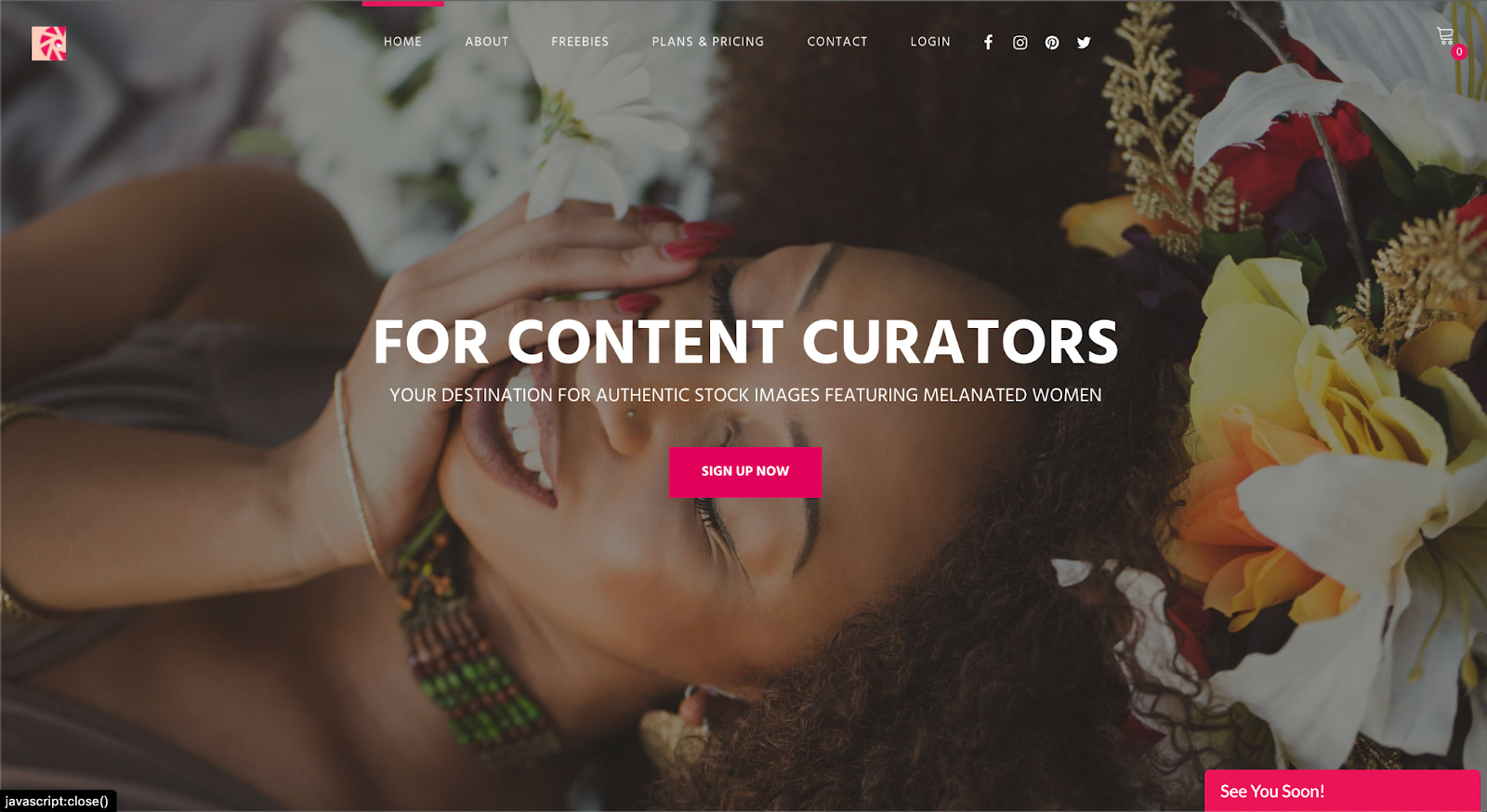
Run by founder & brand designer Neosha Gardner and photographer I’sha Gaines, this authentic stock site is a finely-tailored “for-us-by-us” set of lifestyle and business visual content or images featuring Women of Color. A subscription runs $10/month, with the option for more advanced plans at a higher fee. Although a subscription is required to access a majority of the photography on this platform, they do have a section of select “freebies” one can download. 


Homepage for pocstock.com

pocstock

pocstock is a global media company committed to creating and delivering premium stock photos, videos, and illustrations where people of color are front and center. They have flexible pricing plans so you can access their 150,000+ assets within your budget.


Nappy.co

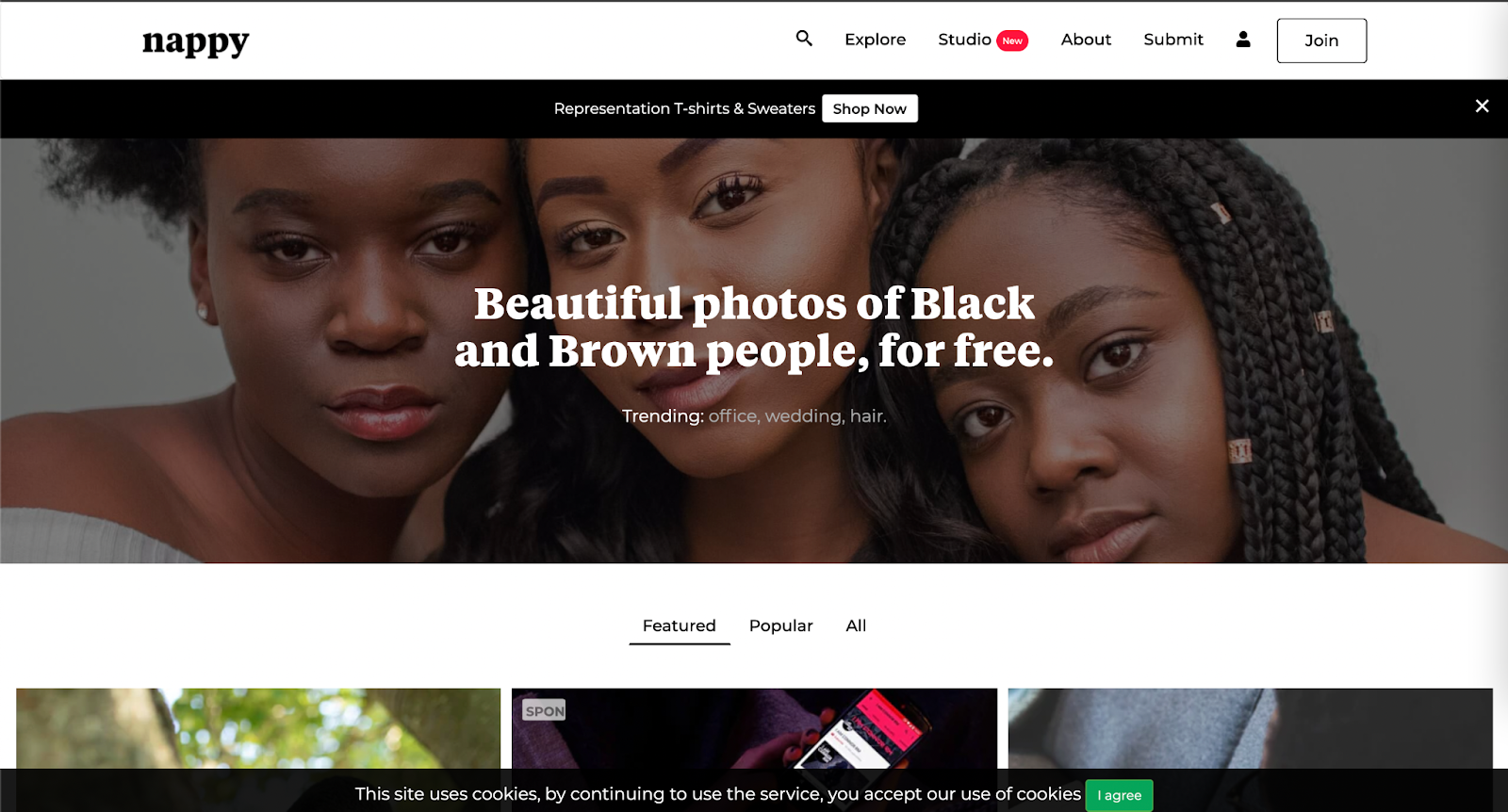
​​Nappy.co is a free stock photography site dedicated to making it easy for companies to bring people of color into their designs, presentations, and marketing collateral.


The Gender Spectrum Collection

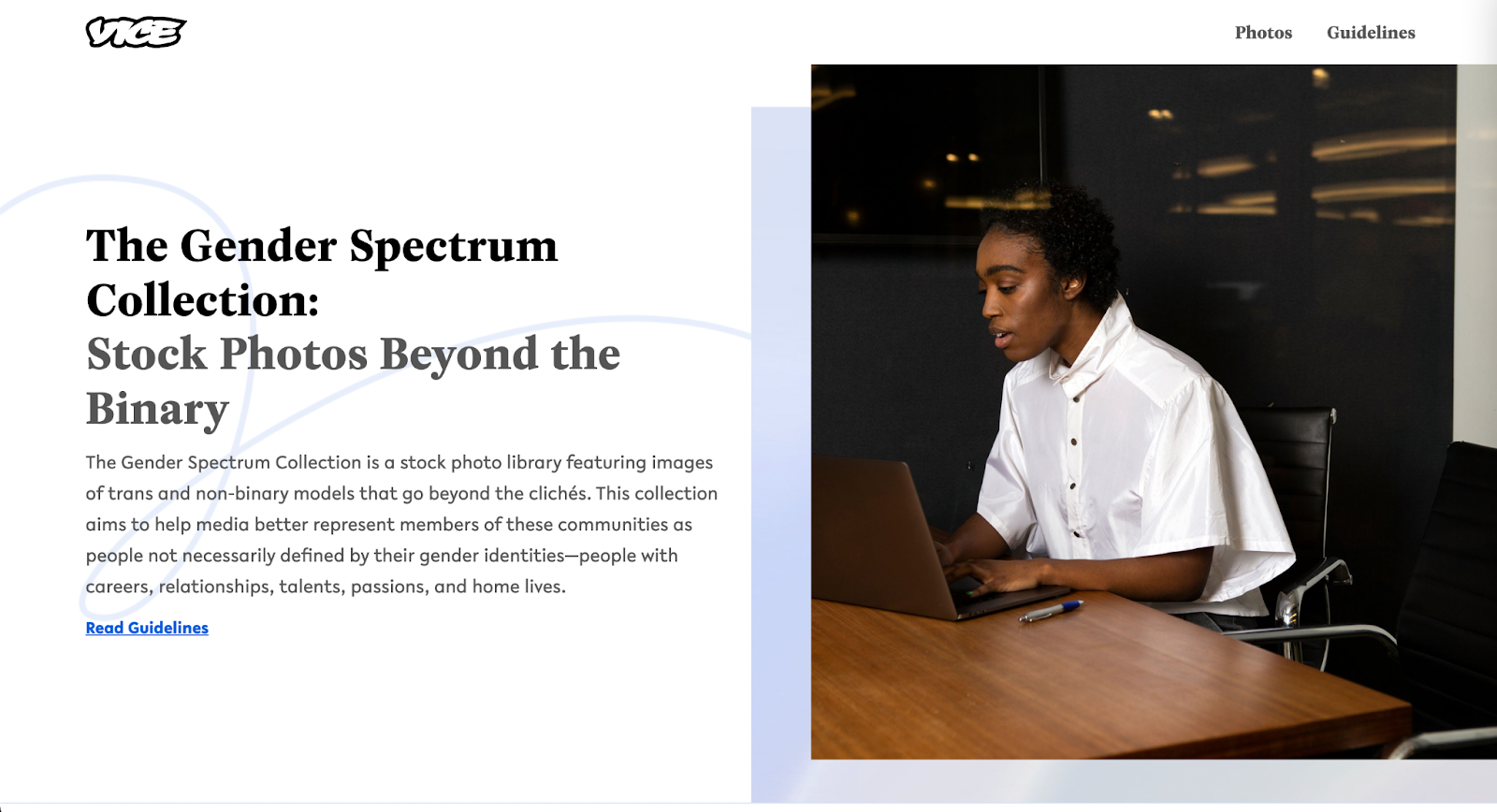
The Gender Spectrum Collection is a free image sourcing resource intended to help media better represent members of non-gender conforming communities. This collection helps depict people not necessarily defined by their gender identities, but rather simply people with careers, relationships, talents, passions, and home lives, just like everyone else in the world.


Pexels

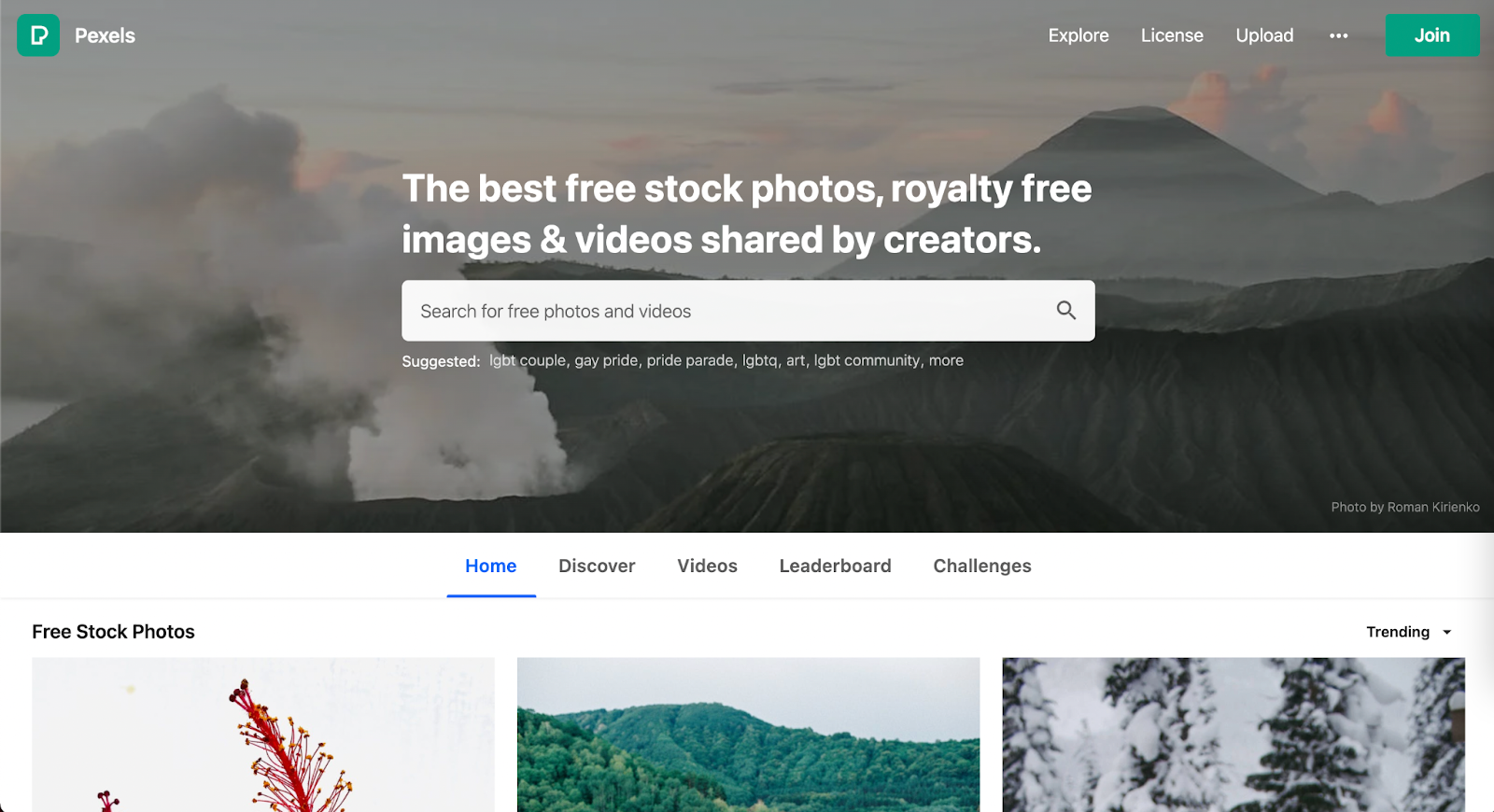
Pexel is a well-known stock photography site with no subscription required. When it comes to diversity and inclusion they have created an environment where underrepresented communities have an opportunity to shine … as long as you include the ethnicity in your search. Multicultural, LGBTQ+, and impaired individuals are represented. 


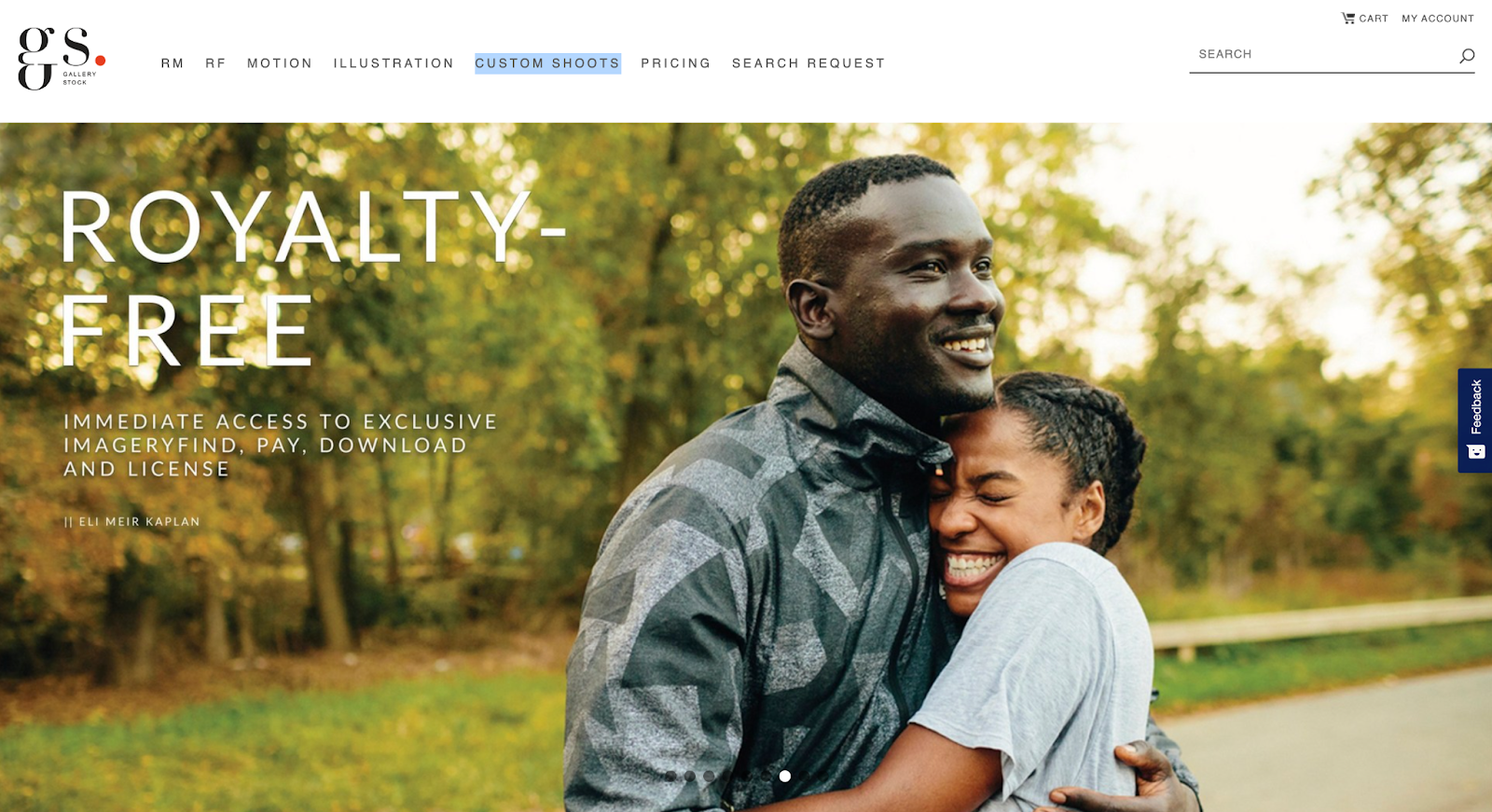
Gallery Stock is a subscription-based stock photography with an extensive collection of images accompanied with an extremely detailed filter to refine the search. Their subscriptions prices vary based on the needs of various users. In contrast to a majority of its competitors, Gallery Stock has the option for a custom shoot. This is a great option if you don’t quite find what meets your needs amongst all the resources at hand, don’t have a photographer, and have a budget that allows for custom shots. 


Getty Images

Getty (also owner of Shutterstock) is one of the largest and most well-known image sourcing platforms, and as such, has a great depth of diverse and inclusive images, videos, and animations for all demographics. For inclusivity, specifically Project #ShowUs, project is a category dedicated to providing more inclusive imagery. Getty also has a meticulous filter system that allows you to add detailed filters to refine your selection during your search for diversity. There are a variety of paid subscriptions or packs. Because Getty is a pricier option, it’s best for teams, agencies, or anyone who consistently sources new images as there will be a high return on investment. 


Shutterstock

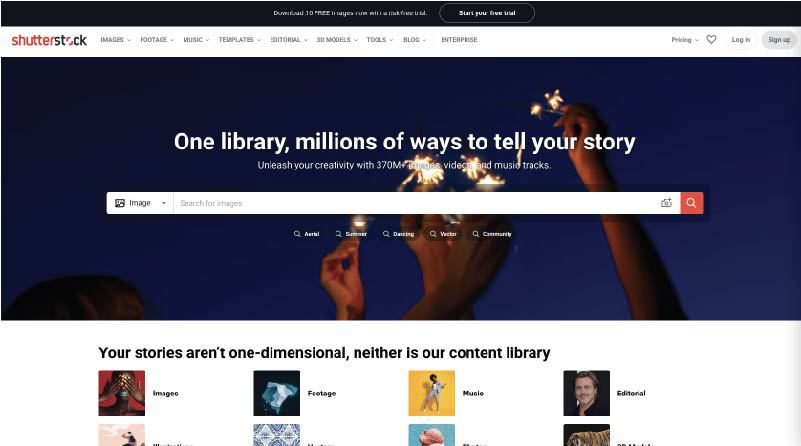
Shutterstock (also owned by Getty) is another well-known paid image sourcing tool from which many designers and marketers source. While there are a variety of images for inclusive imagery, one search in particular that really stood out for having an abundance of photos for such an underrepresented demographic — ”disability in tech”. When searched, the result leads to 1,714 high-quality photos, vectors, and illustrations. This collection makes sourcing images of those who may have disabilities working in tech that much more visible.


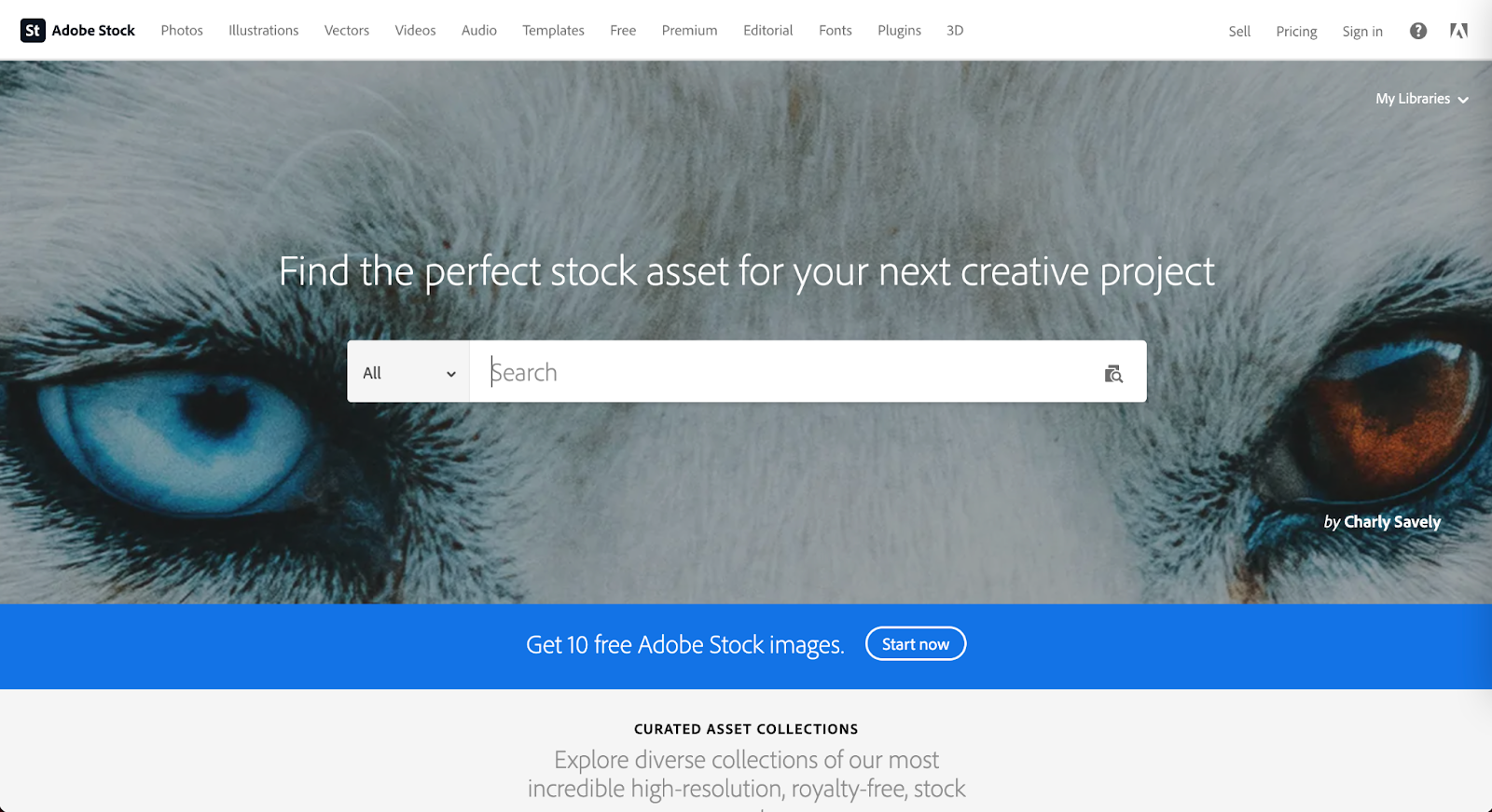
Adobe Stock

Adobe Stock is another well known source amongst the creative community as it is part of the Adobe platform. This is a source that is recommended for teams, agencies, or anyone who consistently sources new images as there will be a high return on investment. Although Adobe is not equipped with detailed filters, they do have an abundance of images. Using keywords will make those diverse images more visible within your results. 


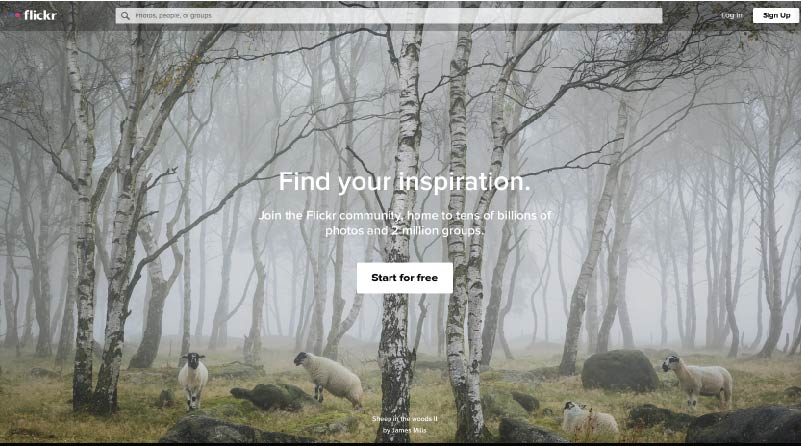
Flickr 

Mapbox has taken to Flickr, a stock photography sourcing and sharing site (much like Pinterest), to create a board of more inclusive imagery. They recently launched a collection dedicated to “Queer in Tech” in order to promote the representation of queer and gender-nonconforming individuals in tech. As a demographic that is often underrepresented throughout the industry, Flickr has created an opportunity to help shift that statistic using a collection of images ranging from collaboration and teamwork, leadership, design, engineering, to mobile development.

The inspiration for this collection arose from a Twitter post about a board created by Stephanie Morillo and Christina Morillo dedicated to Women of Color (WOC) in Tech, also an underrepresented demographic within the industry. The collection, titled #WOCTechChat, has a wide range of WOC in various technical professional settings. 

Flickr in itself is a useful and free image sourcing tool with the option for a pro subscription.


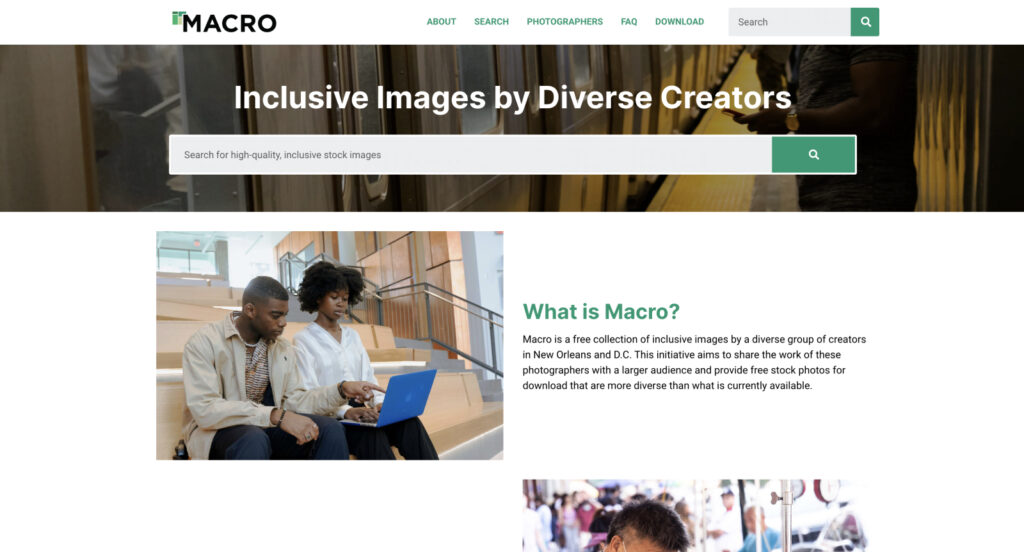
Macro

Macro is a new and emerging stock photography project providing free stock photography to its visitors. The platform allows users to download diverse imagery, captured by diverse photographers. Macro benefits communities by ensuring the photographers themselves are paid and have a full profile to showcase their work and information in order to reach potential new clients or opportunities. 

“I think diversity in front of the camera is easy. Diversity behind the camera is difficult. Often black or trans photographers see the world very differently, even behind the lens.”

Zora Khiry, New Orleans, Macro featured photographer

Diverse images exist to support your brand

Brands should create content that speaks to their audience as a whole. Young, white, straight, able-bodied, cis-gender men in imagery are very common, but not representative of every audience. Hopefully these resources will assist you in finding images that best represent your brand and give you a more inclusive voice for all demographics within your audience. 

Drupal Web Design: How An Agency Like Kanopi Can Help

Kim Lai
Kim Lai

Take your Drupal web design to the next level.

Drupal is an open-source content management system (CMS), free to download, and offers an impressive amount of baseline functionality that users can leverage right from the get-go. From there, it’s easy to expand your Drupal system and customize it to your heart’s desire with over 47,000 modules, almost 3,000 themes, and high-level custom coding capabilities.

Along with its robust features and scalability, Drupal is a great platform for web design.

Here at Kanopi, we know that Drupal development and maintenance is an ongoing process. When it comes to designing your Drupal site, you may feel as if the work is never done. Is your web design effective for your organization’s current needs? What do you need for a well-designed Drupal website? All of these questions and more will be answered in this guide.

Need help setting up your Drupal site or tackling a redesign project? Contact Kanopi today.

The Components of Effective Drupal Web Design

When it comes to determining how effective your web design is, ask yourself these three questions:

  1. Can supporters easily navigate to their target destination?
  2. Is your website telling a clear story?
  3. Do the visuals support the character and tone that your organization wants to present?
  4. Can visitors find/know what the main call to action is?

If you answered yes to all four, then your Drupal website and its design are probably in good shape. If you answered no to all four, then it’s time to rethink your web design strategy. However, it’s more than likely that your answers fell somewhere in between—or you aren’t sure exactly what your answers are at all!

To help you walk through each of these questions and how web design can affect your answers, we’ll review these essential components: structure of information, wireframes, visual & interactive design, accessibility.

Structure of Information 

Let’s use an airport website as an example. Imagine a user wants to find parking availability information on an airport website built using Drupal. They check the homepage and menu, click around a bit, and land on the “Getting to the Airport” page. But there’s no parking information to be found! When they realize the information they need isn’t easily accessible, they decide to quit the page and move on.

This process of navigating a website, going to different pages, and clicking on various links is all based on your website’s structure of information, otherwise known as its information architecture.

Your website’s information architecture describes the physical structure and layout of your website’s content. Think of it as the studs a house is built on— the studs determine where your kitchen, living room, and bathrooms will be. Once that’s determined, you can then choose where your kitchen island and cabinets will go.

For your website, your information architecture helps choose how many pages there are, what type of page it is (i.e. article or list), and how these pages connect to each other. 

When it comes to web design, it’s critical to determine the structure of information if you want to answer yes to our first question: “Can supporters easily navigate to their target destination?” Before launching your site or during a website redesign, make sure you outline the information architecture and sitemap so that your information architecture makes sense and flows logically for the user.

Wireframes

Along with the structure of your entire website, you also need to consider the flow and functionality of your individual pages. That’s where a website wireframe comes in.

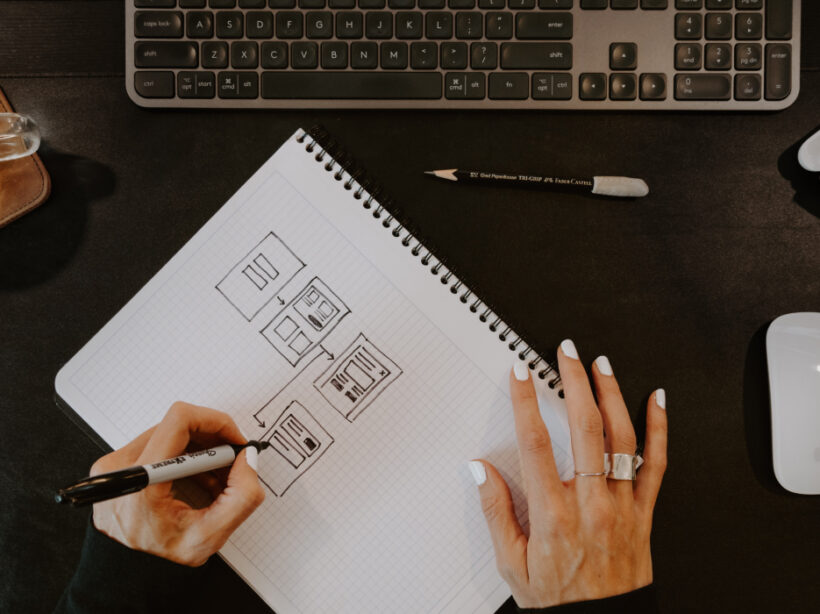
Website wireframes are basically a visual guide representing the framework of each page type. They aim to arrange elements in the best way to ensure your website accomplishes a particular purpose and the organization’s goals. In particular, your wireframe might depict a page layout including:

  • Paragraphs
  • Different media types (images, video, audio, gifs, etc.)
  • The menu and footer navigation
  • Calls to action placement
  • List filter functionality
  • Visual description of interaction points, like buttons, accordions, etc.

Along with the actual items on your page and where they’ll live, your wireframe will need to address how these components work together to tell a specific story. When it comes to wireframes, think less about the visual content and think more about user flow. For instance, will users be using one long scroll page to explore different content? Will they need to actually click on elements to engage with certain graphics?

With your website’s wireframe finalized, it’s much easier to answer yes to our second question, “Is your website telling a clear story?” This is because your wireframe ultimately dictates how you tell the story of your content. When visitors click on a web page, it’s up to the visual design to facilitate their journey.

Visual & Interactive Design 

When you think of the term “web design,” it’s not uncommon to first think about the visual aspects of your website.

Your website’s visual design refers to the aesthetics and branding of your site. This can include graphics style, logo, colors, fonts, and other visual elements. To ensure that your visual design is consistent, it’s recommended to create a brand or style guide to ensure that visual elements are used consistently throughout your site.

And, while the visual design is critical for how your users respond and engage with your site, make sure you don’t fall into the mistake of overusing visual elements and distracting users from the actual purpose of the page.

Related to visual design is interactive design. This type of design is specifically focused on the visual elements that users engage with. This includes buttons, links, slideshows, videos, and more. When it comes to visual interactive design, brainstorm the different ways you can create a visual cue. Common ways to indicate to users that a visual element is interactive are using color, shapes, underlines, and other elements that make it stand out on a page.

Determining your visual and interactive design can help you respond positively to our third and fourth questions, “Do the visuals support the character and tone that your organization wants to present?” and “Can visitors find/know what the main call to action is?” As soon as someone lands on your site, your visual and interactive design should immediately connect them to your organization and let them know which elements they can engage with.

Accessibility & Design

Accessibility isn’t necessarily a component of web design, but the concepts go hand in hand. After all, having a well designed website doesn’t mean much if it’s inaccessible. 

Inaccessible web content describes when, whether due to technology or ability, users cannot engage with or contribute to the online world. In fact, your web design is the first stage in which a site becomes accessible to all users.

Interested in learning more about web accessibility? Take a deeper dive into demystifying website accessibility compliance in our guide.

A properly designed website needs to be accessible for all users, including those with low vision, color blindness, seizures, cognitive impairments, and those dealing with situational impairments (such as a broken arm or carrying a crying baby). The great thing about Drupal is that all features of its core platform comply with WCAG 2.1 and ATAG 2.0. Drupal also has built-in accessibility features like custom color contrast and intensity and form labeling to help screen readers.

Make sure to also consider accessibility for those in different countries (Drupal 8+ users can take advantage of its multilingual capabilities) and those using different screen sizes (Drupal can account for both desktop and mobile users.)

Get Inspired: 3 Drupal Websites

When talking about web design, it can be hard to visualize exactly what these components and concepts will look like in reality. The best way to learn? By looking at well-designed Drupal websites for inspiration! Here are three examples (the first two being Kanopi clients) of Drupal websites displaying effective web design.

1. National Council for the Blind: Drupal Web Design Example

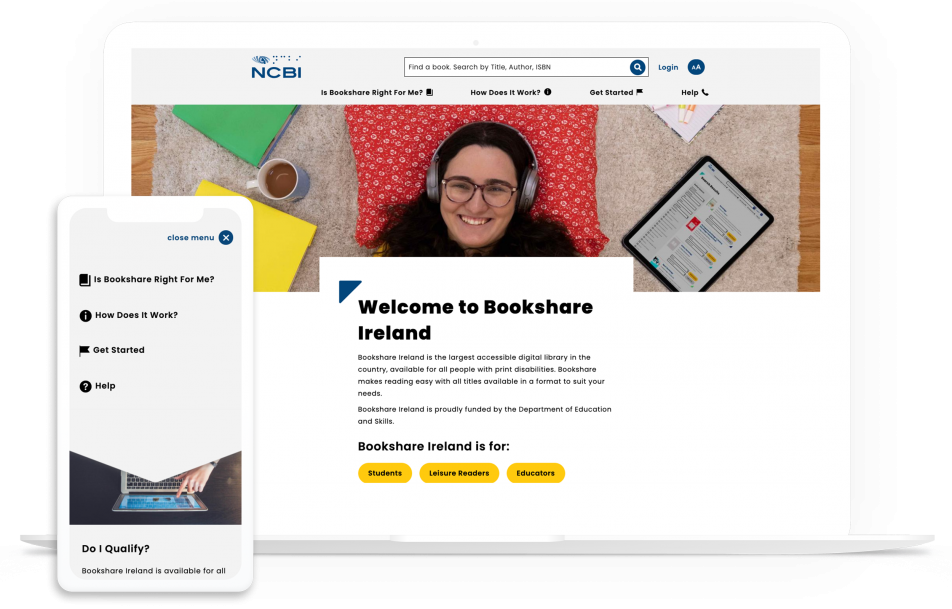
NCBI's website is a good example of Drupal web design.

The National Council for the Blind (NCBI) is an organization that aims to decrease visual impairment reading barriers and provide digital opportunities for both learning and literacy.

A core value of NCBI is creating accessible learning and literacy, and their Drupal website does just that. Their website is AAA compliant with considerations for users with visual impairments, including color contrast, font families, and even font size.

Along with accessible design, NCBI’s website has these effective web design best elements:

  • An embedded search tool with a convenient form label letting you know the content you can find.
  • Bright yellow and rounded buttons that stand out from the rest of the more angular visual components.
  • A sticky navigation system so users can click on the most popular landing pages whenever they want.

Read our dedicated NCBI case study to learn more about Kanopi’s role in building their website.

2. San Francisco Conservatory of Music: Drupal Web Design Example

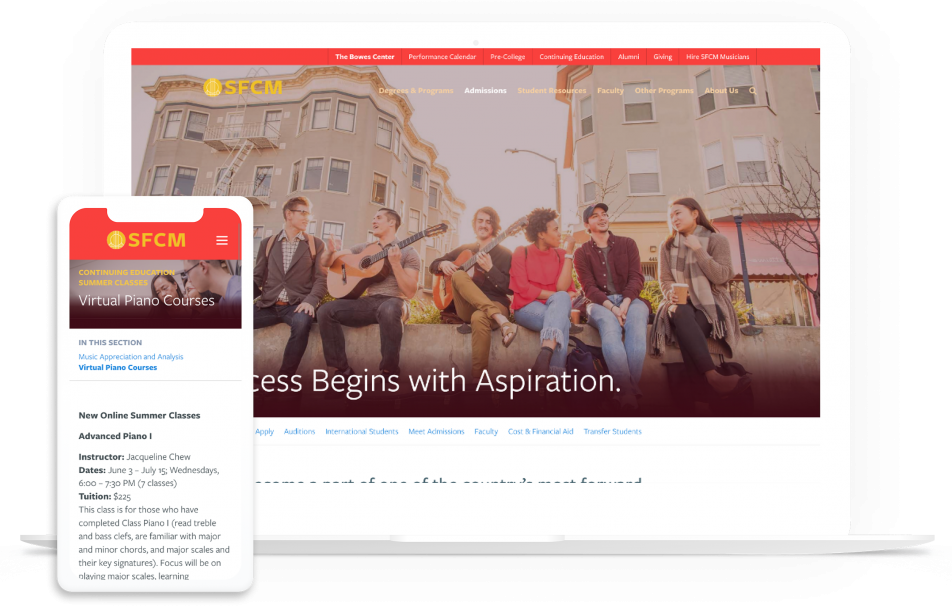
SFCM's website has effective Drupal web design.

The San Francisco Conservatory of Music (SFCM) aims to provide comprehensive music education that prepares artists for the rest of their careers. They wanted a website to reflect their exceptional education and chose the Drupal system for its visual beauty and streamlined content.

As soon as you land on the SFCM website, you’re met with an interactive logo and an audio button that plays a symphony performed by students of the conservatory. Site visitors are immediately invited in and introduced to the prestige of this musical institution—all within the homepage!

Here are some other standout web design features of this Drupal site:

  • Homepage timeline that is easy to scroll through and presents SFCM’s rich history and accomplishments in a streamlined way.
  • Image links that zoom in slightly as you hover over them to show that they are clickable.
  • Clear branding with consistent colors of red and gold.

Read our dedicated SFCM case study to learn more about Kanopi’s role in building their website.

3. Rainforest Alliance: Drupal Web Design Example

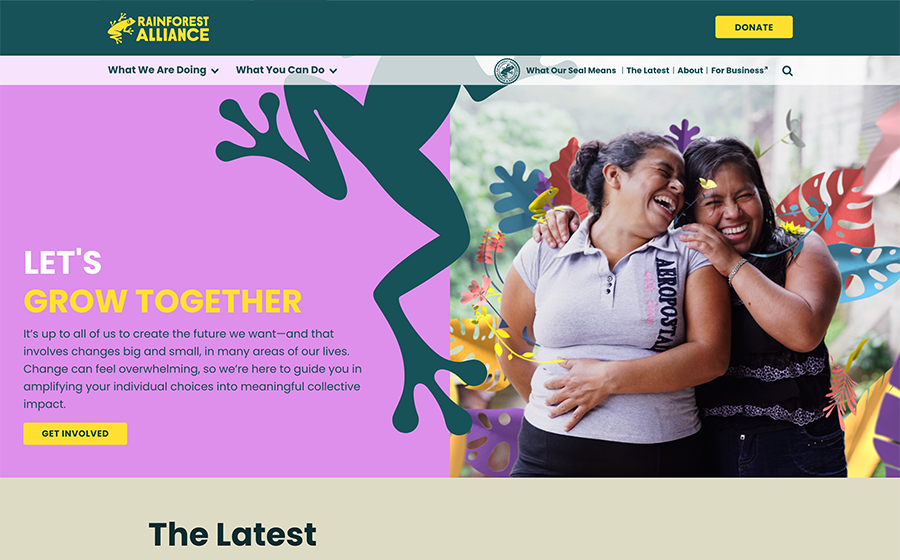
The Rainforest Alliance is a great example of Drupal web design.

The Rainforest Alliance (RA) is an organization dedicated to conserving biodiversity and ensuring sustainability in rainforests.

This website is beautifully designed and easy to engage with, introducing visitors to all of the progress the RA is making. As you scroll down the homepage, you’re met with posts on an embedded social media feed, recent news articles, the RA’s main mission, and what supporters can do to help!

In particular, the RA website boasts these web design features:

  • Graphic links that change colors as you hover over them to indicate that they are clickable.
  • A menu in the footer to switch languages with ease, from English to French to Chinese and more.
  • Dynamic graphics and images that blend seamlessly together to create a visually engaging homepage.

Curious to learn more about this project? Check out Drupal’s dedicated case study on the Rainforest Alliance.

How a Drupal Web Design Agency like Kanopi Can Help

Your Drupal website’s web design is not something you want to take lightly. If you find yourself needing more extensive web design help or you work with a larger organization with more complex needs, partnering with a Drupal web design agency like Kanopi might be exactly what you need.

With Kanopi’s team, you gain support from professionals with years of experience developing, supporting, and designing Drupal websites. Consider the following benefits of partnering with Kanopi:

  • Each of Kanopi’s Drupal team members has, on average, 11 years in Drupal Development, and several of our team members are Acquia-certified. 
  • Many Kanopi members are also considered thought leaders in the industry and speak regularly at DrupalCon and Drupal Camps in North America.
  • Kanopi is a supporting partner to the Drupal Association, contributes regularly to the Drupal Project, and is one of the main organizers of BADCamp.

We’re not only fully updated on the latest website best practices, accessibility trends, and Drupal updates, but we also take a continuous improvement approach to site development, ensuring that your web design always serves your organization and meets your customers’ needs.

And, we help teams avoid the dreaded “Swoop and Poop” management phenomenon by aligning senior-level stakeholders on expectations and goals. We create open lines of communication within your team to ensure everyone is on the same page and working to support your main objectives.

Kanopi Drupal Web Design Services:

  • Mood Boards – We work closely with your organization to create mood boards that act as design ‘snapshots’ to help convey your site’s overall feel and aesthetic. We use any existing brand signals and can create new ones if needed. This allows your organization and other stakeholders a chance to give input on the ground level prior to the heavy lifting of design.
  • Design Mockups – Want to see what your website might look like? Here at Kanopi we can create design mockups of your site once all the building blocks are pulled together. This way, you can ensure the web design reflects your brand and meets all expectations.
  • Style Guides – To ensure your web design remains consistent and true to your brand, we work together with your team to create the ultimate style guide. Your style guide will contain elements of brand voice and tone, typography, colors, logo usage, and more to create standards to guide our web design team.
  • Research Discovery – When it comes to web design, user flow and interaction play a large part in what media elements you use and how you organize them. To make sure that your website serves your audience, we undergo user research and even create user personas. Doing so illuminates similarities and differences in how site visitors act to ensure your site meets your goals and reaches the right audience.
  • Design AA Accessibility Standards Our accessibility standards are built into our system and are a top priority for all of the sites we help design, develop, and support.
  • Prototype Interactions – Along with design mockups and style guides to address the more visual design aspects of your website, our designers also can help you map out the interactions. We don’t just design what you see in a screenshot, but also how each element clicks, swipes, scrolls, and more. We work closely with you to determine the UX layout that best serves your audience with different wireframes and prototypes you can explore.
  • Testing And Support After Launch – Our work doesn’t stop once your website is live. As soon as it is launched, we will continue to test the site to make sure user interactions and the design of your site moves users forward to their goal. If support is needed after launch, our Kanopi design team is still there to assist, answer any questions, and ensure your site is set up for long term growth.

No project is too large for our Kanopi Drupal team. Whatever stage your site is in, we’re ready to jump in and assist with web design, development, and support to get your Drupal site where it needs to be.

Kanopi is here to address any of your Drupal web design needs.

The Five Biggest UX Design Mistakes

Kim Lai
Kim Lai

What went wrong with UX last year and how to fix it moving forward

What works when it comes to user experience (UX) is constantly evolving as our behavior online shifts and changes over time. A web design feature that delighted your site users ten years ago could now inadvertently conceal valuable content that you want to take center stage. Or worst-case scenario, it could be driving folks away from your site. 

To help you keep on top of the latest UX design trends, we’ve pulled together the five most common UX mistakes made in the past year and explain why each is causing issues when it comes to the user experience. We also suggest better options for each design mistake to ensure your site remains as accessible and sustainable as possible:

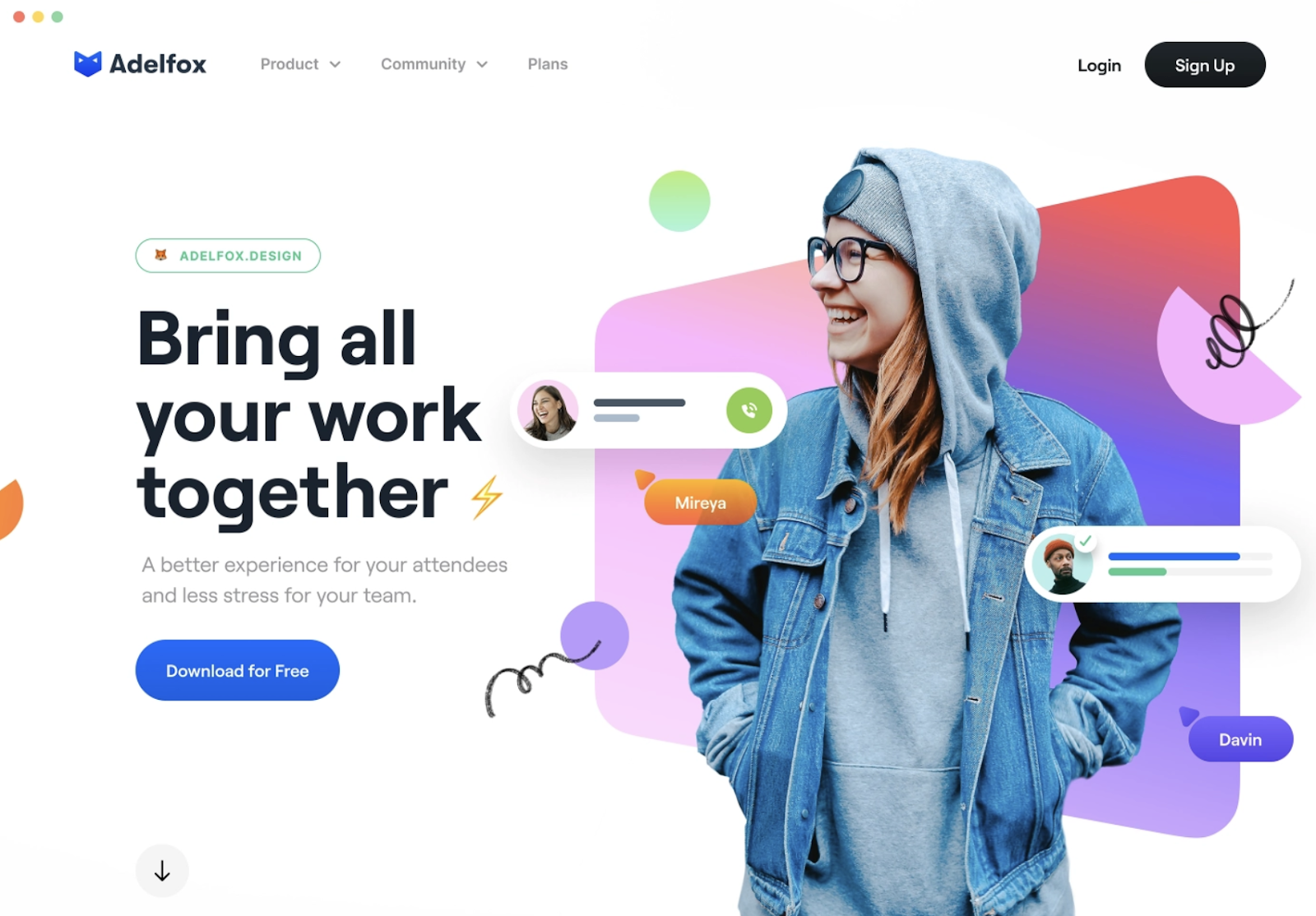
  1. Problematic carousels 
  2. Intrusive pop-ups 
  3. Unnecessary side-bars 
  4. Distracting auto-play videos 
  5. Too many buttons 

Problematic carousels

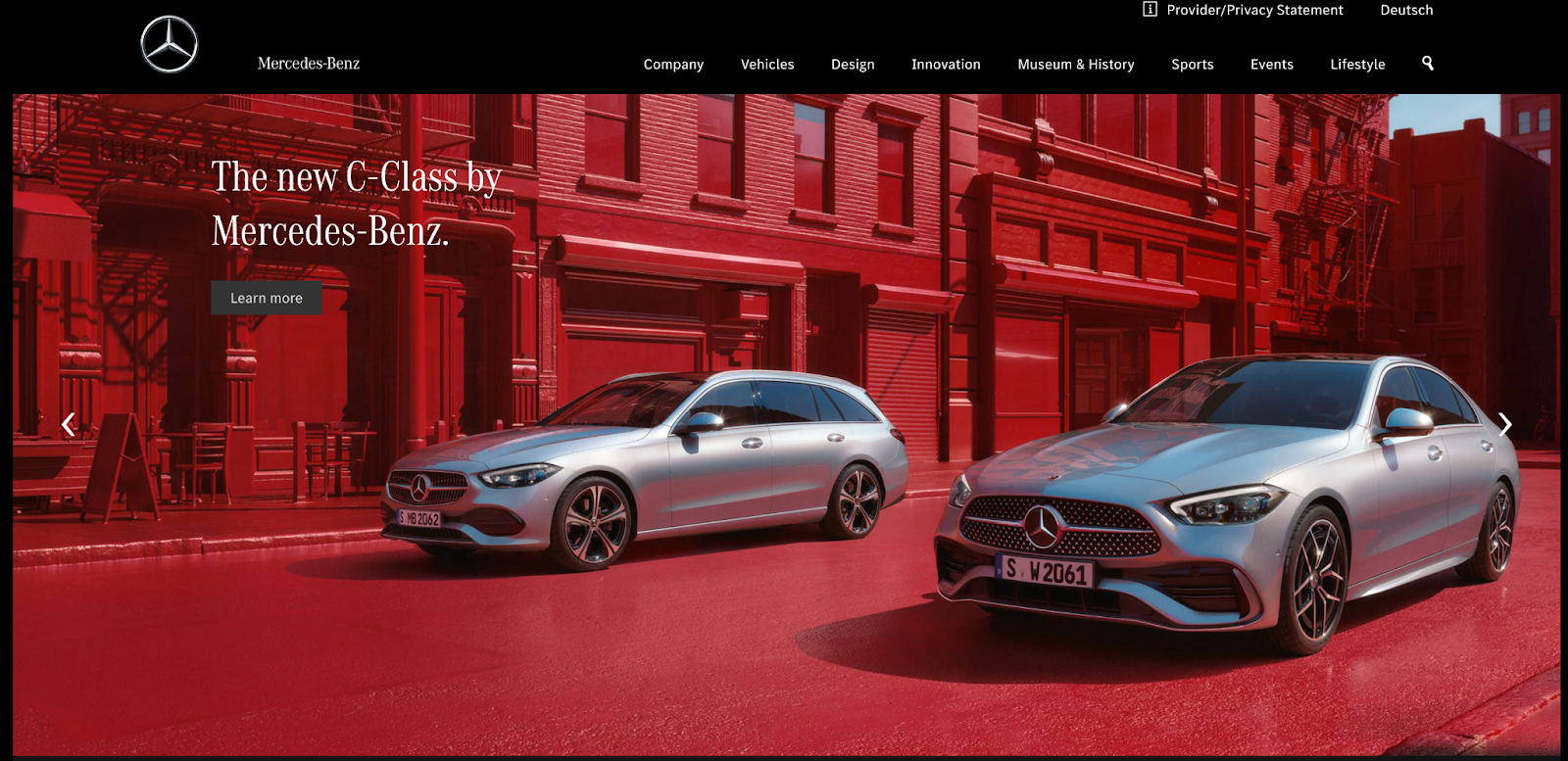
Source: Mercedes-Benz

Home page carousels are a trendy design feature on many websites as they are thought to provide a clever way to condense a lot of content into one screenful.

What’s the issue? 

If the carousel auto-rotates, users may not have enough time to read before the slide changes. And our tendency to scroll down the page is increasing. A study conducted by the Nielsen Norman Group found 57% of site users stay above the fold of a webpage compared with 80% of website users over a decade ago. 

Content can be missed as website users often scroll past the carousel and miss vital information that doesn’t appear on the first slide.

If the content on the first slide doesn’t align with the organization’s values, it can give website users the wrong impression and even be misleading. 

Finally, in many cases, you cannot simply scale down to a mobile device. Content may get cut off or become too small to read when a user views your content on their mobile device.

A better way 

Source: Dribbble

Instead of using a carousel of images, choose a single, impactful hero image and display key goals of both your users and your business to guide the user journey.  

You can also try using a card design pattern to get across two or three key messages on your homepage. 

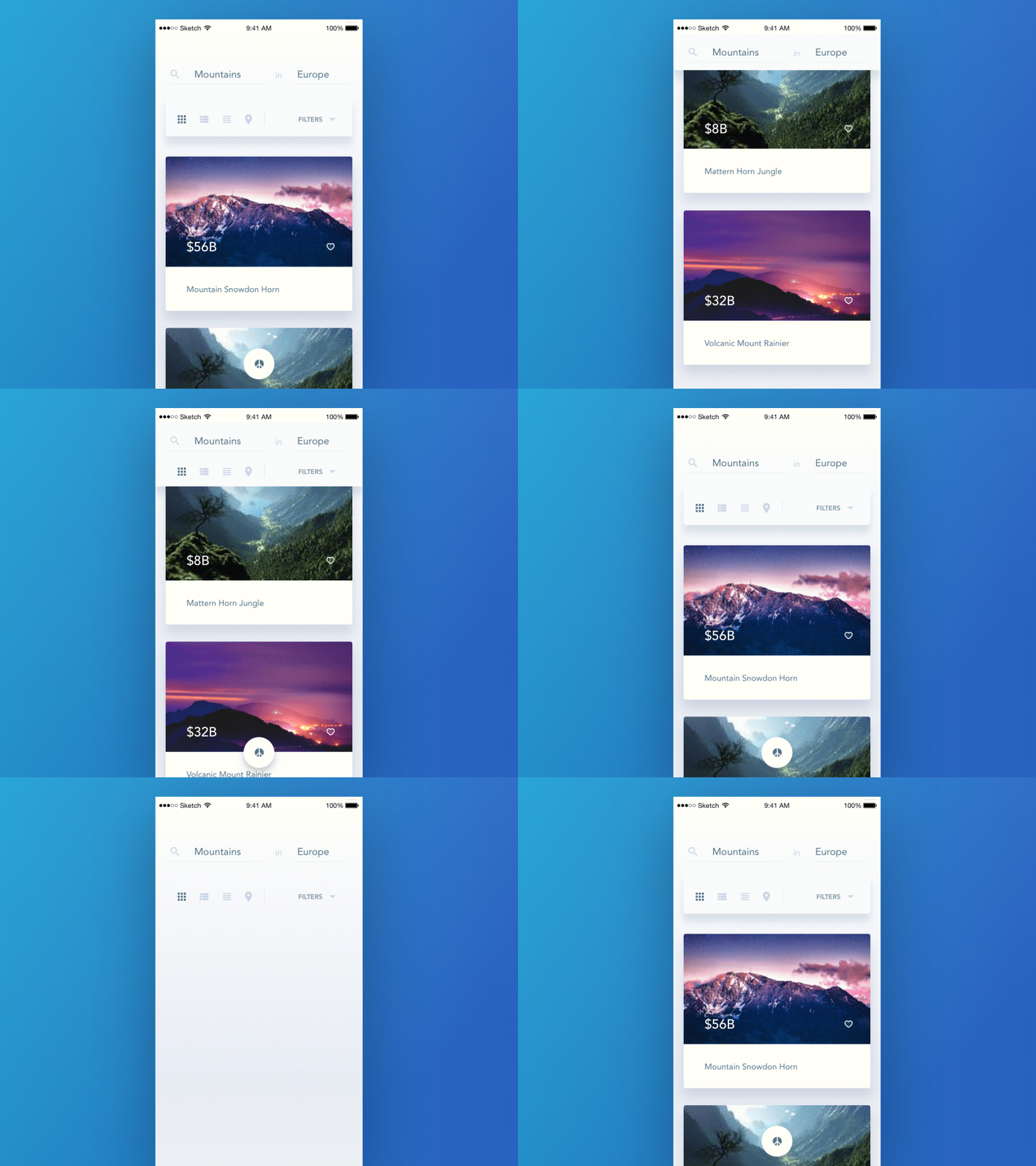
Examples of good card design:

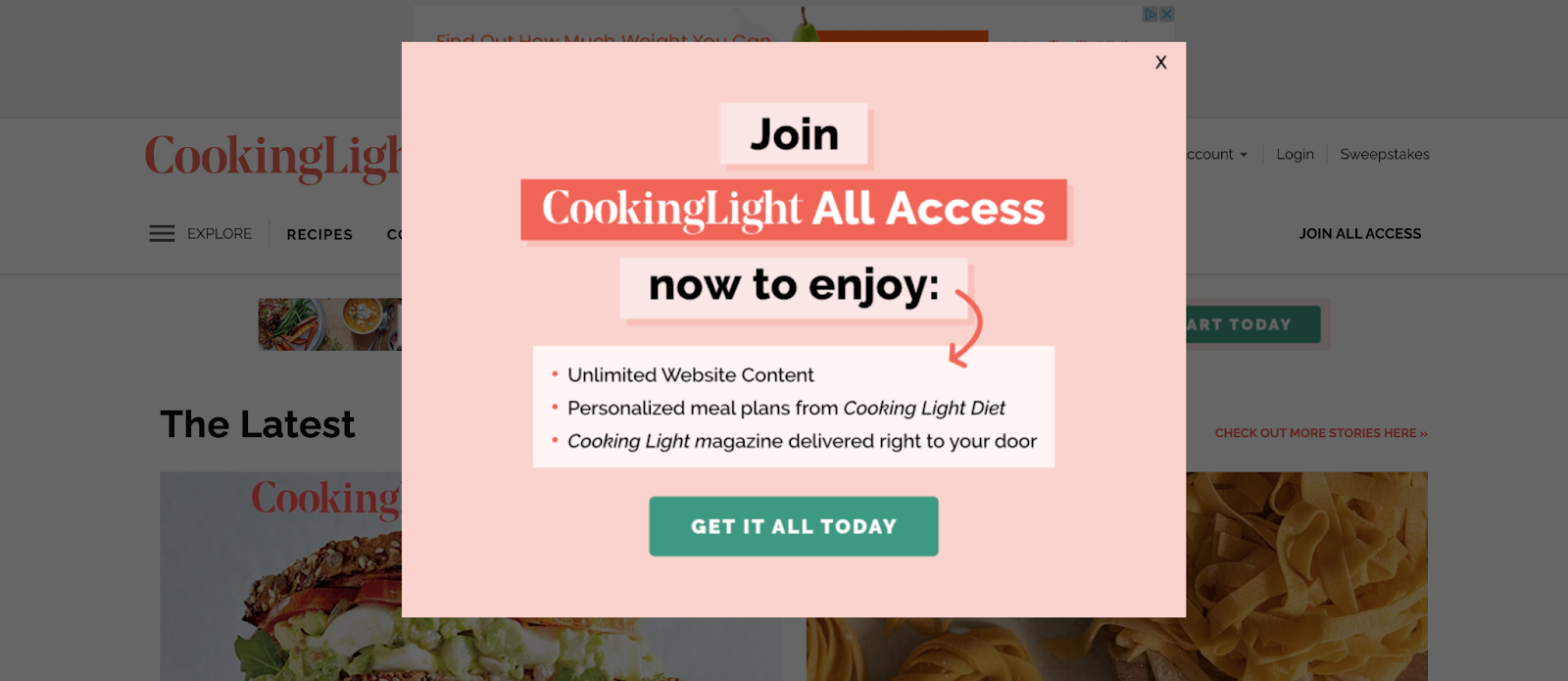
Intrusive pop-ups

Source: CookingLight

Pop-ups held a reputation as a great marketing tool in the past. They were proven to be very effective at generating leads, for example.  

But with Google’s January 2017 update, sites that contain pop-ups or interstitials that make content less accessible are penalized in their search rankings. And Google has identified what is good and what is a bad pop-up.

What’s the issue?

Pop-ups can interrupt the natural flow of the website user by hijacking the current webpage to highlight new information on an additional screen.

Pop-ups also affect the accessibility of your website. They create keyboard traps and unnecessary screen reader content that can confuse and distract users trying to navigate your site. 

Aside from making your website accessible to more users, there’s also a business case to be made for making your site’s popups more accessible.

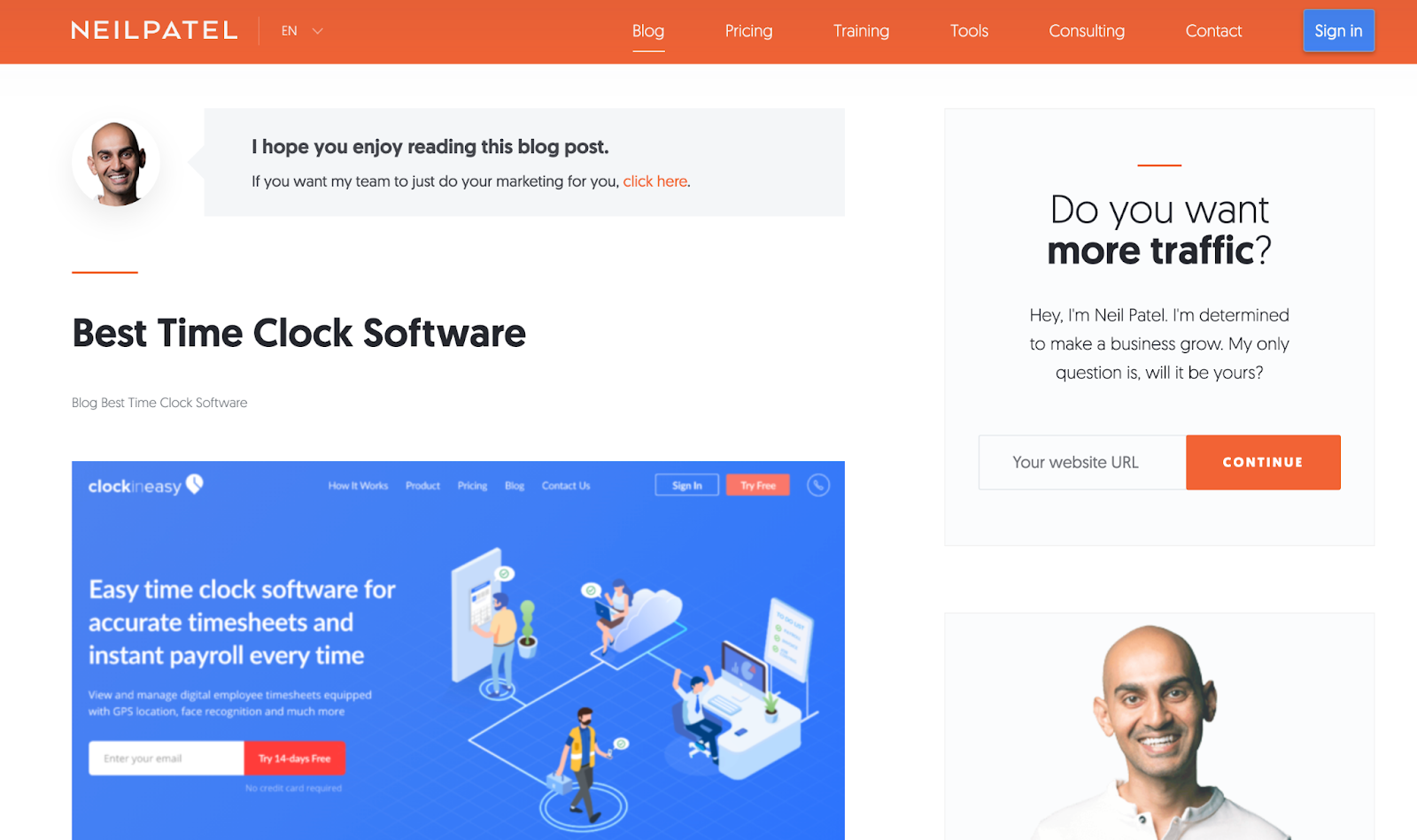
A better way 

Source: Neil Patel

Make sure you comply with Google’s guidelines when it comes to pop-ups to avoid being penalized by Google. 

Google explains the following techniques make content less accessible to a user:

  • popups that cover the main content, either immediately after the user navigates to a page from a search result, 
  • Displaying an interstitial that the user has to dismiss before accessing the main content, and 
  • Including a layout where the above-the-fold portion of the page is too similar to an interstitial, and the original content is inlined underneath the fold.

Displaying content you’re inclined to include in a pop-up in a sidebar instead is best practice (as outlined in the Neil Patel example above), as is delaying the opening of pop-ups on your website if you must have them. 

Lastly, If you have to use pop-ups, design your pop-ups so that they take up less than 50% of your web page’s space.

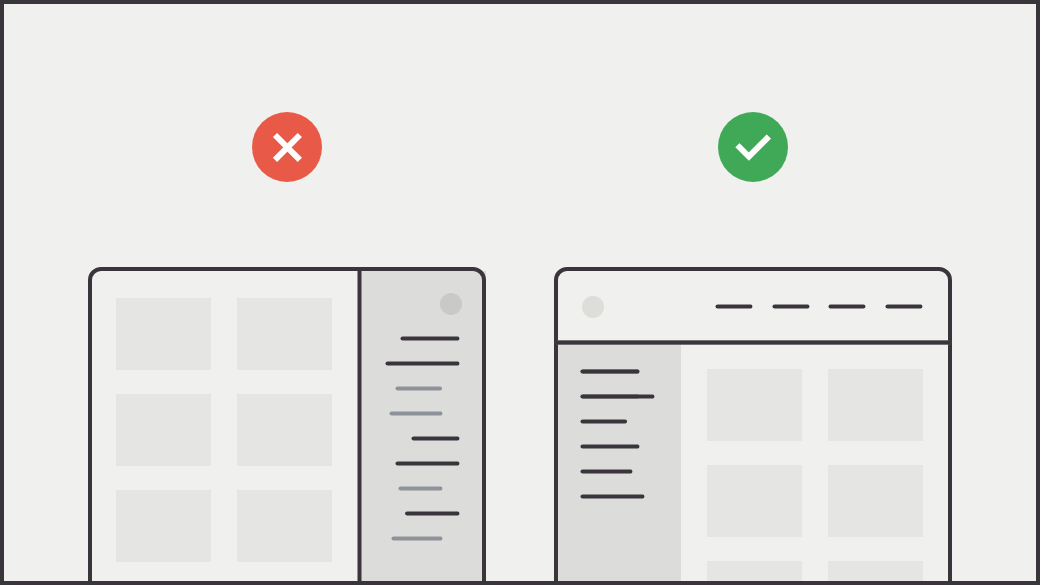
Unnecessary sidebars

Source: Prototypr

On-page navigation via a sidebar provides links to related content or provides pathways for a deep content dive.

What’s the issue?

With unnecessary sidebars, some of your most valuable content can quickly become inaccessible. Remember, clicks are valuable. You risk losing potential customers if users have to click around to find the content they are after. 

In addition, if your website’s on-page menu changes once a link is chosen, your site users can end up feeling lost and confused while trying to navigate your content. 

And finally, in many cases, many sidebar menus are not adequately designed for interacting with content through mobile devices, affecting the responsive design of your site.

A better way 

Source: Craigslist Redesign by Aurélien Salomon for Orizon

Instead of having important content buried in a sidebar, combine similar content together onto one long page. Your website visitors are naturally conditioned to scroll.

A nudge to scroll provides a handful of other benefits:

  • It delivers content more quickly because there is no need to wait for pages to load
  • It doesn’t require a commitment by forcing users to choose a button — or pick between multiple buttons — and abandon their current page
  • It allows visitors to digest information at their own speed

Besides providing a scrolling option, try using a drop-down menu design pattern that passes usability testing with flying colors and creates an enhanced user experience, guiding the user journey in the process.

Examples:

Distracting auto-play videos

Source: Fit Radio

Auto-pay videos use sights, sounds, and moving imagery in an attempt to create emotional connections with site visitors.

What’s the issue?

Auto-play videos can trigger your site visitors to experience dizziness and nausea. And if that auto-play video is accompanied by sound, it can be loud and confuse your website visitors.

Videos assume that your site users can see. They can have a negative physical impact on those sensitive to movement and ultimately limit the accessibility of your website.

In addition, large video files can slow down site speed, impacting the overall UX of your website and your site’s Core Web Vitals, which now affect where you end up in search engine results. 

And finally, videos tend to distract your site visitors, grabbing more of their attention than you intended. They do not support the immediate consumption of information.

A better way 

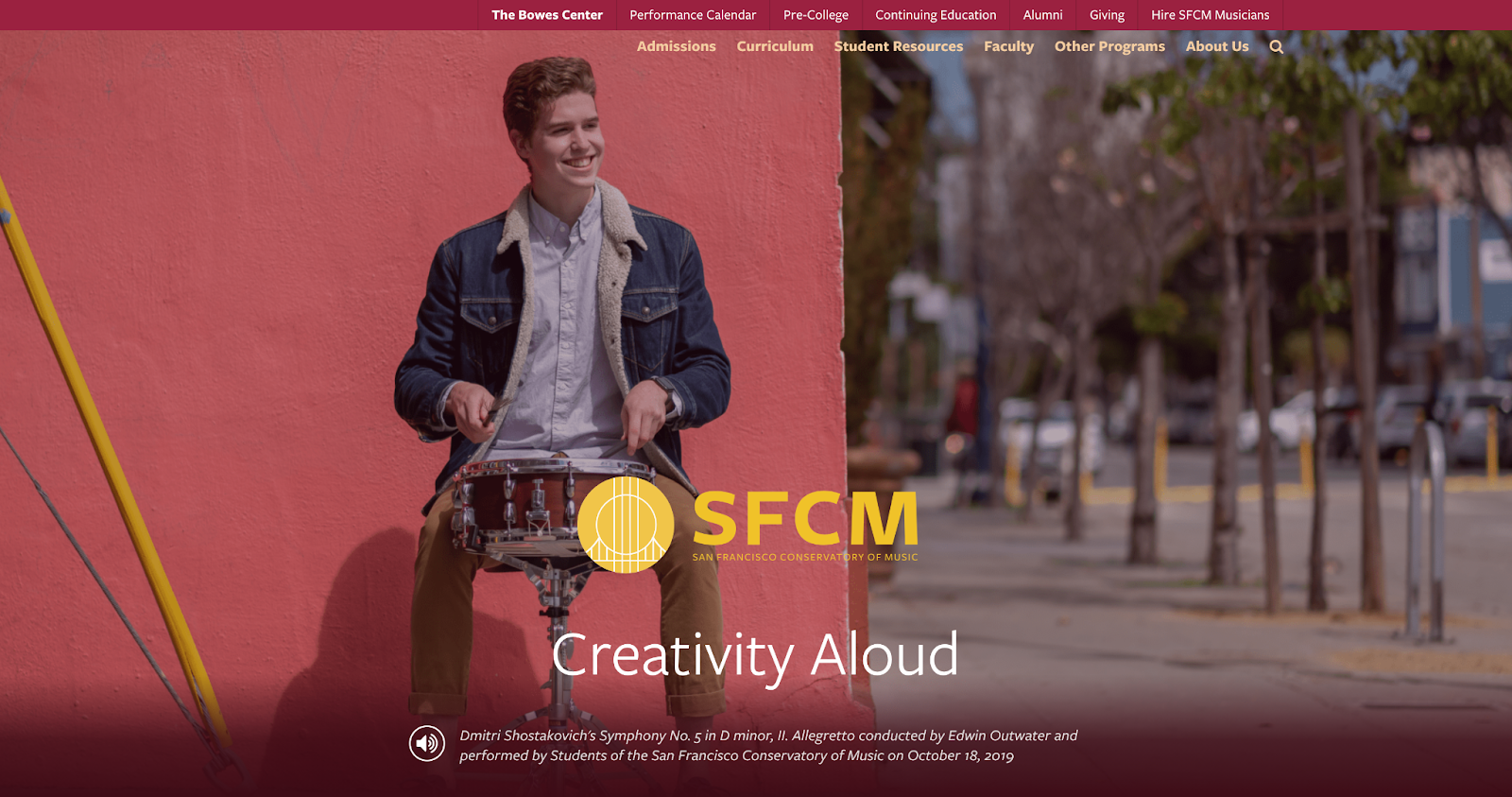
Source: San Francisco Conservatory of Music 

Video and sound content is helpful only if your site visitors have control over it, fully understand what’s contained within it, and are provided with an alternate way to access it. 

Give your website visitors the ability to decide how they interact with the video and sound content on your site by literally putting the controls on the video area for an improved user experience. 

Too many buttons

Buttons are a common UX design feature for ensuring your site visitors have all the available options at their fingertips.

What’s the issue?

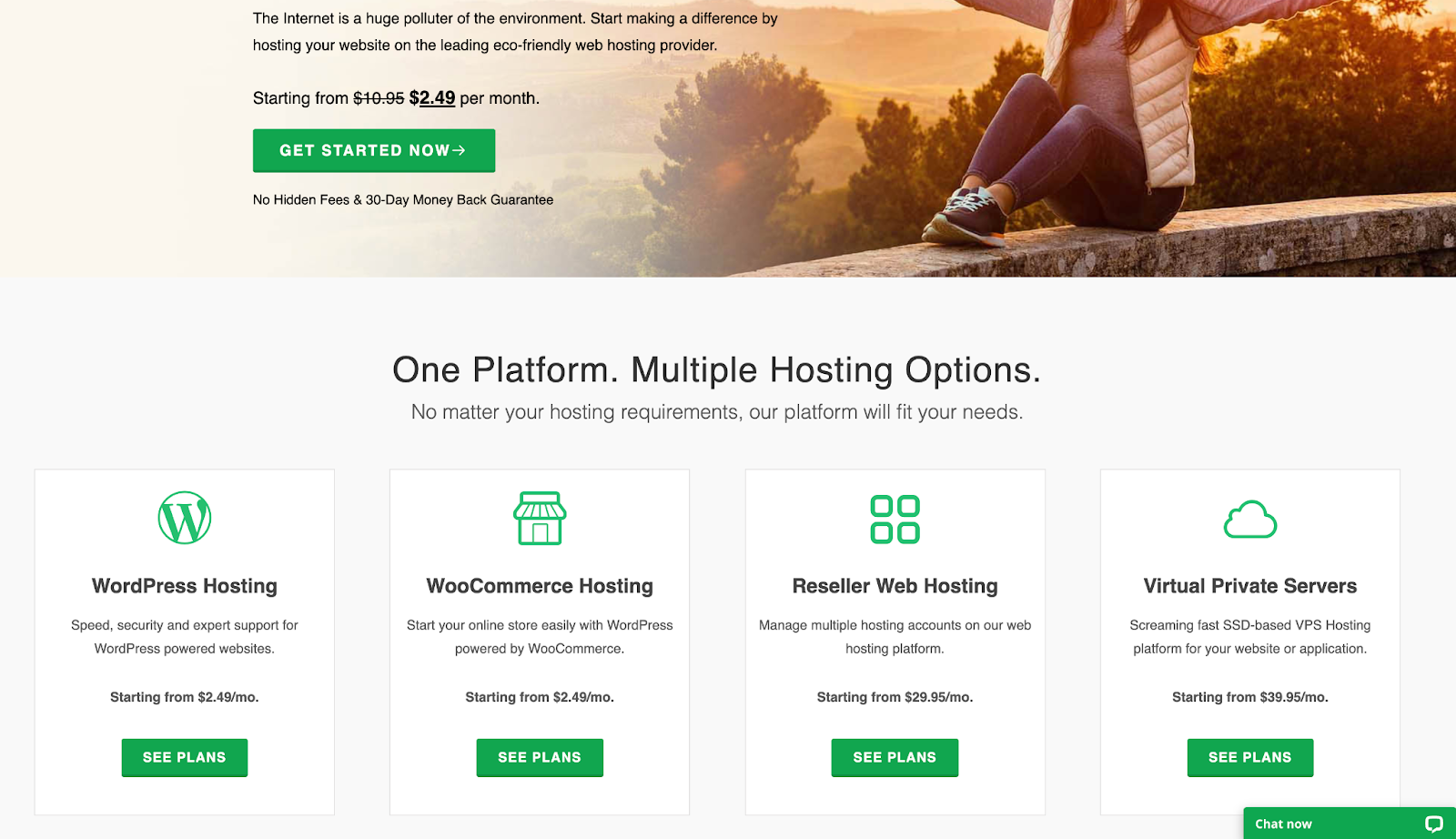
Source: Green Geeks 

We aren’t against the use of buttons, but too many buttons can harm. If you force too many options on your site visitors, they may opt for the path of least resistance – to leave your site. 

Too many buttons competing for the attention of site visitors makes it difficult for the user to focus on individual pieces of content on your website.

A better way 

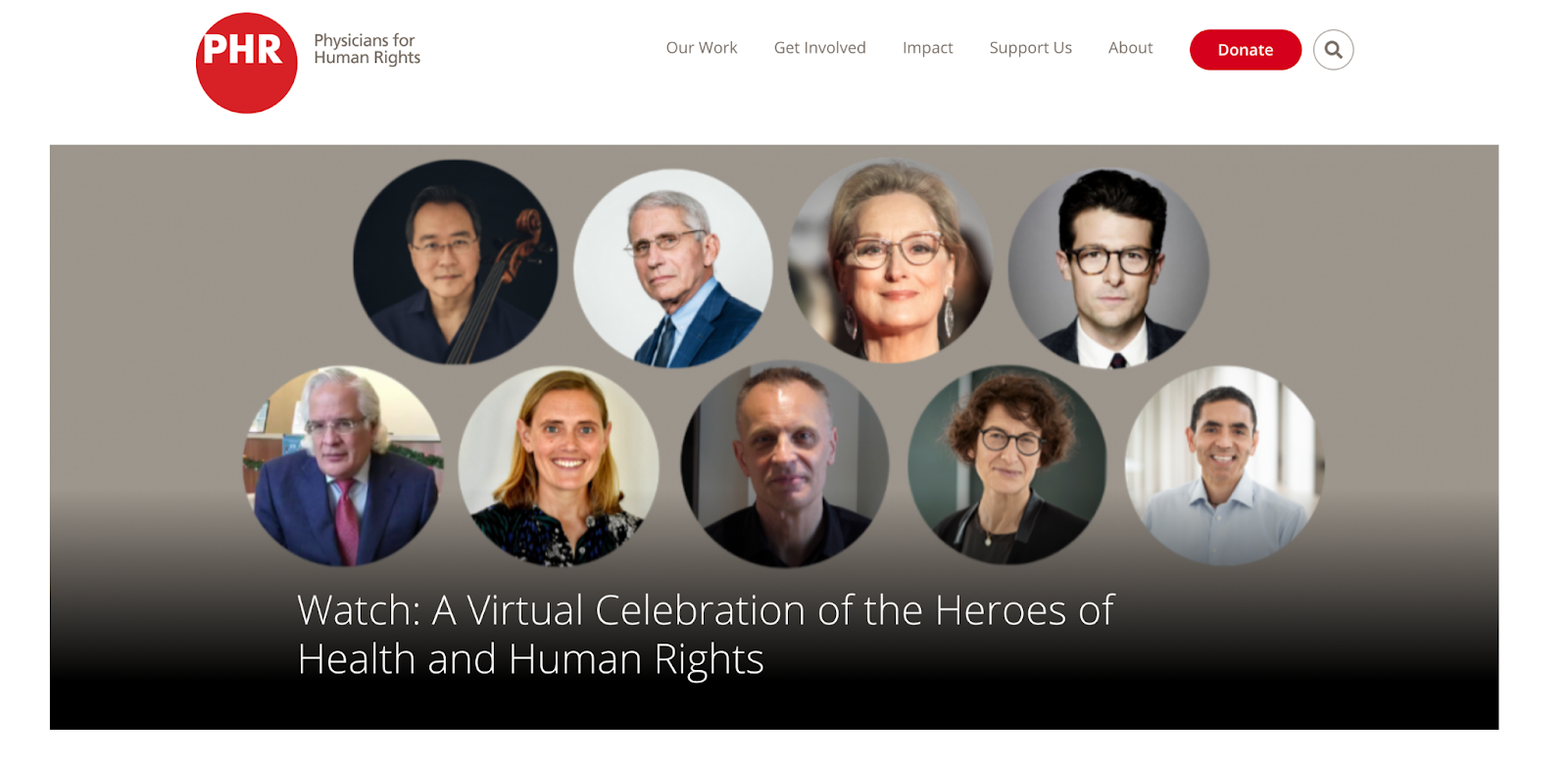
Source: Physicians for Human Rights 

Less is more when it comes to great UX design. Focus on making your main call-to-action (CTA) as straightforward as possible and make it easy to find with one stand-out and consistent button design. If you have secondary CTAs, use a smaller, less flashy button or link design.

Prefer to see this in a video?

I presented this talk at the NTC Conference in March 2021 and provided a bit more information. Check it out.

Avoid these common UX mistakes to make your site a joy to navigate   

Building a sustainable website that’s delightful to use is about catering to your users’ wants and needs while assisting you in achieving your business goals. A powerful way to ensure your site meets the needs of your users is by avoiding common UX mistakes. 

These common UX mistakes made in 2020 were first presented at the Nonprofit Technology Conference (NTC) earlier this year. You can watch the presentation in full on YouTube. 

50% Of All Big Projects Fail, including Websites. Why?

Jimmy's Photo
Jim Hoogewind

Marketing leaders have the best intentions going into an expensive and large six-figure website overhaul. However, according to the Harvard Business Review, as many as half of big projects like these are considered failures when all is said and done. And you’re left wondering…

  • Why did this take longer than I was told?
  • Why was more funding needed than was estimated?
  • Why were there so many surprises and scope changes?
  • Why do I feel so burned by the agency my team selected?

Now you find yourself facing down another big website overhaul and all the risk associated with it. How will you feel confident it will be successful this time? How will you be sure you won’t be left with heartburn and the same frustrating questions as last time?

In my 15+ years working in this industry, I’ve learned there are three key elements to ensuring a big website design and development project is successful.

Think of it like a three-legged stool…

1) Stakeholder Alignment

Performing candid and skillfully focused stakeholder exercises which tease out the goals and intentions of important leaders in your organization. These exercises force invaluable conversations, and ultimately lead to buy-in.

2) User Experience

Target audience data mitigates risk by replacing assumptions with defined needs and specific pain points. These eventually inform the site experience that’s most helpful to each audience.

3) Design & Development Planning

With stakeholders aligned and users defined, design and development planning can begin using models such as sitemaps and wireframes. Technical and functional requirements can start to be dialed in as well.

Unfortunately, most agencies focus only on one or maybe two of the legs described above, resulting in a shaky foundation to your project. But not Kanopi. We focus on and thrive at all three, and we make it fun along the way. 

We call this endeavor the Website Growth Plan (WGP). Through this proven process, we’re able to answer questions such as:

  • I know my site is not working for me, but how do I improve it? 
  • I will need to migrate from Drupal 7 to D8 or D9, but what will that budget look like?
  • How can I improve my SEO? How is my site performance now?
  • I need a new content strategy, but how can I do this properly when I am already so busy?

After taking factors (like the ones illustrated below) into account, the WGP delivers an all encompassing action plan for your website. By setting expectations early and often, this helps avoid the heartburn-inducing questions you were left with after your last website project.

Which website growth plan is right for me?

More information can be found here, but below is an overview of our various plans:

Website Reimagine

This plan is a concentration of UX research, content strategy, and a bite-sized amount of design. It helps formulate a game plan that drives clarity for the team and gets some early design thinking on the table. Plus, it is actually a wonderful use of time as it is the first step in an overall design and development project, as the deliverables include a roadmap to launch.

Usability and Design

This is a data-informed optimization plan incorporating user experience, visual design and content recommendations delivered in an actionable plan for next steps.

Content Strategy

Amplify your message through a powerful analysis of important information, including user needs, competitor analysis, personas and Customer Decision Journey mapping — from Awareness to Advocacy. This plan focuses on storytelling content, user experience, visual design recommendations, and more.

Drupal 7 Transition Plan

You should feel secure planning and budgeting for the transition from D7 to D8/9 or to WordPress. This plan removes the “unknown” and illuminates the details for your organization to make an informed decision and take action on next steps.

Technical SEO

This is a deep-dive to analyze your website’s SEO technical health and set you up for search engine optimization success.

GDPR & Compliance

The General Data Protection Regulation (GDPR) is a legal framework that sets guidelines for the collection and processing of personal information from individuals who live in the European Union (EU). This plan gets you compliant.

Accessibility

Reach your audience and meet compliance with Website Compliance Accessibility Guidelines (WCAG 2.1 AA or higher) through a skillful analysis and recommendations action plan.

Technical Review

A comprehensive technical deep-dive into your site’s code and technical health to provide foundational recommendations for optimization and stability.

And if one of those doesn’t quite fit? Don’t worry. Our nimble nature finds us creating custom packages for our clients to best meet their needs. Contact us to chat about which plan is the best fit.

Kanopi Team

Creating a Digital Strategy for Nonprofits – Made Simple

In 2019, total online nonprofit revenue grew by 10% and is predicted to only continue rising.

The online world is rich and full of information. From watching Netflix to exploring your Instagram feed to looking up dinner recipes, there seems to be no end to the internet content available.

With such a truly saturated space, your nonprofit needs a focused and comprehensive digital strategy if you want to reach supporters in meaningful ways and increase fundraising for your mission. Otherwise, your message can get buried and you risk losing sight of your goal.

The best digital nonprofit strategy likely spans multiple tools and marketing outlets. Creating this type of strategy can seem intimidating, especially if you’re not aware of how those tools and outlets support each other. This guide will dive deep into not only exactly what a digital nonprofit strategy is, but also how to best create one for your organization and some top tips to maximize those efforts.

Table of Contents

What Is A Digital Nonprofit Strategy?

Your nonprofit organization likely already depends on a few key tools to reach and engage your supporters. Your online donation platform facilitates gifts, your content management system (CMS) helps you create a beautifully designed website, and your marketing tools promote upcoming campaigns and engage donors. 

However, it’s not enough to just have an arsenal of working tech. In fact, it takes careful planning and coordination to ensure that your tools and marketing strategies not only work together but also support each other. That’s where your digital nonprofit strategy comes in.

In simple terms, your digital nonprofit strategy is a focused plan that takes action on your fundraising and donor engagement goals through digital marketing methods.

Your overarching nonprofit goals, any budget constraints, and the technology you have all impact your digital strategy. This strategy then informs your online marketing efforts, with the two working together to maximize your nonprofit’s impact. 

The common tools and marketing channels nonprofits use for their digital strategy include:

  • Nonprofit website – Your website is an increasingly important part of your nonprofit digital strategy. Your nonprofit site centralizes your online engagement and is likely the first place supporters will look when they want to find out more about your mission and any upcoming events or campaigns. It’s also where donors give! How you design your website and the content you add to it is crucial in your digital marketing efforts.
  • Online fundraising solution – This is how you accept online gifts from your supporters. It’s important that the tools you use accurately capture donor data and protect their sensitive information.
  • Email/text communications – Sending your supporters marketing materials, whether through email or text, is a popular way to get the word of an upcoming campaign out quickly. Use your communication tools to further relationships with donors by sending them personalized messages, donor thank you letters, and other targeted content.
  • Social media content – More and more, people are finding out about exciting events and nonprofit efforts through social media content. Because of its easy shareability, it’s a great way to not only reach your current supporters but also expand your audience. Encourage your followers to repost your content and thank them publicly for it on the platform!

One of the great things about your nonprofit digital strategy is that it naturally depends on tools and is generating valuable data. You can reference this data to continually refine your digital strategy and reach your target audience in more meaningful ways.

Steps To Creating A Nonprofit Digital Strategy

Your nonprofit digital strategy is unique to your organization, goals, and audience. These are some common steps that all nonprofit leaders will generally follow:

1. Determine overarching nonprofit goals

The first step to creating a successful nonprofit digital strategy is to establish your goals. This is the foundation of your entire strategy each engagement and decision your nonprofit makes should be with your core goals in mind.

To begin brainstorming, consider these questions. Do you want to:

  • Raise a certain amount of money?
  • Increase awareness of your mission?
  • Grow your audience or base of supporters?
  • Increase a specific audience profile?
  • Generate new leads?

Once you have a general idea of the goals you want to accomplish, it’s time to make them actionable. Start by:

  • Identifying gaps in your current nonprofit digital strategy and consider how you might tackle them for your updated strategy.
  • Analyzing data in your database to find a quantifiable target for your overarching goals. For instance, look at past successful fundraising campaigns to gauge what a realistic goal may be this time around. 
  • Brainstorming the technology that will play a role. What digital tools and marketing outlets will you be using?

Determining your goals is crucial to guide your nonprofit digital strategy and to provide insight into the choices you’ll make. Make sure your goals are specific and actionable, with clear targets and ways to measure success.

2. Define audience and web personas

If you want to make the most of your nonprofit digital strategy, you have to become familiar with the audience you’re trying to reach. 

Start with reviewing your past data to learn more about how your existing audience engages with your nonprofit. Looking to your website, Google Analytics, CRM, and email marketing metrics can give you clues into the types of supporters that engage with you online and the content that they best respond to. For instance, if past donors heavily engaged with your Instagram posts, then that’s worth noting when creating your new digital strategy.

You can use this same data to create audience or web personas. Web personas are detailed profiles of your nonprofit’s target audience. Your organization will likely use more than one web persona to account for the different types of people who support your nonprofit. With a clearly defined target customer in mind, it’s much easier to tailor your digital content to speak directly to them.

To create web personas, you need to:

  1. Research your audience. Some key audience details to take note of are age, location, income level, interests/activities, and donor behavior.
  2. Document and organize information. If there are common data points, begin grouping them together to start creating a persona. This could by interests, needs, preferences, age group, corporate match eligibility, and more. How you segment your own supporters will depend on your unique organization and goals.
  3. Bring personas to life. It’s easier to create targeted marketing content for a persona when you think of them as real people. Consider giving your audience personas a name with a visual/face that matches their general description.
Here's an example of a web persona for a nonprofit digital strategy.

When creating web personas it’s helpful to get as detailed and specific as possible. The above image is an example of how you might organize the details in a web persona and determine the best way to connect with that audience. From there you can produce website content and other digital materials catering to each persona, creating a more engaging and personalized user experience.

3. Consider any constraints

As you develop your digital nonprofit strategy and set your goals, you also have to consider any constraints. While it’s nice to think that the sky’s the limit, it’s often unrealistic and can set your strategy up for failure.

These might not all apply to you, but here are some of the common constraints to keep in mind:

  • Financial budgets. Consider how much you can spend when it comes to developing, implementing, and executing new digital marketing and fundraising strategies. 
  • Technological constraints. What is the current state of your organization’s technological infrastructure? 
  • Timing. Is the timing of the digital strategy aimed towards a certain date, such as Giving Tuesday, or an anniversary?
  • Staffing and labor. Is your current team enough to handle everything when it comes to your digital nonprofit strategy? Remember, you can also turn to volunteers or even a tech consultant for additional staffing.

4. Invest in the necessary tools

If you’re looking to really bring your digital nonprofit strategy to the next level, you might have to invest in a new tool or platform. The internet is always changing, with new ways to engage online popping up all the time. It’s worth it to review your current processes and make sure that it’s meeting the needs of your growing nonprofit and supporters. 

Today, nonprofits see their digital engagement with supporters occur in these locations:

  • Nonprofit website
  • Online marketing campaigns
  • Social media activity
  • Email marketing campaigns

Is your current nonprofit solution doing all it can for the above channels? Consider the gaps in your toolkit or ways your tools could work better together. For example, let’s say your digital nonprofit strategy’s focus is social media and peer-to-peer engagement. Do you have all of the necessary accounts and fundraising tools you need?

Or, let’s say you’re pushing corporate giving. Does your organization have the appropriate tools in place to promote matching gifts and drive more match requests to completion? This might mean embedding an employer search tool into your donation form for donors to research their eligibility or enabling autosubmission tools to let donors automatically submit requests to employers post-donation.

Often, nonprofits seek the help of a nonprofit technology consultant at this stage. The right consultant can perform an audit of your nonprofit’s current tech solution and make suggestions. If your website no longer supports your growing organization, a consultant can help upgrade your current CMS platform or optimize it with extensions.

5. Align your messaging and content

Now that you have concrete goals and the tools to carry them out, it’s time to think about your marketing content. This is the voice of your nonprofit digital strategy and helps tell your story.

When it comes to the story you want to tell, you not only have to be true to your mission but also figure out how to tell it in easily shareable and digestible bites. Short, but emotionally investing, stories are much more likely to resonate with supporters and reach new prospects via reposting and sharing.

The content of your digital strategy should address your audience first. Remember how we defined the audience and developed personas in an earlier step? This data can now be used to personalize the messaging and content to each persona group.

For instance, consider the persona of a completely new supporter. Let’s imagine them stumbling upon your nonprofit website. To immediately connect with them through your content, consider embedding a high-quality image within your homepage of the community you help, along with some quick stats about why they are in need. This can capture the visitor’s attention and introduce them to the most immediate goals for your organization. 

6. Consider the channels you use

You already know that the most important digital channels to your nonprofit digital strategy are your website, social media accounts, email campaigns, and any other online advertising. 

But how do those channels work together?

  • Your nonprofit website is the central hub for your digital strategy. It can connect supporters to your email list, social media accounts, and is where they can give online. Your website needs to be well designed, informative, valuable, and fully integrated with your other online fundraising and CRM platforms.
  • Social media platforms are great for reaching wide audiences. Consider where your current supporters are most active online and focus on those few platforms to promote any upcoming campaigns, advertise blog posts, and share fun, but relevant, videos or viral challenges. Try to post content that encourages supporters to share it with their own network.
  • Email marketing is an essential part of your nonprofit digital strategy. Not only can you use it to reach a wide number of people at once, but you can also even create segmented email lists to cater to more of your specific audience personas. Make sure to track open and response rates to determine which email outreach tactics work best.
  • Online advertising and other digital marketing strategies are important for increasing visibility. This can include online ads on different websites or links back to your organization from other reputable charity organizations. This can also involve SEO techniques that help boost the visibility of your website and blog posts during organic internet searches.

7. Measure campaign’s success

The last thing you need to determine before you start employing your digital nonprofit strategy is how you’re going to measure success. This should have been outlined during the goal-setting stage, but you can take it to the next level with some key tools.

For instance, use your nonprofit tech solution to compile reports and compare metrics based on the combined data from all of your tools and marketing channels. What types of data points and metrics should you look at? Here are some of the top ones:

  • Completed donations
  • Volunteer applications
  • Email subscriptions
  • Pledge signatures
  • Email open rates
  • Email response rates
  • Website bounce rate
  • Online donation page bounce rate

Compile reports on these metrics prior to the campaign and after. This gives you a direct look into how your digital nonprofit strategy impacted and helped your organization.

5 Tips to Make The Most Of Your Nonprofit Digital Strategy

The best digital nonprofit strategy is data-based and audience-centric. While how you make the most of your own strategy is dependant on your organization and mission, here are the top tips that can help all nonprofit leaders:

  1. Optimize for a mobile experience. Did you know that roughly 1-in-5 American adults are “smart-phone only” users? At every touchpoint in your digital nonprofit strategy, it’s crucial that you consider how this may look on a mobile device. Otherwise, you’re missing out on some key opportunities.
  2. Use email appeals. Even as new technology and platforms arise, email is still the best way to reach your supporters online. Make sure that donors are aware of your email list and embed forms for users to opt-in on your website, social media accounts, and other relevant places. And don’t be afraid of being aggressive with your send schedule; data shows that while people may grumble about getting too much email, they still open, read, and interact with it.
  3. Personalize messaging. Whenever you can, you should make your marketing content and messaging as personalized as possible. This is most used in email marketing, but can be implemented with text messaging and even within your website. For instance, consider creating specific landing pages for each of your audience personas to better target their needs.
  4. Inbound marketing techniques. This involves all the ways you make it easy for supporters to find your nonprofit and is much more subtle than outright contacting them. For instance, creating educational blog posts, hosting events, implementing search engine optimization, and sharing social media posts are key inbound ways to build brand awareness. The more people see and recognize your nonprofit, the more likely they want to find out more and support your cause. Remember to always include a link to your nonprofit website and other specific landing pages so that supporters know how to take action if inspired.
  5. Partner with a nonprofit tech consultant. Sometimes, partnering with a nonprofit tech consultant is the best method of truly optimizing your digital strategy. The right agency should work closely with your organization to become familiar with your goals, your audience, and current technology solution. Then, they can provide their expertise when it comes to optimizing that solution for your nonprofit’s needs.

If you think a nonprofit technology consultant is what you need, explore our own services to see if Kanopi is right for you.

How Kanopi Can Optimize Your Nonprofit Digital Strategy

A crucial component of any nonprofit digital strategy is the website. It’s the centralizing factor of almost all of your online engagements and where donors can make gifts. As a top partner for nonprofits, we at Kanopi Studios have helped develop over 150 active sites.

When you partner with us, we don’t just develop, maintain, and support your nonprofit website (though we are experts at it!). We like to think of ourselves as extensions of your organization. With thorough research and data analysis, we dive deep into your unique online audience and provide specific suggestions based on carefully crafted web personas.

We take a continuous improvement approach to website maintenance, as smaller and consistent fixes tend to be more beneficial to your website health than large systematic updates that only happen once a year.

Along with this, we also provide a website growth plan to help you make the most of your online presence even when our partnership is over. We don’t just set up your website and hand over the reins — you’ll get specific and customized next steps as to how to increase conversions and further expand your online platform.

Here are some more of our top services for nonprofits:

  • User-focused approach to content strategy, design, and site development.
  • CMS development for Drupal, WordPress, or Mukurtu.
  • Extensive research on nonprofit’s goals, missions, and audience.
  • Accessibility and compliance consulting.
  • Technical SEO optimizations.
  • Updated knowledge on relevant privacy laws and legislations, like whether California’s CPAA affects your organization.
  • User persona creation to map your supporters’ journeys once they visit your site.
  • Staff augmentation to provide extra help when it comes to design or development tasks.

Don’t forget SEO! We gave a webinar about it.

Interface of the ON24 webinar platform showing Lauren Chervinski hosting her webinar about SEO.

Ready to Boost Your Website’s Performance Without the Overwhelm? A must-attend webinar for business owners, marketers, and anyone looking to make SEO work smarter, not harder. Lauren Chervinski gave a webinar focused on SEO called “SEO Survival Kit: 5 Steps to Thrive Now and in the AI Era .” (47 minutes)