
Maintaining a strong website requires precision, collaboration, and expertise, from safeguarding data to ensuring accessibility and compliance with industry regulations. For many mission-driven, healthcare, and corporate teams, hiring an outside agency for a large website build can feel risky, especially if past experiences led to sites that didn’t meet their needs or felt disconnected from their mission. Their biggest fear is that they’ll end up with a site built in a way their internal team won’t be able to edit, support, or extend on their own.
To avoid these challenges, many organizations turn to staff augmentation to get the support they need while retaining control of the development process. It allows internal teams to maintain their autonomy while gaining the extra hands or niche expertise—like Drupal development or ADA compliance—needed to bring a website to life.
This guide explores the benefits of staff augmentation for website support and how Kanopi Studios integrates with your team to help you achieve your most ambitious digital goals.
What is staff augmentation for web teams?
Staff augmentation is an outsourcing strategy in which an organization temporarily hires external specialists to supplement its in-house web design, development, and marketing team.
4 key benefits of the staff augmentation model
Instead of outsourcing an entire project, staff augmentation provides targeted support where it’s needed most, whether that’s design, development, accessibility, or ongoing maintenance.
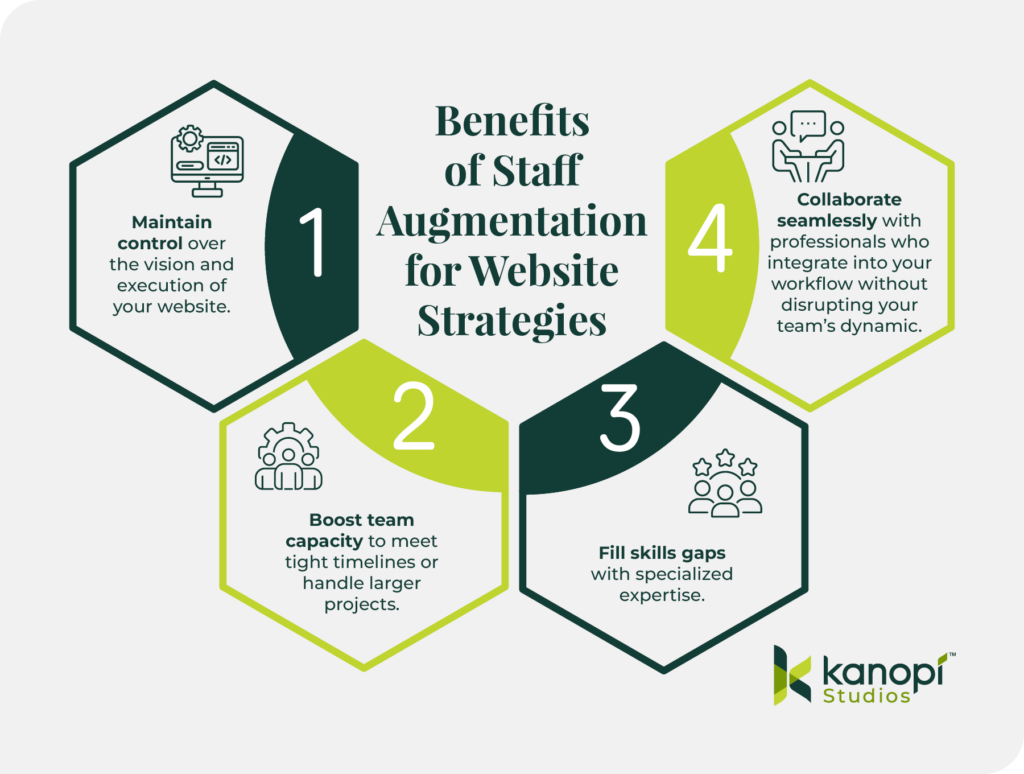
It’s a model that offers important benefits for teams, allowing them to:
Maintain control over your website’s vision and execution.
Boost team capacity to meet tight timelines or handle larger projects.
Fill skills gaps with specialized expertise, such as compliance with ADA accessibility standards or HIPAA regulations.
Collaborate seamlessly with professionalswho integrate into your workflow without disrupting your team’s dynamic.
At Kanopi, we’ve been offering staff augmentation and support for years, assisting clients under pressure to deliver high-quality websites that serve users, staff, and stakeholders alike.
How Kanopi Studios integrates with in-house teams
Kanopi’s web specialists understand the stress created by aggressive timelines, resource constraints, and knowledge gaps. “Nimble” is one of our core values, and offering seamless staff augmentation is one of the many ways we embody it. We’ve successfully partnered with clients and other agencies to help them achieve their website goals. We love the challenge of blending our skills with client teams to help your internal staff perform heroic feats for your end clients.
Here are a few examples of ways we’ve supported clients and their in-house teams:
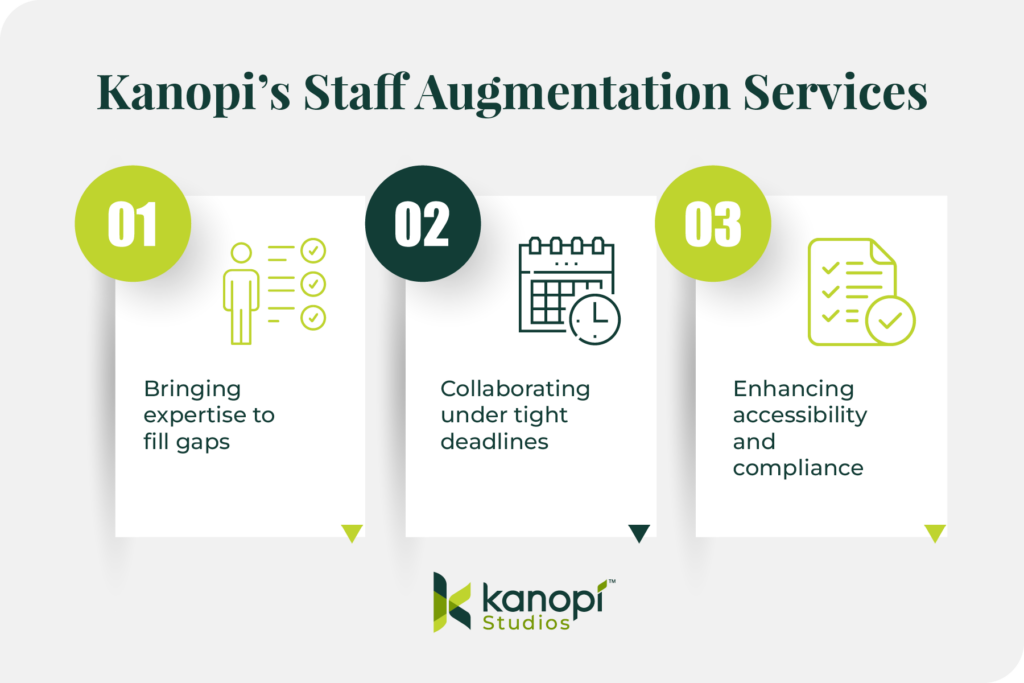
Bringing expertise to fill gaps: A Fortune 50 company brought us in to develop custom Drupal modules, create secure API integrations for PPI compliance, assist with designs, keep projects on track, meet deadlines, and maintain high-quality standards.
Collaborating under tight deadlines: When a hospital system’s in-house team was stretched thin during a major redesign, we stepped in to handle development work. We delivered on time while staying aligned with the team’s goals.
Enhancing accessibility and compliance: A nonprofit provider needed updates to ensure its site met accessibility and HIPAA compliance standards. Our specialists joined their internal team to address gaps, ensuring the site was compliant, user-friendly, and patient-focused.
Examples of staff augmentation for website support
Through our robust website support services, we assisted the following organizations and their in-house marketing and web strategy teams.
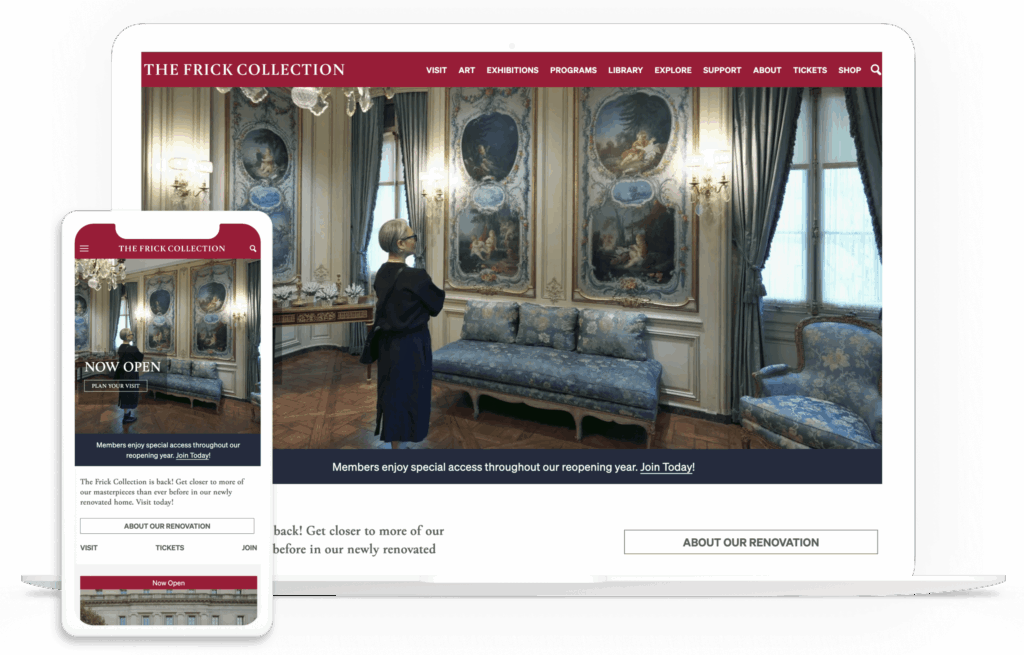
The Frick Collection is a world-renowned museum and cultural institution located in New York City. The Frick website was suffering from outdated digital architecture and a rigid user experience.
We worked with the Frick Collection team to help them:
Migrate to a newer version of Drupal
Implement WCAG 2.1 AA compliance
Modernize the media uploading process
As a result, the Frick team can now manage their website much more efficiently, with simplified landing pages, enhanced workflows, and strategic automation.
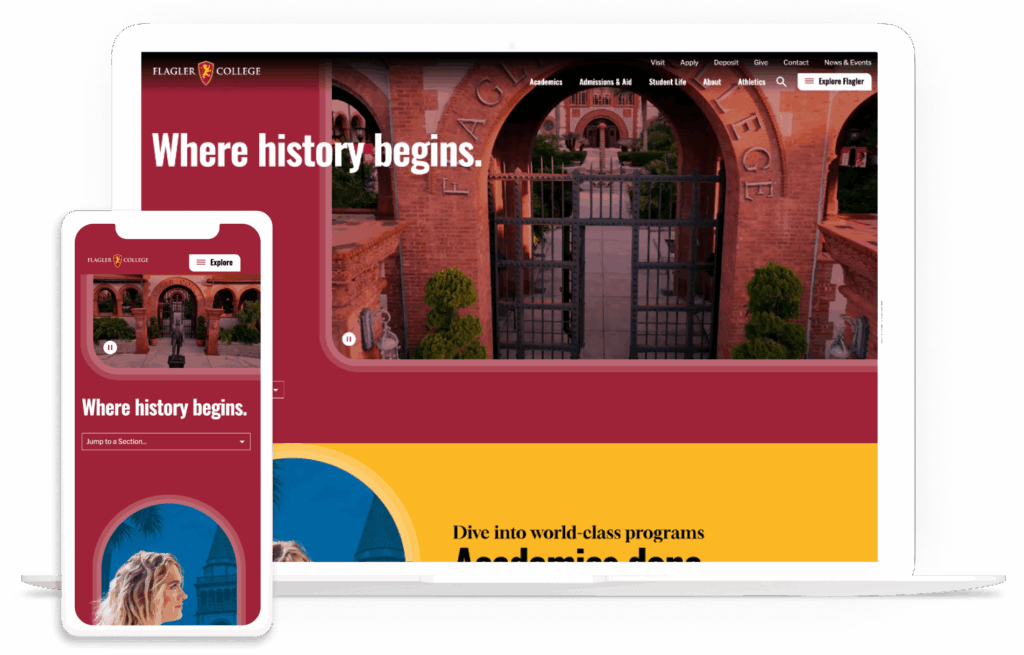
Flagler is a liberal arts college in St. Augustine, Florida. The Kanopi team conducted discovery work with Flagler and found that users were confused by the navigation experience and struggled to find information about programs and financial aid.
By collaborating closely with Flagler, we were able to:
Enhance storytelling through visual cues like animations and color changes to highlight essential information
Improve the internal search experience with a user-friendly interface
Define clear user journeys using content that encourages exploration and engagement
Now, Flagler’s website has a fresh, modern design with improved page load speeds and navigation, creating a positive experience for all visitors.
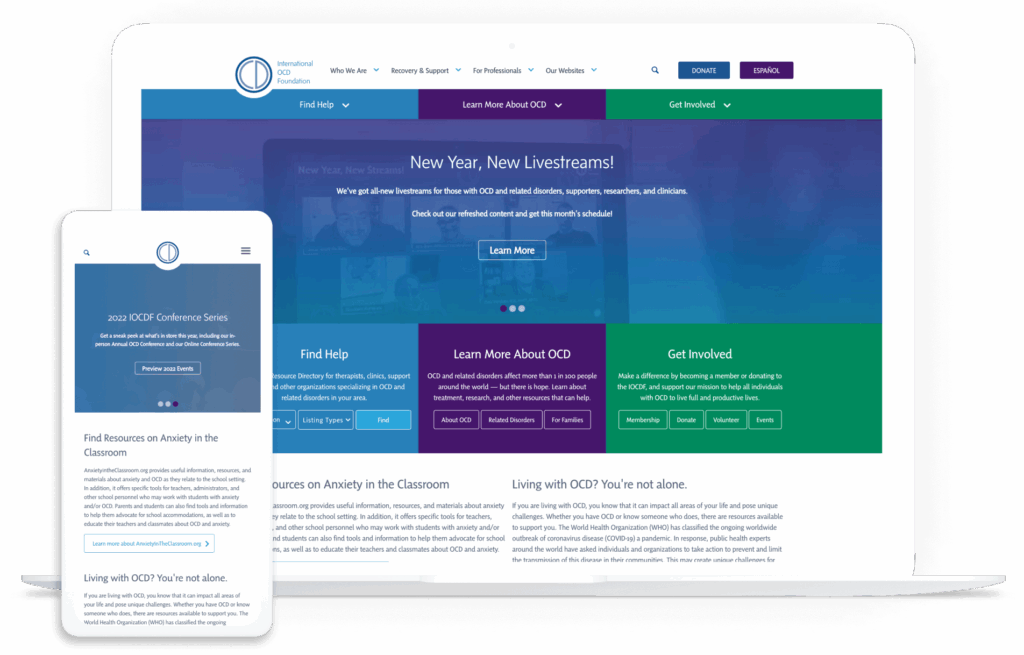
The IOCDF supports people with obsessive-compulsive disorder (OCD) by connecting them to resources and conducting research. The team at IOCDF wanted to expand their website’s services and modernize their resource directory to better serve their audience.
Through our partnership with the IOCDF, we were able to:
Create a new, dynamic, scalable directory with a completely updated user journey
Develop an interactive map to clearly display information about programs and therapists
Empower the IOCDF team to update content quickly, easily, and independently moving forward
Our collaborative approach led to a website that gives both visitors and the IOCDF team a smooth user experience.
Is staff augmentation your best move?
Take this short quiz to find the most efficient way to scale your team and meet your deadlines.
Is Staff Augmentation Right for Your Team?
Answer 6 quick questions to see if external expertise is the key to your next project’s success.
Question 1 of 60%
Ready to bridge the gap?
Our experts integrate seamlessly with your team to ship high-quality work faster.
Even with a dedicated internal team, there are times when an extra set of hands or a niche skillset makes all the difference. If you have the vision but lack the specific technical hours to execute, staff augmentation is your most efficient path forward.
The Kanopi team is here to collaborate with your team, help you overcome resource challenges, and build a website that meets your current and future goals. Contact us if your latest project can use consulting services or assistance via our full spectrum of web services.
We recently came across a very interesting blog post from our friends at Orbit Media on a subject we’ve actually wanted to cover for a while now: the average website lifespan.
They discovered that the average lifespan is two years, one month. That’s it.
A low bar, indeed.
They also point out that you can extend your website’s lifespan well beyond two measly years by following some established best practices. This is something we know about first hand here at Kanopi.
In fact, we’ve found that the websites we build for our clients regularly last 10 years or more.
So what’s our secret sauce? It comes down to two things:
how we define support, and
how we provide that support.
Both of these are based on years of experience and focus on a complete process that leads to steady improvement and intentional growth.
We focus on setting clear expectations from the start, ensuring clients understand the purpose, share our mindset, and are fully on board. It’s not just about making updates; it’s about bringing marketing, design, and development together so every change has a real impact.
In fact, it’s been a core part of how we work for so long that we see it as more than just a methodology. It reflects our mindset as an agency. And it’s the #1 reason the websites we build for our clients enjoy the longevity that they do.
If you’re curious to learn how we help clients build websites that last five times longer than the industry average, it starts with these steps:
We begin with both qualitative and quantitative research. Every project begins with qualitative and quantitative research. (If you’re unsure what the difference is or why both are equally important, check out this post.) The research we do informs our UX design and content strategy, ensuring optimal usability right from the outset — which results in fewer problems down the road and helps avoid premature obsolescence. This is why even when the budget we’re given is relatively small, we do as much research as possible with what we have. This step is far too important to omit.
We employ skilled, experienced professionals. Senior-level website designers and developers are capable of superior-quality work, faster problem-solving, and efficient project execution. This results in websites that remain performant, efficient, and relevant for years. By minimizing technical debt and ensuring adaptability, their experience and skill helps prevent costly rebuilds.
Also, we’ve found that full-time employees tend to have a more vested interest in client projects. So while we may occasionally complement our staff with contractors (who are also senior-level), our clients can trust that their projects will be handled almost entirely by full-time staff.
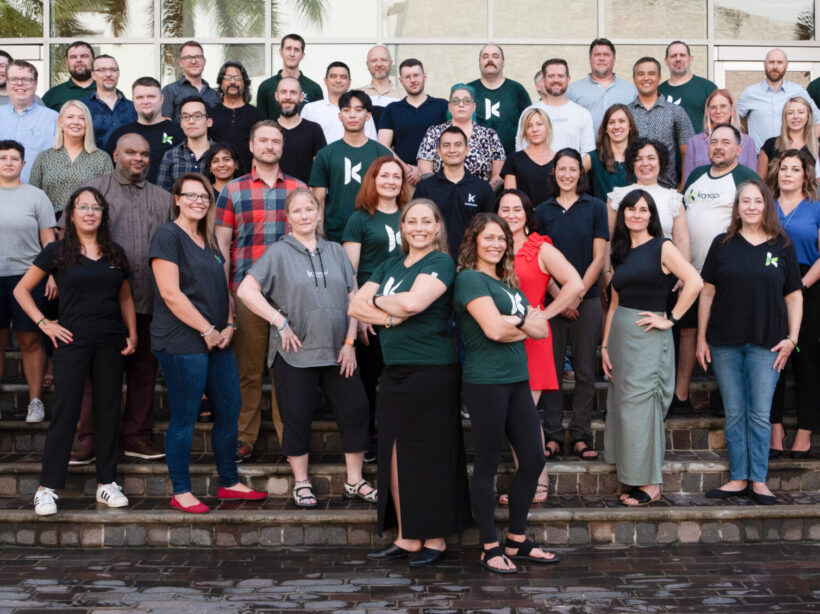
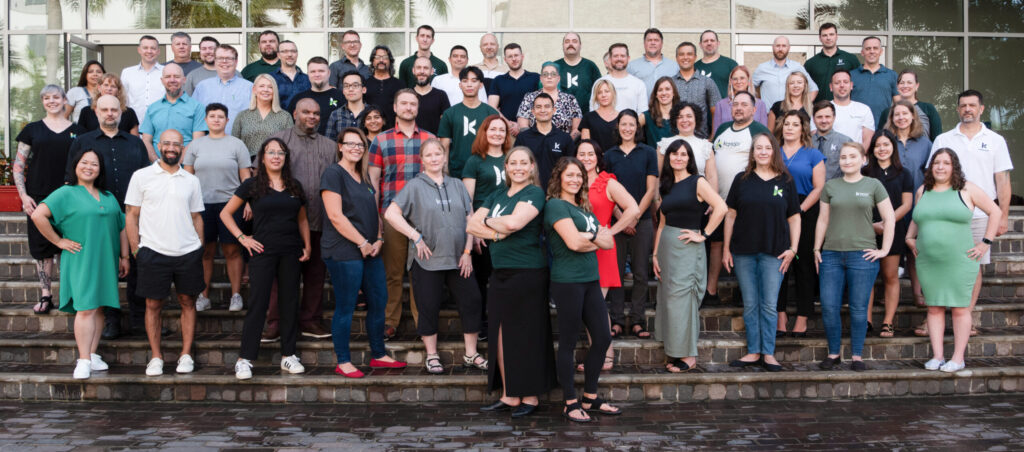
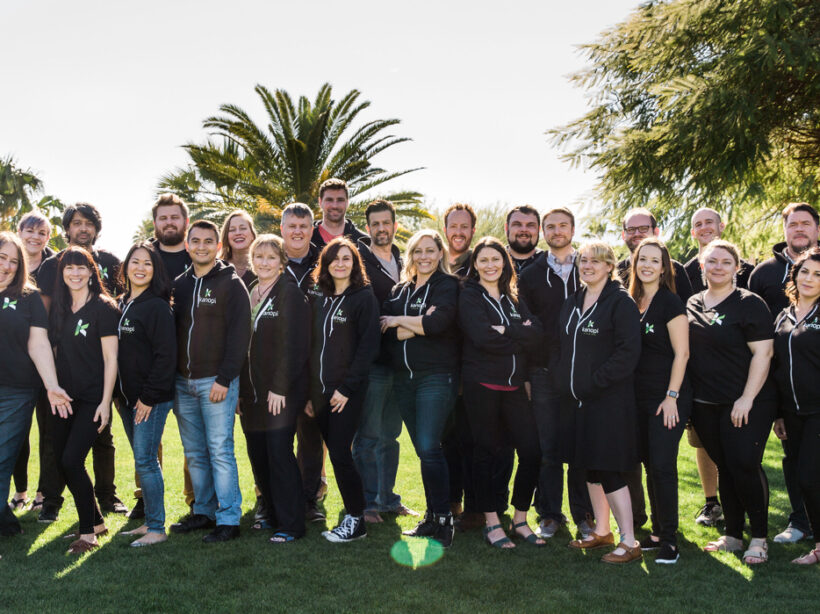
The talented Kanopi staff
Support is not the same thing as maintenance.
The word ‘support’ in our industry has come to be synonymous with technical tickets and tasks. And notifying a help desk when there’s a problem with your site, and speaking with a technician to get the problem resolved, and then forgetting about them until you need them again.
Of course, this type of maintenance work is nonetheless important and we do provide it for our clients. But it has very little to do with how we define ‘support’ at Kanopi.
It’s more than making sure the code works and the add-ons and features don’t glitch. Instead, it’s a process that involves ongoing evaluation and iteration, where we continually ask questions like these:
User Experience & Accessibility
Have user needs evolved?
Is the website fully responsive and optimized for different devices and browsers?
Are there any new accessibility standards or guidelines we need to implement?
SEO & Content
Is the content current? Are we keeping things fresh, adding interesting new content and archiving/repurposing older content that’s no longer relevant?
Are we monitoring search trends and adjusting our SEO strategy accordingly?
Are we leveraging AI tools or automation to enhance SEO performance?
SEM & Paid Marketing
Are our paid search campaigns (Google Ads, social media ads) optimized for ROI?
Are we testing and iterating on ad creatives and messaging for better engagement?
Are we using remarketing strategies effectively to re-engage visitors?
Conversion & Engagement
Are our landing pages optimized for conversions?
Are we A/B testing CTAs, headlines, and page layouts to improve engagement?
Are we analyzing user behavior to refine marketing strategies (e.g., heatmaps, scroll depth, click tracking)?
Brand & Positioning
Are we maintaining a consistent brand voice across all marketing channels?
Are we engaging with our audience through social media, email marketing, and community-building efforts?
Scalability & Infrastructure
Is our hosting environment still the best fit for our current traffic and resource needs?
Has the open source community recently invented or improved features that would enhance this website, or be a better fit than those we’ve previously implemented?
Are we monitoring uptime and performance metrics to prevent downtime?
Would implementing a CDN or other optimizations improve site speed?
Automation & Workflow
Can any repetitive development tasks (e.g., updates, testing, deployments) be automated?
Are there any new integrations (AI-Search, APIs, CRM, analytics tools) that could improve efficiency?
Performance & Security
Are all core, theme, and plugin/module updates applied and tested for compatibility?
Are there any deprecated functions or outdated dependencies that need refactoring?
Is the site loading efficiently (e.g., optimized images, caching, minimized scripts)?
Are security best practices being followed, such as firewalls, backups, and malware scans?
By revisiting these questions regularly, we ensure your digital presence continues to evolve with your users and the broader web landscape. And it helps us focus on what matters most: performance, usability and long-term value.
Conclusion (in convenient listicle form)
We didn’t actually set out to write this post as a how-to guide, but if you want to ensure your website enjoys unnaturally long life blessed with perpetual relevance, usability and neverending optimal results, these are the steps you’d need to follow:
Do your homework; include both quantitative and qualitative analytics as part of your thorough research process.
Entrust your strategy, design and development to the most deeply skilled, experienced team of professionals you can find. Bonus points if most of them are your full-time employees.
Transform your definition of support from something that happens only when problems occur into a mindset of constantly looking for opportunities to enhance and improve every facet of your site.
Simply commit to these three steps with every fiber of your being and your website is guaranteed to exceed the average lifespan by a great many years. And if that seems overwhelming, you can always partner with an agency that demonstrates their passion for website longevity by writing lengthy blogs.
So, you’ve noticed your website feels out of step. It looks dated. It’s hard to update. Or it just doesn’t reflect the heart of your mission anymore.
If you’ve noticed all this, your users probably have too. At this point you’re grappling with the eternal dilemma all website owners must eventually face:
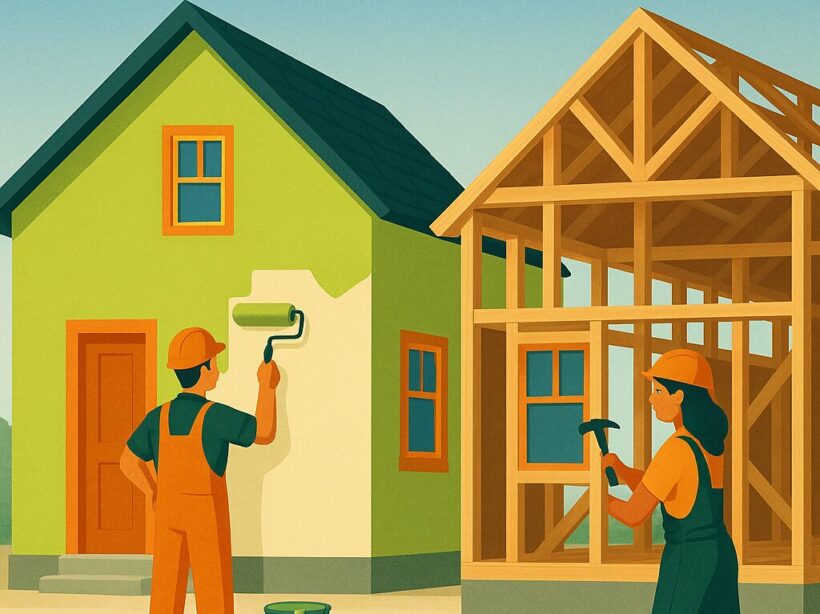
Do you give it a fresh coat of paint, or start over from scratch?
As much as we’d love to ease your mind and give you a clear-cut answer, this is one of those cases where all we can offer is the frustrating yet accurate one:
It depends.
Because it all comes down to understanding what’s working, what’s not, and how you want your site to evolve.
When a refresh makes sense
Think of it like renovating a house. You’re not tearing down walls. You’re making the space work better for the people who use it. A refresh keeps your site’s foundation intact but updates the look and experience.
This is usually the right approach when your site’s essential nuts and bolts are still in good working order, meaning:
your CMS is still supported and stable (i.e. you’re already on WordPress or Modern Drupal)
your content model is mostly holding up, and a visual and functional update are all you really need.
Common refresh improvements include:
Updating your site’s design to reflect your current brand
Reworking layouts and menus so users can find what they need
Improving conversion paths like forms or calls to action
Making the site more accessible for all users (e.g. adding alt text, improving contrast, and enabling keyboard navigation)
Optimizing for mobile and faster load times
Fixing SEO gaps or updating metadata structure to improve how your content is surfaced.
The key benefit of a refresh is that you’re not starting from zero. You’re keeping what works and improving what doesn’t. It’s a practical, cost-effective way to extend the life of your site and make it easier to manage.
However, sometimes it just ain’t enough.
When it’s time for a full rebuild
Sometimes the site has deeper issues. The platform might be outdated. The backend may be difficult to manage. Or maybe your goals have grown and the site can’t keep up.
If you find yourself dealing with any of the following issues, a rebuild is usually the right call:
you’re using a platform that’s no longer supported
the code is hard to maintain and full of legacy problems
you’re introducing new features or changing how people engage with the site
you need better integrations or personalization
you keep fixing bugs without solving the real problems
your team struggles to update or publish content
A rebuild means starting fresh. You get a clean codebase. You get to redesign the frontend and backend. Most importantly, it gives you a chance to truly rethink how the content is structured and how the site supports your goals.
It’s definitely a bigger investment that may require staff augmentation, but when done correctly, it sets you up for long-term success.
Which one is right for you?
If your platform is still working and your content mostly holds up, a refresh is often the better option. It’s faster. It costs less. And it improves the experience for your team and your users.
But if your site is slowing you down or holding you back, rebuilding may actually save time and money over the long run. A rebuild clears out technical debt and sets you up for real growth.
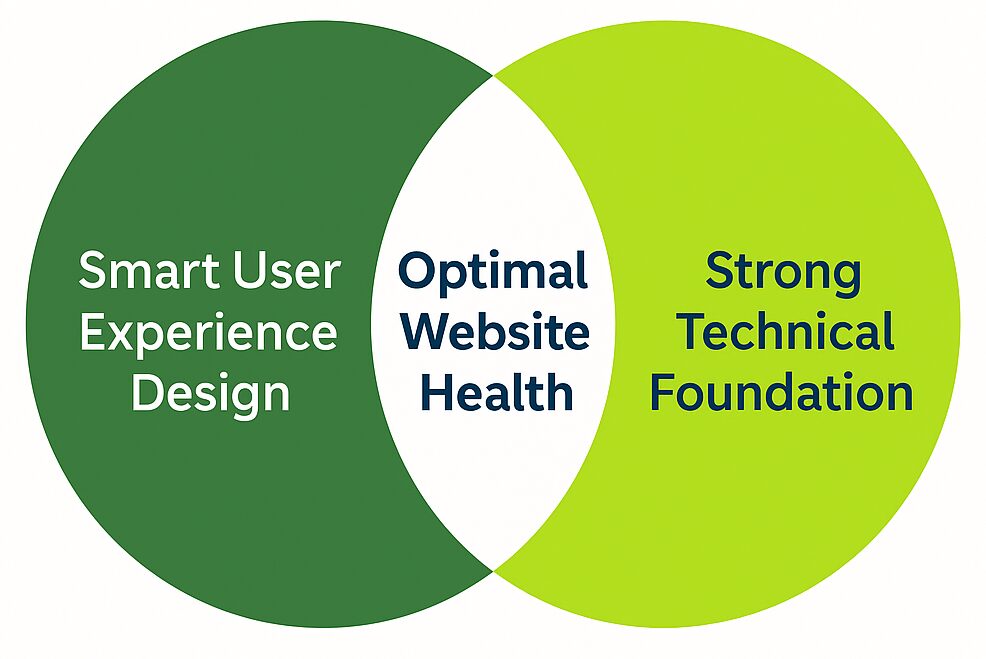
Or, to explain it in handy Venn diagram format:
Remember, the best way to avoid the damage that an outdated website can cause while saving as much money as possible is to stay focused on two things:
What your users need.
What’s going on in the backend (i.e. making sure the tech is still doing its job).
While keeping both in balance requires ongoing commitment, it will also help you stretch your site’s life and your budget.
Launching a new website is exciting for any organization. After months of planning, preparation and hard work, your new site experience is ready for all of your users to enjoy. But here’s the truth that many organizations overlook: launch day is actually the first day of your project, not the finish line.
Websites are not static; they evolve and change as your organization grows and they need ongoing attention and refinement to remain effective. If you want your website to continue to engage your audience while evolving to meet your ongoing business goals, long-term support should be part of your website strategy from day one.
Support Is More Than Just Bug Fixes and Security Updates
Many people assume website support is just about keeping the lights on with bug fixes and security updates. While these are crucial to the ongoing health of your site, a comprehensive support strategy goes far beyond the basic upkeep required to keep your site online. A successful long-term support strategy should always include:
Design Revisions: As design trends shift, your website should remain visually appealing and aligned with modern aesthetics.
Information Architecture Adjustments: Content organization and structure should evolve based on user behavior and your business goals.
UX and Navigation Enhancements: Making it easier for visitors to find what they need improves conversions and engagement.
Performance Optimization: Ensuring fast load times and smooth interactions keeps users engaged and prevents bounce rates from climbing.
Regular testing: Ensuring your site runs smoothly while identifying opportunities for further optimization.
Conversion Optimization: Regularly check CTAs, forms and other conversion points to make sure they are driving conversions.
Accessibility compliance is a moving target: Stay current on WCAG requirements and run frequent accessibility checks on your website.
With a well-thought-out support plan, your website remains a valuable asset rather than slowly declining over time.
Consider The “Afters.” Where Will Your Website Be in 12 to 24 Months?
Is it still performing at its peak? Will your content still be relevant and easy to update? Will your navigation still make sense as your organization grows? Without ongoing support, websites can quickly become outdated, difficult to navigate, or misaligned with your current business objectives. If there’s one thing you can count on in the digital world, it’s change. Your website needs ongoing care and support in order to adapt accordingly.
A well-maintained website not only stays fresh and engaging but also avoids the slow decline that plagues many neglected sites. Instead of scrambling to redesign an underperforming site every few years, ongoing support ensures continuous improvement and a fresh experience for users.
The Cost Benefits of Long-Term Support
Long-term website support can significantly extend the lifespan of your site, and reduce the need for costly redesigns every few years (we have one client whose site we’ve been maintaining for 10 years!). Instead of dealing with an expensive overhaul every three years, long-term support allows you to make strategic, iterative improvements over time. This spreads out costs, making it a more budget-friendly strategy while ensuring your website remains competitive and up to date. It also allows for the maintaining strong SEO performance and a positive user experience which means you won’t frustrate potential customers or advocates for your mission due to outdated design or functionality.
Your Website Deserves A Long-Term Strategy
If you’re considering redesigning your website, don’t just focus on launch day, think about what comes after. Ideally you’ll build your site for longevity, but additionally a long-term support plan will make your site last even longer. Partnering with an agency (shameless plug: like us) that offers long-term support ensures your website continues to work for you and remains relevant well into the future. Ongoing support is a cost-effective way for you to stay competitive, maximize your investment, and keep your website thriving—not just surviving.
When it comes to managing their digital presence, mission-driven organizations face unique challenges. Maintaining a strong website requires precision, collaboration, and expertise — from safeguarding data to ensuring accessibility and compliance with industry regulations.
For many teams, hiring an outside agency for a large website build can feel risky — especially if past experiences led to sites that didn’t meet their needs or felt disconnected from their mission. Their biggest fear is that they’ll end up with a site that’s built in a way their internal team won’t be able to edit, support, or extend on their own.
To avoid these challenges, many organizations are turning to staff augmentation to get the support they need while retaining control of the process. It allows their internal teams to keep their autonomy while getting the extra help or expertise needed to get their website across the finish line.
How can staff augmentation help your website?
Instead of outsourcing an entire project, staff augmentation provides targeted support where it’s needed most — whether that’s design, development, accessibility, or ongoing maintenance.
It’s a model that offers some important benefits for teams, allowing them to:
Maintain control over the vision and execution of your website.
Boost team capacity to meet tight timelines or handle larger projects.
Fill skills gaps with specialized expertise, like compliance with ADA accessibility standards, security needs, or HIPAA regulations.
Collaborate seamlessly with professionals who integrate into your workflow without disrupting your team’s dynamic.
Here at Kanopi, we’ve been offering staff augmentation for years — often helping clients under pressure to deliver high-quality websites that serve users, staff, and stakeholders alike.
How we partner with organizations
Clients who partner with us for staff augmentation often prefer us to sign non-disclosure agreements, so we can’t share those specific case studies. However, we can list a few non-specific examples of ways we’ve supported clients and their in-house teams:
Bringing expertise to fill gaps: A Fortune 50 company brought us in to strengthen their team with custom Drupal module development, secure API integration for PPI compliance, assist with designs, keep projects on track, meet deadlines, and maintain high-quality standards.
Collaborating under tight deadlines: When a hospital system’s in-house team was stretched thin during a major redesign, we stepped in to handle development work. We delivered on time while staying aligned with the team’s goals.
Enhancing accessibility and compliance: A nonprofit provider required updates to ensure their site met both accessibility and HIPAA compliance standards. Our specialists joined their internal team to address gaps, ensuring the site was compliant, user-friendly, and patient-focused.
One example we can cite is the UCSF Department of Surgery. We partnered with their IT team to develop a template for 80+ sites, allowing each to feature unique content or share content across multiple domains.
Ready to enhance your team?
Even with a dedicated internal team, there are times when an extra set of hands — or a niche skillset — can make all the difference. If you need staff augmentation for your website, we’re here to collaborate with your team, helping you overcome resource challenges and build a website that meets both your current and future goals.
Let’s create something amazing together. Contact us if your latest project could use consulting services or helping hands within our full spectrum of web services.
Your hospital web development is vital to modern patient care in the digital age.
With 89% of patients in the U.S. Googling their health symptoms before going to the doctor, your hospital website is essential to serving your community’s needs and providing accurate, trustworthy information.
Your website serves as a virtual front door for patients and potential visitors, providing them with essential information about the hospital’s services, specialties, and facilities. A user-friendly structure and design instills credibility and enhances the patient experience by allowing easy access to critical details, such as appointment scheduling, contact information, and directions.
To develop your website effectively and ensure it supports your community, we’ve created this guide, which covers:
Before someone goes to the doctor, they’ll likely browse through a couple of physicians, make sure they’re in their healthcare network, scroll through times for an appointment— and do it all online.
People also turn to your website to answer medical queries, get updated on recent healthcare news, donate to your institution, and access an online health portal where they can update appointments and pay bills. A well-developed site helps to:
Craft a recognizable, highly reputable brand. If your hospital website doesn’t exist or contains outdated resources, it’s more than likely that people will take one look at it and deem your institution unreliable.
Differentiate yourself from other hospitals. A well-designed website communicates your commitment to patient-centered care, innovation, and technology, which can set you apart from competitors.
Build customer loyalty. To build customer/patient loyalty, your website needs to establish itself as a reliable medical web resource so that individuals can use it to make appointments, contact doctors, and pay bills.
Offer 24-hour patient communication and information. Your website provides patients with important information and resources outside of normal office hours.
Simplify marketing for hospital events and needs. Use your website to promote hospital events, streamline donation appeals, and attract more patients.
While it may feel daunting to get started with hospital web development, it’s a worthwhile investment. Improving your online presence is the first step toward attracting and retaining more patients.
Features to Include in Your Hospital Website
Whether someone is coming in for a quick check-up or a visit to the ER, your hospital website is an integral part of their journey. To ensure it serves your community to the best of its ability, your website needs these specific site features:
Simple navigation and menus
A list of services your hospital provides
Appointment booking tools
Contact details
Interactive advanced search functionality
Doctor/team information
AI-powered chatbots to answer patient questions and personalize the visitor experience
Top Hospital Web Development Examples and Best Practices
The best way to determine if your hospital website is up to par is to look at other successful sites. Review these hospital website examples to inspire your web development efforts:
1. Simple navigation: Global Brain Health Institute
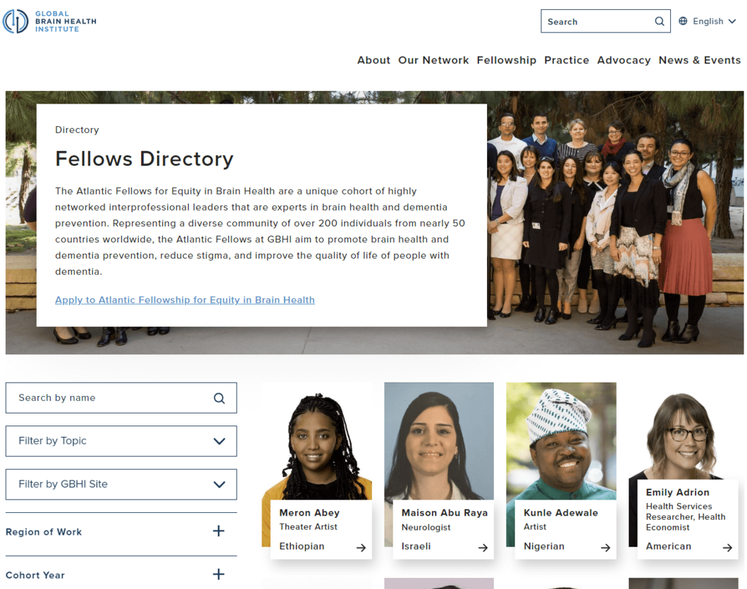
The Global Brain Health Institute (GBHI), an organization dedicated to protecting the world from brain disease and other health threats, wanted to ensure that visitors could easily navigate their site and locate different programs, services, and projects.
As a result, they worked with Kanopi to add a navigation bar that is logically organized and prominently placed throughout the website, so users can quickly find what they need. The site also features a fellowship directory that includes a search bar and filters. This is useful for medical students interested in pursuing a fellowship in a particular specialty, as well as for patients who want to learn more about the expertise of the hospital’s staff.
Why simple navigation is essential for hospital websites: As soon as someone lands on your hospital website, they should be able to find the content or service they seek. To ensure your site is easily navigable, consider mapping out the patient journey to better understand how people get to your site and what they do once they get there.
2. Clear CTAs: Mayo Clinic
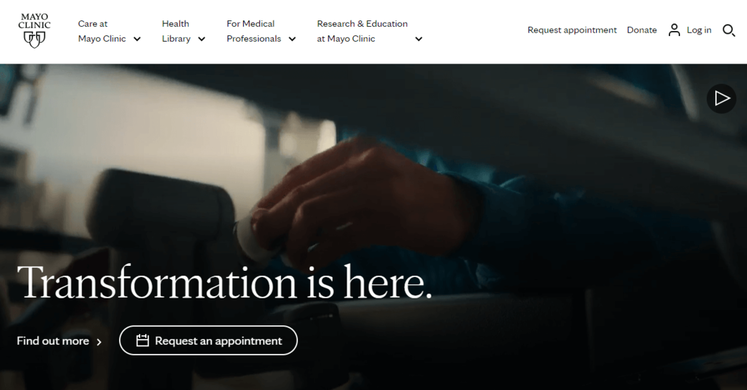
The Mayo Clinic is a nonprofit academic medical center, known for its expertise in many areas of medicine and for providing high-quality care to patients. Their homepage features multiple calls to action (CTAs) that encourage visitors to schedule an appointment, donate, or learn more about a particular medical condition or procedure.
By including clear CTAs on their website, the Mayo Clinic helps visitors understand what medical services they provide, what treatments are available, and how to seek help if they need it.
Why clear calls to action matter for hospital websites: Carefully-placed CTAs let website visitors know exactly where and how to complete their intended action. As you create your own, consider the specific actions that you want visitors to take. Then, use clear and concise language to convey your purpose. For example, you might say “Schedule an Appointment Today” or “Learn More about Our Cancer Center.”
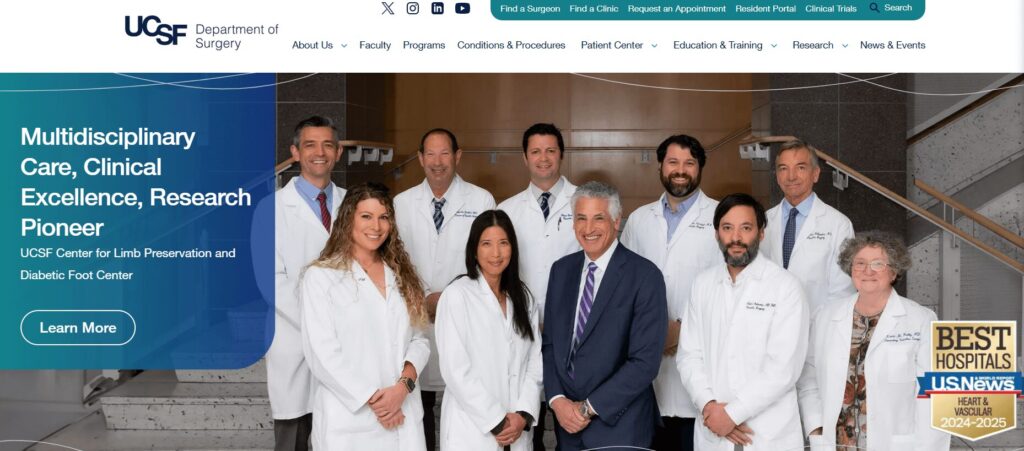
3. Patient-focused design: UCSF Department of Surgery
As a result, we helped enhance this website with a variety of user-friendly fixes, including:
Simple domain access with consistency across topics and departments
Human-led imagery of UCSF doctors and videos highlighting the patient experience
A mobile-first approach with a responsive design
Why patient-focused design is essential for hospitals: Your patients are the heart and soul of your hospital, and appealing to their needs will help you maintain high audience engagement. Patients should feel welcomed and comfortable using your website and signing up for your services. A friendly, patient-focused design helps foster a sense of community.
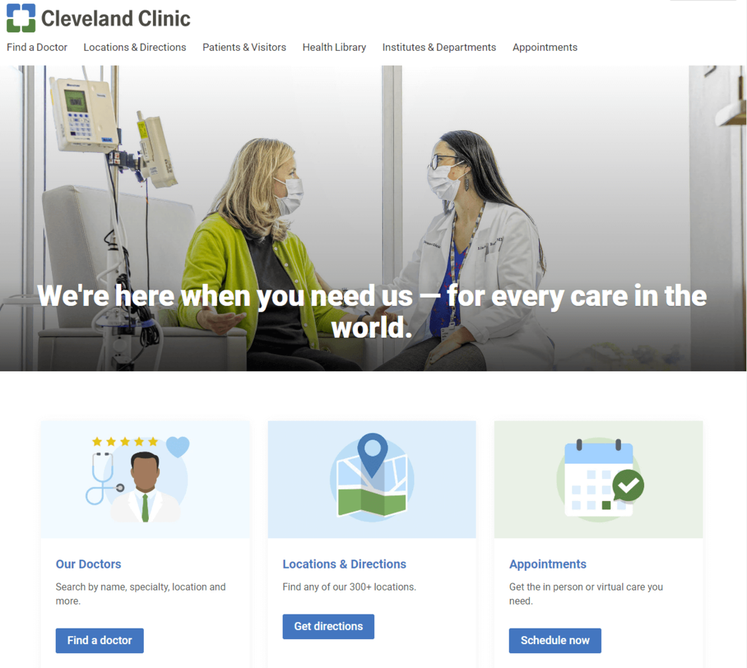
4. Consistent, bold branding: Cleveland Clinic
Cleveland Clinic is one of the top multispeciality academic medical centers in the country. To establish a strong, recognizable brand and reinforce their reputation, they included bold, eye-catching colors throughout their website.
Notice how all of the elements on their homepage are blue and green. When patients come across these colors in other mediums and materials, they’ll likely associate them with Cleveland Clinic.
Why consistency and bold branding is important for hospital websites: Consistent branding builds trust between patients and your hospital, which can be especially important in the healthcare industry where patients often have significant concerns about their health and well-being.
Adding color is a popular medical website design trend, with vivid and deep colors being sported on many successful hospital websites. Consider your site’s color palette before diving into web development to make sure your website branding is consistent throughout its pages.
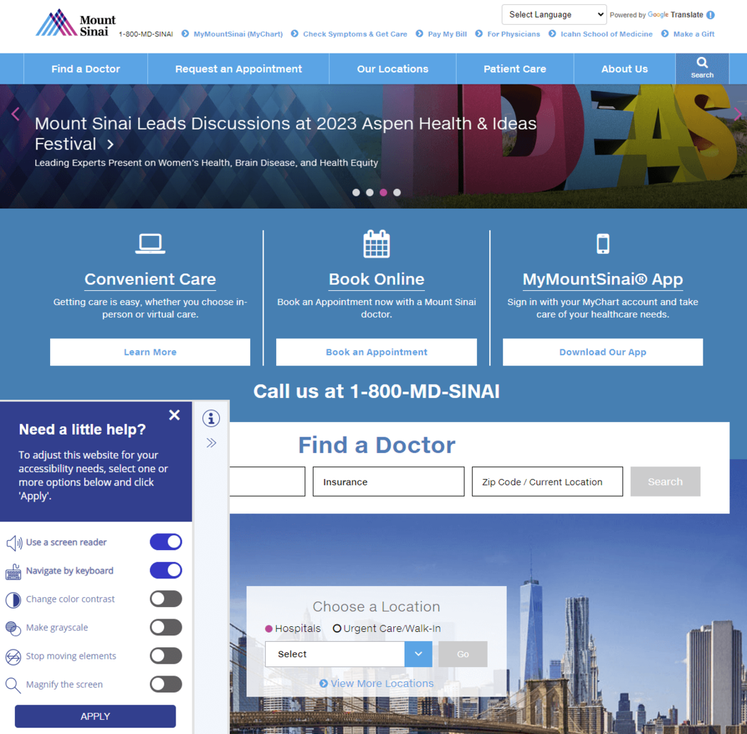
5. Accessibility: Mount Sinai
Mount Sinai’s healthcare system prides itself on providing a wide range of services to diverse populations, including medical education, research, and patient care. To meet their patients’ varied needs, they prioritized creating an accessible website.
The accessibility tool in the bottom footer allows visitors to use a screen reader, navigate using their keyboards, and change the color contrast, if needed.
Why accessible design matters for hospital websites: Having an inaccessible hospital website will not only turn away those who might need your services the most but paints your entire establishment in a negative light. Because of the industry that you’re in, maintaining full compliance with the ADA and WCAG is essential. You want your entire community to feel accepted and at ease with your services, especially when it concerns medical care.
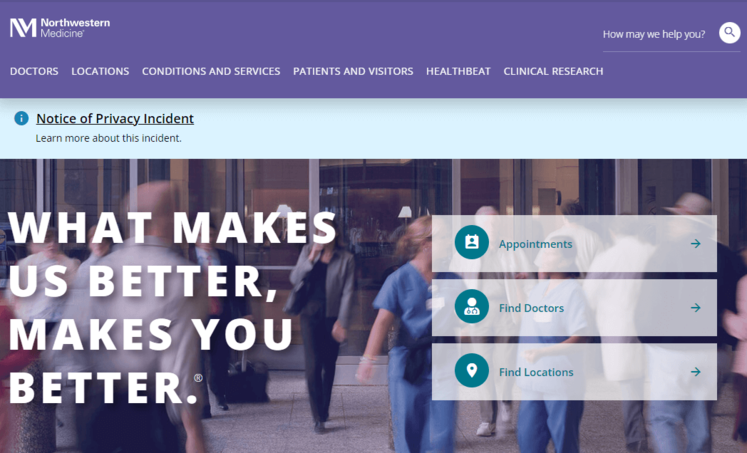
6. Inclusivity: Northwestern Medicine
Northwestern Medicine has a number of hospitals, all of which are committed to providing inclusive care to patients of all backgrounds and demographics. Maintaining an inclusive website is important for Northwestern Medicine, as it allows them to better connect with their patients and provide them with the resources and care they need.
Their Patients and Visitors page is extremely comprehensive, with CTAs that address a wide variety of concerns and questions.
Why inclusivity is important for hospital websites: Your hospital website content needs to represent the voice of all of your users, whether it’s patients, frontline workers, researchers, or caregivers.
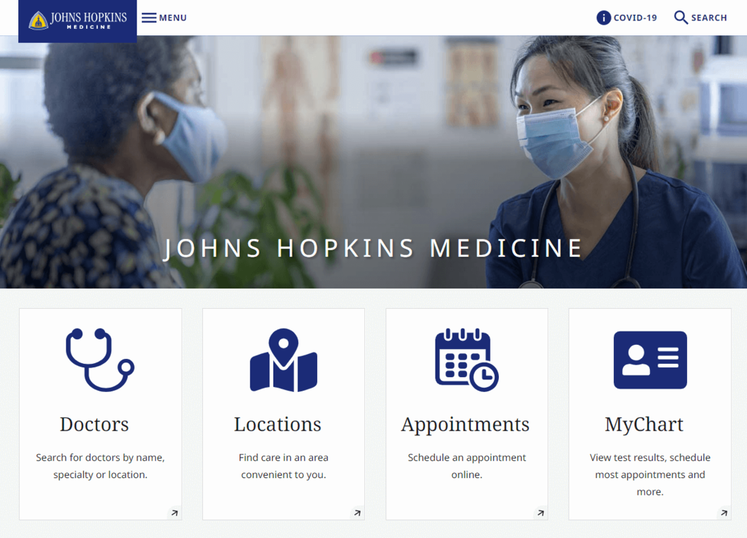
7. Mobile-friendliness: Johns Hopkins Medicine
Johns Hopkins Medicine is known for its world-class medical facilities, including hospitals, clinics, and research centers. As a leading healthcare provider, they needed to keep up with changes in technology by creating a mobile-friendly website.
Their mobile-responsive site design allows patients to schedule appointments, access medical information, and communicate with healthcare providers, regardless of the device they’re using.
Why mobile-friendliness matters for hospital websites: With over 60% of the global internet population using a mobile device to access the internet, your hospital web design must work on all different screen sizes. For patients or families already in the hospital or waiting room, the ability to quickly look something up on their phone or tablet is critical.
Most content management systems (CMS) can create a mobile-responsive site automatically. However, there are some easy ways you can ensure your site’s responsiveness. For instance, use large buttons, a vertical layout, and avoid large chunks of text.
8. Accurate, updated information: Yale New Haven Hospital
Yale New Haven Hospital provides a wide range of medical services to its local community. As with any hospital, their website needs to provide accurate and reliable information about their services, facilities, and medical personnel. That way, patients can make informed decisions about their care.
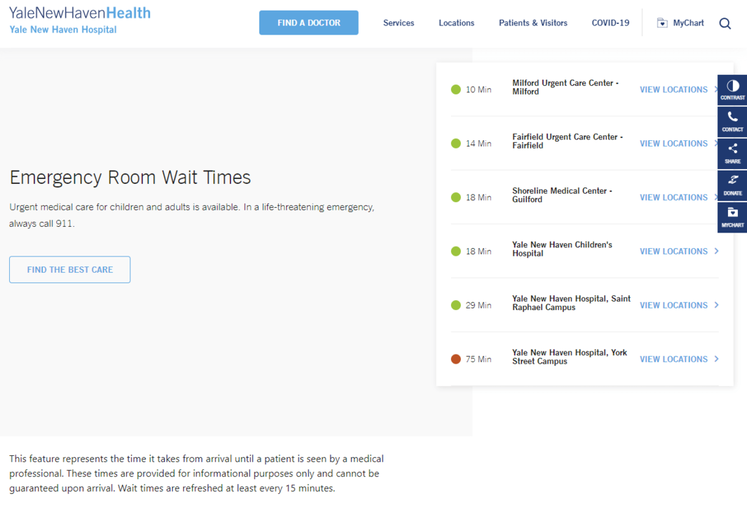
Perhaps most notably, Yale New Haven’s homepage features emergency room wait times, informing patients where to seek care and what to expect when they arrive.
Why accurate and updated information is essential for hospital websites: When it comes to healthcare, accuracy is non-negotiable. It’s critical that your web content is consistently updated and provides the most high-quality information available.
9. Streamlined user experience: Colorado Health Foundation
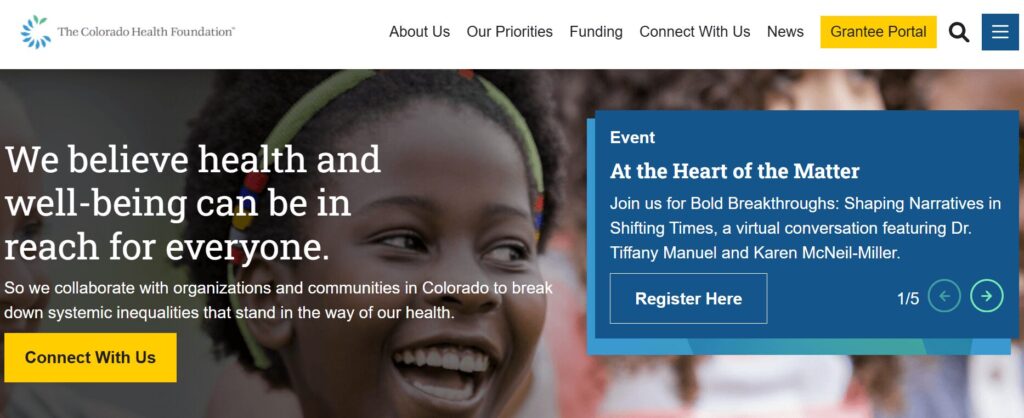
The Colorado Health Foundation (CHF) is a statewide organization that aims to improve the health and well-being of all Colorado residents. The CHF partnered with Kanopi to clean up their site’s navigation and streamline the user experience.
Based on our research and expertise, our developers instituted impactful changes. We condensed the main menu to a cleaner version focused on the items that matter most to users. We also improved the visitor journey by:
Ensuring consistent page layout
Incorporating translation support
Adding accordions to streamline page design with collapsable text
Building a data display to foster accountability for the organization’s racial and health equity goals
Enhancing accessibility with clearer fonts, tab navigation, and meaningful links
Why a streamlined user experience matters for hospitals: Patients visiting your hospital’s website may be rushed or anxious. A simplified user experience connects them with the information or resources they need quickly and seamlessly.
Tips for Hospital Website Compliance
Your hospital website will likely have multiple services that collect and store patient data, whether that includes a health portal, appointment tool, or bill payment.
HIPAA is an act created by the American government to protect patient data such as names, phone numbers, email addresses, social security numbers, and medical records.
HITECH extends HIPAA requirements to bring additional benefits and protection to patients. This regulation establishes that patients should always have access to their health information online, and if hospitals do have a data violation, patients should be notified immediately. Depending on the seriousness of the data breach, your hospital may also incur various penalties and fees.
To ensure your website and software solutions not only comply with HIPAA and the HITECH Act but go above and beyond to ensure data protection, you need the following safeguards:
Tech safeguards include encryption software, data backups, and firewalls. Assess the state of your current healthcare cybersecurity system to ensure you have the proper safeguards in place.
Physical safeguards include only granting access to material records or electronic devices with the aforementioned data after proper authorization.
Administrative safeguards include the guidelines your hospital sets up to ensure that internal procedures comply with HIPAA.
Once these safety nets are in place, add a privacy policy statement to your website explaining your commitment to HIPAA and HITECH compliance. Publicizing this statement will help you build trust with current and prospective patients.
How to Maintain Your Hospital Website
Hospital website maintenance is crucial to ensure your site remains a high-performing, accessible, and convenient resource for your audience. Follow these best practices to future-proof and maintain your website over time.
Adopt a continuous improvement approach
Traditional website design and development takes a linear approach, with a clear pathway from strategy to implementation. However, a growth-driven, continuous improvement approach involves an ongoing, iterative process of:
Strategizing new website innovations
Implementing website changes to test your hypotheses
Tracking results and adjusting your approach based on feedback
This perspective pushes you to constantly update your website based on evolving best practices. Plus, you can avoid major site overhauls, which can cost your organization time and money.
Update your website according to accessibility innovations
New accessibility innovations are released constantly, helping to improve the online experience for users with temporary or permanent disabilities. Intelligent eyewear, a hands-free mouse, and AI-powered assistants are just a few of the exciting innovations we’re seeing this year.
Your website maintenance process should include accessibility updates to ensure your site stays usable and functional for all users. Take the time to adjust to the impacts of the following potential changes:
New assistive technology. Innovations in screen reader technology, AI assistants, assistive voice solutions, and other accessible technologies change how individuals interact with your web content. Make sure your website is structured properly, with clear navigation and heading structures, so it’s compatible with all assistive technology.
Accessibility testing techniques. Alongside updates to assistive technology itself, the way web designers can test sites for accessibility constantly evolves as well. Stay up to date on the best automated testing tools available as well as techniques for manually assessing your site. Resources like Kanopi’s guide to accessibility testing can be a huge help because our developers use these tools every day to ensure the sites we build or refresh are completely accessible and compatible with assistive technologies.
Changes to legal requirements. Laws like the Americans with Disabilities Act (ADA) and the Section 508 Amendment to the Rehabilitation Act govern web accessibility in the United States. Keep this legislation in mind as you refresh your website for accessibility. If you want to expand into new markets in other countries, be aware of their accessibility legislation to remain compliant.
Here at Kanopi, we take a holistic approach to web accessibility, learning about your website’s visitors and their unique accessibility needs to build a strategy that works best for your organization. Learn more about our approach in this short video:
Conduct technical fixes
The technical elements of your hospital website play a major role in your users’ online experience. Technical issues can slow down your website and leave it vulnerable to security breaches.
To keep your website in top shape, prioritize fixing the following technical issues:
Broken links. Broken links can hurt your SEO performance and create a negative user experience. Use an automated tool like Semrush or Google Search Console to identify and correct broken links with mass updates.
Security risks. Run core updates for your CMS and plugins or modules, encrypt sensitive data, require strong passwords for CMS users, and enable two-factor website authentication. In addition, host regular security training sessions with your team to ensure everyone is up to date with the latest security risks and best practices.
Slow page loading speed. Measure page load speed using a free tool like Google’s PageSpeed Insights or Lighthouse. Common performance issues include large image files, unused JavaScript or CSS, and large network payloads.
Set up recurring technical reports to get ongoing updates about your site’s health. Continuously monitoring your site and fixing performance issues will help you avoid smaller problems snowballing into major complications down the line.
Update your content
Your website’s content equips your audience with the crucial medical information they need to make informed decisions about their health. Updated, accurate content helps raise your hospital’s authority level and gives more credibility to your institution.
In your website maintenance process, make the following content updates:
SEO updates. Use SEO tools like Ahrefs or Moz to keep an eye on your search engine rankings. If any of your website’s most important pages, like high-value blog posts or your homepage, start slipping in the rankings, make a plan to refresh the content to enhance its SEO appeal. For example, you could better incorporate the main keyword, add more engaging visual elements, or refresh the page with updated health information.
Audience shifts. Your hospital’s core audience and their content preferences may change over time. New people could move into your coverage area with new online medical needs. Or, audience members may begin expressing interest in different blog post topics than what you normally cover. Pay attention to metrics like blog post engagement rates, time spent on each page, and audience demographics to ensure your content aligns with your audience’s interests and needs.
Interactive content additions. Interactive content is on an upward trajectory right now as more consumers seek out these engaging online elements. Interactive content can also lead to 2x the conversion rate of passive (or static) content. Find opportunities to incorporate this content into your hospital website, whether through online health assessments, quizzes, maps, surveys, or polls.
These content updates and the website maintenance process in general are most successful when working with a dedicated web development partner that has expertise and experience in maintaining websites like yours. Read on for an inside look at how the Kanopi team approaches hospital web development support.
How Kanopi’s Hospital Web Development Services Can Help
Partner with a website support and development agency to ensure you’re doing everything possible to improve your hospital website.
Kanopi is a top partner for hospitals with a continuous improvement team that has helped develop over 150 active sites. No matter what stage your hospital website is at, our team can conduct a full website redesign project or build it from scratch.
Content management system support tailored to user needs—whether you use Drupal or WordPress as a CMS, we have experts who can customize each platform to align with your organization’s needs and branding.
Custom module/plugin development—if you can’t find the right tool to perform a specific action, our coding team can create it.
WCAG 2.1 AA accessibility standards to ensure that anyone can access and engage with your healthcare services as needed.
Custom integrations for an online health portal or other solutions that can expand your hospital website’s capabilities.
Responsive, mobile-first design because we know that your online hospital services should be accessible from any device, anywhere.
Technical SEO strategy and implementation so that if anyone looks up your hospital’s name, a specific doctor, or a program, your hospital website is the first option on the search results page.
Even after your optimized site is officially launched, we will continue working alongside your hospital to create a website growth plan. This ensures that your site is sustainable for as long as possible and will support your hospital as it evolves.
For more information on website development, check out these resources:
Drupal vs. WordPress: Which One is Right For You? Drupal and WordPress are two popular content management systems that hospitals depend on. Learn which one is right for your organization in this guide!
Inclusive & Accessible Forms. Need to collect information via a form on your website? Forms ask your users to provide personal data, so ensure those forms are inclusive and accessible.
Webinar: Website Best Practices for an Aging Population. Kanopi’s Cliff Persaud discusses the challenges and opportunities facing healthcare providers and how they can ensure their website design meets the needs of aging patients.
Page builders are a great tool, but they’re not always the right solution. If you’re a small organization with minimal updates to your website — like changing your schedule or hours — page builders can be a fantastic option. They are simple, cost-effective, and user-friendly, which makes them a good choice for organizations with straightforward needs.
Common WordPress page builders:
These are the ones we come across most frequently here at Kanopi:
Elementor
Divi
WP Bakery
Beaver Builder
Why people like page builders:
One of the main reasons page builders are popular is because they save time and reduce costs. You don’t need a full development setup or specialized tools to get started.
Everything can be done right in the site’s interface, meaning there’s no need for code repositories (GitHub)or additional software licenses.
Heck, you can even use a public computer at your local library to make changes. This simplicity means you don’t need developers to build and manage a site with a page builder.
The trouble with page builders:
However, it’s hard to have it both ways; if your organization needs frequent custom updates, a page builder may not be the best fit. Page builders are often performance-heavy, which can slow down your site due to their reliance on plugins. And while they can be useful, they sometimes cause accessibility issues (see below) or limit flexibility. If you’re after a high level of customization or specific functionality, you might hit a wall with a page builder.
What about accessibility and performance with page builders?
Glad you asked: when it comes to accessibility and performance, page builders aren’t as “easy” and “worry free” as they may look.
Accessibility issues:
Semantic HTML: Page builders tend not to produce semantic markup. This can prevent screen readers from properly interpreting the content.
Keyboard Navigation: Page builders create very complex HTML for page and component layouts which can create barriers for keyboard navigation or even keyboard traps. Menus can be extremely complex, making it difficult to even navigate the menu with a keyboard, let alone a mouse.
ARIA Attributes: Page builders do their best to utilize these but it is very easy to have them incorrect, or missing.
Color Contract: Color is managed by the content editor which gives them great power and control. However this also very quickly can lead to an inaccessible site as the color contrast can easily and quickly fall out of the range of accessible.
Focus state: Focus states are used by keyboard navigation. These interactive states can easily become mismanaged or used in page builders creating a disorienting experience for users.
Performance issues:
Bloated code base: As mentioned earlier, page builders typically have very bloated code, using a lot of markup to create simple layouts, and creating loading a large amount of JS and CSS on pages. This slows down page load time.
Large DOM size: to piggyback on the above, complex layouts and long pages can have a large DOM size due to the number of elements that it creates. This slows down the page load as you have to wait for all those elements to render
Render blocking: Because they can load a lot of resources, internal and external CSS and JS files, those external resources may not be managed properly blocking page load until those payloads are downloaded first.
Database bloat: Page Builders can store a ton of data in the database. Depending on your site size and host, this can drastically slow down your overall performance
In short: if you’re truly trying to build accessible, performant, websites there are still many things to work around and manage with the use of page builder tools.
We’ve worked with several clients to help them move from page builders to more sustainable, flexible solutions. Here are a few examples:
California Prevention Training Center (CAPTC) – Divi
Issue: This website was over-engineered with Divi. We redesigned and overhauled the site, removing the unnecessary complexity of the page builder and improving the overall user experience and site performance.
The California Prevention Training Center (CAPTC) website before (left) and after (right) moving off of Divi.
Carmanah – Divi
Current Status: The site was outdated and had an overly complex backend. The client came to us seeking a redesign, with a focus on improving performance and security. We’re migrating away from Divi, which will streamline the website’s backend, improve load times, and enhance the admin user experience.
Adaptive Biotech – Elementor
Issue: Over time, the page builder became a hindrance, especially with accessibility and content entry limitations. We rebuilt key components of the site using Gutenberg blocks and Advanced Custom Fields (ACF). This approach removes the need for the page builder and its plugins, improving site performance and reducing load times.
DonorSearch – Visual Composer
Issue: The client couldn’t make content edits without breaking the layout. We rolled out a more manageable solution, using blocks within the editor and ACF to create custom blocks. This enabled a flexible redesign and content migration, with a focus on creating a dynamic, easily editable website. The new DonorSearch design also allowed for different content variations, so the site remains fresh and adaptable over time.
The DonorSearch website before (left) and after (right) moving off of Visual Composer.
Final Thoughts
While page builders offer an easy, cost-effective solution for simple websites, they have limitations regarding scalability, customization, and performance.
For organizations that need a more flexible, sustainable solution, moving away from page builders to custom-built sites using WordPress’s core features can make a significant difference. Whether you want to improve performance, accessibility, or content management, working with a development team to find the right solution is key.If you have any questions or issues with page builders on your WordPress site, we’re here to help. We’ve worked with numerous clients to solve page builder issues, and our team is ready to help you get the most out of your website — whether that means refining your current setup or transitioning to a custom-built solution.
Let’s say your organization needs a new website. You meet with your team to discuss the best way forward. Some are touting the benefits of an open-source content management system (CMS) like Drupal or WordPress. Meanwhile, others argue that a proprietary system is the right way to go. But you’re the one who has to make the final call. So, which one will it be? In this post, we’ll look at open source vs. proprietary CMS and what each one has to offer.
If you know anything about us, you already know that we strongly prefer open source for a long list of reasons. We’ll get into those reasons below, but we’ll also give proprietary systems a fair shake — promise. Hopefully, the more you know about each option, it will be clear why we’ve built our organization around open source right from day one.
What is a proprietary CMS?
A proprietary CMS is a software platform owned and controlled by a company. Its users need to purchase licenses or subscriptions for access and updates. It typically offers limited customization compared to open-source CMS, with restricted access to the source code.
Organizations that choose the proprietary route usually cite a few main reasons:
Dedicated Support: Proprietary CMS platforms typically have dedicated customer support, offering immediate help with technical issues, bugs, and updates.
(Perceived) Security: With a closed-source environment, clients sometimes have the perception that proprietary CMS platforms have fewer vulnerabilities, since the code is not accessible to the public. The vendor manages security updates and patches. (Below, I’ll get into why this is more about perception than reality.)
Tailored Solutions: Proprietary CMS vendors may offer customized solutions, features, or integrations to meet specific business needs within a particular industry.
Legacy: In many cases, the client is already deeply invested in other proprietary platforms/software from a provider (their suite of office applications for example), so they’ll also use their CMS for the sake of convenience and continuity. There’s a pretty large company whose name starts with ‘M’ that relies heavily on this in their sales pitch.
These benefits, however, often come with trade-offs, such as higher costs and limited flexibility compared to open-source CMS options.
So, what about open source?
Open-source CMS platforms like WordPress, Joomla, and Drupal account for a majority of websites on the internet. WordPress alone powers approximately 62.7% of all sites. They’re also usually more cost-effective to maintain in the long run compared to proprietary CMS platforms for a number of reasons:
For Starters, They’re Free: Open-source platforms like WordPress and Drupal are free to use, eliminating the need for expensive licensing fees associated with proprietary software.
No Vendor Lock-In: With a proprietary CMS, the vendor retains ownership of the code, limiting your control and flexibility. With an open-source CMS, clients own and control the code, meaning full customization and portability is yours. Using open-source software also means you’re not dependent on a single company for updates, support, or hosting.
Flexibility and Customization: Drupal and WordPress offer extensive customization options with thousands of themes, plugins, and modules; users can tailor their websites to meet their needs without being locked into vendor restrictions.
Community Support: Open-source platforms have large, active communities of developers and users who contribute to forums, create plugins/modules, and more. This collective knowledge base can provide faster solutions and innovations.
Continuous Improvement: Open-source platforms are regularly updated with security patches, new features, and enhancements contributed by the community, making them more dynamic than proprietary software, which might have slower release cycles.
Ownership and Control Is All Yours: With open-source software, you have full ownership and control over your website, including the ability to host it anywhere and modify the underlying code. Proprietary systems may impose hosting restrictions and limit access to the source code.
Security and Transparency: Open-source platforms are generally considered to be more secure because the code is publicly available for scrutiny, allowing security experts to identify and patch vulnerabilities quickly. Proprietary systems may be more opaque, making it harder to spot and fix security issues. So while it’s true that many more people have access to open-source code, this results in greater platform security — despite what many proprietary system providers (and their sales teams) would like you to believe.
Scalability: Open-source platforms like Drupal are highly scalable, making them suitable for both small websites and large enterprise-level applications, whereas proprietary solutions may have limitations or require expensive upgrades to scale effectively.
Integration Capabilities: Drupal and WordPress are known for their ability to integrate with a wide range of third-party tools, APIs, and systems, providing more flexibility in building feature-rich websites — while proprietary platforms may restrict integrations or charge extra for them.
Innovation: Open-source platforms often lead in innovation, as developers from all over the world can contribute new ideas and functionalities, fostering a continuous flow of creativity and technical advancement.
It’s your call.
So, returning to our opening paragraph scenario, it’s your call; you have proponents in your organization on each side of the coin. Which do you choose? Do you listen to those team members clamoring for a proprietary CMS and its benefits? Or do you choose the flexibility and efficiency of an open-source platform?
Not that we would openly encourage you to choose one over the other. Good heavens, no! However, if you should decide to go with an open-source CMS — specifically Drupal or WordPress — we have a little motto here at Kanopi:
Never build alone.
Since 2010, we’ve been building websites that meet our clients’ unique needs, whether designing and developing from the ground up or enhancing existing sites with upgrades and CMS migrations. Our approach combines UX research, discovery, and visual design to create a user-friendly digital experience, followed by expert development to bring your vision to life. Even after launch, we provide ongoing support to ensure your site continues to perform at its best. With us as your partner, even the staunchest proprietary fans will be tipping their hats to you.
After building an engaging WordPress website that tells your organization’s story to the world, you might be tempted to take a break from web development and let maintenance concerns fall by the wayside. However, ongoing WordPress maintenance is critical to the long-term health of your website.
A lot goes into maintaining a WordPress site, especially if you want longevity, security, and the ability to grow. We’ve put together a guide to help you sort out what you need to make your site last, stay safe, and continue to meet your needs down the road. Here’s what we’ll cover:
To answer this question, we must consider another: what happens if you don’t maintain your site? What if you just pop a site up on a host somewhere and never touch it again?
In the best-case scenario, nothing. Your site exists, but that’s about it. It will be left in the dust as the rest of the web progresses. Even search engines will “forget” about it, so to speak, as they give higher priority to sites that are updated regularly. And since search engine optimization (SEO) performance and user expectations evolve monthly, your site may not be able to continue meeting your audience’s needs effectively.
Worst-case scenarios are far more interesting to talk about. With all those security holes, from the lack of updates to WordPress core and your third-party plugins, the site could easily be hacked—remember, when they release the fix, they also reveal the security flaw. If you have no backups, you can’t restore to a version before the hack (where it will still be vulnerable to the same hack).
Or, your website host could one day alert you that they no longer support the version of PHP or MySQL your site is using. Some hosts automatically update these tools, and some even update Core for you, but not your plugins. Depending on how out-of-date your site is, these could be site-breaking compatibility issues.
Clearly, it’s a huge risk to keep a poorly maintained or completely unmaintained website. On the other hand, the benefits of good maintenance and consistent support far outweigh the costs. Maintaining your website allows you to:
Reduce security risks
Stay current with SEO trends and requirements
Grow your site and use new and updated features
Increase traffic and conversions
However, proper maintenance can be time-consuming, requiring extensive research and hosting, WordPress, and website development expertise. That’s why many organizations and businesses turn to expert support providers like Kanopi to lighten the load (more on our services in a bit!).
The exciting (and stressful) truth about the web is that it changes daily. Designers and developers must quickly become proficient in techniques they may have never heard of before.
For site owners, this constant change means a lot of upkeep. What’s standard today could be different in a month. You must commit to regular, ongoing website maintenance to ensure your WordPress website stays healthy and up-to-date. While hosting companies will maintain your site’s server (where your website lives on the internet), most don’t offer the kinds of hands-on updates and support your specific website needs.
With that in mind, here are the most essential support tasks you must conduct regularly to keep your site healthy:
Backups
You’re not really a web developer until you’ve deleted something critical and had to restore it. Most hosts offer backup plans, or at the very least provide you with a method of downloading your own backups. At Kanopi Studios, we use hosts that provide daily backups and let us create manual backups, ensuring we have total control in the event a site needs to be restored.
WordPress core updates
WordPress is a growing, living thing. That’s what those little version numbers really mean—version 6.5.4 is out as of this writing. Core updates include security patches, as well as new or updated features that your developer can use to add innovative functionality to your site.
The real cornerstone of this process is the security updates; when the WordPress team finds and resolves a security problem, they release an updated version of WordPress core, along with an explanation of that flaw. This means that the same security bug is now public knowledge and available to nefarious individuals to take advantage of. That’s why it’s essential to update your site promptly after a new core release.
Theme and plugin updates
Likewise, purchased themes or third-party plugins are subject to change for similar reasons—plugging security holes or adding new and improved features. It’s good practice to update these elements at least once a quarter to stay on top of it.
Plus, it’s almost always easier to jump between minor versions (eg. 6.4.2 to 6.4.5) than to wait and go from one major release to another (eg. 4.3.1 to 6.4.5). Although, it is a good way to get that adrenaline pumping, especially if you don’t have backups (but we strongly advise against it if you want your site to stay intact!).
Transients and caching assessment
Both servers and browsers cache websites to deliver content faster. A cache essentially stores a “snapshot” of a website and then delivers that snapshot upon subsequent visits to reduce load time.
Of course, as a website owner, you want this snapshot to update when you add new information. Sometimes caching can be too aggressive or non-existent. It’s valuable to consider your website’s specific needs to choose the right type of caching. WordPress also uses something called transients, which allow developers to add additional caching for specific types of database queries. This is essential for large or complex sites.
Caching can be done in several ways: your website host may have caching, you could use a third-party caching plugin or service, a developer could add caching-specific code, or you could implement a combination of all three.
Database optimization
Over time, new content is added to your website database, with either new rows or columns of data, new database tables, or new connections between tables. It’s like your website’s filing cabinet, going back to the beginning of time. This growth can get messy if it’s not maintained and pruned regularly.
Some hosts offer manual “one-click” database optimization solutions, but for a real thorough cleanup, you need someone with the technical know-how and familiarity with your site. Also, backups. Always backups.
Security and malware scans
Sometimes, you may do everything you can to keep WordPress core and your plugins updated, but your site still ends up vulnerable to cyber attacks. Because of WordPress’s popularity, it is by far the most hacked CMS (it’s the target of 90% of all hacking attempts). That’s why it’s wise to run ongoing security checks and malware scans to catch any potential issues.
WordPress offers a variety of security plugins to manage these scans. However, we recommend working with an experienced web developer who can recommend the right tool for your site that won’t compromise performance.
Performance enhancements
Website performance involves the ongoing tasks and elements that allow your site to run like a well-oiled machine. When load speeds, conversion opportunities, and other technical factors are optimized, your site will be a performant resource that exceeds your audience’s expectations. With that in mind, you should conduct the following performance checks every few weeks:
Assess your site’s load speeds. Ideally, your website should load in 2 seconds or less. You can use PageSpeed Insights to test your site’s pages.
Set up a notification if your site goes down. Whenever a website goes offline, even if it’s just for a few minutes, it can damage the site’s reputation and reduce conversions. Use a free tool or plugin to set up a notification if your site goes down so you can identify the issue and get your site back up and running.
Test your site’s most important conversion forms. Your site’s conversion opportunities enable casual visitors to engage with your organization, whether through making a purchase, donating, signing up for your newsletter, registering to volunteer, or taking another action. Ensure your conversion forms work properly and load quickly on laptops and mobile devices.
Accessibility audit
Last (but certainly not least), you must make accessibility a core priority for your WordPress maintenance efforts. Emphasizing accessibility ensures your website can remain a usable resource for all audience members. Accessibility best practices and technologies constantly evolve, so you must stay up to date with relevant guidelines and assistive tools.
You can use automated tools to assess your site’s accessibility (we cover a few options in the next section), but we also recommend manually testing your site. This allows you to recreate the user experience and catch any issues that may have slipped through undetected.
To build a website that’s truly accessible at its core, we recommend taking a holistic approach to accessibility with the help of an experienced web design partner. For example, here’s a quick look at Kanopi’s integrated accessibility approach:
Contact us to learn how we can support your unique accessibility needs based on your audience’s characteristics.
10 effective WordPress maintenance services and tools
There are plenty of WordPress maintenance tools and services available online that can help you maintain a high-quality website for years to come. We’ve rounded up a few of our favorite solutions to help you get started.
Pantheon: WordPress Host
Pantheon is one of Kanopi’s partners for a reason! We love using their platform for hosting WordPress sites. They have powerful features for iterative development and rollouts, and you can even check your plugin versions right from the dashboard with security alerts attached.
WP Engine: WordPress Host
WPEngine also specializes in WordPress hosting, which means they know the ins and outs of the CMS and can help with common problems. Their support is fast, knowledgeable, and dedicated. Their platform also keeps up with the latest stable PHP version and WordPress core, with easy testing and deployment.
Yoast: WordPress Search Engine Optimization
Yoast is a plugin we regularly use and recommend for WordPress websites. Yoast automatically adds basic schema data to your website, creates a sitemap XML, and empowers you to create dynamically generated metadata for your various post types. The free version has all the features you need, making this an affordable addition to your tech stack.
Screaming Frog SEO Spider: Website Crawler
Screaming Frog’s SEO Spider is another solution that can help you monitor and improve your site’s technical performance, which will in turn boost your SEO rankings. The SEO Spider crawls your website to identify issues like broken links, redirect chains, defective meta descriptions and titles, and duplicate content. Then, you can quickly correct these issues to enhance your site’s performance and make it easier for search engines to crawl and index the site.
Google Analytics: Website Analytics Platform
Google Analytics offers website analytics to assess the effectiveness of your engagement and conversion opportunities. With Google Analytics, you can track metrics such as your website’s page views, bounce rate, time on page, traffic sources, and other detailed information. This data provides a well-rounded picture of who your visitors are and what they want from your site.
HotJar: User Experience Assessment Tools
HotJar is a WordPress plugin that advertises itself as a tool to discover “Everything you ever wanted to know about your website… but your analytics never told you.” In practice, this means HotJar offers detailed user experience tracking tools such as website heatmaps, user session recordings, and feedback and survey tools to gather input from real site visitors.
HotJar is effective for gaining a comprehensive understanding of the user experience on your website and ways you can improve the experience as part of your ongoing maintenance efforts.
Kraken.io: Image Optimization
Images make up a lot of your website’s “weight,” which is why it’s necessary to compress images to ensure faster page load speeds. Kraken.io is a paid service with a WordPress plugin that allows you to create optimized images for your website. For quick image optimization, you can also use a free tool like TinyPNG.
PageSpeed Insights: Page Speed and Accessibility Assessments
PageSpeed Insights gives you a quick overview of how well your site is doing across the board, including performance, SEO, accessibility, and best practices. Put any URL in and see how it stacks up compared to Google’s standards. You can also download this as an extension (Google Lighthouse) for Chrome and run it directly in your browser.
To keep your site healthy and expand its functionality over the years, you need more than just simple maintenance services and security scans. You need a dedicated partner who can learn your website inside and out and offer reliable support all year round. That’s where Kanopi comes in!
We work with some great hosting partners who understand what we’re about, and it lets us hold the right reins when it comes to our client sites. Our developers are experienced with the CMS and strive to uphold WordPress’s own standards.
Top Features of Kanopi’s WordPress Maintenance Services
Kanopi’s well-rounded team of experienced designers, strategists, and developers enables us to support your WordPress website at any stage of its lifecycle. Got a lemon that needs a serious overhaul? Need a complete rebuild? Have a freshly built higher ed website or hospital website that needs extra care to keep it going? We’ve got the combination of skills and people needed to handle your website wherever it’s at.
Like your site, our team is also always growing its knowledge base. We stay up-to-date with security releases, changes to WordPress core, industry standards, and new technologies. If the next version of PHP is on the way, we’re already preparing your site for the update.
We’re not just about keeping your website running—Kanopi works closely with you to genuinely understand your organization. Forging this partnership allows us to help you create a website that truly represents your organization as we strategize together.
We take a continuous improvement and growth-driven approach with incremental updates like navigation strategy and SEO fixes that boost your site over time. Here’s a look at how our growth-driven approach works vs. traditional website design and development:
Interested in learning more about Kanopi’s WordPress services? Check out our WordPress work to see examples of how we’ve supported and improved sites over time. We work with all types of WordPress websites across industries, including healthcare, education, nonprofit, corporate, and arts and culture sites.
Final thoughts
To summarize, yes, you need to maintain your WordPress website, yes, there’s a lot to do, and yes, someone else can do it for you. If you’re interested in a partnership with Kanopi, we’d love to hear from you. If you need more information about the maintenance process, start with these additional resources: