
Hands on a keyboard

How the 9 Best Association Websites Drive Engagement in 2026

Having a streamlined, user-friendly association website is a non-negotiable in 2026. A Clutch survey of 500 internet users found that half believe a company’s website design is important to their overall brand, and 31% think an engaging user experience is a top priority for website design. A professional, clean, modern digital presence establishes the immediate credibility necessary for long-term audience engagement.

But association website design is about more than aesthetics—high-quality, engaging design can also directly impact your revenue. The 2025 Association Member Experience Report from Higher Logic found a five-year renewal rate of 93% among members who describe their digital involvement as “very easy,” while those who struggled with online navigation or portals reported lower engagement. 

With that in mind, we created this comprehensive guide to website design for associations, focusing on these key topics: 

What makes for an engaging association website design in 2026?

Engaging association websites prioritize streamlined functionality, with biometric authentication capabilities, WCAG 2.1 AA accessibility compliance, and AI-driven content personalization. High-performing sites function as member retention engines, reducing administrative friction and delivering immediate value through self-service portals and intuitive, mobile-first navigation.

Essential elements of a high-performing association site

Associations can transition from “information overload” to “engagement-first” design by focusing on these essential elements:

  • Streamlined, member-first navigation: Effective navigation includes clear, action-oriented labels for menu items that prioritize the top 5–7 areas members actually visit. By reducing the number of top-level menu items and utilizing mega-menus for deeper discovery, you can help members find what they’re looking for in seconds, not minutes. 
  • Comprehensive member portals: Your membership portal is the online home of your member experience. High-performing portals include self-service tools for everything from tracking certification credits to managing group memberships or medical expenses. Additionally, centralized membership dashboards with reminders, upcoming events, and resources reduce your staff’s administrative burden while empowering your members.
  • Mobile-friendly design: With more than 60% of web traffic coming from mobile devices as of Q1 2025, mobile-friendliness is crucial. This means thumb-friendly navigational elements, such as properly-spaced buttons and hamburger-style menus. Additionally, prioritize rapid load times (targeting under 2 seconds) and simplified mobile forms. If a member can’t register for your annual conference while standing in line for coffee, your design is a barrier to your revenue.
  • Accessibility as a default: Accessibility is a requirement for equitable membership. This means building to WCAG 2.1 AA standards from day one. Proper color contrast, screen-reader compatibility, and keyboard navigation ensure that your association’s mission is available to everyone, regardless of ability or device.
  • AI-driven personalization: Personalized web experiences can increase new-member sign-up conversion rates by up to 202%. AI tools are the gateway to developing tailored member experiences that suit each individual’s needs. By analyzing past behavior, like webinar attendance or white paper downloads, your website can dynamically surface the most relevant resources for each individual, ensuring they see exactly what they need without having to dig through your archives.
  • Bento grid layouts: Inspired by the organized compartments of a Japanese bento box, this layout style uses modular, rectangular tiles to display diverse types of content simultaneously without feeling cluttered. It’s the perfect solution for associations that need to highlight multiple resources, such as news, upcoming events, and a Join CTA,  on a single screen. Take a look at an example of what this layout style looks like:
Membership

Join Our Community

Elevate your craft with exclusive resources and a global network of peers.

Become a Member
Upcoming
MARCH 15, 2026

Annual Summit 2026

Workshops and visionary keynotes from industry titans.

2,500+
Active Members

Latest Updates

2H AGO
Q3 Expansion Strategy
YESTERDAY
New Mentor Applications
Newsletter
Weekly insights.
  • Clear member benefits: Engaging membership sites feature a dedicated, high-visibility page or section that clearly outlines the value proposition of each membership tier. Use concise language, an ROI calculator, and social proof (such as member testimonials) to highlight the benefits of joining your membership program. Your website should also make it easy for existing members to access benefits online, such as event registrations, courses, and job boards.  

Research from Association Adviser’s 2025 Association Benchmarking Report determined that even though associations increased member touchpoints to an average of 30.4 times per month last year, many are running into the challenge of “information overload,” where more content is actually leading to less engagement. 

As a result, your website communications goal isn’t to increase the number of touchpoints, but to increase their relevance. By focusing on these essentials, you ensure that every digital interaction reinforces your association’s value rather than contributing to the clutter.

Best association website design examples

The best way to gather ideas for optimizing your association’s website is to review examples of successful sites and note how they effectively incorporate key features and functionality that support the member experience. Here are nine top association websites and the key features and functionality that enable them to engage prospective and existing members: 

1. Eye Recommend

The Eye Recommend website homepage

Eye Recommend’s website is both a powerful recruitment tool for their optometric cooperative and a functional search engine for patients.

Three stand-out features of the Eye Recommend website:

  • Consolidated benchmarking single sign-on (SSO): Kanopi simplified the user experience for the Eye Recommend website by building a single sign-on solution. Members can now access critical Clinic Benchmarking data, including gross profits and patient metrics, with a single set of credentials, which eliminated the need to juggle multiple logins across different domains.
  • Localized marketplace with Solr Search: To help independent clinics scale, Kanopi implemented a powerful Solr Search and an expanded Marketplace. Members can filter listings by location to find equipment, inventory, and practices for sale that are specifically relevant to their region, reducing search friction.
  • Visual consistency and accessibility-first design: Recognizing that a vision care organization must lead by example, Kanopi overhauled the site’s typography and color contrast. The result was a design refresh that provided a welcoming brand presentation while ensuring the site met high accessibility standards for all users.

Learn more about how Kanopi improved page load times and mobile usage for Eye Recommend

2. International Association of Business Communicators (IABC)

The IABC website homepage

The IABC website leverages clear brand storytelling and a high-performance search function that makes decades of communication archives accessible.

Three stand-out features of the IABC website:

  • Unified domain architecture: IABC worked with Kanopi Studios to merge three disparate sites into one cohesive WordPress home, reducing maintenance while strengthening brand authority.
  • High-performance archive search: A robust filtering system allows members to instantly surface decades of communication research and case studies.
  • Dynamic component-based layouts: Flexible design blocks empower the IABC team to create consistent, professional pages without needing a developer.

Read more about how Kanopi successfully merged three sites to tell IABC’s compelling story

3. American Association of Retired Persons (AARP)
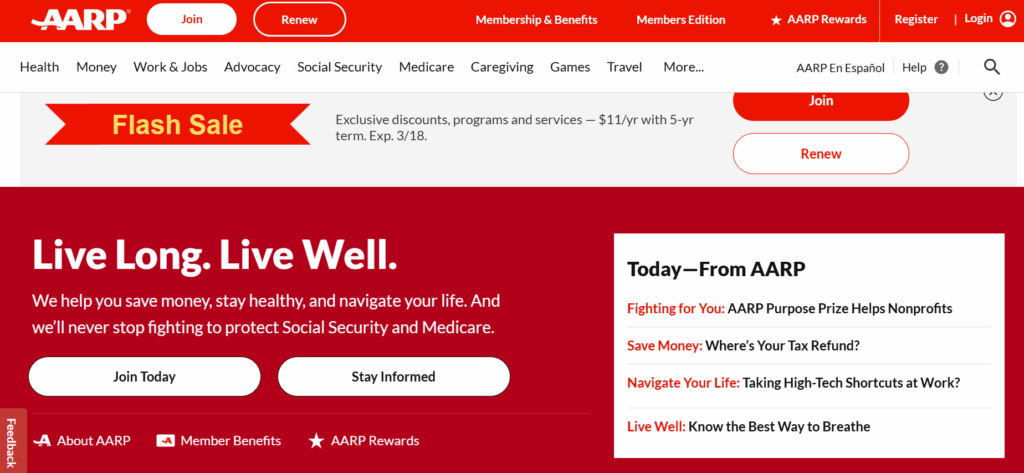
The AARP website homepage

The AARP website provides a masterclass in accessible design. The site boasts a 99/100 accessibility score on Lighthouse, an automated website auditing tool, demonstrating a high level of commitment to design legibility and inclusivity. 

Three stand-out features of the AARP website:

  • Inclusive typography and high color contrast: The high-legibility design features larger touch targets and high color contrast ratios tailored for older demographics.
  • Cognitive load management: The clean, distraction-free layout uses clear iconography and simple language to prevent information overload.
  • Voice search optimization: Advanced SEO and technical architecture make the site easily navigable via voice-assistive technologies.

4. National Association of Realtors (NAR) 
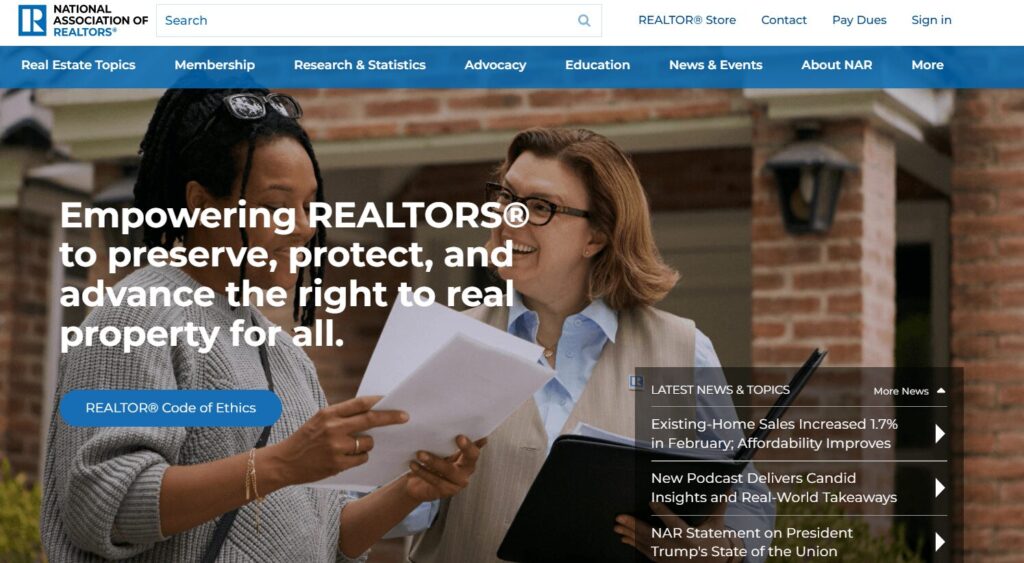
The NAR website homepage

As one of the largest professional associations in the world, the NAR website is a benchmark for managing massive volumes of data while providing a personalized experience for over 1.5 million members. Their site excels at translating complex legislative and market data into actionable insights.

Three stand-out features of the NAR website:

  • Dynamic member center with SSO integration: This setup enables real-time access to education credits, membership status, and personalized benefits tailored to the user’s specific real estate board.
  • Robust research and statistics hub: The site features interactive data visualizations and proprietary market reports, positioning the NAR as the definitive authority on housing data.
  • A geographically targeted advocacy platform: Members can connect with local and national legislative alerts, making it simple for realtors to engage in “call to action” campaigns that impact their specific markets.

5. Project Management Institute (PMI)
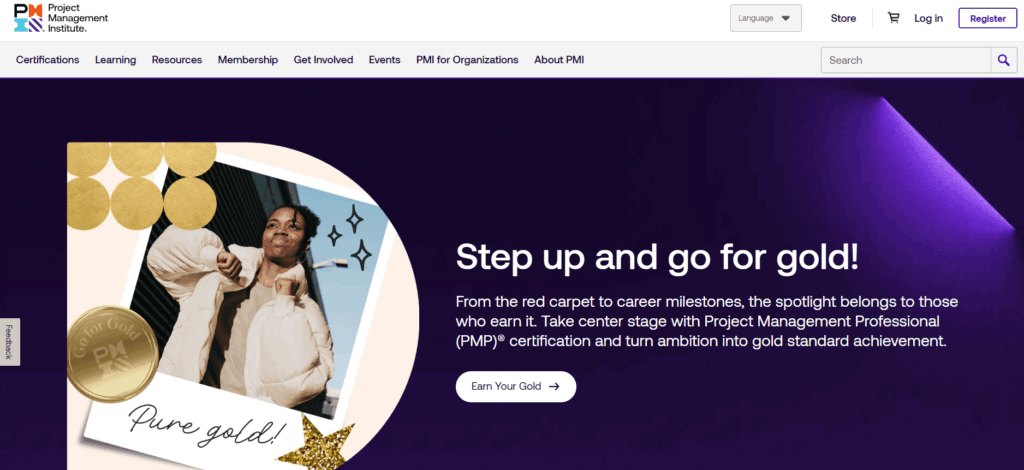
The PMI website homepage

PMI manages a massive global audience with highly technical needs. Their site handles a diverse array of certifications (PMP, CAPM, etc.) within a unified ecosystem.

Three stand-out features of the PMI website:

  • Global chapter geo-locator: An interactive map tool uses browser geolocation to instantly connect members with their local chapter and upcoming regional networking events.
  • Gamified certification progress: A visual “Roadmap to Certification” uses progress bars and milestones to help members navigate the complex requirements of professional credentialing.
  • Standards+™ digital resource library: A searchable, high-speed digital platform provides “just-in-time” access to the PMBOK® Guide and other technical standards via mobile-optimized snippets rather than long PDFs.

6. Alberta Teachers Association
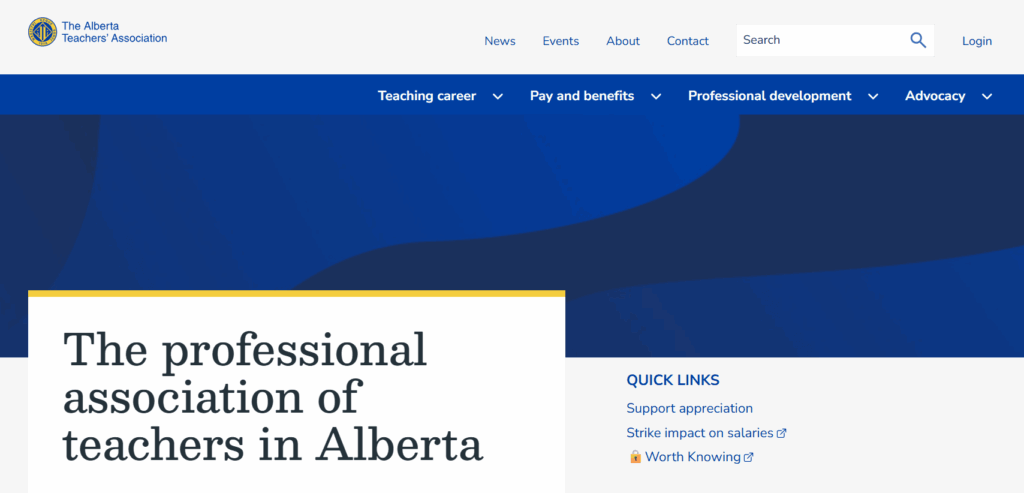
The ATA website homepage

The ATA offers a great example of an association using web design to reduce administrative costs while improving member convenience. The organization moved from mailing physical plastic cards to a self-serve digital card service and embraced several additional modern web design features to improve the user experience.

Three stand-out features of the ATA website:

  • Complex permissions logic: A robust backend handles varied access levels for over 40,000 members, ensuring the right resources reach the right teachers.
  • Simplified dues management: Integrated payment systems make it easy for members to manage their professional standing and renewals online.
  • Member-centric news feed: A customized content engine surfaces local chapter news alongside province-wide educational updates.

7. IEEE Communications Society
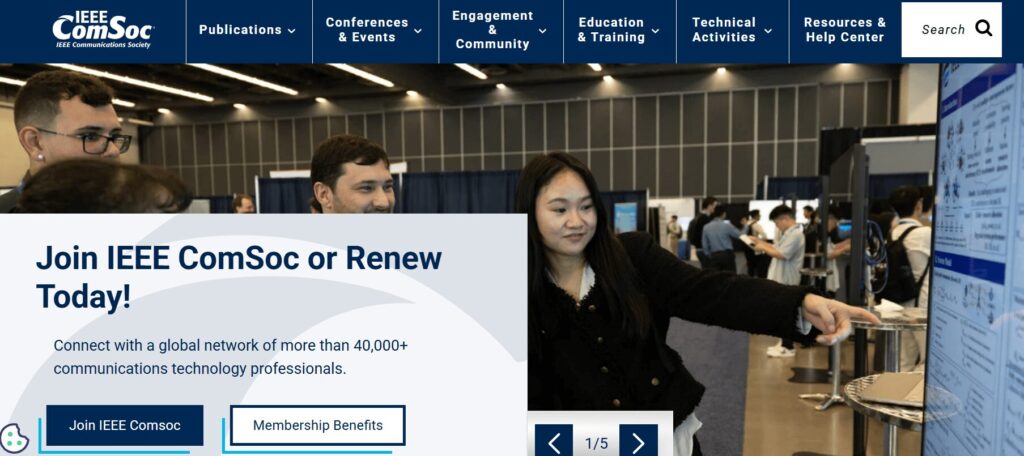
The IEEE ComSoc website homepage

IEEE ComSoc is a global network of over 40,000 communications technology professionals. The website provides a streamlined user experience, highlighting resources such as publications, events, community engagement opportunities, and skill development training. 

Three stand-out features of the IEEE ComSoc website:

  • Technical publication integration: Direct API connections to IEEE Xplore allow members to access high-level technical papers without leaving the ComSoc site.
  • Global event calendars: A centralized, timezone-aware calendar features dozens of international conferences and local chapter meetups.
  • Expert directories: A searchable “Find an Expert” database facilitates global networking among telecommunications professionals.

8. American Nurses Association (ANA)
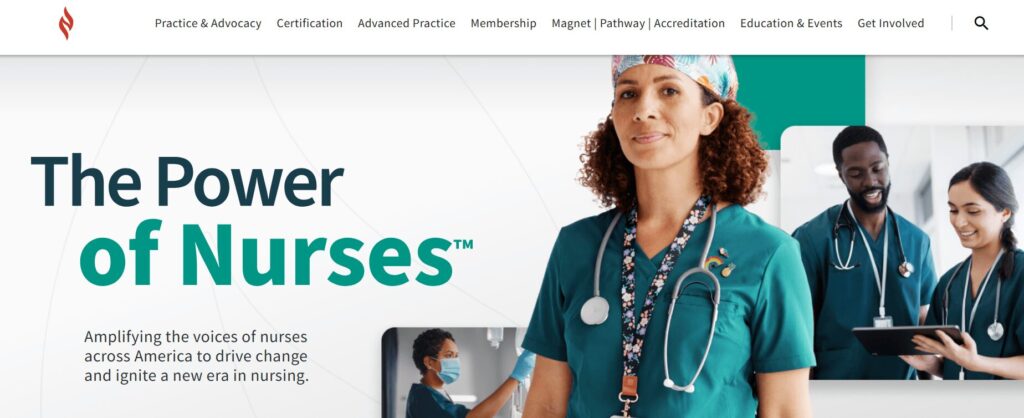
The ANA website homepage

As the online hub for the premier professional association for RNs, the ANA website goes above and beyond in facilitating the member journey. It successfully balances advocacy and professional development with a highly personal feel.

Three stand-out features of the ANA website:

  • Integrated certification tracker: A seamless connection to the ANCC (American Nurses Credentialing Center) allows nurses to track continuing education credits and certification status directly through their profile.
  • Action-oriented advocacy center: This tool reduces the friction of political engagement by enabling members to contact their representatives with pre-filled templates based on their zip code.
  • Custom job alerts: Members can set alerts that notify them only of roles matching their specific nursing sector and geographic preferences, effectively filtering out irrelevant postings.

9. New England Association of Schools & Colleges (NEASC)
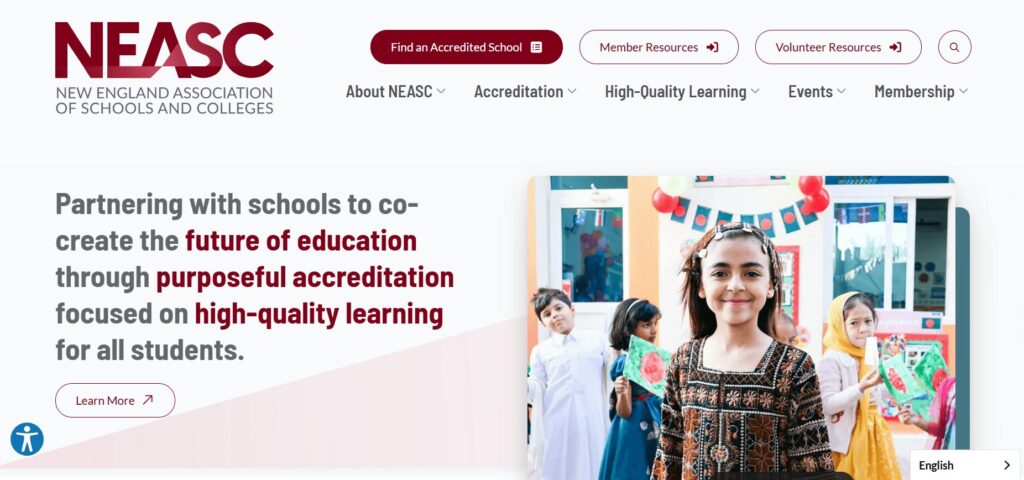
The NEASC website homepage

The NEASC website is a top-tier example of how an accrediting body can use digital tools to manage complex professional workflows. The site serves as a vital bridge between educational institutions and rigorous accreditation standards.

Three stand-out features of the NEASC website:

  • Searchable institution directory with advanced filtering: The public and educational professionals can verify the accreditation status of thousands of schools across multiple membership cycles and regions.
  • Resource-heavy accreditation toolkits: Designed with a clear content hierarchy, these kits enable school administrators to easily navigate the extensive documentation and self-reflection forms required for accreditation.
  • Streamlined event and workshop registration system: This tool handles high-volume sign-ups for professional development sessions, specifically tailored to different educational sectors from early childhood through higher education.

Expert website design tips for associations

1. Design for frictionless renewals.

Renewals provide your association with reliable recurring revenue, but a poorly designed website can become a barrier to member retention. A Higher Logic report found that almost half of associations report first-year renewal rates below 60%, often due to “unclear onboarding” on their websites.

Action steps to take today: 

  • Implement biometric login options (FaceID/TouchID) for member portals, making it easier for members to access their membership status information on supported devices. 
  • Provide an auto-renewal opt-in checkbox at the point of initial sign-up or renewal that allows members to keep a payment method on file for automatic annual billing.
  • Offer secure tokenization through gateways like Stripe or Authorize.net so members can pay with “the card on file” in a single click.

2. Optimize for answer engine visibility. 

While you may be familiar with search engine optimization (SEO), your site must also be optimized for generative or answer engines like ChatGPT and Gemini to succeed in today’s online landscape. People interact with generative search engines much less formally than traditional search platforms, asking questions in a conversational style and expecting immediate, personalized responses. 

Action steps to take today: 

  • Structure your content with clear H2 and H3 headings so AI engines can easily pull your information into their summaries.
  • Implement structured data, otherwise known as schema, to help engines understand the context of each page on your site. This could include Person, Organization, FAQ, BlogPosting, and Product schema. 
  • Identify and resolve technical issues that can affect traditional and AI search results, such as broken links or slow page load times. 

3. Use dynamic social proof.

Members want to see authentic, real-time validation from their peers. Dynamic social proof transforms your website from a one-way sales pitch into a living community, leveraging FOMO (the fear of missing out) and transparency to demonstrate your association’s value.

Action steps to take today: 

  • Record member video stories to share in recruitment emails and blog posts. 
  • Display real-time counters (e.g., “452 members are attending our next webinar”) to encourage engagement and build community.
  • Incorporate a live social media feed displaying posts from both your organization’s page and member posts that tag your organization or use one of your hashtags. 

4. Maintain brand consistency. 

If a member clicks from your main homepage to a legacy “Resources” subdomain or a third-party “Career Center” and the design suddenly changes, it erodes trust and creates friction in the user experience. Maintaining a unified visual and tonal language across all platforms ensures your association comes across as professional, reliable, and secure.

Action steps to take today: 

  • Create a digital style guide for your staff to use when making any website updates or changes. Include logo usage instructions, typography, hex codes, standardized writing conventions, and other visual and tonal guidelines. 
  • Audit your third-party integrations (like your AMS portal or job board) to ensure they use “header/footer” wrapping that matches your primary site’s navigation.
  • Standardize your component library so that every button, form, and “Call to Action” looks and behaves the same way, regardless of which page the member is visiting.

Curious whether your association’s website is currently hitting the mark when it comes to implementing best practices? Complete our free UX assessment scorecard to help evaluate your current performance and identify areas for improvement:

UX Scorecard

Rate your website to uncover member experience opportunities.

Association website design: FAQs

How often should our association redesign its website?

Associations should conduct recurring UX audits every six months. During this process, you should make small adjustments and improvements to your site based on metrics like time on page and conversion rates. This continuous improvement process ensures that your site won’t become outdated too quickly and that you can easily respond to fluctuations in your engagement metrics.

How do we integrate our AMS (Association Management System) without slowing down the site?

Adopt headless CMS architectures or prioritize API-first integrations to maintain peak front-end performance. A “headless” approach enables developers to deliver content via APIs seamlessly across any platform by decoupling the backend (i.e., your content management system, such as WordPress or Drupal) from the user interface. With a headless website architecture, you can create content once and seamlessly distribute it across both your website and your AMS.

What is the average cost of a custom association website in 2026? 

The cost of a custom association website depends heavily on the complexity of features such as member portal integrations. For mid-to-large associations, the investment covers deep AMS synchronization, custom single-sign-on (SSO) configurations, and rigorous accessibility auditing to meet inclusive design standards.

How can AI improve our member experience? 

AI tools can enhance members’ experiences through personalized content recommendations and support. Generative AI can now provide “predictive search,” which anticipates a member’s needs based on their career stage or past renewal behavior. Plus, 24/7 AI-driven member support chats help streamline the member experience by delivering immediate answers to common questions.

How Kanopi can help you create a member-centric website

The Kanopi team is well-versed in crafting member retention engines out of legacy association websites. We’ve helped dozens of associations transform their fragmented digital footprints into unified, high-performance platforms. Our website design services for associations include: 

  • Strategic discovery: Our team conducts comprehensive audience research to understand your current presence and develop a strategy tailored to your community.
  • AMS & SSO integration: We specialize in connecting complex back-end systems (iMIS, Fonteva, NetForum, etc.) to websites and implementing straightforward SSO for member-only portals.
  • Unified digital ecosystems: We consolidate fragmented domains and multi-site architectures into one high-performance, easy-to-manage platform.
  • High-performance dashboards: We build enhanced member areas featuring responsive, fully customizable charts and personalized resource libraries.
  • Inclusive design focus: We ensure your site meets all of the highest AA/AAA accessibility standards, providing equitable access for your entire global audience.
  • Continuous improvement: Through dedicated web support, we partner with you long-term to keep your site healthy and responsive to new trends.

From streamlining complex workflows to creating modern, accessible designs, see how we’ve helped organizations like yours thrive.

Wrapping Up

By prioritizing intuitive navigation, AI-driven personalization, and mobile-first accessibility, you can move beyond 'information overload' and start delivering true value via your association website design. Whether you’re looking for a full redesign or a targeted UX audit, the goal remains the same: making your members' digital involvement seamless. 
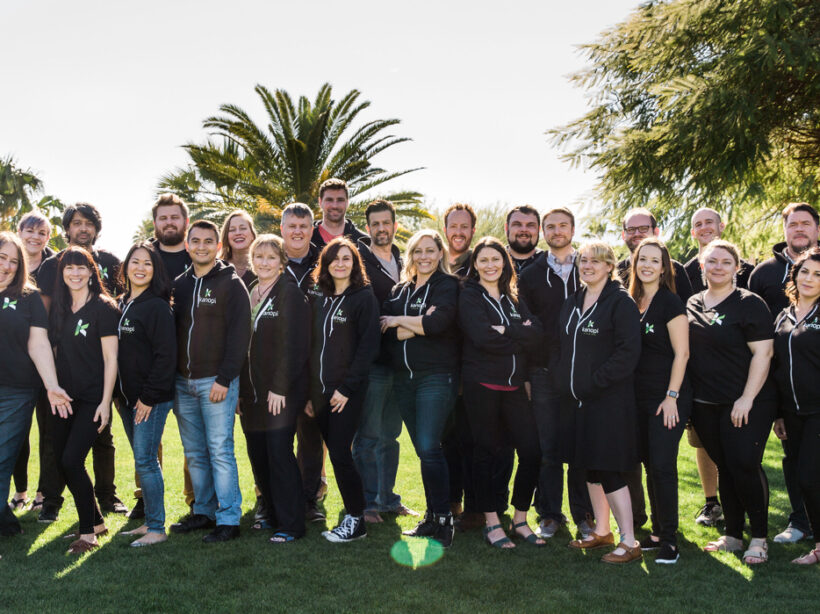
Kanopi Team

9 Best Healthcare Web Design Companies to Work With in 2026

Your healthcare or hospital website is the vital link connecting community members with the essential medical services they need to lead healthy lives. Your website is a critical launch point in the patient journey—studies show that over 60% of consumers use the web to choose a new healthcare provider or search for a service or care option, such as urgent care or imaging services.

Take a look at this example patient journey illustrating the key role healthcare websites play in transforming website visitors into patients:

Patient Journey

Step 1 of 4

Google

Search results for “best dermatologist…”

Ad • www.skindoc.com

Premium Skin Care Clinic

Board-certified experts. Book now.

TOP RATED

ClearSkin Dermatology

Rated #1 for patient satisfaction. Same-day appointments.

★★★★★ (2,847 reviews)
ClearSkin
ServicesAbout

Your Skin Deserves Expert Care

We combine medical excellence with a luxury patient experience.

📅 Schedule Consultation

Complete Your Booking

Selected Service:
General Dermatology Consultation
Time:
Tuesday, Oct 14 at 10:30 AM

However, your organization might not have the capacity or expertise to turn your digital home into a comprehensive resource that effectively serves your community. Working with a healthcare web design company can provide the support you need to continue delivering high-quality online experiences to your audience. 

This guide compares the top healthcare web design agencies to help your healthcare organization find the right fit for your digital needs, covering:

9 Best Healthcare Website Agencies to Partner With

CompanyBest ForTarget Audience
Kanopi StudiosHigh-touch, mission-driven partnershipUniversity medical departments, health foundations, and specialized health networks
Design de PlumeInclusivity-powered designHospitals and health centers seeking inclusive, community-driven communication
ModeaDigital “front door” engineeringLarge-scale hospitals, healthcare systems, and payors
Hedy & HoppPrivacy-first marketingMulti-location providers, health plans, and hospitals needing proven ROI
Intrepy MarketingPrivate practices and surgical centersSpecialty medical practices (Orthopedics, Med Spas, etc.) and solo providers
Windmill StrategyMedical device and life science companiesB2B MedTech and life science manufacturers
Practice BuildersData-driven practice growthPrivate clinics, urgent care centers, and dental/specialty providers
Supreme OptimizationTechnical life sciences and biotechScience-heavy companies in life sciences, pharma, and health tech ecosystems
RainCastleBiotech branding and investor designBiotech startups and established life science brands

1. Kanopi Studios

Kanopi Studios' website homepage

Location: Kanopi operates remotely, with a team spread across North America. 

Best For: A high-touch, mission-driven partnership

Target Audience: University medical departments, health foundations, hospitals, and specialized health networks

Services Overview: Kanopi’s healthcare web design services are built on a philosophy that medical websites should be easy for everyone to use, from patients to content editors to healthcare providers. The Kanopi team prioritizes intuitive user interfaces, accessible functionality and content, and mobile-friendliness. Additionally, every healthcare website Kanopi builds is fully HIPAA- and at least WCAG 2.1 AA-compliant

Key healthcare web design services include: 

  • Research and strategy: Every web project starts with discovery and research for a deep understanding of your target audience. This ensures that your website speaks to your users’ needs, no matter who they are. 
  • Design, user experience, and content: Kanopi creates engaging, accessible, and user-friendly healthcare content that simplifies the visitor experience and deepens audience relationships. 
  • Web development: Kanopi’s engineers bring your website to life with essential features and functionality, from online patient portals to location maps.
  • Web support: The Kanopi team partners with you to drive long-term success, continually enhancing your website with security updates, feature upgrades, and revitalized navigation.

Here’s a snapshot of how Kanopi approaches patient-first design for healthcare clients. We turn messy user interfaces into clean, engaging, patient-first digital experiences. 

Before & After UX Slider

The Power of Patient-First Design

✚ CareFirst
Services • Doctors • Portal • Contact

Your Health Journey,
Simplified

Access records, book doctors, and manage care from any device.

Book Appointment →
👨‍⚕️
Modern UX
🏥 GENERAL MEDICAL GROUP INC. Login | Register | Search
⚡ FLASH SALE: 20% OFF WELLNESS CHECKS – CALL NOW! ⚡
Quick Links

• Bill Pay
• Locations
• Careers
• Staff Info
• PDF Forms
Welcome to our Portal
Please call our office to request a PIN.
Support
Live Chat Offline.
Legacy UI

← Drag the slider to compare layouts →

Plus, 97% of Kanopi’s clients return year over year, demonstrating the team’s lasting commitment to digital healthcare success. 

2. Design de Plume 

Design de Plume's website homepage

Location: Canada and the U.S.

Best For: Inclusivity-powered design

Target Audience: Hospitals, health centers, and public sector organizations that serve diverse or vulnerable communities.

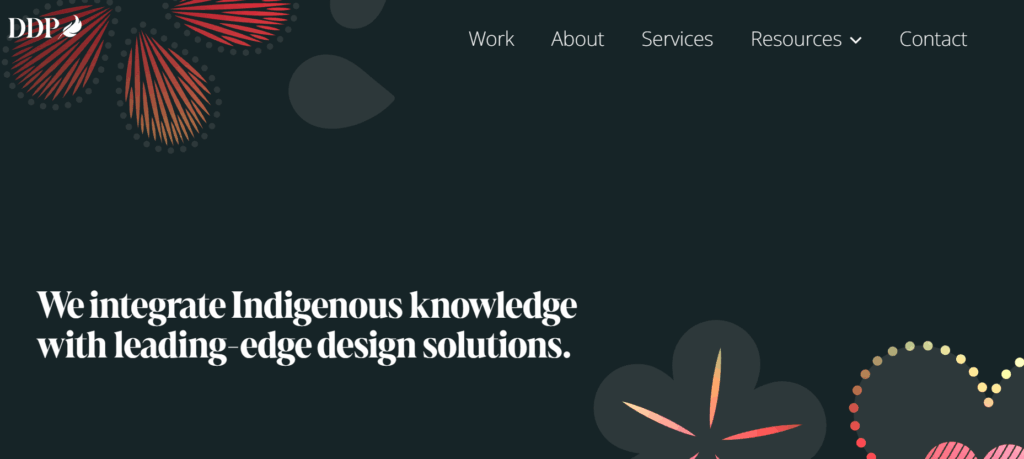
Services Overview: Design de Plume’s services are fueled by a commitment to inclusivity and honoring indigenous traditions. Their services include strategy, branding, website design, and campaigns. Some of their healthcare clients include the Johns Hopkins Center for Indigenous Health and the Maamwesying Ontario Health Team (MOHT).

3. Modea 

Modea's website homepage

Location: Headquarters in Blacksburg, VA

Best For: High-end digital “front door” product engineering

Target Audience: Large health systems and payors seeking sophisticated digital consumer experiences.

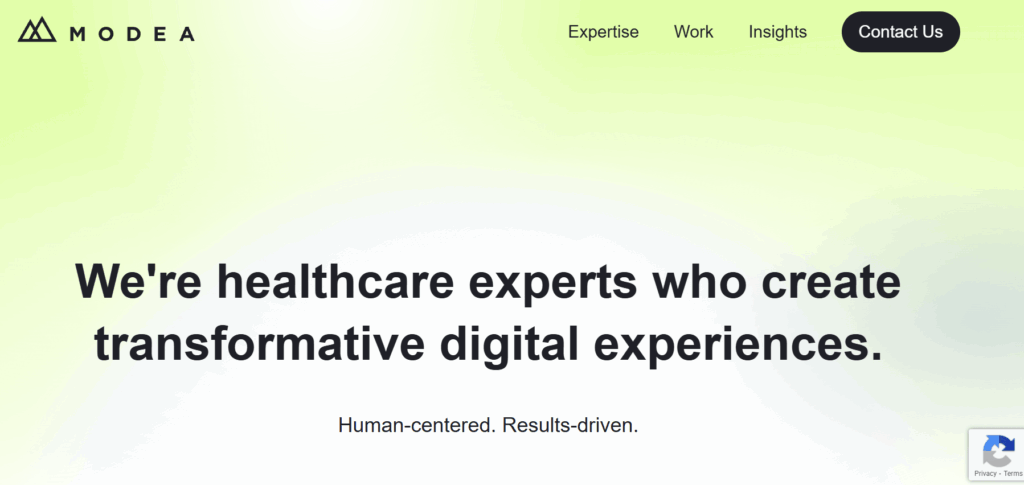
Services Overview: Modea partners with healthcare organizations to build and optimize their online resources. Their services include digital strategy, UX design, web development, electronic health record (EHR) integration, and HIPAA compliance. Their work has helped clients increase website conversions, site speed, and digital revenue.

4. Hedy & Hopp

The Hedy & Hopp website homepage

Location: Remote operations

Best For: Privacy-first marketing and HIPAA-compliant attribution

Target Audience: Large health systems, payors, and multi-location providers who need to prove marketing ROI.

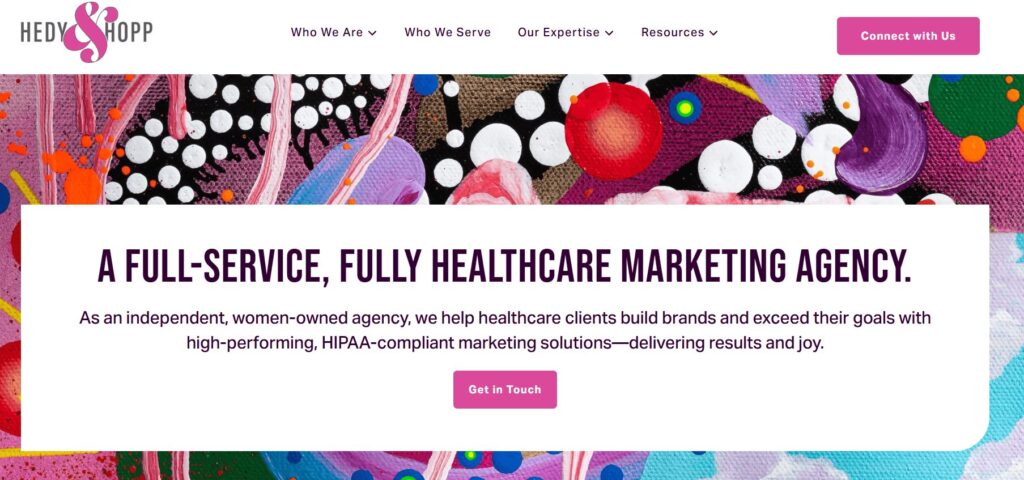
Services Overview: Hedy & Hopp is a full-service digital marketing agency for healthcare organizations. They can step in at any point to support healthcare websites, whether they need a full rebuild or optimization. They can also build a robust marketing strategy that sets up your healthcare organization for long-term growth. 

5. Intrepy Healthcare Marketing

The Intrepy website homepage

Location: Based in Orlando, FL.

Best For: Private practices and surgical centers

Target Audience: Medical practices and solo providers

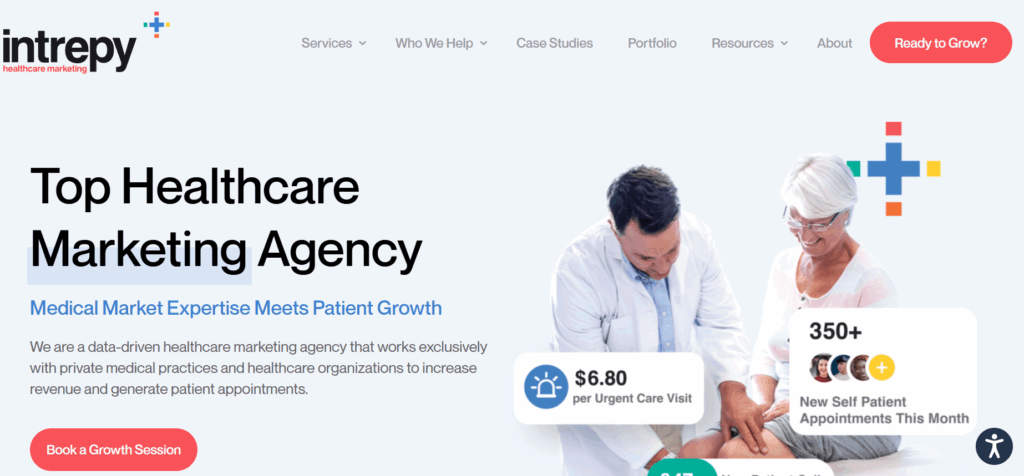
Services Overview: Intrepy takes a data-driven approach to healthcare marketing, leveraging real-world experience to provide tailored services that healthcare organizations need. Their services include medical SEO, web design, video production, paid advertising, and more. Clients have seen increases in organic website traffic and appointment booking after working with Intrepy. 

6. Windmill Strategy

The Windmill Strategy website homepage

Location: Based in Minneapolis, MN, with clients across the U.S. 

Best For: Medical device and life science companies

Target Audience: B2B MedTech

Services Overview: Windmill Strategy provides digital marketing services to B2B marketers with complex offerings. They help medical businesses establish leadership in their sector, showcase their offerings more effectively, and generate leads. They also build websites for life sciences organizations that speak to many audiences, from healthcare professionals and scientists to patients. 

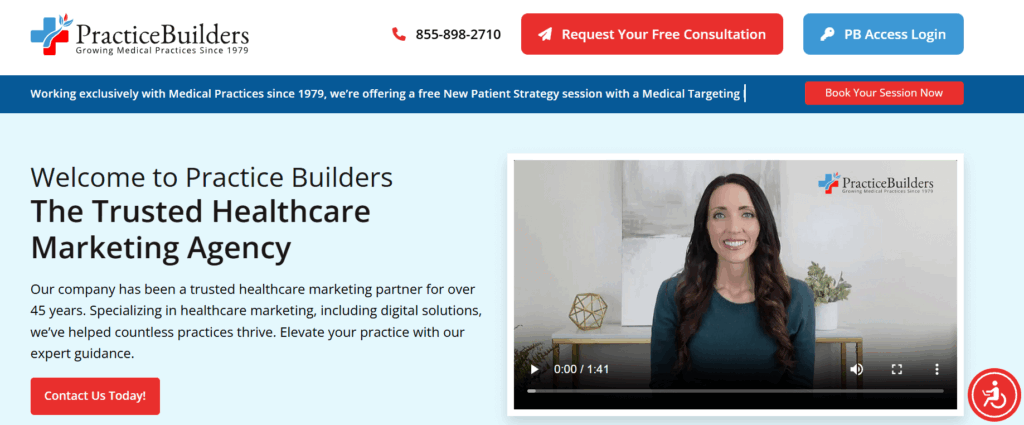
7. Practice Builders

The Practice Builders' website homepage

Location: Headquarters in Durham, NC

Best For: Data-driven practice growth 

Target Audience: Small-to-medium size clinics

Services Overview: Practice Builders has been in the healthcare digital marketing space for over 45 years. They help practices grow through web design, reputation management, SEO, and social media marketing. Their clients range from medical offices to dental practices and other specialties. 

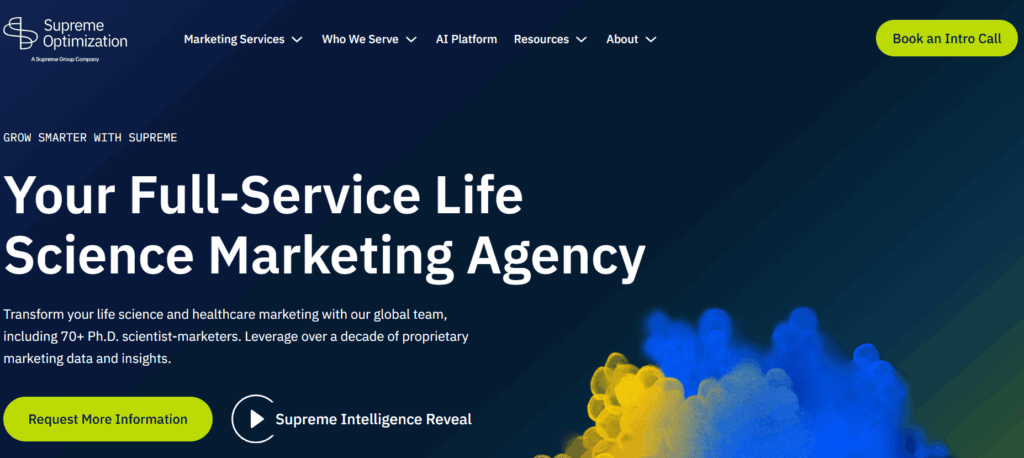
8. Supreme Optimization

The Supreme Optimization website homepage

Location: Remote/global capabilities

Best For: Technical life sciences and biotech

Target Audience: Scientific organizations needing Ph.D.-level strategists to communicate complex healthcare or life science products.

Services Overview: Supreme Optimization is a full-service marketing agency for life science organizations. Their global team includes 70+ Ph.D. scientist-marketers, ensuring they have deep knowledge of life science topics. Their team helps orgs maximize their ROI through smart UX and data-driven intelligence. 

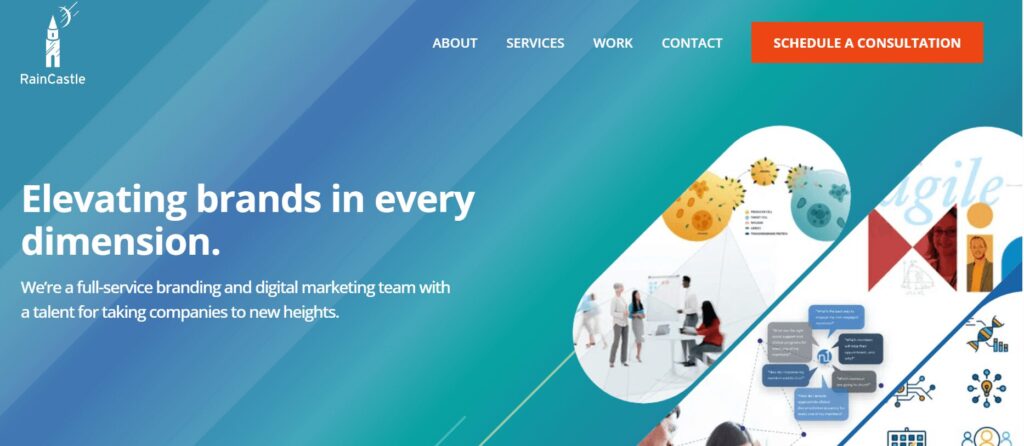
9. RainCastle Communications

The RainCastle Communications website homepage

Location: Headquarters in Needham, MA

Best For: Biotech branding and investor-focused design

Target Audience: Biotechnology

Services Overview: RainCastle Communications builds B2B websites for life sciences, healthcare technology, and professional services. They take a strategic approach to web optimization, from thoughtful discovery and design to ongoing optimization. Their industry expertise allows them to achieve strong results while reducing risks. 

Top Healthcare Web Design Companies: FAQs

How does healthcare web design differ from standard web design?

Healthcare sites face significantly higher stakes than other sectors; they must balance complex regulatory compliance (HIPAA, ADA) with a patient-first UX that reduces anxiety and is easy to use for web visitors who are often stressed or in a hurry.

Why is industry-specific experience so important?

Experienced agencies already understand clinical workflows, medical SEO, and the specific trust signals needed to convert a visitor into a patient, so they don’t need to be brought up to speed on the ins and outs of your industry.

What is the average timeline for a healthcare website build?

Timelines depend on scope, but they generally range from a few months to significantly longer for enterprise-level organizations with complex integrations, such as EHRs and patient portals.

What are the non-negotiable compliance standards?

Any reputable agency must guarantee HIPAA compliance for data privacy and Web Content Accessibility Guidelines (WCAG) 2.1 Level AA accessibility standards.

How do agencies protect sensitive patient information (PHI)?

Top firms implement SSL encryption, secure data storage, and encrypted form submissions to ensure that any data transmitted, from appointment requests to bill pay, is protected from breaches.

What features do patients value most on a healthcare site?

Data shows that 94% of consumers prioritize easy navigation on the websites they use. Other essential healthcare site features include intuitive search, mobile-friendly appointment scheduling, provider directories, and secure patient portals.

Why is mobile-first design critical in healthcare?

With over 64% of web traffic originating from mobile phones, patients need to be able to find directions or book care while on the go, often while juggling other stressful tasks like childcare and jobs. That means a mobile-friendly interface is critical to help them complete essential tasks.

How is accessibility handled for diverse patient needs?

Agencies should follow WCAG guidelines by creating designs that facilitate keyboard navigation, provide high color contrast for the visually impaired, are screen reader compatible, and offer clear, jargon-free content.

How much does a professional healthcare website cost?

Pricing varies widely based on the number of pages, custom features (such as telehealth integrations), and the level of ongoing support required.

How can we measure the ROI of a new website?

A top-quality agency will track specific metrics such as increases in new patient inquiries, online appointment bookings, and improved search engine rankings for key medical terms. You can use this data to evaluate whether your site is serving your goals or whether you need to adjust your strategy to improve outcomes.

How to Choose the Right Service Provider for Your Needs

  1. Ensure specialty alignment. If your healthcare organization requires specialized functionality, ensure the web design provider you work with can accommodate your needs. For example, a pediatric care clinic needs a balance of professional trust for parents and a friendly, approachable aesthetic. This often requires multilingual content options and quick links for vaccine schedules or dosage charts.

💡 Pro Tip: Ask for a “Design Persona” review. A provider should be able to explain how their design choices specifically appeal to both the logical needs of a parent/patient and the emotional comfort of the user.

  1. View portfolios. Explore case studies and client stories from potential providers to see whether their services and deliverables align with your requirements. Verify that their past work includes high-quality medical imagery and engaging video storytelling. Also, browse their past projects on a mobile device to ensure complete mobile compatibility. 

💡 Pro Tip: Don’t just look at the homepages. Navigate to a deep resource page on your phone (e.g., a dosage chart or provider directory). If you have to pinch and zoom to read it, they aren’t truly mobile-optimized.

  1. Ask for references. Don’t just take their word for it—ask potential agencies for references from past clients so you fully understand their approach with healthcare providers. For instance, you may ask a reference, “How did the agency handle situations where a timeline needed to be extended due to a new compliance requirement?”

💡 Pro Tip: Ask this exact question: “Can you describe a time this agency caught a compliance or security risk before you did?” This reveals whether they are proactive partners or just order-takers.

  1. Verify HIPAA compliance and security standards. Ensure the provider you choose complies with digital HIPAA guidelines and offers top-level security standards. Confirm they implement multi-factor authentication (MFA) for all logins, SSL encryption for every form, and secure off-site backups.

💡 Pro Tip: If a provider says, “Our hosting is HIPAA-compliant, so your site is too,” keep looking. HIPAA compliance requires specific encryption at the application level (how the forms handle data), not just where the files are stored.

  1. Ensure custom accessibility. Ensure custom accessibility. Your web design partner should be able to tailor your site’s accessibility to your unique audience. For example, if your organization serves populations with low vision and blindness, your web provider should be able to build your website to accommodate these needs, including high color contrast, audio descriptions, and other essentials. 

💡 Pro Tip: Ask for an accessibility audit report from a previous project. If they can’t produce one, they likely aren’t testing for screen readers or low-vision users.

  1. Ask about EHR integration. Ask specifically if they have integrated with your exact EHR system, such as Epic, Oracle Health, PracticeSuite, or athenaOne, as the technical lift varies significantly between platforms. Ensure they can seamlessly link to or embed patient portals so users can access test results and medical history without a confusing login experience.

💡 Pro Tip: Integration isn’t “one size fits all.” Ask: “Do you use a native API integration for [Epic/Oracle], or are you just skinning an external login page?” The latter often leads to a disjointed user experience.

  1. Explore support options. Determine the level of ongoing support your provider will offer your organization to ensure continued success. Ask about their guaranteed response time for critical security patches versus general content updates.

💡 Pro Tip: Distinguish between “Response Time” (we saw your email) and “Resolution Time” (the bug is fixed). Ensure your service-level agreement (SLA) defines both for critical security patches.

  1. Inquire about results tracking. Evaluate how providers measure website performance and report back to clients. Beyond traffic, they should track online appointment booking rates, newsletter sign-ups, and the “Success Rate” of your internal search bar.

💡 Pro Tip: Ask them to set up “Conversion Funnels” that track how many visitors to a service page actually complete an “Appointment Request” form.

Wrapping Up

Finding the right web design provider for your healthcare organization is as much about relationship building as it is about wireframes and branding strategies. When you can find an agency that truly cares about your organization, deeply understands its needs, and is devoted to its success, you can build an online presence that furthers your healthcare mission. 

For more information, check out these additional healthcare web design resources:

Hands on a keyboard

Understanding AA vs. AAA Website Accessibility: What’s the Difference (and Why It Matters)

At Kanopi Studios, we believe everyone should be able to access the web. That’s why every site we build meets WCAG 2.2 AA standards — the level most commonly required by legal and industry benchmarks. But some organizations go further, aiming for AAA-level compliance, the highest standard for web accessibility.

Let’s break down the difference between AA and AAA, and what it really means for your site.

Accessibility Levels, Simplified

The Web Content Accessibility Guidelines (WCAG) define three levels of compliance:

  • A (Minimum): Basic accessibility; some barriers still exist
  • AA (Mid-range): Eliminates most common barriers for users with disabilities
  • AAA (Highest): The most stringent and inclusive level

AA is typically the legal requirement (for example, under the ADA in the U.S. and AODA in Canada). AAA is aspirational; it’s not legally required, but it shows a deep commitment to inclusivity.

WCAG 2.2: Important Updates

In 2023, WCAG 2.2 became the current accessibility standard. Kanopi now ensures compliance with the new AA criteria, including:

  • Focus Not Obscured (2.4.11): Focus indicators must remain visible even if sticky headers or popups are active.
  • Dragging Movements (2.5.7): Interfaces that require dragging must also allow simple click/tap actions.
  • Target Size (2.5.8): Tap targets must be large enough for users to tap without precision.
  • Consistent Help (3.2.6): If a site offers help options, they must appear in the same location across pages.
  • Redundant Entry (3.3.7): Users should not have to re-enter information already provided.
  • Accessible Authentication (3.3.8): Logging in should not require memory tests or complex puzzles

Content-Specific AA vs. AAA Examples

Language Clarity

  • AA: Avoid jargon or explain your thought.
    • Example: “Apply via the portal” → “Apply using the online form.”
  • AAA: Use plain language. Keep reading level at or below lower secondary education.
    • Example: Instead of “Your application status has been updated,” use “We’ve made a change to your application.”

Headings & Structure

  • AA: Use clear, descriptive headings and follow a logical hierarchy (H1 → H2 → H3).
  • AAA: Make sure each section heading provides context even if read out of order.
    • Example: Avoid vague headings like “More Info.” Use “How to Submit Your Application.”
  • AA: Links must describe their purpose.
    • Example: “Learn more about our services” rather than “Click here”.
  • AAA: Link text must make sense out of context.
    • Example: “Read our article on reducing energy bills” rather than “Read more.”

Abbreviations

  • AA: Explain abbreviations at first use.
    • Example: “The American Psychological Association (APA)…”
  • AAA: Provide a glossary or allow users to toggle definitions.
    • Example: Include hover or inline definitions for recurring technical terms.

Reading Level

  • AA: No strict reading level requirement.
  • AAA: Content must be written at a lower secondary education reading level, or an alternative version must be provided.
    • Tip: Use tools like Hemingway or Readable to check Flesch-Kincaid scores.

Error Prevention in Forms

  • AA: Forms must identify input errors clearly and provide suggestions.
  • AAA: In addition to AA, the form must allow users to review, correct, and confirm before submitting. This is especially true for irreversible or legal submissions.

Additional AAA Examples Relevant to Writers

Supplementing Complex Content

  • AA: Provide straightforward information.
  • AAA: Include illustrations, charts, or summaries to clarify complex text.
    • Example: Add a one-sentence summary at the top of a complex page.

Timing & Disruption

  • AA: Warn users before timed events or auto-refresh.
  • AAA: Eliminate time limits where possible or extend them to at least 20 hours.
    • Relevance: Writers might need to flag if content is time-sensitive or might auto-refresh.

Sign Language and Audio Alternatives

  • AA: Provide captions for videos.
  • AAA: Provide sign language interpretation and audio descriptions for all multimedia.

TL;DR: Quick Checklist for Writers

ElementLevel AALevel AAA
LanguageClear and concisePlain language, lower reading level
HeadingsDescriptive and sequentialStandalone meaningful, always contextual
LinksPurpose clearMeaningful even when read alone
AbbreviationsDefined on first useFull glossary or inline definitions
ReadabilityNo requirement9th-grade level or lower
Multimedia contentCaptionsSign language + audio descriptions

AAA in Action: Kanopi Projects That Go the Extra Mile

While all Kanopi websites meet AA standards, we’ve had the honor of partnering with organizations who wanted to go all the way to AAA. Two great examples:

  • San Francisco Public Library: A city institution serving a wide, diverse population. Accessibility isn’t optional — it’s essential. This site goes above and beyond to ensure everyone, regardless of ability, can explore the library’s vast resources.
  • National Council for the Blind of Ireland (NCBI): As an advocacy organization for people with vision loss, NCBI’s site had to meet the highest accessibility standards. Together, we built a site that’s fully AAA-compliant, intuitive, and inclusive.

Accessibility Is Not One-and-Done

Whether you’re aiming for AA or AAA, it’s important to know: accessibility isn’t just about design and code. It requires:

  • Training content editors: Content can break accessibility if it’s not entered thoughtfully. Ensure your teams are trained to keep content compliant from day one.
  • Organizational commitment: True accessibility takes buy-in across your organization — from leadership to marketing to content contributors.

Final Thought

Accessibility is a journey, and we’re here to guide you at every step. Kanopi is great at web accessibility. Whether your goal is to meet AA or reach for AAA, we build with empathy, inclusivity, and long-term sustainability in mind.

Need help understanding where your site stands or how to improve it? Let’s talk.

Kanopi's Jen Hill, Tim Tufts, and Joe Tuen giving high fives and thumbs up.

12 Website Design & Development Trends for 2026

Key Takeaways

  • Agentic Journeys: AI agents (like Gemini and GPT) are now bypassing traditional website funnels to complete transactions directly.
  • Semantic HTML as “SEO 2.0”: Clean, machine-readable code is no longer optional; it’s how AI discovers and recommends your site.
  • Calmer UX: Design is shifting toward minimalist, “distraction-free” interfaces that prioritize speed and accessibility.
  • Trust UX: Privacy and consent are now core architectural requirements, not just legal checkboxes.
  • Component-Driven Development: Using unified design systems to scale content rapidly without technical debt.

It’s that time of year again when we look ahead to what’s coming. We admittedly don’t love the word “trends” because it implies something fleeting, while our entire philosophy here at Kanopi is about building sustainably and intelligently, so websites will last. The word “trends” works great for a short headline, but this article is more about outlining what we see coming in all aspects of website design and development, so you can be prepared to decide what could work for your business. 

We’ll warn you: artificial intelligence is covered a lot in this article. Love it or hate it, it’s here. While we are all learning to find ways to allow AI into our workflows in order to create efficiencies, it’s critical to use it in a way that keeps humanity strong! (If you’re curious, here’s how Kanopi uses AI for clients).

1. Let the bots organize large datasets

One thing that AI is very skilled with is helping aggregate large, disparate datasets. Think competitor research, user behavior data, or analytics reports.

Our content and UX strategy teams use a combination of ChatGPT and Claude to analyze large datasets, identify patterns, and turn complex information into clear, human-readable insights. AI can be used here to reduce the manual lift required for time-intensive activities; work that once took weeks can now be completed in just a few days, freeing our strategists to focus on the high-impact thinking that drives meaningful results for our clients. 

As always, human guidance is key. A human needs to review the outputs as they come. It helps maintain accuracy, minimize bias, and ensure that AI outputs stay closely aligned with the project’s goals and broader strategic direction. 

2. Agentic journeys & funnel flattening

AI agents (ChatGPT, Gemini, custom enterprise agents, etc.) will increasingly handle research, booking, donations, and transactions end-to-end, collapsing multi-step funnels into single-intent, conversational flows. Early adoption in 2026 will raise new questions about attribution, fraud, consent, and regulation. 

What about website design, UX and content?

3. Make your content speak AI

AI isn’t just reading your content anymore. It’s deciding whether to recommend you at all. If your site isn’t structured in a way that ChatGPT, Gemini, and other AI agents can understand, you’re basically invisible to a growing chunk of how people discover things online. We’re talking semantic HTML, well-structured and agent-friendly APIs, stable URLs, and clean information hierarchies, and structured data … all the stuff that makes your content machine-readable. This is no longer optional. Think of it as SEO 2.0, except now you’re optimizing for robots that are way smarter than the old-school web crawlers. Otherwise, expect degraded representation in AI-driven search and assistants.

What Kanopi is doing: We start with AI-led content audits that reveal exactly where your content stands. What’s discoverable, what’s buried, what’s redundant, and what’s completely invisible to AI systems. These audits don’t just identify problems, they inform strategy, helping you prioritize what to fix first based on actual impact.

4. Scale your content without sacrificing your voice

One of the biggest challenges teams face is keeping content fresh and consistent across dozens (or hundreds) of pages. You’ve got style guides gathering dust, content editors struggling to match tone, and updates that take forever because every piece needs multiple rounds of review. AI changes that equation completely. But only if it’s trained on your voice, not generic internet speak.

What Kanopi is doing: We’re building custom AI workflows that learn your brand’s style guide, tone, and content patterns, then generate copy variations that actually sound like you. But we’re not just handing you a robot and wishing you luck. We’re creating prompt libraries and content templates tailored to your team’s specific needs. Need 10 variations of a CTA? Done. Want to update product descriptions across your catalog while maintaining consistency? Easy. We’re giving your content editors AI tools that work with them, not against them, so they can keep sites current without burning out. It’s like having a writing assistant who’s read every piece of content you’ve ever published and knows exactly how you like things done.

5. Design for speed and intuition

Nobody wants to click through five pages to do something an AI can handle in one conversation. We’re witnessing a significant shift toward interfaces that anticipate users’ needs and deliver them faster. Think calmer designs, less clutter, smarter personalization that doesn’t feel intrusive. Multi-step funnels are collapsing into simple, conversational flows because that’s what AI agents are built for and what users now expect. The best interfaces in 2026 will feel less like navigating a website and more like having a helpful assistant who intuitively understands your needs.

What Kanopi is doing: We’re using AI-powered tools to streamline our design workflows that create meaningful efficiencies for our downstream development teams. Our Figma to Claude process enables rapid component prototyping. This means we can create more, iterate faster and refine work, without putting timelines or budgets at risk. 

6. Unifying theme and atomic/component-driven design

A major trend shaping 2026 web design is the continued move toward unified, component-based systems. Instead of designing every page from scratch, we create a consistent library of reusable interface elements, buttons, cards, forms, navigation patterns, that work together seamlessly across your entire site. This ensures visual cohesion, faster development, and a smoother user experience.

What Kanopi is doing: We take this further by pairing modern design tools with cutting-edge AI development workflows. Using Figma’s Model Context Protocol (MCP), our design files connect directly to advanced AI coding tools like OpenAI Codex and Anthropic’s Claude. This means our designs are translated into high-quality, production-ready code with exceptional accuracy.

Once components are built, we use Google Chrome DevTools MCP to let AI validate how each piece actually renders in a real browser, catching visual issues early and ensuring the final experience matches the design vision.

From there, our developers ensure each component can be easily managed in your CMS. Finally, we build end-to-end functional tests that automatically watch for regressions, ensuring that as your site evolves, nothing breaks along the way.

The result is a unified design system powered by intelligent workflows that keeps your site visually consistent, easy to maintain, and ready to scale.

Other things we see coming

  • AI can serve as a valuable design research partner, helping designers quickly surface trends, industry-specific design patterns and assessing the accessibility of design components as they are being designed. 
  • Aesthetically speaking, we’re noticing a shift to calmer user experiences; minimalist interfaces, fewer distractions, more clarity, and clearer information hierarchies. 
  • Lastly, compliance for WCAG and “Consent UX” or “Trust UX” — the design of user interfaces and flows that ethically obtain user permission for data collection and use — is becoming mandatory. See the “Trust, Privacy, Consent & compliance in the next section for more information on this.  

There’s even more happening in website development (whether it’s Drupal, WordPress, or custom code)

Just like in strategy, content, and design, development is also undergoing a meaningful shift. These aren’t fads. They’re structural changes in how teams build, maintain, and future-proof websites. Here’s what we see shaping 2026:

7. Server-side rendering & resilient delivery

We’re watching teams swing back toward server-side rendering (SSR), static site generation (SSG), and progressive enhancement. This isn’t nostalgia, instead it’s a response to what users (and AI systems) now expect: fast initial loads, predictability, resilience, and content that’s easily discoverable by both humans and machines.

Modern frameworks absolutely still have a place, especially when rich interactivity is required, but we’re seeing a clearer separation between where complexity adds value and where it gets in the way.

8. Rethinking architecture: agents vs. complex frontends

As AI agents begin handling more of the “consumption layer” — surfacing answers, facilitating transactions, navigating information — the value of extremely complex, client-heavy architectures is being reconsidered.

 For informational sites and straightforward user journeys, well-structured, semantic content often wins over front-end flexibility. Complex frontends will continue to power robust applications, but many marketing and discovery-focused sites are trending back toward hybrid or server-first models.

Agents are already consuming AI-friendly APIs, and with evolving authentication, they’ll get even better at interpreting content over time. With the current pace of innovation, we predict this will be a delicate dance throughout 2026.

9. AI-accelerated technical debt

AI coding tools are incredible accelerators, but they’re accelerators in both directions. Yes, they speed up delivery. They also multiply code volume, inconsistency, and architectural drift if teams don’t stay vigilant.

This is where strong standards, clean patterns, and senior oversight matter more than ever. Without them, organizations end up with AI-generated technical debt and fragmented prompt/model sprawl — problems that cost significantly more to untangle later. Kanopi builds governance into our workflows so speed never comes at the expense of long-term stability.

As AI becomes embedded in websites and applications, the way we communicate trust changes too. Users need clarity around how their data is used, how permissions work, and what AI agents are doing on their behalf.

“Trust UX” is becoming its own discipline. Transparent consent flows, auditable agent actions, and understandable data policies are now core engineering requirements, not afterthoughts. And with legal scrutiny around consent management on the rise, we expect this to intensify in the coming year.

11. Predictive personalization & AI-driven adaptation

Users increasingly expect experiences that adapt to them, including personalized recommendations, context-aware content, and layouts that respond to user intent. Achieving this requires real AI infrastructure: data pipelines, model governance, and ethical frameworks.

Basic rules-based personalization won’t cut it anymore. Organizations that want to deliver anticipatory digital experiences will need to invest in more holistic, AI-driven systems.

12. Accessibility & inclusion as architectural foundations

Accessibility is no longer something you “add on” during QA. It’s becoming a structural requirement. Semantic HTML, non-JavaScript critical paths, and robust WCAG compliance are essential for AI discoverability and multimodal search (and are just good practice regardless).

As agents rely more on clean, machine-readable content, inaccessible markup and JS-gated experiences will carry increasing penalties. Building inclusively from the start is now both an ethical responsibility and a competitive advantage.

Curious about what Kanopi’s doing specifically? Here are a few exciting projects keeping us engaged:

Drupal CMS, Drupal Canvas, and Site Templates!

We’re hard at work in the Drupal community, helping Drupal CMS development continue. Drupal CMS 2.0 was released in January 2026, complete with a working Site template example building on top of Drupal Canvas, the new editor coming to Drupal.

There are AI integrations, theming in the browser, and instant component creation. This all will minimize development cycles and empower content creators to prototype and publish as they see fit.

We will be working to release a Site Template in the initial launch of the Drupal.org marketplace, so check back with us in the spring at DrupalCon Chicago.

AI Tooling to increase content editor and developer efficiency

We’re working to build AI workflows and tools into our tech stack and into Drupal and WordPress sites to help all of us be more productive in our day to day tasks. We’re connecting Figma to coding agents, as well as connecting automated audits to ticketing systems, content, image, and audio generation in content management systems. Basically, we are working in a way that we can do more with less.

Things are moving quickly, but the basics are still critical.

It’s a lot to absorb when technology moves ever faster, but it’s important to remember that the basics still hold true: your website needs to work for the humans that use it. Your visitors need the information they came looking for, and your editors on the back end need to be able to make updates that keep the website performant, accessible, and fresh. 

There’s always going to be more we can do to make websites better, so it’s easy to get overwhelmed with everything that’s coming. But remember this: you don’t need to know everything, you only need to know the things that will make your website meet the goals you’ve defined for it. 

We hope this post helps inspires you with ideas on how to make your website stronger in 2026!

UX wireframes

Accessibility in the Design Process

(Note: If you’re short on time, click here for the tl:dr summary.)

We take web accessibility seriously here at Kanopi. It’s a key part of being an inclusive organization, which is one of our core values.

It’s also because we need to be. And so do you. 

Let’s start with the fact that it just makes good business sense. 

According to CDC stats, 27% of adults in the U.S. alone are permanently disabled (which itself is just one small portion of the entire disability spectrum). If your website doesn’t address their accessibility concerns, you’re essentially denying them the opportunity to become your customer, member, subscriber, applicant, or whatever your website goals may be. 

It’s also worth mentioning that, depending on the nature of your organization, you could even face potential legal liability if your website isn’t properly accessible.

In practice, it means we’ve baked accessibility considerations directly into our processes, throughout every department and team. For example, when our strategy team creates user personas, they ensure at least one of them has a specific accessibility need along with the standard set of attributes

Since many of the considerations regarding website accessibility are design considerations, our design team has created an Accessibility Checklist that we apply to everything we create. It’s based on the A11y Project plus our own team’s experience, and it’s meant to help ensure our designs meet the standards set forth by the Web Content Accessibility Guidelines (WCAG).

The A11y Project provides the most comprehensive explanation of WCAG. So, to quote them verbatim: 

The WCAG is a shared standard for web content accessibility for individuals, organizations, and governments. There are three levels of accessibility compliance in the WCAG, which reflect the priority of support:

  • A: Essential — If this isn’t met, assistive technology may not be able to read, understand, or fully operate the page or view.
  • AA: Ideal Support — Required for multiple government and public body websites. 
  • AAA: Specialized Support — This is typically reserved for parts of websites and web apps that serve a specialized audience.

As A11y points out, this list by itself won’t make your site fully accessible to everyone, but it will go a long way toward improving the overall user experience.

Kanopi Design Accessibility Checklist

Color Contrast

We check text contrast to prioritize readability, and meet a minimum WCAG AA-compliant 4.5:1 contrast ratio.

We also ensure that color contrast for non-text items (graphical objects, for example) meets the minimum standard 3:1.

We use Webaim’s contrast checker tool to ensure our contrast ratios are compliant.

Typography

WCAG guidelines require that text can be resized up to 200 percent without losing content or functionality, and without relying on assistive technology. This rule does not apply to captions or images of text.

We choose fonts that work well at both large and small sizes. They feature clear, distinct letterforms that are easy to read in many situations. This helps accommodate the variation found across different mobile devices.

We use a minimum size of 12 points or 16 pixels for all body copy. 

Animation & Motion

While most mobile and desktop operating systems now include ‘reduce motion’ settings, websites themselves should also allow for further controls. WCAG also states that users should always be able to exert some control over how they experience animation in websites. 

This is why the websites we design, build and support allow users to play and stop animations as it suits them. We also use motion strategically, so it enhances the experiences for some users without impeding the experiences for others.

Layout Design

We make sure all user interface elements in our designs are sized and spaced to make interaction (i.e. via ‘tap’ or alternative interfaces) as simple as possible for users with reduced motor functionality.

In addition to being compliant with WCAG guidelines regarding text spacing and other interface elements, it also aligns with more general design best practices — in this case, Jakob’s Law.

Accessibility benefits all users.

We’ve found that adhering to accessibility guidelines not only opens your websites to potential new users, but it creates a better user experience for everyone. 

These are just a sample of the user benefits accessible websites provide:

  • Reduced friction points within the website experience
  • Easier to consume and engage with content
  • Better mobile experience
  • Wider audience reach 
  • Reduced bounce rates
  • SEO benefits
  • Higher conversion rates

Feel free to borrow this checklist for your own organization, or formulate your own list that best reflects your user research. And if your website needs to be more accessible, a major redesign might be the right step. If you’re not sure, we’re here to help.

If you’re interested in learning more about accessibility, check out these posts: 

TL:DR Design Accessibility Checklist 

Note: As per our Accessibility Expert Candice Dexter, we should note that these checklist items apply to more than one rule each; but we’re focusing here on its primary compliance rule.

Color Contrast

Check for:

We prioritize fonts that perform at large and small sizes We test text contrast to prioritize readability, and meet a minimum AA-compliant 4.5:1 contrast ratio.

We also ensure that color contrast for non-text items (such as graphical objects) meets the minimum standard 3:1.

To comply with:

Typography

Check for:

We prioritize fonts that perform at large and small sizes that have distinct, easily identifiable letterforms. A minimum size of 12 points or 16 pixels is used for all body copy. 

We stick with fonts that can be easily read in a variety of scenarios, to account for the variation that can occur with mobile devices.

Animation & Motion

Check for:

Users should always be able to exert some control over how they experience animation in websites. While most mobile and desktop operating systems now include ‘reduce motion’ settings, websites themselves should also allow for further controls.

The websites we design, build and support give users the ability to play and stop animations as it suits them. We also use motion strategically, to enhance the experiences for some users without impeding others.

Layout Design

Check for:

We make sure all user interface elements in our designs are sized and spaced to make interaction (i.e. via ‘tap’ or alternative interfaces) as simple as possible for users with reduced motor functionality.

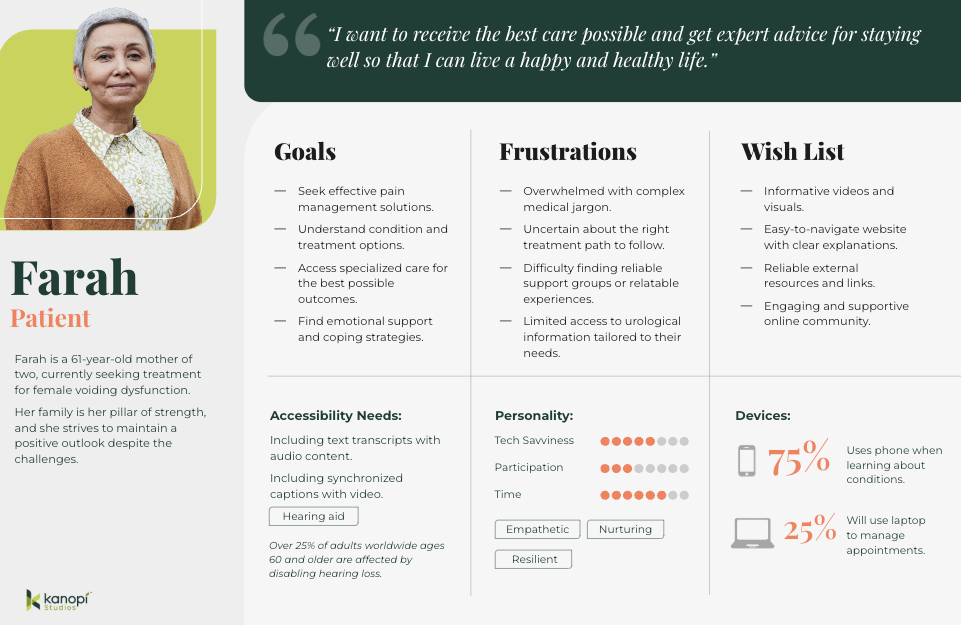
Example of a persona for a resident at UCSF Urology, showing the accessibility needs

Accessible personas: the key to inclusive web design

The World Health Organization (WHO) estimates over 15% of the world’s population — or 1.3 billion people — self-identify as having a disability.

That’s why creating inclusive and accessible websites isn’t just a nice-to-have in today’s online world; it’s an absolute necessity. 

As hospitals, universities, and nonprofits strive to meet the needs of everyone who visits their websites, it becomes all the more crucial to understand the diverse challenges folks face when attempting to interact with inaccessible content (and the impact this can have on customer acquisition, applications, and fundraising.)

Here at Kanopi, we’d argue that to understand what people with disabilities need from your website, you should develop accessible personas — detailed representations of your different website visitors, particularly those with disabilities.

This blog explores why accessible personas are essential, how they help design better user experiences and the best practices for developing them. Let’s get started!

What are accessible personas?

We’ve written about them before here, but simply put, a persona is a fictional yet data-driven representation of your target customer, written as if the persona were a real person. It’s documented in a way that lists everything from demographic information to hobbies, to pain points, and motivators. 

A persona is a tool you can use to create sales and marketing materials that have a specific target user in mind, rather than a generic one. They are designed to guide content writers, designers, and developers in crafting websites that can be easily accessed and navigated by everyone, regardless of their abilities.

But what many personas lack is taking accessibility needs into account. We can’t forget or ignore that site visitors can have various impairments, including permanent, temporary, and situational disabilities (see below for more on those). This is particularly critical in healthcare, where users come to a website with any number of accessibility needs and need information quickly and easily. 

Example: a persona for a UCSF Department of Urology patient

Example: a persona for a UCSF Department of Urology patient

By focusing on different disability types — such as mobility, visual, hearing, cognitive, and neurological impairments — organizations can better anticipate the needs of folks who may face barriers when interacting with their websites.

Dyslexia alone affects 20% of the population and represents 80–90% of all those with learning disabilities. It’s the most common of all neurocognitive disorders. Limiting all capitalization and breaking up large walls of text to add white space are just a few design solutions that help ensure your site content is dyslexia-friendly. 

It’s also essential to consider the three different types of impairments:

  • Permanent impairments, like blindness or permanent mobility limitations.
  • Temporary impairments, such as an eye injury or recovering from surgery.
  • Situational impairments, like those faced by a person in bright sunlight or within a noisy environment.

There’s a strong business case for developing accessible personas.

Improved usability for everyone

Accessible personas help organizations understand the unique challenges faced by people with disabilities, leading to more inclusive and user-friendly web design. 

The insights drawn from accessible personas ensure that accessibility isn’t an afterthought but an integrated part of the design process. 

By considering different abilities, you create a better experience not only for folks with disabilities but for everyone — whether they’re navigating your website with a keyboard, voice control, or even in a noisy or visually cluttered space.

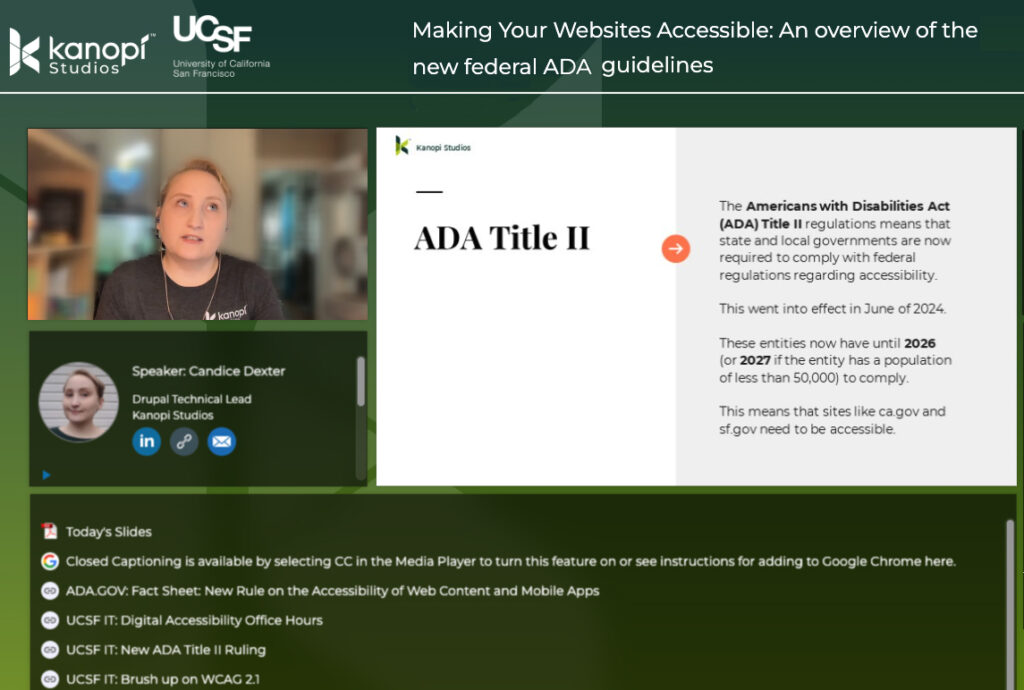
Most organizations must comply with accessibility laws, such as the Americans with Disabilities Act (ADA) and Section 508 of the Rehabilitation Act

Then there’s the issue of ethics. Put simply, ensuring your website is accessible to people with disabilities means equal access to your site’s content for all, not just a few. 

Enhances content, UX, & design

Creating accessible personas encourages teams to focus on key aspects of accessibility, such as content clarity, navigation ease, and intuitive design. 

For instance, a persona with a hearing impairment might require captions for videos and a visual indicator for sound cues. 

Additionally, a person with a visual impairment might need large text options and high-contrast colors. 

These solutions — along with many more outlined in our content scorecard — help ensure that everyone who visits your website can read, navigate and use your content as intended.

Fosters empathy & inclusion

Developing personas based on real-world impairments fosters empathy among strategists, content writers, designers, and developers. 

When teams are guided by detailed personas that represent real-world people, you can create a stronger emotional connection to your organization’s accessibility goals. 

This empathy can shift the focus from mere compliance to a genuine commitment to creating more inclusive and usable digital experiences for everyone.

Best practices for developing accessible personas

Consider permanent, temporary, & situational disabilities

Disabilities can vary widely in terms of permanence. Some folks might have lifelong disabilities, like blindness, while others might have temporary conditions, such as an eye injury. 

Situational impairments — like a noisy environment or bright lighting — also affect how people interact with your website.

Account for diverse impairments

A disability can impact someone’s senses and abilities differently, including:

  • Mobility: People with limited motor control may require options to navigate your website without precise mouse movements. Ensure your site provides keyboard navigation, large buttons, and clear visual cues for all clickable elements.
  • Visual: Permanent impairments like blindness or color blindness and temporary issues such as cataracts or eye injuries require solutions including alt text, high-contrast colors, and adjustable font sizes.
  • Hearing: People with hearing impairments need captions and transcripts for videos and visual cues for audio content.
  • Cognitive & Neurological: People with cognitive impairments benefit from clear, simple language, step-by-step instructions, and tutorials that help them navigate your website easily.

Embed accessibility in Drupal

Once you’ve designed your personas, make it easy to implement how you’ll meet people’s needs.

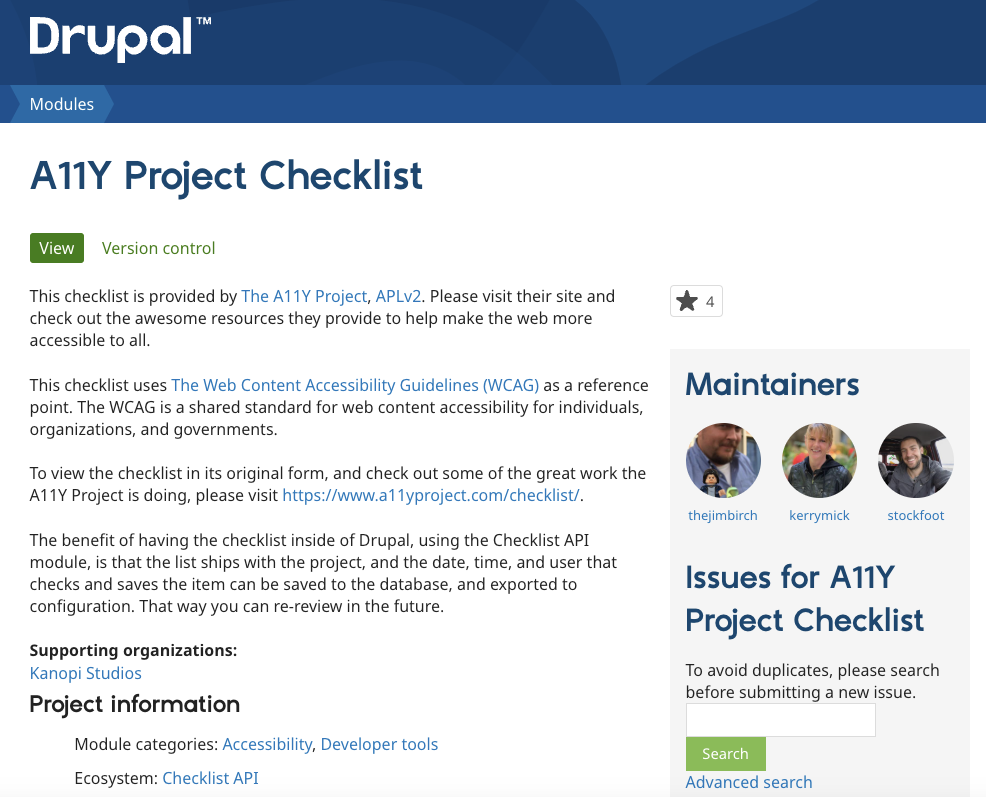
The Drupal A11y Project Checklist created and maintained by developers at Kanopi offers helpful, integrated guidance on interaction methods, navigation, and structure for individuals, organizations, and governments.

Screenshot of the Drupal.org A11y project checklist

Practical solutions for a variety of impairments

Avoid taking a one-size-fits-all approach. Different solutions assist different impairments. For example:

  • Mobility Impairments: Ensure folks can navigate your site using their keyboard or screen reader. Avoid requiring precise mouse movements, which can be difficult for people with motor impairments.
  • Visual Impairments: Craft high-contrast color schemes and resizable text options, and use descriptive alt text for images and videos. These features benefit people with blindness, color blindness, and even temporary impairments like eye injuries. 
  • Hearing Impairments: Use captions, transcripts, and visual cues to replace audio information. Additionally, provide clear, concise language to ensure understanding.
  • Cognitive Impairments: Simplify language, use step-by-step instructions, and minimize complex interactions. Visual aids can be beneficial for people with cognitive or neurological impairments.
  • Neurological impairments: Avoid extreme flash and strobe of visual content, parallax effects, and scroll-triggered animations, considering the needs of the 50 million people worldwide who have epilepsy and the 1.8 million adults worldwide who have bilateral vestibular hypofunction (BVH).

Where to start for creating your own accessible personas 

The UK Government Digital Service (GDS) has developed seven different open-source accessibility personas that you can use as a reference to get started. However, the GDS also notes that creating accessible personas is not a substitute for including people with access needs in your user testing.

Guidelines from Microsoft’s Inclusive Design methodology provide a comprehensive approach to developing accessible personas as well.

Accessible personas not only humanize your site’s users but also help prioritize and align content, UX, and design solutions to better meet their needs.

At Kanopi, we create personas from many different sources, including:

  • user research
  • interviews with real people
  • data gathered through analytics
  • and market knowledge best practices.

We’ve developed accessible personas for many organizations, including Flagler College, the Gilder Lehrman Hamilton Education Program, and the UCSF Department of Urology.

While it may seem like a daunting task, taking small, incremental steps can improve your site’s accessibility over time. For example, you could start by focusing on your website’s forms.

Kanopi’s Drupal development services focus on creating functional, sustainable Drupal websites.

AI and Web Accessibility: Help or Hype?

Web accessibility ensures that everyone – regardless of ability – can use and benefit from your website. For some users, that means being able to navigate a site using a keyboard or screen reader. For others. It means understanding content despite vision, hearing, or cognitive challenges. It’s not just good practice; it’s increasingly required by law. And it opens your digital doors to a wider audience. 

AI is creeping into every part of digital life, including accessibility. But does it help make websites more inclusive? Or is it just another shiny tool that creates more problems than it solves?

Here’s a quick take on how AI can support accessibility, and where it might do more harm than good.

Where AI Helps

  • Auto-generated alt text. AI can analyze images and suggest descriptions, filling in gaps when content editors forget. It’s convenient on large, content-heavy sites, but human review is still essential. AI may “see” a mountain, but it won’t know why the image matters in context.
  • Real-time content feedback. Some platforms now offer accessibility checks directly in the content editing workflow. These tools help flag issues like missing headings, poor color contrast, or unlabeled buttons as content is created, making accessibility more achievable for teams without deep technical skills.
  • Conversational interfaces. AI-powered chat and voice tools can improve navigation and usability for people with mobility or vision challenges. For example, a WordPress site might integrate a voice-driven search that helps users find content without typing, while a Drupal site might use AI to guide users through complex forms using natural language cues.
  • Video and audio transcription. AI-generated transcripts and captions can make multimedia content instantly more accessible. Think about a site with hundreds of podcast episodes or instructional videos — AI can drastically reduce the time and cost of providing accessible alternatives while still allowing for human review to ensure accuracy.

Where AI Hurts

  • “One-line” accessibility overlays. These scripts promise to make your site instantly accessible. In reality, they rarely fix the underlying code and can interfere with screen readers and keyboard navigation. Worse, they give a false sense of compliance and have even led to lawsuits. Learn more about overlays.
  • Poor language translation. AI-powered translation tools can be helpful, but they often miss nuances, idioms, or culturally sensitive phrasing. A poorly translated error message or form instructions can confuse users who rely on clear, simple language.
  • Voice recognition limitations. AI-powered voice navigation tools can struggle with users who have speech impairments, strong accents or use assistive speech devices.
  • AI bias. Because AI is trained on existing data, it can reflect biases or overlook the needs of users with disabilities. What seems “smart” might miss key accessibility issues entirely.

The Bottom Line

AI can support accessibility, but it’s not a substitute for doing it right. The best results come from using AI as a helper to flag issues early, reduce manual effort, and support your team. But it still takes real people, clear standards, and smart design decisions to build truly inclusive websites.

Kanopi writes a lot about accessibility. Check out our dedicated page.

Kanopi’s Drupal development services focus on creating functional, sustainable Drupal websites.

The new federal ADA guidelines: what they mean for websites

In an era where digital inclusivity is becoming increasingly critical, the new ADA (Americans with Disabilities Act) guidelines for web accessibility aim to help create a more equitable online experience. 

For those of us responsible for maintaining websites, this will require an ongoing commitment to ensuring your site is navigable, readable, and compatible with diverse technologies at all times. 

Who specifically has to follow these web and mobile app accessibility requirements? While everyone certainly should, this particular set of guidelines are targeted to the following:

  • Public transit agencies
  • State and local government offices that provide benefits and/or social services, like food assistance, health insurance, or employment services
  • Public schools, community colleges, and public universities
  • State and local police departments
  • State and local courts
  • State and local elections offices
  • Public hospitals and public healthcare clinics
  • Public parks and recreation programs
  • Public libraries

Site owners have been tasked with achieving and maintaining WCAG 2.1 AA compliance by April 24, 2026. Adopting these standards not only fulfills your organization’s legal obligations, but will also enhance user experience and foster a more inclusive digital environment.

But first, a brief history.

Timeline:

  • In 1990, the Americans with Disabilities Act (ADA) was signed into law as a landmark civil rights measure aimed at preventing discrimination based on disability. This legislation mandates reasonable accommodation requests by employees and establishes accessibility requirements for public spaces, such as wheelchair ramps. 
  • In 1998, Section 508 was added to the Rehabilitation Act of 1973, requiring that all federal agency information technologies — including websites — be accessible to both employees and the public.
  • Additionally, under Title II of the ADA, state and local governments are now required to adhere to federal accessibility regulations that went into effect as of June 2024. 
  • Government entities have until 2026 to achieve compliance; however, those serving populations of less than 50,000 have until 2027. 
  • Consequently, websites with a .gov domain are now expected to meet these accessibility standards.

The four principles:

At the heart of these guidelines — as well as providing the technical standards for compliance — are the Web Content Accessibility Guidelines (WCAG) 2.1 Level AA. These guidelines outline four fundamental principles to ensure that web content is accessible to everyone: 

  • Perceivable: Can the content be seen and read?
  • Operable: Can the content be navigated? Think keyboard accessibility.
  • Understandable: Is the content organized? 
  • Robust: Is the content compatible with technology? Screen readers, for example.

Otherwise known simply as P.O.U.R.

What does this mean for web maintenance?

To effectively navigate the new guidelines and ensure your website remains inclusive and compliant, it will be important  to focus on the following key areas:

1. Accessibility Standards: Ensuring your website content meets the P.O.U.R. principles described above.

2. Regular Accessibility Audits: Audits will need to be performed on a regular basis to identify and fix issues. This might include using automated tools and manual testing to ensure ongoing compliance.

3. Inclusive Design: Updates to your site should be designed with accessibility in mind from the start. This means incorporating features like alt text for images, proper keyboard navigation, and accessible forms. (We’ve posted extensively about this subject; please check out the links below.)

4. Legal Compliance: Non-compliance with ADA guidelines can lead to legal challenges and potential lawsuits. Ensuring that your website meets the latest guidelines helps mitigate legal risks.

5. Training and Awareness: Web development and maintenance teams should be trained on accessibility best practices to ensure that new content and features adhere to these standards.

6. User Feedback: Incorporating feedback from users with disabilities can help identify and address accessibility issues that might not be caught through automated testing alone. As with user testing in general, when done correctly it is definitely the added time investment.

We love web accessibility.

We take web accessibility seriously at Kanopi. It’s a key part of being an inclusive organization, which is one of our core values. We’ve built accessibility practices into every step of our process, including research, discovery, content auditing, and persona reviews. Several of our team members are IAAP certified experts who frequently write articles and give presentations about website accessibility and inclusion. In fact, here are a few related blog posts our team has written:

It’s also worth mentioning that every site we build and support is AA WCAG compliant or better. So if you need help ensuring your organization’s website meets the new guidelines, please reach out to us! Working in collaboration with your internal teams, we’ll help you align your brand with modern web accessibility best practices. 

A more inclusive web is a better web.

The new ADA guidelines underscore the need for a proactive approach to web accessibility. As digital spaces become central to everyday life, embracing these standards not only ensures legal compliance but also enriches every user’s experience and promotes inclusivity. By integrating accessibility into the core of your web maintenance strategy — through regular audits, inclusive design, and responsive user feedback — you contribute to a more equitable digital world.

Want more? We held a webinar about it

Interface of ON24's webinar platform with Candice Dexter giving a webinar on the ADA guidelines.

Want to dig deeper into the guidelines? Kanopi’s Candice Dexter gave a webinar for our client the University of California San Francisco called “Making Your Websites Accessible: An Overview of the New Federal ADA Guidelines.” (30 minutes)

UX wireframes

‘Spring Cleaning’ Your Website

As spring breezes sweep away the cobwebs of winter, it’s not just our homes that deserve a thorough cleaning: your websites do, too! Like any living space, your website can accumulate clutter over time, impacting its performance and user experience. 

Join us as we explore some of the tasks that should be on every website owner’s spring cleaning checklist. 

Remove and update 404 links

Imagine you’re tracking down an important piece of information on the internet, only to hit the dreaded 404 error — foiled again! If your website aims to attract and delight end users, providing them with a positive user experience while they visit your site is crucial. When end users encounter a broken link, it can be frustrating and diminish their trust in your website.

From an SEO (search engine optimization) standpoint, 404 errors can be a red flag to search engines, suggesting a lack of upkeep that can negatively influence your site’s ranking. Additionally, broken links disrupt the flow of search engine crawlers, hindering the site’s ability to be indexed correctly, which impacts how easily a user can find your website when performing an online search.

Ensuring that all links lead to the intended content keeps users engaged, encourages them to explore more of the site, and helps maintain a positive reputation with visitors and search engines.

How to check for 404 links

This task may seem daunting, especially for e-commerce or large-scale websites, but various free tools scrape your website for not only 404 errors but other unsuccessful HTTP response codes. As Quality Assurance (QA), I’ve used the following links and can vouch for both their thoroughness and a pleasant user interface. 

Manually review content

Among the most time-intensive yet vital tasks in your website’s ‘spring cleaning’ regimen is the thorough review of your content. Whether you’ve recently upgraded to the latest version of Drupal or are creating a new website, the content you initially uploaded was current. The real challenge lies in maintaining that freshness over time. But the more you can keep it current, the better it is for your site’s SEO.

It is imperative to regularly evaluate and update your website’s content to ensure that your information remains relevant, engaging, and meets user’s needs. This task, unfortunately, does require manual effort (but can be made more enjoyable by pouring a glass of wine while you review your content.)

Are you thinking it may not be worth the effort? This Semrush report found that 53% of marketers noted increased end-user engagement simply by updating their content. 

Screengrab of an SEMRush report with a bar chart demonstrating how engagement went up by 53% after content was updated on a website.

How to keep your content current

A content update or refresh can be as in-depth as you’d like. We’ve created a helpful content scorecard for anyone wishing to do a full content audit of their site. 

Additionally, look at Google Analytics so you can review which pieces of content are getting the most traffic. Then look at which ones aren’t getting enough. Can those be refreshed or updated? Can you add more images? Lastly, check your keywords as well to ensure your content is ranking the way you wish. 

Trends come and go, memes go viral and then fall out of existence (does anybody remember the ‘Dancing Baby’ 3D rendering from the 90s?), and while continually updating your website’s content to keep it bussin’ is lowkey tedious, taking the time once or twice a year to glow up your cheugy content shows you and your website got rizz. No cap. 

Note: The author wants to apologize for the last few sentences on this topic.

Audit meta tag/schema data

Updating your Schema markup and meta tags is a crucial but often overlooked aspect of website maintenance, as updating these fields yields no visible, immediate results. What does this data even mean, and what does it do?

Schema, a specific type of microdata, creates a description (or “rich snippet”) that appears in search results. For example, use a search engine to look up information on an upcoming event. Schema can provide you with where the event is taking place, the date and time of the event, images related to the event, and dozens more options.

On the other hand, meta tags provide metadata about the HTML document itself, giving potential site visitors more details about what kind of information your website has. Meta tags also help curate a better online experience by specifying images, titles, and descriptions appearing when a page is shared via social media. 

How to update your meta tags and schema

/blog/wordpress-maintenance-and-support/While there are thousands of configuration opens for schema markups, it is an excellent opportunity for more detail-oriented folks to get in there and refine the data as much as they’d like. As an added bonus, this data is easily configured within the Configuration settings for both Drupal and WordPress

Want more information on how many configuration options there are for Schema markups, or do you want to know more? Check out our blog post or visit schema.org’s ‘Getting Started’ section at schema.org. Or are you curious as to how your website appears for end users? Validate your schema markup here, and check your meta tags here

Verify media items have appropriate alt text and captions

The importance of website accessibility cannot be overstated and here at Kanopi, we have stated this importance plenty of times:

When we think about enhancing website accessibility, we aim to create a seamless user experience, regardless of how one interacts with the site. Consider this: while a user who doesn’t rely on assistive technologies can instantly appreciate an image of the world’s cutest puppy snoozing with its tongue poking out, these delightful details may escape a user depending on a screen reader. 

The backend of a website showing how and where to enter alternative text for a photo of a sleeping puppy.

How to add alt text and captions

Thankfully, it’s really easy to update alt text and captions in your media. When doing a content audit, simply check the images in your CMS when doing a ‘spring cleaning’ for your website to ensure the alt text and captions are there. 

By dedicating just a few hours a couple of times a year to update your images with clear titles, descriptive alt text, and informative captions, you not only comply with accessibility standards but also enrich everyone’s browsing experience. This small investment of time will ensure that all users, regardless of their mode of access, can view and interact with all of your site’s content, so you don’t lose any visitors along the way.

It’s time to get tidy!

Like many of life’s endeavors, consistent upkeep is not merely beneficial; it’s essential. This same logic applies with equal force to your website. The amount of time you choose to invest — a modest four hours or a more substantial forty — rests entirely in your hands, but remember that dedicating time to refresh and enhance your website will inevitably draw more visitors and significantly improve their user experience.

Are you interested in a spring clean but find yourself strapped for time? Reach out to us. Let us fine-tune your website to perfection.