Smart internal linking so bots understand your expertise.
Brand mentions on Reddit, LinkedIn, and niche forums that prove real-world authority.
AI Has Rewritten the SEO Playbook
What changed?
Conversational results: Large Language Models (LLMs, which is software that predicts the next best word, like ChatGPT or Gemini) answer questions in a chat box instead of a list of pages.
Zero-click reality:65% of searches already end without a website visit, and projections hit 70% by mid to late 2025.
Visibility > traffic: If an AI cites you, you win impressions and brand recall, even when no one taps a link.
Why it matters to marketers
Traditional SEO measures success by ranking and clicks. In an AI-first world, the real KPI is how often the robots say your name. Authority signals, like links, mentions, structured content, feed those answers.
How LLM’s Surface Data For a Query
Fan-out queries are the extra searches that an AI (like ChatGPT, Gemini, or Google’s AI Overviews) launches behind the scenes to build a rich, well-rounded answer. Think of them as the follow-up questions a savvy researcher would type into Google after hearing your main question.
How Fan-Out Queries Work in 3 Steps
1. Intent Mapping
The AI model reads the user’s original prompt and breaks it into the underlying “jobs to be done.”
Example: A user asks, “What’s the healthiest plant-based protein for muscle gain?” The AI decides on sub-topics like: “protein quality,” “amino-acid profile,” “digestibility,” “protein cost.”
2. Query Generation (the “fan-out”)
For each sub-topic, the AI spins up more specific searches, often 5–20 at a time.
“best complete plant protein source”
“digestibility score of pea protein vs soy”
“price per gram plant protein 2025”
“clinical studies plant protein muscle hypertrophy”
3. Aggregation & Synthesis
The engine scrapes results, scores credibility, and stitches the findings into a single conversational answer. Only the polished summary appears to the user; the fan-out queries stay under the hood.
Quick Optimization Tips
Cover related sub-topics in one hub post (you can then write more in-depth articles separately, and link to those from your hub post – continue to read for more details on this)
Use descriptive sub-headings (H2/H3)
Include data points (especially our own data), definitions, and mini-FAQs
Refresh supporting stats annually
Fan-out queries are the AI’s way of triple-checking its work. By anticipating these spin-off questions and addressing them clearly on your website, you position your content to be the source the bots (and your future customers!) keep coming back to.
Do Backlinks Matter in 2025?
Yep, backlinks still move the needle, but only the right ones. Think quality over quantity, context over random link swaps. Long gone are the days when any old link could bump you up the rankings.
In 2025, Google’s AI Overviews and chat-based engines like ChatGPT weigh backlinks more like reputation votes. They look at who is linking to you, why they’re doing it, and whether the surrounding content makes sense for your topic.
If a respected publication, niche podcast site, or university blog points to your guide, that’s gold. Ten spammy directory links? Dead weight.
What still works
Links aren’t dead; they’re pickier. AI assesses:
Source authority (Is the site trustworthy?)
Topical relevance (Does the surrounding content match your niche?)
Anchor context (Natural language > exact-match keyword stuffing).
How to build “AI-ready” links
Create genuinely linkable assets: original research, interactive tools, or deep guides others want to reference.
Upgrade anchor text: Mix branded mentions with partial-match phrases so it reads like real prose. (i.e. “Check out Kanopi Studio’s AI-SEO checklist” instead of “Click here.”)
Partner up: Cooperate with trade groups, podcasts, or complementary SaaS platforms for joint studies and co-branded webinars.
Think digital PR, not link exchange: Pitch journalists with newsworthy data; the story earns you natural links and brand buzz.
Anchor text is the clickable words in a hyperlink. It tells both readers and search engines what they’ll get on the other side.
Internal Linking: Your Secret Weapon for AI Understanding
Internal links are the signposts that tell AI, “Here’s how all our content connects.” As Google’s AI Overviews roll out, internal links help “AI algorithms better recognize the relevance and authority of your site,” increasing the chance your page is chosen for the summary box.
Google calls solid link architecture “crucial” for getting a site fully indexed because it signals which topics are broad pillars and which are supporting details.
Let’s pretend we’re working on a boat repair brand.
1. Pillar-cluster model (quick refresher)
Pillar page: A broad, authoritative hub (i.e. “Your Ultimate Guide to Boat Maintenance”).
Cluster pages: Deeper articles that cover subtopics (i.e., “Winterizing Your Engine,” “Cleaning Fiberglass Hulls”).
Links both ways: Every cluster links back to the pillar and to each related cluster.
2. Semantic anchor text strategy
Instead of repeating the exact same anchor text “boat maintenance guide” 10+ times, vary with natural phrases: “seasonal service tips,” “engine tune-up checklist.” This diversity feels more “human” and also helps AI map related ideas.
3. Implementation checklist
Audit: Use tools like Screaming Frog or Ahrefs to spot orphan pages (a webpage with no internal links pointing to it, making it hard for users and bots to find) or pages with low internal links.
Map clusters: Use a Google Sheet to group URLs and note missing links.
Add context links: Place them inside sentences, not sidebars. Contextual placement carries more weight with AI and readers alike.
Brand Mentions Are the New Links
Google and OpenAI both license Reddit data – so having a presence on forums (Reddit and Quora) is definitely recommended!
LinkedIn pulses also tend to show up in business queries.All of these unlinked brand shout-outs train AI on who you are and whether you’re trusted.
Why mentions matter
AI tries to mimic real-world consensus (which is why they love crawling forums like Reddit, or review sites). When your brand name pops up across different credible conversations, it acts like digital word-of-mouth. That familiarity makes an AI citation more likely
How to spark the right chatter
Use social listening tools (Brandwatch, Mention) to track new discussions, then jump in to clarify facts or offer resources. Every helpful reply is a brand mention in the making!
Three Tactical Wins You Can Deploy Today
See what AI already says about you
Open ChatGPT or Gemini and ask, “What is [Brand]?” Note missing or incorrect points, then update your About page and top-traffic posts to make these facts easy for AI to pull.
Mine AI for unanswered questions This is a fun trick I love to use. Run a Deep Research prompt (if you have a paid ChatGPT subscription, which I highly recommend!) on your main keyword. The model spits out common sub-queries (see below). Turn each gap into a quick FAQ or blog update, or include them on your service or product pages!
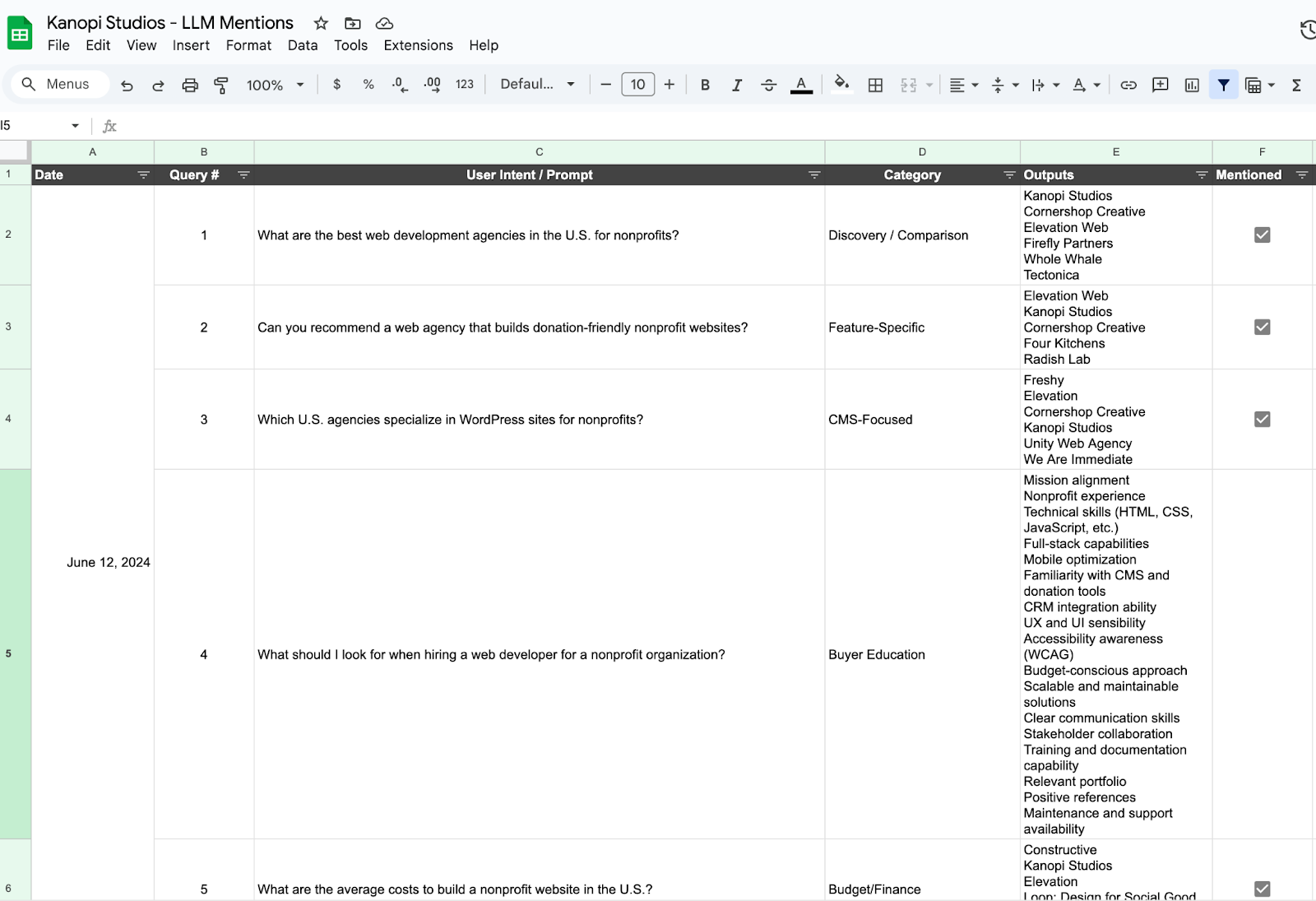
Track citations over time Pick 5 to 10 queries that are relevant to your brand (ex. “best virtual golf simulators,” or “best web development agency”) and record which brands AI lists every 2-4 weeks. Find an LLM Mention template and example for this here. There are also tools like XFunnel.AI that help to automate this task but typically cost a subscription fee.
So that’s the game plan! Ditch the “collect-all-the-links” mindset, double-down on quality signals that AIs actually trust, and give those fan-out queries everything they need to pick your brand first.
If we tighten up our internal links, spark real chatter out in the wild, and watch our citation share like a hawk, we won’t just survive the AI shake-up, we’ll ride it. Let’s get out there and make sure the next time someone asks a smart bot a question, your name pops up in the answer.
Quick Glossary
LLM (Large Language Model): A type of AI that predicts words to generate human-like text.
AI Overview: Google’s summary box powered by generative AI, they appear above organic links.
Anchor text: The words you click in a hyperlink.
Internal link: A link that points to another page on the same website.
Orphan page: A page with no internal links linking to it, making it hard to find.
Selecting the right healthcare content management system (CMS) is crucial to building a website that enhances patient engagement, ensures compliance, and streamlines operations. But with hundreds of options available, how can your healthcare organization select the right one?
Understanding key features to look for and evaluating top providers is a great starting point. This guide will cover everything you should know about CMS technology for healthcare and how to select the best system for your needs, including:
Whether your organization is a hospital, private medical practice, mental health clinic, or other healthcare provider, our tips will give you a clear roadmap to choosing and implementing a healthcare content management platform that exceeds your expectations.
What is the Role of a Healthcare Content Management System?
To answer this question, let’s start by defining a content management system (CMS). CMS platforms provide the digital infrastructure organizations need to build viable websites. These tools enable centralized control over content creation, publishing, and data governance.
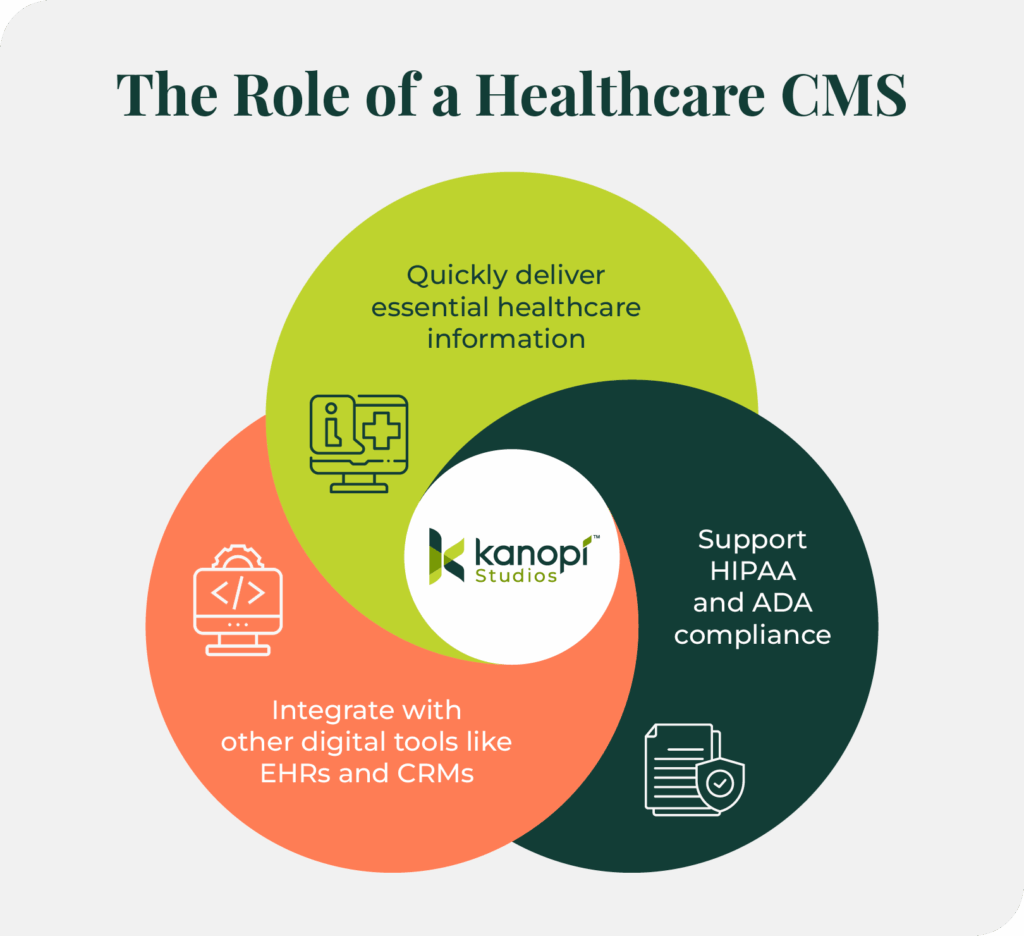
Therefore, healthcare content management systems are tailored platforms that healthcare providers can use to:
Ensure the timely delivery of accurate health information.
Support compliance with regulations like HIPAA and ADA.
Integrate seamlessly with other digital tools like EHRs and CRMs, allowing your organization to keep all patient and stakeholder data organized and prevent data siloes.
A well-implemented CMS empowers healthcare marketers, administrators, office staff, and clinicians to collaborate effectively and deliver optimized digital experiences for patients.
Key Features of a CMS for Healthcare
Leveraging a CMS to build your healthcare website (rather than custom-building a website through HTML) offers plenty of benefits.
For starters, most healthcare organizations’ marketing and communications teams lack the technical expertise required to build and maintain a custom-coded website. CMS platforms greatly simplify the content management process, allowing your organization to maintain all relevant content (images, text, videos, PDFs, etc.) in one easily accessible location. Plus, these solutions offer user-friendly content editing tools to make creating and publishing web content simple.
Here are a few additional features of using a CMS for healthcare website management:
HIPAA Compliance
A secure CMS ensures patient data is protected according to HIPAA standards, enhancing audience trust and avoiding legal issues. If your healthcare organization deals with protected health information (PHI) electronically, you must comply with the relevant HIPAA regulations.
A healthcare CMS can provide the following necessary services to comply with HIPAA and maintain the privacy and security of PHI:
Role-Based Access Controls (RBAC): A secure CMS allows administrators to set user permissions, ensuring only authorized staff members can see or update private patient information.
Data encryption: A HIPAA-compliant content management system (CMS) ensures that data is encrypted both in storage and during transmission, which helps minimize the chances of unauthorized access.
Secure hosting: Using a HIPAA-compliant hosting provider ensures physical and network safeguards are in place.
Backup and disaster recovery: A compliant CMS includes secure backup systems and recovery protocols, which are essential under HIPAA’s administrative safeguard requirements.
Business Associate Agreements (BAAs): Reputable CMS vendors and hosting providers offer BAAs, confirming their responsibility for safeguarding PHI as required by HIPAA.
Scalability
The right CMS will support your organization’s growth and evolving content needs.
Your content publishing platform should make it easier to create, upload, and push new content live in a timely manner, ensuring you can keep your audience updated on the latest developments in the healthcare space and pertinent information about your organization’s services.
Content creators should also be able to create their own departments, divisions, and other parts of the site’s data architecture as their organizations expand.
Accessibility
Healthcare websites must comply with ADA guidelines to serve users of all abilities.
A CMS helps make your website accessible to users with disabilities, such as individuals using screen readers, needing keyboard navigation, or requiring high-contrast visuals. You can easily add accessibility elements like alternative text for images, logical headings, and intuitive navigation.
This ensures inclusivity, expands audience reach, and reduces legal risk.
Additional Features to Look For in a Healthcare CMS
User-friendly editing interface: Allows content managers and healthcare staff to update content easily without coding knowledge.
Integration capabilities: Connects seamlessly with EHRs, CRMs, scheduling systems, marketing platforms, and other third-party tools to streamline operations and patient care.
Unified data platform: Enables centralization of all web and content data, eliminating fragmentation across multiple branches, departments, or regional chapters.
Multilingual capabilities: Ensures users can translate web content into their preferred language. This is especially essential for healthcare organizations that serve multilingual communities.
These features will enable your organization to set up your new website to support your current priorities and grow with you over time.
Choosing the Right CMS for Your Healthcare Organization
In addition to seeking out the right features, there are several other factors your organization should discuss to help you choose a system suited to your unique needs. Keep these considerations in mind during your selection process:
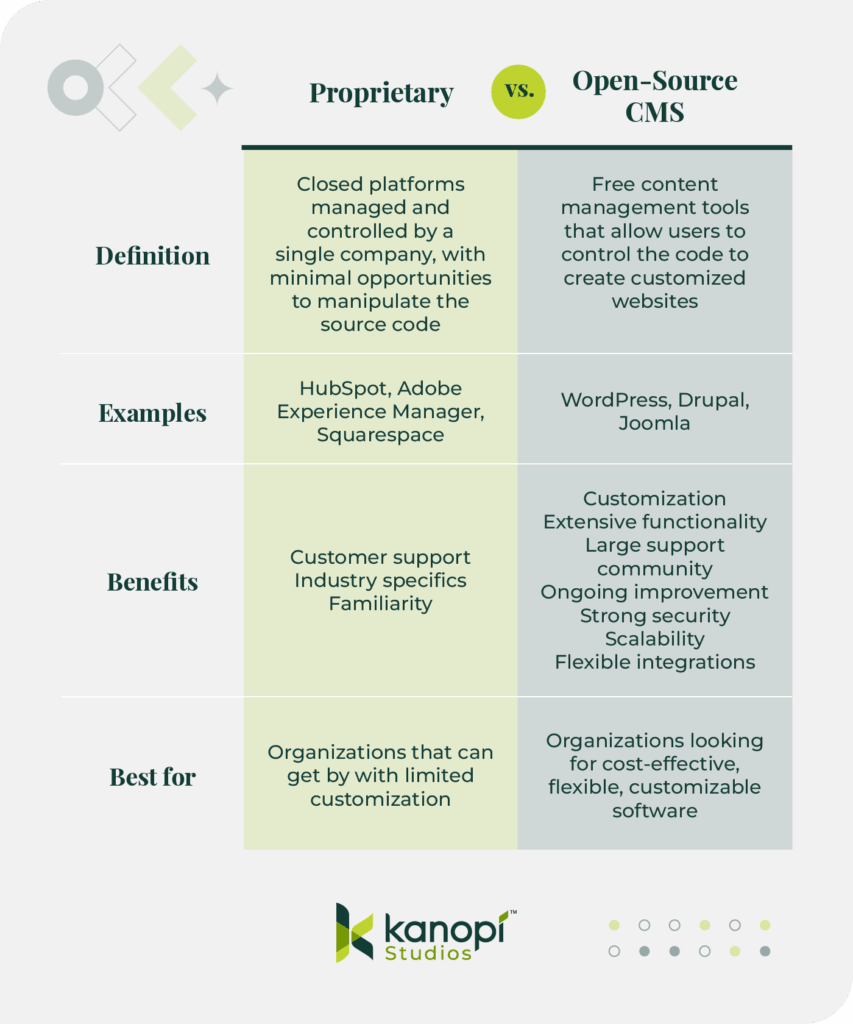
Open Source vs. Proprietary
As you search for the right content management platform for your organization, you’ll likely encounter two terms over and over again: open source and proprietary. But which one is best for your needs? Let’s explore the basics and benefits of each platform type.
What is a proprietary CMS?
Definition: A proprietary CMS is a closed platform that is managed and controlled by a single company. These systems are considered “closed” because they offer minimal opportunities to manipulate the source code to customize your site.
Customer support: Proprietary platforms often offer hands-on, responsive customer support.
Industry specifics: These solutions can be tailored to specific industries for greater personalization to your needs.
Familiarity: If you already use other software solutions from a certain provider, you can also leverage their proprietary CMS for simplicity and familiarity.
Best for: Organizations that can get by with limited customization or that want to remain in the same ecosystem as their other software solutions
What is an open-source CMS?
Definition: An open-source CMS is a free content management tool that allows users to control the code to create customized websites with greater flexibility and ease.
Examples: WordPress, Drupal, Joomla
Benefits:
Customization: Users have access to full customization and portability of the code, without being restricted by vendor lock-ins.
Extensive functionality: Modules, plugins, integrations, and themes allow you to access robust customization options and extend your website’s functionality.
Large support community: These platforms have large, active developer communities, ensuring your organization can benefit from the insights of experienced professionals in the space.
Ongoing improvement: Because these platforms are continuously evolving and improving, you can access dynamic new features and enhancements quickly and easily incorporate them into your website.
Strong security: Since open-source software allows anyone to view and manipulate the code, developers can identify security issues and deploy fixes faster.
Scalability: The flexibility of open-source solutions allows organizations to scale up their websites easily as they grow and acquire new audiences.
Flexibility with integrations: Open source tools facilitate thousands of integrations, whereas proprietary systems often restrict integrations.
Best for: Organizations looking for cost-effective, flexible, customizable software that can easily scale as your organization grows
Which type of CMS is best?
Ultimately, the choice lies with your organization. However, if you choose to go with an open-source platform, the development team at Kanopi is standing by to help you create an optimized website for your organization’s needs.
Organizational Size and Needs
Match your CMS capabilities with your organization’s scale and complexity. Large, complex organizations with multiple branches, locations, or chapters benefit from robust platforms like Drupal or Adobe Experience Manager. Smaller organizations with more straightforward digital needs may find that a user-friendly platform like WordPress offers the support and structure needed to get a site up and running quickly.
Budget Constraints
As you review the costs of different CMS platforms, consider potential expenses holistically. This ensures you’re getting the full picture of the website’s true costs.
Evaluate the total cost of ownership, including:
Licensing
Design and development
Ongoing maintenance
Before making a final decision, consider each platform’s potential return on investment (ROI). Use this formula to calculate potential ROI: ROI % = (Estimated Revenue from CMS / Cost of CMS) x 100.
For example, let’s say your hospital gets a proposal from a web developer. Under this proposal, you would spend $96,000 on web services annually. This cost would include ongoing design enhancements, annual hosting fees, and maintenance and support.
With an enhanced website, perhaps your hospital could earn revenue via digital appointment bookings and greater patient retention due to a more professional, user-friendly web presence. You already know that your average revenue per patient is $750, and you estimate that a better website could attract 300 more patients per year. As a result, the additional revenue you bring in would be $225,000 per year.
Here’s what the ROI calculation would look like:
ROI % = ($225,000 / $96,000) × 100 = 234.375%
In other words, for every dollar your hospital spends on website fees, you’d earn about $2.34 in revenue.
As you perform this calculation, keep in mind that increasing your ROI isn’t just about keeping costs low—it’s about making smart investments that will set your organization up for long-term success. These investments include a robust, helpful CMS.
Consider the diverse health equity needs of the community you serve when choosing the right CMS for your organization.
Ensure your CMS provides:
Multilingual capabilities for the most common languages spoken in your community
Inclusive formsthat offer flexibility for questions about honorifics, names, pronouns, gender, etc.
Culturally inclusive content, such as inclusive and diverse imagery and culturally-sensitive messaging
Accessibility features that promote equitable access to healthcare resources for all communities
Top Healthcare Content Management Platforms in 2025
Now that you know what to consider when searching for a healthcare CMS, let’s examine the specifics of some of the top solutions available. Carefully review this list to get an idea of what each platform can offer your organization regarding features, HIPAA compliance, developer support, and affordability.
Drupal is a free, open-source content management solution well-known for its flexibility, security, and broad developer community. Drupal is highly customizable and extensible, enabling users to create websites that grow sustainably over time.
Fast Facts about Drupal
Open source or proprietary? Open source.
Top Features: Highly customizable, modular content structures, strong multilingual support, scalability for enterprise-level organizations, and comprehensive security.
Best For: Large healthcare systems and organizations needing extensive custom development, website flexibility, and powerful security.
HIPAA Considerations: Offers robust security features; HIPAA compliance depends on hosting and securely storing and transmitting data to site users and services like developer workflows.
Pricing: Free (open-source), but you’ll need to factor in development and maintenance costs.
How Kanopi helps healthcare organizations create incredible Drupal sites
Kanopi’s web development team has extensive Drupal experience. Each of our team members has, on average, over 10 years of experience with Drupal design and development. We also have strong partnerships with Pantheon and Acquia, our preferred hosting partners for Drupal. That means we can make more accurate recommendations for your website hosting needs.
Check out our Drupal case studies for a look at how we support healthcare websites built on Drupal:
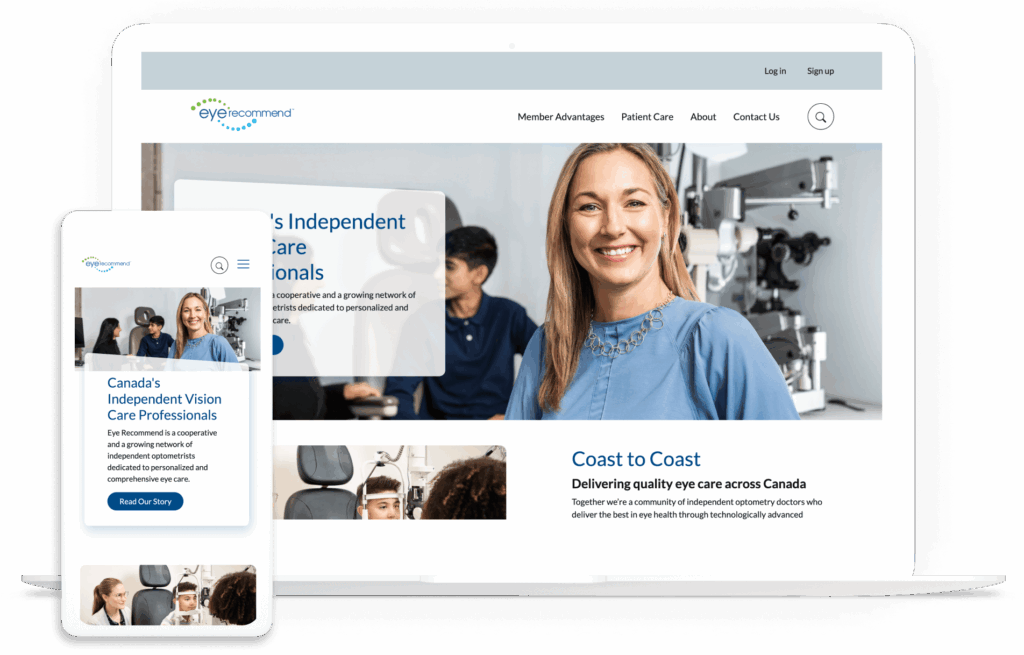
Full build case study: Kanopi worked with Eye Recommend, a network of optometrists, to enhance their site and provide a stronger foundation for simplified member access and analytics tracking. We migrated their site to a newer version of Drupal, audited and strengthened the user experience, and simplified the internal directory structure. These changes resulted in 10% more mobile users.
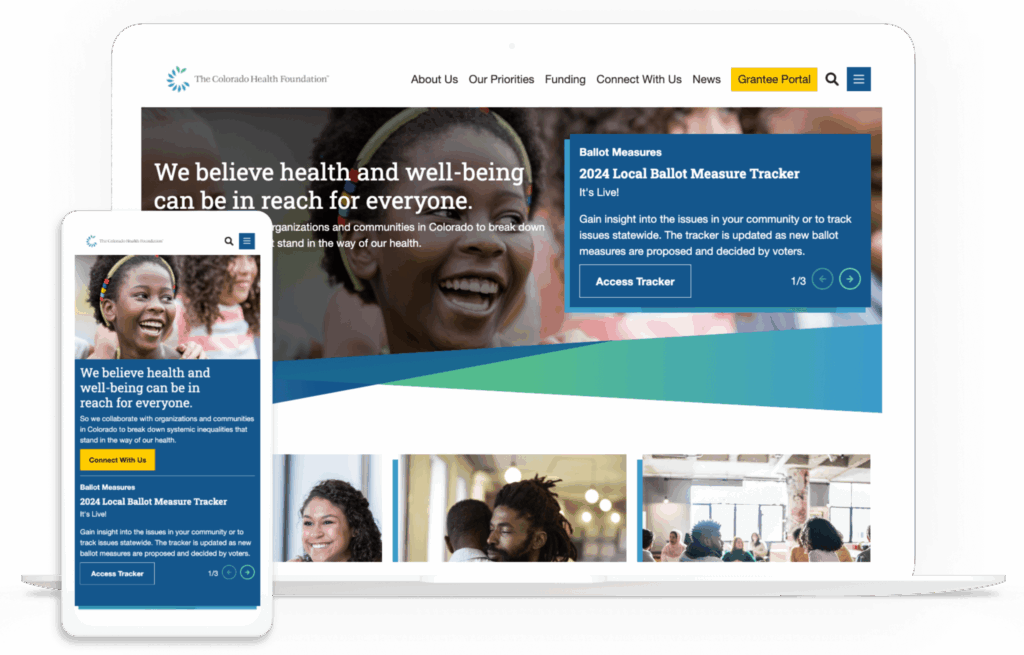
Support case study: The Colorado Health Foundation needed a more streamlined website to better serve its mission of improving statewide health. We supported the organization with simplified navigation tailored to users’ needs, a content audit to streamline priorities, and enhanced accessibility. These improvements led to greater performance across the site.
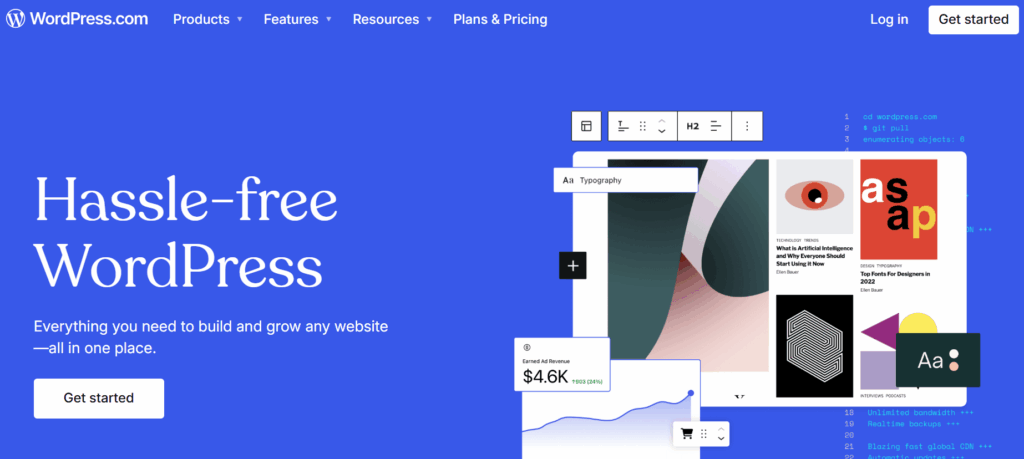
WordPress is the world’s most-used content management system, powering over 40% of all websites. It’s a free, open-source tool known for a simple user experience, powerful customization through themes and plugins, and versatility.
Fast Facts about WordPress
Open source or proprietary? Open source.
Top Features: User-friendly interface, vast plugin ecosystem, customizable templates.
Best For: Any healthcare providers and clinics with limited internal dev resources.
HIPAA Considerations: Can be HIPAA-compliant with proper plugins, third-party hosting, and configurations.
Pricing: Free core platform; plugin and hosting costs vary.
How Kanopi helps healthcare organizations create incredible WordPress sites
Kanopi’s WordPress developers can step in at any stage of website development to build a flexible, customized, secure WordPress website. Our developers are thought leaders, regularly speaking at WordPress conferences and events. Plus, our strong partnerships with hosting partners Pantheon and WP Engine enable us to make tailored, strategic recommendations for the best website hosting option for your organization.
Review our WordPress client studies to see our development and support in action:
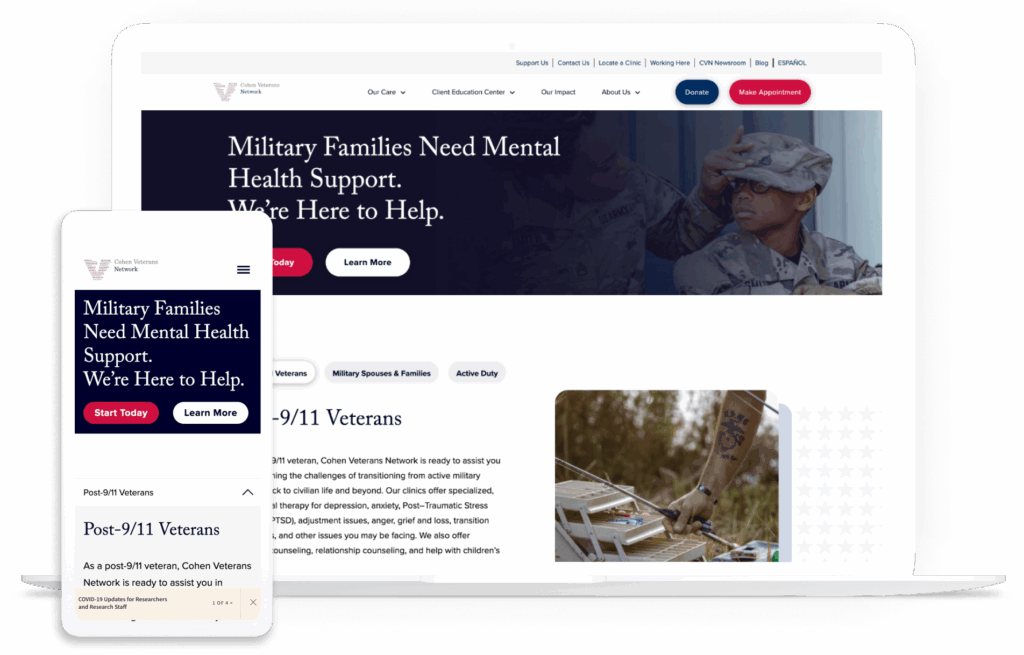
Full build case study: The Cohen Veterans Network had a (good) problem: their services were expanding to new clinics across the U.S., but their website couldn’t scale up alongside these positive developments. Kanopi built a new web presence with the organization’s existing branding, modernized design, and enhanced navigation. The new site is well-positioned to connect with the organization’s core user groups.
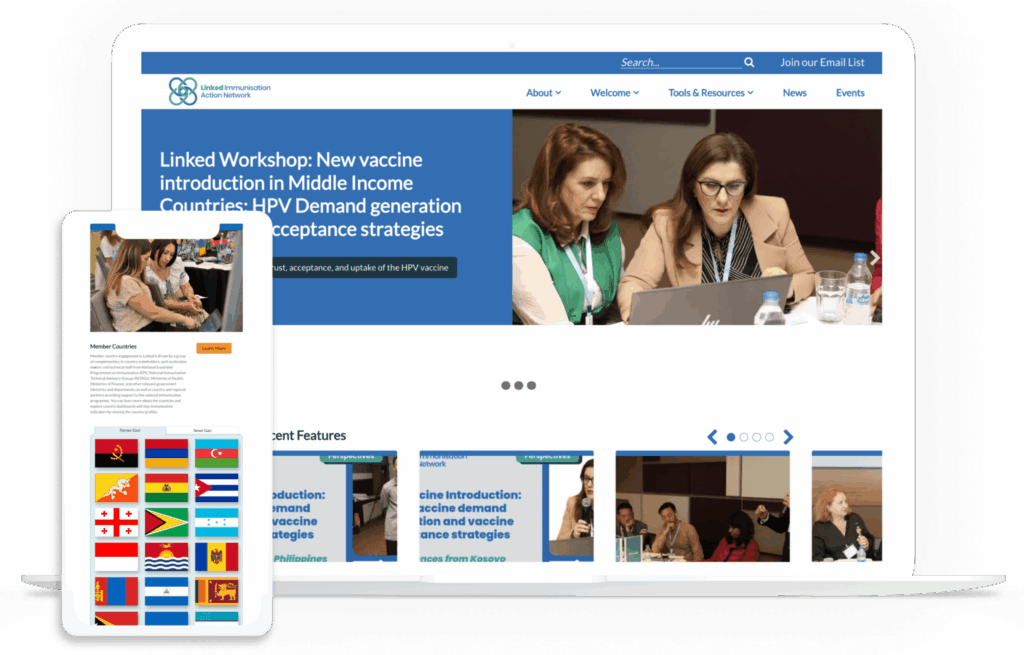
Support case study: The Linked Immunization Action Network needed a better way to serve their audience of healthcare providers in middle-income countries, which frequently have unreliable internet access. They worked with Kanopi to enhance website performance and improve navigation and the user experience. Our efforts resulted in major improvements in desktop and mobile page load speeds.
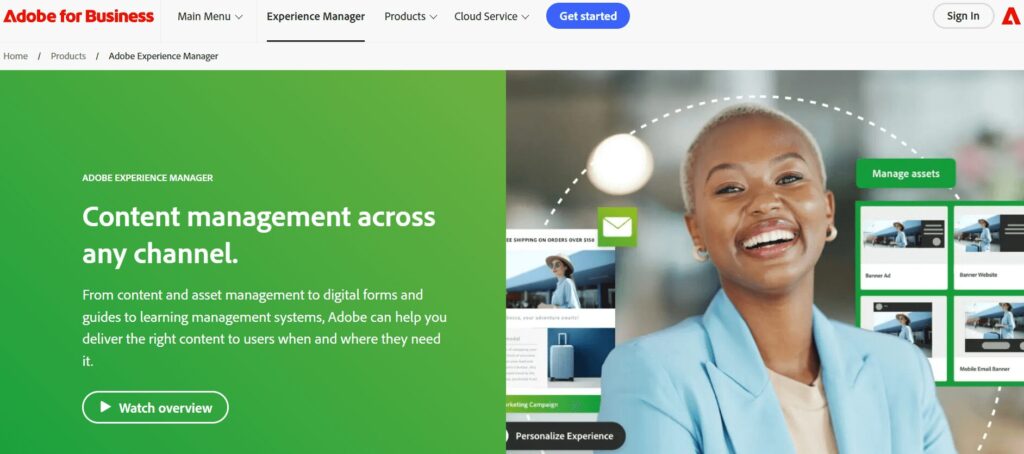
Adobe Experience Manager is a cloud-based CMS that is part of the Adobe Experience Cloud suite of tools. It offers a CMS, a digital asset manager, enrollment and forms functionality, a signage solution, and a tool for creating product documentation.
Fast Facts about Adobe Experience Manager
Open source or proprietary? Proprietary.
Top Features: Plug-and-play functionality, what you see is what you get (WYSIWYG) editor, and scalability and security through the cloud.
Best For: Marketing teams that already leverage other Adobe tools, like Analytics or Campaign.
HIPAA Considerations: AEM can be configured to meet HIPAA compliance when deployed in Adobe’s Managed Services environment with proper safeguards (BAA, secure hosting, etc.).
Pricing: Custom quote based on needs and website scale.
4. WebMD Ignite
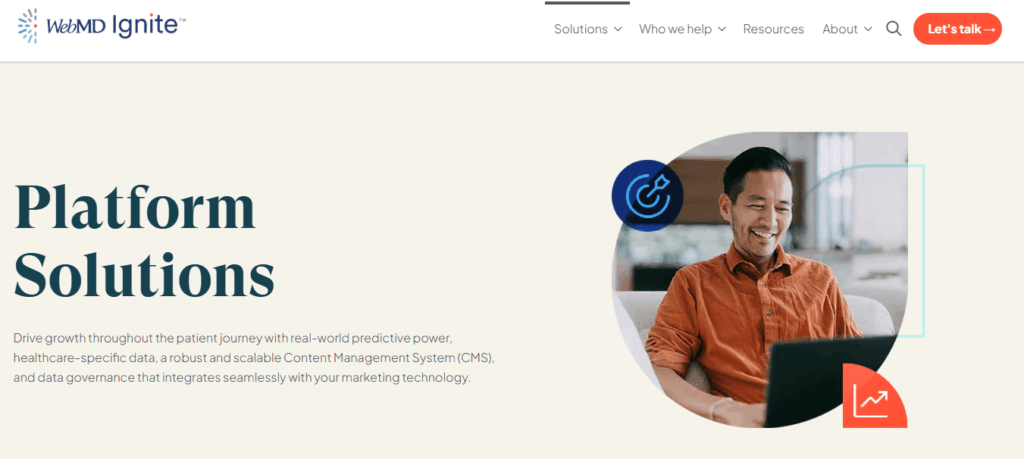
WebMD Ignite offers proprietary CMS functionality as part of its Digital Experience Engine. This tool allows healthcare organizations to build robust websites, boost engagement and conversions through targeted marketing content, and easily maintain HIPAA compliance.
Fast Facts about WebMD Ignite
Open source or proprietary? Proprietary.
Top Features: No-code visual page builder, content personalization based on UTM codes, and data centralization.
Best For: Healthcare organizations and systems that want to prioritize creating a unified online brand experience.
HIPAA Considerations: Leverages a proprietary analytics platform powered by Freshpaint to ensure all multichannel campaigns, microsites, landing pages, and clinical content products remain HIPAA compliant.
Pricing: Contact the sales team for a demo and pricing information.
Tips for Implementing Your Healthcare CMS Successfully
Your work is not done after you choose a CMS for your healthcare organization. You’ll have to create a strategy for maximizing your new platform to ensure it drives a high ROI and supports your goals.
Take these steps to implement your new tool effectively:
Stakeholder engagement: Involve key stakeholders in the selection and planning process for your new CMS. Offer demos or free trials so they can get a good sense of how the software works.
Content audit: Review existing content for relevance and compliance with regulations like HIPAA and the ADA. Consider whether combining or eliminating certain content will make your site easier to use.
Workflow and user audit and analysis: Define the roles that each team member will take within the content management process. Consider restricting roles based on team members’ specific responsibilities to ensure greater security and fewer opportunities for breaches.
Training: Provide comprehensive training for site administrators and clear instructions for your users (patients, patient families, or healthcare providers). Make sure site admins know how to update and add new content without causing disruptions. You should also ensure your site includes clear calls to action and instructions for using features like your patient portal or telehealth services.
Testing: Conduct thorough testing to ensure full functionality and compliance. Gather input from internal stakeholders and improve the site as needed before deployment.
Launch and monitor: Deploy the CMS and continuously monitor performance and user feedback. Track analytics such as page visits, bounce rate, and time spent on page.
How Kanopi Can Help You Choose the Right Healthcare CMS
Your website’s CMS should align with your organization’s other digital marketing efforts and offer a smooth user experience for visitors and healthcare marketing staff. Finding this balance can be challenging—that’s where working with a web development team comes in handy.
Kanopi Studios works with healthcare organizations of all sizes to help them find the right CMS for their unique needs and audiences. We keep your organization’s values and core priorities in mind during our collaborative process. Here are the steps we take to set healthcare organizations like yours up for CMS success:
Evaluate your website needs, including functionality, scalability, and accessibility.
Based on the considerations above, determine which CMS would work best for your organization and help justify the choice to stakeholders.
Manage your website migration, design, development, and more to ensure long-term success.
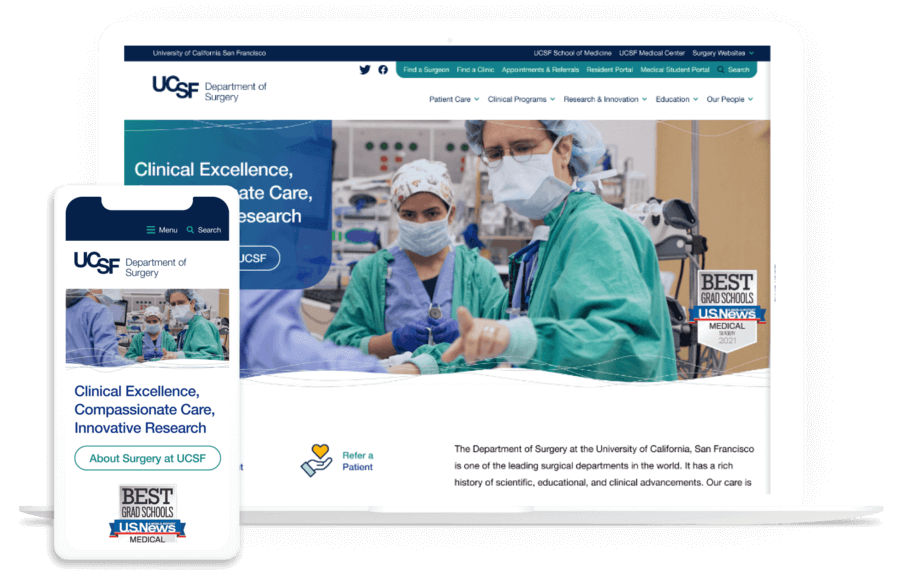
Curious about what it’s like to work with Kanopi? Check out our case study and webinar on our work with the University of California San Francisco (UCSF) Department of Surgery. We helped this organization move its website onto Drupal, where we created a welcoming site with an approachable front-end look and a simplified back-end editing experience.
Wrapping Up
Choosing the right healthcare CMS is a strategic decision that impacts patient engagement, operational efficiency, and compliance. By understanding your organization’s unique needs and evaluating top CMS options, you can implement a solution that supports your goals and enhances your digital presence.
For more information, explore these additional resources:
Open source content management systems keep winning over marketers. Here’s why.
Marketers today are responsible for more than just publishing content. They manage complex digital experiences across many channels and devices, while staying nimble and data-focused.
Because of this shift, marketers need more than content control. They want flexible tools to launch campaigns faster, personalize at scale, and respond quickly to changes. The goal is a tech stack that’s scalable, adaptable, and free from restrictive vendor contracts.
That’s why open-source CMS platforms continue to gain ground in 2025. Here are just a few of the ways they can support business goals while giving marketers more control over how they work and what they build:
Full Creative Freedom
Open-source CMS platforms allow marketers to design without being boxed in by templates or proprietary rules. With complete freedom to customize look, feel, and functionality, marketing teams can build experiences that truly reflect their brand.
Faster Time to Market
Open source CMS supports agile workflows, prebuilt modules, and integrations with marketing tools. Campaigns and site updates can go live faster, without heavy development delays.
Omnichannel Delivery
An open architecture makes omnichannel delivery easier. Marketers can use API-first and headless-friendly systems to publish content to websites, apps, and social platforms from a single location.
Cost Efficiency
Without license fees, teams can save money and invest in what matters. Open source tools let marketers avoid unnecessary features and build the stack that fits their needs.
Ownership and Control
With open source CMS, marketers keep full ownership of their data. That leads to stronger privacy, easier compliance, and better insights without third-party limitations.
Industry Trends in 2025
Emerging trends are making this shift even more urgent, and open source platforms are built to keep up.
For example, Digital Experience Platforms (DXPs) are becoming more popular as businesses seek to deliver seamless, personalized interactions across all digital channels. Open source CMS solutions fit naturally within DXPs, offering the flexibility and control needed to create rich, adaptable user experiences.
Accessibility, performance, and SEO also matter more than ever. Composable architecture lets marketers build the tools they need.
Seamless Integration
Integration with AI and personalization tools is smoother in open environments. Marketers can plug into new tech quickly and adapt campaigns as tools evolve.
Security and Reliability
Security and compliance have also improved. Open source code is transparent and widely reviewed. Active communities help patch issues quickly and keep systems up to date.
Modern Usability and Support
Current open source platforms offer intuitive backends, strong user management, and rich ecosystems of extensions. Community support is fast, dynamic, and often more cost-effective than proprietary vendors. Old myths about open source being too hard to manage simply don’t hold up.
What to look for in a CMS partner
Marketers should choose open source CMS partners who lead with strategy. Look for someone who begins with business goals and customer needs, then selects tools that support them.
Want to be prepared for the future? Consider open source CMS
Open source CMS gives marketers the flexibility, control, and speed they need to succeed. It’s more cost-effective, secure, and scalable. That makes it the smart choice in a fast-changing digital world.
Can you imagine a world where a parent could prevent a sleep regression in a growing toddler? What if you could scan for hidden structural faults in your home before they became big issues? Or automatically get suggestions for areas of improvement before giving that big presentation? When it comes to development, these dreams can become a reality with automated testing.
Why Use Automated Tests?
Automated testing uses automation or Continuous Integration (CI) to execute pre-determined tests. Why do we need to use automated tests when we can just test manually? Automated testing by no means removes the need for a person to manually test their code but adds an extra layer of efficiency and accuracy to your code. Automated tests can:
Catch more bugs early on in the review cycle
Quickly measure your code against industry standards and show areas for improvement
Prevent functionality regressions from being introduced with new code
Some of the tools we use at Kanopi to help prevent regressions are Cypress end-to-end and Backstop visual regression tests. For improving the quality of our work, we leverage Pa11y and Google Lighthouse tests—just to name a few.
Regression Testing
It’s a developer’s worst nightmare—you just launched a shiny new piece of functionality to your website only to realize that it has broken a piece of the existing functionality. That’s where regression testing tools come in. They can be run automatically to flag any unexpected changes in your website’s look or functionality.
Cypress
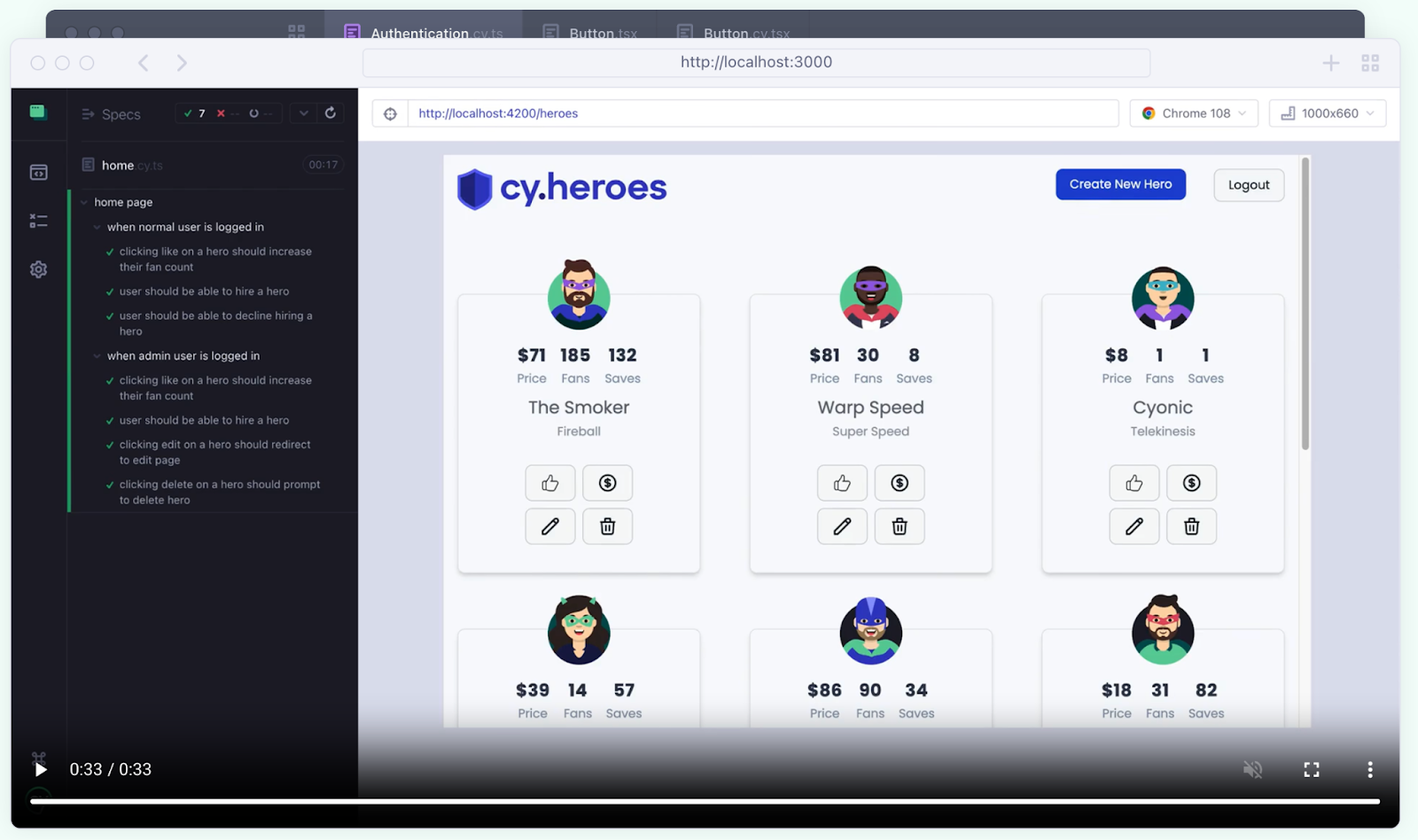
Cypress is a modern Javascript framework that can test anything a visitor or content admin can do on a site. Once you set up what you want to test for, you can watch the tests run in real time and see where the test fails.
Time Travel: Cypress captures snapshots during test execution. These can be viewed by hovering over commands in the Command Log to see a step-by-step breakdown of the test
Debugging: Cypress allows debugging directly with familiar tools like Developer Tools
Automatic Waiting: Cypress automatically waits for commands and assertions before moving on
Example Use Cases
User login and authentication flows
Form submissions and data validation
Navigation and page interactions
BackstopJS
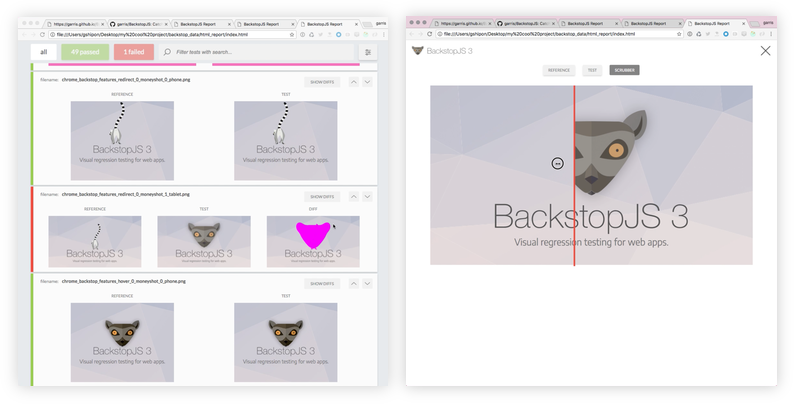
BackstopJS is a framework that automates visual regression testing. It compares a page from production with the changes implemented and highlights any visual differences between them. This can be set to check high profile pages (Homepage etc) with every code change to verify nothing has been unintentionally changed.
Example Use Cases
Maintaining brand and design system fidelity during development
Detecting layout shifts and styling issues
Verifying responsive design
Improving Quality
Improving your website’s quality is essential not only for enhancing user experience but also for meeting modern web standards—and tools like Google Lighthouse and Pa11y play a crucial role in achieving that.
Lighthouse
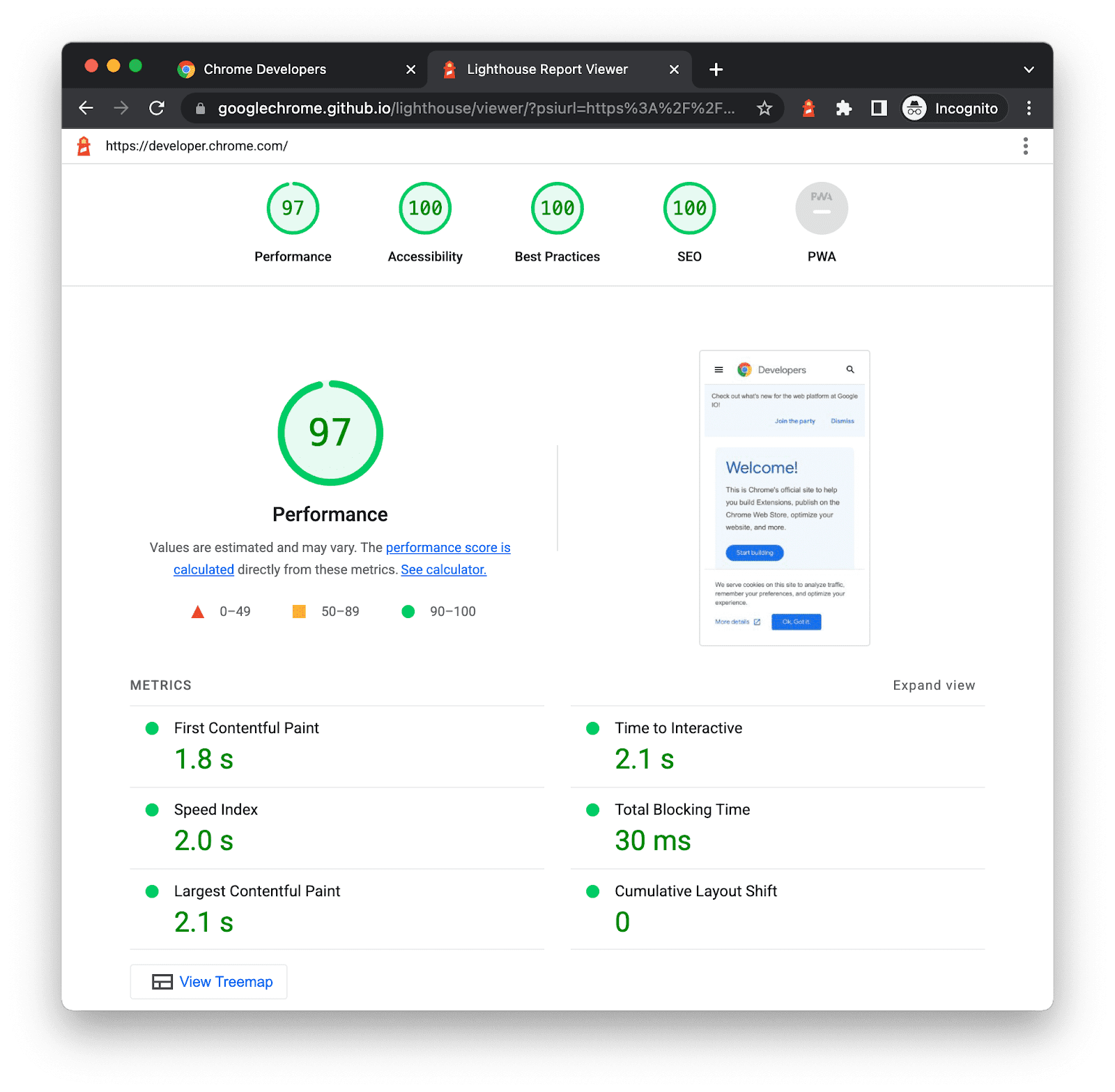
Lighthouse is a tool from Google that provides insights on a website’s Performance, Accessibility, SEO and Best Practices and scores it for each category. After running these tests, Lighthouse gives detailed notes about improvements that can be made to your site.
Benefits of Using Lighthouse
Identify performance bottlenecks
Improve accessibility for all users
Optimize for search engines
Example Use Cases
Analyzing page load speed
Checking for color contrast issues
Ensuring mobile-friendliness
Pa11y
Pa11y is a free open-source tool that provides accessibility testing for sites. Pa11y, highlights areas where a site may fall short of compliance with WCAG standards, which is vital for making the web usable for people with disabilities.
Key Features:
Can generate HTML reports, making it useful for non-technical stakeholders
Tests against WCAG AA 2.1 accessibility standards
Use Cases:
Auditing for accessibility issues in development and production environments
Running automated a11y checks as part of a CI/CD pipeline
Ensuring sites meet legal compliance and inclusive design practices
While automated testing helps improve efficiency and code coverage, manual testing is essential to make your website as accessible as possible. Check out Kanopi’s guide for website accessibility testing for more a11y tools and strategies.
Integrating Automated Tests into the Development Workflow
No matter the CMS platform or host, Kanopi utilizes Quality Assurance (QA) environments that are built on every pull request, automatically. These environments allow for our automated tests to run on an identical server to your live server, and allow for human review of the changes in addition to the automated tests.
Our development workflow allows us to to stay consistent, and creates the freedom to work on implementing the best testing we can using industry leading tools.
How to Write Effective and Maintainable Tests:
Keep tests focused: Each test should verify a single behavior or functionality to make debugging easier and reduce flakiness.
Use meaningful names: Name tests clearly to describe their intent, making them easy to understand at a glance.
Add inline code comments when needed: Brief explanations help clarify complex logic or edge cases.
Organize logically: Group tests by feature or component, and follow a consistent folder structure and naming pattern. Maintain your test suite: Regularly refactor, update, or remove outdated tests as your application evolves.
Regular Testing is key for long-term site health
Regular test runs and reporting are essential for maintaining the long-term health and reliability of any web application. By continuously running automated tests, whether for functionality, visual consistency, performance, or accessibility, teams can catch regressions early, before they reach production and impact users. Ultimately, regular testing and clear reporting help ensure a stable, high-quality product that evolves safely with every release.
To guarantee exceptional service for our clients, Kanopi utilizes a robust quality assurance process that includes automated testing tools to prevent regressions and improve code quality, supplemented by meticulous cross-device testing performed by our dedicated QA engineers. Feel free to contact us if you need testing help.
The nature of healthcare websites has changed dramatically over time as more and more people use the internet as their primary source of medical information. In fact, a CDC study found that 58.5% of American adults use the internet to look for health or medical information. That makes reliable, user-friendly, updated healthcare websites more important than ever.
Are you designing a healthcare website and looking for tips and best practices to create the best online resource for your audience? You’re in the right place—this healthcare web development guide will help answer your most pressing questions.
Developing a healthcare or hospital website is essential to effectively meet your patients’ and community’s needs. A robust, well-developed healthcare website can:
Be a reliable online healthcare resource for your community.Over 70% of Americans say they’ve been exposed to medical misinformation, and 44% reported that they weren’t confident in their ability to tell whether medical information was accurate. Your healthcare website can serve as a reliable resource for community members to receive accurate medical information and support.
Enhance and promote your brand. A professionally designed, robust healthcare website can enhance your organization’s brand, helping you bring more patients on board and retain existing ones.
Enable telehealth activities. 54% of Americans have had a telehealth visit at some point in their lives. Creating a robust, user-friendly healthcare website is essential if your organization wants to start offering telehealth services or expand its telehealth capabilities.
When you develop your website with the best practices in this guide, you’ll reap even greater benefits and grow your audience more effectively.
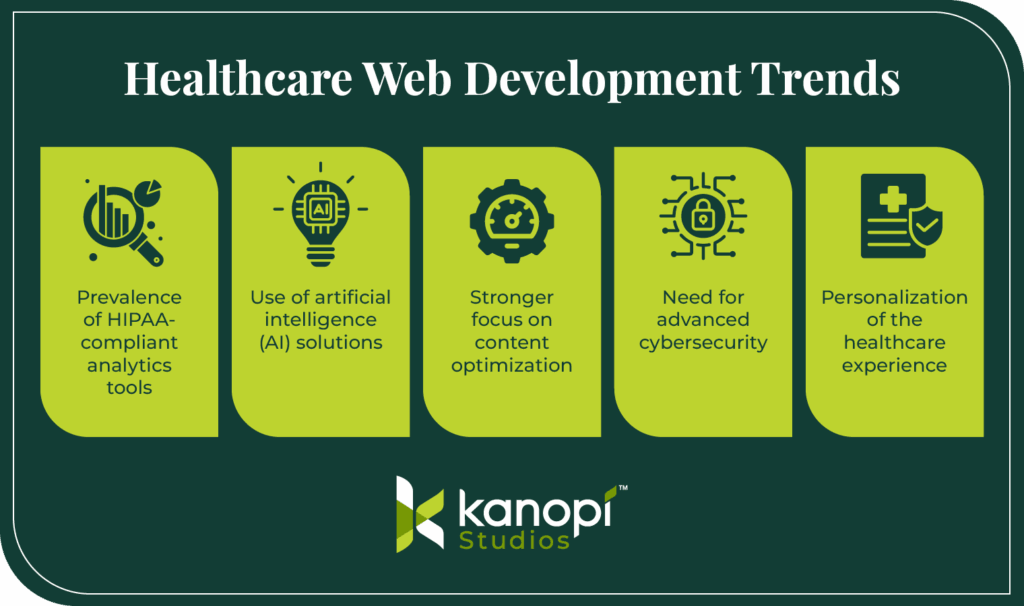
Healthcare web development trends and considerations for 2025
Like all industries, the healthcare sector isn’t immune to shifting trends, opportunities, and challenges. Here are a few considerations to keep in mind as you develop your healthcare website:
Prevalence of HIPAA-compliant analytics tools. Healthcare websites must follow guidelines established in the Health Insurance Portability and Accountability Act of 1996 (HIPAA). Primarily, your healthcare website must protect patient data, known as protected health information (PHI). As a result, healthcare organizations are increasingly seeking out website analytics platforms built with HIPAA compliance in mind. These platforms include solutions like Freshpaint and Piwik that are specifically designed to keep PHI secure.
Use of artificial intelligence (AI) solutions. A Morgan Stanley survey found that 94% of healthcare companies say they already use AI and machine learning in some capacity. Plus, an Orbit Media survey found that the majority of consumers would actually like AI involved in their healthcare decisions, and only one-third of respondents want human-only healthcare. Healthcare organizations must balance leveraging powerful AI solutions to support patient care with maintaining trust and data privacy.
Stronger focus on content optimization. Content marketing has emerged as a huge opportunity for healthcare organizations to engage their audiences and drive leads. Content marketing costs 62% less than traditional marketing and can generate approximately three times as many leads. More organizations are using their websites, including their blogs and news updates, to share credible, authoritative content that helps keep their audiences informed.
Need for advanced cybersecurity. An analysis of healthcare data breach statistics by the HIPAA Journal found a clear upward trend in data breaches over the past 14 years. 2023 saw the most reported data breaches and the most breached records. This is likely due to the increased reliance on data use in healthcare, making it all the more important to keep your patients’ information secure. These threats underscore the importance of developing a secure healthcare website that can withstand cyberattacks.
Personalization of the healthcare experience. 72% of patients say they want personalized care tailored to their individual needs. Including patient logins and dashboards, chatbots, location-based service pages, and accessibility options on your website are all ways you can provide a more tailored experience where patients receive information specific to their needs.
Follow industry blogs, like Kanopi Studios, to keep up-to-date with recent developments in the healthcare sector that impact your web development process.
The Yale New Haven Hospital website includes multiple useful homepage CTAs to find a doctor, find a location, make an appointment, and request medical records, simplifying the user experience.
Think about your website goals and the services your organization offers to start narrowing down your website features list.
How much does a healthcare website cost?
The cost of your healthcare website will depend on how complex your site will be. If you’re a small solo practitioner with more basic website needs, your site will be less costly than a website for a large hospital system with multiple locations.
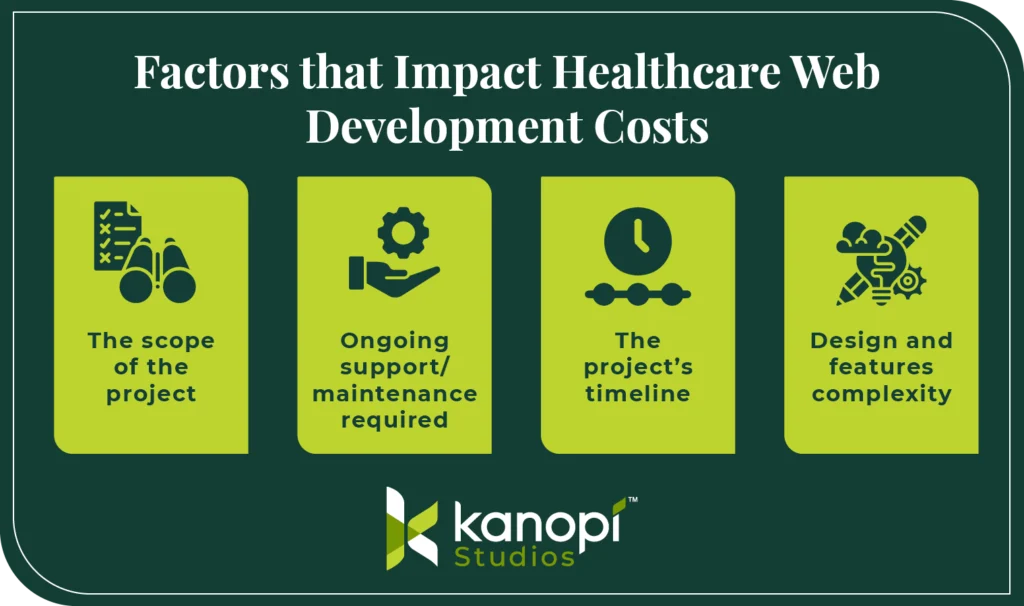
As a result of this wide range of needs, the cost of healthcare web development can vary greatly, from less than $10k for small practitioners to over $250k for organizations with more complex needs. Several additional factors go into the cost of website development, including:
The scope of the project: A website refresh is typically less costly than a full build.
Ongoing support/maintenance required: A highly complex website will require greater maintenance, leading to higher maintenance costs over time.
The project’s timeline: If you have just a few weeks to get a brand-new healthcare website up and running, your developer may charge you more because they’ll have to devote more time to your project.
Design and features complexity: A relatively simple, basic website will generally be less expensive to build and maintain than a complex, robust website with many features. Your healthcare website may need to serve as a comprehensive patient resource, with telehealth functionality and a patient portal, which can increase costs. However, spending more to create a better, more functional website can pay off in the long run, helping you increase your patient base and ROI.
Ask for consultations from your top developer candidates to get a sense of how much your project will cost. Also, review each agency’s web development philosophy and long-term support options. For instance, Kanopi takes a holistic approach to healthcare web development, conducting ongoing security patches, module upgrades, and user experience refreshes to ensure your website stays sustainable and viable over the long term.
Steps for creating a healthcare website
What does the healthcare web development process look like? As a marketer, you’ll be heavily involved in the development process, even if you work with a developer to handle the nitty-gritty technical aspects.
Your input will be invaluable for ensuring your website meets your audience’s needs and maintains your organization’s reputation. Therefore, it’s important to understand the following steps to make the process as seamless as possible:
1. Set goals
Set realistic goals for your healthcare website based on relevant key performance indicators (KPIs). For example, you might choose to set goals and track progress for the following KPIs:
Leads generated: The number of prospective supporters who have demonstrated an interest in some aspect of your organization’s activities, such as becoming a patient, donating, or volunteering.
Conversion rate: The percentage of website visitors who take a desired action, such as registering for an appointment or subscribing to your email newsletter.
Patients served by telehealth: Total patients who successfully used your website and telehealth portal for online appointments.
Unique website visitors: The number of users who visit your website once within a defined time frame and are counted only once.
Organic traffic from search engines: All website visits that result from organic listings (not paid ads) on search engine results pages.
Ensure any goals you set related to these KPIs are specific and measurable. For example, you could aim to increase your conversions by 25% within six months or expand your number of successful telehealth appointments by 500 in a year.
Setting specific targets will provide greater direction to your web development project. You’ll have an easier time monitoring your progress and determining the return on investment (ROI) of the web design process.
2. Choose a healthcare web design consultant
Most healthcare organizations don’t employ a web developer on staff. That’s why your organization may be looking to outsource your website development project.
Working with a healthcare web design consultant is highly recommended and commonplace for projects of this magnitude. Your healthcare web developer will:
Offer expertise based on years of experience and training.
Implement best practices into your healthcare website so that it’s sustainable and useful for your audience.
Maintain your website over time so it remains a performant, flexible, and secure resource.
After selecting a healthcare web developer to work with, they’ll become a collaborative partner in designing your website. They’ll take the reins on the technical aspects of bringing your website to life, but your marketing team’s input will be crucial for guiding the direction of the design and development process.
First, you’ll work together with your developer to perform background research on your online audience. This will include:
User research: Who are your online audience members? What matters to them when it comes to engaging with your healthcare organization online? What barriers do they face when using your website?
Market research: What similar healthcare websites already exist? How will your website be different or similar? How can you fulfill an unmet need in the market?
Vision, goals, and strategy: What will success look like for the project? This is where your quantitative goals will come into play. But you can also set larger aims, such as “In six months, we’ll have a robust website that effectively serves our patients, enhances our brand, and helps us form beneficial partnerships with other organizations in our community.” Understanding your overarching objectives will be indispensable for your developer.
Ultimately, your healthcare website is meant to make your patients’ lives easier. Starting with a clear understanding of who your audience is and what matters to them will help you keep their interests at the forefront of the web development process.
4. Plan your medical website design
Web design is your website’s visual look. Design influences 94% of all first impressions, meaning it should be a top priority in the healthcare web development process.
Collaborate with your website designer to share your organization’s brand guidelines, including your logo, color palette, and typography. Your designer will incorporate these elements into an overarching website theme and layout.
Explore our healthcare web design guide for examples of effective website designs to get inspiration during this stage of the development journey. Your website design should seamlessly incorporate the features outlined above into a streamlined, visually appealing design that reflects your organization’s brand and style.
5. Optimize the technical aspects of your healthcare website
Next, your developer will update or optimize your website’s technical elements. The foundational elements that make up your website are even more important than your site’s visual look. Without a solid structure, your website risks security issues, poor user experience, and low traffic.
Your developer will handle the following technical development needs:
Site migration: Transferring your existing website’s data to a new CMS.
Module/plugin development: Designing custom modules or plugins as needed to extend your site’s functionality.
Integrations: Ensuring your website integrates seamlessly with other digital tools, like your CRM and marketing software.
SEO optimization: Ensuring your website’s most important pages are easy to find via search engines.
User testing: Showing your website to real users to have them test different elements like the navigation and forms.
Along the way, your developer should explain every step of the technical updates they’re making and how they impact your marketing team. They should train your team on how to make updates in your CMS, such as uploading blog content or updating service pages. They should also ensure your marketing team members know exactly how your integrations and plugins function. This will allow you to make updates independently without having to continuously reach out to a developer for support.
6. Streamline the user experience
The user experience is the way visitors interact with your website. 88% of users say they’re less likely to return to a website after a bad user experience, which can negatively affect their perception of a brand.
Provide a positive, engaging user experience by optimizing your:
Content strategy: Tailor your website’s content to match your audience’s interests. Use your user research and website testing to gather feedback on the types of blog posts, videos, photos, and testimonials that are most relevant and appealing to your audience.
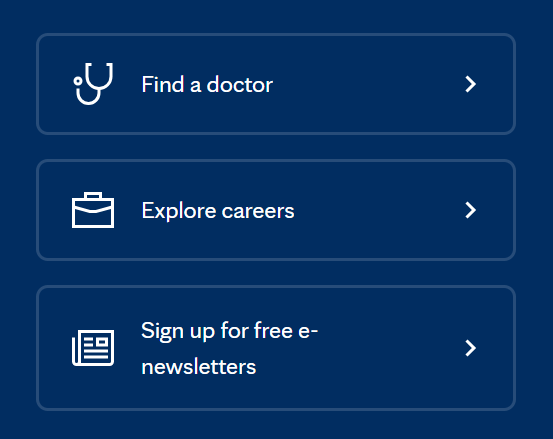
User journey: Ensure your website offers clear user pathways for each of your core audiences. For example, you may design user pathways for current patients, prospective patients, patients’ family members and other visitors, and donors. Then, you’ll use navigation elements like homepage CTAs and menus to help guide each user toward the information that’s most relevant to them. For example, check out these CTAs on the Mayo Clinic website. They lead to resources for those looking to find a doctor, explore career opportunities within the clinic, and sign up for free e-newsletters:
Navigation: Your website should leverage intuitive, consistent navigation across all pages. Use navigational aspects like a sticky main header to help users orient themselves on your website and find what they’re looking for. Take a look at the Cleveland Clinic’s main header as an example—it includes an internal search option and answers users’ most common questions by pointing them to location information and appointment booking:
User experience case study: The Colorado Health Foundation
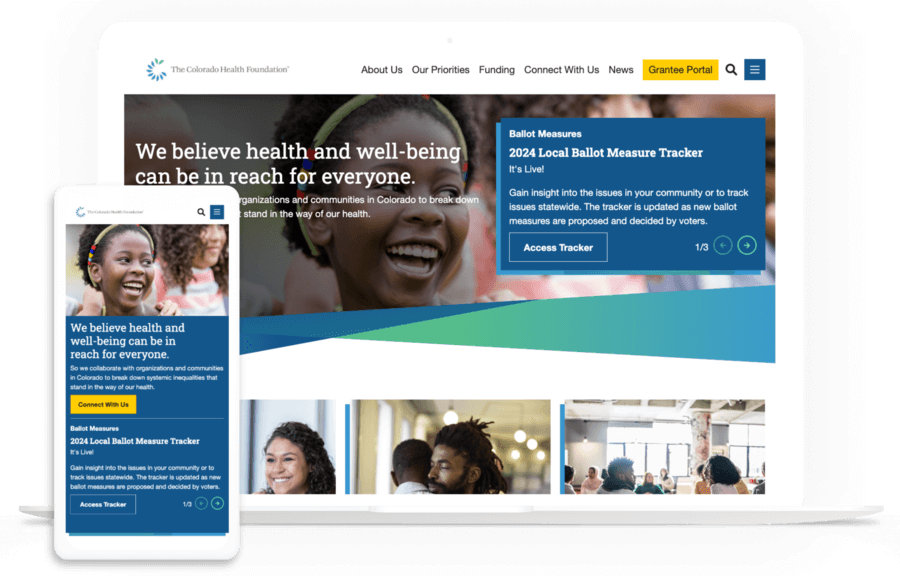
If your website’s user experience is not up to par with these examples right now, don’t despair. The Colorado Health Foundation was in a similar position when they first started working with the web design experts at Kanopi. The site was confusing to navigate and cluttered and leveraged an outdated version of its CMS.
The Kanopi team used its signature iterative process to identify user needs and navigation roadblocks. Major fixes included:
Reducing the number of main menu items to just six overarching categories
Condensing content to simplify user pathways
Adding collapsible accordions to streamline page design
Centering the organization’s mission
Improving accessibility
Now, the organization’s website is clean and streamlined, helping all user groups navigate through easily and find the information they need. Review the live site to see these changes in action and read the full case study here.
7. Maintain your healthcare website over time
Whether you’re using Drupal, WordPress, or another CMS, ongoing website maintenance is crucial for the continued success of your website. The average website lifespan is just two years and seven months. That’s why your organization should prioritize making continuous improvements to your site over time to keep it healthy, updated, and accurate.
Your web developer can offer the following maintenance services to help your website thrive:
KPI tracking: Check in on your goals and KPIs with ongoing reporting.
CMS updates: This could include updating the core or version of your CMS, refreshing plugins, enhancing modules, etc.
Security enhancements: Implement security patches and updates to fix bugs or vulnerabilities.
Performance updates: Run performance tests to ensure your website loads quickly and is free of SEO issues and broken links.
Explore Kanopi’s healthcare web development services
Looking for a dedicated healthcare web development partner who can see your project through every stage? Kanopi has the experience and expertise you need to build an engaging website that exceeds your goals and your audience’s expectations. We can help walk you through every step of the web development process outlined above.
Here’s what we bring to every website project:
Research and discovery to understand your stakeholders and market on a deeper level
An engaging content strategy that goes beyond just storytelling to emotionally connect with your audience
User experience and journey mapping to help users achieve their goals on your site
Clear, uniform branding for cohesive communications
Website design that blends storytelling and user experience to increase conversions
Website development that makes the complex simple and turns your vision into a reality
Ongoing support to keep your website healthy for years to come
Accessibility considerations baked into every step of the development process
97% of Kanopi clients return year after year, speaking to our ability to act as a productive long-term partner to facilitate your site’s success.
Learn about our award-winning healthcare development project
The Department of Surgery at the University of California, San Francisco is one of the most prominent surgical departments in the world, and they needed their website to reflect their high-quality care. The UCSF team came to Kanopi with a variety of challenges:
The website consisted of over 80+ different domains speaking to a broad range of stakeholder needs, and the domains didn’t have any design or navigation consistency.
The site lacked a clear content strategy and included confusing navigational features that led to dead ends in the user experience.
The CMS didn’t provide an easy way to share content.
The content itself wasn’t patient-friendly and didn’t effectively serve audience needs.
UCSF needed an overhaul to better serve its audience. The Kanopi team was ready to assist with a variety of strategic fixes, including:
An internal search function powered by Drupal that makes it easy to browse different domains
Human-focused images that place greater emphasis on the patient experience
A mobile-first, accessible design approach
As a result, users can now browse the site with ease, accessing the information they need without usability or navigational barriers. Our work was even recognized with a W3 Award for best user experience and a Web Excellence Award for the categories of Health Care Community and Health Care Services.
Building a healthcare website isn’t just about expanding your organization’s services. It’s about creating a helpful resource that anyone in your community can use to get their pressing medical questions and concerns answered. By following the steps in this guide, you can design a healthcare website that prioritizes compassionate care.
Looking for additional resources to support your healthcare web development journey? Start here:
The ROI of Great Website Design. This guide explains the importance of investing in quality web design services because it can pay dividends for your organization in the long run.
Webinar: Website Best Practices for an Aging Population. Kanopi’s Cliff Persaud discusses the challenges and opportunities facing healthcare providers, and how they can ensure their website design meets the needs of aging patients.
Your hospital web development is vital to modern patient care in the digital age.
With 89% of patients in the U.S. Googling their health symptoms before going to the doctor, your hospital website is essential to serving your community’s needs and providing accurate, trustworthy information.
Your website serves as a virtual front door for patients and potential visitors, providing them with essential information about the hospital’s services, specialties, and facilities. A user-friendly structure and design instills credibility and enhances the patient experience by allowing easy access to critical details, such as appointment scheduling, contact information, and directions.
To develop your website effectively and ensure it supports your community, we’ve created this guide, which covers:
Before someone goes to the doctor, they’ll likely browse through a couple of physicians, make sure they’re in their healthcare network, scroll through times for an appointment— and do it all online.
People also turn to your website to answer medical queries, get updated on recent healthcare news, donate to your institution, and access an online health portal where they can update appointments and pay bills. A well-developed site helps to:
Craft a recognizable, highly reputable brand. If your hospital website doesn’t exist or contains outdated resources, it’s more than likely that people will take one look at it and deem your institution unreliable.
Differentiate yourself from other hospitals. A well-designed website communicates your commitment to patient-centered care, innovation, and technology, which can set you apart from competitors.
Build customer loyalty. To build customer/patient loyalty, your website needs to establish itself as a reliable medical web resource so that individuals can use it to make appointments, contact doctors, and pay bills.
Offer 24-hour patient communication and information. Your website provides patients with important information and resources outside of normal office hours.
Simplify marketing for hospital events and needs. Use your website to promote hospital events, streamline donation appeals, and attract more patients.
While it may feel daunting to get started with hospital web development, it’s a worthwhile investment. Improving your online presence is the first step toward attracting and retaining more patients.
Features to Include in Your Hospital Website
Whether someone is coming in for a quick check-up or a visit to the ER, your hospital website is an integral part of their journey. To ensure it serves your community to the best of its ability, your website needs these specific site features:
Simple navigation and menus
A list of services your hospital provides
Appointment booking tools
Contact details
Interactive advanced search functionality
Doctor/team information
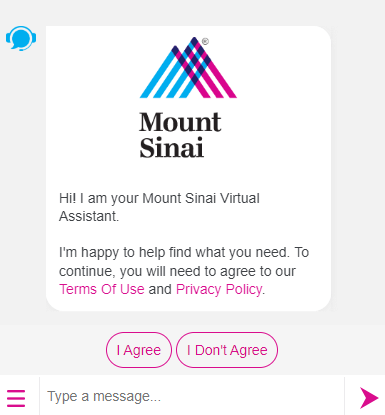
AI-powered chatbots to answer patient questions and personalize the visitor experience
Top Hospital Web Development Examples and Best Practices
The best way to determine if your hospital website is up to par is to look at other successful sites. Review these hospital website examples to inspire your web development efforts:
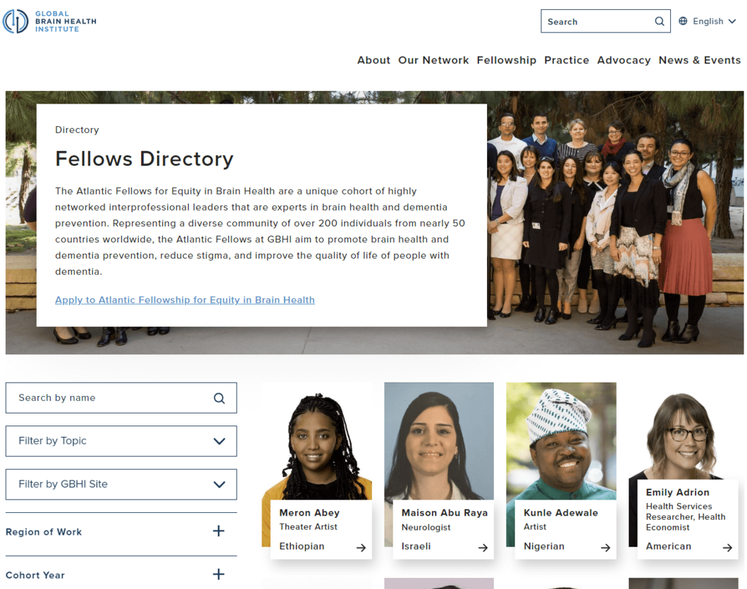
1. Simple navigation: Global Brain Health Institute
The Global Brain Health Institute (GBHI), an organization dedicated to protecting the world from brain disease and other health threats, wanted to ensure that visitors could easily navigate their site and locate different programs, services, and projects.
As a result, they worked with Kanopi to add a navigation bar that is logically organized and prominently placed throughout the website, so users can quickly find what they need. The site also features a fellowship directory that includes a search bar and filters. This is useful for medical students interested in pursuing a fellowship in a particular specialty, as well as for patients who want to learn more about the expertise of the hospital’s staff.
Why simple navigation is essential for hospital websites: As soon as someone lands on your hospital website, they should be able to find the content or service they seek. To ensure your site is easily navigable, consider mapping out the patient journey to better understand how people get to your site and what they do once they get there.
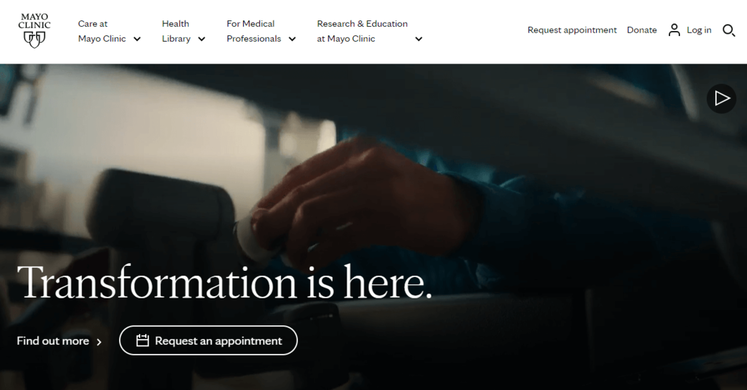
2. Clear CTAs: Mayo Clinic
The Mayo Clinic is a nonprofit academic medical center, known for its expertise in many areas of medicine and for providing high-quality care to patients. Their homepage features multiple calls to action (CTAs) that encourage visitors to schedule an appointment, donate, or learn more about a particular medical condition or procedure.
By including clear CTAs on their website, the Mayo Clinic helps visitors understand what medical services they provide, what treatments are available, and how to seek help if they need it.
Why clear calls to action matter for hospital websites: Carefully-placed CTAs let website visitors know exactly where and how to complete their intended action. As you create your own, consider the specific actions that you want visitors to take. Then, use clear and concise language to convey your purpose. For example, you might say “Schedule an Appointment Today” or “Learn More about Our Cancer Center.”
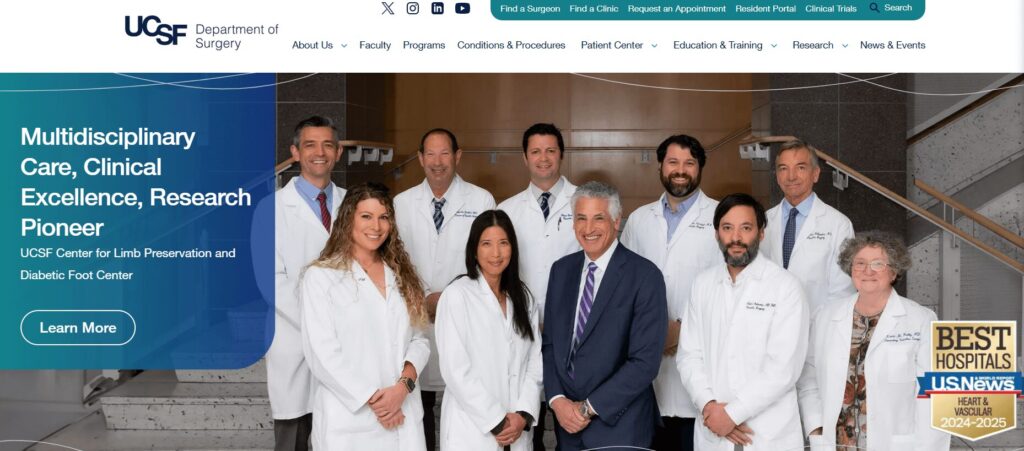
3. Patient-focused design: UCSF Department of Surgery
As a result, we helped enhance this website with a variety of user-friendly fixes, including:
Simple domain access with consistency across topics and departments
Human-led imagery of UCSF doctors and videos highlighting the patient experience
A mobile-first approach with a responsive design
Why patient-focused design is essential for hospitals: Your patients are the heart and soul of your hospital, and appealing to their needs will help you maintain high audience engagement. Patients should feel welcomed and comfortable using your website and signing up for your services. A friendly, patient-focused design helps foster a sense of community.
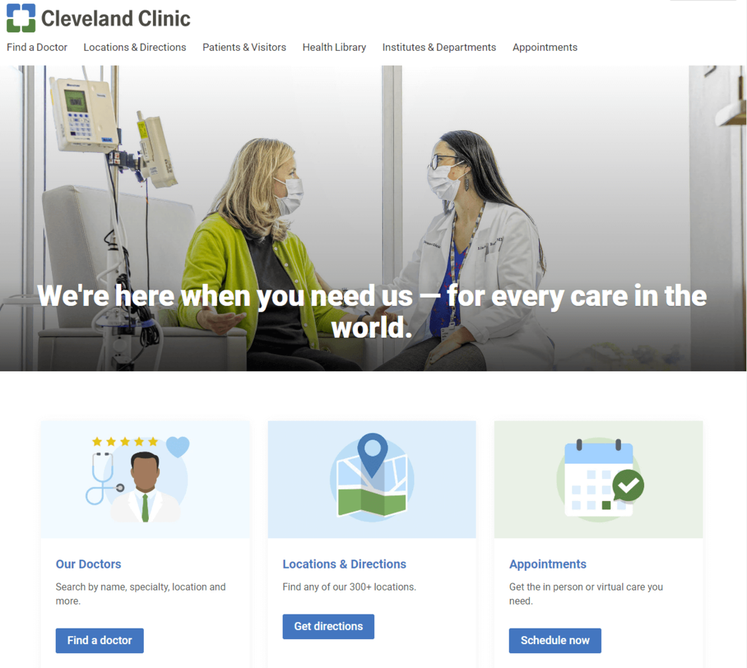
4. Consistent, bold branding: Cleveland Clinic
Cleveland Clinic is one of the top multispeciality academic medical centers in the country. To establish a strong, recognizable brand and reinforce their reputation, they included bold, eye-catching colors throughout their website.
Notice how all of the elements on their homepage are blue and green. When patients come across these colors in other mediums and materials, they’ll likely associate them with Cleveland Clinic.
Why consistency and bold branding is important for hospital websites: Consistent branding builds trust between patients and your hospital, which can be especially important in the healthcare industry where patients often have significant concerns about their health and well-being.
Adding color is a popular medical website design trend, with vivid and deep colors being sported on many successful hospital websites. Consider your site’s color palette before diving into web development to make sure your website branding is consistent throughout its pages.
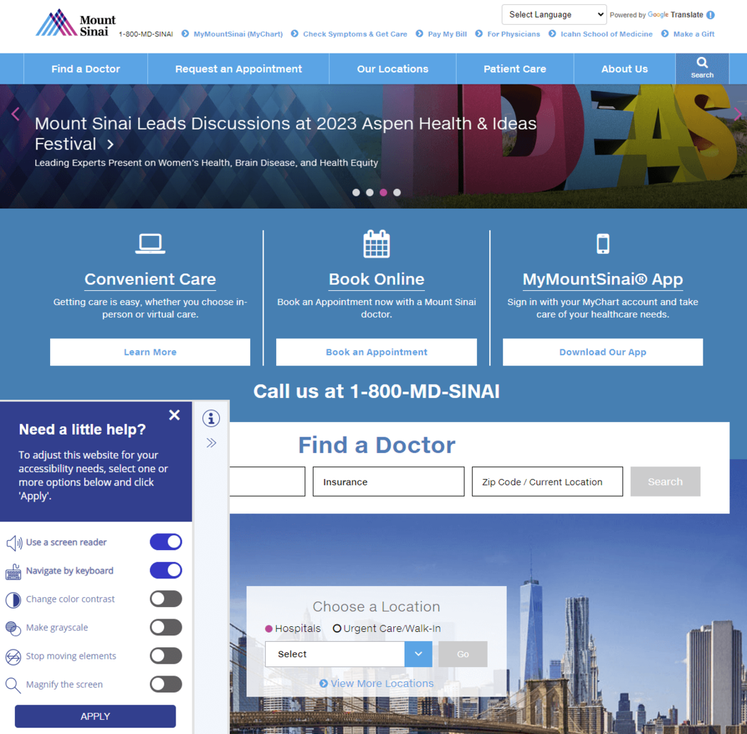
5. Accessibility: Mount Sinai
Mount Sinai’s healthcare system prides itself on providing a wide range of services to diverse populations, including medical education, research, and patient care. To meet their patients’ varied needs, they prioritized creating an accessible website.
The accessibility tool in the bottom footer allows visitors to use a screen reader, navigate using their keyboards, and change the color contrast, if needed.
Why accessible design matters for hospital websites: Having an inaccessible hospital website will not only turn away those who might need your services the most but paints your entire establishment in a negative light. Because of the industry that you’re in, maintaining full compliance with the ADA and WCAG is essential. You want your entire community to feel accepted and at ease with your services, especially when it concerns medical care.
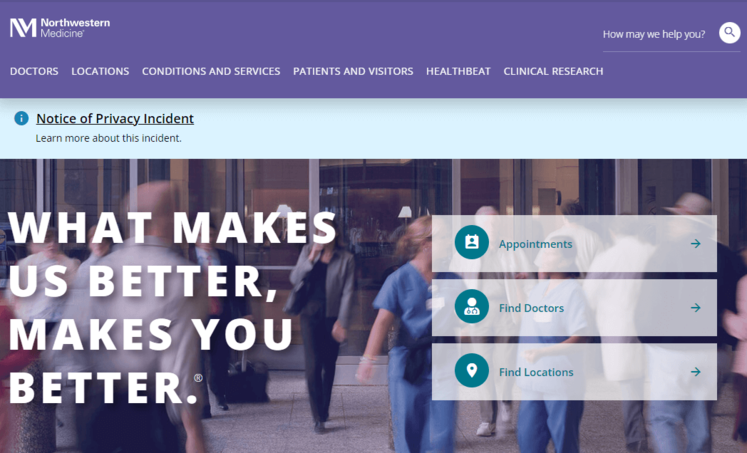
6. Inclusivity: Northwestern Medicine
Northwestern Medicine has a number of hospitals, all of which are committed to providing inclusive care to patients of all backgrounds and demographics. Maintaining an inclusive website is important for Northwestern Medicine, as it allows them to better connect with their patients and provide them with the resources and care they need.
Their Patients and Visitors page is extremely comprehensive, with CTAs that address a wide variety of concerns and questions.
Why inclusivity is important for hospital websites: Your hospital website content needs to represent the voice of all of your users, whether it’s patients, frontline workers, researchers, or caregivers.
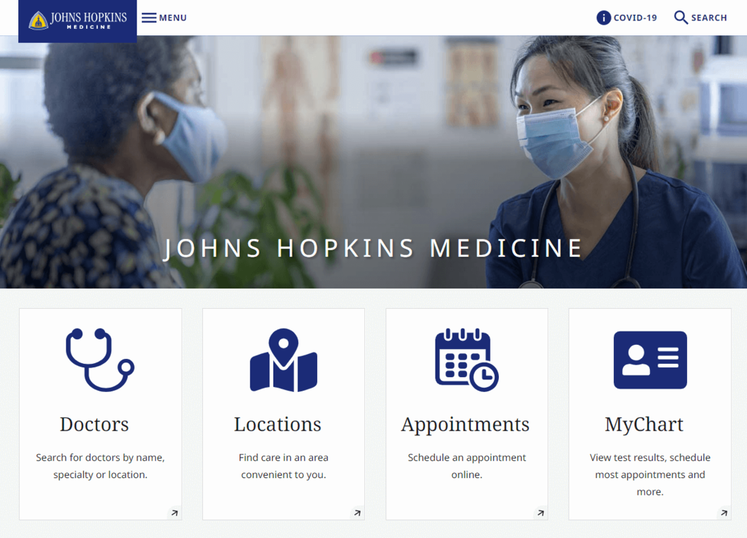
7. Mobile-friendliness: Johns Hopkins Medicine
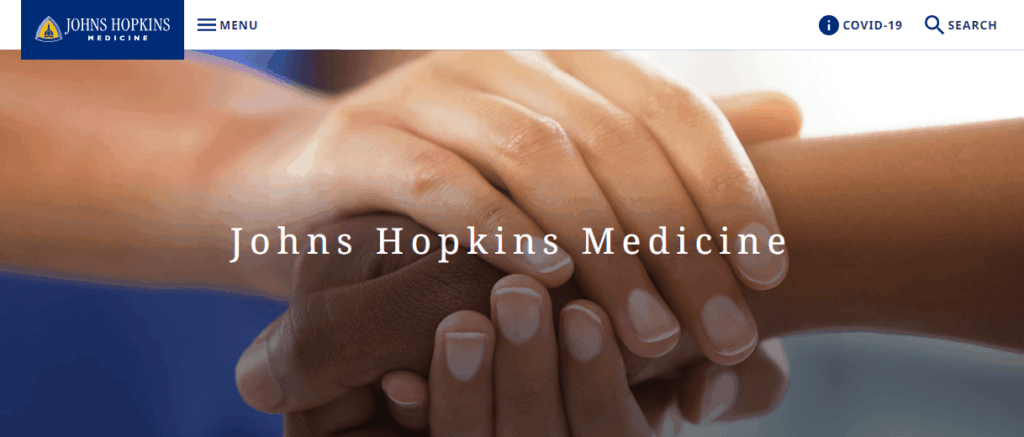
Johns Hopkins Medicine is known for its world-class medical facilities, including hospitals, clinics, and research centers. As a leading healthcare provider, they needed to keep up with changes in technology by creating a mobile-friendly website.
Their mobile-responsive site design allows patients to schedule appointments, access medical information, and communicate with healthcare providers, regardless of the device they’re using.
Why mobile-friendliness matters for hospital websites: With over 60% of the global internet population using a mobile device to access the internet, your hospital web design must work on all different screen sizes. For patients or families already in the hospital or waiting room, the ability to quickly look something up on their phone or tablet is critical.
Most content management systems (CMS) can create a mobile-responsive site automatically. However, there are some easy ways you can ensure your site’s responsiveness. For instance, use large buttons, a vertical layout, and avoid large chunks of text.
8. Accurate, updated information: Yale New Haven Hospital
Yale New Haven Hospital provides a wide range of medical services to its local community. As with any hospital, their website needs to provide accurate and reliable information about their services, facilities, and medical personnel. That way, patients can make informed decisions about their care.
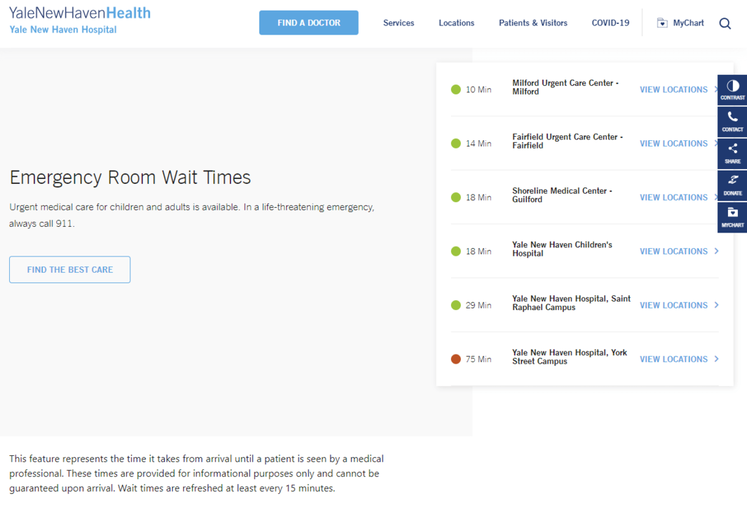
Perhaps most notably, Yale New Haven’s homepage features emergency room wait times, informing patients where to seek care and what to expect when they arrive.
Why accurate and updated information is essential for hospital websites: When it comes to healthcare, accuracy is non-negotiable. It’s critical that your web content is consistently updated and provides the most high-quality information available.
9. Streamlined user experience: Colorado Health Foundation
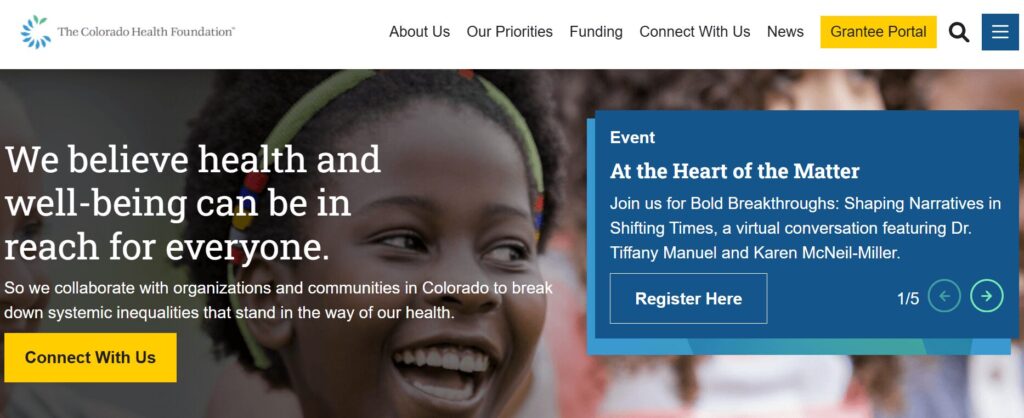
The Colorado Health Foundation (CHF) is a statewide organization that aims to improve the health and well-being of all Colorado residents. The CHF partnered with Kanopi to clean up their site’s navigation and streamline the user experience.
Based on our research and expertise, our developers instituted impactful changes. We condensed the main menu to a cleaner version focused on the items that matter most to users. We also improved the visitor journey by:
Ensuring consistent page layout
Incorporating translation support
Adding accordions to streamline page design with collapsable text
Building a data display to foster accountability for the organization’s racial and health equity goals
Enhancing accessibility with clearer fonts, tab navigation, and meaningful links
Why a streamlined user experience matters for hospitals: Patients visiting your hospital’s website may be rushed or anxious. A simplified user experience connects them with the information or resources they need quickly and seamlessly.
Tips for Hospital Website Compliance
Your hospital website will likely have multiple services that collect and store patient data, whether that includes a health portal, appointment tool, or bill payment.
HIPAA is an act created by the American government to protect patient data such as names, phone numbers, email addresses, social security numbers, and medical records.
HITECH extends HIPAA requirements to bring additional benefits and protection to patients. This regulation establishes that patients should always have access to their health information online, and if hospitals do have a data violation, patients should be notified immediately. Depending on the seriousness of the data breach, your hospital may also incur various penalties and fees.
To ensure your website and software solutions not only comply with HIPAA and the HITECH Act but go above and beyond to ensure data protection, you need the following safeguards:
Tech safeguards include encryption software, data backups, and firewalls. Assess the state of your current healthcare cybersecurity system to ensure you have the proper safeguards in place.
Physical safeguards include only granting access to material records or electronic devices with the aforementioned data after proper authorization.
Administrative safeguards include the guidelines your hospital sets up to ensure that internal procedures comply with HIPAA.
Once these safety nets are in place, add a privacy policy statement to your website explaining your commitment to HIPAA and HITECH compliance. Publicizing this statement will help you build trust with current and prospective patients.
How to Maintain Your Hospital Website
Hospital website maintenance is crucial to ensure your site remains a high-performing, accessible, and convenient resource for your audience. Follow these best practices to future-proof and maintain your website over time.
Adopt a continuous improvement approach
Web Design Process Comparison
TraditionalGrowth-Driven
Traditional Waterfall Process
Strategy
Design
Development
Launch
Drawbacks
Rigid & Less FlexibleChanges are difficult and expensive once development begins.
Costly & Time-ConsumingLarge upfront investment with lengthy timelines.
Quickly OutdatedWebsite can become stale shortly after launch.
Growth-Driven Design Cycle
Benefits
Save Time & MoneySmaller initial investment with continuous improvements.
Always Fresh & RelevantContinuous optimization prevents site staleness.
Data-Driven DecisionsInformed improvements based on real user behavior.
Traditional website design and development takes a linear approach, with a clear pathway from strategy to implementation. However, a growth-driven, continuous improvement approach involves an ongoing, iterative process of:
Strategizing new website innovations
Implementing website changes to test your hypotheses
Tracking results and adjusting your approach based on feedback
This perspective pushes you to constantly update your website based on evolving best practices. Plus, you can avoid major site overhauls, which can cost your organization time and money.
Update your website according to accessibility innovations
New accessibility innovations are released constantly, helping to improve the online experience for users with temporary or permanent disabilities. Intelligent eyewear, a hands-free mouse, and AI-powered assistants are just a few of the exciting innovations we’re seeing this year.
Your website maintenance process should include accessibility updates to ensure your site stays usable and functional for all users. Take the time to adjust to the impacts of the following potential changes:
New assistive technology. Innovations in screen reader technology, AI assistants, assistive voice solutions, and other accessible technologies change how individuals interact with your web content. Make sure your website is structured properly, with clear navigation and heading structures, so it’s compatible with all assistive technology.
Accessibility testing techniques. Alongside updates to assistive technology itself, the way web designers can test sites for accessibility constantly evolves as well. Stay up to date on the best automated testing tools available as well as techniques for manually assessing your site. Resources like Kanopi’s guide to accessibility testing can be a huge help because our developers use these tools every day to ensure the sites we build or refresh are completely accessible and compatible with assistive technologies.
Changes to legal requirements. Laws like the Americans with Disabilities Act (ADA) and the Section 508 Amendment to the Rehabilitation Act govern web accessibility in the United States. Keep this legislation in mind as you refresh your website for accessibility. If you want to expand into new markets in other countries, be aware of their accessibility legislation to remain compliant.
Here at Kanopi, we take a holistic approach to web accessibility, learning about your website’s visitors and their unique accessibility needs to build a strategy that works best for your organization. Learn more about our approach in this short video:
Conduct technical fixes
The technical elements of your hospital website play a major role in your users’ online experience. Technical issues can slow down your website and leave it vulnerable to security breaches.
To keep your website in top shape, prioritize fixing the following technical issues:
Broken links. Broken links can hurt your SEO performance and create a negative user experience. Use an automated tool like Semrush or Google Search Console to identify and correct broken links with mass updates.
Security risks. Run core updates for your CMS and plugins or modules, encrypt sensitive data, require strong passwords for CMS users, and enable two-factor website authentication. In addition, host regular security training sessions with your team to ensure everyone is up to date with the latest security risks and best practices.
Slow page loading speed. Measure page load speed using a free tool like Google’s PageSpeed Insights or Lighthouse. Common performance issues include large image files, unused JavaScript or CSS, and large network payloads.
Set up recurring technical reports to get ongoing updates about your site’s health. Continuously monitoring your site and fixing performance issues will help you avoid smaller problems snowballing into major complications down the line.
Update your content
Your website’s content equips your audience with the crucial medical information they need to make informed decisions about their health. Updated, accurate content helps raise your hospital’s authority level and gives more credibility to your institution.
In your website maintenance process, make the following content updates:
SEO updates. Use SEO tools like Ahrefs or Moz to keep an eye on your search engine rankings. If any of your website’s most important pages, like high-value blog posts or your homepage, start slipping in the rankings, make a plan to refresh the content to enhance its SEO appeal. For example, you could better incorporate the main keyword, add more engaging visual elements, or refresh the page with updated health information.
Audience shifts. Your hospital’s core audience and their content preferences may change over time. New people could move into your coverage area with new online medical needs. Or, audience members may begin expressing interest in different blog post topics than what you normally cover. Pay attention to metrics like blog post engagement rates, time spent on each page, and audience demographics to ensure your content aligns with your audience’s interests and needs.
Interactive content additions. Interactive content is on an upward trajectory right now as more consumers seek out these engaging online elements. Interactive content can also lead to 2x the conversion rate of passive (or static) content. Find opportunities to incorporate this content into your hospital website, whether through online health assessments, quizzes, maps, surveys, or polls.
These content updates and the website maintenance process in general are most successful when working with a dedicated web development partner that has expertise and experience in maintaining websites like yours. Read on for an inside look at how the Kanopi team approaches hospital web development support.
How Kanopi’s Hospital Web Development Services Can Help
Kanopi is a top partner for hospitals with a continuous improvement team that has helped develop over 150 active sites. No matter what stage your hospital website is at, our team can conduct a full website redesign project or build it from scratch.
Content management system support tailored to user needs—whether you use Drupal or WordPress as a CMS, we have experts who can customize each platform to align with your organization’s needs and branding.
Custom module/plugin development—if you can’t find the right tool to perform a specific action, our coding team can create it.
WCAG 2.1 AA accessibility standards to ensure that anyone can access and engage with your healthcare services as needed.
Custom integrations for an online health portal or other solutions that can expand your hospital website’s capabilities.
Responsive, mobile-first design because we know that your online hospital services should be accessible from any device, anywhere.
Technical SEO strategy and implementation so that if anyone looks up your hospital’s name, a specific doctor, or a program, your hospital website is the first option on the search results page.
Even after your optimized site is officially launched, we will continue working alongside your hospital to create a website growth plan. This ensures that your site is sustainable for as long as possible and will support your hospital as it evolves.
For more information on website development, check out these resources:
Drupal vs. WordPress: Which One is Right For You? Drupal and WordPress are two popular content management systems that hospitals depend on. Learn which one is right for your organization in this guide!
Inclusive & Accessible Forms. Need to collect information via a form on your website? Forms ask your users to provide personal data, so ensure those forms are inclusive and accessible.
Webinar: Website Best Practices for an Aging Population. Kanopi’s Cliff Persaud discusses the challenges and opportunities facing healthcare providers and how they can ensure their website design meets the needs of aging patients.
Algolia is a powerful search and discovery API for creating fast and relevant search experiences. Designed to optimize user interaction, Algolia enables teams to build and refine custom search functionalities. It offers features like instant search, autocomplete, faceted search, and typo tolerance, ensuring users find what they need quickly and accurately.
Why we like (and use) Algolia
There several compelling reasons why we use Algolia here at Kanopi:
Speed & performance. Algolia provides lightning-fast search capabilities, enhancing the user experience on our websites.
Developer’s perspective: Offloading the search functionality to Algolia instead of relying on the main site database significantly speeds up overall site performance. By handling search queries separately, the primary database experiences reduced load and faster response times, leading to a smoother and more efficient user experience.
Relevance. The advanced search algorithms ensure highly relevant search results, improving user satisfaction and engagement.
Query suggestions. Algolia’s query suggestions feature provides users with real-time search suggestions as they type, enhancing the search experience by predicting and displaying relevant queries. Also, developers or editors can easily rank, add and/or remove query suggestions as needed, ensuring the search interface remains intuitive and relevant.
Customization. Algolia’s flexible API allows us to tailor search functionalities to meet specific client needs and preferences.
Developer’s perspective: Being able to easily customize the frontend to meet design and client expectations is a wonderful thing! Algolia’s ease of customization stands out, thanks to its extensive documentation and examples for adding search functionalities to a site.
Algolia covers all popular JavaScript frameworks, such as React, Vue, Angular, as well as iOS, Android, and vanilla JavaScript. This comprehensive support empowers frontend developers to effortlessly integrate and customize search interfaces to meet specific client requirements.
Scalability. As our clients grow, Algolia scales effortlessly, handling increasing volumes of data and traffic without compromising on performance.
Ease of integration. Algolia integrates seamlessly with various platforms and technologies, including Drupal, making it a perfect fit for our technical stack.
We use Algolia to enhance the search capabilities on our clients’ websites. Here’s a brief overview of our approach:
Search implementation. We integrate Algolia’s search API into the client’s CMS, customizing the search interface to match the website’s design and user needs.
Developer’s perspective: The Search API Algolia module for Drupal allows us to easily set up content for Algolia to build a search index using a method familiar to anyone who’s ever worked with the Drupal Search API.
However, Developers aren’t limited to this one Drupal module for sending data to Algolia. There are actually many ways to push and pull data to Algolia’s service. Developers can also create custom modules to meet specific client search needs if the Search API module doesn’t meet their requirements. The flexibility with which Algolia ingests data enables developers to curate the data before passing it to Algolia, ensuring a tailored and optimized search experience.
Indexing content. We set up and configure indexing rules to ensure all relevant content is searchable. This includes real-time indexing for dynamic content updates.
Developer’s perspective: When using the Drupal Algolia Search API module, any new, updated, or deleted content is immediately pushed to Algolia and can be searched almost instantly. This seamless integration makes indexing both new and existing content easy and efficient.
Search optimization. We fine-tune Algolia’s search settings to prioritize the most relevant results and ensure a seamless user experience.
Analytics and refinement. Using Algolia’s built-in analytics, we can continuously monitor search performance and user behavior, making data-driven adjustments to enhance search accuracy and effectiveness.
Using one of our clients — the Exploratorium — as an example, here are images showing examples of Exploratorium’s Algolia Analytics metrics:
Examples of Algolia in action with Exploratorium
Renowned San Francisco public learning laboratory the Exploratorium needed to revamp their search experience. We used Algolia to create an intuitive, responsive search interface that caters to diverse visitor needs. The improved search functionality has significantly boosted user engagement, search relevancy, and satisfaction. (See the full case study for Exploratorium here.)
Specifically, we used Algolia’s Autocomplete and InstantSearch.js UI libraries:
Example of Algolia Autocomplete library
We integrated the Autocomplete library into the header, providing users with real-time suggestions as they type into the input field. This autocomplete feature predicts and displays full terms or results, forming the core of the autocomplete experience.
Let’s say your organization needs a new website. You meet with your team to discuss the best way forward. Some are touting the benefits of an open-source content management system (CMS) like Drupal or WordPress. Meanwhile, others argue that a proprietary system is the right way to go. But you’re the one who has to make the final call. So, which one will it be? In this post, we’ll look at open source vs. proprietary CMS and what each one has to offer.
If you know anything about us, you already know that we strongly prefer open source for a long list of reasons. We’ll get into those reasons below, but we’ll also give proprietary systems a fair shake — promise. Hopefully, the more you know about each option, it will be clear why we’ve built our organization around open source right from day one.
What is a proprietary CMS?
A proprietary CMS is a software platform owned and controlled by a company. Its users need to purchase licenses or subscriptions for access and updates. It typically offers limited customization compared to open-source CMS, with restricted access to the source code.
Organizations that choose the proprietary route usually cite a few main reasons:
Dedicated Support: Proprietary CMS platforms typically have dedicated customer support, offering immediate help with technical issues, bugs, and updates.
(Perceived) Security: With a closed-source environment, clients sometimes have the perception that proprietary CMS platforms have fewer vulnerabilities, since the code is not accessible to the public. The vendor manages security updates and patches. (Below, I’ll get into why this is more about perception than reality.)
Tailored Solutions: Proprietary CMS vendors may offer customized solutions, features, or integrations to meet specific business needs within a particular industry.
Legacy: In many cases, the client is already deeply invested in other proprietary platforms/software from a provider (their suite of office applications for example), so they’ll also use their CMS for the sake of convenience and continuity. There’s a pretty large company whose name starts with ‘M’ that relies heavily on this in their sales pitch.
These benefits, however, often come with trade-offs, such as higher costs and limited flexibility compared to open-source CMS options.
So, what about open source?
Open-source CMS platforms like WordPress, Joomla, and Drupal account for a majority of websites on the internet. WordPress alone powers approximately 62.7% of all sites. They’re also usually more cost-effective to maintain in the long run compared to proprietary CMS platforms for a number of reasons:
For Starters, They’re Free: Open-source platforms like WordPress and Drupal are free to use, eliminating the need for expensive licensing fees associated with proprietary software.
No Vendor Lock-In: With a proprietary CMS, the vendor retains ownership of the code, limiting your control and flexibility. With an open-source CMS, clients own and control the code, meaning full customization and portability is yours. Using open-source software also means you’re not dependent on a single company for updates, support, or hosting.
Flexibility and Customization: Drupal and WordPress offer extensive customization options with thousands of themes, plugins, and modules; users can tailor their websites to meet their needs without being locked into vendor restrictions.
Community Support: Open-source platforms have large, active communities of developers and users who contribute to forums, create plugins/modules, and more. This collective knowledge base can provide faster solutions and innovations.
Continuous Improvement: Open-source platforms are regularly updated with security patches, new features, and enhancements contributed by the community, making them more dynamic than proprietary software, which might have slower release cycles.
Ownership and Control Is All Yours: With open-source software, you have full ownership and control over your website, including the ability to host it anywhere and modify the underlying code. Proprietary systems may impose hosting restrictions and limit access to the source code.
Security and Transparency: Open-source platforms are generally considered to be more secure because the code is publicly available for scrutiny, allowing security experts to identify and patch vulnerabilities quickly. Proprietary systems may be more opaque, making it harder to spot and fix security issues. So while it’s true that many more people have access to open-source code, this results in greater platform security — despite what many proprietary system providers (and their sales teams) would like you to believe.
Scalability: Open-source platforms like Drupal are highly scalable, making them suitable for both small websites and large enterprise-level applications, whereas proprietary solutions may have limitations or require expensive upgrades to scale effectively.
Integration Capabilities: Drupal and WordPress are known for their ability to integrate with a wide range of third-party tools, APIs, and systems, providing more flexibility in building feature-rich websites — while proprietary platforms may restrict integrations or charge extra for them.
Innovation: Open-source platforms often lead in innovation, as developers from all over the world can contribute new ideas and functionalities, fostering a continuous flow of creativity and technical advancement.
It’s your call.
So, returning to our opening paragraph scenario, it’s your call; you have proponents in your organization on each side of the coin. Which do you choose? Do you listen to those team members clamoring for a proprietary CMS and its benefits? Or do you choose the flexibility and efficiency of an open-source platform?
Not that we would openly encourage you to choose one over the other. Good heavens, no! However, if you should decide to go with an open-source CMS — specifically Drupal or WordPress — we have a little motto here at Kanopi:
Never build alone.
Since 2010, we’ve been building websites that meet our clients’ unique needs, whether designing and developing from the ground up or enhancing existing sites with upgrades and CMS migrations. Our approach combines UX research, discovery, and visual design to create a user-friendly digital experience, followed by expert development to bring your vision to life. Even after launch, we provide ongoing support to ensure your site continues to perform at its best. With us as your partner, even the staunchest proprietary fans will be tipping their hats to you.
But as they say, all good things must come to an end. According to a Drupal PSA, Drupal 7 will reach its end of life in January 2025, and its farewell leaves many organizations considering their next steps.
D7’s end-of-life (EOL) was originally planned for November 2022, but with the impact of COVID-19 on so many website owners and their budgets, the Drupal maintainers decided to extend the timeline to 2023. Now, a final extension has been made, pushing the timeline again by two years.
Even with this extension, the impending EOL date has a lot of organizations that are dependent on Drupal 7 weighing their options. These organizations can either:
Every website and organization is different. There’s no catch-all answer when it comes to deciding when and how to upgrade your Drupal system. However, it’s highly recommended that organizations still using Drupal 7 consider moving to Drupal 11. This gives you the greatest access to new features and functionality to ensure your website is at the top of its game.
In this blog post, we’ll outline the pros and cons of each option and describe the process of switching to Drupal 11.
Drupal 7 End of Life: Frequently Asked Questions
What does Drupal end of life mean?
When software reaches its end-of-life date, it will no longer receive bug fixes or security updates from the Drupal community and security team. This also includes the modules that are used!
How long will Drupal 7 be supported?
Previously, Drupal 7’s end-of-life was scheduled for November 2023. In June of 2023, Drupal extended the deadline to January 5, 2025. After this time, the Drupal Security team will no longer provide support or Security Advisories for Drupal 7.
Is Drupal 7 still supported?
Yes. Drupal 7 will still be supported until January 5, 2025. Even though this version is a decade old, its end-of-life does not mean the end of your site.
Once the community stops supporting Drupal 7 after EOL, a group of approved and vetted vendors can continue to provide security updates for Drupal 7 core and certain contrib modules under the Drupal 7 Vendor Extended Support program.
What is the difference between all Drupal versions?
Currently, Drupal 7, 10, and 11 are supported. Drupal 8 and 9 both reached their end of life and are no longer supported. Drupal 11 is the most recent version.
When did Drupal 11 launch?
Drupal 11 launched in August 2024. This version offers helpful new features, better workflows, and greater flexibility for website builders.
What do you need to do to prepare to get out of Drupal 7?
If you’re ready to transition away from Drupal 7, you’ll need to ensure your team is aligned and ready to take on the next steps. To prepare for an upgrade, you should:
Conduct technical mapping. When picking new modules or new features, keep in mind that you’re planning for the future. Do you have a clear update path for when you upgrade to D11 (and beyond)? Check out Kanopi’s Drupal 7 to 10 migration guide for a full sequence of steps to follow (you’ll need to upgrade to Drupal 10.3 before launching a D11 migration).
Conduct a content audit. A content audit helps determine what should stay and what should go on your site. This is especially helpful when it comes time to migrate to a new site.
Identify stakeholders. You’ll likely have several members of your team involved in the steps needed to update your site. Make note of who will be responsible for what and how you’ll start the process.
Determine your budget. Whether you migrate to D11 or move to an entirely new CMS, you’ll need to set a realistic budget to ensure you can complete the project.
Drupal 7 End of Life Options
To upgrade or not to upgrade. That is the question…
The path after Drupal 7 is not a one-size-fits-all process. You have several other paths to choose from regarding the next steps to take. Here are the options to consider:
1. Continue using Drupal 7
Your website won’t cease to exist after Drupal 7’s EOL date, so you can continue using the system for an extended period. This choice is recommended for organizations that need a bit more time to gather the resources and budget needed to switch to D11 or a new CMS.
Pros
Your modules will still continue functioning.
Ongoing support and technical expertise from a partner like Kanopi can help support your site until you’re ready to migrate.
Cons
There won’t be any security fixes.
You may be on your own to fix any modules or integrations that stop working.
You may miss out on innovative new features.
2. Upgrade from Drupal 7 to 11
For organizations that are ready to upgrade their site and take advantage of new functionality and security features, migrating to Drupal 11 is the way to go.
Pros
The powerful migration module has many tools to help developers migrate even the most complex Drupal 7 website to Drupal 11.
If you’re already considering a website redesign, you can start fresh on Drupal 11 and have time to plan.
Cons
It could be costly, depending on the complexity of your site. An upgrade to Drupal 11 from Drupal 7 will require a developer to create a migration, meaning a brand new website needs to be built in Drupal 11. All content from your current Drupal 7 will be migrated to the new site or rebuilt.
3. Move to an entirely new CMS
This option only makes sense if you have the funds to carry out an extreme rebuild. But if your site is very simple (for example, a blog) and doesn’t require many features or functionality, moving your legacy Drupal 7 to a CMS like WordPress can be a very cost-effective solution.
Pros
Moving to a new CMS can be a cost- and time-effective solution if your site is simple.
You can use the transition as an opportunity to launch a full brand refresh.
Cons
If your site is more advanced, it can be costly and time-consuming to rebuild it on an entirely new platform.
To help decide which path to take, consider your organization’s:
Budget: If your D7 site is complex, do you have the funds needed to upgrade to D11 or move to a new CMS?
Time constraints: Does your team have enough time to devote to a website rebuild? Will you have more or less free time in the coming months?
Goals: Do you want to expand your website in the future to drive more conversions? Are you interested in modernizing your website or updating your brand?
If you’re not ready to make a decision at this exact moment, some agencies and providers can keep your D7 website updated and move you to Drupal 7 long-term support.
You’ll have to rebuild eventually. But, by choosing a support package, you can take the time you need to make a strategic decision, as well as buy some time to allow funds to free up.
Kanopi’s Drupal 7 End of Life and Support Package
At Kanopi, we’re here to help Drupal 7 users until you’re ready to make the jump. We offer solutions for organizations who decide to stay on Drupal 7 past its EOL and those ready to transition to Drupal 11.
For those who decide to remain on Drupal 7 for the time being, there is some good news. When D7 reaches its end of life, Drupal users will not see any immediate difference from the front-end perspective, and neither will your site visitors! In the back-end of your Drupal site, the platform and modules will begin to display as “Unsupported,” but everything else will essentially continue to work as it had previously.
By choosing Kanopi as your long-term support provider, we patch and maximize the value of your Drupal 7 investment for as long as possible—with the lowest level of financial investment until you are ready to move to D11.
Our Drupal 7 support services include:
A continuous improvement approach: Instead of large structural changes, we work on small incremental changes that support your budget. Our services include module and plugin upgrades, bug fixes and security patches, updating content types/views, and more.
A website growth plan: In addition to keeping your D7 site supported beyond EOL, we also work closely with you to future proof your site. We create a roadmap for exactly how you can increase conversions for your organization using your website
Support and security: Kanopi currently supports 150+ Drupal 7 domains. We work to keep their sites healthy until they’re ready for an upgrade.
If you’re interested in learning more about our D7 support plans, contact the Kanopi team here. We can help you determine the best path forward based on your goals.
Transition to Drupal 11 with Kanopi
For most organizations, transitioning to Drupal 11 is the recommended path to getting the most value out of your website. Making the switch allows you to stay ahead of the curve and ensure your website takes advantage of the security tools and advanced features of D11.
Upgrading your Drupal site from D7 to D11 is a more involved process than traditional upgrades because you’ll have to transfer all of your data to a new Drupal 11 site. Plus, before you can launch your Drupal 11 site, you must update to Drupal 10.3. As Drupal explains, “Sites running 10.2.x or earlier versions must first update to 10.3.0 or later prior to updating to Drupal 11, because all core updates added prior to 10.3.0 have been removed. If any modules or themes have been removed you may use the respective contributed project instead.”
Audit your Drupal 7 site. Review all types of site functionality in this audit, including your modules, content types, paragraphs, etc. This can help you determine where you stand currently and if you should conduct any maintenance before upgrading your site.
Identify necessary redirects to keep your SEO rankings. Identify top-performing content and determine whether you’ll need to implement a redirect to maintain SEO performance.
Create a backup site copy. This will serve as a migration source to ensure everything is in the right place.
Review hosting for technical requirements. Ensure your website host can support the minimum technical requirement of PHP 8.1. Also, review your host for performance elements such as speed, security, and reliability.
Migrate your site’s content. Determine which content types you’d like to maintain or alter, then let your developer initiate the migration.
Upgrade your themes and modules. Choose the right theme for your organization, add your custom features, and organize your content.
Finalize migration, deploy, and run tests. Identify any issues or areas for improvement and test your site until you get it right.
Once you’re on Drupal 10, you’ll have to take a few additional steps to prepare for Drupal 11. Resolve themes and modules that were deprecated in Drupal 10 and removed from Drupal 11 and update contributed modules and projects to ensure compatibility in Drupal 11.
Review the rest of the complete guide for in-depth tips on the common considerations and challenges organizations face when upgrading their Drupal 7 sites to Drupal 10 and eventually 11.
Making the Most of Your Site Upgrade
If you decide to make the leap to Drupal 11, congratulations! This is an exciting moment in your web design journey.
However, you may feel apprehensive ahead of the migration process. Of course, you want your new site to be successful in driving conversions and engaging audience members, and you don’t want to lose any vital data along the way.
Make the most of your site upgrade by:
Using this opportunity to launch a full brand refresh, if desired. You’re already creating a new website for your organization. Why not use this opportunity to refresh your brand? Consider the elements of your brand that could use updating, such as your logo, color palette, fonts, or imagery. Incorporate these fresh elements as you update your site to Drupal 11.
Upgrading your site in multiple ways, including accessibility and user experience. Does your website incorporate the latest accessibility guidance? How about user experience best practices? As you craft your Drupal 11 site, keep in mind how you can optimize your site for accessibility and usability. For example, can you simplify your navigation menu? Can you increase text contrast to assist people with visual impairments?
Taking advantage of Drupal 11’s innovative tools. D11’s innovative content staging workflows, simplified front-end development, and configuration flexibility make the platform much more user-friendly and moldable for developers. Use these tools to give your website the design elements and innovative features that you always wanted to offer.
Testing your new site every step of the way to check for issues or roadblocks. Conduct frequent tests to determine if everything is working as it should. This way, you can identify roadblocks and address them before they become detrimental to your ability to connect with audience members.
Reaching out to web development professionals for help. If you feel overwhelmed by the task ahead of you when it comes to updating your Drupal site, don’t panic. Website development professionals like our team at Kanopi can help ensure your upgrade runs smoothly and you’re making the most of Drupal 11’s advanced features.
These tips will help you make the most of your upgrade and move into the future with a more well-rounded, advanced website.
How Kanopi Has Helped D7 Clients
Kanopi offers a variety of website growth plans, allowing you to choose the path that best suits your needs and goals. These plans range from a Drupal 7 transition plan to technical SEO strategies and fully customized plans.
If you’re ready to start the migration process, we’re happy to help. Our web design professionals at Kanopi are experts in Drupal planning and development. Each team member has an average of 11 years of experience in Drupal Development, and several of them are Acquia and Pantheon certified professionals. We are also a supporting partner of the Drupal Association, regularly contribute to the Drupal Project, and are one of the main organizers of BADCamp.