
Wordpress Logo

Are WordPress page builders right for your organization?

Page builders are a great tool, but they’re not always the right solution. If you’re a small organization with minimal updates to your website — like changing your schedule or hours — page builders can be a fantastic option. They are simple, cost-effective, and user-friendly, which makes them a good choice for organizations with straightforward needs. 

Common WordPress page builders:

These are the ones we come across most frequently here at Kanopi:

  • Elementor
  • Divi
  • WP Bakery
  • Beaver Builder

Why people like page builders: 

One of the main reasons page builders are popular is because they save time and reduce costs. You don’t need a full development setup or specialized tools to get started.

Everything can be done right in the site’s interface, meaning there’s no need for code repositories (GitHub)or additional software licenses.  

Heck, you can even use a public computer at your local library to make changes. This simplicity means you don’t need developers to build and manage a site with a page builder. 

The trouble with page builders:

However, it’s hard to have it both ways; if your organization needs frequent custom updates, a page builder may not be the best fit. Page builders are often performance-heavy, which can slow down your site due to their reliance on plugins. And while they can be useful, they sometimes cause accessibility issues (see below) or limit flexibility. If you’re after a high level of customization or specific functionality, you might hit a wall with a page builder.

What about accessibility and performance with page builders?

Glad you asked: when it comes to accessibility and performance, page builders aren’t as “easy” and “worry free” as they may look.

Accessibility issues:

  • Semantic HTML: Page builders tend not to produce semantic markup. This can prevent screen readers from properly interpreting the content.
  • Keyboard Navigation: Page builders create very complex HTML for page and component layouts which can create barriers for keyboard navigation or even keyboard traps. Menus can be extremely complex, making it difficult to even navigate the menu with a keyboard, let alone a mouse. 
  • ARIA Attributes: Page builders do their best to utilize these but it is very easy to have them incorrect, or missing.
  • Color Contract: Color is managed by the content editor which gives them great power and control. However this also very quickly can lead to an inaccessible site as the color contrast can easily and quickly fall out of the range of accessible.
  • Focus state: Focus states are used by keyboard navigation. These interactive states can easily become mismanaged or used in page builders creating a disorienting experience for users.

Performance issues:

  • Bloated code base: As mentioned earlier, page builders typically have very bloated code, using a lot of markup to create simple layouts, and creating loading a large amount of JS and CSS on pages. This slows down page load time.
  • Large DOM size: to piggyback on the above, complex layouts and long pages can have a large DOM size due to the number of elements that it creates. This slows down the page load as you have to wait for all those elements to render
  • Render blocking: Because they can load a lot of resources, internal and external CSS and JS files, those external resources may not be managed properly blocking page load until those payloads are downloaded first.
  • Database bloat: Page Builders can store a ton of data in the database. Depending on your site size and host, this can drastically slow down your overall performance

In short: if you’re truly trying to build accessible, performant, websites there are still many things to work around and manage with the use of page builder tools.

(FYI: we’re big into accessibility here at Kanopi and write about it a lot, so please reach out of you have questions around this).

Moving Beyond Page Builders

We’ve worked with several clients to help them move from page builders to more sustainable, flexible solutions. Here are a few examples:

California Prevention Training Center (CAPTC) – Divi 

Issue: This website was over-engineered with Divi. We redesigned and overhauled the site, removing the unnecessary complexity of the page builder and improving the overall user experience and site performance. 

California Prevention Training Center (CAPTC) home page before we removed it from a Divi builder

California Prevention Training Center (CAPTC) home page after the rebuild

The California Prevention Training Center (CAPTC) website before (left) and after (right) moving off of Divi.

Carmanah – Divi

Current Status: The site was outdated and had an overly complex backend. The client came to us seeking a redesign, with a focus on improving performance and security. We’re migrating away from Divi, which will streamline the website’s backend, improve load times, and enhance the admin user experience.

The Carmanah home page

Adaptive Biotech – Elementor 

Issue: Over time, the page builder became a hindrance, especially with accessibility and content entry limitations. We rebuilt key components of the site using Gutenberg blocks and Advanced Custom Fields (ACF). This approach removes the need for the page builder and its plugins, improving site performance and reducing load times.

Adaptive Biotech website home page

DonorSearch – Visual Composer

Issue: The client couldn’t make content edits without breaking the layout. We rolled out a more manageable solution, using blocks within the editor and ACF to create custom blocks. This enabled a flexible redesign and content migration, with a focus on creating a dynamic, easily editable website. The new DonorSearch design also allowed for different content variations, so the site remains fresh and adaptable over time.

DonorSearch website before we reworked it off page builder

DonorSearch website home page after the redesign

The DonorSearch website before (left) and after (right) moving off of Visual Composer.

Final Thoughts

While page builders offer an easy, cost-effective solution for simple websites, they have limitations regarding scalability, customization, and performance. 

For organizations that need a more flexible, sustainable solution, moving away from page builders to custom-built sites using WordPress’s core features can make a significant difference. Whether you want to improve performance, accessibility, or content management, working with a development team to find the right solution is key.If you have any questions or issues with page builders on your WordPress site, we’re here to help. We’ve worked with numerous clients to solve page builder issues, and our team is ready to help you get the most out of your website — whether that means refining your current setup or transitioning to a custom-built solution.

Illustration with a smily face emoji being held by a hand. Common web symbols such as 5 star ratings and pins are overlapping.

Patient-first design for healthcare

As a designer who’s worked with many clients in healthcare services, I’ve seen the unintended consequences the pandemic has wrought upon website design throughout the industry. Providers were forced to stretch whatever resources they had to adapt to sudden and completely unprecedented new circumstances. Often this meant adding new online tools and functionality to their websites as quickly as possible, with no time or budget to devote much thought to the user experience. 

(Note: Short on time? Not much of a reader? No worries! Simply check out our TL;DR summary below.)

Even now, many patients still rely on virtual healthcare. Studies in both the US and Canada have shown online/virtual consultations with medical professionals and other healthcare services have remained much higher today than before the pandemic. For some patients, it’s simply their preference; however, in certain cases, it’s become the only option available. Whatever the reason, online services are now a permanent fixture in the healthcare delivery model. For providers, adapting to this new reality means embracing the concept of patient-first design.

Designing healthcare websites with a patient-first approach is essential to creating positive user experiences and promoting effective healthcare delivery overall. It not only enhances accessibility but also ensures that users can navigate the platform easily, find relevant information, and engage seamlessly with healthcare services.

At Kanopi, patient-first design begins at the user research phase. It involves discovering and defining the ‘pain points’ (no pun intended) with the current site’s user experience. Having worked with several healthcare clients, we’ve identified a few issues that keep popping up across a wide variety of websites for different healthcare services. I’ve listed some of these recurring pain points below, as well as the most effective solutions that we’ve devised for them.

Problem: The site is not designed for accessibility.

This is the most prevalent issue we come across. You’d be surprised at the number of healthcare websites that were designed and built with little or no consideration for their users’ accessibility needs. Just like physical buildings, websites also need to be accessible. And it’s especially important when your patients are visually and/or physically impaired in ways that limit their ability to use websites.

Accessibility concerns can range from minor sensory impairments to more complex neurological conditions. They even include temporary impairments — like a broken wrist, for example. 

We always recommend a full accessibility audit of your site before a redesign, and frequent accessibility checks after launch to ensure your site is always compliant. Here’s a comprehensive but easy rundown on how to test your site for accessibility. 

Being compliant with standards like Web Content Accessibility Guidelines (WCAG) not only allows more people to engage with your site, but also leads to better design and improved functionality for everyone.

Solutions:

Too extensive to list here, but here are some of the more common web accessibility solutions we implement for clients:

  • We check text contrast to prioritize readability, and meet a minimum 4.5:1 contrast ratio — and that text can be resized up to 200% without loss of content or functionality. We also use a minimum size of 12 points or 16 pixels for all body copy. This helps accommodate users with dyslexia and/or visual impairments.
  • It’s also to ensure our design adheres to laws such as Section 508 of the Rehabilitation Act, which organizations must comply with to qualify for federal funding.
  • Our designs also provide support for reduced-motion browser settings and allow users to play and stop animations as it suits them. This is to benefit the approximately 35% of adults aged 40 years or older in the United States (approximately 69 million Americans) who experience some form of vestibular dysfunction. It also assists users with certain types of cognitive disabilities.
  • This rule applies to jargon universally, but always avoid medical jargon when clearer language can be used. Not only is it easier for patients to understand, but your search capabilities should be able to provide the same results for both medical and laypersons’ terminology, e.g. “ophthalmologist” and “eye doctor”.

Problem: Patients need to find information quickly.

This is true for all sites and all users, but it’s especially relevant to healthcare, especially if there’s an emergency. If you’re looking for specific information about an illness or medical condition, it’s important that you can find it as quickly as possible. Unfortunately, too many healthcare sites are bogged down by convoluted sitemaps and subpar search functionality.

Solutions:

Problem: Patients need clear, actionable next steps.

This one goes hand-in-hand with the previous problem and is equally essential to keeping the patient journey free of obstacles.

Solutions:

  • Provide easily searchable clinic and physician listings with low-friction contact and scheduling.
  • Prioritize the content that’s most relevant to patients — i.e., keep it at the top. Any content intended for physicians or academic researchers should follow below. This is literally ‘patient-first design’. However, it always surprises me how many healthcare sites don’t follow this hierarchy.

Problem: Too many details up front (i.e. ‘getting lost in the weeds’).

This is a problem we commonly (but by no means exclusively) encounter with research hospitals. Bogging down your content with technical and operational details can be overwhelming and disruptive to the patient journey. Designing your website around your organizational chart is a primary example. It’s incredibly frustrating for patients who simply need to find relevant information as quickly as possible.

Solutions:

  • Create separate pathways for (1) the patient journey and (2) internally-facing administration and research information.
  • When writing medical staff bios, prioritize succinct, patient-focused info at the top — before listing professional details. For example:
    • Name and credentials
    • Practice locations
    • Contact and scheduling info
    • Professional recognition.
    • Types of insurance they accept

Problem: Patients seek concrete proof of credibility.

This is another common problem we see; the good news is that it’s also one of the easiest to fix. It usually doesn’t require any changes to your sitemap or page designs. It just takes a bit more diligent content curation.

Solutions:

  • Include patient testimonials and case studies wherever possible.
  • Include plenty of patient-focused, real-life imagery — and ditch the stock photos!
    • People want to be sure they’re looking at your actual doctors, staff, and facilities. In terms of design, few things erode your credibility faster than a stock photo on your site that patients have already seen elsewhere on the web. 
    • This also includes ‘stock-ish’ photos; i.e., actual photos of your facilities and people, but they’re so generic/ obviously staged/ devoid of personality that they may as well be stock.
    • A talented photographer will be able to compose and capture images that convey your high-quality patient care, professionalism, passion, and teamwork. Yes, 99% of the time stock is cheaper. But it also shows none of the above.
  • Also, make sure each person appearing in your photos has signed model release forms! Your marketing agency or professional photographer will usually handle this part. But you definitely don’t want to overlook this requirement, as it could lead to patient privacy violations and serious legal repercussions. 
  • Include your accolades — awards, rankings, partnership badges, etc. — and keep them current.

If this all seems like a daunting task, keep this simple fact in mind: referrals and search engines don’t provide much info. When patients need information about you, your website is typically the first place they’ll look. By prioritizing the user experience and considering your patients’ needs, your healthcare website can improve communication, promote health literacy, and ultimately contribute to better overall patient outcomes.

Want more interesting reads about web design for the healthcare industry? Check out these two blogs:

TL;DR: Ensuring Patient-First Design For Your Healthcare Website

ProblemYour website doesn’t meet patients’ accessibility needs.
Solutions
  • Large type, short blocks of text, and high color contrast. Must be at least WCAG Level AA to qualify for federal funding in the US.
  • Slow, subtle video and animation and support for reduced motion.
  • Avoid jargon; use clear, concise language.
ProblemPatients need to find information quickly, but your website doesn’t facilitate this.
Solutions
  • Lead with bold CTAs that prioritize important patient actions. Create specific pathways for different patient journeys (e.g.: pre- and post-procedure) to prevent patients from getting lost.
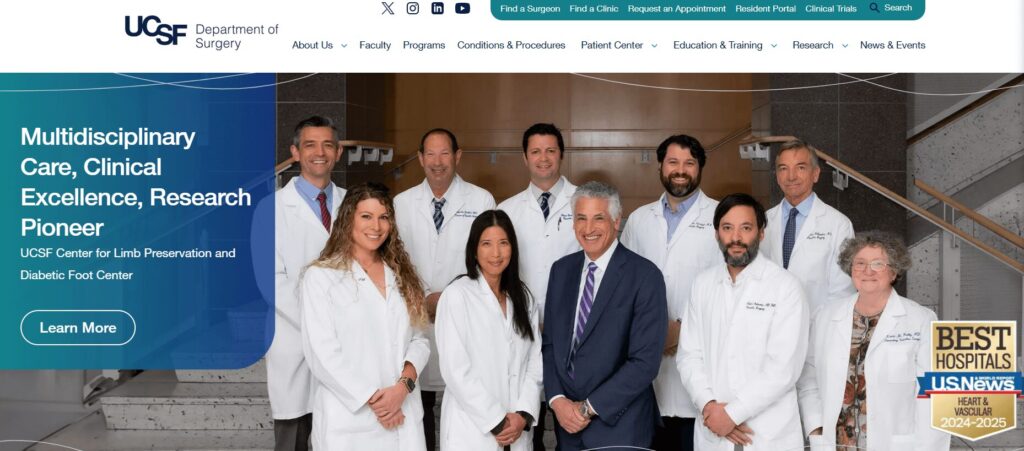
  • Include a distinct, dedicated Conditions & Procedures search (see our UCSF Surgery example)
ProblemPatients need clear next steps and ways to take action.
Solutions
  • Prioritize patient-relevant info at the top; professional / physician / academic info should follow.
  • Provide easily searchable clinic and physician listings with low-friction contact and scheduling CTAs.
ProblemTechnical and operational details are overwhelming and will disrupt the patient journey; e.g. designing your website around your org. chart.
Solutions
  • Keep separate pathways for the (1) patient journey and (2) internally-facing administration and research information.
  • Prioritize succinct, patient-focused info at the top of bios before getting into professional details. Example:
    • Name and credentials
    • practice locations
    • contact and scheduling info
    • professional recognition
ProblemPatients seek concrete proof of credibility.
Solutions
  • Include patient testimonials and case studies wherever possible.
  • Include photos, but no stock photos! Use actual, real-life patient-focused imagery instead. Make sure all photos posted on your site have signed model clearances as required.
  • Include awards, rankings, partnership badges, etc. — and keep them current.
AI generated illustration of a man designing a website and looking at a large monitor

Top trends in content & design for 2024

Around this time of year, we’re always asked one question — over and over, without fail:

“So, got any plans for the holidays?”

So let’s address this one off the top. Yes, we do have plans. And while our plans vary each year, they almost always involve solemnly swearing not to overeat… and then definitely overeating.

The next-most-frequent question we’re asked around this time of year is, “which trends in your industry are going to be big in (upcoming year)?” Over the years, we’ve found that the best way to prepare for this question is to write a blog post about it. So, here are what we consider to be among the top trends in content strategy, copywriting, and UX design to keep an eye on in 2024. 

Design

1. That 90s Design…

As everyone knows, design trends tend to be cyclical — and while That 90s Show may have suffered a quick exit from Netflix, look for this bygone decade to be next in line for a resurgence. 

Overall, the 90s aesthetic was about authenticity and gritty expressions of realism. You can see this in popular 90s-era styles like collaging — a rough, cut-and-paste aesthetic that involves layering and combining different kinds of imagery, textures and type.

2. Claymorphism will officially go mainstream.

This simplistic 3D design style began floating onto the scene a few years ago in select app interfaces, and its popularity has been growing steadily across the web ever since. This article in Smashing Magazine does a great job of both defining claymorphism and comparing it to the numerous other ‘morphisms’ from which it evolved.  

More importantly, could 2024 be the year that trends like Claymorphism finally banish the Memphis design aesthetic once and for all — thereby making our Creative Director Cliff Persaud’s year, no matter what else happens? Only time will tell.

Copywriting

3. AI hype will continue to run amok.

The seemingly unstoppable hype that’s been swirling around AI tools like Chat GPT over the past couple of years shows no signs of subsiding. If anything, it’s only getting louder — despite the fact that it continues to have few applications where its effectiveness is really worth all the hype.

While its capabilities in tools like Grammarly and platforms like Vimeo are expanding, AI still has a long way to go when it comes to writing like actual humans — let alone being able to write with a truly authentic voice. If you’d like to know specifically how AI falls short, this article explains it better than anything else we’ve seen. Sadly, however, realistic assessments won’t be enough to slow down the AI hype train in 2024. (We’ve also previously weighed in on how we think AI will affect creatives.)

4. Storytelling will keep gaining believers.

Let’s face it: over-reliance on keyword-based SEO doesn’t appear to be going anywhere. Neither does its shrill, annoying cousin — pay-per-click (PPC). However, we’re also seeing storytelling play a major role in content across the web, as more and more organizations are recognizing its value. It’s a trend that we believe will continue in 2024, and as longtime storytelling proponents we couldn’t be happier about this.

Content

5. Look for interactive video content in all kinds of new places.

Interactive video is a form of digital video that allows viewers to directly engage with its content. This is usually done by clicking the frame (or touching it on a mobile device), although in some cases viewers can interact with it via typed commands. 

Interactive video first gained global attention in the mid-2000s with Burger King’s ‘Subservient Chicken’ (remember it?) Other mind-blowing creative marketing efforts soon followed. Since then, its popularity has steadily grown, especially as  technological innovation makes it cheaper and easier than ever to produce.

As video content continues to become more of a best practice than a trend, look for more nonprofits, educational institutions, and healthcare providers to explore interactive video in 2024. Its potential to help these organizations share more personalized service delivery, education, and marketing content is definitely there.

6. More robust CMS editing tools. Less reliance on developers.

Designing, building, and supporting Drupal and WordPress websites as we do, we’ve noticed that a growing number of clients are looking for more control over their design layouts. For example, they may not always want to contact a developer for something as straightforward as creating a new landing page.

We’re not the only ones who’ve noticed this, judging by the number of robust content editing tools that are now available. These not only give the editor more tools to create unique landing pages by reorganizing components, but they’re also more visual and intuitive than your standard editors.

Gutenberg blocks are becoming ever more popular — and have become more refined since its WordPress 5.0 release back in 2018. On the Drupal front, tools like Drupal’s Layout Paragraphs, Frontend Editing, and Layout Builder are bringing robust drag-and-drop editing to content creators. 

(And if you’re thinking this is technically a development trend and not a design trend, well, check out our post on 2024 development trends.) 

Wide lapels will be all the rage.

The thing about these new-year-trend-predicting posts is that there’s always the potential for some new, exciting innovation to come out of left field and take everyone by surprise. In that spirit, we also predict that interest rates will drop to, say, 3%. Fennel will be crowned as the new supreme superfood. And the Orlando Magic will win the NBA finals in a four-game sweep. 

And we will definitely overeat during the holidays. It’s one prediction that has a 100% chance of being right.

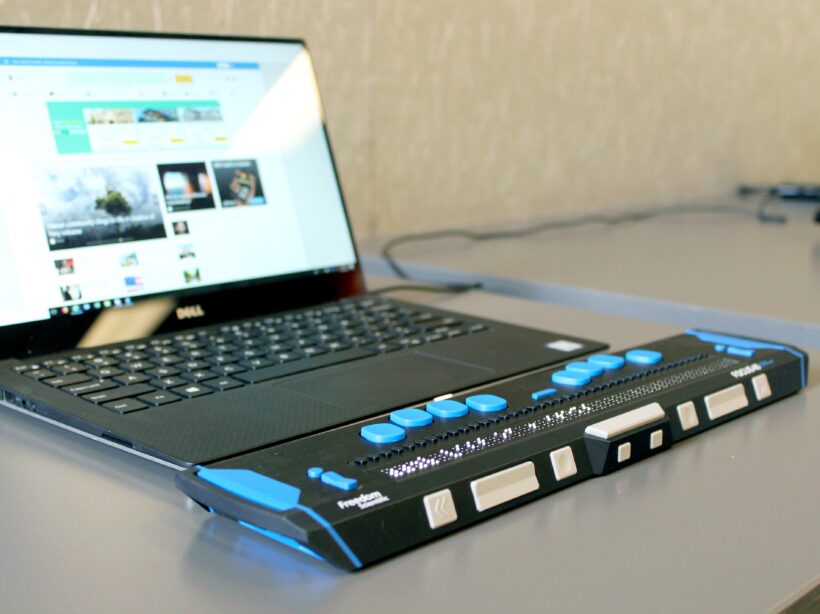
a close up photo of a lap top with a Braille keyboard attachment

How to Test Your Website for Accessibility

Faye
Faye Polson

There’s something wonderful about putting on adult shoes as a kid. They’re enormous and floppy and shuffle around on your feet as you lift and walk. I remember doing this often with my dad’s shoes, regardless of the smell, giggling all the way.

Somewhere along the line between then and now, walking in someone else’s shoes loses that magical charm. It’s more comfortable to maintain the status quo. What works for us must work for everyone, right?

Except it doesn’t. Humans are not “one size fits all” and this is also true when it comes to the internet. Like a building needs accessibility access, a website needs accessible code so that it can be used by everyone.

Many people have vision problems, hearing loss, physical limitations and more. In fact, 27% of adults — a full 61 million people — in the United States alone are permanently disabled in some way. Once you include temporary disabilities (such as a broken wrist), or extend the range to teens and children, that number soars even higher.

Your site could be unusable for up to a quarter of your audience, and it’s worth it to check. Follow this guide to do some quick testing, or jump down to our tl:dr.

Why automated tools are useful but also insufficient

We’re often asked for metrics and automatic scans that can “score” a site for accessibility. As appealing as that may sound, it’s simply not an option in the current technical landscape. In reality, it is generally accepted that automated tools can only detect about 30% of WCAG’s 2.1 success criteria. Any tool or service that claims 100% automation is 100% lying.

The reason for that is there are many accessibility issues that Artificial Intelligence (AI) simply cannot understand, and while a scan could possibly identify a place where a human mind should take a look, it couldn’t say with any certainty whether or not there is an error there. In fact, the more aggressive the scanning tool, the more likely it is that there are false positives in the results.

A common example of this are images. Automated tools can detect whether or not an image has alternative text (a requirement for accessibility) but they can’t tell if the alternative text is appropriate for the image.

Because of this, testing requires both automated tools and manual tests. And since each tool is different in what it can detect, and how it presents its errors, it’s recommended that you use multiple tools when testing website accessibility. Each tool has its own pros and cons, things it does really well, and areas that need improvement.

By the way, the disparity between automated testing and manual testing is also why we highly recommend you avoid quick fix solutions like overlays. There are a number of other reasons, including legal reasons, but when it comes down to it automated tools are only part of the process.

Automated scanning tools to use

Lighthouse (Google)

Pros:

  • Provides scores out of 100 (for people who love metrics)
  • Gives advice for manual checks
  • Easy to use extension
  • Generally no false positives
  • Identifies target size errors
  • Can also provide SEO and Performance audits
  • Links errors to Deque’s aXe ruleset

Cons:

  • Very simple scan
  • Only audits 44 possible accessibility errors
  • Provides minimal information regarding errors

WAVE

Pros:

  • Easy to use via URL
  • Allows toggling styles and javascript on and off for scans
  • Attractive visual interface
  • Shows Level A and AA items as errors (red)
  • Shows Level AAA, and Best Practice items as warnings (orange)
  • Identifies all ARIA used
  • Identifies all structural elements
  • Identifies accessibility features applied
  • Identifies contrast errors separately
  • Provides helpful information regarding error
  • Links errors to WebAIM’s WCAG 2 Checklist
  • Links directly to code in Developer Tools
  • Has built in contrast checker

Cons:

  • Cannot scan javascript injected content
  • Generates a few false positives each scan

aXe

Pros:

  • Shows Level A and Level AA errors
  • Best Practice items can be toggled on and off
  • Groups errors by serious, critical, moderate, and mild errors
  • Groups uncertain items for manual review
  • Links errors to Deque’s aXe ruleset
  • Explains specific fix options for each error
  • Links directly to code in Developer Tools
  • Rarely gives false positives

Cons:

  • Extension can be overwhelming and difficult to use
  • Does not scan hidden items
  • May or may not scan javascript injected content

SiteImprove

Browser extension
Paid Platform

Pros:

  • Platform version can scan site wide
  • Platform scans for Level A, Level AA, and Level AAA errors
  • Includes scans for Best Practices
  • Platform provides a score out of 100 (for people who love metrics)
  • Extension can be configured to scan for specific levels, such as warnings, items to review, best practice, items likely related to content entry, etc
  • Links errors to WCAG 2:1 Guidelines
  • Links directly to code in Developer Tools
  • Groups errors by guideline

Cons:

  • Aggressive scan causes frequent false positives
  • Considers many Level AAA and Best Practice items to fall under Levels A and AA
  • Difficulty understanding javascript injected content

ANDI

Pros:

  • Extremely easy to install
  • Very visual interface
  • Provides information on how a screen reader might interpret some elements
  • Great entry into understanding what kinds of errors can exist
  • Has built in contrast checker

Cons:

  • Does not link errors to guidelines
  • Limited suggestions for fixes

Add manual testing to find what the automated tools didn’t

Once you’ve run your site through some of the automated tools, it’s time to get some hands-on experience about what it’s like to use your site in someone else’s shoes.

How to do keyboard testing

Believe it or not, keyboard testing is actually “low key” and easy to do. There are only a few things that you need to know in order to do this testing on your own.

Tab, Shift + Tab

Pressing tab will move you down a webpage through interactive elements like links, buttons, and form fields. Pressing shift + tab will take you backwards through those same elements.

Spacebar / Enter

These keys “activate” interactive elements. When you are focused on a link, hitting one of these will open that link. Sometimes they can also move you into an “application” state where other keys become usable (see Arrow Keys).

Arrow Keys

These keys will scroll the page up and down, but not always. Tabs, accordions, sliders, and menus can be designed as applications. That means once you are focused on them (or enter them using the spacebar), using the arrow keys will navigate you through those interactive elements instead of scrolling the page.

Esc

If you have entered an application, or a popup window, the escape key should exit that area and allow you to continue down the page where you left off.

Knowing these interactions, you should be able to use your webpage without a mouse. Try it for yourself and see if you can reach and use all of the interactive elements.

  • Can you see where your focus is (what your next keypress will activate)?
  • Can you navigate through your menu?
  • Is tabbing logical, or does the focus move to unexpected areas?
  • Can you use sliders, accordions, galleries, videos, and tabs?
  • Can you enter form information and submit?
  • Do you get “trapped” anywhere and need to use your mouse to move on?

If you can’t use your page without a mouse, or if the keyboard experience is generally frustrating, then there’s some improvement to be made with accessibility. Keyboard functionality is vital to most assistive technologies, and if you had a hard time then chances are so is someone else.

A note about screen reader testing

You will likely need to hire someone to do this for you, as it takes a high level of skill and experience to operate. But using the ANDI tool on your site can show you some of the things a screen reader will present to a user, so if you’re interested give that tool a try.

To learn more about screen readers and assistive technology, check out our Screen Reader 101 blog post.

Where to find real users to test your site

Putting your site in front of real users with a variety of disabilities will most certainly uncover any issues missed by automated and keyboard testing.

Here are some resources for finding those users:

If you think there’s a problem, it’s time for a deep dive audit

While the methods mentioned here can give you an overall picture of a single page’s level of accessibility, it doesn’t reflect the full breadth of your site. For that, you’ll want a deep dive accessibility audit.

This type of work typically takes someone with a good deal of experience in the accessibility space. It would entail automated and manual testing of multiple pages to try and get a sample of each template used, in addition to some randomly selected pages. The auditor needs to know how to use multiple tools, how to test via keyboards and screen readers, how to investigate Javascript injected content, and know what to look for in criteria that can’t be caught in an automated scan.

Kanopi specializes in accessibility for our clients and we do offer deep dive accessibility audits, including itemized results for remediation. If you’re interested, send us a message!

TL:DR for testing your website’s accessibility

Try to use your website without a mouse.
If it’s frustrating for you, it’s frustrating for someone else.

Imagine someone was trying to navigate your homepage only by headings and links.
If someone couldn’t see the page and only had these elements to navigate by, would they know where to go?

Run your most popular page through two or three of the tools mentioned in this article.
A single issue can prevent someone from buying a product, viewing a service, or understanding your content. Take any errors seriously.

Re-test your site every so often.
Updates to code and content can unexpectedly change your site’s accessibility. Regular testing helps keep you informed about potential barriers on your site.

Want more accessibility info via a webinar?

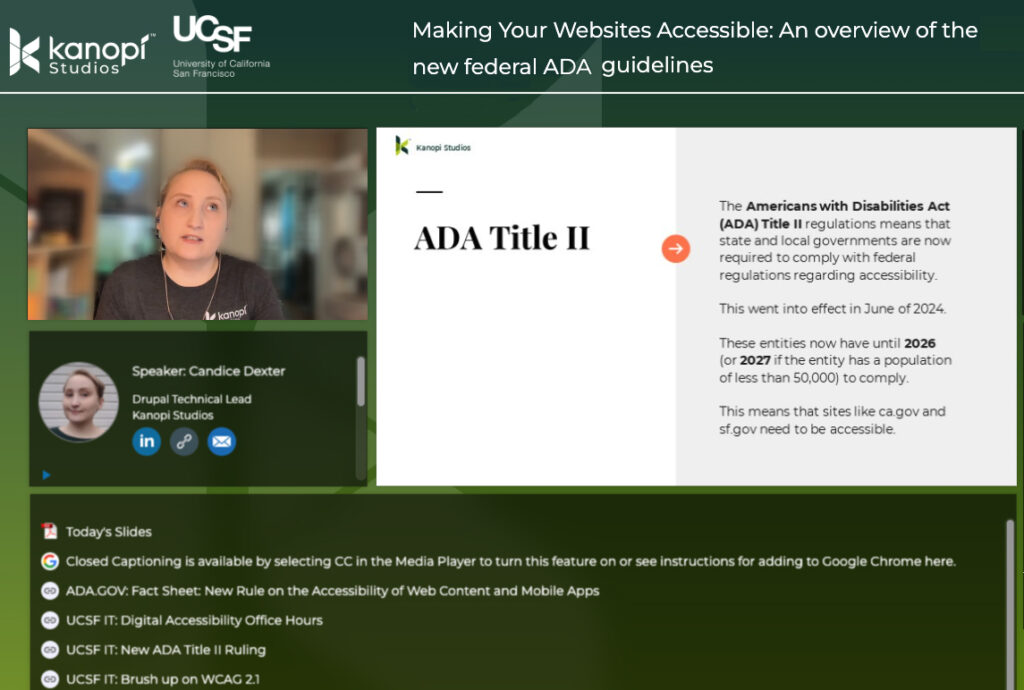
Interface of ON24's webinar platform with Candice Dexter giving a webinar on the ADA guidelines.

Kanopi’s Candice Dexter gave a webinar for our client the University of California San Francisco called “Making Your Websites Accessible: An Overview of the New Federal ADA Guidelines.” (30 minutes)

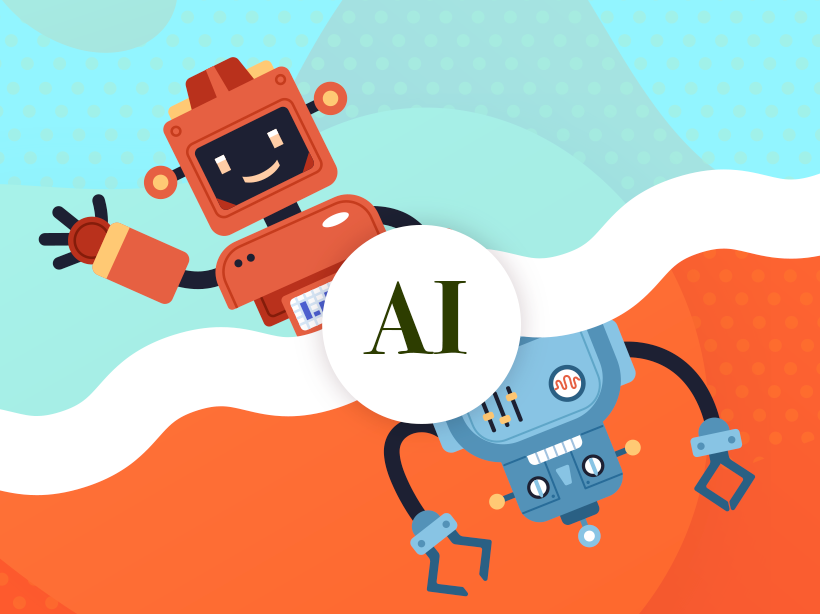
Illustration of a happy red robot waving juxtaposed against an angry blue robot

AI: The Good, The Bad, and How It Will Affect Creatives

The emergence of AI-driven platforms like ChatGPT and MidJourney has transformed how creative agencies approach strategy and content development. Rapid AI adoption brings both opportunities and challenges, often not fully grasped by creative and strategy teams. In this article, we explore the pros and cons of integrating AI into your creative workflow.

Will AI replace your design and strategy teams?

The bottom line is that AI tools like Microsoft Designer, Adobe Firefly, Google Bard, and the plethora of AI tools emerging each day, present a double-edged sword for creative agencies. On the one hand, they can help streamline workflows and save time and money by automating repetitive tasks. On the other hand, they also present a potential threat to agencies’ revenue streams by allowing clients to take on more of the creative work themselves. This in and of itself will create challenges for clients as they try to navigate the focused approach a professional can bring to a creative project by balancing UX, functionality, design, and business goals.

To stay competitive, agencies need to find ways to add value beyond what AI tools can offer. This might mean focusing on high-level strategy and ideation, or finding ways to integrate AI tools into their own processes to enhance their work. At the end of the day, it’s not about whether AI will replace human creatives, but rather how agencies can leverage the technology to create better work and deliver more value to their clients.

At Kanopi we believe that top-tier creative and human-centric experiences will always demand the expertise of skilled professionals. The analogy we draw is: while cell phone cameras have made photography accessible to the masses, we still rely on experienced professionals to capture our most significant life moments. In the same vein, we think clients who recognize the importance of how good design will impact their ROI will continue to depend on the knowledge and skills of professionals to deliver their projects successfully.

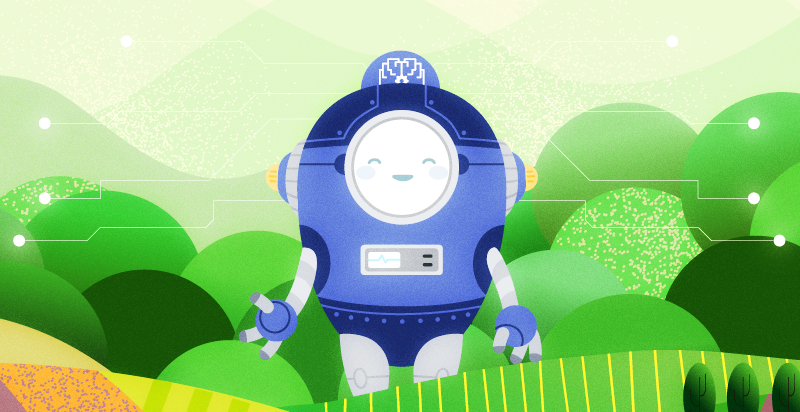
Illustration of a happy blue oval-shaped robot against a green background that simulates trees.

All Hail our Robot Overlords: The case for using AI

We find that most of the advantages of utilizing AI tools come down to the following three categories.

  1. Cost: AI tools are becoming more affordable and may be invaluable for smaller organizations with limited teams to be competitive with larger companies. AI tools can help to reduce the need for expensive design software and personnel, making it more cost-effective for businesses to produce high-quality designs and content.
  2. Speed and Efficiency: AI tools can help designers and content creators to work more efficiently by automating repetitive tasks, such as resizing images or optimizing content for SEO. This can save a significant amount of time and allow designers to focus on more creative aspects of their work.
  3. Creative Ideation: AI tools can contribute to the ideation phase of a creative project by analyzing data from social media trends, consumer behavior, and industry insights to help creatives better understand their target audience. By fine-tuning their ideas with this information, creatives can then create impactful and innovative work that delivers more to their clients.
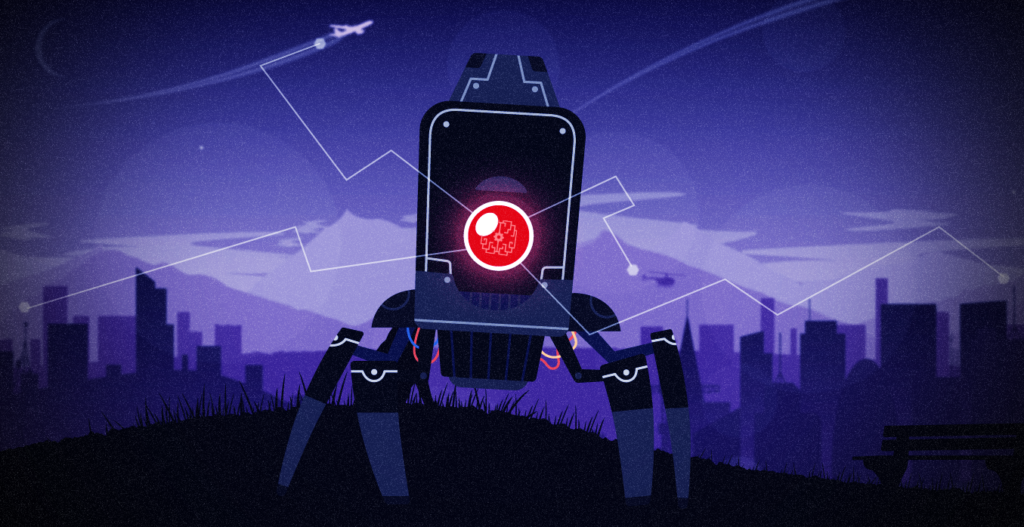
Illustration of a scary robot with one red eye and pointy legs against a dark purple cityscape.

The Ghost In the  Machine: The risks of using AI tools

  1. Legality: The use of AI tools in creative work raises concerns about copyright, sourcing, and how AI consumes work as part of its algorithm. Currently, legislators and legal scholars are grappling with the question of who owns the rights to AI-generated works. We suggest a balanced approach. It is recommended that agencies and individuals use AI as a tactical tool within their creative process rather than relying on it as the sole centerpiece of their ideation and research.
  2. Less creative and unique solutions: AI tools are limited by their algorithms and data sets, resulting in less varied and unique outputs. Even with impressive individual pieces, looking at collections like those in MidJourney’s sample galleries reveals an overreliance on certain design elements, such as teal and blue color schemes. These limitations emphasize the importance of the human touch in creative ideation, intuition, and truly customized designs that AI tools cannot replicate.
  3. Potential for misuse and AI Bias: While AI tools have the potential to revolutionize industries, they are not immune to biases. Human input and limited data can result in skewed outputs that discriminate against certain groups of people. As demonstrated by Amazon’s AI recruiting tool, an over-reliance on data without human oversight can lead to biased outcomes. Agencies need to train their staff to identify and counteract bias in AI tools to prevent potential misuse.

    As AI tools continue to evolve, we anticipate the emergence of ethical AI practices and increased transparency regarding how AI processes and interprets data. These factors will become increasingly important for the widespread adoption and acceptance of AI as a viable business tool in the future.

AI tools can be a valuable asset to creative professionals, providing increased efficiency, accuracy, and cost-effectiveness. However, it is important to balance the use of AI with a human touch to ensure that creative outputs are engaging, usable, and can meet project KPIs. Additionally, it is important to be aware of the potential for misuse and to use AI tools ethically and responsibly. As AI technology continues to evolve, it will be interesting to see how it is integrated into the field of graphic design and content strategy.

Hands on a keyboard

The ROI of Great Website Design

Making the business case for a well-designed website.

From the streaming services we binge to the smartphone we buy, there’s no denying excellent website design matters. Great web design can mean the difference between people landing on your site and coming back daily or landing on your site and immediately leaving, never to return again.

As University of Washington designer and teacher Joe Sparano puts it:

“good design is obvious and great design is invisible.”

Although also invisible is harmful website design that’s inaccessible for some people.

Boosting revenue, increasing donations, enhancing engagement, and saving staff time are just a handful of the many measurable benefits of great website design.

Let’s dig into the details!

Boost your revenue 

It’s hard to ignore the power of discovery paired with quantifiable data to drive content & user experience (UX) improvements. 

Do you know who uses your site and what their needs are?

You may think you know, but the truth is user behavior shifts and changes at a rapid pace. It’s vital to regularly test assumptions about who is currently using your site and how they use it, gathering insight to inform design solutions that better meet user needs today.

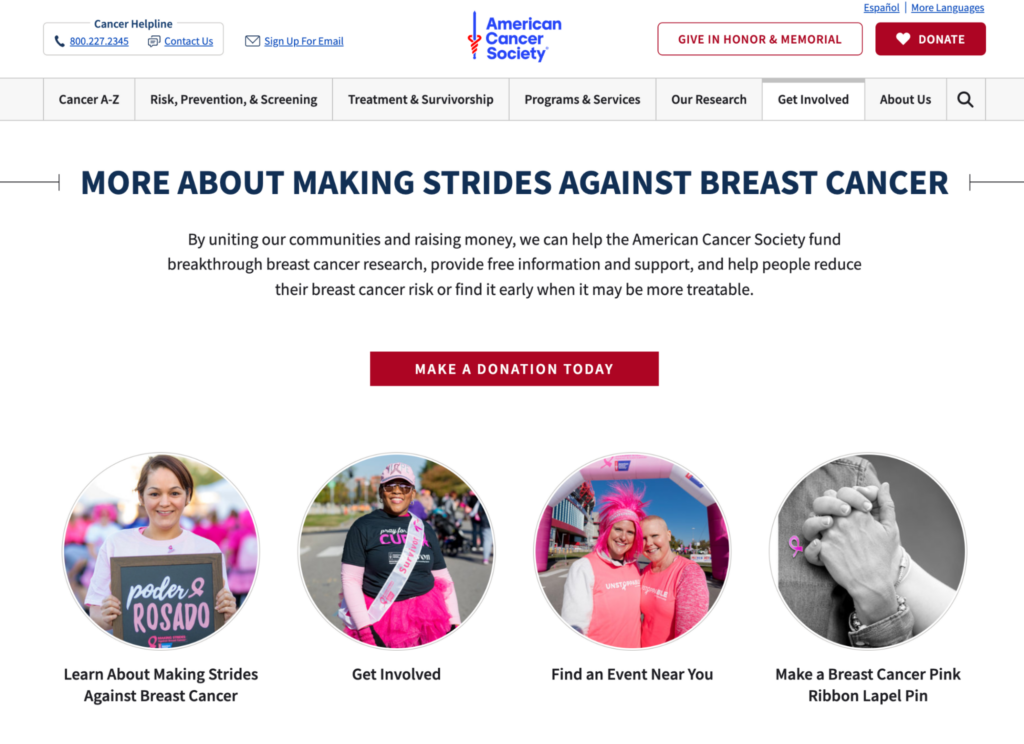
The American Cancer Society (ACS) boosted its revenue by 4.5% by redesigning its website using research and data.

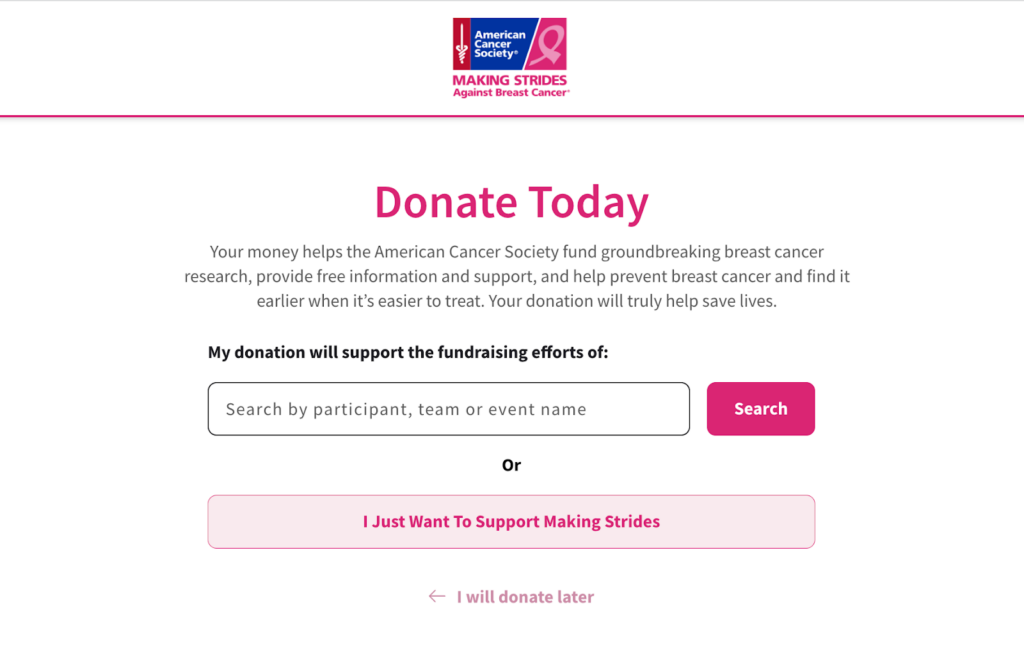
How did they do it? The ACS team created a new donation form on their site that sends funds only to breast cancer research. The nonprofit made it easier for their top personas to do what they came to the site to do, looking at how people interact with their site and how their needs and goals change over time. 

Analytics data showed that ACS was missing out on valuable traffic between its main website and its “Making Strides” sub-site. The team got to work creating clear user pathways between the two websites, providing donors with the action they wanted to take most, as illustrated by the data — supporting breast cancer research specifically. 

cancer.org donation page
Cancer.org form
Source: cancer.org

Increase online giving 

Well-designed nonprofit websites focus on the user experience of its donors, making it easier for them to find the information they need, including all of the ways they can support the organization while allowing them to complete donations seamlessly. 

Great design backed by a donor content strategy leads with impact that’s personal, clearly showing existing and future donors how their generosity makes a difference.

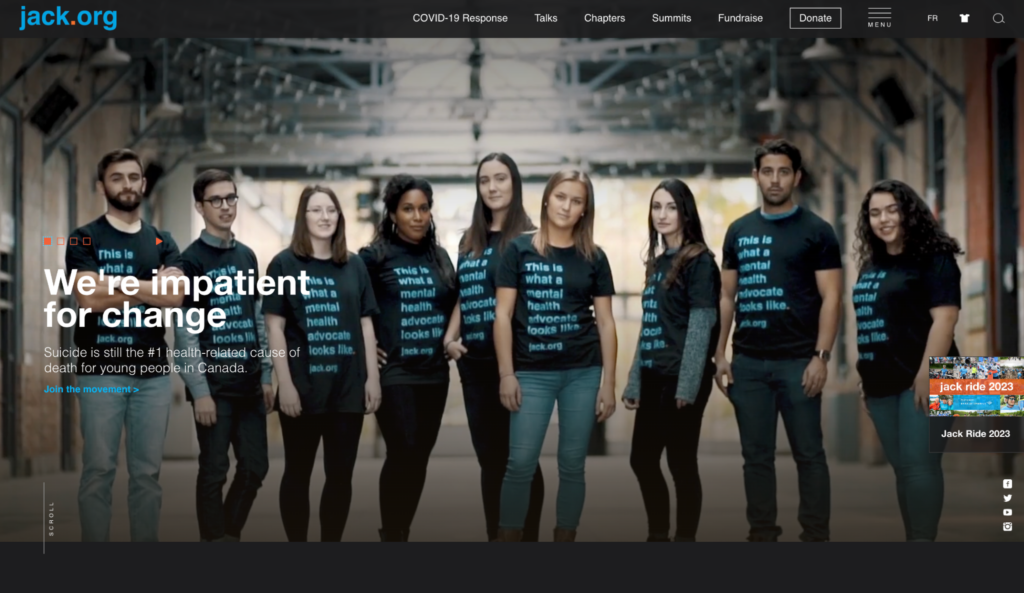
Jack.org is Canada’s only charity training and empowering young leaders to revolutionize mental health. The Canadian nonprofit needed a website to help them better connect with young people nationwide.

By reviewing its donor experience, the charity boosted online donations by 80%, with a 108% increase in online donation revenue. 

How did they do it? They implemented an enhanced strategy focussing on UX, followed by a redesign that included powerful, seamless fundraising and sales integrations, making their site AODA & WCAG compliant.

Homepage of jack.org
Source: Jack.org

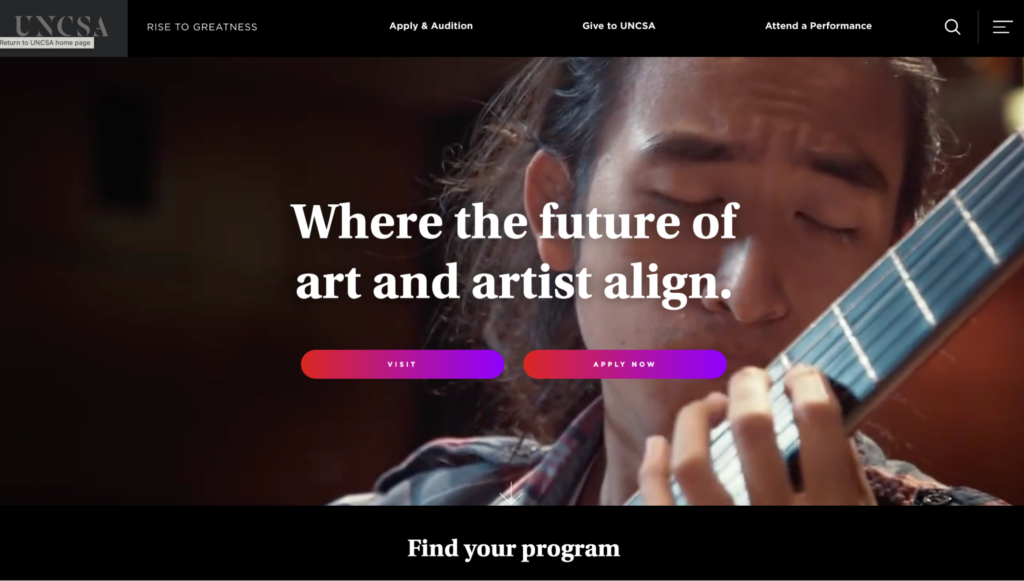
The University of North Carolina School of the Arts decided to redesign its website when it realized it wasn’t meeting the needs of two of its most important groups of people — students and donors. 

By upgrading its information architecture, creating engaging microcontent and improving functionality, admission inquiries climbed 518%, and the university saw online donations increase by 48%:

Univeersity of North Carolina school of the arts home page
Source: UNCSA


“The storytelling as a narrative was really the way to sell and to communicate what the institution is,” 

said Vice Provost and Dean of Student Affairs Ward Caldwell, 

“I think one of the unique aspects of the site design is that it encourages exploration. It provides all the links to move people through the site, but it also encourages people to linger, to get an understanding of how we take students through a journey of artistic exploration.”

Source: UNCSA 

Engage a new generation with machine learning 

Twenty-five percent of what you sell on your website is your product or service. The remaining 75% is an intangible feeling from a package deal with said product or service. 

What do you want people to feel from interacting with your site’s content?

A clear and consistent content style within your website design can help you engage Gen Zers (people born between 1997 to 2012.) Speak to younger folks on a personal level using language and words they recognize and use themselves daily, factoring in aggregated data that helps you better understand your user’s emotions.

Develop a tone and voice that fits your organization and resonates with your users, keeping it conversational and action-based.

Source: Adobe


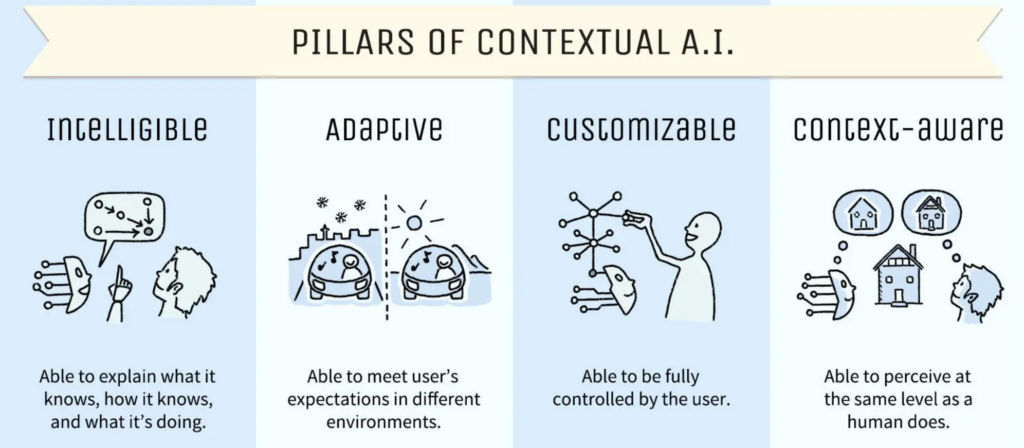
Make your site more human using contextual AI to design a website that makes people feel something and achieve ROI growth as you connect with the next generation. Your ultimate goal should be to deliver a focused experience instead of just a website.

Colleges and universities are deploying user-controlled, AI-powered chatbots to connect with people faster, helping them convert more prospective applicants into enrolled students.

Ahead of a new academic year, students have many questions about programs, fees, housing, and more. Admissions departments work flat out, and responding to every question takes time.

Chatbots eliminate this problem. They’re convenient, easy to use and designed to provide automated responses to common questions from students, avoiding ambiguity and slow replies.

Students can chat with them any time, day or night, which is particularly useful for international folks living in a different time zone than their desired college or university. 

Make it accessible to all 

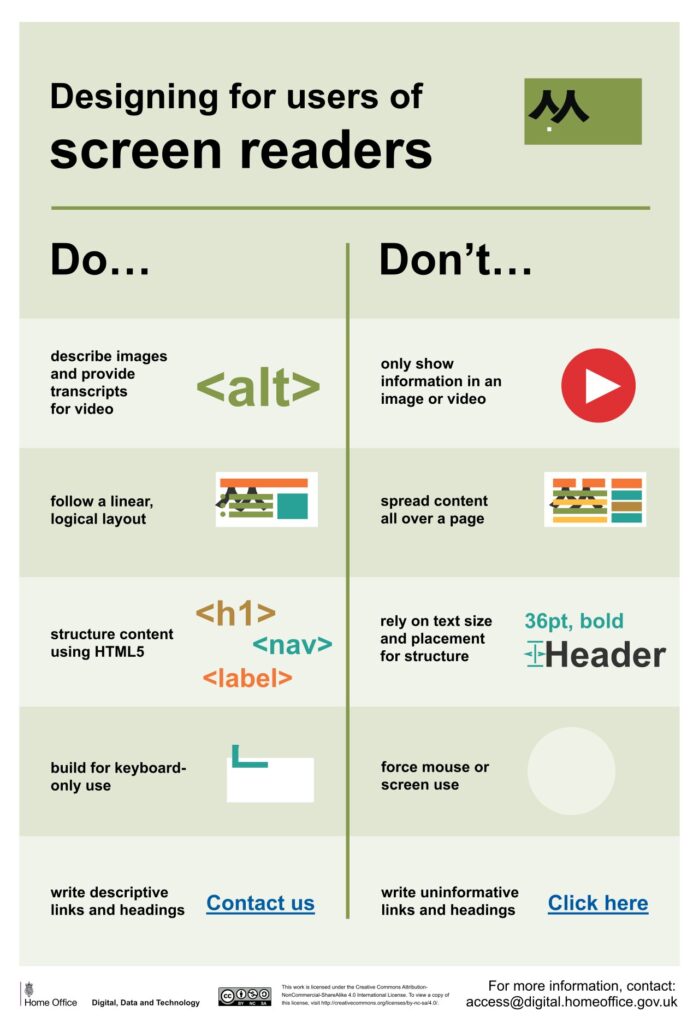
Design that addresses the unique needs, barriers, and challenges that people with disabilities face when using your site will benefit all users, ensuring your site is inclusive and accessible.

Dos and don'ts on designing for accessibility posters by GOV.UK 
Source: Dos and don’ts on designing for accessibility posters by GOV.UK 

Don’t make the mistake of allowing accessibility to become an afterthought you attempt to shoehorn into a near-finished design. It’ll cost you time and money in the long run. 

Fifteen percent of the world’s population, or 1.3 billion people, self-identify as having a disability, so design a website accessible to all and watch your ROI grow. 

What does accessible website design look like? Do you have to forfeit captivating visuals to gain a truly accessible site? Not quite. 

Are you keen to introduce motion on your site to increase engagement? Great! Though first, understand how movement on websites impacts people with vestibular disorders such as epilepsy. Avoid using excessive animation to ensure everyone can use your site, opting for thoughtfully executed motion design users can control instead, for example, prominent pause, stop, and play options on embedded videos.

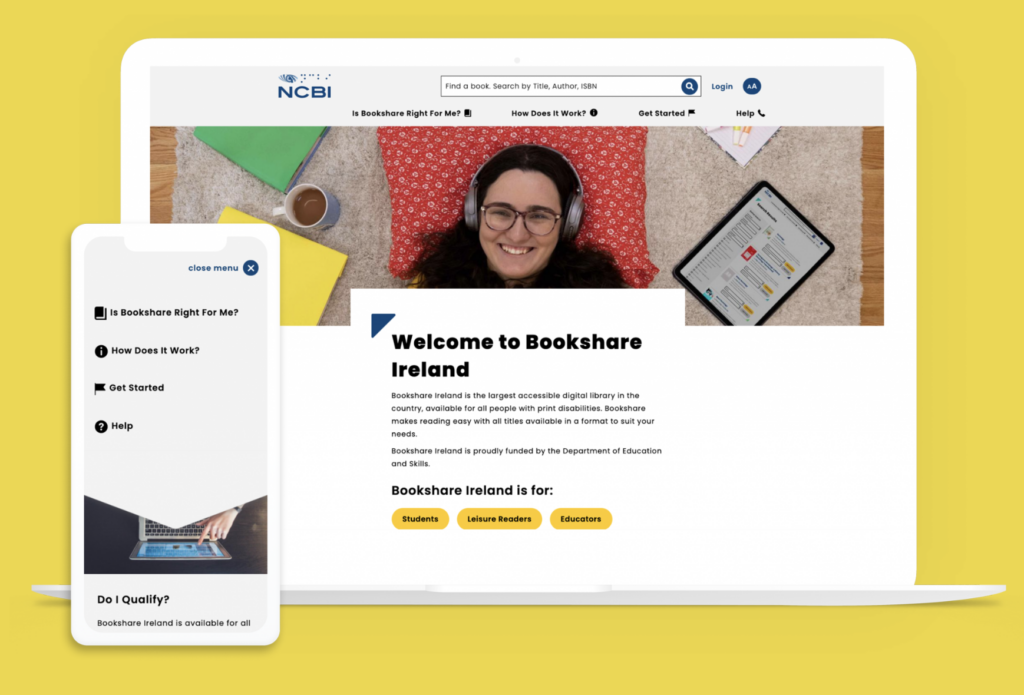
Partnering with the National Council for the Blind in Ireland, Kanopi was able to design a website that’s AAA compliant (the highest level of web accessibility) without sacrificing good design. 

The nonprofit’s site includes fun, engaging graphics with bright colors and relatable student imagery while nailing text-to-background color contrast, large text, and text zoom functionality. Site visitors know exactly where to go from the homepage, with straightforward user journeys for students, readers, and educators:

Source: NCBI Case Study

Rank higher on Google 

A site that’s well-designed and optimized for search engines can drive more organic traffic and improve search engine rankings. It’s that simple.

VITAS Healthcare, a pioneering hospice movement since 1978, improved its organic click-through rate (CTR) by 52% through improved design. A CTR is the percentage of searchers who click on a search engine result.

How did they do it? Improving their meta descriptions made them more descriptive and meaningful, adding direct telephone numbers for folks to reach them immediately.

Meta descriptions are HTML tags summarizing your webpage’s content. It’s a snippet of text, roughly 160 characters long, that appears under your page title on a search engine result page like Google.

The meta descriptions of every landing page you design may fly under the radar at times, though this behind-the-scenes component is key to great website design that ensures your site is discoverable. 

Save staff time  

A well-designed website can make it easier for a nonprofit or higher education institution to complete two vital tasks:

  • communicate with your key stakeholders and 
  • disseminate important information. 

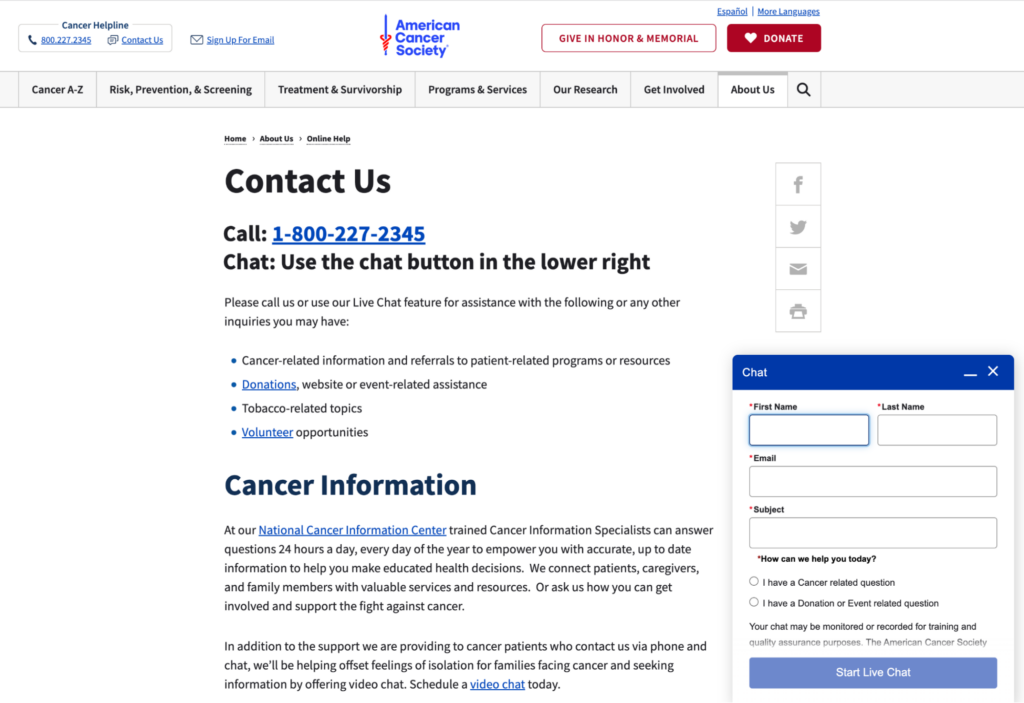
It took staff 25% less time to respond to inquiries following the redesign of the American Cancer Society’s website. They refined their “Contact Us” page with a clear content hierarchy, providing pathways for questions by phone, live chat, or video chat and by topics such as donations and volunteering opportunities:


Chatbot on cancer.org
Source: cancer.org.

How does this translate to ROI? Let’s do some quick math.

Suppose your staff spends 10 hours or 25% of their 40-hour work week navigating and replying to inquiries from your website. With time savings similar to the American Cancer Society at 25%, your staff can now respond to inquiries in 7.5 hours instead of 10. 

For a team of 5, that saves 650 hours per year that could be redirected to other essential tasks within your organization.

Great design starts with research and strategy

Here at Kanopi, accessibility is baked into our process at the start of every website design project. Our strategists, designers, and developers collaborate to skillfully balance website design that produces the wow factor while not compromising on building a site accessible to all. 

Good website design isn’t just “sparkle and boom.” 

The real boom happens when you use research to develop a strategy that enhances your user experience and improves your conversion rates. 

Are you after more donations? More enrollment? More memberships? 

It is invaluable to gain an accurate, up-to-date picture of how people use your site and what they expect to find. Find that sweet spot where content meets both the needs of your users and your organizational goals by developing a content strategy based on user research. 

The tried and tested way to turn one-page website viewers into repeat visitors and continuous supporters is by designing a website with user experience at its core. 

We’ve provided only a handful of examples of how great website design can impact a nonprofit or higher education institution’s ability to achieve its goals and boost its ROI in the process. From increasing revenue, giving and organic traffic to engaging the next generation, improving accessibility, and saving staff time, we think the proven results of excellent site design speak for themselves. 

Green environment technology concept. generative ai showing a tree growing out of a motherboard

Green energy, cloud use, and sustainable websites

This Earth Day, consider how you harness the power of sustainability with your online presence.

Many people assume that the Internet is a more environmentally friendly way of sharing information; businesses and organizations are no longer printing materials on paper or plastics, using inks, and shipping mail as they did before the Internet became the primary marketing hub. There is a large environmental impact with supply chains, but building websites feels less impactful. 

But is it? Not necessarily. In fact, creating and maintaining websites uses a lot of electricity. And websites that are heavily trafficked use even more energy. 

The internet is not as green as you would think. Think of how many people are online at any given time. There’s an impact every time someone sends an email. Every time they send a tweet, or a Facebook post, etc. Then consider that an estimated 37% of the world’s population (that’s 2.9 billion people) have never used the internet, so there are still more people that could be online. 

There’s a carbon footprint involved with all we do digitally. As businesses become increasingly digital, we must ask ourselves how to ensure sustainability online. That means more than just making sure your website is up and running so you can eliminate other forms of communication — it means harnessing the power of green energy, cloud use, and building sustainable websites so that our digital presence is as eco-friendly as possible. 

This Earth Day, we’d like to provide some quick tips on how to be more proactive about sustainability when creating your next website project. 

But first, how “green” is your current site?

How does your website fare now? Use tools like Ecograder and Website Carbon to estimate your digital footprint. It’s an eye-opener to see where your website could be making improvements.

If you follow website UX and coding best practices, here’s the good news: by default, best practices for web design and accessibility translate into more sustainable websites. They are built using lightweight code that can load quickly even on slow connections Since they are designed to prioritize user goals, and performance less time is spent loading or trying to find information … which translates into time, energy, and ultimately cost savings.

Sustainable websites also use fewer resources overall, which helps conserve energy. They are often made as fast and performant as possible, particularly if they are more heavily used on mobile devices. And don’t forget about accessibility: sustainable websites tend to be more accessible for users with disabilities too! 

But if you need your website to be more sustainable, let’s dig into where you can make some impactful changes.

Harnessing green energy in the Cloud 

Green energy is a key component of sustainability online. After all, each time you access the internet, you are using electricity. But what if you could use renewable sources of energy such as solar or wind power instead of relying on fossil fuels? 

Cloud computing makes this possible. By hosting your data in the cloud and taking advantage of green energy sources, companies can reduce their carbon footprints while still getting access to all the same features they would with traditional hosting services. Plus, it’s often cheaper and has lower maintenance for your internal teams. 

In short, work with your hosting provider to make sure your website is powered by renewable energy. 

If you’re looking for a new hosting provider, a great place to look is The Green Web Foundation’s directory, a listing of over 500 hosting providers around the world with a tangible commitment to using green energy in their data centers.

Fun fact: Kanopi is hosted with Pantheon, which offers container-based, serverless hosting. And they’re built on GCP, a green platform

Practice sustainable web design

Practicing sustainable web design will help make your site efficient while reducing website carbon emissions. This includes being smart about how you use images and how they load on the page; one example is using responsive images, which serve the correctly sized image for the user’s device to avoid unnecessary resource usage. 

User Experience (UX) optimization is an ever-evolving practice, and Kanopi is constantly refining our approach to how users consume and interact with websites. By optimizing the user experience of your website, you can expect to see increased user satisfaction, shorter interaction pathways, and a reduction in overall energy consumption associated with your site. Essentially the better the usability of your site, the better it is for the environment. So make sure you know what your audiences are looking for so they can find it fast. 

This also applies to content: create content that is meaningful to your users in order to keep the overall site lean, and avoid content that adds unwanted complexity or bloat to your site. Video content is especially energy dense and should be deployed in a purpose-driven and user-focused manner. 

This website on sustainable web design has many other excellent suggestions on how to keep your site design as sustainable as possible.

Improve your page speed and performance

The faster your site loads and users find what they need, the less energy is used. The more efficient, the better. It really is that simple. 

How the site is built and developed is key. Due to the collaborative nature of open-source tools and the community, software tools are optimized for better performance and efficiency (something proprietary solutions don’t often consider). Open-source tools can also help lean teams start small and test ideas before scaling, thereby reducing waste. 

Website optimization is not a “set it and forget it” activity. It’s an area where you can always make iterative improvements, and ongoing optimization of your website is essential to reducing your energy footprint. 

This can be done in several ways:

  • Ensure your codebase is meeting or exceeding current best practices. Over time, these efficiencies will result in less energy consumed overall and will allow your site to stay evergreen.
  • Performance reviews. Looking at the key metrics that inform Google’s Core Web Vitals is a great way to impact your page speed (and rank higher in search results, too). UX patterns play a role here as well, since patterns like carousels are tricky to implement without noticeably affecting your page load times.
  • Only track what you need to track, and use a tag manager. Third-party trackers are one of the biggest culprits when it comes to slowing down your site. Think hard about how, when, and where you’re using the information, and only collect what you need. It’s also better for user privacy, which your users will appreciate!

Sustainability is good business. 

At the end of the day, harnessing sustainability online is essential for businesses looking to remain competitive in today’s digital world while still being mindful of their environmental impact.  

So when you’re thinking of more ways to be eco-friendly around the office, think beyond ways you can make your physical space greener or how your IT infrastructure could have a greener footprint. Consider how you can also apply eco-friendly techniques to your entire digital environment. In tandem with websites, sustainable digital marketing strategies go hand-in-hand. When it comes to digital marketing campaigns, it’s important to think about how you can minimize your environmental impact while still achieving your goals. This includes focusing on organic search traffic rather than paid ads whenever possible, and utilizing email marketing over direct mail campaigns which require physical materials like envelopes and paper. 

We recommend regular UX and code audits as the improvements they can provide are not only essential to the long-term health of your website but also have a direct impact on the amount of energy consumed (Kanopi can help with audits). Taking a holistic approach to sustainability will ensure your business is doing its part, and opportunities for positive impact exist at every level and scale. 

By keeping these tips in mind, CMOs and marketing managers can make sure their businesses are doing their part for people AND planet alike. 

Additional resources:

Businessman pointing finger at chart to analyzing growth, Site stats, Data inform, Statistics, monitoring financial reports and investments concept illustration

7 Key Tactics to Drive Website Homepage Conversions

Vivian Clark

The homepage is the first impression of your website. Ensure it's attractive, compelling, and easy to use so they'll stay on your site rather than bounce to competitors.

How does your website conversion rate affect your business?

Your website conversion rate is the percentage of visitors who take specific actions on your site (e.g., sign up, download, purchase). Your website conversion rate affects revenue, customer acquisition cost, return on investment (ROI), and customer engagement and loyalty — some of the most critical factors determining your business’s long-term success.

So how do you create a great homepage? Let’s walk through 7 key strategies you can apply immediately to your homepage to improve conversion rates.

1. Understand your audience 

Create meaningful connections with your customers by understanding who they are and what they want. You must understand their needs, goals, behaviors, and values. The best way to do that is by using quantitative and qualitative research methods and building personas.

  • Google Analytics: What are people coming to your site for? What pages are they landing on? How much time are they spending on the site? These questions can reveal valuable insights about how customers interact with your homepage — and where you might fall short.

Related read: Goodbye Universal Analytics. Hello, Google Analytics 4 (GA4)!

  • User research: You can also learn a lot by analyzing user interaction with heat mapping. Better still, interview your audience directly about the problems they’re trying to solve, what pain points or frustrations they are experiencing while trying to complete their tasks, and what improvements they would like to see implemented.

Related read: Audience Behavior: Learn More with User Research

  • Personas: After quantitative analysis and user research, you can create personas, which are fictional characters that represent your target audience. Ultimately, personas help prioritize content, design solutions, and user experience to meet better user needs. They also establish messaging that can be used across different channels — from social media to email marketing — to better communicate with customers.

Related read: How personas help with website design

2. Clear Value Proposition

Create a one-sentence description of why your company exists. It goes beyond the obvious — “we make great software” — to explain what makes your product special and unique. 

The best value propositions have three characteristics:

  • They are specific: They use quantifiable metrics or measures (number of customers, dollars saved, etc.) to show how your product works for the customer.
  • They are unique: You should describe how your product differs from and is better than competitors’ offerings.
  • They tell a story about how customers will benefit from using your product or service.

Many websites with strong value propositions effectively communicate the benefits of their products or services to potential customers. Here are a few examples:

  1. Grammarly – Great Writing, Simplified: The value proposition is specific and unique in helping users improve their writing skills by eliminating grammar errors. It also tells how using Grammarly can help users make a better personal and professional impression.
Grammarly's home page
Grammarly’s home page
  1. Slack – Credibility and Productivity: Slack’s value proposition focuses heavily on the remote teams’ pain points by offering workplace communication and collaboration solutions. They also tell a story about how using Slack can help users stay connected and productive no matter where they are.
Slack's home page
Slack’s home page
  1. Uber – Offering Convenience: Uber’s value proposition centers on providing a convenient, reliable, affordable transportation service through a user-friendly mobile application. They target two distinct audiences with different value propositions: passengers and drivers.
Uber home page
Uber’s home page

Related read: The Top 5 Content Strategy Trends for 2023, Five Ways to Improve Your Healthcare Content Strategy.

3. Goal-Based Information Architecture

Information architecture (IA) is the structure that supports the organization of content and functionality on a website. It is how visitors navigate a site and find the information they’re looking for. It is not supposed to be a reflection of how your organization is structured; instead, information architecture aims to provide users with access to information in a way that makes sense to them.

High findability and discoverability results from a goal-based information architecture and well-designed navigation system. It reduces the number of unnecessary clicks by offering straightforward user journeys, which can increase customer satisfaction and loyalty.

As you think about building your site information architecture, keep these components in mind:

  • Organization: How we categorize and structure information.
  • Labeling: How we represent information.
  • Navigation: How users browse or move through information.
  • Search: How users look for information.

4. Offer a More Engaging User Experience

Make sure your website is easy to use, engaging, and relevant. Here are some tips to help you do that:

  • Include search functionality: Searching is one of the most popular and efficient ways to navigate online. So help your visitors find the information that interests them without having to click through multiple pages or scroll through lengthy content.
  • Create easy-to-scan web pages: Nowadays, people rarely read web pages word-for-word. Instead, they scan them to get the gist of what’s being said. It is especially true for users with low reading skills or who are in a hurry. To help with this, break up your content into digestible chunks that make sense and get your message across, and be strategic about how you use images to aid in understanding.
  • Offer live chat support: Live chat support allows visitors to contact someone from your organization immediately if they have questions about products or services before buying.

5. Improve Page Load Time

Speed is a significant factor in the success of a website. The faster your website loads, the more likely it is to convert your visitors into customers. If your site takes too long to load, people will leave and go somewhere else.

  • Images are often one of the biggest causes of slow-loading pages. Ensure you’re using the correct image format (JPEG or PNG) and compressing them as much as possible without losing quality. Also, don’t forget to check image dimensions — if they’re too large, they’ll slow down your site even more.
  • The content of your page is another major factor in its speed — especially if you’re using some plugin or lots of external resources, such as fonts. You should also make sure that both your CSS and JavaScript files are cached by browsers. You can add expired headers or move them to a CDN (Content Delivery Network).
  • Use loading progress indicators or skeleton screens for any action that takes longer than one second. Skeleton screens provide a blank version of the page into which information is gradually loaded. It creates the immediate sense that data is incrementally displayed on the screen and lets people have a great experience while waiting.

PageSpeed Insights by Google is an excellent tool for checking your site performance and getting recommendations for optimizations.

6. Design for Mobile Devices

Designing a mobile-friendly website is one of the critical things you can do to improve your conversion rate. While desktop computers are still the most common devices used to browse the Web, over 50% of all online searches happen on mobile devices. Mobile users also make more purchases on their phones and tablets than desktops (which means that your forms should be easy to use as well). 

Here are some helpful tips for designing for the small screen:

  • Make your site mobile-friendly and responsive: A mobile-friendly website displays correctly on any device — including smartphones, tablets, and desktop computers — without requiring users to scroll horizontally or zoom to view content on their screens. Responsive design adjusts the layout of a page depending on whether someone is viewing it on a mobile device or desktop computer.
  • Reduce Clutter: Mobile screens are smaller than desktops — so it’s important to reduce clutter and focus on the most critical information. You can remove unnecessary graphics and text and minimize content that isn’t crucial to the user’s primary task. 
  • Minimize user input: Reduce the amount of information required from users. Limit forms to only those essential fields, allowing users to submit data without entering it manually and taking advantage of touch controls.
  • Keep Mobile Navigation Simple: Refine navigation to be discoverable, accessible on mobile, and easy for users to explore and complete all primary tasks without explanation. Navigation should always be available, not just when we anticipate that the user needs it. Ensure the labels are clear and concise, and all links are visually distinct to make them clear when users have activated them.

7. Craft strong call-to-action (CTA)

A strong CTA is the most crucial part of your homepage. It should be clear and compelling but not pushy or salesy. It should also take visitors to a page that matches their intent — one that’s relevant to their interests and needs.

It’s tempting to think of your homepage as an opportunity to get people excited about what you do but remember why they’re there first: because they want something from you. The best CTAs are specific and measurable (for example, “sign up for our newsletter”) rather than vague (“learn more”). If visitors need to know what they’ll get from signing up for something, there’s no reason for them to do it!

A good CTA has three key elements:

  • Clear: It’s clear what visitors should do when they click the button (e.g., sign up for your newsletter).
  • Compelling: The button should inspire visitors to take action, not just give them an option. An effective CTA will lead people through the funnel and get them closer to conversion than a weak one.
  • Concise: Your CTA needs to be short enough that it doesn’t distract from the rest of your content but long enough that it still feels like an actionable step for visitors.

Start converting! 

This suggestions list, while extensive, is not exhaustive. But by following these essential strategies and keeping them in mind when developing a website, you will be able to create a powerful and effective homepage that is useful for users and drive conversions that result in loyal customers and fantastic ROI.

Want to learn more about how you can leverage your website to generate demand and drive conversions? Contact us, and we’ll guide you through these strategic processes.

Kanopi Team

How to make your website recession-proof

Take these steps to set your site up for success.

The economy is ever-changing, but one thing is certain: websites are here to stay, and are increasingly critical to the success of any business. The world continues to navigate through the pandemic, inflation, and bank closures while some economists predict a recession in the near future. Through all that uncertainty, it’s important to make sure your website is recession-proof so you can maintain your business during tough times. 

As luck would have it, these tips are best practices regardless of whether there’s a recession or not. If you’re already doing these steps, well done! You’re already set up for success if times get tough. 

If you aren’t, what are you waiting for? Whether you’re just starting out or already have an established presence online, there’s no time like now to make sure your website is prepared for whatever lies ahead.

Let’s take a look at some of the best ways to make your website recession-proof:

  • Know your audience
  • Improve the user experience
  • Develop an SEO strategy
  • Focus on quality content
  • Optimize for mobile devices
  • Build brand loyalty
  • Perform regular maintenance on all the above

    Know your audience. 

    This may seem obvious, but don’t dismiss this step. One of the most important aspects of running a successful website is understanding who your audience is and what they want. Knowing your target demographic can help you create content that resonates with them, resulting in higher engagement and more conversions. 

    Use analytics tools such as Google Analytics to track user behavior on your site so you can identify trends and adjust accordingly. Additionally, use surveys and polls to gain direct feedback from customers about their experiences on your site. 

    Improve the User Experience. 

    User experience (UX) is also key when it comes to making sure your website stands out from the competition during a recession. People don’t have time to waste hunting around for information or struggling through an overly complex navigation system — they want answers quickly. Make sure your site has a simple and intuitive design, attractive visuals, and easy-to-find information about products and services so users can find what they need without wasting time. 

    Additionally, utilize customer feedback to see where improvements could be made and keep track of customer engagement on each page of your site so you know what works best and where changes should be made. 

    Develop an SEO strategy. 

    Search engine optimization (SEO) is essential for getting your website noticed by potential customers. When people search for a product or service related to what you offer, they want to find relevant results quickly. This means that you need to optimize your website with the right keywords so that it appears on the first page of search engine results pages (SERPs). 

    How do you do this? Use tools like SEMRush or AnswerThePublic to study what keywords people search for. Next, create quality content that uses those keywords (but don’t engage in keyword stuffing! That will have a negative effect). Lastly, you’ll want to create backlinks from other websites back to yours, such as providing a guest post on another site that provides a link back to your blog. 

    An effective SEO strategy will help increase organic traffic which in turn can lead to increased sales during times of economic uncertainty. 

    Focus on quality content. 

    Piggybacking off the SEO needs, your content should always be king when it comes to making sure your website stands out from the competition. Quality content not only helps attract new visitors but also keeps existing ones coming back for more. Aim to provide valuable information through blog posts, videos, images, and other media. If you’re able to answer frequently asked questions or provide helpful advice regarding topics relevant to your business, even better! This will help establish authority and trust with potential customers while also boosting SEO rankings. 

    Additionally, make sure you’re optimizing your content. In addition to using the right keywords, ensure that all titles, tags, headlines and images are accurate and relevant to what customers are looking for. 

    Lastly, make your content as accessible as possible to reach a wider audience.

    Optimize for mobile devices. 

    With more people turning to their phones and tablets as their go-to device for browsing the web, optimizing for mobile devices has become increasingly important. When it comes to mobile, you’ll want to make it easier for users to find what they’re looking for quickly and efficiently. 

    Make sure all page elements are sized properly so that they fit within a phone or tablet screen without having to zoom in or scroll horizontally. Additionally, consider utilizing responsive design techniques so that pages automatically adjust based on the size of the device being used to view them. 

    Build brand loyalty. 

    Engaging with customers on a personal level can be key when it comes to staying afloat during economic downturns. Building customer loyalty through social media campaigns and newsletters can be an effective way of connecting directly with potential customers and encouraging them not only visit but also return to your website frequently. You can also use surveys or feedback forms on your website so that customer opinions can be taken into account when making decisions about product offerings or services in order to better meet their needs.  

    Perform regular maintenance on all of the above.

    Creating a website is not a “set it and forget it” activity. As the internet evolves, your site needs to evolve with it. It’s best to keep your site updated regularly with iterative updates rather than let it sit for too long; if you leave too much to fix at once, you can get stuck making expensive fixes later.

    Revisit your audiences biannually to make sure you’re still addressing their needs. Review your data regularly to see what’s resonating with your audiences, and where you’re losing them, and make UX edits accordingly. Audit your content regularly as well to modify content that’s underperforming and update content that’s performing well to keep it that way. Check your site’s performance regularly to make sure it’s loading quickly, which will cut down on bounce rates and site abandonment.

    Making these changes now will pay off in the long run.

    A recession doesn’t have to spell doom for businesses operating in the digital space — not if they take proactive steps toward ensuring their websites are optimized in every way possible. By following these steps today, you can ensure that your website will remain competitive tomorrow no matter what economic conditions may come your way.

    And if you need help, Kanopi’s always here for you