
Over the shoulder view of individual using assistive technology to operate a keyboard.

Accessibility Overlays: Buyer Beware

Faye
Faye Polson

Uh oh. It’s come to your attention that your website needs to be accessible.

Whether it’s the Americans with Disabilities Act (ADA) and Section 508, the Accessible Canada Act, or the governing legislation in your area, the reality is your site has to be compliant with WCAG 2.1 Level AA guidelines or risk legal ramifications.

What is website accessibility, also known as A11y? Accessibility is “the quality of being able to be reached,” or, basically the idea that every part of your website can be accessed and used by anyone. So how do you achieve that? Well, on one hand you can spend the time, effort, and money having your website audited and remediated, then set up an ongoing process to ensure your site stays current with accessibility needs and requirements. Or you can install an accessibility overlay and call it a day.

The question is, do you feel lucky?

First, what is an accessibility overlay?

Accessibility overlays (including widgets and toolbars) are automated software solutions that serve third-party scripts intended to resolve accessibility problems on websites and applications. 

Firstly, they usually apply a series of controls to a website that allow the user to adjust aspects of their viewing experience, such as colors, text size, and contrast.

Secondly, they use JavaScript to alter the code and content of your website on the fly to try and make up for existing accessibility errors with automated “repairs.”

Thirdly, they are really, really, really, really, really, really bad.

Wait, what? Why are accessibility overlays so bad?

Overlays may run into conflicts with user privacy.

Because users of assistive technologies often have specific settings on their devices and browsers, some overlays automatically detect those settings and attempt to utilize them for their configuration. To maintain this, it stores a cookie on the user’s machine, saving info about their disability settings without any kind of opt-in from the user. 

To make matters worse, any other website using the same overlay can access that same cookie to apply the same configuration. Information about an individual’s disability is incredibly personal, and this is essentially a privacy breach the user never opted into. Having an accessibility overlay on your site could risk noncompliance with GDPR, CCPA, and the like.

They increase your site’s security risk.

Anytime you load a third-party script onto your site, you are putting part of your site’s safety in the hands of the vendor. If their server is insecure, then you could be directly impacted.

Your website performance will suffer.

This is a tale as old as time; the longer it takes for your site to load, the more likely it is that the user is going to leave. JavaScript always increases page load, and third-party scripts are even worse because it’s the vendor’s server dictating the speed of that script. It’s a known fact that Google and other high priority search engines monitor site speed and that metric is utilized in your SEO ranking. Slowing down your site with an accessibility overlay will directly impact your search ranking with Google.

Website creators may become reliant on them.

Overlays are insufficient bandaids to problems that designers and developers will continue to make if they are not required to solve them. This gives the team a false sense of security and no motivation to create inclusive, accessible websites.

The “repairs” made by overlays may not be reflected in the source code. 

If you were to “view source” on a webpage, what’s reflected there may not match up with what you see being delivered by the overlay JavaScript. This means anyone using assistive technologies that rely on the source code would not be served the accessibility changes.

Overlays may be blocked by the intended audience.

Extensions designed to block ads are known to also block overlays, but ad blockers are a common tool users employ to ensure their assistive technologies are working properly. Instead those users will be served your existing inaccessible website without the overlay.

They actually create barriers to accessibility.

This is the big one. Most users of assistive technologies agree that overlays are ineffective at best, and detrimental at worst. These widgets often require activation via buttons or toolbars which of themselves may not be accessible to the user. Remember, not everyone is using their eyes and a mouse to navigate the page. Just because you can see and click on them doesn’t mean everyone can.

Moreover, users requiring assistive technologies already have solutions which impact the experience across their entire device and web browsers. An overlay can override or conflict with these settings, or even adapt unreliably (if at all), creating a frustrating experience for the user.

Companies using accessibility overlays are subject to brand damage.

Yeah. They are regarded that badly by the A11y community and those who use assistive technology. Companies caught using overlays have been called out for it on social media, and it is not a good look. The general feeling is that those organizations care more about their legal obligations than the actual end user.

  1. They require no actual accessibility knowledge or expertise.
  2. They provide controls that seem very helpful, like color contrast and text size.
  3. They promise fast and easy accessibility compliance.

It’s that last one that draws in companies and organizations looking to meet regulations. Accessibility overlays look like a temptingly cheap and quick fix for a big, expensive problem.

But accessibility overlays do fix accessibility problems, right?

No. A thousand times, no. 

There is currently no way for a single automated tool to detect all accessibility issues on a website. This is widely known in the A11y community. When we do accessibility audits at Kanopi, we use a minimum of four different automated tools, in addition to manually testing via keyboard and screen reader. Most automated tools can only detect up to 30% of potential problems, leaving up to 70% undetected. It takes a human user with training, additional tools, and a good chunk of time to find the remaining items. How then could an overlay possibly identify all accessibility issues on a webpage?

Unfortunately, they can’t. And therefore, they cannot meet the WCAG 2.1 Success Criteria. Conformance is defined as meeting all of the requirements of the standard; partial compliance is not sufficient. Any accessibility overlay provider claiming conformance is misrepresenting their product.

Just a few examples of issues an overlay is not going to be able to address, but are basic A11y requirements:

  • Detect / repair missing headings, or misused headings
  • Fill in missing alt text with appropriate content
  • Add missing labels on form fields or submit buttons
  • Fix missing or incorrect error management and handling
  • Provide reliable focus control on form inputs
  • Provide reliable keyboard access
  • Correct JavaScript content injected independently of the overlay
  • Enable zoom
  • Correct the usage of layout tables
  • Reliably correct focus order
  • Prevent keyboard traps

There’s more, but these are areas that are known to be big problems for users of assistive technologies and can make your site completely unusable for part of your audience.

What’s the worst that could happen?

In 2020, more than 250 lawsuits were filed against companies using overlays to solve accessibility issues on their sites. In fact, around 70% of accessibility cases are brought by the same ten law firms who are actively seeking websites using overlays. These law firms specialize in accessibility lawsuits and are looking for easy targets

Hunt Huey (PLLC) confirms this is a known strategy, stating: “The law firms who file website accessibility lawsuits and their pet clients start the process of finding a target using automated tools that scan for compliance with the technical requirements of the Web Content Accessibility Guidelines 2.0 or 2.1.”

“The conclusion is simple. If avoiding litigation is your goal, an overlay or widget won’t do the trick.” 

Hunt Huey

The reality is, if you want to avoid legal action then you need to reach WCAG 2.1 Level AA compliance.

So, back to the original question: Do you feel lucky? 

How do you become compliant?

It takes time, it takes expertise, it takes commitment. It takes caring about real people who use assistive technologies. Folks with disabilities are worthy of respect and inclusion. Design and build your website with inclusion and accessibility in mind, so that your site can be ‘reached’ by all. Dedicate resources to ongoing automated and manual A11y audits of your site, addressing issues at the root of the problem instead of applying bandaids.

Kanopi can help. If you’d like to know more about our A11y audits, or our dedication to building Level AA websites, get in touch with us.

Why do we need to make accessible websites?

Because it’s the right thing to do. 

Forget the legal ramifications. Forget the fact that there’s a strong business case for it. Consider for a moment the ethical responsibility to ensure your site is barrier free to anyone regardless of who they are. Consider that your clients and customers are people to respect, not problems to solve.

It’s time to make your website accessible.

Hands on a keyboard

User Stories: What They Are and Why They Matter

A user story is a valuable tool that helps you define your organization's fundamental website requirements in a simple, accessible way.

Whether buying a product or service, gaining essential information about your organization, or requesting a demo of your software, people visit your website to complete specific tasks that benefit them in some way.

When your website no longer allows people to complete these vital tasks quickly and easily, it’s time to redesign. 

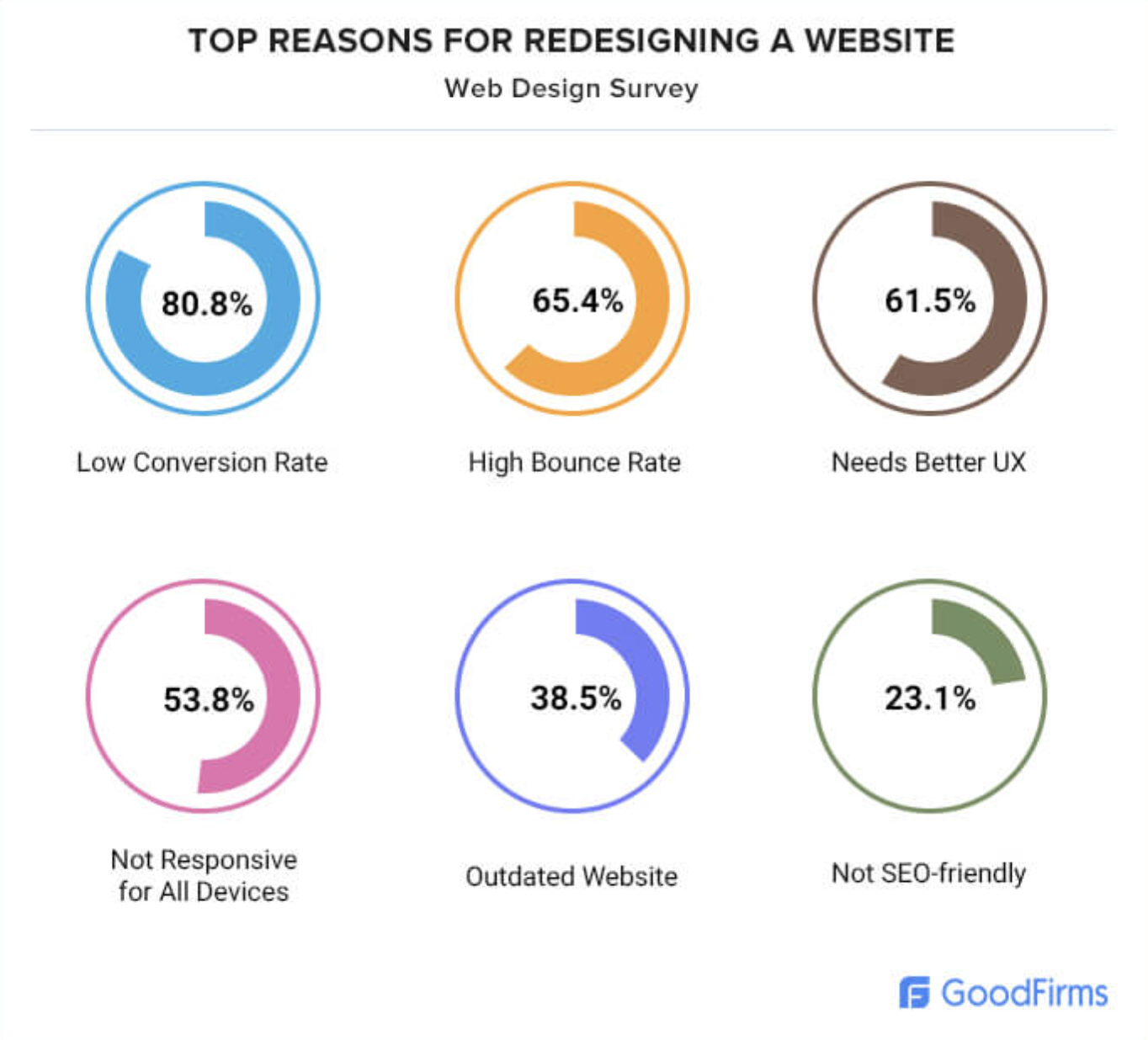
It may come as no surprise to you that the top reasons for website redesigns include responsiveness issues, slow loading speed, bad navigation, and a poor user experience (UX):

Graphic showing top ten reasons for redesigning a website
Source: GoodFirms

Tackling a website redesign can seem like a mammoth task that requires careful consideration and input from numerous teams at your company, including project managers, your sales team, and the marketing department, to name a few. 

How do you keep everyone working towards the same goal while meeting deadlines and keeping within budget?

The answer lies in user stories. 

By developing user stories to guide your company’s website redesign, you can facilitate a collaborative environment where various team priorities align and, most importantly, meet the needs of your site users, whether internal or external. 

The folks here at Kanopi Studios are seasoned experts when it comes to web development and design, and we build sites that last. In this article, we define what a user story is and how developing your very own user story can lead to more conversions, a decrease in bounce rate, and ultimately ensure the success of your website redesign project. 

What is a user story? 

A user story is a valuable tool that helps you define your company’s fundamental website requirements in a simple, accessible way. 

Crafted to get everyone talking instead of coming up with specific design specifications, user stories empower key people within your company to help shape the features and functionality of your website without needing comprehensive technical expertise. 

Deciding on website requirements should be a collaborative process, with every stakeholder and team member’s voice heard and needs met. Developing user stories allows you to keep the focus of your website redesign where it belongs: on how your site addresses the needs of your site users.

The Nielsen Norman Group (NNG) expands on user stories further, explaining they allow Agile teams to define what to build and sustain visibility for how everything fits together, fostering user-centered conversations, collaboration, and feature prioritization to align and guide iterative product development.

Put simply; user stories help you define your website’s ‘what’ while ensuring no time is wasted discussing or debating the ‘how.’

The anatomy of a great user story

At Kanopi Studios, we use a structured format to help you craft your company’s user stories, as described by Mike Cohn in his book User Stories Applied. This storytelling structure helps us ensure your unique user stories are as straightforward as possible. 

Each user story follows the same format:

As a [type of user,] I want [their goal] so that [the benefit.] 

This user story template allows for the emphasis to remain on what site visitors come to your website to do and what your site must do to help them reach their goals. In other words, it maps out your company’s website requirements in plain language and within one, easy-to-understand sentence. 

Let’s explore how this works.

Imagine you work at a library. Research shows that your primary customers are parents with young children. These parents want to help their kids learn to love reading while doing fun things together as a family. Your user story might look like this: 

As a parent, I want a simple way to find out about events at the library so I can do things with my kids that teach them that reading is fun.

The parent needs easy access to available reading opportunities, including dates, locations, directions, and what’s needed of them on the day in order to get their child involved in reading. So the team would likely conclude that an event calendar feature will be the best way to fulfill this user story. 

It’s worth noting that each component of each user story carries equal weight when it comes to importance and must be included in the user story to be considered complete. 

Okay, but how do developers use these user stories?

Once all the user stories are drafted, a development team reviews all of the user stories for your project and bundles them into features (also referred to as epics) that need to be designed and built to meet the needs of your project. 

They also outline “acceptance criteria” for each story, which are the conditions that must be met to define successful completion of each story. Weigh these against priorities, and these become the roadmap for your project. Your team will review them in meetings, update them as the project moves forward, and share them with you for review and input as they are created, updated, and completed. 

Building upon the previous example of the library: 

As a parent, I want a simple way to find out about events at the library so I can do things with my kids that teach them that reading is fun.

The team has concluded that an event calendar feature will be the best way to fulfill this user story. So additional stories could be added to help designers and developers build this calendar feature more extensively. For example: 

  • As a parent, I want to sign up for event alerts so I know when new events are posted.
  • As a parent, I want to be able to add events I have registered for to my calendar so I can remember to attend. 
  • As a parent, I want to be able to share events via social media or email so that I can invite other families I know.

You can see how all of these stories ladder up to an event calendar feature. They begin to give shape to how your team will design and build the calendar and how your users will be able to interact with it.

Writing user stories in this way allows everyone involved in your project to understand the plan and work from a single source of truth. It also helps you keep project stakeholders on course. This way, when your executive director steps in and asks why the website even needs an event calendar, you will have an easy place to start. And when Sylvia from HR wants to use the calendar for employee recruiting events, you can gently remind her that the calendar was designed to meet the needs of parents, who are your primary target audience. 

When you look at the event calendar during testing, you should be able to run down the list of user stories and criteria and see that parents can sign up for alerts, add events to their personal calendars, and share via social and email. This means that the feature was developed successfully and can be considered done.

Developing your user stories

To kick off your website redesign project, Kanopi focuses on learning everything we can about your organization’s goals and the needs of your site users through interviews, surveys, heatmaps, and reviewing your existing documentation.

These activities allow us to understand the basis of the project and form a starting point for creating your user story.

Next, we assist your team with drafting stories to define the needs of your website redesign project, using the following probing questions:

  1. Who is your end-user? Are they a site administrator? An anonymous visitor? A specific UX persona?
  2. What’s the end user’s goal? What does the user need to do on your website? 
  3. How does the end-user benefit? Why does the user need to complete this task? 

The answers to these questions and others provide valuable context for our web developers when determining how best to implement your personalized user story. It also helps us ask tough questions. For example, if we can’t clearly define how something benefits your site user, does this functionality or feature need to exist? 

Once our dedicated development team reviews all of your user stories, they bundle them into features (also referred to as ‘epics’) that provide for design mock-ups built to meet the needs of your redesign project. 

Acceptance criteria exist for each agreed user story, which explains conditions that need to be met for each story to be considered complete. By weighing these against your priorities, a roadmap begins to take share for your redesign project. 

Improve your company’s website with user stories 

By clarifying what users come to your website to do at the very beginning of your project, your website can be redesigned to cater to their needs, making it easier and quicker to complete essential tasks. 

Starting with a clearly defined user story improves the UX of your site, leading to an increase in quality conversions and a decrease in bounce rates.

Focusing on the user story also saves your company valuable time and resources. It keeps everyone on track with redesigning your site to meet the needs of your vital website users. Explicit user stories crafted in collaboration eliminate the risk of you and your colleagues getting bogged down in technical development discussions that veer away from what people come to your website to do and why.

To learn more about avoiding misaligned expectations within your company and ensuring everyone is on the same page when it comes to your website, visit our guide to avoiding the “Swoop and Poop” phenomenon.

If your organization is about to embark on a website redesign and would like to learn more about how crafting your own user stories can bring clarity to your project, contact us. We would be happy to help set your website redesign project up for success with crystal clear user stories that make your site a joy to visit. 

baby and mother smiling at each other

Reflecting reality: finding diverse and inclusive stock images for your designs

It can be tough to find images that embrace the variety within your audience. These stock sites help bridge the gap.

Diversity is a broad term. When used in relation to image sourcing and representation of content on a web design, blog post, press release, or other live content viewed by an audience, it’s important to address the full scope of diversity within the audience. This scope may vary based on the topic of the content. But to be inclusive we need to take into account the demographic of an audience from multiculturalism, age, identity, sexuality, and physical or mental impairments.  

Images are the first step to capturing your audience’s attention. Content represented with images has been shown to have a much higher engagement than content without images. So while sourcing an image, it is critical that it not only properly represents the topic, but takes advantage of the opportunity to appeal to multiple demographics within your audience. 

The demographic of an audience varies depending on the product, service, or information being shared with the viewer. While addressing inclusivity we should take into account what images will best help tell the story of our brand and best align with our target audience. Consider the following:

  • Do they have disabilities or impairments of any type?
  • Is the clientele of a certain age?
  • Is the clientele of a certain gender?
  • What are the gender roles we wish to portray or speak to (e.g. who is pictured doing the dishes or mowing the lawn)?
  • Are we assuming romance is heterosexual? 

Currently there’s a lack of inclusion in media

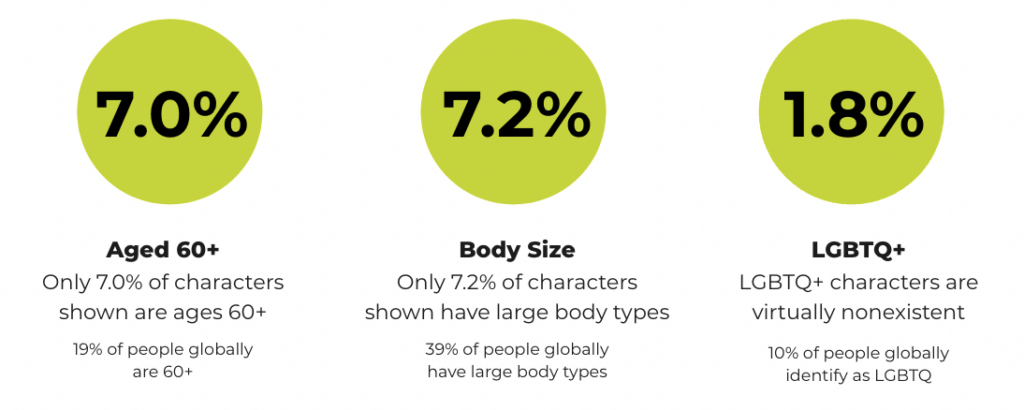
Research from the Geena Davis Institute has suggested that while 19% of people globally are 60+, only 7.0% of characters in images in the media today are ages 60 and older. Similarly, 7.2% of characters are shown with large body types (though 39% of people globally have large body types), and only 1.8% of characters represent the LGBTQ+ community (while 10% of people globally identify as LGBTQ). That is just a small window into the lack of inclusion, making it even more important to be mindful when addressing the varying demographics within an audience. 

Chart showing the lack of representation in media for those who are 60+ years old, have larger body sizes, and identify as LGBTQ+.
Source: the Geena Davis Institute

In order to make the search for more inclusivity easier, you’ll need to make a conscious effort to narrow down not only what would best speak to a target audience, but also best represent your brand. Knowing the who and what sets the foundation for how to search for what we’re looking for.

Keywords control our results

When conducting an image search on any platform, keywords help narrow the search by allowing the algorithm to better understand our visual needs. There are a few different algorithms running that control how our search results. The primary algorithm is based on keywords, popularity, and engagement — essentially, how many times a photo has been downloaded. 

This also means that based on historical bias, the highest popularity and most engagement on images results in highlighting that historical bias e.g., a range of potential white people with a few token people of color included. This means we might not get offered the images that best represent our target audience or brand right away.

In order to help counteract the impact historical bias has had on image search results, stock photography platforms such as Getty and Shutterstock have created a secondary algorithm. This secondary algorithm looks at the region where the search is being made and tries to match that region’s racial demographic when providing the results.

This is one action the platforms have taken to help us in our search for more inclusive images, but what else can we do? Add detailed keywords. 

When we don’t have the ability to add filters detailing ethnicity, sexuality, or physical and mental impairments, keywords should be prioritized to help refine our search for more inclusive images. For example, searching for a “person walking” may lead to various people walking, and they will most likely be white individuals. If we change our search to “black person walking”, “latino person walking”, or “mature adult walking” it allows the algorithm to refine our search based on keywords.  

Where to look for inclusive images

Because caucasian individuals are overly represented on stock photography sites, sometimes keywords don’t always lead us to our perfect image. Below is a list of free and paid resources that allow for more diversity. 


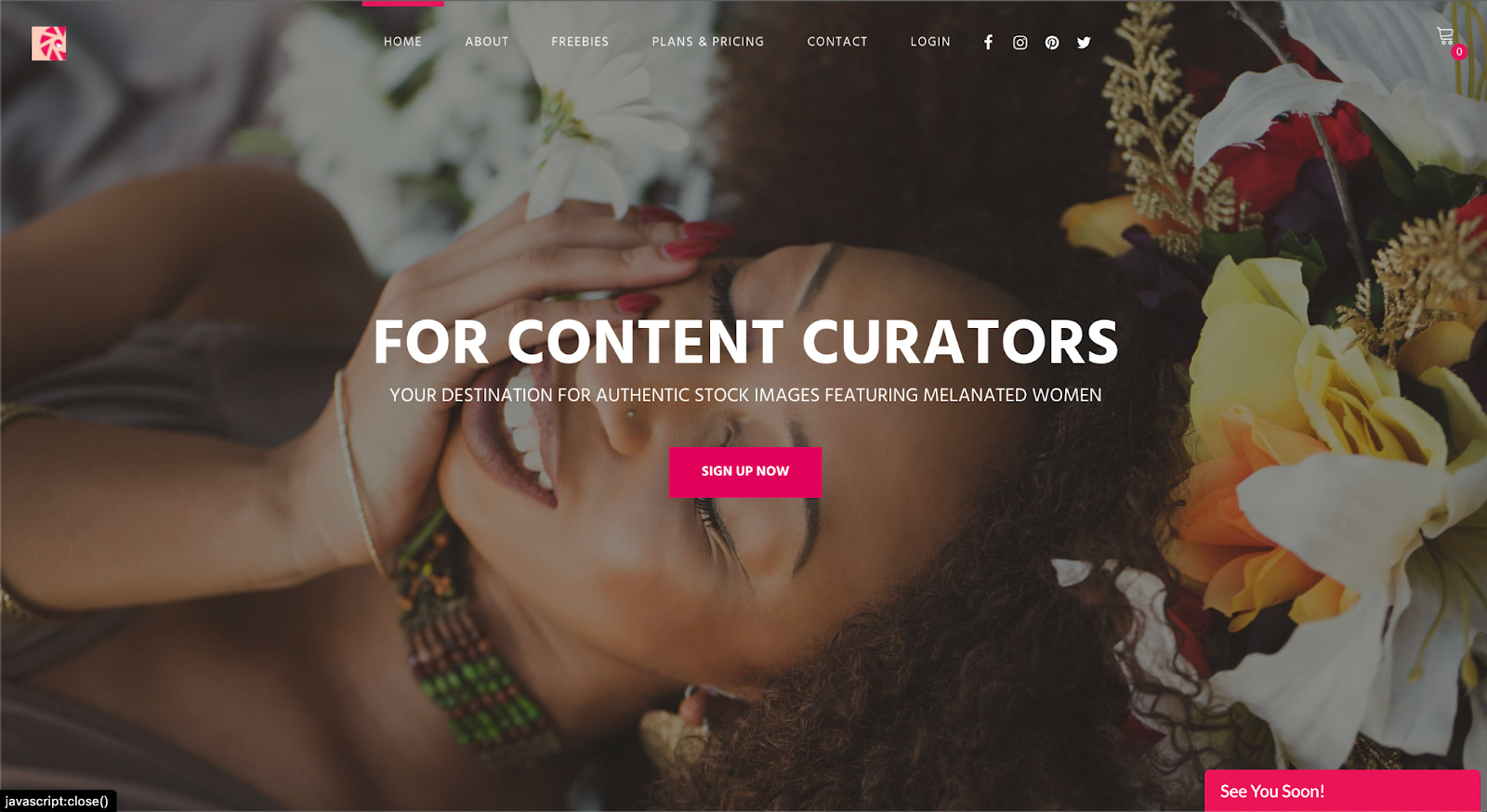
CreatHER Stock:

Run by founder & brand designer Neosha Gardner and photographer I’sha Gaines, this authentic stock site is a finely-tailored “for-us-by-us” set of lifestyle and business visual content or images featuring Women of Color. A subscription runs $10/month, with the option for more advanced plans at a higher fee. Although a subscription is required to access a majority of the photography on this platform, they do have a section of select “freebies” one can download. 


Homepage for pocstock.com

pocstock

pocstock is a global media company committed to creating and delivering premium stock photos, videos, and illustrations where people of color are front and center. They have flexible pricing plans so you can access their 150,000+ assets within your budget.


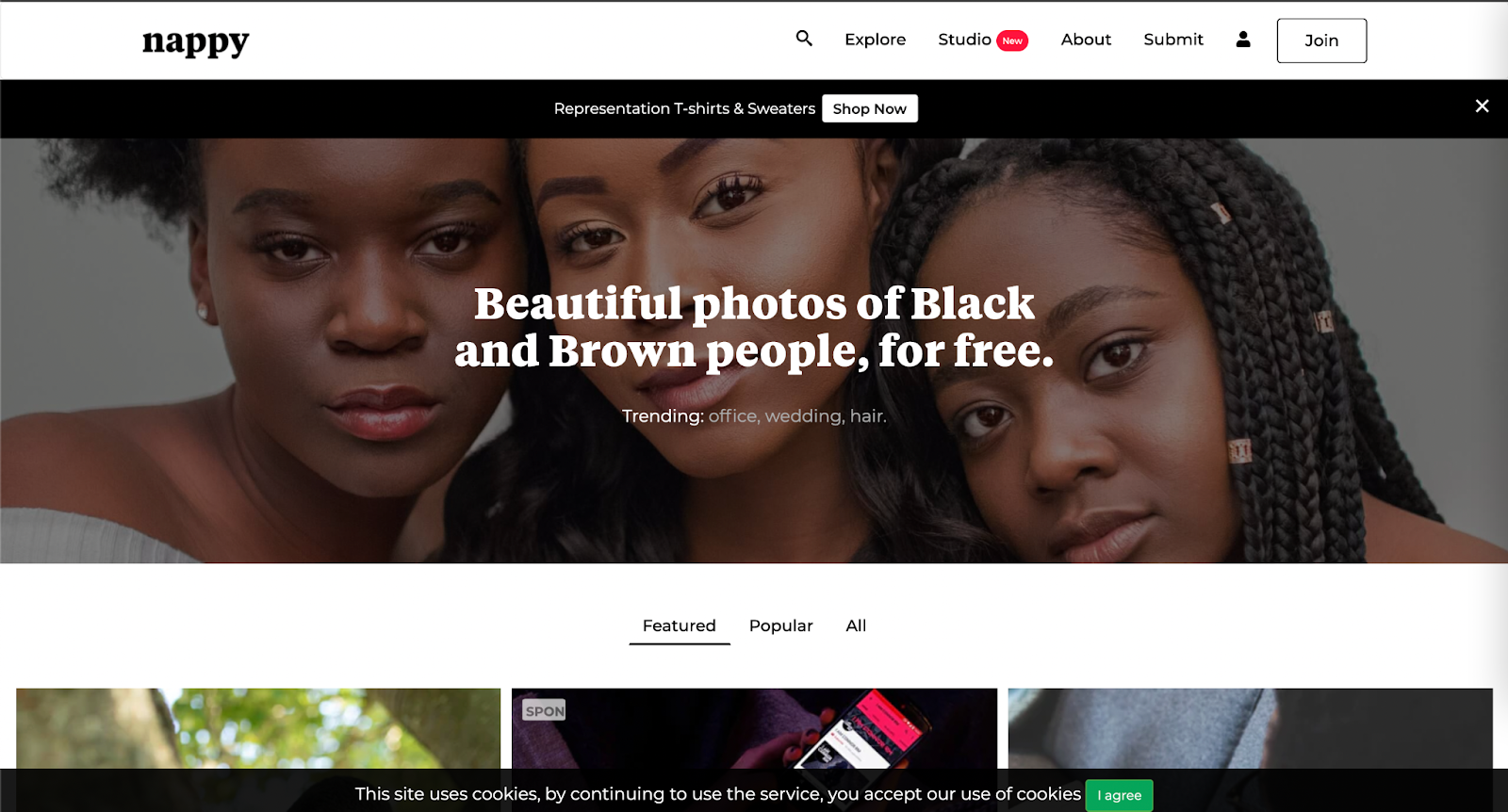
Nappy.co

​​Nappy.co is a free stock photography site dedicated to making it easy for companies to bring people of color into their designs, presentations, and marketing collateral.


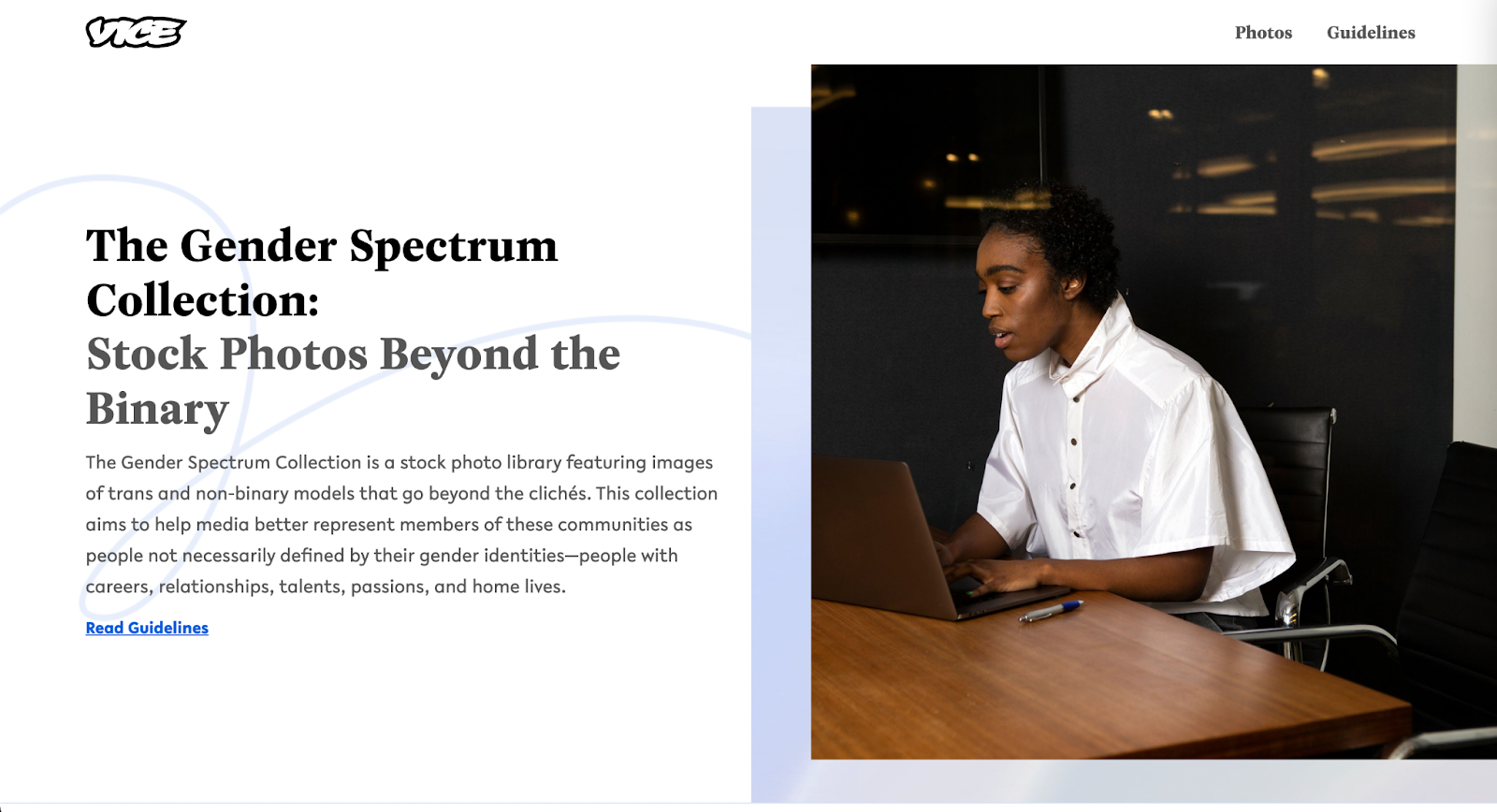
The Gender Spectrum Collection

The Gender Spectrum Collection is a free image sourcing resource intended to help media better represent members of non-gender conforming communities. This collection helps depict people not necessarily defined by their gender identities, but rather simply people with careers, relationships, talents, passions, and home lives, just like everyone else in the world.


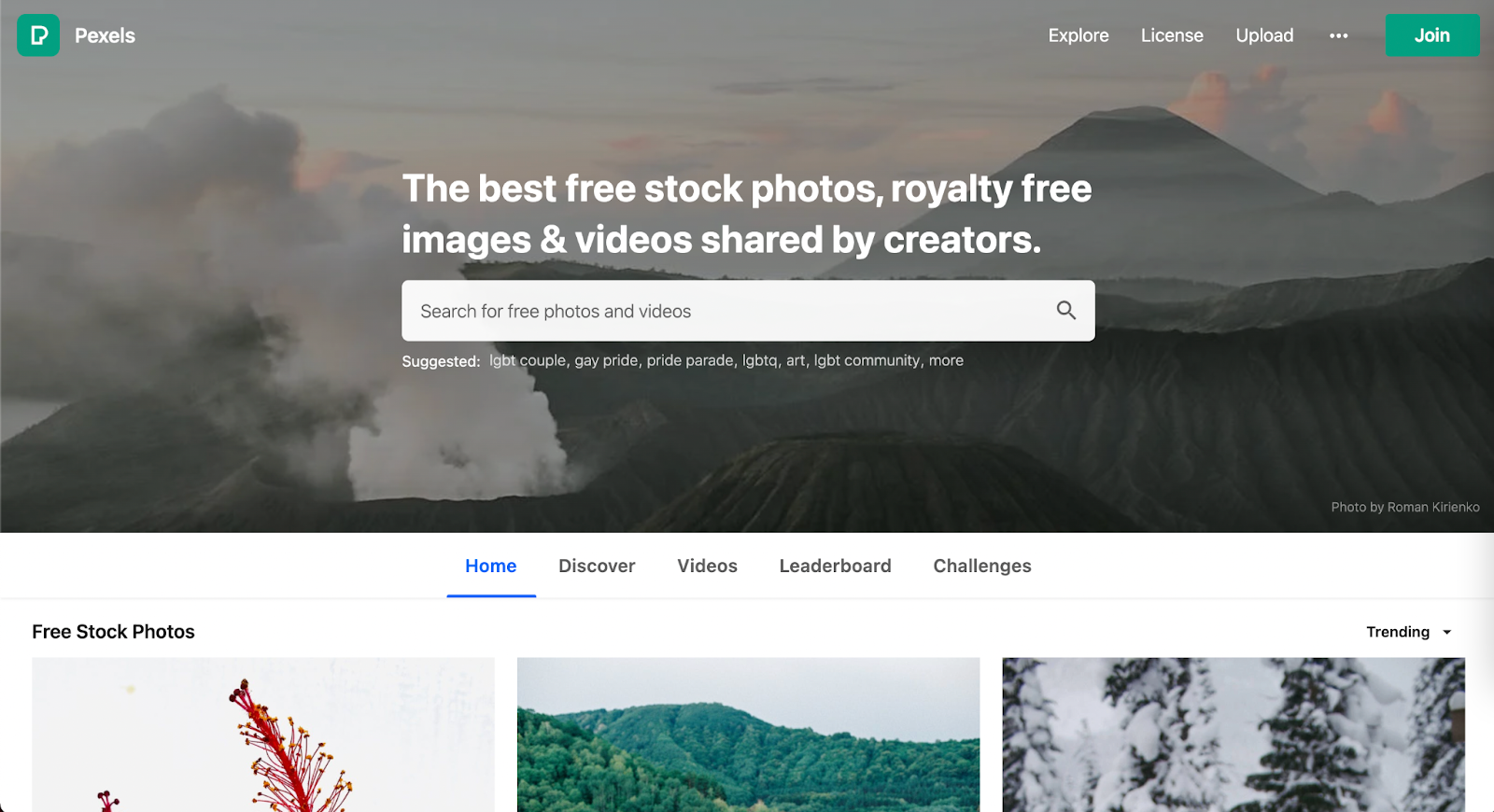
Pexels

Pexel is a well-known stock photography site with no subscription required. When it comes to diversity and inclusion they have created an environment where underrepresented communities have an opportunity to shine … as long as you include the ethnicity in your search. Multicultural, LGBTQ+, and impaired individuals are represented. 


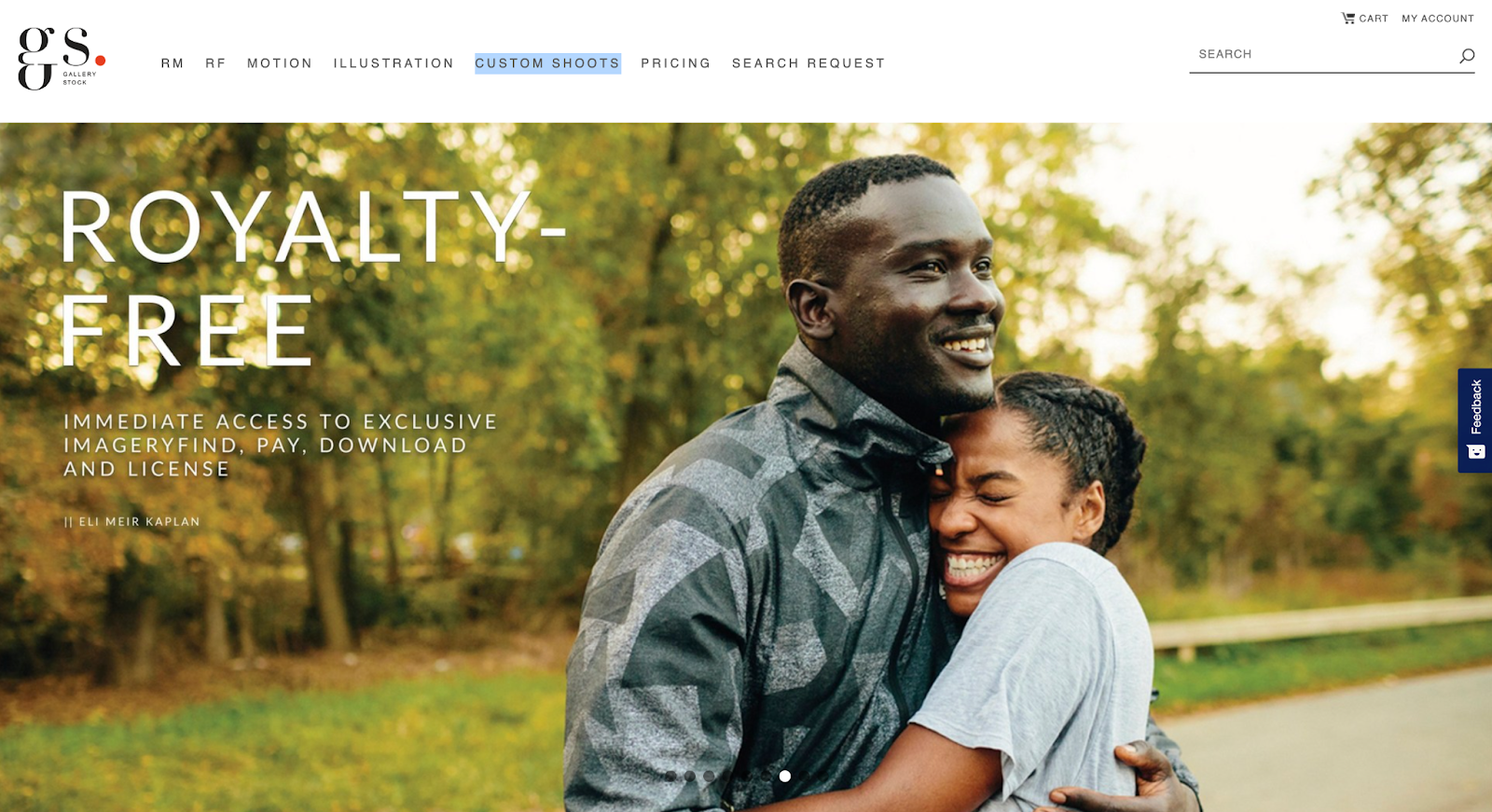
Gallery Stock is a subscription-based stock photography with an extensive collection of images accompanied with an extremely detailed filter to refine the search. Their subscriptions prices vary based on the needs of various users. In contrast to a majority of its competitors, Gallery Stock has the option for a custom shoot. This is a great option if you don’t quite find what meets your needs amongst all the resources at hand, don’t have a photographer, and have a budget that allows for custom shots. 


Getty Images

Getty (also owner of Shutterstock) is one of the largest and most well-known image sourcing platforms, and as such, has a great depth of diverse and inclusive images, videos, and animations for all demographics. For inclusivity, specifically Project #ShowUs, project is a category dedicated to providing more inclusive imagery. Getty also has a meticulous filter system that allows you to add detailed filters to refine your selection during your search for diversity. There are a variety of paid subscriptions or packs. Because Getty is a pricier option, it’s best for teams, agencies, or anyone who consistently sources new images as there will be a high return on investment. 


Shutterstock

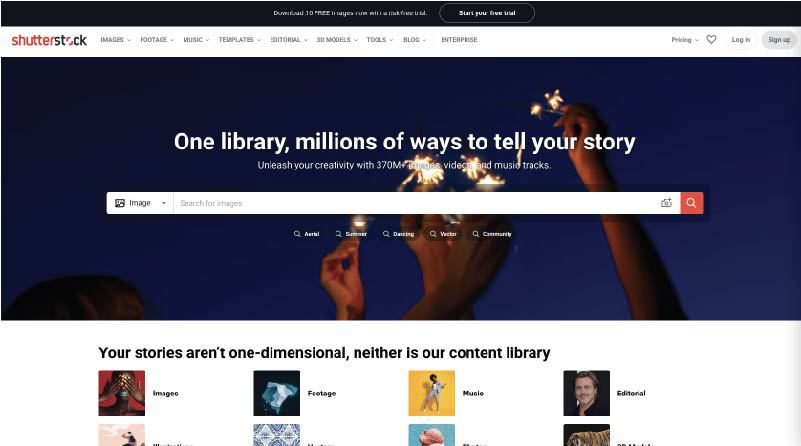
Shutterstock (also owned by Getty) is another well-known paid image sourcing tool from which many designers and marketers source. While there are a variety of images for inclusive imagery, one search in particular that really stood out for having an abundance of photos for such an underrepresented demographic — ”disability in tech”. When searched, the result leads to 1,714 high-quality photos, vectors, and illustrations. This collection makes sourcing images of those who may have disabilities working in tech that much more visible.


Adobe Stock

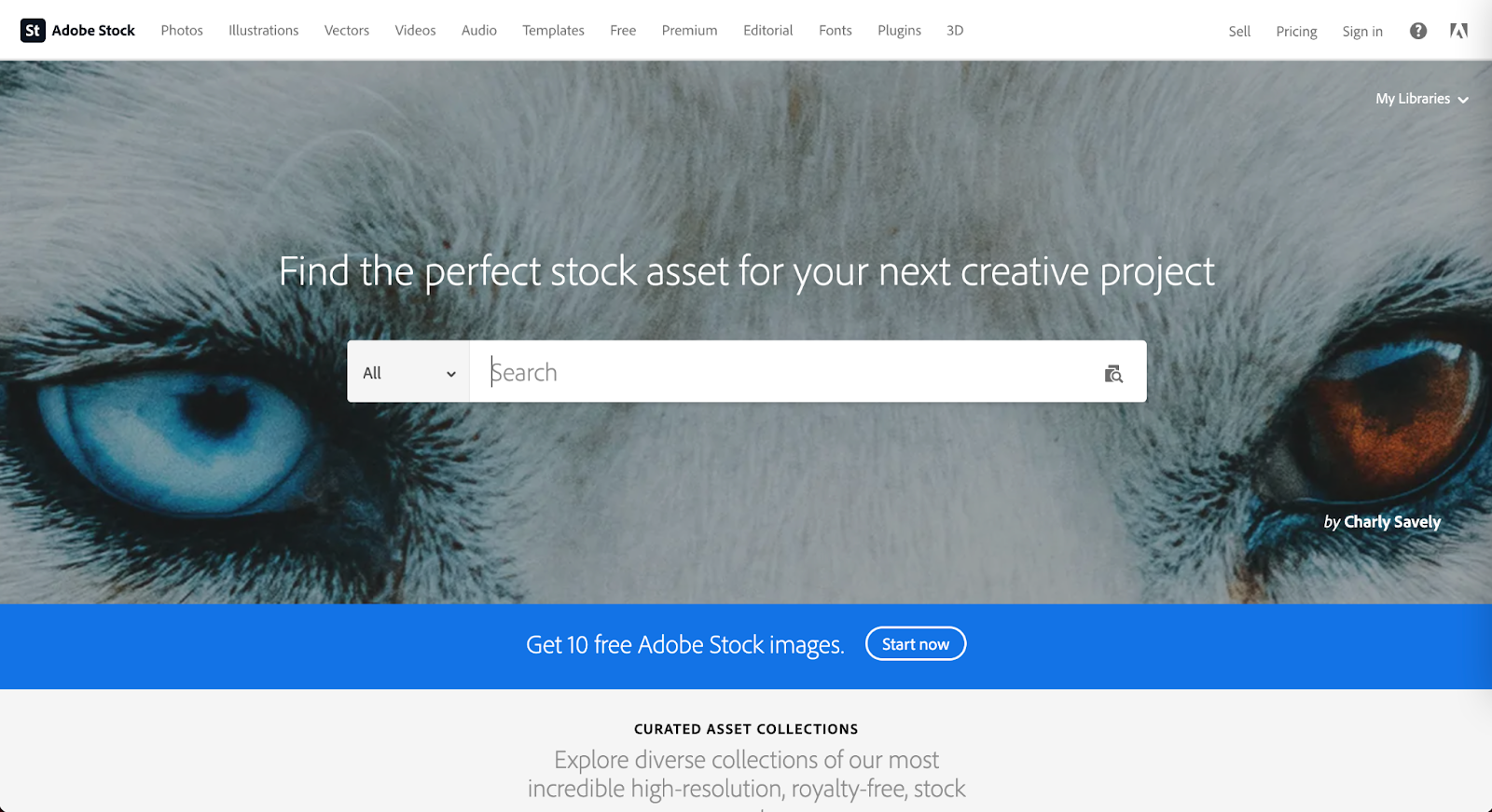
Adobe Stock is another well known source amongst the creative community as it is part of the Adobe platform. This is a source that is recommended for teams, agencies, or anyone who consistently sources new images as there will be a high return on investment. Although Adobe is not equipped with detailed filters, they do have an abundance of images. Using keywords will make those diverse images more visible within your results. 


Flickr 

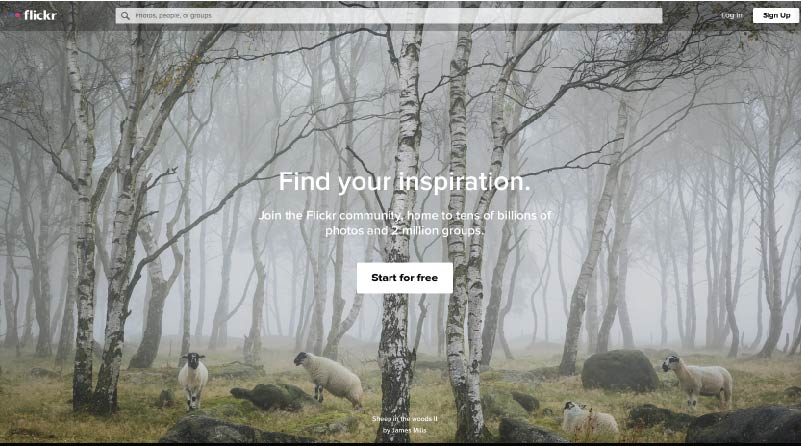
Mapbox has taken to Flickr, a stock photography sourcing and sharing site (much like Pinterest), to create a board of more inclusive imagery. They recently launched a collection dedicated to “Queer in Tech” in order to promote the representation of queer and gender-nonconforming individuals in tech. As a demographic that is often underrepresented throughout the industry, Flickr has created an opportunity to help shift that statistic using a collection of images ranging from collaboration and teamwork, leadership, design, engineering, to mobile development.

The inspiration for this collection arose from a Twitter post about a board created by Stephanie Morillo and Christina Morillo dedicated to Women of Color (WOC) in Tech, also an underrepresented demographic within the industry. The collection, titled #WOCTechChat, has a wide range of WOC in various technical professional settings. 

Flickr in itself is a useful and free image sourcing tool with the option for a pro subscription.


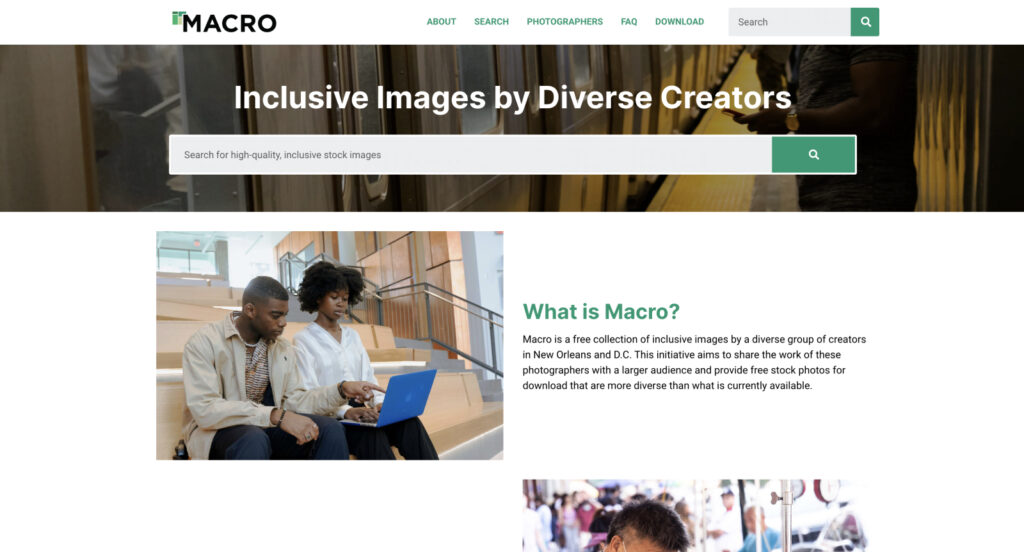
Macro

Macro is a new and emerging stock photography project providing free stock photography to its visitors. The platform allows users to download diverse imagery, captured by diverse photographers. Macro benefits communities by ensuring the photographers themselves are paid and have a full profile to showcase their work and information in order to reach potential new clients or opportunities. 

“I think diversity in front of the camera is easy. Diversity behind the camera is difficult. Often black or trans photographers see the world very differently, even behind the lens.”

Zora Khiry, New Orleans, Macro featured photographer

Diverse images exist to support your brand

Brands should create content that speaks to their audience as a whole. Young, white, straight, able-bodied, cis-gender men in imagery are very common, but not representative of every audience. Hopefully these resources will assist you in finding images that best represent your brand and give you a more inclusive voice for all demographics within your audience. 

50% Of All Big Projects Fail, including Websites. Why?

Jimmy's Photo
Jim Hoogewind

Marketing leaders have the best intentions going into an expensive and large six-figure website overhaul. However, according to the Harvard Business Review, as many as half of big projects like these are considered failures when all is said and done. And you’re left wondering…

  • Why did this take longer than I was told?
  • Why was more funding needed than was estimated?
  • Why were there so many surprises and scope changes?
  • Why do I feel so burned by the agency my team selected?

Now you find yourself facing down another big website overhaul and all the risk associated with it. How will you feel confident it will be successful this time? How will you be sure you won’t be left with heartburn and the same frustrating questions as last time?

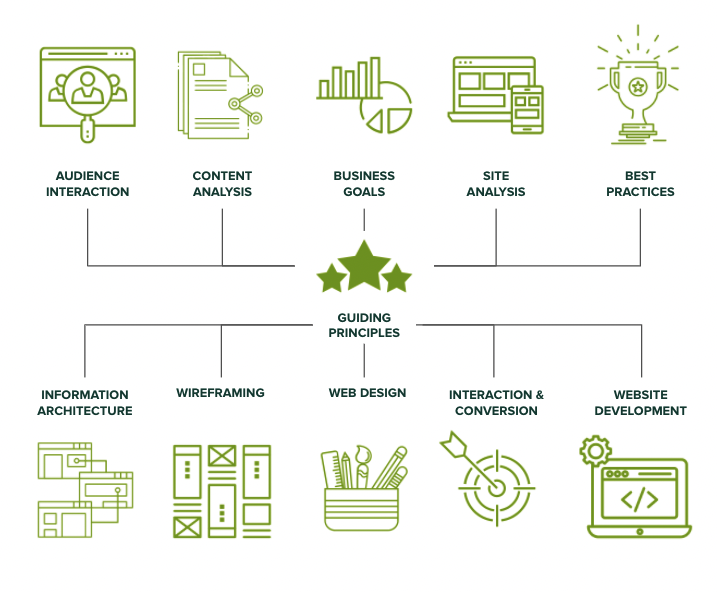
In my 15+ years working in this industry, I’ve learned there are three key elements to ensuring a big website design and development project is successful.

Think of it like a three-legged stool…

1) Stakeholder Alignment

Performing candid and skillfully focused stakeholder exercises which tease out the goals and intentions of important leaders in your organization. These exercises force invaluable conversations, and ultimately lead to buy-in.

2) User Experience

Target audience data mitigates risk by replacing assumptions with defined needs and specific pain points. These eventually inform the site experience that’s most helpful to each audience.

3) Design & Development Planning

With stakeholders aligned and users defined, design and development planning can begin using models such as sitemaps and wireframes. Technical and functional requirements can start to be dialed in as well.

Unfortunately, most agencies focus only on one or maybe two of the legs described above, resulting in a shaky foundation to your project. But not Kanopi. We focus on and thrive at all three, and we make it fun along the way. 

We call this endeavor the Website Growth Plan (WGP). Through this proven process, we’re able to answer questions such as:

  • I know my site is not working for me, but how do I improve it? 
  • I will need to migrate from Drupal 7 to D8 or D9, but what will that budget look like?
  • How can I improve my SEO? How is my site performance now?
  • I need a new content strategy, but how can I do this properly when I am already so busy?

After taking factors (like the ones illustrated below) into account, the WGP delivers an all encompassing action plan for your website. By setting expectations early and often, this helps avoid the heartburn-inducing questions you were left with after your last website project.

Which website growth plan is right for me?

More information can be found here, but below is an overview of our various plans:

Website Reimagine

This plan is a concentration of UX research, content strategy, and a bite-sized amount of design. It helps formulate a game plan that drives clarity for the team and gets some early design thinking on the table. Plus, it is actually a wonderful use of time as it is the first step in an overall design and development project, as the deliverables include a roadmap to launch.

Usability and Design

This is a data-informed optimization plan incorporating user experience, visual design and content recommendations delivered in an actionable plan for next steps.

Content Strategy

Amplify your message through a powerful analysis of important information, including user needs, competitor analysis, personas and Customer Decision Journey mapping — from Awareness to Advocacy. This plan focuses on storytelling content, user experience, visual design recommendations, and more.

Drupal 7 Transition Plan

You should feel secure planning and budgeting for the transition from D7 to D8/9 or to WordPress. This plan removes the “unknown” and illuminates the details for your organization to make an informed decision and take action on next steps.

Technical SEO

This is a deep-dive to analyze your website’s SEO technical health and set you up for search engine optimization success.

GDPR & Compliance

The General Data Protection Regulation (GDPR) is a legal framework that sets guidelines for the collection and processing of personal information from individuals who live in the European Union (EU). This plan gets you compliant.

Accessibility

Reach your audience and meet compliance with Website Compliance Accessibility Guidelines (WCAG 2.1 AA or higher) through a skillful analysis and recommendations action plan.

Technical Review

A comprehensive technical deep-dive into your site’s code and technical health to provide foundational recommendations for optimization and stability.

And if one of those doesn’t quite fit? Don’t worry. Our nimble nature finds us creating custom packages for our clients to best meet their needs. Contact us to chat about which plan is the best fit.

Storytelling is key to a successful brand

Jessica Skewes, Director of Strategy
Jessica Skewes

Great movies and books have an interesting plot with characters who evolve through the length of the story. Those stories capture the reader or viewer, engaging them on an emotional level as they get invested in the journey of the character.

But good stories aren’t relegated only to books or to movie creators. Your organization likely has some pretty interesting stories to tell; why it exists, who it serves, and how they are served. By writing your organization’s story and gaining an emotional connection with your audience, you can keep them engaged, and create excitement to tell others about you. The way you frame yourselves in the eyes of your audience can be a powerful thing!

At Kanopi, we think the most engaging websites use storytelling as much as possible. This is why with each project we map out our client’s audience segments in Customer Decision Journeys (CDJ), with the goal of determining the right, custom approach to push those audiences through each step of the story, eventually leading to whatever conversion is appropriate for your website. And beyond that, the ultimate goal is advocacy, where they become brand ambassadors for you and spread the word to their peers..

Start with the story. 

We are big fans of the book and methodology written by Donald Miller called “Building a StoryBrand” which outlines a simple storytelling framework that works if you apply it to most of the great stories in movies and literature:

A character who wants something encounters a problem before they can get it. At the peak of their despair, a guide steps into their lives, gives them a plan, and calls them to action. That action helps them avoid failure and ends in a success. [1]

But why limit it to entertainment? This framework can also help you to write your organization’s story! Kanopi workshops with our clients through this framework to support them as they write a compelling narrative to their audience. 

The below principles will define the areas above in bold. 

StoryBrand Principles [2]

  1. The customer is the hero, not your brand.
  2. What barriers/hurdles does your customer face to resolve? Define your hero’s three types of problems: Internal, External, and Philosophical.
  3. Companies tend to sell solutions to external problems, but customers buy solutions to internal problems. Identify the internal, external, and philosophical problem that needs solving. Define your offer.
  4. Customers aren’t looking for another hero; they’re looking for a guide. Establish yourself as the trusted guide. Identify and fill story gaps with your solves.
  5. Customers trust a guide who has a plan. Construct a visualized representation of your plan.
  6. Customers do not take action unless they are challenged to take action — what would happen if they do not work with you? Give them appropriate and easy ways to take the ‘next step.’
  7. Every human being is trying to avoid a tragic ending. Understand your “villains” and what would happen to the hero without you.
  8. Never assume people understand how your brand can change their lives. Tell them. Be clear with the actions to progress the hero.

Some of these principles have been historically known by marketers, but remembering #1 in particular helps to start the foundation of your messaging. Understanding how each of these principles applies to your business will help your organization become the perfect guide for your customers.

But personally, what I find extra insightful is identifying #3:

“Companies tend to sell solutions to external problems, but customers buy solutions to internal problems. Identify the internal, external and philosophical problem that needs solving.”

Breaking down the internal, external and philosophical problem is key. 

Let’s break this one down a bit further:

External problem:

Description: “In literature, a villain’s job is to wreak havoc on the hero, to place barriers between them and their desperate desire for stability. But ill intentions are not enough. Something, that is, some thing (or things) must represent this barrier.” [3]

This problem is really why your organization exists. What barriers do your customers experience? If you’re a cleaning service that only uses organic cleaning products, the external problem you fix is a dirty home. 

Internal problem:

  • Description: “In almost every story, the hero struggles with the same question “Do I have what it takes? This question can make them feel frustrated, incompetent, and confused. What stories teach us is that people’s internal desire to resolve a frustration is a greater motivator than their desire to solve the external problem.” [4]

Remember: customers buy solutions to internal problems. If you’re the organic house cleaning business, your customer’s internal problem could be embarrassment over a dirty home. They might not feel that they can have company over, lest they be judged for their housekeeping skills. 

Philosophical problem:

This is my favorite part: taking a stand against a larger issue within your industry!

  • Description: “The philosophical problem in a story is about something even larger than the story itself. It’s about the question why.  [5]

Is there a larger purpose to which your brand contributes? A cleaner house make customers feel a certain way, and certainly they can feel good about using an organic cleaning service means they’ve cut down on chemicals and helped the environment.

To me, the internal / external / philosophical problem step is the most critical and exciting piece of the StoryBrand framework: if you can clearly identify — and clearly state for your customers — the internal, external and philosophical problem that needs solving, you are way ahead of most of your competition. 

Be the best guide you can be.

Think of all the greatest brands out there, and most of them are completely dialed in to their story. They know how they help their customers avoid obstacles, and ultimately succeed . . . with their brand helping guide them of course.  

At Kanopi, we love a strategic approach. Resources like StoryBrand expand our ability to help our clients’ and their websites reach their full potential. Connect with us to learn more about how we can help you be the best guide you can be.

[1], [3], [4], [5] Building a StoryBrand — Donald Miller

[2] Building a StoryBrand — Donald Miller, slightly adapted by Kanopi Studios

Your Nonprofit’s Digital Transformation: Where to Start

More and more donors are finding out about nonprofit organizations online and using digital spaces to support the causes that they care about. To keep up with other modern organizations, it’s crucial that you consider a nonprofit digital transformation.

Digital transformation is a common buzzword that seems more complicated than it is. At its core, it simply describes how organizations and businesses improve their processes through technology. If your own nonprofit tech solution isn’t doing all it can to support your mission and drive you towards your goals, a digital transformation is the exact thing you need. 

But where do you start? How do you know if you need one? How does one even begin the process of a nonprofit digital transformation? 

As a trusted nonprofit partner, the Kanopi team has compiled some of our own insights here. This guide will walk you through the basics of what a nonprofit digital transformation is, how it can help your nonprofit, and the basic steps to get started.

Table of Contents

Thinking of starting your nonprofit digital transformation? Find out how Kanopi can help.

Nonprofit Digital Transformation: What Is It And Why Is It Important?

Nonprofit digital transformation is the integration of technology across all areas of the organization. The result is an improvement in how the nonprofit functions and provides value. Ultimately, a successful nonprofit digital transformation should streamline internal operations and optimize supporter relationships.

How do you know if your own organization needs a digital transformation? Ask yourself the following questions:

  • Are you and your staff members communicating with donors manually?
  • Do you often find mistakes in your donor database? Misspelled names, typos, or duplicate profiles?
  • Do you sync your CRM and CMS manually? How often do you have to conduct large scale website maintenance?
  • Is it becoming harder to track fundraising engagements as your supporter base grows?

If you answered yes to any of the above, a nonprofit digital transformation should definitely be in your future. Otherwise, you’re stuck wasting valuable time and resources on processes that can quickly be automated and streamlined with the right solution.

How Digital Transformation Can Help Nonprofits

In order to better understand how exactly a digital transformation can help your nonprofit, let’s review some common challenges organizations have when it comes to their tech solutions. Then, we’ll review how a digital transformation can help resolve them.

Common Pitfalls for Nonprofits

Without a dedicated digital strategy to guide a nonprofit’s efforts and streamline operations, your organization risks falling behind and missing key opportunities with potential supporters.

Here are the common areas of digital strategy where nonprofits fall short:

  • Missing vital donor engagement opportunities, such as online fundraising directly on your website.
  • Using outdated campaign strategies, like sending generic communications to your entire supporter base rather than personalized messaging.
  • Lacking communication between departments and fundraising tools, leading to a fragmented understanding of your overall data.

Benefits of Nonprofit Digital Transformation

What exactly can an effective and well planned nonprofit digital transformation do for your organization? Consider the following benefits:

  • Empower nonprofit leaders to make data-driven decisions. Strategies and donor outreach methods are much more successful when they’re backed by concrete data and historical insight.
  • Automate the process of tracking and recording necessary donor engagements. Your dedicated nonprofit tech solution should be collecting all key data points as each engagement happens.
  • Save on manual labor time by staff members. A nonprofit digital transformation transfers many of the manual tasks that staff members undertake to an automated solution.
  • Streamline day-to-day tasks like sending thank you emails, updating donor profiles, etc. Having tools facilitate these day-to-day activities not only frees up time for your staff members but also ensures that these necessary tasks are done on time and accurately.
  • Ensure that your nonprofit tech solutions support a growing organization. As your audience and internal team expand, your donor database, nonprofit website, and other nonprofit tech should be able to support this growth.
  • Provide a more secure, trusted experience for supporters. Your tech is only as good as how secure it is. Nonprofit solutions help you gather and use your data more effectively, but it of course has to protect that data as well. A digital transformation can ensure that your tools do just that.
  • Allow for a flexible work environment by enabling team members to work from home. A nonprofit digital transformation gives you the tools and resources to streamline how your own staff members communicate and work together. Some nonprofit tech solutions can even empower your organization to work from home.
  • Increase your online fundraising impact. By investing in the best nonprofit tools for your unique goals and mission, you’re also better able to facilitate online fundraising efforts and increase your impact.
  • Offer convenient ways for others to support and give to your organization. Your online donation tool, CMS, event management solution, text fundraising platform, and more, are all ways your nonprofit can transform its digital system. These novel tools also provide more opportunities and channels for donors to support your nonprofit.

Is your updated nonprofit website ready to launch? Check out our PreLaunch Checklist to be sure.

Getting Started with your Nonprofit Digital Transformation

If you’re interested in bringing your nonprofit digital solutions to the next level, you’re already on the right track by reading this article. Starting with research is always the best approach whenever you make any meaningful and long-lasting changes to your organization and how it operates. But what next actions should you take to get the ball officially rolling?

Nonprofit digital transformations are going to look different depending on where your organization currently stands, the solutions you already use, and your unique goals and mission. However, there are some general steps you’ll likely follow:

  • Complete a nonprofit tech audit. This reviews how your nonprofit is currently doing in the digital space. While this can be done manually, partnering with a nonprofit tech consultant or another experienced agency will be your best bet.
  • Identify current technology gaps and opportunities.  Look to your nonprofit database and take note of any engagements that have fallen behind. Turning to your tech stack, identify processes that cause more roadblocks than solve them.
  • Come up with a plan for your digital transformation. This should include a roadmap of the tools you’re going to invest in as well as how you’re going to implement them. Consider the timeframe and other constraints you may have, like budget and staff time.

While tackling a nonprofit digital transformation is possible to do on your own, it’s recommended that you partner with an experienced tech consultant to ensure you’re not missing any vital opportunities and that your solution is doing all it can for your mission.

We at Kanopi have helped numerous nonprofits take their digital strategy to the next level, especially when it comes to developing, designing, and supporting their nonprofit website.

As the centralizing factor of many of your online engagements, your nonprofit website is crucial for maximizing your donor relationships and leveraging opportunities that drive you toward your mission. It’s likely also the first place potential supporters look to find out more about your organization.

Partner with us to start your nonprofit digital transformation and ensure that your CMS and website are effectively meeting your needs and helping you towards your goals. Contact us here to learn more.

Kanopi has helped numerous nonprofits take their digital strategy to the next level. Partner with us to start your digital nonprofit transformation.

UX for Nonprofits: Best Practices for Clearer Communications

Jessica Skewes, Director of Strategy
Jessica Skewes

Imagine this: you discover an organization that you’re passionate about through a social media post. You want to find out how you can support them so you search for them online. After scrolling through the first couple of results, you successfully find their website. The website takes a long time to load, especially some of the images. You’re trying to find their navigation menu, but after looking around for a minute, you cannot. Then, you exit the window and never think about them again. 

The above situation demonstrates bad user experience, or UX. 

UX describes how a potential site visitor interacts with your organization’s site. When a user lands on your nonprofit website, whether they’re a potential supporter or a current one, it shouldn’t be hard to find the content or complete the action they’re looking for.

Prioritizing UX for your nonprofit website ensures that users stay on your site for longer and engage with your offerings — but how do you do so?

We at Kanopi often work with nonprofits to ensure their website leverages all opportunities and engages donors in meaningful ways. We’ve seen the difference that even small UX fixes to your nonprofit site can have on your ability to communicate meaningfully with and bring value to supporters.

In this guide, we’ll walk you through some of our favorite UX best practices, along with a deep dive into how one of our own clients prioritized their users.

Table of Contents

The Importance of UX for Your Nonprofit Website

Similar to how a person may enter a physical store and then choose to stay or leave based on their experience, how your supporters access and engage with your site is critical.

Nonprofit UX describes the experience that users have when they engage with an organization’s online content. As the centerpiece of your digital engagements, your nonprofit website UX is extremely important if you want to not only acquire new supporters but continue to retain current ones.

Benefits of Good UX for Nonprofits

Specifically, here is what good UX for nonprofits can bring you:

  • Positive relationships between supporters and your nonprofit’s brand. The more positive the experience that users have on your website, the more they’ll consider your nonprofit as reliable and worthwhile.
  • Lower development costs down the line if you invest in UX upfront. Often website creators have to invest more in tools and site development because of bad UX. Making this a priority early on can make all the difference in ensuring your website lasts.
  • Increased website accessibility for users of all abilities, from any location, and using any device. You don’t want to inadvertently turn potential supporters away!
  • It takes less time to optimize good UX than to continuously fix bad UX.
  • More online engagements and conversions, whether that’s in donations, event registrations, or volunteer signups.

Bottom line: Good UX, especially on your nonprofit website, will lead to higher retention rates, higher engagement rates, and an overall lower cost for website development and support.

UX Best Practices for Nonprofit Websites

If you want to start prioritizing UX for your nonprofit website, consider how it might look from a new user’s perspective. Ask yourself the following questions:

  • Can you easily figure out what your organization’s mission is?
  • How long does it take to find common landing pages, like contact information, online donation page, blog roll, or event calendar?
  • Is your website accessible on all screen sizes, from a desktop computer to a mobile phone?

The steps you take to improve UX for your site will differ depending on the answers above. Throughout it all, it’s crucial to always think of ease of use, speed, and accessibility.

Here are some UX best practices that can help improve ROI and promote clearer communication for all nonprofits:

  • Use a flexible website builder/CMS. CMS platforms like WordPress and Drupal are popular options thanks to their internal and third-party integration options.
  • Test your website load speed. Studies have found that 40% of users abandon a website that takes more than 3 seconds to load, with a delay of just 1 second dropping conversions by 7%.
  • Keep your design user-focused. Don’t prioritize aesthetics over ease of use.
  • Make use of strong visual elements like images and infographics. This is great to elicit an emotional connection between your site visitors and your mission.
  • Optimize your website for mobile. It’s predicted by 2025 that almost 75% of the world will only use smartphones to access the internet. Not optimizing your online engagements and nonprofit website for mobile excludes a growing chunk of your supporters.
  • Focus on conversion-optimized online donation pages and forms. This means keeping your donation page streamlined, embedding your donation form within the site, and keeping unnecessary fields to a minimum.
  • Incorporate key calls-to-action to funnel users toward target actions. Bright buttons or strategically placed links going towards your online donation page can guide web visitors towards a target action. Place those CTAs on your homepage, missions statement page, and through other digital marketing like email content and social media content.
  • Keep in mind web accessibility guidelines. Keeping your website accessible and compliant with WCAG and AAA guidelines is critical if you want to attract and engage with as many online supporters as possible. Explore our blog post on accessible websites for tips on how to bring your own site up to standard.
  • Track website traffic over time. If you see that users are dipping on a certain page, that’s a good indicator of bad UX. Tracking website data gives you a comprehensive look at how users are engaging with your online offerings in real-time.

However, the best nonprofit websites aren’t made in a day. That’s why many nonprofit leaders will partner with a tech consultant, like Kanopi, to optimize their CMS platform and take the steps to improve their site UX.

Partner with Kanopi for Your Nonprofit UX

Here at Kanopi Studios, we offer a range of services to help nonprofits develop, maintain, and support their website. With over 150 active sites under our belt, we know a thing or two about good UX and what it takes to achieve it.

Every nonprofit organization is different, so their UX will differ as well. With extensive research into your unique audience and their goals with your organization, we dive deep to suggest and make meaningful changes that improve online supporter communication and increase conversions.

Here are some of our specific services when it comes to UX:

  • Continuous improvement approach. Smaller, incremental fixes tend to be more beneficial to your website health and maintenance than larger updates that only happen once every couple of months. Our continuous improvement approach sets your website up for long-term growth.
  • Content strategy creation. Let us help you curate the best content that will capture your online supporters’ attention. With our thorough audience research, we can develop and design your website to meet your audience’s unique needs.
  • Persona development. User personas are a key way to learn more about your online audience and create more valuable content for them. We can create personas for your nonprofit to guide your decisions and give you more context to certain types of supporters.
  • Journey and decision mapping. Every user goes through a path based on their goals when they navigate your nonprofit website. We can help track that journey, pointing out common opportunity gaps and offering solutions.
  • Information architecture. Our content strategists are experts in user flow and navigation when it comes to designing and developing a website.
  • Wireframes & Prototyping. Before we start web design or development, we’ll work closely with your team to brainstorm which layouts promote good UX through different wireframes and prototypes that you can actually explore.
  • User testing. To ensure that each change and suggestion is viable, we go through ample user testing from our team. This is key if you want to improve your nonprofit UX.

UX for Nonprofits: The National Council for the Blind in Ireland (NCBI) Case Study

How does prioritizing UX for nonprofits play out in real life? To dive deeper into this topic, let’s explore our client, The National Council for the Blind (NCBI), and how we developed and designed their website.

The NCBI in Ireland is part of the Bookshare project by Benetech. Their mission is to provide those with visual impairment reading barriers with new opportunities for learning and literacy. They came to us at Kanopi because they wanted to make their materials available in an online format, as well as create a website that supports their overall mission and goals.

We know that good UX is going to be a major factor here. Because of the NCBI’s unique mission, we had to build their website with those who have significant visual impairments in mind. The colors, the font, and even just the structural layout of the website all had to be carefully chosen to account for this unique audience and their goals.

You can view the finished product below.

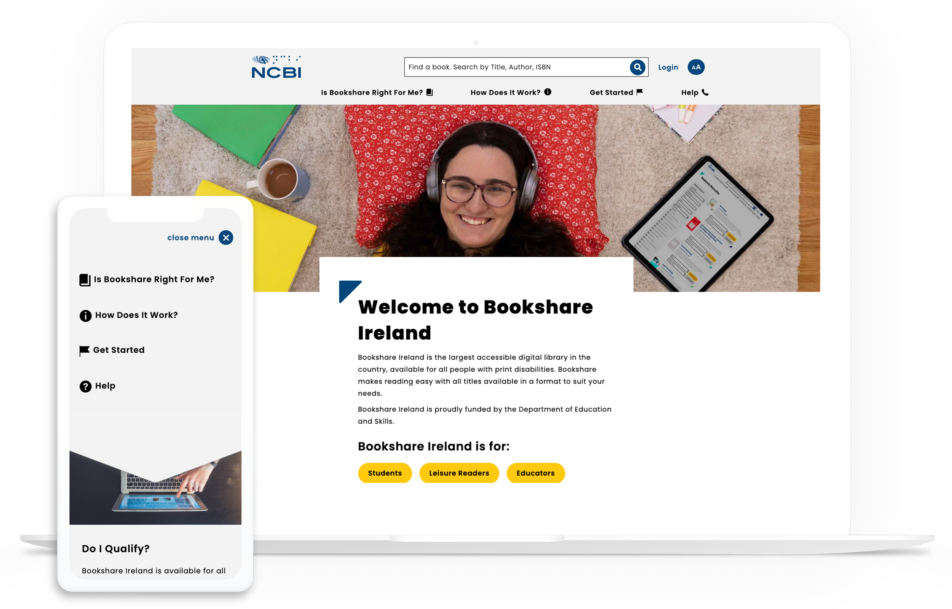
This is a screenshot of NCBI's website after we optimized it for nonprofit UX.

Here’s what we did:

  • Conducted in-depth and frequent accessibility testing to ensure the site is AAA compliant all the way through development.
  • Followed best practices on contrast ratios and appropriate font sizes.
  • Outsourced and researched the best fonts that worked well for users with visual impairment.
  • Ensured that all image fields provide alt-text and that button sizes were optimized for visual impairment.
  • Developed a content hierarchy that follows best accessibility practices.
  • Built templates to support the hierarchy and be used even once the partnership is over.
  • Customized the search interface to improve search functionality when it comes to looking up book listings.
  • Optimized the entire site for mobile, for instance, in the mobile screenshot you can see the left aligned buttons are centered for easier access by thumb.
  • Created customized landing pages with carefully chosen images to tell a story and bring more value to online supporters.

Through extensive research, we at Kanopi Studios were able to provide strategy, design, front and back-end development of the Drupal CMS to create a website that meets the needs of NCBI’s audience.

NCBI now has a AAA compliant site, with over 800,000 reading and literacy resources available to its online audience. With their online library only growing and their website now set up to support this growth, NCBI can confidently provide access to their educational content online all while still promoting good UX.

Explore this page for a deeper dive into the NCBI case study.

Kanopi Team

Creating a Digital Strategy for Nonprofits – Made Simple

In 2019, total online nonprofit revenue grew by 10% and is predicted to only continue rising.

The online world is rich and full of information. From watching Netflix to exploring your Instagram feed to looking up dinner recipes, there seems to be no end to the internet content available.

With such a truly saturated space, your nonprofit needs a focused and comprehensive digital strategy if you want to reach supporters in meaningful ways and increase fundraising for your mission. Otherwise, your message can get buried and you risk losing sight of your goal.

The best digital nonprofit strategy likely spans multiple tools and marketing outlets. Creating this type of strategy can seem intimidating, especially if you’re not aware of how those tools and outlets support each other. This guide will dive deep into not only exactly what a digital nonprofit strategy is, but also how to best create one for your organization and some top tips to maximize those efforts.

Table of Contents

What Is A Digital Nonprofit Strategy?

Your nonprofit organization likely already depends on a few key tools to reach and engage your supporters. Your online donation platform facilitates gifts, your content management system (CMS) helps you create a beautifully designed website, and your marketing tools promote upcoming campaigns and engage donors. 

However, it’s not enough to just have an arsenal of working tech. In fact, it takes careful planning and coordination to ensure that your tools and marketing strategies not only work together but also support each other. That’s where your digital nonprofit strategy comes in.

In simple terms, your digital nonprofit strategy is a focused plan that takes action on your fundraising and donor engagement goals through digital marketing methods.

Your overarching nonprofit goals, any budget constraints, and the technology you have all impact your digital strategy. This strategy then informs your online marketing efforts, with the two working together to maximize your nonprofit’s impact. 

The common tools and marketing channels nonprofits use for their digital strategy include:

  • Nonprofit website – Your website is an increasingly important part of your nonprofit digital strategy. Your nonprofit site centralizes your online engagement and is likely the first place supporters will look when they want to find out more about your mission and any upcoming events or campaigns. It’s also where donors give! How you design your website and the content you add to it is crucial in your digital marketing efforts.
  • Online fundraising solution – This is how you accept online gifts from your supporters. It’s important that the tools you use accurately capture donor data and protect their sensitive information.
  • Email/text communications – Sending your supporters marketing materials, whether through email or text, is a popular way to get the word of an upcoming campaign out quickly. Use your communication tools to further relationships with donors by sending them personalized messages, donor thank you letters, and other targeted content.
  • Social media content – More and more, people are finding out about exciting events and nonprofit efforts through social media content. Because of its easy shareability, it’s a great way to not only reach your current supporters but also expand your audience. Encourage your followers to repost your content and thank them publicly for it on the platform!

One of the great things about your nonprofit digital strategy is that it naturally depends on tools and is generating valuable data. You can reference this data to continually refine your digital strategy and reach your target audience in more meaningful ways.

Steps To Creating A Nonprofit Digital Strategy

Your nonprofit digital strategy is unique to your organization, goals, and audience. These are some common steps that all nonprofit leaders will generally follow:

1. Determine overarching nonprofit goals

The first step to creating a successful nonprofit digital strategy is to establish your goals. This is the foundation of your entire strategy each engagement and decision your nonprofit makes should be with your core goals in mind.

To begin brainstorming, consider these questions. Do you want to:

  • Raise a certain amount of money?
  • Increase awareness of your mission?
  • Grow your audience or base of supporters?
  • Increase a specific audience profile?
  • Generate new leads?

Once you have a general idea of the goals you want to accomplish, it’s time to make them actionable. Start by:

  • Identifying gaps in your current nonprofit digital strategy and consider how you might tackle them for your updated strategy.
  • Analyzing data in your database to find a quantifiable target for your overarching goals. For instance, look at past successful fundraising campaigns to gauge what a realistic goal may be this time around. 
  • Brainstorming the technology that will play a role. What digital tools and marketing outlets will you be using?

Determining your goals is crucial to guide your nonprofit digital strategy and to provide insight into the choices you’ll make. Make sure your goals are specific and actionable, with clear targets and ways to measure success.

2. Define audience and web personas

If you want to make the most of your nonprofit digital strategy, you have to become familiar with the audience you’re trying to reach. 

Start with reviewing your past data to learn more about how your existing audience engages with your nonprofit. Looking to your website, Google Analytics, CRM, and email marketing metrics can give you clues into the types of supporters that engage with you online and the content that they best respond to. For instance, if past donors heavily engaged with your Instagram posts, then that’s worth noting when creating your new digital strategy.

You can use this same data to create audience or web personas. Web personas are detailed profiles of your nonprofit’s target audience. Your organization will likely use more than one web persona to account for the different types of people who support your nonprofit. With a clearly defined target customer in mind, it’s much easier to tailor your digital content to speak directly to them.

To create web personas, you need to:

  1. Research your audience. Some key audience details to take note of are age, location, income level, interests/activities, and donor behavior.
  2. Document and organize information. If there are common data points, begin grouping them together to start creating a persona. This could by interests, needs, preferences, age group, corporate match eligibility, and more. How you segment your own supporters will depend on your unique organization and goals.
  3. Bring personas to life. It’s easier to create targeted marketing content for a persona when you think of them as real people. Consider giving your audience personas a name with a visual/face that matches their general description.
Here's an example of a web persona for a nonprofit digital strategy.

When creating web personas it’s helpful to get as detailed and specific as possible. The above image is an example of how you might organize the details in a web persona and determine the best way to connect with that audience. From there you can produce website content and other digital materials catering to each persona, creating a more engaging and personalized user experience.

3. Consider any constraints

As you develop your digital nonprofit strategy and set your goals, you also have to consider any constraints. While it’s nice to think that the sky’s the limit, it’s often unrealistic and can set your strategy up for failure.

These might not all apply to you, but here are some of the common constraints to keep in mind:

  • Financial budgets. Consider how much you can spend when it comes to developing, implementing, and executing new digital marketing and fundraising strategies. 
  • Technological constraints. What is the current state of your organization’s technological infrastructure? 
  • Timing. Is the timing of the digital strategy aimed towards a certain date, such as Giving Tuesday, or an anniversary?
  • Staffing and labor. Is your current team enough to handle everything when it comes to your digital nonprofit strategy? Remember, you can also turn to volunteers or even a tech consultant for additional staffing.

4. Invest in the necessary tools

If you’re looking to really bring your digital nonprofit strategy to the next level, you might have to invest in a new tool or platform. The internet is always changing, with new ways to engage online popping up all the time. It’s worth it to review your current processes and make sure that it’s meeting the needs of your growing nonprofit and supporters. 

Today, nonprofits see their digital engagement with supporters occur in these locations:

  • Nonprofit website
  • Online marketing campaigns
  • Social media activity
  • Email marketing campaigns

Is your current nonprofit solution doing all it can for the above channels? Consider the gaps in your toolkit or ways your tools could work better together. For example, let’s say your digital nonprofit strategy’s focus is social media and peer-to-peer engagement. Do you have all of the necessary accounts and fundraising tools you need?

Or, let’s say you’re pushing corporate giving. Does your organization have the appropriate tools in place to promote matching gifts and drive more match requests to completion? This might mean embedding an employer search tool into your donation form for donors to research their eligibility or enabling autosubmission tools to let donors automatically submit requests to employers post-donation.

Often, nonprofits seek the help of a nonprofit technology consultant at this stage. The right consultant can perform an audit of your nonprofit’s current tech solution and make suggestions. If your website no longer supports your growing organization, a consultant can help upgrade your current CMS platform or optimize it with extensions.

5. Align your messaging and content

Now that you have concrete goals and the tools to carry them out, it’s time to think about your marketing content. This is the voice of your nonprofit digital strategy and helps tell your story.

When it comes to the story you want to tell, you not only have to be true to your mission but also figure out how to tell it in easily shareable and digestible bites. Short, but emotionally investing, stories are much more likely to resonate with supporters and reach new prospects via reposting and sharing.

The content of your digital strategy should address your audience first. Remember how we defined the audience and developed personas in an earlier step? This data can now be used to personalize the messaging and content to each persona group.

For instance, consider the persona of a completely new supporter. Let’s imagine them stumbling upon your nonprofit website. To immediately connect with them through your content, consider embedding a high-quality image within your homepage of the community you help, along with some quick stats about why they are in need. This can capture the visitor’s attention and introduce them to the most immediate goals for your organization. 

6. Consider the channels you use

You already know that the most important digital channels to your nonprofit digital strategy are your website, social media accounts, email campaigns, and any other online advertising. 

But how do those channels work together?

  • Your nonprofit website is the central hub for your digital strategy. It can connect supporters to your email list, social media accounts, and is where they can give online. Your website needs to be well designed, informative, valuable, and fully integrated with your other online fundraising and CRM platforms.
  • Social media platforms are great for reaching wide audiences. Consider where your current supporters are most active online and focus on those few platforms to promote any upcoming campaigns, advertise blog posts, and share fun, but relevant, videos or viral challenges. Try to post content that encourages supporters to share it with their own network.
  • Email marketing is an essential part of your nonprofit digital strategy. Not only can you use it to reach a wide number of people at once, but you can also even create segmented email lists to cater to more of your specific audience personas. Make sure to track open and response rates to determine which email outreach tactics work best.
  • Online advertising and other digital marketing strategies are important for increasing visibility. This can include online ads on different websites or links back to your organization from other reputable charity organizations. This can also involve SEO techniques that help boost the visibility of your website and blog posts during organic internet searches.

7. Measure campaign’s success

The last thing you need to determine before you start employing your digital nonprofit strategy is how you’re going to measure success. This should have been outlined during the goal-setting stage, but you can take it to the next level with some key tools.

For instance, use your nonprofit tech solution to compile reports and compare metrics based on the combined data from all of your tools and marketing channels. What types of data points and metrics should you look at? Here are some of the top ones:

  • Completed donations
  • Volunteer applications
  • Email subscriptions
  • Pledge signatures
  • Email open rates
  • Email response rates
  • Website bounce rate
  • Online donation page bounce rate

Compile reports on these metrics prior to the campaign and after. This gives you a direct look into how your digital nonprofit strategy impacted and helped your organization.

5 Tips to Make The Most Of Your Nonprofit Digital Strategy

The best digital nonprofit strategy is data-based and audience-centric. While how you make the most of your own strategy is dependant on your organization and mission, here are the top tips that can help all nonprofit leaders:

  1. Optimize for a mobile experience. Did you know that roughly 1-in-5 American adults are “smart-phone only” users? At every touchpoint in your digital nonprofit strategy, it’s crucial that you consider how this may look on a mobile device. Otherwise, you’re missing out on some key opportunities.
  2. Use email appeals. Even as new technology and platforms arise, email is still the best way to reach your supporters online. Make sure that donors are aware of your email list and embed forms for users to opt-in on your website, social media accounts, and other relevant places. And don’t be afraid of being aggressive with your send schedule; data shows that while people may grumble about getting too much email, they still open, read, and interact with it.
  3. Personalize messaging. Whenever you can, you should make your marketing content and messaging as personalized as possible. This is most used in email marketing, but can be implemented with text messaging and even within your website. For instance, consider creating specific landing pages for each of your audience personas to better target their needs.
  4. Inbound marketing techniques. This involves all the ways you make it easy for supporters to find your nonprofit and is much more subtle than outright contacting them. For instance, creating educational blog posts, hosting events, implementing search engine optimization, and sharing social media posts are key inbound ways to build brand awareness. The more people see and recognize your nonprofit, the more likely they want to find out more and support your cause. Remember to always include a link to your nonprofit website and other specific landing pages so that supporters know how to take action if inspired.
  5. Partner with a nonprofit tech consultant. Sometimes, partnering with a nonprofit tech consultant is the best method of truly optimizing your digital strategy. The right agency should work closely with your organization to become familiar with your goals, your audience, and current technology solution. Then, they can provide their expertise when it comes to optimizing that solution for your nonprofit’s needs.

If you think a nonprofit technology consultant is what you need, explore our own services to see if Kanopi is right for you.

How Kanopi Can Optimize Your Nonprofit Digital Strategy

A crucial component of any nonprofit digital strategy is the website. It’s the centralizing factor of almost all of your online engagements and where donors can make gifts. As a top partner for nonprofits, we at Kanopi Studios have helped develop over 150 active sites.

When you partner with us, we don’t just develop, maintain, and support your nonprofit website (though we are experts at it!). We like to think of ourselves as extensions of your organization. With thorough research and data analysis, we dive deep into your unique online audience and provide specific suggestions based on carefully crafted web personas.

We take a continuous improvement approach to website maintenance, as smaller and consistent fixes tend to be more beneficial to your website health than large systematic updates that only happen once a year.

Along with this, we also provide a website growth plan to help you make the most of your online presence even when our partnership is over. We don’t just set up your website and hand over the reins — you’ll get specific and customized next steps as to how to increase conversions and further expand your online platform.

Here are some more of our top services for nonprofits:

  • User-focused approach to content strategy, design, and site development.
  • CMS development for Drupal, WordPress, or Mukurtu.
  • Extensive research on nonprofit’s goals, missions, and audience.
  • Accessibility and compliance consulting.
  • Technical SEO optimizations.
  • Updated knowledge on relevant privacy laws and legislations, like whether California’s CPAA affects your organization.
  • User persona creation to map your supporters’ journeys once they visit your site.
  • Staff augmentation to provide extra help when it comes to design or development tasks.

Don’t forget SEO! We gave a webinar about it.

Interface of the ON24 webinar platform showing Lauren Chervinski hosting her webinar about SEO.

Ready to Boost Your Website’s Performance Without the Overwhelm? A must-attend webinar for business owners, marketers, and anyone looking to make SEO work smarter, not harder. Lauren Chervinski gave a webinar focused on SEO called “SEO Survival Kit: 5 Steps to Thrive Now and in the AI Era .” (47 minutes)

How your website’s UX impacts brand perception

Kim Lai
Kim Lai

There are simple steps you can take to improve the user experience of your site.

Consumers have a lot to choose from, so the first impression of your brand online is critical. Your website is often one of the first touchpoints your audience comes into contact with — if not the first — and that experience can make or break their perception of your company. In fact, 88% of people are less likely to return to a website after a bad user experience.

What is user experience (UX)?

At its core, user experience (UX) is the way an individual feels when they’re interacting with a website. It requires an understanding of user wants, needs, values, and limitations. We are not talking about just the visual design (such as colors, font choices, or images), but the entire experience for the customer as they interact with your site and its elements, and how each element works to influence the whole. 

User experience needs to answer four crucial questions:

Can I find it?
Is your audience able to navigate content easily?

Do I understand it?
Is the language you’re using clear and accessible to the widest audience possible? 
Can your content be understood by audiences with visual or other impairments?

Can I use it?
Does your audience understand how to use your website?
Does it make sense where I should go?

Do I feel satisfied?
Does your website fulfill a need? 
How satisfying is that journey?

If your website misses the mark on even one of these questions, you risk losing your customers to a competitor, and you risk your brand reputation. 79% of users who don’t find what they are looking for on one website will go on searching on other websites.

How do we measure user experience? 

There are three main categories used to compare your website to others on the market: performance, information flow, and communication style. Let’s look at some numbers.

Performance

When we think about performance we consider how quickly site pages load on both desktop and mobile devices. Mobile devices are particularly important as 65% of all website visits come from smartphones. 

With 61% of customers saying they’d leave a brand they loved after a single bad experience, it’s incredibly important to pay attention to the experience of your site. 

  • 52% of users said that a bad mobile experience made them less likely to engage with a company, and 74% of visitors are likely to come back to your site if it has good mobile UX. 
  • Mobile users are 5 times more likely to abandon a task if a site isn’t optimized for mobile.
  • 60% of users will not trust a company that hasn’t optimized for mobile.
  • 57% of users refuse to recommend a business with a bad mobile site.
  • 25% in improved organic traffic if you have a responsive mobile design.
  • 40% of people will leave a website if it takes more than 3 seconds to load.

Wondering where we got these statistics? See the resources below.

Information Flow

79% of users who don’t find what they are looking for on one website will go on searching on other websites. The attention span of your audience is short — typically less than 10 seconds — and the ability to find immediate information can mean the difference between a repeat visitor and one that never returns.

  • 40% of users will abandon a website if it seems messy.
  • There’s a 400% higher conversion rate with great UX design, which is double what a great visual design can generate. 
  • 71% of publishers say content that looks well-organized on mobile devices boosts positive user experience feedback.

Communication of Content

How you communicate your message is just as important as where it’s featured on a web page. It helps users get the information they’re looking for, and tells them what you can offer. As a bonus, good copywriting can boost your SEO rankings, since 75% of all website traffic runs through Google search.

The format of your content matters too. You want to consider how your audience processes information (whether it’s visually, through videos, or through longer content), and tailor your content to their consumption preferences.

  • 46% of all website visitors will not trust a company if its mission statement is not clear. 
  • 70% of people learn about a company through their blog rather than ads.
  • 73% of people are persuaded to buy a product or a service through a video.

How to improve your User Experience (UX)?

The best way to ensure your website has a stellar user experience is to take a look at how it’s currently performing through quantitative and qualitative research, then apply any findings to make actionable updates and improve your UX.

Gather Quantitative Data

Tools like Google Analytics and Hotjar allow you to see how the majority of your audience behaves, using click tracking and conversion funnel tracking. 

Click Tracking

Click tracking identifies where a person clicks and how far they scroll down a page.

HotJar allows you to use heat mapping to see where users click on your site.

Conversion Funnel

A conversion funnel identifies the biggest barriers to conversions and discovering ways to improve the flow.

HotJar also provides conversion funnels to see where users drop off your site.

Quantitative questions

Then once we’ve gathered the data, here’s what we typically look for: 

  • How does your audience find you? Do they find you through social media, internet search, or do they know who you are?
  • What is the first page someone lands on? If not the homepage, is there enough information to entice them to stay on your site?
  • What is your most popular content? The answer will help prioritize your navigation.
  • What buttons are used most often? The answer will help prioritize your calls to action placement.

Gather Qualitative Data

Quantitative data can tell you a lot about your UX, but you also need qualitative data to understand the more subjective perceptions of your brand and website. Gathering qualitative data will help you understand how your audience feels about your brand, their interpretation of your value, and their experience with the website.

A great way to capture this information is through surveys. You can capture the audience perspective in real-time through an onsite survey, or you can create a Google Survey to send to current or prospective customers.  

Qualitative questions

Once we’ve gathered this data, here’s what we typically ask:

  • Is your audience finding the content they need? If not, what is the barrier?
  • Why do they choose you over other organizations? The answer will help shape your value statements.
  • How does your audience feel about the site design? Illuminate visual design issues you may not be aware of.
  • Rate qualities your organization wants to embody. Understanding what qualities resonate with your audience helps prioritize message and content.

Apply your learnings

Armed with your rich qualitative and quantitative data, you can start to apply your learnings and make improvements to your UX. There are several areas where most websites need attention that can make a big impact, such as image size, menu navigation, and page layouts.

Size images appropriately
Image file sizes are one of the top offenders when optimizing site performance. Resizing super large images to appropriate sizes can speed up load times.

Streamline menu structure
Think of your navigation as your table of contents. Your audience should know where they can find the information they need, and it should be easy to locate. Take a critical look at your website’s menu structure and content.

Optimize the mobile experience
Make sure your website is responsive and that the mobile experience feels just as rich and inviting as your desktop experience.

Optimize page layouts
Use eye-tracking and heat-mapping tools to identify current site behaviors to identify areas that could use a visual boost. And on the back-end, make sure your code isn’t loading unused features.

Edit your content
Trim content down to the most salient points. Use headlines to highlight the most valuable information. Strategically use images that elevate your message.

Use relatable language
Your site is the first handshake your organization extends to a person. Using familiar language makes your organization feel inviting and personable. Plus, writing in an easy to understand way will boost your SEO.

Small steps can lead to big UX improvements.

Improving your UX doesn’t need to be a big hurdle to overcome. These are mostly small fixes that can make a big impact. 

If needed, employ a third party opinion, whether it’s through a new employee, a consultant, or an agency. The perspective of an outside party will provide insights you may not see because you’re too familiar with your own brand.

Want to dive deeper into the numbers? 

Here is a list of sites with a lot of research and UX statistics. 

Need more help? 

If you need an outside perspective, Kanopi is here to help! We can help measure and improve your UX, while keeping your unique company goals in mind.