
When to Move from Drupal to WordPress

Faye
Faye Polson

Drupal is an incredibly powerful Content Management System (CMS).

It’s a powerhouse tool, and incredibly robust. In fact, it can do pretty much anything you can imagine a website doing. 

And yet across the globe, out of all the websites built with a CMS, WordPress dominates with nearly 60% of the market share, while Drupal just squeaks over 4.5% and is barely knocked out of second place by Joomla!.

Why would anyone switch from Drupal to WordPress?

Because sometimes a power tool isn’t the right tool. Imagine buying a chainsaw to cut delicate flowers for an art project. I don’t doubt it would be amazing to watch, but it would ultimately be a messy, expensive endeavor with an outcome that doesn’t look anything like the result you would have gotten if you’d just used a regular pair of craft scissors.

Maybe you went with Drupal because you didn’t know there were other options. Or maybe Drupal seemed like the right CMS at the time, but now that you’ve had your site for a few years it isn’t quite what you’d been hoping for. Perhaps your needs and goals have significantly changed, and your site no longer lines up. 

Regardless of how you ended up with a Drupal site, you now wonder if you need a different tool for the job.

Drupal vs WordPress

Before you decide to move away from Drupal, it’s a good idea to take a look at what both Drupal and WordPress can do specifically for you. They’re both quality platforms that can get the job done, but they do excel in different ways.

5 Advantages of Drupal

  1. Robust User Access Control
    If you need a lot of users, or various permissions and access controls, then Drupal is going to give you more options from the start, with plenty of room to grow.
  2. Multilingual Functionality
    Drupal has multilingual functionality baked right into the core. If your audience is multilingual, or your site will be used by a variety of countries, you’ll want this out of the gate.
  3. Easier to Keep Secure
    Drupal core has a lot to offer developers, meaning they often don’t need as many third-party additions and extensions. Fewer modules means fewer potential holes in a site’s structure. If you’re storing sensitive data, you’ll want to consider this angle
  4. More Flexible Content Types, Views, and Taxonomies
    Of course other CMSs have these capabilities, but Drupal has increased flexibility and control over how your content is displayed and the relationships between data.
  5. Better for Storing Huge Amounts of Data
    Large directories, content types, products, etc., require big solutions. If you need to store hundreds of thousands of entries, you will want something made the handle that kind of bulk.

5 Advantages of WordPress

  1. Easier to Use
    Overall, WordPress is highly user friendly and non-developers have a much easier time using the administrative backend, and Gutenberg has made the content editing process even better.
  2. Larger Library of Extensions and Themes
    Because WordPress has such a high rate of use across the world wide web, it has a huge community, with a massive library of plugins and themes, both free and paid. There’s plenty to choose from and you’ll almost always find a ready-made solution.
  3. Easier to Get Developers and Support
    More usage means more developers, and more avenues for support. There’s no shortage of WordPress devs out there, nor a lack of communities and forums where you can find solutions for your site. 
  4. Lower Development Costs
    WordPress has more ‘out of the box’ solutions that require less customization and development time. Reducing costs in those areas means developers can focus their energies on other aspects of your site.
  5. Faster Builds
    Because of the ease of use, extendibility, community support, and available developers, WordPress builds tend to take less time. Your site can be up and running on a shorter timeline, and then continue to grow it as your budget allows.

How to Decide

Make a list of what you want your site to do for you. Add to that a list of things that would be nice to have, but aren’t absolutely necessary. Then make a list of barriers that you’re facing. Compare those items to the advantages listed above. At first glance, which CMS seems to address the majority of items on all three lists?

If it’s starting to look like you don’t need any of the high powered Drupal capabilities mentioned above, then maybe you’ve been using a chainsaw to cut paper flowers.

WordPress is an amazing pair of craft scissors

WordPress doesn’t own 60% of the world market share of CMS usage for no reason; it is a phenomenal platform. Developers can extend it to handle robust content needs, and can build most anything with or without third party tools. 

Security also doesn’t have to be a concern; using custom solutions reduces the security risks associated with excessive plugin use, and there are several security services and hosts that specialize in WordPress.

As your needs grow, WordPress can grow too. You don’t have to switch back to Drupal because three years down the line you suddenly find a need for tightly controlled user roles and permissions, those things can be built into your site. Same with multilingual solutions and large data storage. Over time your site might become a Swiss Army tool of sorts, with new attachments being added onto those craft scissors, but instead only adding what you need as you need it. Sometimes a precise tool is better than a power tool. 

Choose Your Tool

If a Drupal site is working for you, stick with it. We often recommend it for clients with complex needs, and who have a passionate crew of Drupal contributors. And as an agency that builds Drupal sites, we’re fans. But if it’s not working out, then maybe WordPress is the better tool for you. Whatever direction you choose, contact us if you need help. 

Chat with us about Drupal & WordPress

A pile of silver forks, knives and spoons haphazardly dumped in a pile, demonstrating the messiness of a site not using custom post types..

Custom Post Types: Using WP for Content Management

Faye
Faye Polson

Confession: I don’t separate my cutlery.

I just grab a handful of forks and spoons and knives and shove them into the tray, ignoring the divisions made to help organize your utensils, and then just hope nobody ever looks in there to realize how ridiculously lazy I am.

Of course, separating my cutlery would make it easier to find what I’m looking for, especially considering I seem to have 6 million spoons and only 5 forks. It’s completely silly that I don’t.

WordPress has the same problem as my cutlery drawer

Out of the box, WordPress websites come with Posts and Pages. Pages are what we use to build a site’s homepage, contact page, about page, landing pages, etc. Pages almost always appear in the navigation menus of your site, otherwise users would have a hard time finding them.

Posts, on the other hand, are meant to show off content in an Archive. For example, a news feed, or a blog. They also auto publish; add a new post and it magically appears at the top of your blog page (which is actually not a Page). Posts also use Categories and Tags, which can be clicked on to view Archives of posts in those Categories or Tags.

Where this gets messy is when people use their Posts as sort of a catch all for content that doesn’t fit on a page. Press releases, resources, news, blogs, announcements, videos, links, etc. I’ve clicked on the “Posts” in the WordPress dashboard and cringed to see all that content jammed into one place, knowing it must be an absolute nightmare for the site owner to navigate and sort through.

Post Formats to the rescue?

Not exactly. WordPress has something called Post Formats which allows you to choose a format for your Post. You can choose if something is a video, or a link, or a gallery, a quote, etc.. But unless your theme has templates for each one of those types, they’re useless. And considering there are 9 post formats, that’s a pretty big budget consumer for something that still won’t solve the larger issue; there’s just too much cutlery in one place.

Custom Post Types to the rescue! For realz this time.

The truth is, WordPress is made up of posts. Users are posts, Categories and Tags are posts, files and images are considered posts, even Pages are posts! The entire infrastructure of WordPress revolves around this one method of data storage. As a result, it’s really easy to make more.

While there are Custom Post Types Plugins, a developer can literally add a custom post type through their own plugin, or to a theme’s functions, with just a few short lines of code. They can add Categories and Tags to it, tell it to behave like a Page or a Post, or give it it’s own custom taxonomies. This essentially means you can separate your content by purpose, and then present it back to the user accordingly.

Cleaning up the Cutlery Drawer: A Study in Books

Let’s get practical. I like cool used bookstores, so let’s imagine you have a used bookstore and need a website that works for the type of content you want to show.

The default Posts that come with WordPress, those will be your news / blog posts. Thanks to Gutenberg, you can really design your posts as you need them, without post formats and templates. 

You’ll want an Events section, so you can brag about the upcoming J.K. Rowing book signing, or the long awaited release of Book 3 from Patrick Rothfuss. With Advanced Custom Fields (ACF), Kanopi could make a robust Custom Post Type that has event dates and times, associated authors with their social media, promotional images. We could even display this in a calendar format with integrations for Google Calendar reminders.

Next, you’ll want a rare book section. Obviously your bookstore is amazing and has some serious stock that you’re not about to upkeep online, but there’s always those special books that could bring in the collectors. Our next Custom Post Type might be Rare Books, and with the magic of ACF, we could make bibliographies and a gallery of images of the book and some of its pages. Maybe a little history blurb about the book or what makes it such a hot ticket item for collectors.

Now, you’ll also want to draw in average readers and book lovers who maybe don’t have the budget for rare books, so let’s make a Custom Post Type for Recommended Reading where you can put together a list of some highlighted books that are likely to appeal to a wider audience. It can be categorized and sortable too, so users can browse and filter. It’s going to be amazing.

Lastly, a Team Custom Post Type, because your book store has a staff of six, plus the store cat (because you’re really cool like that). Each post becomes a Team Member page, with a bio, job title, and — this is where it gets really neat — you can associate them with their favorite books from the Recommended Reading posts. In fact, let’s go one further, we can attach your staff to the blog / news posts they’ve written and show that alongside their bios. Kanopi actually does this for our own staff.

Where previously you might just jam all this content onto a single page, or into a mash up of Posts, we can take all this content and give it custom data entry and custom templating that allows for some neat cross connection and interactivity for users to better travel your site and find what’s relevant to them. Have a cat that lives at the store? You never know . . . the store cat’s blog posts might be a huge hit.

Structured Content is Mappable Content

What if simply by telling your cutlery drawer what you’re having for breakfast, it was able to select the necessary eating implements for you? Having cereal? Here’s a spoon. Pie and ice cream? No judgement, here’s a serving knife, ice cream scoop, and a fork.

The additional advantage of an intentional content structure using custom post types is that you can then apply what’s called schema data to essentially map your content. Our fictional bookstore could actually pass specific information to Google about those rare books and events to get them in front of the people most likely to be genuinely interested. Consistent data is also extremely useful for filters and searches, announcement bars, feeds, and more. It allows for a deeper level of content strategy and design to better achieve your online goals.

Are you convinced to use Custom Post Types in WordPress? Ready to start stacking your silverware? 

Get organized with Kanopi

Kanopi Team

Metadata vs Schema

Faye
Faye Polson

It’s just data about data.

As a twenty something, I thought drawing a picture of Lt. Commander Data from Star Trek the Next Generation holding a clipboard of statistics about himself was a fantastic study aid for the definition of “metadata”. Okay, as a thirty something I still think that’s pretty funny.

Metadata essentially just that — data about data. It’s context for the information you’re about to consume. Nearly everything technical has it; when you take a picture on your smartphone, it stores the date and time the photo was taken, and some kind of generic name. If you have location services installed, it can even add where the picture was taken to its internal clipboard.

Most of the time metadata happens without us even realizing it, and nobody thinks twice about it until they want to improve their website Search Engine Optimization (SEO), which has definitely popularized the term. But for most people it’s just a huge ambiguous concept without any real concrete applications. 

So how does metadata work for your site?

Whenever you hop on your search engine of choice, for the purposes of this article we’ll be talking specifically about Google, your search results often come up with a website name, url, and a short description about the page. Every site has a title and url, and if it’s missing a description a good search engine will automatically pull the first few lines of text it can get from the site. 

Metadata Sample to demonstrate the difference between metadata vs schema

There’s a lot of misconception as to what this data is for, and how the search engines are using it, but the bottom line is that this information is for the user, not the search engine. This is your opportunity, as a website owner, to connect with your potential users. If you have the content they want to consume, this is where you tell them that. You have the ability to control your title, urls, and descriptions. Yoast is a fantastic extension for those kinds of edits, available for both WordPress and Drupal sites, but there are many others if Yoast doesn’t meet your specific needs.

Try it out

For fun, google your own company or organization, and see what comes up in the listings. Is it compelling? Does it accurately convey what you do and who you are? Would it appeal to a potential customer? If not, maybe it’s time to revisit your metadata content. Consider taking a look at your titles, urls, and descriptions for your most important pages.

If that seems like a daunting task, don’t fret; we can crawl your website and provide an audit of what search engines encounter when they navigate through it. Armed with that data, you can take an iterative approach to improving your pages based on importance.

Okay but then what is Schema Data?

Where metadata is data about data, schema is the map for that data. Take an events page, for example. It would have an event title, a ticket cost, a date, and a time. All that data is on the website, but how would a search engine know that unless you actually told it where to look and for what? Schema lets you assign context to that data. So along with the page that the user sees, you can send a map to the search engine that tells it the page is about an event, when it is, where it is, how much it costs, even the type of event. Is it a fundraiser, or a concert? Who’s organizing this event? Are there any promotional offers?

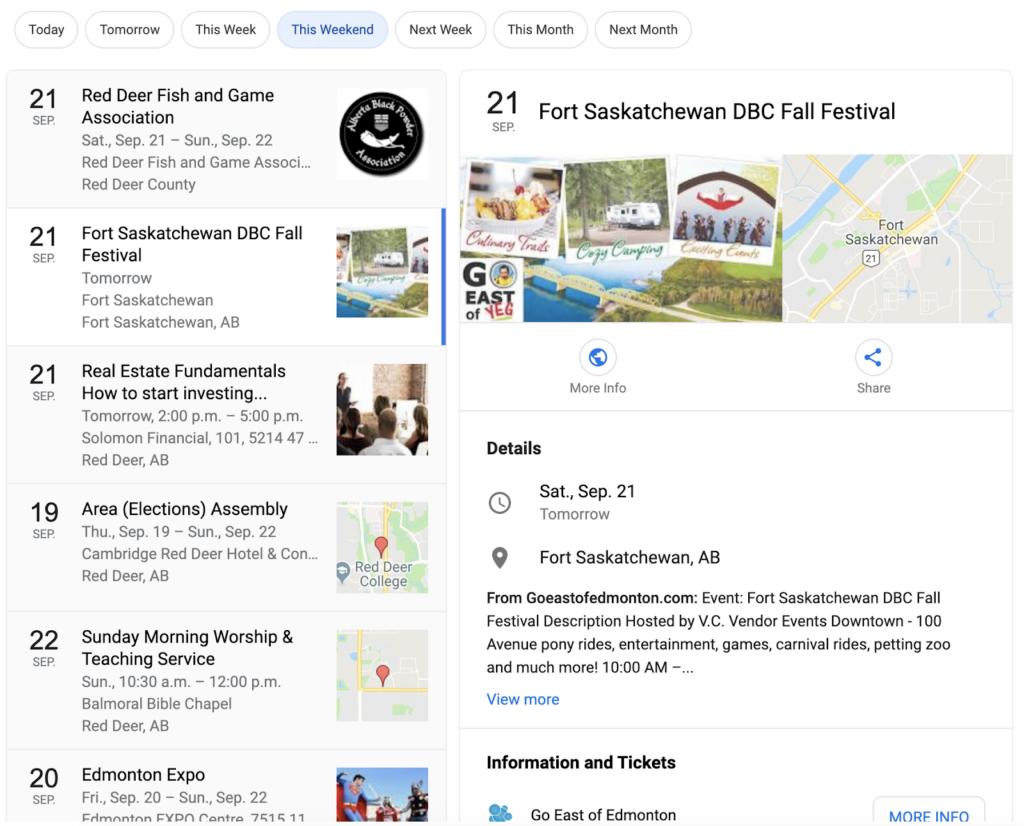
As an example, this is a Google search where I simply typed “upcoming events” and then chose “This Weekend.” Now I’m getting a list of events in the area with some relevant data.

Schema Sample that demonstrates metadata vs schema

How did it get there? Most likely those websites are utilizing schema data to map their event information. Google can find it now, understand its context, and present it in a relevant search.

How do I get schema data on my site?

Lucky for you, basic schema is possible with a plugin or module. Yoast, for example, adds some global site schema and basic page specific schema. Even just this alone can help boost your site’s content presentation to a search engine, and it’s a fairly low level of effort to integrate. If your site has an SEO plugin, you might already have some schema being applied. Head over to the Structured Data testing tool from Google and plug in your homepage to see what pops up. 

If you don’t see much, or you see a lot of errors, then you’re missing some valuable SEO leverage. But it usually takes a little more punch than third-party extensions can offer to get your specific content into schema markup; it’s time to hire a developer.

We’re not shy! Take a look at Kanopi’s schema markup.

Kanopi Homepage: Here we’ve been able to tell Google when our site was last modified, that we’re a company, all of our social media accounts, what our logo is, and what the most important image on the page is.

Staff Member Page: On Jim’s profile, we’ve got the global information included on the homepage, but we’ve also added that this specific page is about a person, with his name, his position, his picture, and all of his social accounts.

We’ve done the same for our blog pages, service pages, and case study pages. We’ve put extra care into communicating with search engines about the content of our site to better reach our audience, concentrating on the appropriate suggestions provided in the Google Search Gallery.

Schema can be applied to almost anything — in fact, the list of things you can use schema for will make your head spin. If you’re ready to move into the next stage of SEO, give us a call! The development experts at Kanopi are ready to help audit your site and develop a customized SEO plan to enhance your visibility among your target audience.

Team meeting

Accelerating Projects with Staff Augmentation

Jessica Skewes, Director of Strategy
Jessica Skewes

The are times the adage “less is more” applies to web projects. It can make a project a joy. Aligned stakeholder priorities. A single decision maker. Structural consistency. Design consistency. Simple, easy to understand requirements. Fewer, clearer calls to action to maximize conversions. Sounds great doesn’t it?

But sometimes you need staff augmentation when, “less is more” doesn’t work to our advantage. Places like timelines, budget and resources. When these are scarce, it creates a challenging environment for project success.

If this strikes home for you, you may be a team lead for web projects. You may be an expert in one or two disciplines in the project life cycle. And you may be way too familiar with the pain of projects that have gaps. You may need to extend or enhance the skills of your team to meet a deadline or budget.

The good news is, if resource constraints are your challenge, there are options!

Staff augmentation can help.

Expanding your team with outside experts is a time-tested way to accelerate your project life cycle or build the skills of your internal team. You can get fresh perspectives on the latest industry trends. You can avoid groupthink by bringing more diverse and varied experience and skill sets to a web development project.

At Kanopi, we understand the stress created by aggressive timelines, resource constraints, and knowledge gaps. “Nimble” is a core value, and offering seamless staff augmentation is one of the many ways we bring it to life: we have successfully partnered with clients and other agencies in a variety of ways to help them achieve their goals. We love the challenge of blending our skills with client teams to help your internal staff perform heroic feats for your end clients.

Jumping in to lend a helping hand 

Here are a few recent examples that demonstrate our team’s nimble agility in helping to save the day on a variety of projects across varied industries. 

The Berkeley School of Information 

The Kanopi team helped Berkeley’s School of Information by building out their new website on Drupal 8, all while training their internal team along the way. The Berkeley team is now well versed in Drupal 8 and needs only minimal support to maintain their highly-customized site. Berkeley’s Senior Director of Information Technology was thrilled with the results of our partnership, sharing that “The Kanopi team’s expertise and enthusiasm were critical to the success of our project. We couldn’t have done it without them.” 

Benetech Bookshare

Kanopi partnered with Benetech’s team to establish a rapid and repeatable process to translate the organization’s Bookshare websites into any language, making thousands of books accessible for people with visual impairment or other print disabilities around the globe. The Benetech team built the API, working with the Kanopi team to build out the websites. 

BC Services 

BC Services was racing toward the finish on a tight timeline to launch its Intranet. They needed help building out search and a complex custom homepage. In addition to jumping in to build out features, the Kanopi team was able to find ways to improve the site’s user experience while reducing technical complexity on the site. And the best part of all was that the project gained momentum and came in ahead of schedule with Kanopi’s extra help. Our main contact was so excited about this that he waited to tell his director that the project was ahead of schedule until the Kanopi team could be there to see the excitement on her face!

International Rescue Committee (IRC)

The Kanopi team is currently hard at work to help IRC meet website deadlines after their technical architect left the organization. Kanopi’s developers took the lead, writing user stories to ensure clarity, creating tickets, coaching and training development staff, and keeping all work on track. 

Need a hand? We can help.

Even with a fantastic internal team of seasoned experts, there are times when staff augmentation can assist with an extra hand or a niche skillset. Contact us if your latest project could use consulting services or helping hands within our full spectrum of web project services.

Kanopi’s Drupal development services focus on creating functional, sustainable Drupal websites.

How to Prevent Scope Creep

Managing the risks of scope creep will keep your website project running smoothly.

Your project is off to a good start; progress is being made, the timeline is being honored, and the budget is on track. Then one day you check your email and learn that a key stakeholder has left the project. You hear the suspenseful theme from Jaws in the back of your mind; this is the perfect scenario for that dreaded fiend scope creep to show up. 

I say fear not!  

Like a robocall in the middle of the night, scope creep is something nobody wants to encounter, especially during a project. That being said, it is also a natural part of any project and is bound to happen. The good news is that you can be proactive about heading it off at the pass, or preventing it from happening in the first place.     

Common Contributors to Scope Creep

Scope creep is the introduction of anything that can cause the focus or goals of a project to expand, and go beyond the original scope of the project. It’s not necessarily a bad thing when handled properly, but it can put the success of a project in jeopardy when handled poorly. 

Many factors can contribute to scope creep but most commonly it’s the humans that do the creeping. Any individual could knowingly or unknowingly contribute to creep; personal needs, internal politics, or the inability to make decisions are just some reasons that an individual or group can cause a project’s scope to expand. Other contributors to creep are:

  • A change in stakeholders
  • Revisions to the project goals
  • Introduction of new features or functionality
  • Additional rounds of revision to deliverables

With so many areas for creep to originate, how do you prevent it?

Preventing Scope Creep

The sad news is that you can’t prevent it from growing; humans are curious, and it’s natural that there will be questions and requests that will prod scope. So while you can make sure the team is educated in what the scope of the project is, there will always be some level of curiosity as to what additional is possible. 

You can, however, prevent it from affecting your project. I’ll go into greater detail as to specific approaches you can use for preventing creep, but it’s important to note that prevention starts with being engaged, and being a defender of the scope. 

It’s easy to be so caught up in the day to day running of a project that requests may be made or requirements added  that will push the boundaries. Consider yourself standing guard preventing those requests from making their way into the project. If you fall asleep at your post, you may find yourself clambering to remove the creep.     

Know What’s in Scope

Kind of a duh, I know, but this is so often overlooked. It’s not uncommon for project participants to come and go throughout the course of a project’s life cycle. Therefore every consideration should be given to making sure every person has reviewed the project scope; which should be provided in clear documentation that outlines the roadmap for the project. This may be in the form of a contract, proposal, or a project outline. If you don’t have one, define the scope before the project even begins.

The most effective documentation not only goes into detail as to what is IN scope, but also what is OUT of scope. This helps to clearly define where the focus will be for the project. Having participants review this documentation stops scope creep in the minds of those who might introduce it, and makes everyone a guardian of the scope.  

The project manager is the core individual monitoring the pulse of the project, and it is a big responsibility to act as the sole protector of scope. By imbuing this mission in others you build a team that can move together toward a single destination, rather than spending time keeping everyone on the same path. 

Establish an MLP

MLP stands for minimum loveable product; essentially the simplest version of your completed project that you can live with. An MLP can make a huge difference in ensuring that everyone on your project is rowing in the same direction. By clearly defining what makes up the MLP, you’ll have a goal in mind where the team can place their focus before working on lower priority, or scope creep items. This isn’t to say you can’t iterate and improve on the MLP once complete; by working on what’s most important you’ll at least have something that you’re happy with. Everything else is just icing on the cake.

Document the Changes

There will always be changes during the course of a project, it’s unavoidable and that’s fine. What’s important is how those changes are adapted to the existing scope. “Change Requests” turn new requirements or requests into official scope. They’re crucial especially when additional work is going to push the boundaries of a budget, and additional funding is needed. And if additional funding isn’t possible? A change request can clearly outline how existing scope items may change or be removed to make room. Without a change request, scope is not only going to creep but expectations are going to be misaligned.

Document the Risks  

We’ve talked about making everyone a guardian of scope, but because the team can’t be on alert 24/7, how do you focus everyone’s efforts so you know what to guard against?  Documenting risks is another way to reinforce the team’s focus. Risks are those items that you know could potentially impact the success of the project or cause the scope to balloon. You may already know what they are, or they could arise organically throughout the course of the project. Regardless, what is important is to document the risks and make sure the team has transparency into those items. Include a detailed description of the item, if known, a plan to address it, and better yet; assign someone to keep an eye on it.  

Scope creep also provides opportunities!

Hopefully I haven’t made scope creep out to be the villain; as much as it is something to be on the lookout for, it’s also an important opportunity to start planning for the future. Document, and track them; those items that may be scope creep now could also be the next positive expansion for your project. 

Hands on a keyboard

Continuous Website Improvement for Long-Term Growth

If you’ve spent time looking for a website support partner, you’ll quickly realize that while there are a lot of options out there, they’re not all created equal. Keeping your goals in mind will help you find a continuous improvement team with an approach that best meets your needs.

If you’re simply looking for software updates and security patches, there are a lot of options out there. But if you’re looking for a strategic partner to support your site, the search for the right fit can be a bit more challenging.

At Kanopi Studios, we cover the basics, but that’s just the beginning. Our continuous improvement team focuses on adaptive execution and growth-driven design, ensuring long-term growth for your website. We can jump in at any stage of your site’s lifecycle to make sure you’re meeting your goals and getting the most out of your investment. And when it’s finally time for an upgrade, we can help with that too!

Here are a few details that set Kanopi’s support services apart:

Customer service is our #1 priority.

Our team goes the extra mile to provide stellar customer service. We’re here to make your life easier, regardless of the size of your account.  

Added value and strategic guidance

As part of your monthly support budget, you’ll gain access to experienced designers, user experience strategists, developers and more. When it’s time to go beyond bug fixes, you’ll have experts in your corner to help your site respond to changes in the market or shifts in your business priorities.

You’ll work with real humans!

Our full-time support team manages every detail of your account. We analyze incoming requests, make sure we have the details needed to get the job done right, and respond within an hour, all without a single bot in sight.

A dedicated, senior-level continuous improvement team

Our continuous improvement team focuses on support. We know that it takes a different set of skills, energy, and dedication to handle rapidly changing priorities and keep the issue queue clear. Our experienced team has identified and resolved nearly every issue imaginable. We encourage you to check out their bios so you can see their qualifications for yourself!

A continuous improvement team — and partner — you can trust

Kanopi Studios supports more than 135 active websites. Due to the great relationships we’ve built, we’re still working with some of the very first clients that signed on for our services. In fact, most of our work comes through referrals from happy customers. We welcome you to check out our five-star reviews on Clutch and get in touch to learn more about ensuring long-term growth for your website.

Devs Collaborating

Top 5 Things to Look For in a Website Support Agency

Whether you’ve just recently built a new site, or you are in charge of maintaining an existing one, it’s critical to leverage the most you can out of that site on an ongoing basis. As the internet grows and audience needs change, your site needs to be maintained and adapted over time. Sites can also be expensive to upgrade if not properly cared for (think of not performing regular maintenance on your car for several years until finally it breaks in an expensive way).

And yet, most organizations don’t have the money to redo a site more than once every three or four years. Sometimes they often don’t have the money to hire someone in-house to maintain the site beyond content updates. Who takes care of your security updates, or changes to modules or plugins so that your site doesn’t break?

That’s where quality website support and maintenance comes in. A good website support agency can make your site last a long time past its creation date and keep it fresh until it’s time for the next rebuild and redesign.

Here’s are the top five things to look for when hiring for an outside website support agency:

  1. Make sure they have a dedicated support team or department. Don’t go with an agency that simply pulls people off of regular design or development build projects to do support tickets on the side. Your site won’t get the same attention or care, since they consider support more of a side gig rather than an important part of their business model. Make sure the agency has a dedicated team that is committed to and organized around supporting sites.
  2. Look for transparency in billing. Make sure you understand the billing options. Most companies will offer different levels of packages, each with a set number of hours. If you have a site with a lot of traffic and ecommerce for selling items to customers, you’re going to want immediate service if something goes wrong vs. a site that’s more informational and can wait a few hours before a fix is implemented. Understand the levels of service you’re getting and the differences in costs for the timeliness of the response. Also ask what happens with any unused hours paid for in advance: do they rollover to the next month, or are they “use it or lose it?”
  3. Ask if you can talk to a human if needed. All agencies use (or should use) a ticketing system in order to track support requests. Ticketing systems allow for transparency, accountability, and clarity on what is being addressed and when. While these systems are tremendous for tracking the progress of an issue as it gets fixed, using them exclusively can be frustrating if something is hard to explain via text. Ask the agency if you’re allowed to hop on a call with one of their support staff, or the Project Manager, for advice and guidance. Often you can save time and increase clarity to simply have a conversation with a human. Plus it’s nice to establish a relationship with the person in charge of keeping your site running smoothly.
  4. Check that there’s a diverse range of talent within the team. Most developers can do module, plug in and security updates. But can they do any front-end work? What if the theme breaks, or you need a new page design? You might need more than code updates. Go for a more diverse and creative team that has experience with feature development as well as creative enhancements to cover all the range of items you might need.
  5. Determine how important it is if they work in your time zone. Talented designers and developers are all over the globe, but it can be tough to get fast responses from people in time zones very far off from yours. What happens if you need something right away, but it’s the middle of the night for them? If you’re in Hawaii, for example, you may not want to have an east coast agency handle your support. Ask the agency what their hours are, and try to get serviced in as close to your time zone as possible.

Following these tips will help give you confidence that you are asking the right questions and finding the right website support agency and services to fit your organization.

If you’re interested in learning more about Kanopi’s support offerings, contact us. We have dedicated support teams for both Drupal and WordPress, with a diverse staff who can cover anything you need. We also do it very well. Our hours are 9:00 am to 5:00 pm your local time in North America . . . and that counts for Hawaii!

Kanopi Studios is a Top Provider on Clutch

Screen grab of the Clutch website home page

It’s not easy to find a development partner you can trust. Particularly if you’ve never been immersed in the world of web development, it may take you some time to learn the language. That can make it even more difficult to know whether your partner is really staying on track with what you want to accomplish.

Luckily, knowing what to look for in a business partner can save you from all of the potential troubles later on. Ratings and reviews sites like Clutch can help you get there. This platform focuses on collecting and verifying detailed client feedback and then using a proprietary research algorithm to rank thousands of firms across their platform. Ultimately, Clutch is a resource for business buyers to find the top-ranked service providers that match their business needs.

Luckily for us, users on Clutch will also find Kanopi Studios at the top of the list to do just that. Kanopi has been working with Clutch for a few months to collect and utilize client feedback to find out what we should focus on in the coming year. Through the process, we’ve coincidentally been named among the firm’s top digital design agencies in San Francisco.

Here are some of the leading client reviews that led us to this recognition:

“They were fantastic overall. We had great success communicating to their team via video conferencing, and they were able to answer every question we had. They also worked quickly and were very efficient with their time, so we got a great value overall.”

“Kanopi Studios’ staff members are their most impressive assets — extremely intelligent, experienced, and personable. Building a website is never easy, but working with people you both respect and like makes a huge difference.”

“Kanopi Studios successfully migrated our Drupal platform while preserving all the content that we’ve built up over the years. They worked hard to achieve a responsive design that works well on both mobile and large desktop displays.”

Not only have these kind words earned us recognition on Clutch, but we’ve also gained the attention of the how-to focused platform, The Manifest (where we are listed among top Drupal developers in San Francisco), and the portfolio-focused site, Visual Objects (where we are gaining ground among top web design agencies site-wide).

Thank you, as always, to our amazing clients for the reviews and the support.

Contact us if you’d like us to do amazing 5-star review work for you.

Image of MVP in task board

Defining a Minimum Lovable Product

Congratulations! Your Boss just gave you approval to build the website you’ve been pitching to them for the past year. A budget has been approved, and you have an enthusiastic team eager to get started. Nothing can stop you… until you receive the deadline for when the website has to go live. It’s much earlier than you planned and there just simply isn’t enough hours in the day, or resources available to make it happen. Whatever will you do?

Let me introduce you to the minimum lovable product, or MLP.

What is a minimum lovable product (MLP)?

You may have heard of a minimum viable product (MVP). Where a minimum viable product is a bare-bones, meets your needs solution; the minimum lovable product can be described as the simplest solution that meets your needs and is a positive step toward achieving your goals. It’s easy to view every aspect, every deliverable, as being fundamental to a project’s success. But when you actually look at each nut and bolt with a more discerning eye, you begin to realize that each component is not fundamental to the overall product’s success.

So basically the MLP is the sufficient amount of features your site needs to be satisfactory to your business goals for launch.

It’s important to note that an MLP is not necessarily a reduction in scope. It’s more a prioritization in the order for which things are addressed. The project team can circle back on anything that wasn’t part of the MLP. The goal behind an MLP is to deliver a functional product that you’re excited about, within the confines of the project.

When should you consider a minimum lovable product?

An MLP isn’t for every project, but is usually best leveraged when there is a restraint of some sort. I used timeline as an example in my opening, but as you know restraints can take many forms:

  1. Timeline: Maybe the deadline you need to hit, simply won’t provide enough time to complete all the work you have queued.
  2. Resource Availability: Perhaps there are scheduling conflicts, or limited resource availability during your project.
  3. Budget Constraints: Another possibility is that the budget just isn’t sufficient to get to everything you have on your list.

Regardless of the restraint you’re facing, an MLP can help you realign priorities, and expectations to compensate. But how do you go about evaluating your project for an MLP?

Need help with defining your MLP? Contact us.

How do you create a minimum lovable product?

When you’re able to parse the individual elements that are crucial to your website’s success into user stories and features, you’ll have effectively identified your project. But how do you actually go about separating the core building blocks that will comprise your MLP from the bells and whistles?  It all starts with goals.

Goals

Chances are that you already have a set of goals describing  what you’re hoping to achieve with the project. These ideally should be as specific as possible (ie. increase traffic) and ideally measurable (analytics). Without realistic, concrete goals you set the project up for failure. For example if your goal is to make people happy; chances are you’re going to have a hard time measuring whether you were successful. Establishing measurable goals will set the project up for success.

It’s not enough to know your goals, you have to be able to prioritize them. It’s simply not realistic that every goal be top priority. Try to narrow your priorities down to no more than three goals. Goals in hand where do we go from here in our quest to define an MLP?

Definition

Begin by thinking of all the factors that are needed for a User to accomplish a given goal. These could include anything from Layouts, to Features, to Content. Start a list of these factors:

  1. What are the things a User sees?
  2. What copy does a User read?
  3. What actions is a User taking while they navigate through the site?

Everything you write down while asking these questions should be in the interest of one of your priority goals. If an item isn’t directly contributing to accomplishing the goal, then it should not be on the list. If you’re not a subject matter expert that will be directly contributing to the work, you should connect with your team to determine the specific work that needs to be carried out for each of the items you’ve identified. Additional refinement, and further simplification may be needed to compensate for the restraint you’re up against.

By this point, you’ve probably realized that defining the MLP is a difficult task. The choices will be tough, and ultimately everyone is not going to get their way. What’s important is that the work you do strives to meet the goals you’ve set. This sometimes means detaching personal wants from the needs of the company. If you can tie the work back to this core philosophy, you’ll always have a strong direction for your product.

Time to get to work!

All done? Congratulations! You’ve now defined your MLP. Now you’re off to the races. Best of luck on the journey of building out your minimum lovable product.

Need help defining your MLP? Contact us. We’re happy to help.