Woman enjoying a website on her computer

Website Musts: How to Define Everything That Your Website Needs to Do

Woman enjoying a website on her computer

Every good, juicy story is built from three basic elements: a compelling beginning to draw the reader in,  action throughout the plot to keep people engaged, and a strong ending that wraps up the story elements in a satisfying way.

Like a good story, your website needs to draw your desired audience in, keep the user engaged, and offer a means for them to take the desired actions to complete their journey, whether that means making a donation, purchasing a product, or applying for a job.

In this post, we explore how to write that story. Or in other words, how to define everything it needs to do to create a proper customer journey on a website. Utilize this no-fail approach to outlining the needs and requirements of your organization and audience to ensure that everyone gets the results they’re looking for.

Chapter 1: Defining your Audience

All websites must start by defining an audience. If you don’t know who you are writing, designing, or developing your website for, your story will read like a complicated mystery that doesn’t end well for your brand.

Start with two incredibly valuable and fairly simple exploration activities that will help you 1) uncover your user segments and 2) craft value statements for them.

You can uncover your user segments by working through these simple five questions:

  • Who is this website / mobile app for?
  • Why will they use it?
  • When will they use it?
  • How will they use it?
  • Why will they keep using it?

As an example, we’ll use a Community Garden nonprofit organization looking to build a site to promote their events and information on healthy food choices.

Their target audience would likely be: Families and individuals looking for a way to eat healthy on a low income

Next, we’ll craft value statements, using a simple xyz formula:

For [target audience X]

that [cares about topic Y]

[your organization]

is a [your solution/product/service]

that [provides benefits Z]

The community garden would write a statement something like this: For families who are looking for a way to eat fresh and healthy food, Our Community Garden is an organization that provides opportunities for people to help grow, harvest and enjoy locally-grown produce.

Chapter 2: User Personas

User personas represent the different types of people who will interact with your website or product. These fictional characters can be based on real users or the types of users you’d like to attract to your site. Creating personas can help  identify the features and functionality that will needed on your website to support user needs. HubSpot provides a great set of questions that can can be the basis for your user personas. In addition, we have a few tips for creating effective user personas below.

  • Represent a user group for your website – Include existing clients or buyers. It can also be helpful to  consider users of competitor websites.
  • Write your personas as if they were real people with backgrounds, goals, and values. Include the four pillars:
    • Geographical – country, city, population, density
    • Demographics – age, gender, family size, occupation, income, education
    • Psychographic – lifestyle, personal values, activities, interests, opinions
    • Behavioral – occasions, usage, readiness
  • Express and focus on the major needs and expectations of your most important user groups and don’t be afraid to prioritize them.
  • Describe user’s expectations and how they’re likely to use the site
  • Express common concerns and objections

Chapter 3: Tactics to Create User Personas

Here are some basic questions that can help to define your user personas.

  • Define your priority initiative. What triggered the user to visit and browse your site?” Example: A flyer sent home from your child’s school about your weekend gardening program
  • Identify the factors that will define success and what this will look like. What is the result or outcome they are expecting from visiting your site and what might prevent them from achieving this result? This could be easily finding information about dates and locations of weekend gardening programs.
  • Frame out all the potential barriers (and don’t be afraid to be honest). Barriers could include a poorly designed homepage where events are difficult to find.
  • Agree on your decision criteria. What criteria would the visitor use during their evaluation of your offerings? For example, ease of finding event locations and times.
  • Map your conversion path.What is the key factor that will trigger the decision to act? What resources will they trust in helping them make a decision to move forward? For example, knowing that their child’s’ school is sponsoring a gardening day through the community gardening program may motivate the parents to participate.

Don’t forget to review your current data – it will speak volumes. Look at your site’s analytics for at least the past 6 months, focusing heavily on the “Audience Reports” within Google Analytics. This information can feed directly into your user demographics.

Additional approaches to acquire data include:

Interview your internal sales, customer service or support teams. Their interactions with your clients can provide a wealth of first-hand insight.

Administer a survey to your users. Set up a simple survey on your website through a third party program or webform like SurveyMonkey. Send the survey out to your email list to expand your reach and results.

Interview your audience. Establish a set of basic questions, then reach out to your users or clients to schedule an in-person, phone or online interview. Consider offering an incentive like a discount or coupon or small gift to make it easier to secure interviewees and to show your appreciation for their time.

The bottom line: any research is better than no research. It doesn’t have to be complicated or costly to be effective, so don’t skip this crucial step!

Chapter 4: User Stories

Start by establishing your organization’s objective (the action you want the user to complete on your site). Next, extract the objectives, needs, and desires of your users as defined in your user personas.

Then, fill out the following template:

As a [type of site visitor] I need a way to [do something] so that I can [benefit somehow]

Don’t forget to let your value statements be your guide to ensuring that user stories map to high-level user goals.

Chapter 5: Defining Features

What are the actions your users need to take on your website? These should correlate to features, which can include everything from downloading a program schedule, to contacting you for more information, to  registering for a class online.

For example:

Action: Families need to be able to see a list of nearby gardening events that are appropriate for their children.

Corresponding website feature: An event content type that can be sorted by date, age range, and geographic location.

Happy ending

Using the information from your user personas, map each user’s tasks to create a feature and functionality document for your website. Through this process it’s common for the highest value features to be consistent across multiple personas and rise to the top. These become your site’s core features. Any additional features become your subset features. Depending on your budget and timeline, you can start by developing your site’s core features and save your subset for subsequent releases or when additional budget is available.

Finding the sweet spot between your organization’s needs, your user’s needs and your technical needs will ensure strong results and a happy ending for your website project.

If you or your organization needs assistance with creating a customer journey on a website, contact us today! We can work with you on any aspect of this process, from developing personas to crafting user stories to defining feature requirements.

Old Card Catalog

Structured Data: Architecting SEO Magic

I am fond of saying that I love to “put things in things.” I am a serial organizer, who can’t go anywhere near a Container Store. By trade I’m an architect, which means organizing and structuring information into logical constructs. In this regard, my brain is a lot like a search engine; seeking comprehension through pattern identification. There are patterns you’re probably familiar with if you think much about SEO. The order of your heading tags, for example. But one you may not be as familiar with is structured data.

“Structured Data” is best defined as schemas that are used to describe the contents of a web page. You can think of a schema like a highly structured form you fill out. On a form, you have a series of labeled fields and you fill in a snippet of information next to each one. Your first name, your last name, your address. Structured data does this with blocks of information on your web pages.

This concept was developed by the major search engines — Google, Microsoft, Yahoo, and Yandex. The schema are all available on Schema.org, the de-facto standard for using structured data. By using these patterns, search engines are more easily able to parse, rank, and understand your content. And because they have so much more information about what your page contains, they’re better able to serve it in rich placements right within the context of their results pages.

Schema are implemented in a variety of different technologies. There are three major ones in play.

Microdata – this is the format originally used on Schema.org. Microdata feels a lot like regular attributes in your HTML. You apply it in the context of the markup already in your page. If you can’t read HTML, you’ll have a hard time understanding and debugging Microdata.

RDFa – RDFa feels very similar to Microdata, but it is XML flavored. Again, it’s inserted in the markup that already exists around your content. And it’s equally difficult to make sense of it if markup isn’t your thing.

JSON-LD – This is the new kid on the block, and it has a lot going for it. As a JSON-based format, it’s an object that lives outside the context of the content it’s defining. It can easily be injected into your document. While it creates a little redundancy and is dissociated from your content, it’s much easier to insert into an existing project, and it’s easier for a human to read.

Not all the schema are created equal when it comes to SEO. Search engines care more about some of them than they do about others. And not every search engine has adopted JSON-LD as of this writing – for example, Bing doesn’t technically recognize JSON-LD (although they actually do seem to be parsing it in some limited contexts, like recipes). And while Schema.org has detailed notes on what information is “required,” search engines may be looking for different things. Google provides a great introduction to structured data coupled with a Structured Data Testing Tool that are hugely helpful if you want to get started with how to best leverage schema on your site.

All that said, if you’re just getting started with structured data, I’d recommend implementing with JSON-LD first. It’s the emergent standard and ultimately the easiest option to maintain.

Want to talk with one of our experts? Contact us

Working with structured markup and JSON-LD in Drupal or WordPress

For Drupal, check out the Schema.org Metatag module. It’s still pretty new, but the contributors have done great work here. I’m excited to see where it goes. Drupal Core ships with RDFa support, which is fantastic! But it isn’t mapped to Google’s expectations, and extending it ends up getting you into custom code pretty quickly.

For WordPress, check out the Schema or Markup plugins. They support slightly different schema out of the gate, so one or the other may be optimal depending on your needs.

A deeper look

I gave an overview of Structured Data at BADCamp 2017, introducing these concepts and talking about what’s available for use when you’re building sites in Drupal. Feel free to take a look. I’d love to hear your thoughts and feedback, and to find out how structured data is working for you and your organization. And if you need our help with your data, contact us.

Mukurtu: A Safe Keeping Place for Sacred Materials

Designed in partnership with indigenous people to preserve cultural heritage.

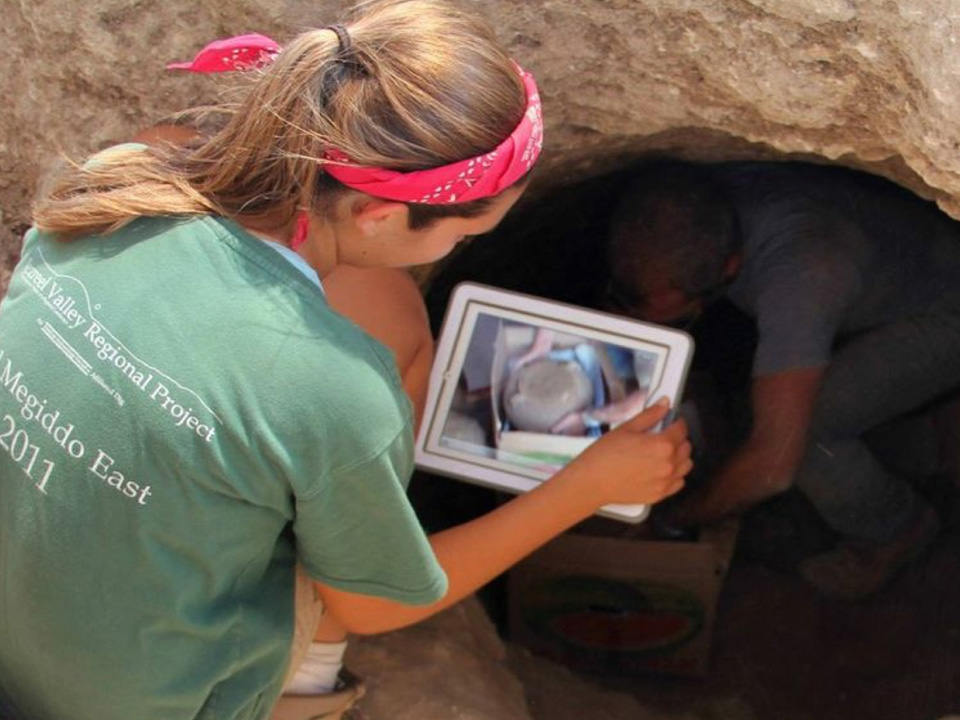
Ten years ago, an anthropologist named Kim Christen from Washington State University was visiting the Warumungu Aboriginal community in Australia, when it became apparent to her that their challenging task of cultural preservation could be significantly aided through a custom-built online tool. She applied for, and received funding for the web development of such a tool, and Mukurtu 1.0 was born. Some years later, the California-based Center for Digital Archaeology had joined the effort, and Mukurtu, having been well-used already and showing great promise, was slated for a complete rebuild with a fuller feature set. Kanopi Studios landed the contract, and I became the chief developer for the launch of Mukurtu 2.0.


“Mukurtu (MOOK-oo-too) is a grassroots project aiming to empower communities to manage, share, preserve, and exchange their digital heritage in culturally relevant and ethically-minded ways… Mukurtu is a Warumungu word meaning ‘dilly bag’– a safe keeping place for sacred materials.”

– Washington State University


Mukurtu was my inaugural Kanopian experience, and I was delighted to be hoisted into a position of developing socially-relevant technology. I believe there is a special potency where ancient culture meets modern technology.

Architecture

By the time of my arrival, Kanopi had already architected the fundamentals of the Mukurtu 2.0 platform, based on Drupal 7. Mukurtu is installed via a custom profile. A site may be installed and hosted by Reclaim Hosting, or a community may freely download Mukurtu from Github and install and host it themselves. In a Mukurtu site, there are Communities which are groups within the larger community. Within Communities, there are Cultural Protocols, which are also member-based groups. Communities are managed by Community Managers, and Cultural Protocols are managed by Protocol Stewards. There are other roles within each as well. This is all provisioned by Organic Groups.

The primary piece of content is a node type called a Digital Heritage Item (DH item). All such content belongs to a Cultural Protocol (CP), and thus also to a Community. We use a custom widget to select the Community and CP dynamically. DH items can belong to more than one CP, so there is an option of sharing the item with people that are members of any of its CPs or sharing it only with people that are members of all of its CPs.

A Digital Heritage Item is a relatively complex node type with five tabs of fields, but the most significant piece within it, other than the title and description, is the Media Assets. This is the actual piece of preserved culture, whether it be an image, a document, a video (uploaded or hosted on a video sharing service like Youtube), or an audio file (uploaded or hosted on Soundcloud). For this, we wanted the ability to use a single multi-value field for all media types. The Media module could not do this, so we went with an alternative — the Scald module. The original purpose of the Scald module was to make entities out of media, such that they were fieldable. That was no longer needed once File Entity was released, but Scald remained the only way to upload any media type in a single field. Among the fields on a media item are optional fields for Community and Cultural Protocol, so the permissions on a media item may exist in addition to the permissions on its parent Digital Heritage item.

So we have a complex permissions system that reflects communities with individually customizable needs, where privacy is a significant concern. The goal is to disperse, yet preserve, cultures that are rightfully sensitive to cultural appropriation. Given the complex permission needs, it was no surprise that custom permissions work was needed. In addition to stock OG permissions handling, I had to make combined use of all three of hook_node_access, the node grants system, and hook_search_api_query_alter. This is one of the pride points of my work on this project because it works well, and efficiently — the code for this is neatly summarized here.

Browse and Search

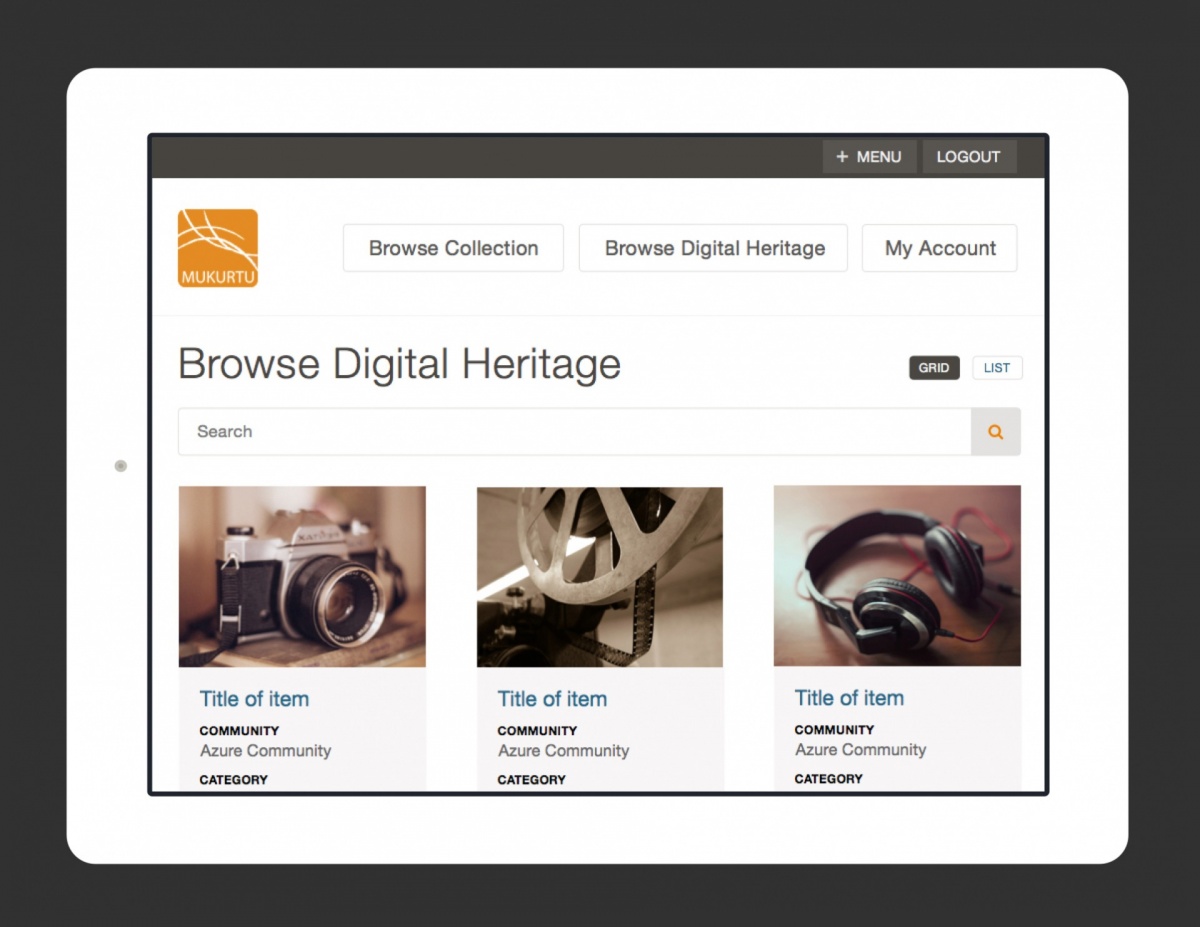
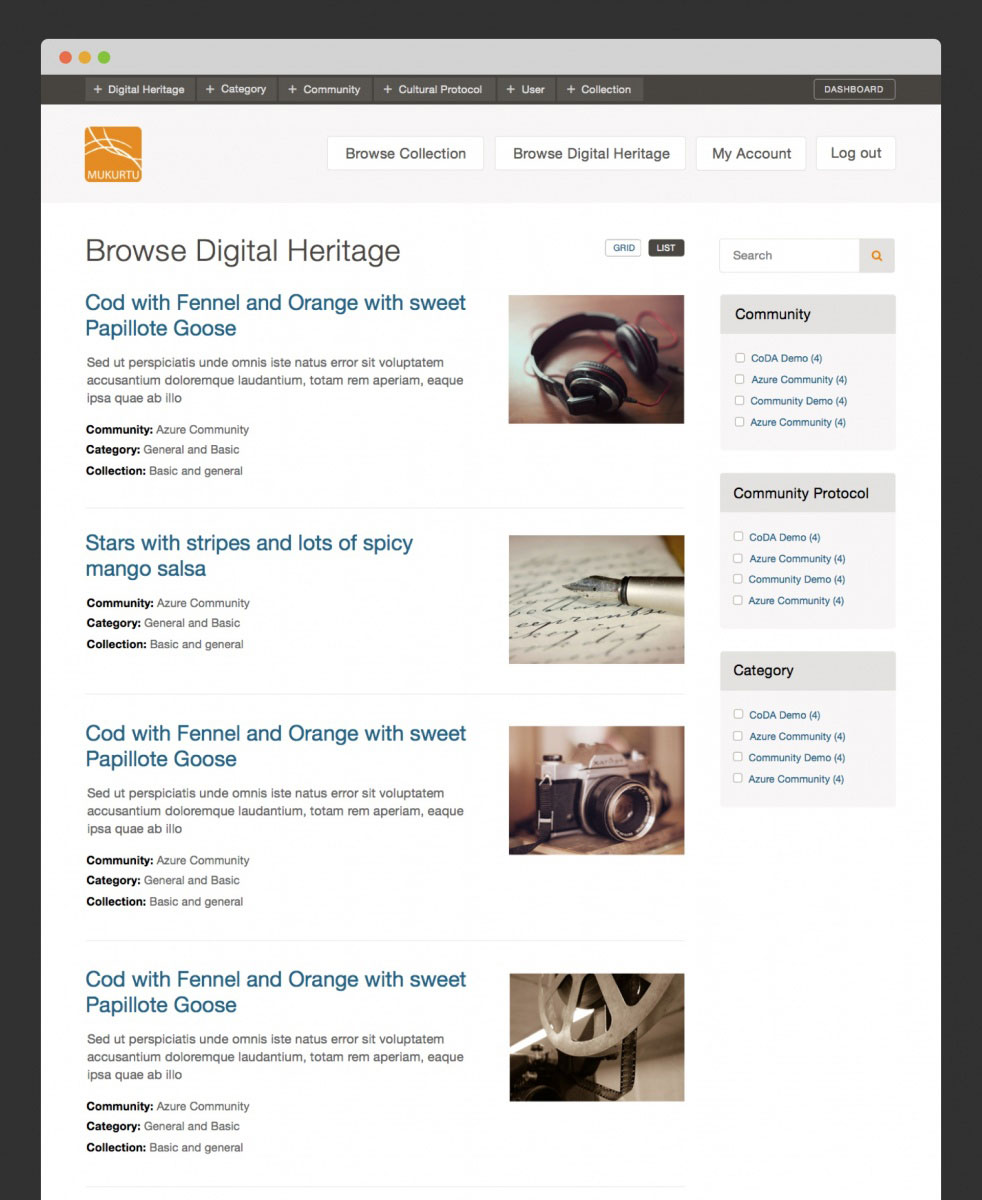
Browsing and searching are built on Search API, with a generous use of facets. The idea is to be able to easily plug in Solr when sites reach that capacity, but so far, things are running smoothly for all clients using Search API’s DB server. Search and browse results can be viewed in both list and grid views. Some heavy customization on Scald thumbnails is done here.

Mapping

Digital Heritage items can be assigned geographical points and browsed by map. Coming soon are the addition of lines and polygons geo-types, map clustering, a custom base map, a combined list/map view which respond to each other, a customized map legend, and rich popups when hovering on map items. I chose Leaflet over Openlayers, as the mapping library, for its efficiency, mobile-friendliness, and out-of-the-box great aesthetic. The drawback with that choice is that the Leaflet Drupal module is less mature than the Openlayers Drupal module. I’m very much looking forward to those mapping “coming soons,” some of which will have me contributing back to the Leaflet module.

Mobile App & Scald Services

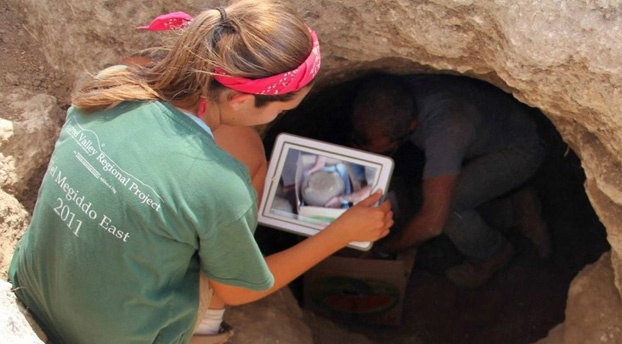
The Center for Digital Archaeology built a mobile app to be able to view and create Digital Heritage items and their media from the field. On the server side, I used Drupal Services to build the resource. For the Scald (media) items, I built a custom Services resource. After sharing this on the Scald issue queue, the maintainer suggested I make a Drupal sandbox project out of it, which he would link to from the module page, so I did. At zero users, I can’t say it is heavily used, but it was nonetheless satisfying to share code with the community in a more official way.

Batch Import / Export

Already implemented, is the batch import and export of content (Digital Heritage items, media, Communities, Cultural Protocols) through CSV. A grant application is in for the import and export of DH items through XML using the Dublin Core standard, with additional support for the METS and MODS extensions of Dublin Core.

Extended Functionality

Collections are groups of Digital Heritage items. “Dictionary” is a taxonomy of words in a given language, with words enhanced within their own set of fields. “Categories” is a taxonomy to group DH items together independently of their Cultural Protocol. DH items can be related to each other. Community Records are records within a DH item (sharing the same Media Assets), with customized field values for different Cultural Protocols, so a given Digital Heritage item can be shared between communities, but also contain information private to each community. Book Pages allows one to organize DH items as navigable multi-page items. There are also many finer pieces of functionality beyond the scope of this article.

In The Funding Pipes

Still to come, is integrating Open Atrium’s discussion and calendar tools into the build, a rich and customized email notification system, and “file fixity” with scheduled MD5 and SHA checksum comparisons to assure indigenous communities that their cultural resources remain untampered with throughout time.

The Perfect Drupal Project

Mukurtu is a powerful yet tailored system which fully warrants the label “platform”. It is, in many ways, the perfect use case for Drupal. It is open source, the code is clean, and it serves a righteous purpose. It is a long-running project with steady improvements informed by the needs of an ever-growing, yet specific user base. Mukurtu is what I started with at Kanopi, and two years later it remains a significant project on my Kanopian horizon. I am grateful to be able to work on it in any capacity, let alone such a committed one, and I have our CEO, Anne Stefanyk, to thank for having the vision to invest in this genuinely beneficial Nonprofit project.

Design meeting

If it ain’t broke …

How to know if your site needs a total rebuild or a focused fix

Designers mapping out a website.

So your site isn’t working the way you want it to. Maybe it’s sluggish, or you’re not seeing the conversions you want, or customers are complaining. Before you drop a huge chunk of your budget on a complete rebuild, consider that there might be a simpler (and more affordable) solution to your website woes.

We see a lot of Drupal 7 and WordPress websites here at Kanopi Studios, and we often discover that it’s more cost-effective for our clients to simply update their sites rather than rebuilding them. Making targeted updates can allow you to focus on addressing a few key issues, while still leveraging the investment of time, energy and funds that went into your site’s foundation.

Here are three key topics to consider:

1. How do you know when it’s time for a change?
2. Is your website optimally organized and designed to be user-friendly?
3. How strong is your technical foundation?

How do I know it’s time for a change?

Do any of these problems sound familiar?

  • Low conversion rates
  • Site pages take more than 3 seconds to load
  • Site doesn’t work well on mobile or other devices
  • Updating content is a difficult and frustrating process
  • Users struggle to find what they need on the site or have shared negative feedback
  • Site crashes when updating
  • Too many bugs
  • Building new features is difficult or may not even be possible
  • Site is not loading on https and triggers security warnings

If your answer to any of these is yes, it’s time to take action.

But first … is it really that important for me to address these issues?

Yes! A website that isn’t working optimally can dramatically affect your bottom line. An out-of-date or poorly designed website can:

  • Damage your credibility. If your website loads slowly, is crowded with clutter or is just plain not working, you are sending the message that your company is unprofessional.
  • Make you appear out of touch. A dated website tells your customers you are behind the technological times, or worse – you don’t care enough to stay up-to-date.
  • Cost you customers. Every customer who leaves your site in frustration due to broken links, complex forms, slow pages or confusing navigation is a customer you won’t get back. If your competitors offer similar services and have a stronger website experience, your loss will be their gain.

Decision time. If you want to avoid the damage that a dated website can cause, you’ll need to either rebuild your site or update it. If you’re ready to take action, we can help you find the best and most cost-effective approach.

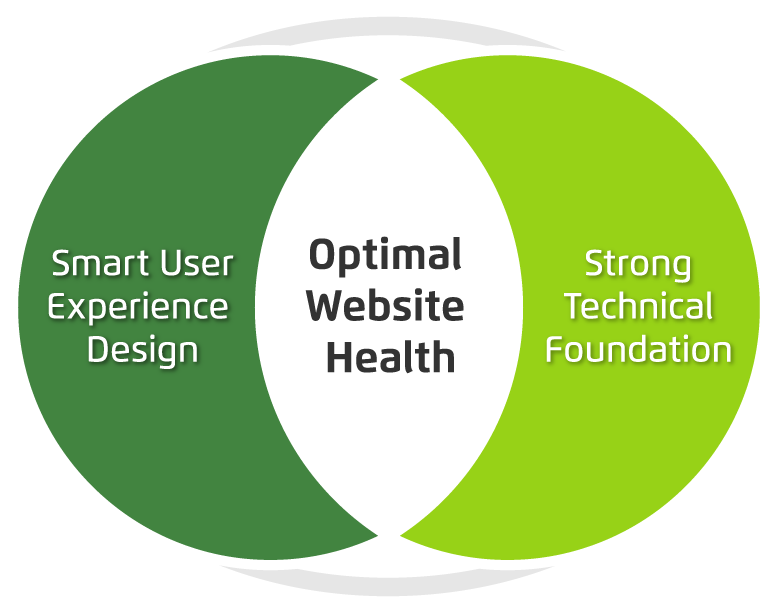
There are two primary things to consider when maximizing your site’s ROI: your user’s needs and the technology that drives your site. If you can identify and fix problems in both of these categories, you can most likely avoid a costly rebuild.

Venn diagram showing optimum website health at the intersection of smart user experience and strong tech foundation.

Next, we’ll dive a bit deeper into tips to help you level up your user experience and update your website technology without starting over from scratch. Consider it the non-surgical, diagnostic approach to improving your website experience right where it needs it the most. 

Audience learning from a speaker at a conference

We’re gearing up for WordCamp US 2017

See our team’s preview of the WordCamp US sessions we are most excited about and why

The Kanopi team is headed to Nashville in December to attend and sponsor WordCamp US 2017! We are busy packing our bags and researching the sessions we’d like to attend.

Here’s what has us most excited, and why.

1. Some of the very people who made WordPress possible will be speaking at this year’s event. We are beyond excited to hear from Matt Mullenweg, WordPress co-founder, and Andrew Nacin, lead WordPress developer.

2. Our very own Director of Engineering, Katherine White, will lead a session on Documentation for Developers. She’ll share advice on how to write just the right amount of documentation to set your code up for success without going crazy.

3. We’ll learn about the inner workings of the Customizer JS API from Weston Ruter, including how to use React to build custom controls and how to preview changes to sites that use React-based themes.

4. We’ll be ready to conquer continuous integration and deployment after hearing from Tessa Kriesel who will teach us the ways of yml and script files.

5. We’re looking forward to Nathaniel Schweinberg’s overview of how to move a WordPress site from a single-server setup to a scalable, highly-available infrastructure on AWS.

We can’t wait to apply the insights and learnings from WordCamp US 2017 to our day to day work and to share more details here on the blog. Stay tuned!

Business people working on project in office

Why you should consider migrating to Drupal 8

Amber
Amber Young

By now you have likely heard quite a bit about Drupal 8. But do you have a good sense of when and why to make the switch?

Migrating to Drupal 8 will make new features and functionality available for your site and help you stay current with the latest best practices. But it will take time and effort, and may mean a bit of refactoring as well.

What’s new in Drupal 8?

Drupal 8 adds a number of helpful features into core, making it possible to build fully-featured websites out of the box. Drupal 8 takes care of basic needs, so contributed modules can be reserved for specialized functionality.

There are more than 200 new features in Drupal 8, including built-in support for multilingual and mobile-friendly sites, a simplified content authoring experience with in-place editing, native web services, Views integration into core, stronger HTML5 support and much more.

In addition, Drupal 8 is written in well structured, object-oriented PHP based on the Symfony framework. And it leverages the Twig templating system, making design patterns simpler, faster, more logical and more secure.

Once you are on Drupal 8, you can easily take advantage of minor releases that will add powerful functionality on a predictable schedule, without requiring you to reinvent your site. And the focus on backwards compatibility beginning with Drupal 9 means upgrading between major versions won’t be a massive headache like it has been with past versions of Drupal.

Time to switch?

There are a number of factors to consider when deciding on migrating to Drupal 8. In general, the sooner you can bring your site up to the most up-to-date standards, the better. But it’s also important to consider your objectives when deciding on the best time for an upgrade.

If the functionality in Drupal 8 would revolutionize the way you do business, or you are considering rolling out significant new functionality, now might be a good time to switch. But if your Drupal 7 site is running well and there aren’t any solid business reasons to make the switch, you may consider holding off until Drupal 9 becomes available.

To help clarify your decision, we’ve created a quiz to help you determine when it’s time to make the switch. You can also contact us if you want to talk through the options.

A pencil, circling quiz answers.

Quiz: Is now the time to switch to Drupal 8?

Nikki Stevens, Drupal Architect / Tech Lead
Nikki Stevens

At Kanopi Studios, we help a lot of clients with Drupal migrations, whether they are migrating from other platforms or from older versions of Drupal. While the choice to migrate is rarely straightforward, it can be especially complicated when clients are deciding whether it’s the right time to migrate from Drupal 7 to Drupal 8.

In the spirit of the quizzes I spent my childhood taking, here’s a way that you can think about whether the moment is right to switch to Drupal 8.

Is there a Drupal 8 feature that you’d like to implement on your site?

  1. Yes, and we really need it
  2. Yes! It looks cool, and if it weren’t too much work, we’d love it.
  3. Not really.  We have everything that we need.

Is your site running slowly?

  1. Yes! And we’ve done everything we know how to do to fix it.
  2. Sometimes, but it seems like some tweaks might solve our problems
  3. Nope, pretty zippy.

Do you have a lot of custom code?

  1. Not really, mostly just contributed modules.
  2. Not too much, and what we have is well-documented.
  3. So much we don’t even know how much and the people who wrote it are gone

Is your site in a really-specific industry or field?

  1. No, our business offerings are pretty easy to understand.
  2. Kind of.  It takes some figuring out, but once you learn about our business, it all makes a lot of sense.
  3. Yes, we’re very niche.

Answer key: 

If you answered: mostly As:  
You’re a great candidate for a Drupal 8 upgrade.  

If you answered mostly Bs: 
It sounds like you’re fine where you are, but an upgrade could provide you some extra value.

If you answered mostly Cs:  
You should probably wait to upgrade until it’s a business necessity. Depending on how true a lot of the Cs are for you, upgrading could be time and cost intensive.

Ready to make the switch to Drupal 8? We’re here to help.

Contact us for an evaluation of what it will take to migrate your website to Drupal 8.

mage of business people hands working with papers at meeting

Concerned About the Health of Your Website? Download our Checklist.

Amber
Amber Young

There are so many factors that go into creating and maintaining a successful website that it can be hard to know where to start. It’s also difficult to prioritize your limited time and resources. That’s why we made a checklist to help you track best practices, from design, to user experience to accessibility, SEO and everything in between. 

Use it as a reference to evaluate your website and focus your energy on the areas where you can make the biggest impact for your business and your audience.         

We’re planning to create more checklists that dive deeper into some of our main practice areas. Let us know if there is a topic that would be helpful to you by writing to hello@kanopistudios.com.     

Get the checklist   

BADCamp attendees

What I learned at BADCamp 2017

Automation, the issue queue, backwards compatibility and more

Each year, BADCamp spotlights amazing talent in our industry, featuring dozens of high-quality sessions by talented individuals, including greg.1.anderson, webchick, robbayliss, jmolivas, and our own annabella, to name a few. The event helps all attendees connect with new ideas to up our development game. I had many favorites over the four-day event that included both sessions and trainings.

Automate Your Automation presented by greg.1.anderson was a huge favorite of mine. As a developer in a DevOps role, I loved learning about the time I could save by completing tasks in an automated fashion or allowing a robot to handle them for me. Greg shared some basic automation examples using familiar tools like github, circleci, and composer.

The session spoke to me personally and hit on a number of key points I have encountered in my own work, for example:

  • Manual work is prone to error
  • Repetitive work can become boring and tedious.
  • Automating tasks makes them more reliable and repeatable

Working at Kanopi, we are always trying to find ways to maximize efficiency and results for our clients. For example, it would be great to be able to automate common tasks like Drupal and WordPress updates to make them quick, efficient and accurate. Greg helped me think about ways that we could start to make this happen.

Another favorite at BADCamp 2017 was hearing volkswagenchick’s talk: Dred(itor) the Issue Queue? Don’t – It’s Simple(lytest) to Git in! Their session touched on getting involved in Drupal.org’s Issue Queue, including helpful tools to use and all the different roles that are needed. You don’t have to be a developer to help test bugs! In fact, even the least technical person can still help out.

Lastly, I enjoyed seeing webchick’s presentation about Drupal 9 and Backward Compatibility. She provided a much deeper dive into Dries’ DrupalCon Baltimore Keynote, sharing how much easier it will be to go from Drupal 8 to Drupal 9 then it has been in the past, which is great news for all of us! Previously, going from one major version of Drupal to another has been significantly harder, but that will no longer be the case. I was also excited to hear about some of the new initiatives that are planned, such as Migrate UI, Media, Layout, API First, and Automated Updates.

I was proud to be a part of the organizing team for BADCamp 2017. It was my first year, and the event blew all of my expectations out of the water. I hope to see even more Drupal Community members in Berkeley for BADCamp 2018.