









According to Momentive’s 2025 Associations Trends Research Report, almost half of association members say that job opportunities and career development are a very important part of their membership. However, only about a quarter of association professionals think these opportunities are very important to members. This disconnect demonstrates a clear member need that associations can meet via effective membership directories.
Approaching your membership directory from an expert design perspective is the true differentiator. Through high-performance web design, your association can transform a messy spreadsheet into a premium member resource that drives engagement and professional networking.
Here is everything we will cover to help you build an engaging, secure, and user-friendly digital membership directory:
- What is a membership directory?
- How to create a membership directory in 4 steps
- Best practices for membership directory design and UX
- Membership directory template for associations
- FAQs about online member directories
- Build a high-performance directory with Kanopi Studios
What is a membership directory?
A membership directory is a searchable, digital database that organizes and displays information about the individuals or organizations within a specific group. It functions as a dynamic networking hub, allowing users to easily find, filter, and connect with peers based on professional criteria, geography, or expertise.
The benefits of creating a membership directory for your organization include:
- Streamlining professional connections: Advanced filtering lets users avoid long lists and find the exact person or service they need in seconds.
- Driving member value: A well-designed directory facilitates peer-to-peer networking, a top-rated benefit for association members seeking professional growth.
- Enhancing organizational visibility: Public-facing directories can improve your SEO by creating indexable pages for member profiles, increasing the digital footprint of your member community.
How to create a membership directory in 4 steps
When creating a member directory, prioritize optimizing how data is consumed by end users. Your organization must align its technical infrastructure, specifically your CMS, with your community’s networking needs to ensure a frictionless experience.
Follow these four steps to build your membership directory:

- Define your data fields. Identify the essential information your members should share, including professional titles, company names, certifications, and contact methods.
- Establish privacy tiers. Set clear rules for which data is public and which is restricted to logged-in members to protect user privacy and comply with data regulations. For example, names, job titles, and workplaces may be publicly shared, while emails and phone numbers are only available to logged-in members.
- Map the user journey. Design a search-and-filter interface that lets users find information quickly without scrolling through alphabetical lists. Users should be able to filter by job title, workplace, geographic location, and other relevant fields.
- Integrate with existing systems. Ensure your directory syncs with your CRM or member database to automate updates and prevent manual data entry errors.
Best practices for membership directory design and UX
High-performance directories prioritize the front-end user experience (UX) to ensure the tool is intuitive on both desktop and mobile devices. A directory that is difficult to navigate or loads slowly will lead to low adoption rates and frustrated members who eventually abandon the resource.
To build a high-performing directory that offers a streamlined user experience, keep these best practices in mind:
- Implement filtered search. Use advanced filtering, such as checkboxes for industry or location, so users can dynamically narrow results without reloading the page. Integrating predictive search text anticipates user needs and instantly corrects common spelling errors.
- Optimize for speed. Directories with thousands of entries require optimized database queries to ensure search results appear instantly. This involves techniques such as caching frequently accessed data, using efficient database indexing, and minimizing the amount of data transferred to the client during initial load. Large directories should also use lazy loading to fetch member profiles only as the user scrolls or searches.
- Use a clear visual hierarchy. Design member profile cards with a consistent layout that highlights the most important information first. The typography hierarchy should position the member’s full name as the dominant visual element.
- Incorporate accessibility at every stage of the design process. Because directories are highly interactive databases, they require specific attention to how users navigate and consume data. Design and develop your directory in accordance with the Web Content Accessibility Guidelines (WCAG). For example, use ARIA labels for dynamic content, like faceted search filters that update results without refreshing the page.
- Prioritize mobile responsiveness. Ensure the directory layout adapts to smaller screens, as many members will access the list on mobile devices while at conferences or on the go. Key elements of mobile-friendly member directories include large, touch-friendly buttons, easily accessible filters, and minimal horizontal scrolling.
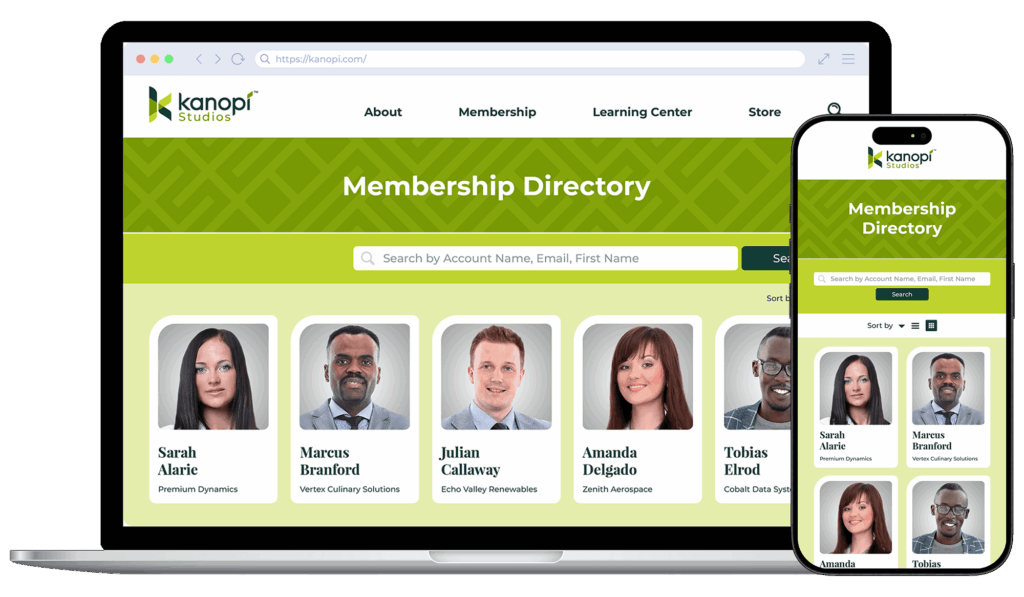
Regularly assess your directory analytics to identify the most popular search queries. Identifying exactly what members look for reveals areas to focus on in your overarching membership directory strategy, enabling you to fine-tune features to emphasize the content your audience values most.
What you should include in your membership directory
While custom directory development offers the most flexibility, starting with a structured template can help your association organize its data before the build phase. A successful template acts as a blueprint for the user interface, ensuring that data is presented in a logical, scannable format for the end user.
Your membership directory should feature the following information from members:
- Name and title: These are the primary identifiers for each entry in your database. Use bold font weights to immediately draw the eye and anchor the individual profile view.
- Organization and industry: This context is essential for B2B associations or professional trade groups. Create a filter that, when the company name is clicked, organizes the directory to show all relevant coworkers.
- Contact information: Include direct links to email, phone, or professional social media profiles.
- Expertise and tags: Implement keywords that make the directory searchable by specific skill sets or interests.
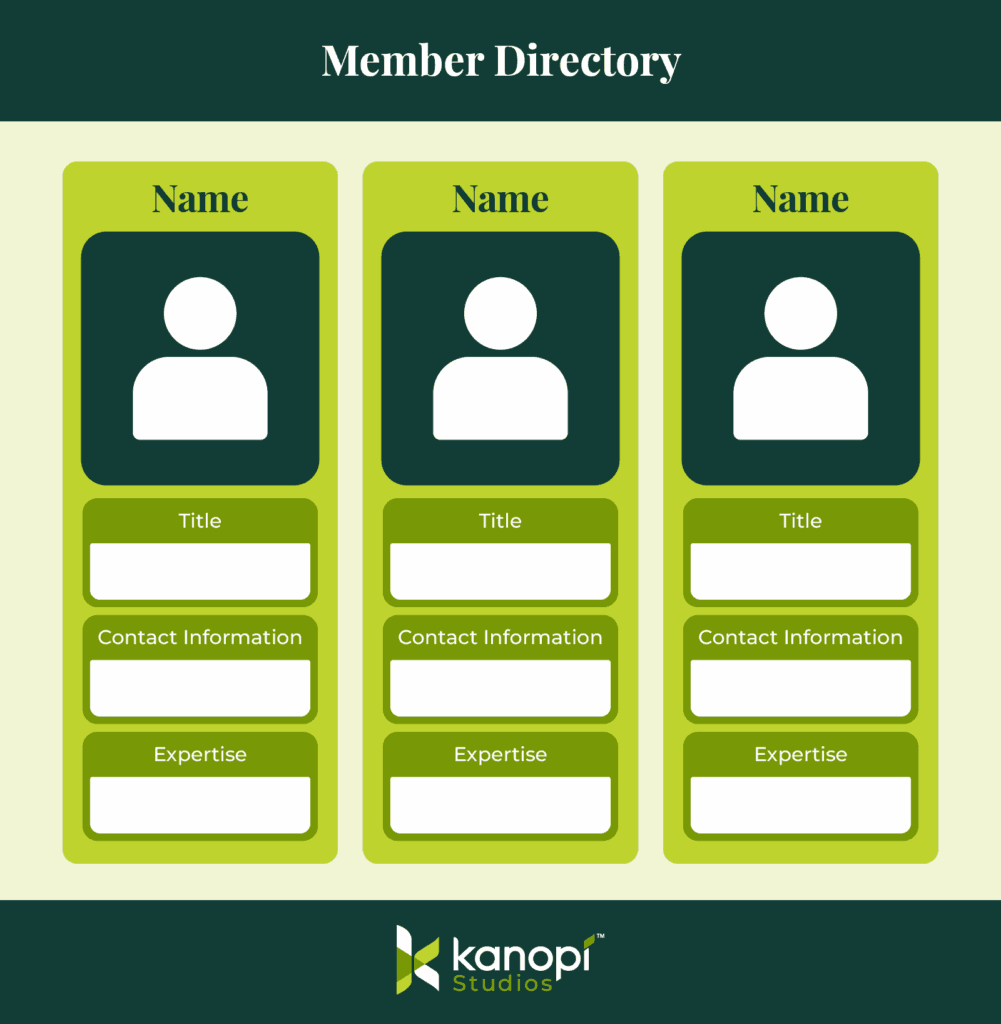
Implement progressive profiling techniques to populate this template over a long timeframe. For example, create a three-form architecture in which subsequent forms ask new, higher-value questions on return visits. The goal is to move beyond basic information (such as name and email) to collect more critical data points without overwhelming the user in a single interaction.
FAQs about online member directories
How often should I update the UX of my membership directory?
View your membership directory as a living resource rather than a set-it-and-forget-it project, so that the platform remains relevant, secure, and engaging. Here is a recommended schedule for updating your directory’s user experience:
- Continuous optimization (monthly or quarterly): Assign a platform manager to review site analytics regularly. Look closely at popular search queries, filter usage, and mobile drop-off rates. If users constantly type a specific skill into the open search bar, you should immediately convert that term into a standard faceted filter.
- Routine UX audits (every 6 to 12 months): Conduct a formal, documented review of the interface. This audit should include testing mobile responsiveness on the latest device sizes and verifying strict WCAG accessibility compliance against any updated legal standards. You should also solicit direct feedback from your active members through targeted usability surveys.
- Major overhauls (every 3 to 5 years): Web design standards evolve incredibly fast. After a few years, the underlying database technology, predictive search algorithms, and general visual expectations will have shifted dramatically. A comprehensive structural redesign ensures your directory continues to look and function like a premium, modern asset.
How can associations maintain the security of their membership directories?
Your association must proactively protect members from external threats to avoid data breaches and maintain trust. Take the following steps to ensure member data security:
- Implement role-based access control to restrict sensitive information to verified individuals. You can ensure that only active, dues-paying members can access member-only content.
- Use single sign-on authentication to drastically reduce the risk of compromised passwords. Members log in through a centralized, highly secure portal. This eliminates access vulnerabilities.
- Conduct quarterly security audits to evaluate your firewalls, active plugins, and underlying server architecture.
Build a high-performance directory with Kanopi Studios
Kanopi Studios specializes in moving associations away from clunky, outdated lists toward modern, mobile-optimized directory experiences. By focusing on superior UX and advanced CMS architecture, we help organizations turn their member data into a strategic asset.
We are experts in Drupal and WordPress, platforms that provide the flexibility needed to build a feature-filled directory. These platforms allow for deep customization of search logic, private member portals, and complex data relationships that generic software cannot handle.
We help associations build member directories with robust features such as:
- Custom post types: Treat each member profile as a unique data object that can be categorized and displayed across different sections of your site. This architectural approach prevents your database from becoming rigid over time.
- Granular access control: Build sophisticated permissions that allow different membership tiers to see varying levels of detail within the directory.
- Interactive maps: Integrate geographic data to display member locations (particularly useful for regional associations) and enable regional subgroups to organize localized meetups without administrative overhead.
- Automated profile management: Empower members to update their own information through a front-end dashboard, reducing the administrative burden on your staff.
Beyond directories, Kanopi offers a full suite of services, including content strategy, personalized resource libraries, and website accessibility.
Membership directory case study
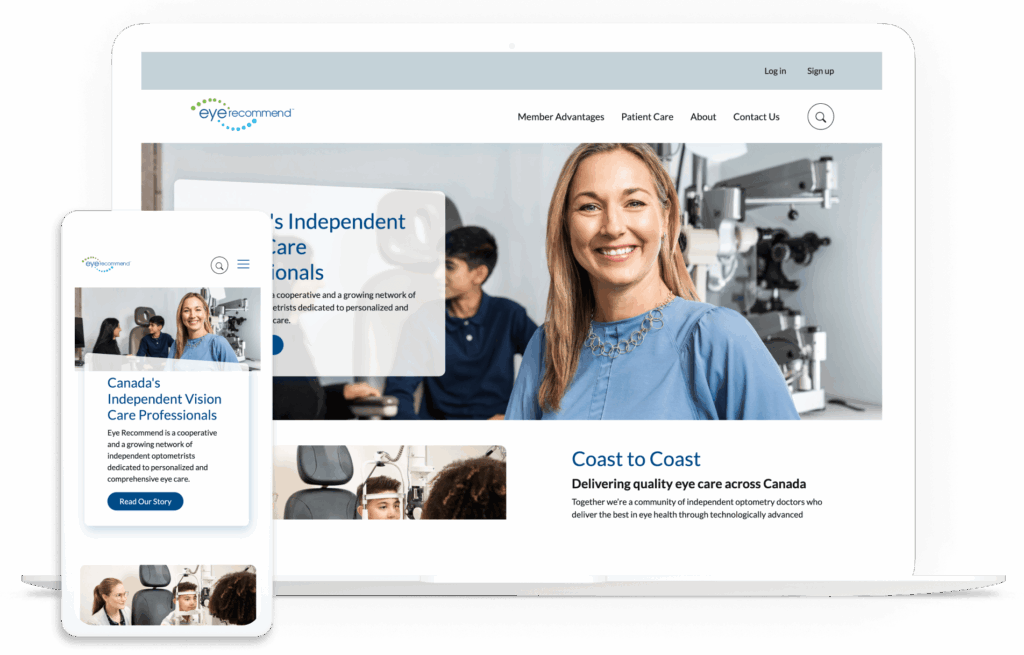
Our team implemented sophisticated filtering and single sign-on integration for Eye Recommend, a cooperative of independent optometrists. This ensured easy access to critical data for their busy members. As a result, their site saw a significant improvement in load times and a 10% increase in mobile users.
Elevate your member connections with your directory
A membership directory is a gateway to the community your association has built. By prioritizing professional web design, mobile accessibility, and advanced filtering, you provide a resource that members return to time and again.
Additional Resources
- How the 9 Best Association Websites Drive Engagement. Explore top examples of association website design to get more ideas for your site’s layout and features.
- The Ultimate Guide to WordPress Maintenance. If your association’s website runs on WordPress, this guide is an essential resource for maintaining and improving your site over time.
- Understanding AA vs. AAA Website Accessibility: What’s the Difference. Dive deeper into your accessibility responsibilities with this comprehensive guide to WCAG accessibility levels.