



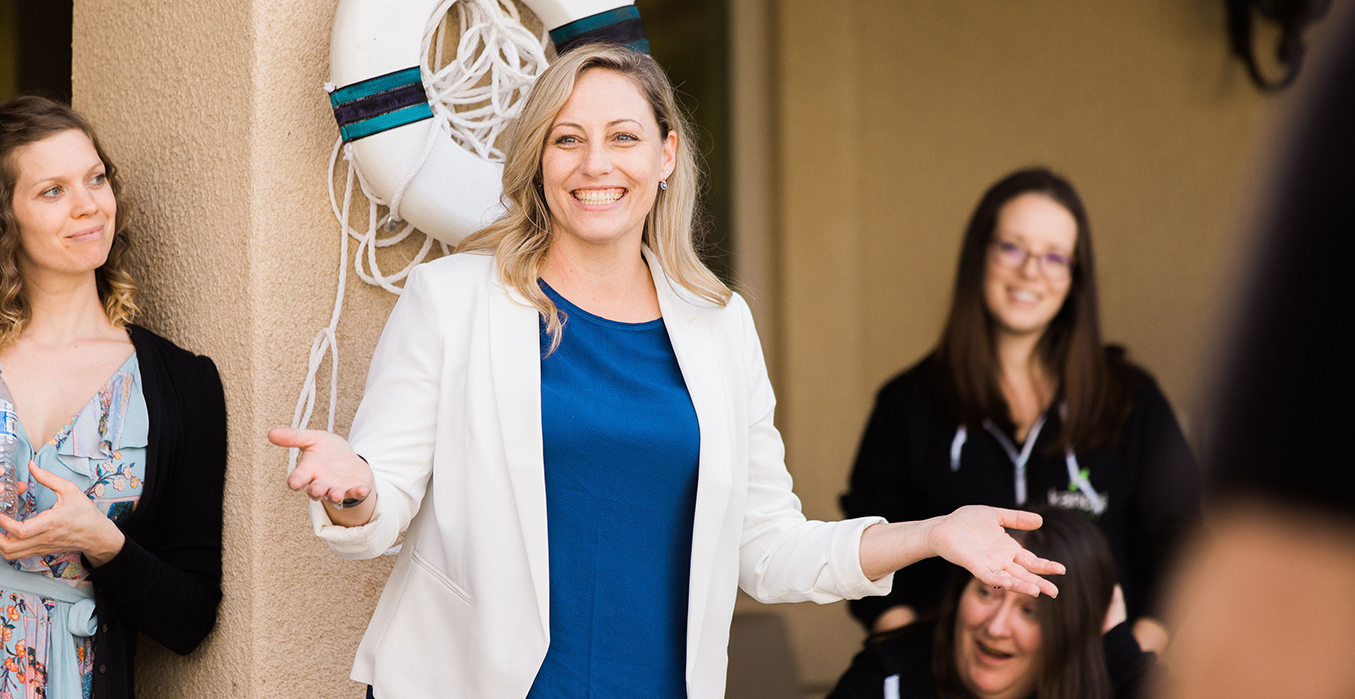


Collaborative meeting

How’s your user experience?

How to know if your site is optimally organized and designed

Now that you’ve decided that it’s time to take action to improve your website, it’s time to see if any user experience upgrades could help. Take a look through our list of issues below, and the tips to help resolve them.

Having a hard time converting leads or getting sales?

If you’re not sure why you’re not generating business from your website, it’s time to get serious about strategy and subsequent user experience upgrades. Here’s how:

  • Add a survey to your website using tools like Jotform’s Survey Maker to understand what users are looking for
  • Take a look at your analytics to understand where you are losing your users. If you don’t have analytics installed, get either Google Analytics or Tag Manager set up on your site.
  • Try an online user testing platform like Hotjar to help you go beyond standard analytics with heatmaps, visitor recordings, conversion funnels and more.
    Complete a User Experience & Conversion Optimization Audit with Kanopi Studios. We can make a whole range of insightful recommendations within your budget. Contact us to learn more.

Does your site take forever to load?

If it takes longer than three seconds, you have a problem.

  • Use Google PageSpeed or Pingdom to test your site’s speed, understand what might be slowing it down and take action to resolve any issues.
  • Make sure you have a reliable hosting company backing your site at the right level for the amount of traffic you receive.

Does your site work on mobile? Is it accessible?

It’s vital to make sure your site is accessible to everyone, no matter what device or screen size they are using. Here’s how to check:

  • Try using your site on a phone or a tablet. If you have to pinch or zoom to interact with the content, it’s time for a responsive design.
  • Make sure you can tab through all navigation and content on your site using only your keyboard, that all images have alt tags, and that you are able to use a voice browser to “read” your pages out loud. If not, you are missing key elements of accessibility.
  • Contact Kanopi Studios about an accessibility audit. We can help you identify the issues and build a plan for how to resolve them.

Is it frustrating – or impossible – to update content on your site?

If it’s a major undertaking to change even the simplest thing, something needs to happen.

  • Define your ideal workflow, then ask an expert to take a look and see how you can optimize the backend.
  • Consider the types of content that your site needs to support. Do you have templates in place that meet your needs? If not, it may be time to consider a bit of design and development time to build additional page types on your site.

Getting negative user feedback?

If the people visiting your site are taking the time to complain, chances are they might also take the time to help you make things better. Here’s how:

  • Collect feedback by sending out a survey, or document your customer service calls.
  • Always thank people for taking the time to help you improve.
  • Look for trends in the information you are receiving from users and build a plan to address any issues to help meet their needs

If none of the issues above apply, congratulations! Your user experience is likely more solid than many of the websites out there! But there are still more things to consider before committing to rebuilding your site. In our next post, we will walk you through a number of common technical issues and some helpful fixes for them.


Business people working on project in office

Why you should consider migrating to Drupal 8

Amber
Amber Young

By now you have likely heard quite a bit about Drupal 8. But do you have a good sense of when and why to make the switch?

Migrating to Drupal 8 will make new features and functionality available for your site and help you stay current with the latest best practices. But it will take time and effort, and may mean a bit of refactoring as well.

What’s new in Drupal 8?

Drupal 8 adds a number of helpful features into core, making it possible to build fully-featured websites out of the box. Drupal 8 takes care of basic needs, so contributed modules can be reserved for specialized functionality.

There are more than 200 new features in Drupal 8, including built-in support for multilingual and mobile-friendly sites, a simplified content authoring experience with in-place editing, native web services, Views integration into core, stronger HTML5 support and much more.

In addition, Drupal 8 is written in well structured, object-oriented PHP based on the Symfony framework. And it leverages the Twig templating system, making design patterns simpler, faster, more logical and more secure.

Once you are on Drupal 8, you can easily take advantage of minor releases that will add powerful functionality on a predictable schedule, without requiring you to reinvent your site. And the focus on backwards compatibility beginning with Drupal 9 means upgrading between major versions won’t be a massive headache like it has been with past versions of Drupal.

Time to switch?

There are a number of factors to consider when deciding on migrating to Drupal 8. In general, the sooner you can bring your site up to the most up-to-date standards, the better. But it’s also important to consider your objectives when deciding on the best time for an upgrade.

If the functionality in Drupal 8 would revolutionize the way you do business, or you are considering rolling out significant new functionality, now might be a good time to switch. But if your Drupal 7 site is running well and there aren’t any solid business reasons to make the switch, you may consider holding off until Drupal 9 becomes available.

To help clarify your decision, we’ve created a quiz to help you determine when it’s time to make the switch. You can also contact us if you want to talk through the options.

A pencil, circling quiz answers.

Quiz: Is now the time to switch to Drupal 8?

Nikki Stevens, Drupal Architect / Tech Lead
Nikki Stevens

At Kanopi Studios, we help a lot of clients with Drupal migrations, whether they are migrating from other platforms or from older versions of Drupal. While the choice to migrate is rarely straightforward, it can be especially complicated when clients are deciding whether it’s the right time to migrate from Drupal 7 to Drupal 8.

In the spirit of the quizzes I spent my childhood taking, here’s a way that you can think about whether the moment is right to switch to Drupal 8.

Is there a Drupal 8 feature that you’d like to implement on your site?

  1. Yes, and we really need it
  2. Yes! It looks cool, and if it weren’t too much work, we’d love it.
  3. Not really.  We have everything that we need.

Is your site running slowly?

  1. Yes! And we’ve done everything we know how to do to fix it.
  2. Sometimes, but it seems like some tweaks might solve our problems
  3. Nope, pretty zippy.

Do you have a lot of custom code?

  1. Not really, mostly just contributed modules.
  2. Not too much, and what we have is well-documented.
  3. So much we don’t even know how much and the people who wrote it are gone

Is your site in a really-specific industry or field?

  1. No, our business offerings are pretty easy to understand.
  2. Kind of.  It takes some figuring out, but once you learn about our business, it all makes a lot of sense.
  3. Yes, we’re very niche.

Answer key: 

If you answered: mostly As:  
You’re a great candidate for a Drupal 8 upgrade.  

If you answered mostly Bs: 
It sounds like you’re fine where you are, but an upgrade could provide you some extra value.

If you answered mostly Cs:  
You should probably wait to upgrade until it’s a business necessity. Depending on how true a lot of the Cs are for you, upgrading could be time and cost intensive.

Ready to make the switch to Drupal 8? We’re here to help.

Contact us for an evaluation of what it will take to migrate your website to Drupal 8.

mage of business people hands working with papers at meeting

Concerned About the Health of Your Website? Download our Checklist.

Amber
Amber Young

There are so many factors that go into creating and maintaining a successful website that it can be hard to know where to start. It’s also difficult to prioritize your limited time and resources. That’s why we made a checklist to help you track best practices, from design, to user experience to accessibility, SEO and everything in between. 

Use it as a reference to evaluate your website and focus your energy on the areas where you can make the biggest impact for your business and your audience.         

We’re planning to create more checklists that dive deeper into some of our main practice areas. Let us know if there is a topic that would be helpful to you by writing to hello@kanopistudios.com.     

Get the checklist   

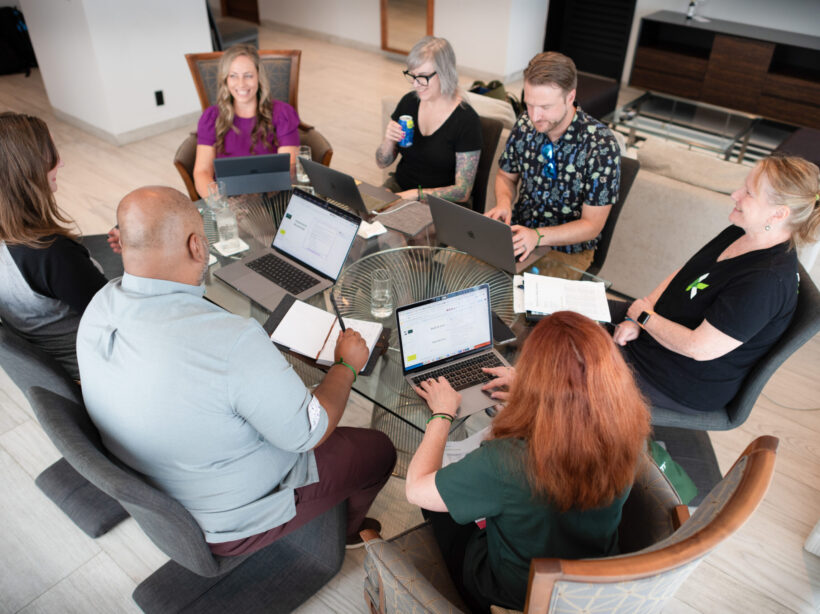
Aerial shot of Kanopi leadership around a table working on a project with laptops open.

How to write a winning RFP

Starting a new website project can feel overwhelming. Finding the right agency — one that truly understands your needs and can deliver effectively — is crucial. The best way to set yourself up for success? Ask the right questions from the start. But equally as important is providing as much clarity as possible in your Request for Proposal (RFP), ensuring that the responding agencies can offer accurate estimates and informed responses.

For large organizations with multiple decision-makers (we’re looking at you higher education and healthcare!) this process can be even more complex. Procurement requirements, departmental priorities, and differing opinions can make alignment challenging.

We see a lot of RFPs … ones that are 100 pages long and full of legal and procurement boilerplate, to those that are just three to five pages (and in case you were wondering, we prefer the shorter, more concise ones that get to the heart of the problem). So we have thoughts on what makes a great RFP.

To simplify the process, we’ve created an RFP template to serve as a foundation for your next website project. Our friends at the Drupal Association have written an RFP template as well specifically around open source projects.

As you work through the template, here are a few essentials to keep in mind:

  • Know your goals. Align with your internal teams in advance of the RFP process to define (and align) your needs.
  • Think in terms of building a long-term relationship. A good partnership with your vendors is key and should be established from the beginning. Do you like them as people? Can you imagine being on hours of calls? Choose an agency you can imagine collaborating with for years.
  • Be transparent. Clarity will benefit everyone. The clearer you are, the stronger and more customized the proposals you’ll get.
  • State your budget. This is a big one. When you include a realistic budget range, agencies can tailor their recommendations and avoid over- or under-scoping. It saves everyone time, builds trust, and ensures proposals are grounded in what’s achievable. Also consider reserving some percentage for contingency.  
  • Don’t be overly prescriptive. Describe your challenges, not the exact solutions. Good agencies are gifted at coming up with expert solutions to challenges that are stated in terms of problem statements or business objectives. Keeping an open mind will allow you to see (and compare) your prospective vendor’s recommendations and benefit from their expertise. 
  • Give yourself and your vendor enough time. Start the RFP process before your need is immediate to avoid extra pressure on both sides to meet an unnecessarily tight timeline to respond. Allowing more time can also mean more considered and complete responses.
  • Talk to your potential vendors ahead of time. This allows you to establish the relationship and pre-select the ones you suspect will be a good fit. The right vendors can provide a lot of value early in the process, which may even help inform the scope or direction of the RFP. Even better? Complete your strategic planning first to get extra clarity.

If you use AI to write your RFP:

AI tools can help you get started faster, but be careful: they tend to add unnecessary detail (and bloat equals a higher budget). To keep your RFP sharp:

  • Begin with a clear problem statement and desired outcomes.
  • Ask AI to outline sections, not write a full document.
  • Review, refine, and delete anything that doesn’t add value.
  • Separate “must-haves” from “nice-to-haves.”
  • Always have a human proofread any AI parts of your RFP to sanity-check the output against your goals and budget.

What’s next?

Once you’ve written that RFP and gotten responses back, it’s time to choose your vendor! We’ve also got advice on how to evaluate the RFP responses you receive.

Kanopi’s Allison Manley gave a presentation at the NTC Conference on how to write a winning RFP. Check out her presentation below to get more in-depth information.

SFCM blog

Symbiosis FTW: Better Living Through Partnerships

“Mutualism” is a fancy term for a mutually beneficial, symbiotic relationship between two entities in nature. Organisms, from simple to complex, team up and help each other to the benefit of both; resources that may be scarce for one organism are easily provided by the other. So, how can mutualism apply in the agency world? The modern approach to building technology-agnostic experiences, allows the evolution of the User Experience and Design to lead the executional decisions on “how” (the technologies) to build the “what” that has evolved. At times, firms look for a partnership to complement their team. Therefore, mutualism with other agencies can become an extension of the firm and seamlessly keep projects moving forward.

At Kanopi Studios, we feel that a symbiotic collaboration of great minds breeds great work together! That’s why we are proud to highlight our partnership with Mule Design Studio on the San Francisco Conservatory of Music (SFCM) website.


San Francisco Conservatory of Music gives students the framework and foundation to succeed throughout their studies and careers, creating a path of lifelong learning. In partnering with Mule Design Studio, SFCM was looking for a full web transformation; one that would showcase the Conservatory’s unique mission and offerings. The goal was to delight prospective students and their parents and provide pathways to relevant content inspiring them to want to study at SFCM. SFCM also wanted a robust and manageable content administration process.

Mule expertly constructed an experience to propel the brand experience and accomplish these goals, then chose Kanopi Studios as their Development Partner to bring the experience to life.


“We seek development partners who specialize in implementing state-of-the-art web experiences. Kanopi’s decade-plus experience in Drupal development, their ingenuity, and their people are why we chose to work with their studio. Mule takes a holistic approach to strategy, design, and technology, and selecting a partner like Kanopi to be a part of delivering a successful site is imperative.”

– Mike Monteiro, Mule Design


Kanopi constructed a dedicated multidisciplinary team to perform technical guidance, feasibility and executional services for the project. Together, Mule and Kanopi provided thought-leadership on real-world implementation and actualization of design, while building a blueprint for the end user’s experience, both visually and technically. The partnership between Mule and Kanopi was seamless, and the teams strived to provide a unified experience for the end client.

As with many projects, there were complexities. In this case, the end-result needed to be more of a customized web solution. Not only did the experience require carefully crafted content, the sheer volume of content required a mindful execution for the front-end to be flexible to accommodate it, as well as the CMS administration that powered it. There were also integration points, such as an EMS calendar system. In order to further integrate the calendaring system into the experience, we were able to create a customized model to group related taxonomy with events on the calendar and create a guide that SFCM could build out and load content into as needed.


“Kanopi conducted a thorough technical discovery phase to inform and define the technical specifications for the project. These were outlined in a scope document for the client and included all third party integrations. It also mapped our implementation plan, defined parameters, and called out specific criteria for the build. Throughout the project, Kanopi provided further detailed plans for the client around each milestone: CMS Training, Content Entry, QA Testing, and Launch. This documentation enabled a smooth, on-time launch.”

– Maggie Glaize, Mule Design


Alignment between Mule and Kanopi was critical to provide a unified execution, but the end client’s partnership with the teams was just, if not more, pertinent. SFCM assembled a multi-skilled team to tackle the project and methodically navigated stakeholders on their side to gain buy-in and lead the effort. The project success was an absolute collaboration between several organizations all working diligently toward common goals, and leaning on each other throughout to successfully launch the experience.

In nature, measuring the precise benefits to the individuals in a mutualistic relationship is not always a straightforward process, particularly when organisms can receive benefits from a variety of sources. By creating lasting, trusted, ongoing agency partnerships, Kanopi builds personal connections. The more we understand how our agency partners think, the more we can intuit what they need, and the more we can intuit project needs. Interactions between Kanopi and our partners are harmonious, as are the relationships we have with our end clients. 

Want to form a partnership with us on your next project? Contact us.

Drupal 6 End-of-Life Is Here

As promised, as of today, three months after the release of Drupal 8, the Drupal community will no longer support Drupal 6. The Drupal 6 end of life is upon us.  What this means for organizations with websites built in D6:

  • The Drupal community will no longer create new projects, fix bugs in existing projects, or write documentation, etc. for Drupal 6.
  • There will be no more core commits to the official tree on Drupal 6.x.
  • Drupal.org’s security team will no longer provide support or Security Advisories for Drupal 6
  • All Drupal 6 releases on project pages will be flagged as not supported.
  • At some point in the future update status may stop working for Drupal 6 sites.
  • Hosting providers such as BlackMesh will no longer provide any support to D6 sites.

Kanopi studios will continue to provide limited support to clients with Drupal 6 sites as they evaluate a path to upgrade to Drupal 7 or Drupal 8. Organizations with Drupal 6 sites should plan to upgrade their site as soon as possible.

For questions about upgrading to Drupal 7 or 8, please contact us.