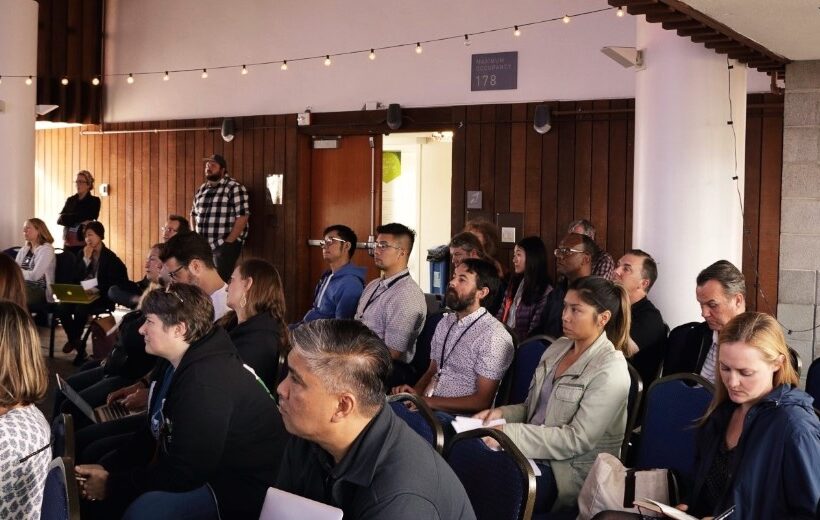
Audience learning from a speaker at a conference

We’re gearing up for WordCamp US 2017

See our team’s preview of the WordCamp US sessions we are most excited about and why

The Kanopi team is headed to Nashville in December to attend and sponsor WordCamp US 2017! We are busy packing our bags and researching the sessions we’d like to attend.

Here’s what has us most excited, and why.

1. Some of the very people who made WordPress possible will be speaking at this year’s event. We are beyond excited to hear from Matt Mullenweg, WordPress co-founder, and Andrew Nacin, lead WordPress developer.

2. Our very own Director of Engineering, Katherine White, will lead a session on Documentation for Developers. She’ll share advice on how to write just the right amount of documentation to set your code up for success without going crazy.

3. We’ll learn about the inner workings of the Customizer JS API from Weston Ruter, including how to use React to build custom controls and how to preview changes to sites that use React-based themes.

4. We’ll be ready to conquer continuous integration and deployment after hearing from Tessa Kriesel who will teach us the ways of yml and script files.

5. We’re looking forward to Nathaniel Schweinberg’s overview of how to move a WordPress site from a single-server setup to a scalable, highly-available infrastructure on AWS.

We can’t wait to apply the insights and learnings from WordCamp US 2017 to our day to day work and to share more details here on the blog. Stay tuned!

Business people working on project in office

Why you should consider migrating to Drupal 8

Amber
Amber Young

By now you have likely heard quite a bit about Drupal 8. But do you have a good sense of when and why to make the switch?

Migrating to Drupal 8 will make new features and functionality available for your site and help you stay current with the latest best practices. But it will take time and effort, and may mean a bit of refactoring as well.

What’s new in Drupal 8?

Drupal 8 adds a number of helpful features into core, making it possible to build fully-featured websites out of the box. Drupal 8 takes care of basic needs, so contributed modules can be reserved for specialized functionality.

There are more than 200 new features in Drupal 8, including built-in support for multilingual and mobile-friendly sites, a simplified content authoring experience with in-place editing, native web services, Views integration into core, stronger HTML5 support and much more.

In addition, Drupal 8 is written in well structured, object-oriented PHP based on the Symfony framework. And it leverages the Twig templating system, making design patterns simpler, faster, more logical and more secure.

Once you are on Drupal 8, you can easily take advantage of minor releases that will add powerful functionality on a predictable schedule, without requiring you to reinvent your site. And the focus on backwards compatibility beginning with Drupal 9 means upgrading between major versions won’t be a massive headache like it has been with past versions of Drupal.

Time to switch?

There are a number of factors to consider when deciding on migrating to Drupal 8. In general, the sooner you can bring your site up to the most up-to-date standards, the better. But it’s also important to consider your objectives when deciding on the best time for an upgrade.

If the functionality in Drupal 8 would revolutionize the way you do business, or you are considering rolling out significant new functionality, now might be a good time to switch. But if your Drupal 7 site is running well and there aren’t any solid business reasons to make the switch, you may consider holding off until Drupal 9 becomes available.

To help clarify your decision, we’ve created a quiz to help you determine when it’s time to make the switch. You can also contact us if you want to talk through the options.

A pencil, circling quiz answers.

Quiz: Is now the time to switch to Drupal 8?

Nikki Stevens, Drupal Architect / Tech Lead
Nikki Stevens

At Kanopi Studios, we help a lot of clients with Drupal migrations, whether they are migrating from other platforms or from older versions of Drupal. While the choice to migrate is rarely straightforward, it can be especially complicated when clients are deciding whether it’s the right time to migrate from Drupal 7 to Drupal 8.

In the spirit of the quizzes I spent my childhood taking, here’s a way that you can think about whether the moment is right to switch to Drupal 8.

Is there a Drupal 8 feature that you’d like to implement on your site?

  1. Yes, and we really need it
  2. Yes! It looks cool, and if it weren’t too much work, we’d love it.
  3. Not really.  We have everything that we need.

Is your site running slowly?

  1. Yes! And we’ve done everything we know how to do to fix it.
  2. Sometimes, but it seems like some tweaks might solve our problems
  3. Nope, pretty zippy.

Do you have a lot of custom code?

  1. Not really, mostly just contributed modules.
  2. Not too much, and what we have is well-documented.
  3. So much we don’t even know how much and the people who wrote it are gone

Is your site in a really-specific industry or field?

  1. No, our business offerings are pretty easy to understand.
  2. Kind of.  It takes some figuring out, but once you learn about our business, it all makes a lot of sense.
  3. Yes, we’re very niche.

Answer key: 

If you answered: mostly As:  
You’re a great candidate for a Drupal 8 upgrade.  

If you answered mostly Bs: 
It sounds like you’re fine where you are, but an upgrade could provide you some extra value.

If you answered mostly Cs:  
You should probably wait to upgrade until it’s a business necessity. Depending on how true a lot of the Cs are for you, upgrading could be time and cost intensive.

Ready to make the switch to Drupal 8? We’re here to help.

Contact us for an evaluation of what it will take to migrate your website to Drupal 8.

mage of business people hands working with papers at meeting

Concerned About the Health of Your Website? Download our Checklist.

Amber
Amber Young

There are so many factors that go into creating and maintaining a successful website that it can be hard to know where to start. It’s also difficult to prioritize your limited time and resources. That’s why we made a checklist to help you track best practices, from design, to user experience to accessibility, SEO and everything in between. 

Use it as a reference to evaluate your website and focus your energy on the areas where you can make the biggest impact for your business and your audience.         

We’re planning to create more checklists that dive deeper into some of our main practice areas. Let us know if there is a topic that would be helpful to you by writing to hello@kanopistudios.com.     

Get the checklist   

BADCamp attendees

What I learned at BADCamp 2017

Automation, the issue queue, backwards compatibility and more

Each year, BADCamp spotlights amazing talent in our industry, featuring dozens of high-quality sessions by talented individuals, including greg.1.anderson, webchick, robbayliss, jmolivas, and our own annabella, to name a few. The event helps all attendees connect with new ideas to up our development game. I had many favorites over the four-day event that included both sessions and trainings.

Automate Your Automation presented by greg.1.anderson was a huge favorite of mine. As a developer in a DevOps role, I loved learning about the time I could save by completing tasks in an automated fashion or allowing a robot to handle them for me. Greg shared some basic automation examples using familiar tools like github, circleci, and composer.

The session spoke to me personally and hit on a number of key points I have encountered in my own work, for example:

  • Manual work is prone to error
  • Repetitive work can become boring and tedious.
  • Automating tasks makes them more reliable and repeatable

Working at Kanopi, we are always trying to find ways to maximize efficiency and results for our clients. For example, it would be great to be able to automate common tasks like Drupal and WordPress updates to make them quick, efficient and accurate. Greg helped me think about ways that we could start to make this happen.

Another favorite at BADCamp 2017 was hearing volkswagenchick’s talk: Dred(itor) the Issue Queue? Don’t – It’s Simple(lytest) to Git in! Their session touched on getting involved in Drupal.org’s Issue Queue, including helpful tools to use and all the different roles that are needed. You don’t have to be a developer to help test bugs! In fact, even the least technical person can still help out.

Lastly, I enjoyed seeing webchick’s presentation about Drupal 9 and Backward Compatibility. She provided a much deeper dive into Dries’ DrupalCon Baltimore Keynote, sharing how much easier it will be to go from Drupal 8 to Drupal 9 then it has been in the past, which is great news for all of us! Previously, going from one major version of Drupal to another has been significantly harder, but that will no longer be the case. I was also excited to hear about some of the new initiatives that are planned, such as Migrate UI, Media, Layout, API First, and Automated Updates.

I was proud to be a part of the organizing team for BADCamp 2017. It was my first year, and the event blew all of my expectations out of the water. I hope to see even more Drupal Community members in Berkeley for BADCamp 2018.

Aerial shot of Kanopi leadership around a table working on a project with laptops open.

How to write a winning RFP

Starting a new website project can feel overwhelming. Finding the right agency — one that truly understands your needs and can deliver effectively — is crucial. The best way to set yourself up for success? Ask the right questions from the start. But equally as important is providing as much clarity as possible in your Request for Proposal (RFP), ensuring that the responding agencies can offer accurate estimates and informed responses.

For large organizations with multiple decision-makers (we’re looking at you higher education and healthcare!) this process can be even more complex. Procurement requirements, departmental priorities, and differing opinions can make alignment challenging.

We see a lot of RFPs … ones that are 100 pages long and full of legal and procurement boilerplate, to those that are just three to five pages (and in case you were wondering, we prefer the shorter, more concise ones that get to the heart of the problem). So we have thoughts on what makes a great RFP.

To simplify the process, we’ve created an RFP template to serve as a foundation for your next website project. Our friends at the Drupal Association have written an RFP template as well specifically around open source projects.

As you work through the template, here are a few essentials to keep in mind:

  • Know your goals. Align with your internal teams in advance of the RFP process to define (and align) your needs.
  • Think in terms of building a long-term relationship. A good partnership with your vendors is key and should be established from the beginning. Do you like them as people? Can you imagine being on hours of calls? Choose an agency you can imagine collaborating with for years.
  • Be transparent. Clarity will benefit everyone. The clearer you are, the stronger and more customized the proposals you’ll get.
  • State your budget. This is a big one. When you include a realistic budget range, agencies can tailor their recommendations and avoid over- or under-scoping. It saves everyone time, builds trust, and ensures proposals are grounded in what’s achievable. Also consider reserving some percentage for contingency.  
  • Don’t be overly prescriptive. Describe your challenges, not the exact solutions. Good agencies are gifted at coming up with expert solutions to challenges that are stated in terms of problem statements or business objectives. Keeping an open mind will allow you to see (and compare) your prospective vendor’s recommendations and benefit from their expertise. 
  • Give yourself and your vendor enough time. Start the RFP process before your need is immediate to avoid extra pressure on both sides to meet an unnecessarily tight timeline to respond. Allowing more time can also mean more considered and complete responses.
  • Talk to your potential vendors ahead of time. This allows you to establish the relationship and pre-select the ones you suspect will be a good fit. The right vendors can provide a lot of value early in the process, which may even help inform the scope or direction of the RFP.

If you use AI to write your RFP:

AI tools can help you get started faster, but be careful: they tend to add unnecessary detail (and bloat equals a higher budget). To keep your RFP sharp:

  • Begin with a clear problem statement and desired outcomes.
  • Ask AI to outline sections, not write a full document.
  • Review, refine, and delete anything that doesn’t add value.
  • Separate “must-haves” from “nice-to-haves.”
  • Always have a human proofread any AI parts of your RFP to sanity-check the output against your goals and budget.

What’s next?

Once you’ve written that RFP and gotten responses back, it’s time to choose your vendor! We’ve also got advice on how to evaluate the RFP responses you receive.

Kanopi’s Allison Manley gave a presentation at the NTC Conference on how to write a winning RFP. Check out her presentation below to get more in-depth information.

A Decade of Data: UC Berkeley I School Case Study

The Berkeley School of Information (UC Berkeley I School) contacted Kanopi Studios with a robust request: a redesign of their website, guidance on the modernization of development techniques, and a full migration of their site to the newest version of Drupal — which meant moving over 10 years of content.

This kind of request wasn’t unusual for us. Higher education clients are unique in that they are a lot of things to a lot of people. Audiences include academic peers, laypeople, current students, and prospective students. There are often competing goals and priorities, all of which need to be examined and addressed.

The answer to meeting the complex needs of higher education clients is always the same: start with research. With I School, our first stop was discovery. We had to figure out what we had to work with. That meant working closely with I School to determine content types, decide what information was still relevant, map the content to the new site, and gain clarity on the specific content that needed to be migrated during the development phase.

Then we set out our deliverables:

  • Drupal migration
  • Redesign
  • Training
  • Development pipeline
  • Responsive theming

We used a persona-driven design process that started and ended with the user. We asked the questions, “Who are we trying to attract?” and  “What do they want to see?” We blended the classic elements of UC Berkeley with a modern look and feel that would attract prospective students, while at the same time making sure the design would maintain the same high quality across a variety of platforms and devices.

In order to modernize the development practices used for I School’s site, we reorganized the way code and files were structured and refactored some of the custom modules so we could take advantage of newer tools in Drupal 7, such as the Database API, Panels, and various caching methods.

We also provided I School with a full platform for continuous software delivery, with automated deployments to the development site and scripted deployments across all environments. The bottom line? Less downtime and a more responsive site.

“It was a great pleasure to work with Kanopi on our website redesign project. We faced a daunting challenge migrating our highly customized site from one version of Drupal to another, while simultaneously moving to a completely new responsive visual design. The Kanopi team’s expertise and enthusiasm were critical to the success of our project. We couldn’t have done it without them!”

– Kevin Heard, Senior Director of Information Technology, UC Berkeley School of Information

As they say, the proof is in the pudding. In the weeks since the new site launched, measurable improvements are already being noticed by site administrators and, most importantly, by the users! Here’s a snapshot of the improvements:

  • Sessions increased by 4.29%
  • Users increased by 3.11%
  • Page views increased by 22.30%
  • Pages/session increased by 17.26%
  • Average session duration increased by 11.33%
  • Bounce rate decreased by 1.42%

From research to organization to design to modernization, our decisions were driven by data every step of the way. Contact us today to discover how we can transform your site and help you meet your goals.

SFCM blog

Symbiosis FTW: Better Living Through Partnerships

“Mutualism” is a fancy term for a mutually beneficial, symbiotic relationship between two entities in nature. Organisms, from simple to complex, team up and help each other to the benefit of both; resources that may be scarce for one organism are easily provided by the other. So, how can mutualism apply in the agency world? The modern approach to building technology-agnostic experiences, allows the evolution of the User Experience and Design to lead the executional decisions on “how” (the technologies) to build the “what” that has evolved. At times, firms look for a partnership to complement their team. Therefore, mutualism with other agencies can become an extension of the firm and seamlessly keep projects moving forward.

At Kanopi Studios, we feel that a symbiotic collaboration of great minds breeds great work together! That’s why we are proud to highlight our partnership with Mule Design Studio on the San Francisco Conservatory of Music (SFCM) website.


San Francisco Conservatory of Music gives students the framework and foundation to succeed throughout their studies and careers, creating a path of lifelong learning. In partnering with Mule Design Studio, SFCM was looking for a full web transformation; one that would showcase the Conservatory’s unique mission and offerings. The goal was to delight prospective students and their parents and provide pathways to relevant content inspiring them to want to study at SFCM. SFCM also wanted a robust and manageable content administration process.

Mule expertly constructed an experience to propel the brand experience and accomplish these goals, then chose Kanopi Studios as their Development Partner to bring the experience to life.


“We seek development partners who specialize in implementing state-of-the-art web experiences. Kanopi’s decade-plus experience in Drupal development, their ingenuity, and their people are why we chose to work with their studio. Mule takes a holistic approach to strategy, design, and technology, and selecting a partner like Kanopi to be a part of delivering a successful site is imperative.”

– Mike Monteiro, Mule Design


Kanopi constructed a dedicated multidisciplinary team to perform technical guidance, feasibility and executional services for the project. Together, Mule and Kanopi provided thought-leadership on real-world implementation and actualization of design, while building a blueprint for the end user’s experience, both visually and technically. The partnership between Mule and Kanopi was seamless, and the teams strived to provide a unified experience for the end client.

As with many projects, there were complexities. In this case, the end-result needed to be more of a customized web solution. Not only did the experience require carefully crafted content, the sheer volume of content required a mindful execution for the front-end to be flexible to accommodate it, as well as the CMS administration that powered it. There were also integration points, such as an EMS calendar system. In order to further integrate the calendaring system into the experience, we were able to create a customized model to group related taxonomy with events on the calendar and create a guide that SFCM could build out and load content into as needed.


“Kanopi conducted a thorough technical discovery phase to inform and define the technical specifications for the project. These were outlined in a scope document for the client and included all third party integrations. It also mapped our implementation plan, defined parameters, and called out specific criteria for the build. Throughout the project, Kanopi provided further detailed plans for the client around each milestone: CMS Training, Content Entry, QA Testing, and Launch. This documentation enabled a smooth, on-time launch.”

– Maggie Glaize, Mule Design


Alignment between Mule and Kanopi was critical to provide a unified execution, but the end client’s partnership with the teams was just, if not more, pertinent. SFCM assembled a multi-skilled team to tackle the project and methodically navigated stakeholders on their side to gain buy-in and lead the effort. The project success was an absolute collaboration between several organizations all working diligently toward common goals, and leaning on each other throughout to successfully launch the experience.

In nature, measuring the precise benefits to the individuals in a mutualistic relationship is not always a straightforward process, particularly when organisms can receive benefits from a variety of sources. By creating lasting, trusted, ongoing agency partnerships, Kanopi builds personal connections. The more we understand how our agency partners think, the more we can intuit what they need, and the more we can intuit project needs. Interactions between Kanopi and our partners are harmonious, as are the relationships we have with our end clients. 

Want to form a partnership with us on your next project? Contact us.

How to fine-tune your site content for RankBrain

RankBrain. It sounds like it could be the name of a diabolical character from an early ’90s cartoon who is trying to outsmart humans and take over the planet. In actuality, RankBrain refers to one of Google’s latest publicly announced algorithms. It is a type of machine computing (artificial intelligence) the search engine uses to help it rank websites in its search results. Or in simpler terms, RankBrain is Google’s way of handling overly wordy search queries.

In our most recent post for GoDaddyGarage, we break down what RankBrain actually is (It’s much more exciting than evil cartoon characters!) and how to harness the power of ‘Machine Learning’ to better optimize your website to reach your target audience.

To learn more about how we help our clients improve their online presence as part of our search engine optimization strategy work, contact us today!

Image by Hey Paul Studios via Compfight cc