
How to “humanize” the web development process to effectively share your story & connect with your audience

Your audience is made of people. Not numbers.

While “looking at the numbers” is a quantitative way to determine how well you’ve succeeded at meeting your business goals, your audience is not a troop of robots that generate traffic numbers and donation statistics. They are living, breathing, thinking, analytical people.

Not only are they people, but most likely, they’re people with very little time in their day. In an age of constant connectivity and ubiquitous multitasking, it’s important to make an immediate impact and a clear call to action when they choose to spend their precious moments with you.

How do you make the greatest impact when you have only a few seconds of someone’s attention? Here are some tips to use during the web development process to help you to make their visit as impactful as possible.

Provide Relevant Content

The key word here is relevant. You need to dig deeply into what will be relevant for your audience. Think about the frame of mind they are in when they reach your site. For example, if most site visitors are coming to your site through a Facebook advertisement, then the page they land on should pick up the messaging and push them towards the conversion action set in that Facebook advertisement. We do not want to interrupt or divert their path, we want to extend it.

Analytics and site feedback from your users also give you big clues as to what content and activities resonate most with your audience. Optimize your site for those items. Your site needs to live, breathe, and adjust to the ever-changing needs and interests of your site visitors.

  • Kanopi Tip: Have a strategy for ongoing site maintenance to make it easy to continually optimize your site. Kanopi’s strong support team works with your organization to identify and implement optimizations. We are an extension of your team and are always there when you need us!
  • Kanopi Tip: Providing more relevant content might mean more targeted, expert content development for your site. Showcasing your expertise will lead to your audience seeing you as a trusted resource (and will help with your SEO for findability!)

Provide a Reason to Care

Your mission is important. But do your visitors realize how important it really is? Giving them a big fat “Donate” button in the header and expecting them to click it doesn’t acknowledge the whole picture. The button is only part of the work. Giving them ways to donate or join the conversation in spots they can always access helps, but you must provide this content in the context of a story. Your story. As passive visitors to a site, we want to be sold on why we should do something — not just told what to do.

  • Kanopi Tip: Compel your users to take action by involving them in your story. Don’t just tell them about your mission. Evoke emotion and connect with them. Promote pathways for conversions and donations in logical, progressive ways. Kanopi works to determine conversion points within the experience that make sense. For example, if you are talking about stories involving the individuals you help, share those individuals’ perspectives, images, or testimonials. Invite the user to engage with others or to share their story with you. This type of conversion can lead to donations, certainly. But more importantly it can lead to advocacy, inspiring your visitors to become advocates for your mission and spreading the word to others.

Don’t Trust Your Gut

While it is critical to humanize the experience, you do need those numbers to back up decisions as to what the humans on your site actually want and need. Making a subjective decision based on internal demands and objectives will only please the internal teams — not your users. Make your audience your focus during the web development process. Put benchmarks into place, and ask users for feedback. Getting information directly from your audience and their online behavior is the best way to be sure you address their needs within your site.

Make Interaction Easy

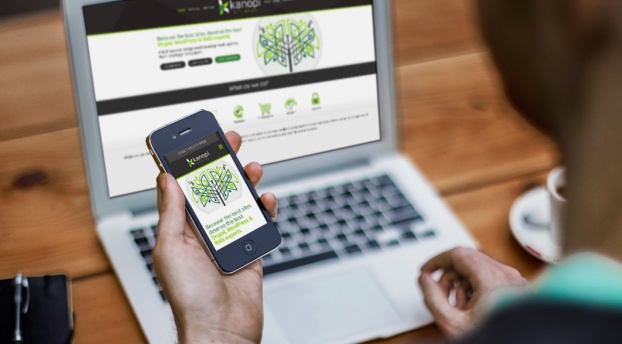
We mentioned the idea of “content in context” — integrating logical conversion points throughout your site experience in spots your users can always easily access, as well as within the context of your larger story. But we also need to optimize for a user’s environment. Mobile is now the dominant form of internet browsing. Our users are on the go. Don’t expect your audience to be settled in with a cup of coffee and a dedicated block of time to wander through your site on their desktop. Mobile is critical to the web development process.

  • Kanopi Tip: A responsive site should be thought of as “mobile-first”. At Kanopi, we strategize starting with the smallest screen sizes and work our way up from there. How do people interact with elements that you want to be omnipresent if they’re in a mobile context? Should the donation button, usually in the main header on desktop, be pinned to the bottom of the phone’s viewport for easy access? Should the phone number be more prominent on a mobile device?
  • Kanopi Tip: When designing for mobile, also think about the ergonomic position in which someone holds a phone — usually one handed, making their thumb the easiest way to navigate. Should that primary call to action go right next to where their thumb naturally lies for even easier access? And how big does it need to be to ensure an easy click target for touch?

Make Interaction Fast

Statistical data shows that the average page load time in the US for most sites is 5-7 seconds. Those same statistics show that abandonment rates take an exponential rise if your page takes longer than three seconds to load, and Google prefers that you have it under two seconds.

Given that in the US, ~71% of digital minutes spent are on mobile devices, and it’s ~62% in Canada, one thing is clear — speed matters in getting your message out. When it comes to web pages, bigger isn’t always better.

  • Kanopi Tip: Consider implementing Accelerated Mobile Pages (AMP) for your site. AMP is an open source project backed by Google that is focused on building a faster, simpler, and more performant web that is optimized for mobile devices. And As a bonus, you’ll get an SEO boost from the use of this approach.
  • Kanopi Tip: The biggest culprit in slow page load time on most pages is the number and file size of image assets. Kanopi recommends being very choosy in your use of imagery. Well designed vector imagery, use of color, and beautiful typography can have just as big a visual impact with a much smaller page footprint. And always leverage an image compression tool when you’re managing image files on your site.
  • Kanopi Tip: Only load what a user needs. At Kanopi, we take a progressively enhanced approach to web development. By starting mobile-first, we will load only the assets the mobile experience needs to render, keeping it as fast as possible. And we’ll add features and functionality as we scale. We are also not afraid to ask the hard questions — if a mobile user doesn’t need that feature… does anyone? Users leveraging external readers and “reading views” on web pages are becoming more and more prominent. They don’t want your eye candy. They want your content.

There is no “Build it and they will come.”

Building an audience-focused website with compelling stories will not cause an automagical spike in your site interactions or user donations. Understanding where your audience was before and after your site experience will give you a better understanding of how to market to them. Your site is one step in a multifaceted customer journey.

Where did their journey start? Were they at a third party platform that focuses on your subject matter? Can you partner with that platform to serve content about your organization?

Do they typically leave to visit a site rating your subject matter? Should you beef up your testimonials there to help them make a decision on interacting with you?

  • Kanopi Tip: Your site is one piece of your digital presence, and one piece of your audience’s user journey. Thinking of your site as the sole representation of your organization is not wise. People jump around and research with all the different resources available to them. Making conscious marketing choices can help make your presence, once they do land on your site, more valid, more recognizable and an authority for your cause.

Humanize the web development process!

Putting your users and their needs front and center helps both your audience and your organization and builds a relationship of trust and advocacy between them. It is the human element of our online experience that drives the numbers we use to justify our digital marketing activities to our stakeholders and makes the web development process more targeted and effective. If you try some of our tips, please contact us and let us know how they worked for you. And if you need assistance or have questions, reach out. We are always here for you.


About Kanopi

Kanopi is a women-run and family-owned business that is centered around beautiful design and strong architecture. Our data-driven approach fosters user-centricity and creates holistic web experiences based on user decisions. We believe that regular communication and support are the cornerstones of good development, and strive to give our clients a unique sense of ownership and investment in their work with Kanopi.
Aerial shot of Kanopi leadership around a table working on a project with laptops open.

How to write a winning RFP

Starting a new website project can feel overwhelming. Finding the right agency — one that truly understands your needs and can deliver effectively — is crucial. The best way to set yourself up for success? Ask the right questions from the start. But equally as important is providing as much clarity as possible in your Request for Proposal (RFP), ensuring that the responding agencies can offer accurate estimates and informed responses.

For large organizations with multiple decision-makers (we’re looking at you higher education and healthcare!) this process can be even more complex. Procurement requirements, departmental priorities, and differing opinions can make alignment challenging.

We see a lot of RFPs … ones that are 100 pages long and full of legal and procurement boilerplate, to those that are just three to five pages (and in case you were wondering, we prefer the shorter, more concise ones that get to the heart of the problem). So we have thoughts on what makes a great RFP.

To simplify the process, we’ve created an RFP template to serve as a foundation for your next website project. Our friends at the Drupal Association have written an RFP template as well specifically around open source projects.

As you work through the template, here are a few essentials to keep in mind:

  • Know your goals. Align with your internal teams in advance of the RFP process to define (and align) your needs.
  • Think in terms of building a long-term relationship. A good partnership with your vendors is key and should be established from the beginning. Do you like them as people? Can you imagine being on hours of calls? Choose an agency you can imagine collaborating with for years.
  • Be transparent. Clarity will benefit everyone. The clearer you are, the stronger and more customized the proposals you’ll get.
  • State your budget. This is a big one. When you include a realistic budget range, agencies can tailor their recommendations and avoid over- or under-scoping. It saves everyone time, builds trust, and ensures proposals are grounded in what’s achievable. Also consider reserving some percentage for contingency.  
  • Don’t be overly prescriptive. Describe your challenges, not the exact solutions. Good agencies are gifted at coming up with expert solutions to challenges that are stated in terms of problem statements or business objectives. Keeping an open mind will allow you to see (and compare) your prospective vendor’s recommendations and benefit from their expertise. 
  • Give yourself and your vendor enough time. Start the RFP process before your need is immediate to avoid extra pressure on both sides to meet an unnecessarily tight timeline to respond. Allowing more time can also mean more considered and complete responses.
  • Talk to your potential vendors ahead of time. This allows you to establish the relationship and pre-select the ones you suspect will be a good fit. The right vendors can provide a lot of value early in the process, which may even help inform the scope or direction of the RFP.

If you use AI to write your RFP:

AI tools can help you get started faster, but be careful: they tend to add unnecessary detail (and bloat equals a higher budget). To keep your RFP sharp:

  • Begin with a clear problem statement and desired outcomes.
  • Ask AI to outline sections, not write a full document.
  • Review, refine, and delete anything that doesn’t add value.
  • Separate “must-haves” from “nice-to-haves.”
  • Always have a human proofread any AI parts of your RFP to sanity-check the output against your goals and budget.

What’s next?

Once you’ve written that RFP and gotten responses back, it’s time to choose your vendor! We’ve also got advice on how to evaluate the RFP responses you receive.

Kanopi’s Allison Manley gave a presentation at the NTC Conference on how to write a winning RFP. Check out her presentation below to get more in-depth information.

A Decade of Data: UC Berkeley I School Case Study

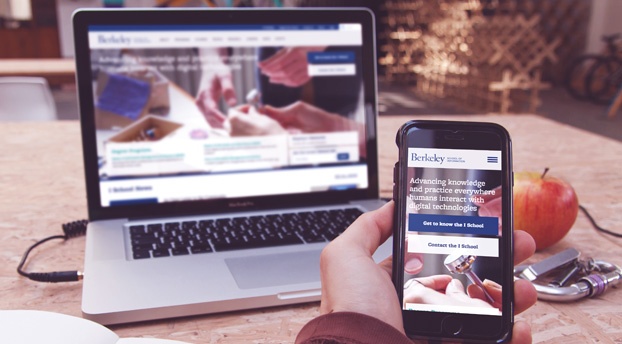
The Berkeley School of Information (UC Berkeley I School) contacted Kanopi Studios with a robust request: a redesign of their website, guidance on the modernization of development techniques, and a full migration of their site to the newest version of Drupal — which meant moving over 10 years of content.

This kind of request wasn’t unusual for us. Higher education clients are unique in that they are a lot of things to a lot of people. Audiences include academic peers, laypeople, current students, and prospective students. There are often competing goals and priorities, all of which need to be examined and addressed.

The answer to meeting the complex needs of higher education clients is always the same: start with research. With I School, our first stop was discovery. We had to figure out what we had to work with. That meant working closely with I School to determine content types, decide what information was still relevant, map the content to the new site, and gain clarity on the specific content that needed to be migrated during the development phase.

Then we set out our deliverables:

  • Drupal migration
  • Redesign
  • Training
  • Development pipeline
  • Responsive theming

We used a persona-driven design process that started and ended with the user. We asked the questions, “Who are we trying to attract?” and  “What do they want to see?” We blended the classic elements of UC Berkeley with a modern look and feel that would attract prospective students, while at the same time making sure the design would maintain the same high quality across a variety of platforms and devices.

In order to modernize the development practices used for I School’s site, we reorganized the way code and files were structured and refactored some of the custom modules so we could take advantage of newer tools in Drupal 7, such as the Database API, Panels, and various caching methods.

We also provided I School with a full platform for continuous software delivery, with automated deployments to the development site and scripted deployments across all environments. The bottom line? Less downtime and a more responsive site.

“It was a great pleasure to work with Kanopi on our website redesign project. We faced a daunting challenge migrating our highly customized site from one version of Drupal to another, while simultaneously moving to a completely new responsive visual design. The Kanopi team’s expertise and enthusiasm were critical to the success of our project. We couldn’t have done it without them!”

– Kevin Heard, Senior Director of Information Technology, UC Berkeley School of Information

As they say, the proof is in the pudding. In the weeks since the new site launched, measurable improvements are already being noticed by site administrators and, most importantly, by the users! Here’s a snapshot of the improvements:

  • Sessions increased by 4.29%
  • Users increased by 3.11%
  • Page views increased by 22.30%
  • Pages/session increased by 17.26%
  • Average session duration increased by 11.33%
  • Bounce rate decreased by 1.42%

From research to organization to design to modernization, our decisions were driven by data every step of the way. Contact us today to discover how we can transform your site and help you meet your goals.

Stop Designing Like the World is Flat: Introducing Component Driven Design

Nikki Stevens, Drupal Architect / Tech Lead
Nikki Stevens

One of the hottest topics in Drupal circles this past year is the concept of Component Driven Design to streamline front-end development and theming. While atomic design principles are not new to the design community, the introduction of twig in D8 provides those of us designing for Drupal an interesting set of tools, like PatternLab and KSS-Node, to help continue our march towards a world that’s free of the flat PSD. Awesome, right? Well… now what?

I think to see the real value, and why the community is so excited about the integration of these tools into our design and development processes, you must go back to what makes up a website in the first place. Patterns.

Patterns are all around us, and that is particularly true when it comes to the building blocks (or components) that make up modern websites. To define a pattern, you simply need to look for a couple of things: 1) Can it be given a name? 2) Does it solve a problem? 3) Is it repeatable? And 4) Can it be combined to make other more complex patterns?

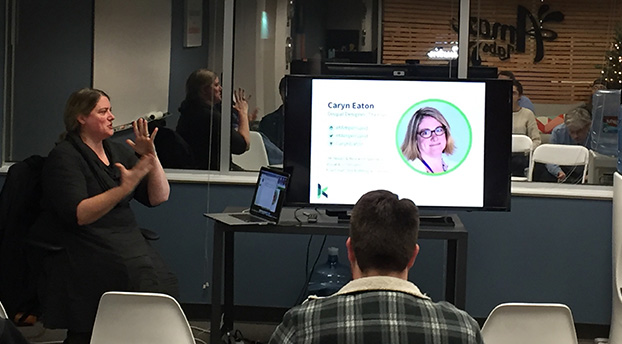
Caryn Eaton Presenting at ADUG- Introducing Component Driven Design
Caryn Eaton talking about Component Driven Design at ADUG

Let’s think about an image. While this may feel very granular, when you look more deeply, it becomes clear that it meets all the criteria one needs to define it as a pattern. Image is the name of an element that solves the problem of helping your users to visualize something. This could be a product or service, an event, or even a feeling you want to elicit when users visit your site. We reuse images throughout the site with variations, as well as combine it with other small patterns (for example headings, dates and paragraphs) to create this slightly larger pattern.

Managing all of these patterns is where tools like PatternLab and KSS-node come into play. They help to organize all of our newly declared patterns into logical buckets and build a living style guide to use code to communicate the visual language of a new website. As a designer who is also a coder, I can illustrate to our clients exactly how the team envisions these components working — not just how they will look. And yes, before you point it out, there are other tools designers use that do this effectively, but, as far as I have seen, they rarely provide production-ready code that can be leveraged directly by the CMS to jumpstart development. This is the real beauty of the twig-based relationship between D8 and PatternLab.

Now, as I hand off the designs to the remainder of the development team, there is little ambiguity yet greater flexibility to implement the remainder of the templates/pages throughout the site. By using a module, aptly named components, developers can reach over into PatternLab and import the code, classes, and styles associated with a specific pattern anywhere it is needed. This assures consistency, and even a modularity, which is something every developer strives for during the development process.

So, is the PSD dead? As much as I would love to say yes, I highly doubt it. Designers will always have a need to benchmark certain aspects of a project in static format to gain buy-in on direction. In-browser design is yet another tool in our ever-deepening toolbox to help gain efficiencies during build projects, allow us to meet project timelines, and better set client expectations, ultimately leading to happier clients and teams alike.

If you would like to learn more about how D8 and PatternLab could be implemented on your next website build, please do not hesitate to reach out to us here at Kanopi Studios.

View Caryn’s ADUG Presentation

SFCM blog

Symbiosis FTW: Better Living Through Partnerships

“Mutualism” is a fancy term for a mutually beneficial, symbiotic relationship between two entities in nature. Organisms, from simple to complex, team up and help each other to the benefit of both; resources that may be scarce for one organism are easily provided by the other. So, how can mutualism apply in the agency world? The modern approach to building technology-agnostic experiences, allows the evolution of the User Experience and Design to lead the executional decisions on “how” (the technologies) to build the “what” that has evolved. At times, firms look for a partnership to complement their team. Therefore, mutualism with other agencies can become an extension of the firm and seamlessly keep projects moving forward.

At Kanopi Studios, we feel that a symbiotic collaboration of great minds breeds great work together! That’s why we are proud to highlight our partnership with Mule Design Studio on the San Francisco Conservatory of Music (SFCM) website.


San Francisco Conservatory of Music gives students the framework and foundation to succeed throughout their studies and careers, creating a path of lifelong learning. In partnering with Mule Design Studio, SFCM was looking for a full web transformation; one that would showcase the Conservatory’s unique mission and offerings. The goal was to delight prospective students and their parents and provide pathways to relevant content inspiring them to want to study at SFCM. SFCM also wanted a robust and manageable content administration process.

Mule expertly constructed an experience to propel the brand experience and accomplish these goals, then chose Kanopi Studios as their Development Partner to bring the experience to life.


“We seek development partners who specialize in implementing state-of-the-art web experiences. Kanopi’s decade-plus experience in Drupal development, their ingenuity, and their people are why we chose to work with their studio. Mule takes a holistic approach to strategy, design, and technology, and selecting a partner like Kanopi to be a part of delivering a successful site is imperative.”

– Mike Monteiro, Mule Design


Kanopi constructed a dedicated multidisciplinary team to perform technical guidance, feasibility and executional services for the project. Together, Mule and Kanopi provided thought-leadership on real-world implementation and actualization of design, while building a blueprint for the end user’s experience, both visually and technically. The partnership between Mule and Kanopi was seamless, and the teams strived to provide a unified experience for the end client.

As with many projects, there were complexities. In this case, the end-result needed to be more of a customized web solution. Not only did the experience require carefully crafted content, the sheer volume of content required a mindful execution for the front-end to be flexible to accommodate it, as well as the CMS administration that powered it. There were also integration points, such as an EMS calendar system. In order to further integrate the calendaring system into the experience, we were able to create a customized model to group related taxonomy with events on the calendar and create a guide that SFCM could build out and load content into as needed.


“Kanopi conducted a thorough technical discovery phase to inform and define the technical specifications for the project. These were outlined in a scope document for the client and included all third party integrations. It also mapped our implementation plan, defined parameters, and called out specific criteria for the build. Throughout the project, Kanopi provided further detailed plans for the client around each milestone: CMS Training, Content Entry, QA Testing, and Launch. This documentation enabled a smooth, on-time launch.”

– Maggie Glaize, Mule Design


Alignment between Mule and Kanopi was critical to provide a unified execution, but the end client’s partnership with the teams was just, if not more, pertinent. SFCM assembled a multi-skilled team to tackle the project and methodically navigated stakeholders on their side to gain buy-in and lead the effort. The project success was an absolute collaboration between several organizations all working diligently toward common goals, and leaning on each other throughout to successfully launch the experience.

In nature, measuring the precise benefits to the individuals in a mutualistic relationship is not always a straightforward process, particularly when organisms can receive benefits from a variety of sources. By creating lasting, trusted, ongoing agency partnerships, Kanopi builds personal connections. The more we understand how our agency partners think, the more we can intuit what they need, and the more we can intuit project needs. Interactions between Kanopi and our partners are harmonious, as are the relationships we have with our end clients. 

Want to form a partnership with us on your next project? Contact us.

Kanopi Studios increases DRTV show’s conversion rate by 4.5% in just three weeks

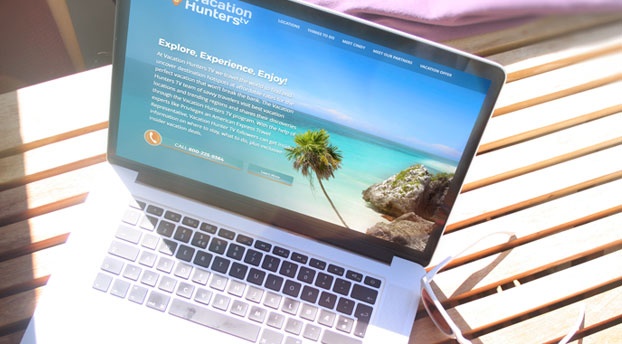
This summer, Canella Response Television partnered with Kanopi Studios to create a website that helps generate sales for their Vacation Hunters TV direct response television (DRTV) program.  Vacation Hunters TV provides an amazing deal for a vacation for two to Mexico’s Maya Riviera. Their DRTV spot features gorgeous and enticing clips of locations to visit and things to do in the Maya Riviera- and of course, their killer offer- presented by savvy traveler extraordinaire, Cindy Christi. This was Kanopi’s first DRTV website, and we were excited about the challenge to increase their conversion rate.

A DRTV program asks consumers to respond directly to the ad by calling in or visiting their website. The Vacation Hunters TV offer is only redeemable by phone, so our goal was to have users call the 800 number and book their trip.  After watching the show multiple times to get an understanding of their flow of information and call-to-actions, we dove into the UX and design. The site needed to be an extension of the show- informative, enticing media, ample call-to-actions, and be beautifully clean and simple, unlike a lot of in-your-face DRTV companion sites.

We took the tried and true flow of a DRTV show and reimagined it for the web. We designed a one-page, long-scrolling site, introducing users to the offer, enabling them to explore the opportunity and locations through text, videos, and photos. The site also presents the host and Partners that make this deal possible. It wraps up with another offer, all while subtly keeping the call-to-action front and center.

The result? Within three weeks of the site being live, www.vacationhunters.tv generated over 1,000 phone calls and their usual conversion rate of 3-4% was up to 7.5%.  Happy travelers and a euphoric client! Now that we’ve completed our work, we’re ready to pack our bags and head to Mexico. ¡Hasta luego!

Visit Vacations Hunters TV Now

10 Benefits of a Mobile Website to Share with Clients

Can you recall the last time you were holding your smartphone? Of course, you can! It was likely only a few minutes ago. Actually, if you’re part of the steadily increasing number of web users who do the majority of their website browsing using their hand-held devices, chances are good you’re holding your smartphone right now to view this article.

With so many people now using their mobile devices to surf the net, the way website developers approach website creation has significantly changed. In our latest blog post for GoDaddy Garage Blog find out:

  • What is a mobile optimized website
  • Traits of websites that are optimized for mobile and tablet
  • Top 10 reasons why your website should be optimized for mobile viewing.

Read the ENTIRE article and make sure to check back for more posts.

Restaurant design image - tomato and knife

2016 Web Design Trends

It’s that time of year again!  No, I’m not talking about time for turkey, football, holiday parties, and Christmas cheer – although I’m definitely excited about these things as well.  What I mean is, it’s time to take a look at the upcoming web design trends for the next year.  Web design has come a long way in the last several years.  I always enjoy looking back, observing current trends, and making predictions on where web design is headed next.  This reflection on design is not only fun – I believe that these trends are important to consider when updating or redesigning, as it helps to future-proof your site and deliver an experience your users will come to expect.

Common UI Patterns

User experience has rightfully become a large part of the web design industry.  The use of responsive design has changed the way that we consume the web.  This user-centric focus has resulted in many common UI patterns across mobile and web design.  Although I think we will see more originality in designs popping up in the future (which I’ll touch later), I think we’ll continue to see common UI patterns popping up across the web, such as hamburger menus and hidden navigation, card layouts, simple but strong designs, and…

Meaningful Microinteractions

Essentially, microinteractions are small product moments that revolve around a single task.  You take part in them every day – hitting the snooze button, checking off a to-do item, or turning on a function on a device.  Examples of microinteractions on websites include progress when filling in a registration form, favoriting a song, a notification of real-time content updates, or a friendly greeting before diving into the content.  Microinteractions usually get little attention unless they’re poorly executed and cause annoyance.  Well planned, human-centered microinteractions can make the difference between someone tolerating your site and someone becoming a loyal user.  They should use human language, colloquial speech, and include emotions.  Understanding your user (what they want to accomplish, when and where the interaction will take place, etc), is the beginning of crafting enjoyable microinteractions.  With a continued emphasis on User Experience in web design, we will likely see more meaningful microinteractions pop up across the web.

The example below was created by UXPin, on a hypothetical model talent website. The model’s metrics, as well as a button to download a pdf with more information, are revealed on hover. The addition of subtle animations add a bit of discoverability to the experience.  Read more at UXPin’s post: UX Design Best Practices: Refined Microinteractions.

Microinteraction example from UX Pin

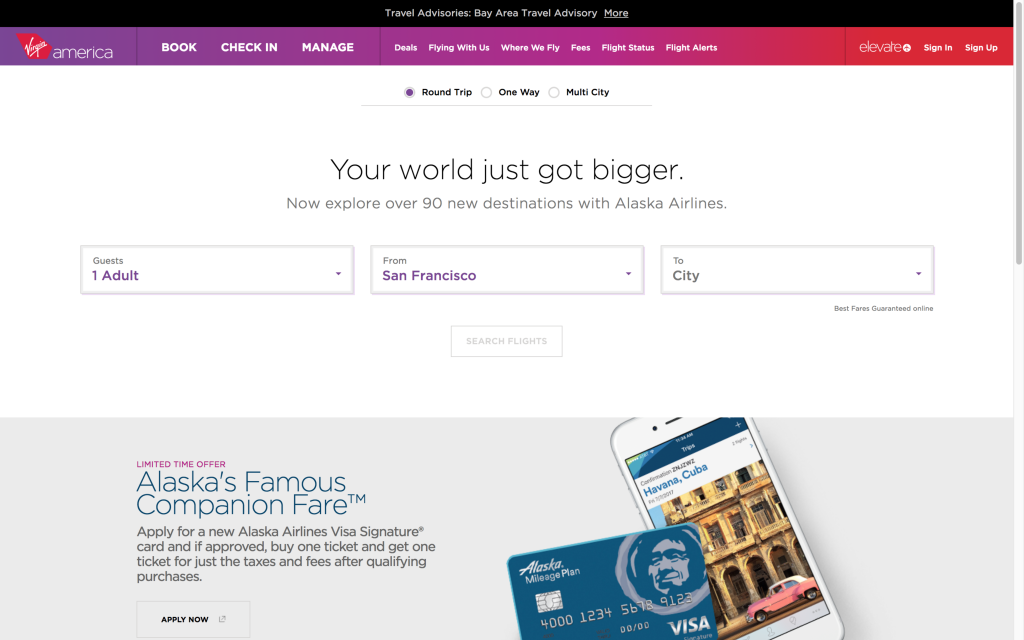
Virgin America
Virgina America’s website has a lot of microinteractions on their UI that add special touches to the experience of booking a flight.  The list includes active states to indicate what form field the user is on, animated indicators of the user’s selections, and messages at the top of the screen that walk the user through the process.  The addition of fun messages about the destination adds personality to the interaction.

Microinteraction example from Virgin America

Originality

With the rise of responsive web design, we’ve also seen a huge shift toward a particular design trend – full-width banded background sections, large hero images/slideshows, lots of vertical scrolling, and parallax features.  The popularity of these design features has resulted in many websites having the same look and feel.  I think we’ll see a renewed emphasis on original designs in the coming year(s).  This will be done through hand-drawn graphics, unique grid use, stronger focus on typography, elegant animations, and storytelling.

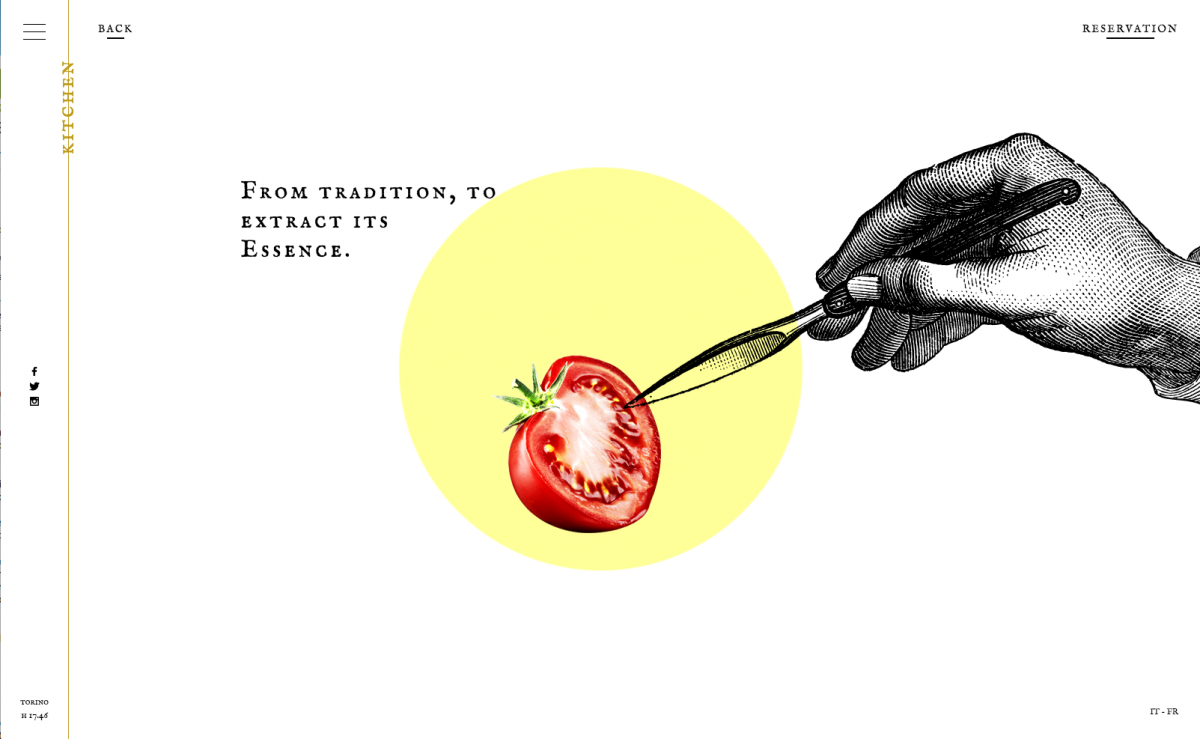
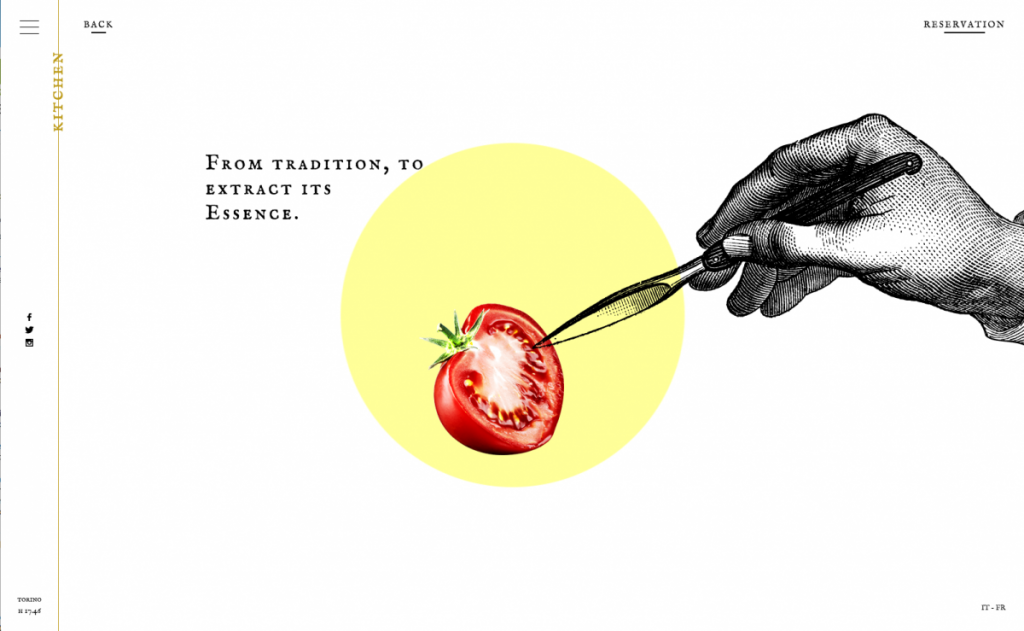
Ristorante Del Cambo
This restaurant website has a unique blend of illustrations, photography, subtle video, and scrolling in a simplistic design.

Ristorante Del Cambo original design

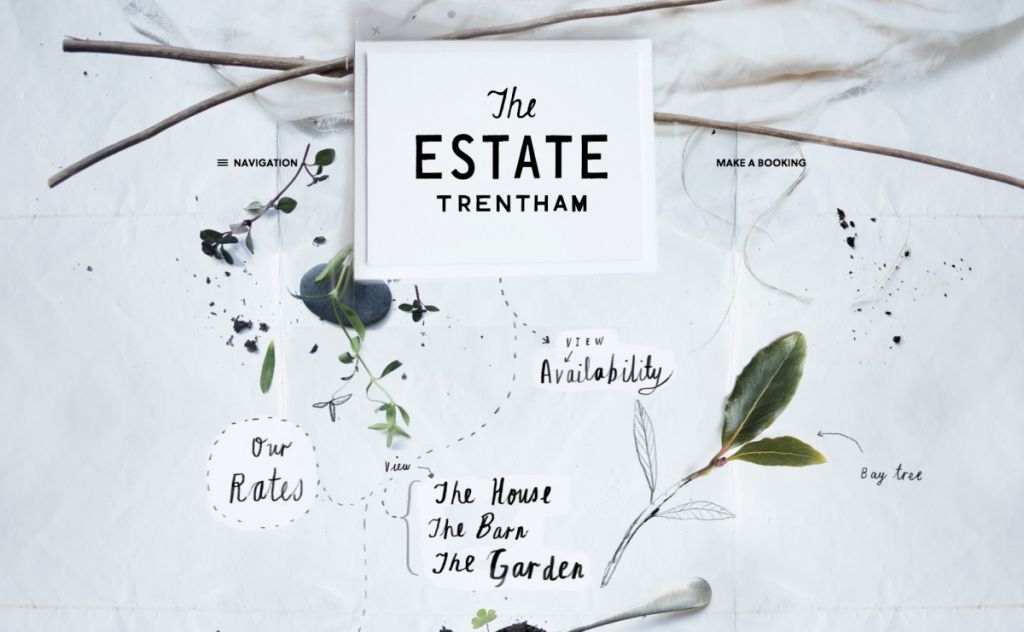
The Estate Trentham
The website for The Estate Trentham uses photography and hand drawn elements to create an organic feel that matches the vibe of the estate beautifully.

The Estate Trentham original design

Storytelling

Storytelling is as old as humankind itself, and is the primary way that we absorb and share information.  A good story will engage the audience, make content and facts memorable, illicit emotions, and can ultimately persuade the audience to make a decision.  It’s an important communication tool in marketing, but has been seldom used in web design.  Some considerations for creating a good story parallel those for creating good web design.  Crossover factors include: Who is the audience? What are your goals? Do you have a clear message?  Engaging content, supporting visuals, and user interaction can be combined to bring storytelling to a website.  There are already a handful of sites that make good use of storytelling, and I believe that we’ll continue to see more.

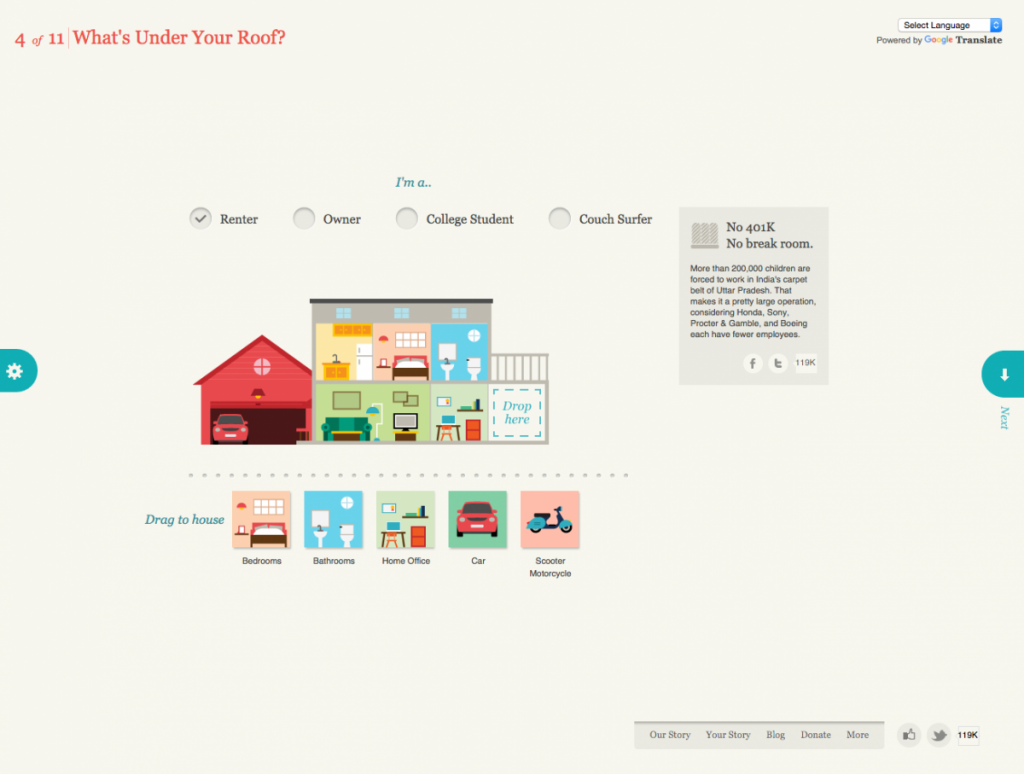
Slavery Footprint
Slavery Footprint is an excellent example of a website making the user the character in the story.  The user fills out an interactive survey and is given information about slavery and how it relates to them personally.

Slavery Footprint

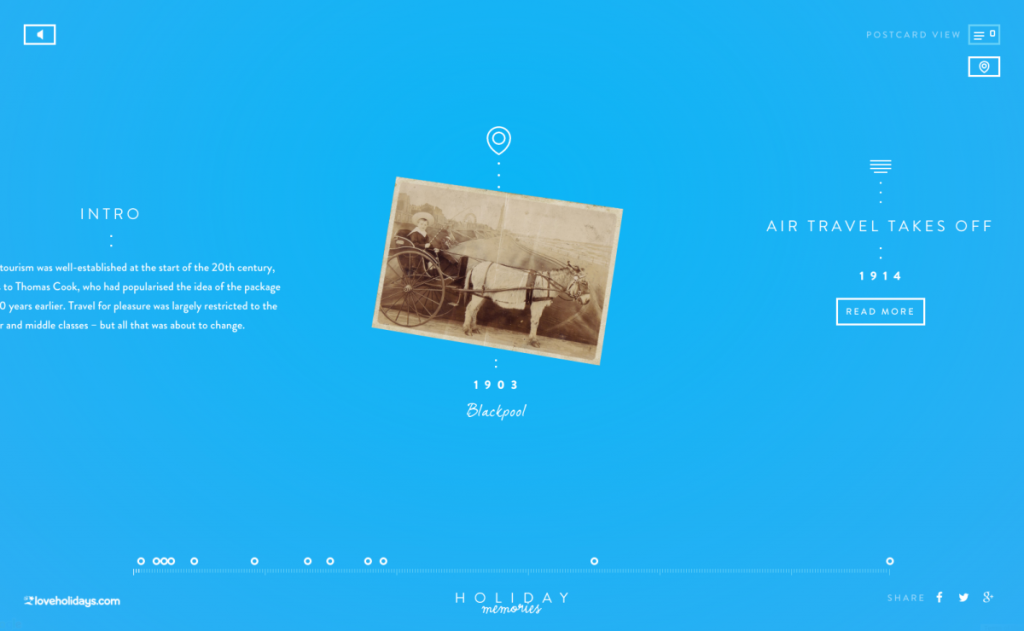
Love Holidays – Holiday Memories
Holiday Memories is a promotional site for loveholiday.com. Through its clever use of an interactive timeline and map view, it displays the history of British tourism using real holiday photos.

https://elrumordelaluz.github.io/csshake/

Material Design (or the evolution of flat design)

Material Design is a guide that was created by Google (in 2014) for visual, motion, and interaction design across their platforms and devices.  It isn’t exactly a design trend like flat design, although some do call it the ‘evolution of flat design’ because it borrows aesthetics from it.  Google offers a library, Material Design Lite, which can be used on websites.  Material Design is based on the idea of layering tactile elements, like a stack of papers.  It reintroduces the use of layering, light and shadows, which were stripped out of flat design.  These elements aren’t just used for visual appeal, as we’ve seen in the past.  When used intelligently, they provide realistic visual cues to the user experience.  Material Design brings a lot more to design, such as color palette, typography, icons and layouts, but I believe the use of layering and shadows will become the next direction for “flat” design.

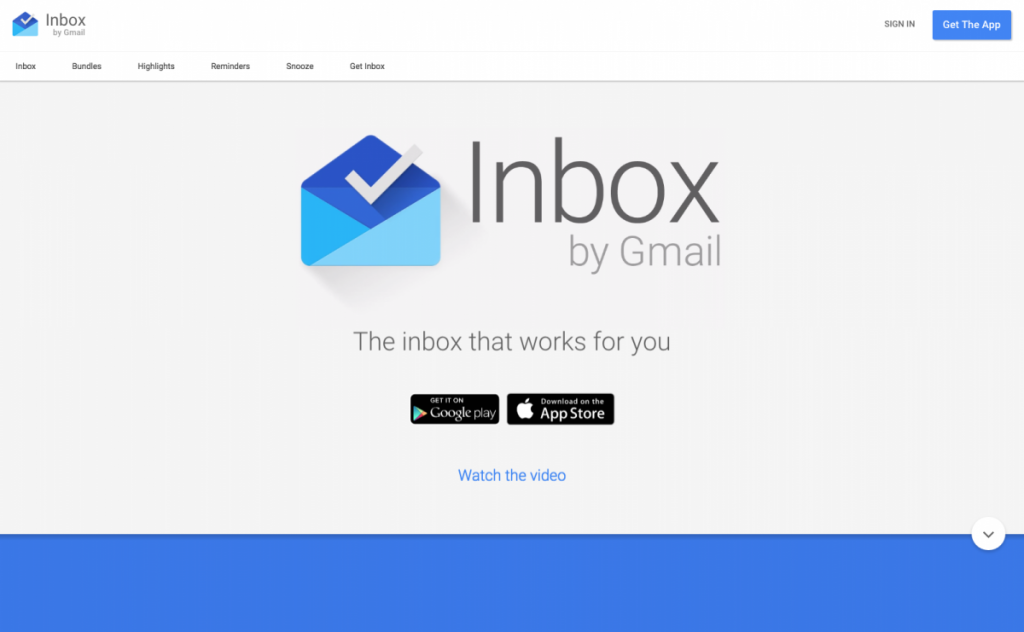
Inbox by Google
Unsurprisingly, Google uses Material Design on its own products – Inbox by Google is a good example of Material Design.

Inbox by Google Material Design Example

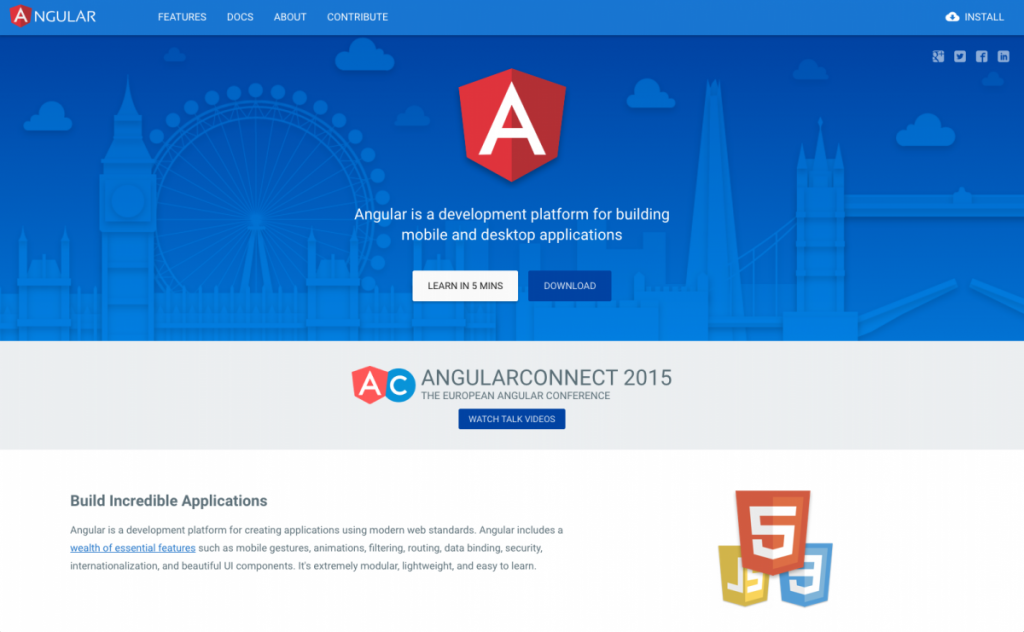
Angular.io
Angular uses subtle shadows and animations to highlight interactions, separate page sections, and draw attention to important elements.

Angular.io Material Design example

Focus on Large Screen Resolutions

You may have noticed that I didn’t include responsive design in this list of upcoming design trends.  This was intentional, as I think it’s no longer a trend, but a must.  Responsive design is critical, as Google has changed the way that it ranks sites that are not mobile-friendly.  Having said this, I do think we’ll see a larger number of responsive sites focusing on large screen resolutions, as well as small screen.  Recently, I’ve had a handful of clients ask me about designing for extra large screens.  Since then, I’ve seen a steady rise in sites that are doing so.  For example, Amazon recently increased its maximum width to 1500px.  According to w3schools, desktop users were on screens with a resolution of larger than 1320px wide.  It only makes sense to move to a larger maximum width for our websites.

Bottom Line

While I think we’ll see an increase in these trends in the coming year, it’s important to keep in mind that these, and other trending design patterns, shouldn’t be used just because they’re popular.  The main focus of your design should be creating a compelling user experience.  Some of the above may aid you in doing so, and some may not.

Happy holidays, happy new year, and happy designing!